-
-
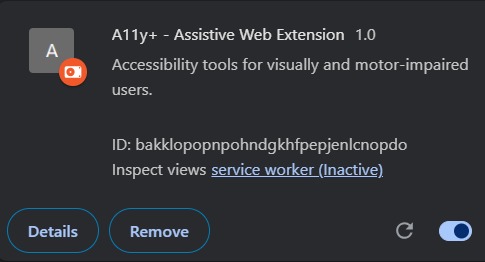
A11yPlus successfully loaded in Chrome as a version 1.0 extension
-
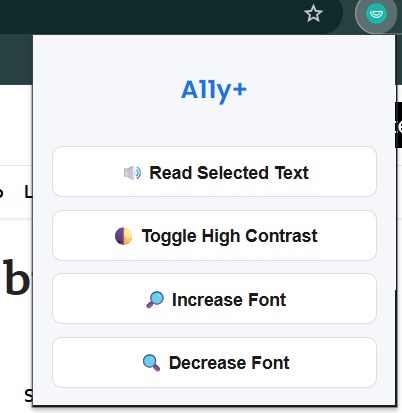
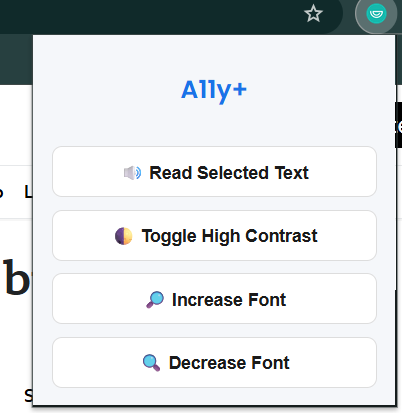
Extension opened showing all 4 buttons clearly
-
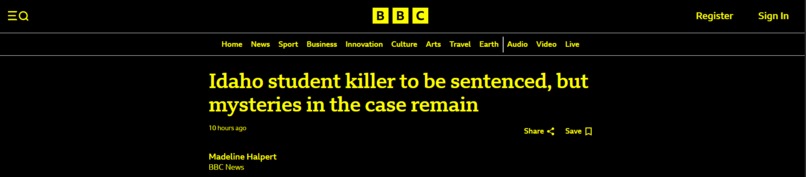
A page with contrast mode applied (black/yellow)

Inspiration
While browsing the web, we realized how difficult it can be for people with vision problems or motor disabilities to interact with websites. Reading text, adjusting brightness, or even navigating becomes a challenge. That’s what inspired us to build A11yPlus — a simple but powerful Chrome extension that adds accessibility tools to any webpage.
What it does
A11yPlus offers three key features:
- 🔊 Text-to-Speech: Reads out any text selected by the user.
- 🌓 High Contrast Mode: Toggles a black background with bright yellow text for better visibility.
- 🔎 Font Size Controls: Lets users increase or decrease the font size across the webpage for comfortable reading.
These tools are lightweight, fast, and work instantly — no need to reload or configure anything.
How we built it
We used:
- HTML, CSS, and JavaScript to design the extension’s popup UI
- Chrome Extension APIs like
scripting,activeTab, andcontent_scriptsto interact with webpages - A custom content script to dynamically inject contrast styles and font adjustments on any open tab
We also designed the interface to be simple and clean so that anyone can use it easily.
Challenges we ran into
We faced some unexpected issues like:
- Getting content scripts to work consistently across all sites
- Making sure font size changes didn’t break page layout
- Applying contrast without overriding important design elements
- Managing Chrome’s security policies for scripts and permissions
Debugging Chrome extension behavior across different websites also took careful testing.
Accomplishments that we're proud of
- We successfully built our first fully functional Chrome extension
- All three features — TTS, contrast toggle, font control — are working smoothly
- The extension works on almost every website, including complex ones like Wikipedia, YouTube, etc.
- The UI is clean and usable — and the code is completely original
What we learned
We learned:
- How to use Chrome’s extension architecture and APIs effectively
- How to inject scripts into webpages and apply real-time changes
- The value of accessible design — even small features can make a big difference
- How to think from a user’s perspective, especially users with different needs
What's next for A11yPlus
We plan to:
- Add a dyslexia-friendly font toggle
- Introduce keyboard navigation support for users who can’t use a mouse
- Add light/dark mode switching
- Explore AI summarization to simplify web content for easier understanding
Our goal is to keep improving A11yPlus until it becomes a must-have tool for web accessibility.
Built With
- api
- apis
- chrome
- content
- css
- extension
- html
- javascript
- scripting
- scripts
- speechsynthesis

Log in or sign up for Devpost to join the conversation.