Inspiration
A course page can look normal to a teacher while a screen reader or keyboard-only student cannot find the reading or submit work. The most painful part is that the teacher may never learn there was a problem. A11yClass was built to make those invisible barriers visible before publication.
Intended learner, task and barrier removed
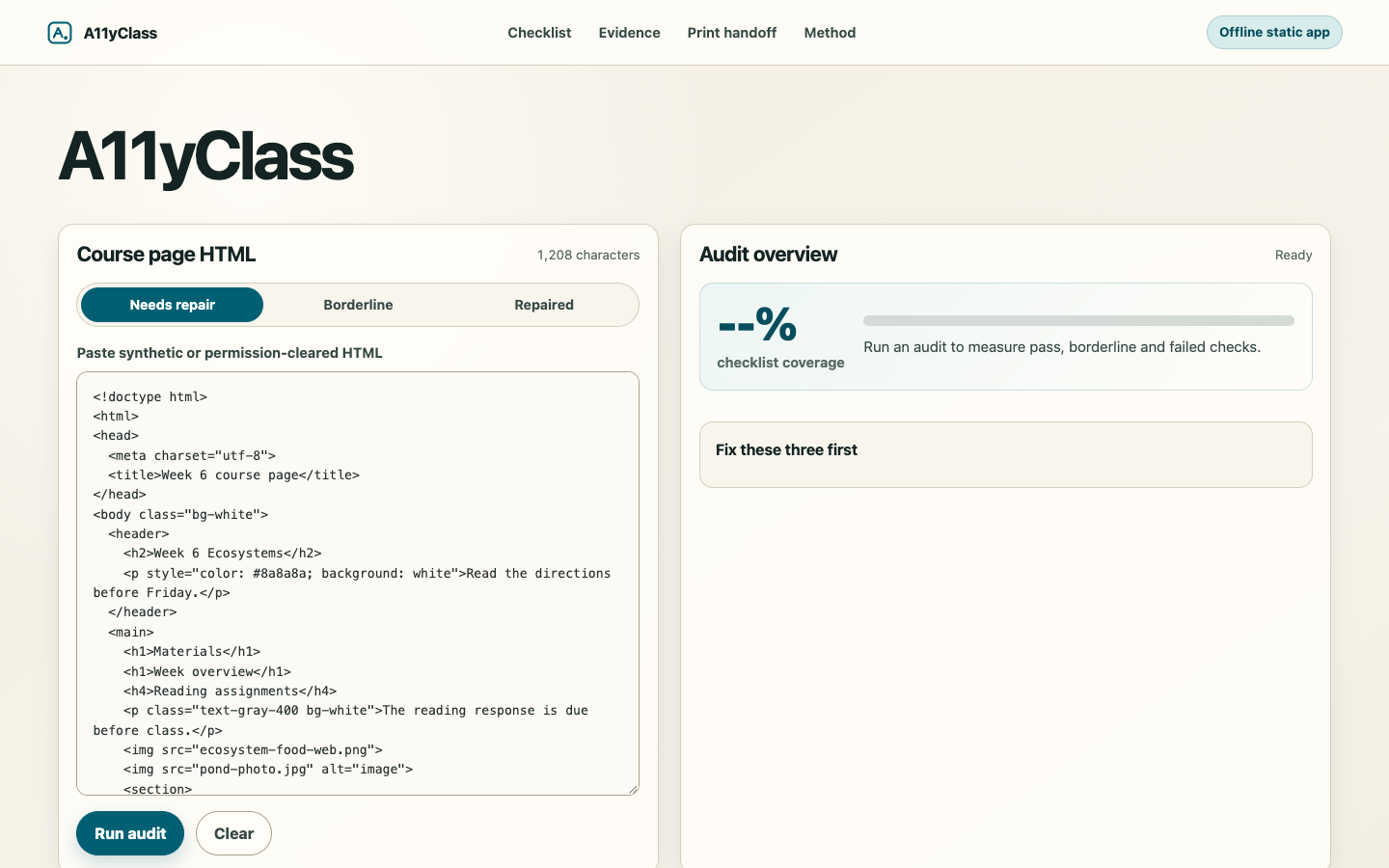
The intended learner is a student using a screen reader or keyboard-only navigation. The task they need to complete is to find the week's reading and submit an assignment. The barrier removed is the feedback gap. Instead of waiting until a student gives up, a teacher can paste the course page HTML and see concrete accessibility barriers before students depend on the page.
What it does
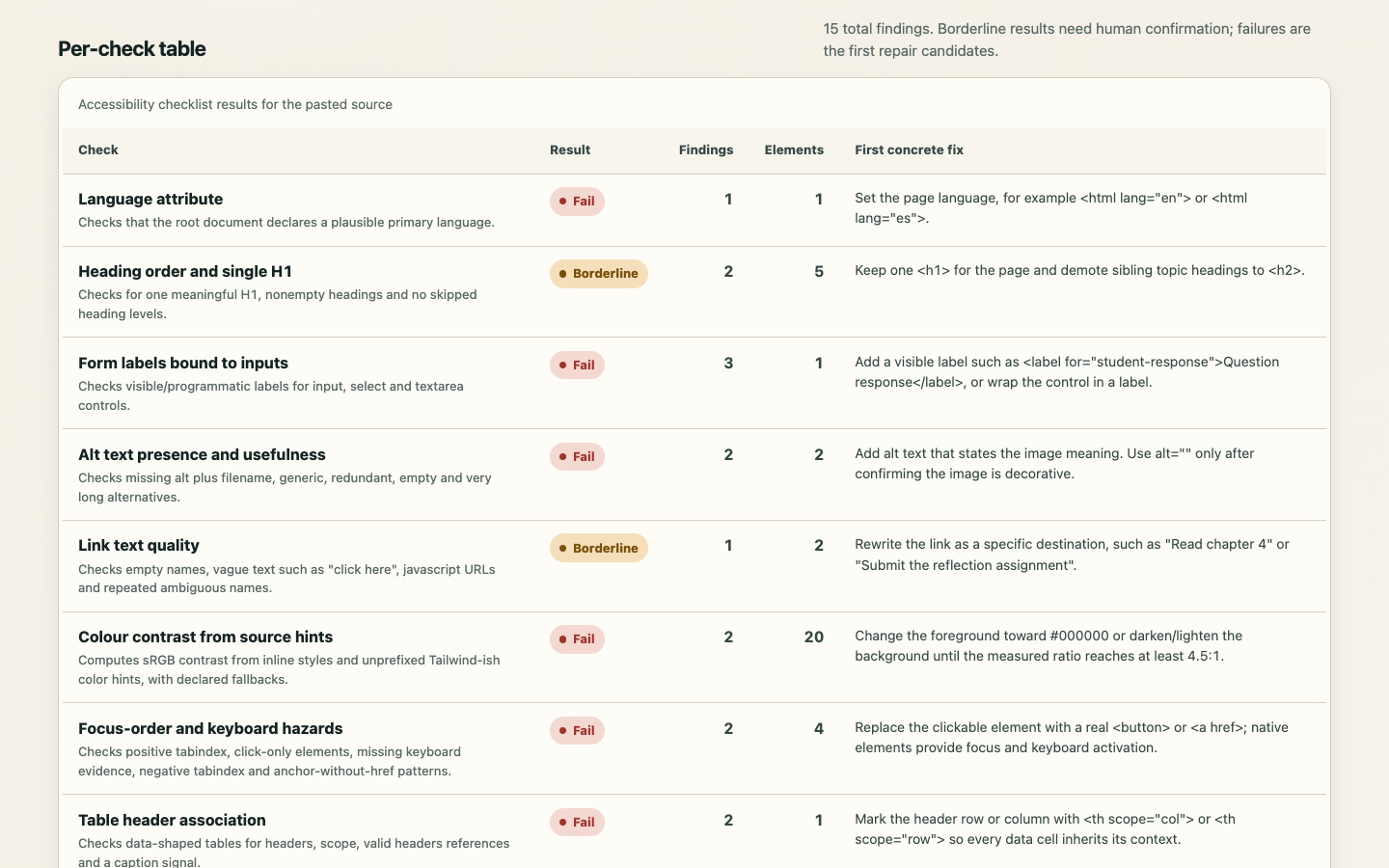
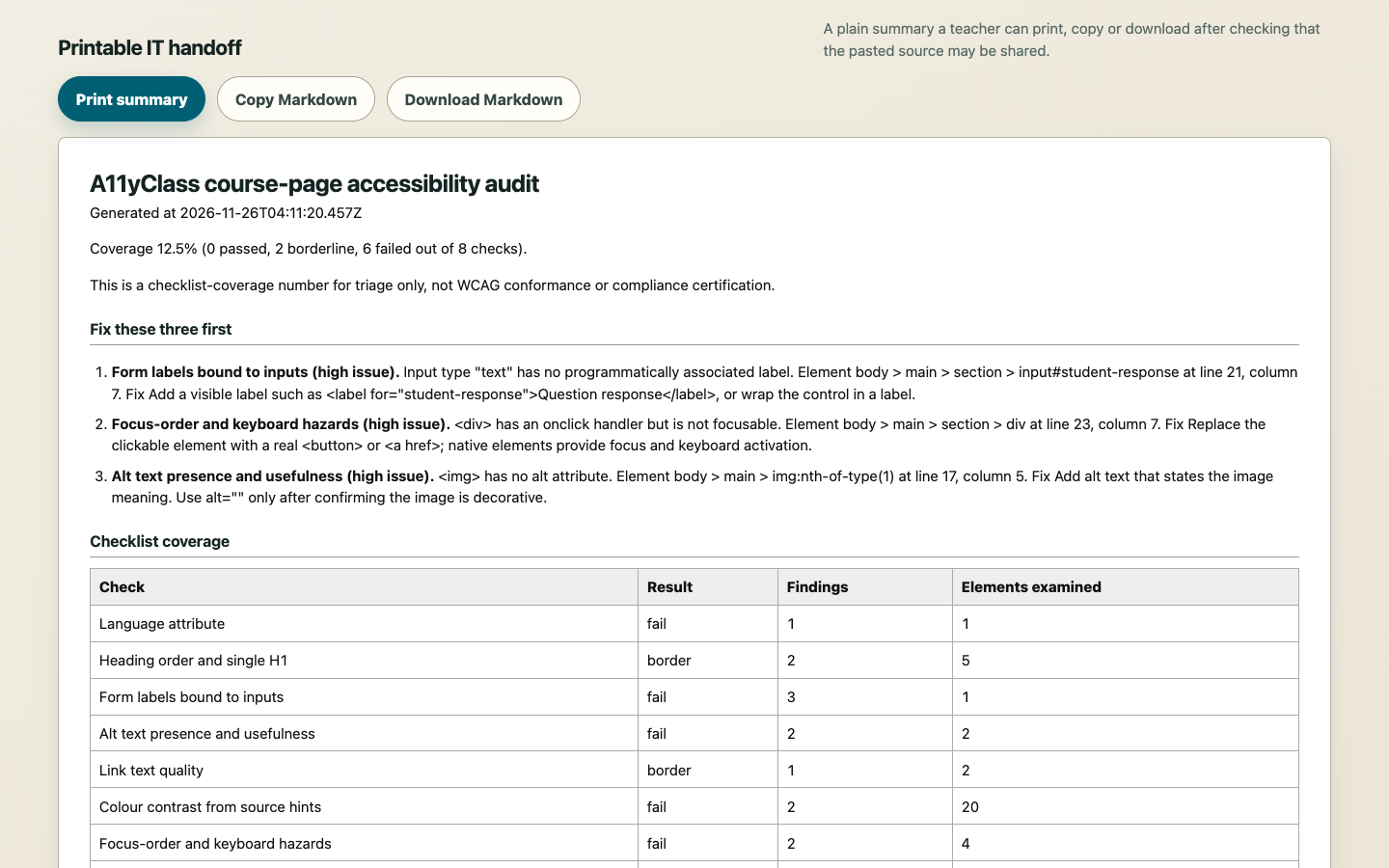
A11yClass is an offline accessibility auditor for course-page HTML. It runs eight named checks covering language, headings, form labels, alternative text, link text, colour contrast, focus hazards and table header association. Each finding names the exact source element, a severity, the learner impact and a concrete repair. The report includes a per-check table, a ranked "fix these three first" list and a printable IT handoff.
The score is deliberately described as checklist coverage. Passed checks count as one, borderline checks count as half, and failed checks count as zero across eight prototype checks. It is not WCAG certification or compliance proof.
How it was built
The prototype is a dependency-free static HTML, CSS and JavaScript app. A deterministic HTML tokenizer and parser preserve source lines and element references without executing pasted markup. The colour check implements sRGB relative luminance and reads inline styles plus limited Tailwind-ish class hints. Missing colours use a clearly stated black-on-white fallback. Node's built-in test runner exercises the parser, every check's pass, borderline and fail states, contrast math, ranking, report shape and malformed input.
What makes it privacy conscious
The auditor is offline. It does not upload a page, require an account, use a network service or store student information. The shipped examples are synthetic course pages. No private student records or real grades are included.
Challenges
Accessibility evidence is easy to overclaim. The hardest design decision was making the report useful without calling it certification. Borderline states are used when source evidence is real but incomplete, such as empty alt text that may or may not be intentional. The contrast report also names its fallback assumptions rather than pretending to know external CSS.
What was learned
A useful audit has to connect a rule to a learner task. "Missing label" matters because a student cannot know what answer a field wants. Positive tabindex matters because the reading and submission order can stop matching the page. The project reinforced that accessibility work needs both automated evidence and honest human testing.
What's next
A browser extension or bookmarklet could compare source evidence with computed styles and live focus order. A school-friendly repair mode could suggest exact replacement markup for common learning-management-system widgets. Real screen reader testing with permissioned users would be essential before any broader release.
AI disclosure
AI assistance helped implement, test and document the prototype under Aariv Patel's direction. The project idea, target learner, safety constraints and submission decisions are human-directed. All examples are synthetic.
Built With
- accessibility
