-
-
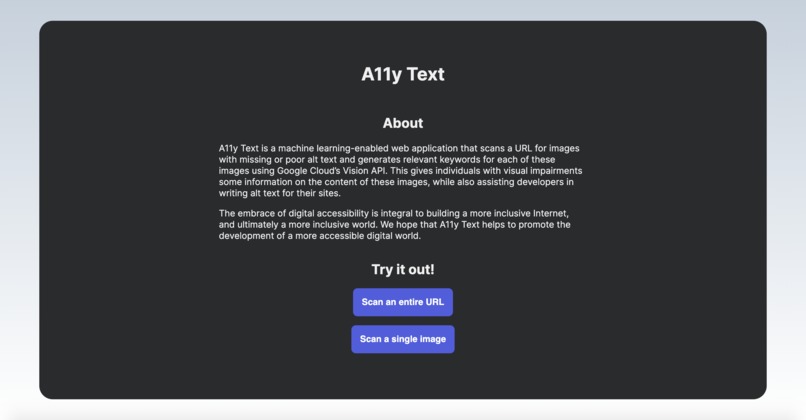
A11y Text Home Page
Inspiration
In an increasingly digital world where the Internet influences essential parts of our everyday lives, from the way we communicate with friends and family members to how we apply for health insurance, it is essential that web accessibility is prioritized. Yet, according to WebAIM’s 2020 accessibility analysis, 98.1% of home pages of the top 1 million websites had detectable accessibility issues. WebAIM estimates that “users with disabilities would expect to encounter detectable errors on 1 in every 14 home page elements with which they engage,” which means that they may be excluded from the information and services that these websites offer.
The same analysis reveals that missing alternative text (alt text) for images was the second most common failure on home pages. What happens if an image link breaks? Or if an individual is using a screen reader? Or if a browser can’t load an image? The presence of alt text not only improves the user experience for all users but also is essential for individuals with visual impairments.
We created A11y Text, a machine learning-enabled web application that scans a URL for images with missing or poor alt text and generates relevant keywords for each of these images using Google Cloud’s Vision API. This gives individuals with visual impairments some information on the content of these images, while also assisting developers in writing alt text for their sites.
The embrace of digital accessibility is integral to building a more inclusive Internet, and ultimately a more inclusive world. We hope that A11y Text helps to promote the development of a more accessible digital world.
What it does
A11y Text has two main components: either scan a single image to generate labels, by uploading from their device or using an image URL, or find all images with no or poor alt text given a website URL. Our website displays the images that fail our assessment and provides relevant keywords generated using Google Cloud Vision’s API. Our category for failure is based on the following characterizations: a missing alt attribute, an empty alt attribute, or potentially poorly labeled alt attributes.
How we built it
The frontend of the application was built using HTML, CSS, and JavaScript. We used Python for web scraping to get the information for all images with poor or no alt text on a webpage. To generate relevant keywords for each image, we used Google Cloud Vision for label detection. We also used Google Cloud Storage and Google Cloud Firestone to store and process files.
Challenges we ran into
We were unfamiliar with APIs so leveraging Google Cloud Vision for image labeling was our biggest challenge. Another challenge we had was learning how to scrape all image data on a page to get images with poor or no alt text given a website’s URL.
Accomplishments that we're proud of
Working across multiple time zones and collaborating virtually. Navigating endless tutorials on web scraping and API implementations to get the web app’s functionalities working. Google automatically suggests “stackoverflow” whenever I type in the letter “s” in my search bar.
What we learned
We learned how to use APIs, build a web scraper using Python, and integrate Google Cloud services into our application.
What's next for A11y Text
Usability testing, improvements to UI/UX, added functionalities
Built With
- css
- flask
- google-cloud
- google-cloud-vision
- html
- javascript
- jinja
- machine-learning
- python

Log in or sign up for Devpost to join the conversation.