-
-
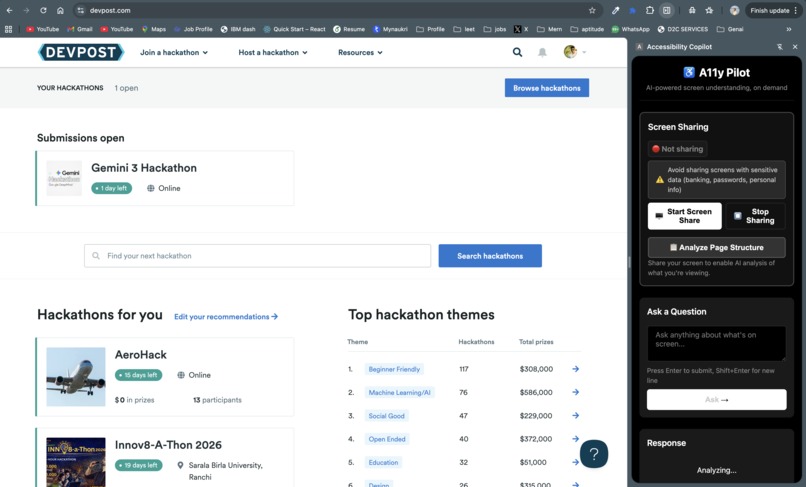
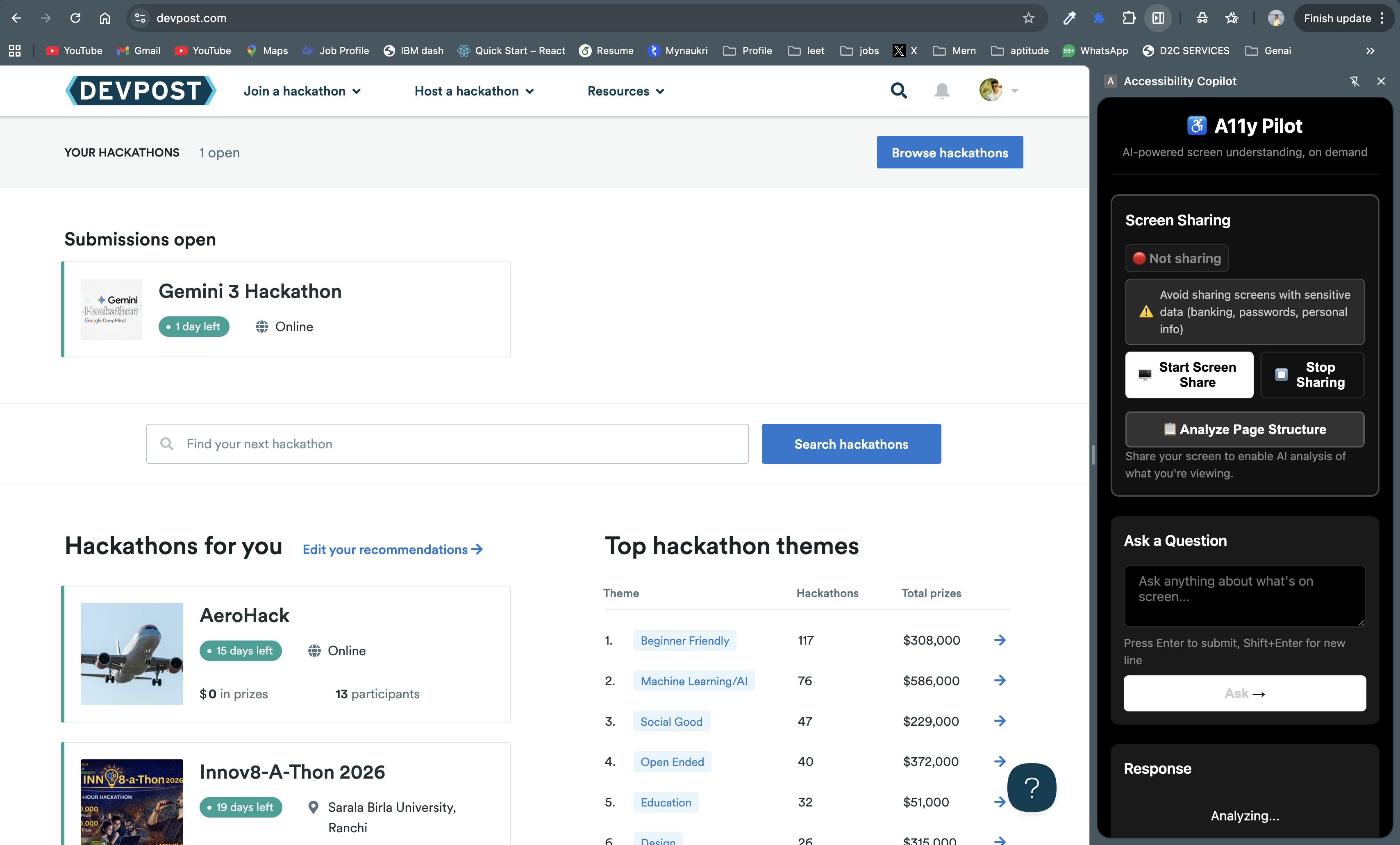
Extension Panel
-
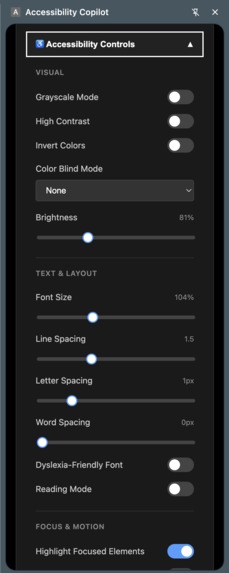
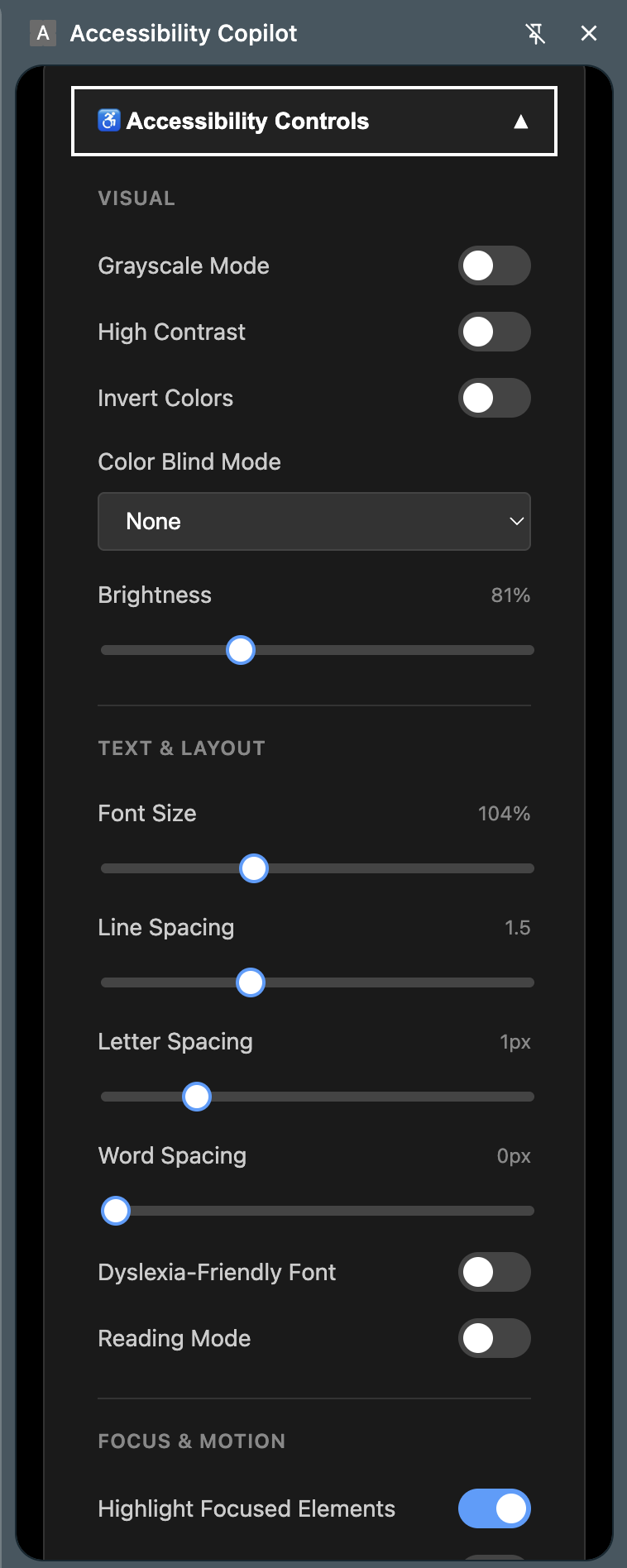
Accessibility Controls
-
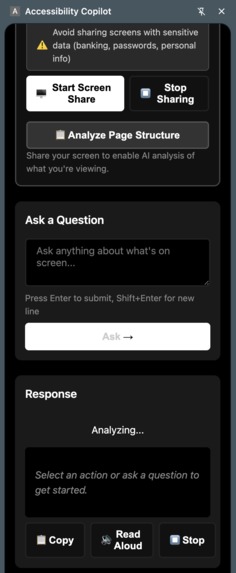
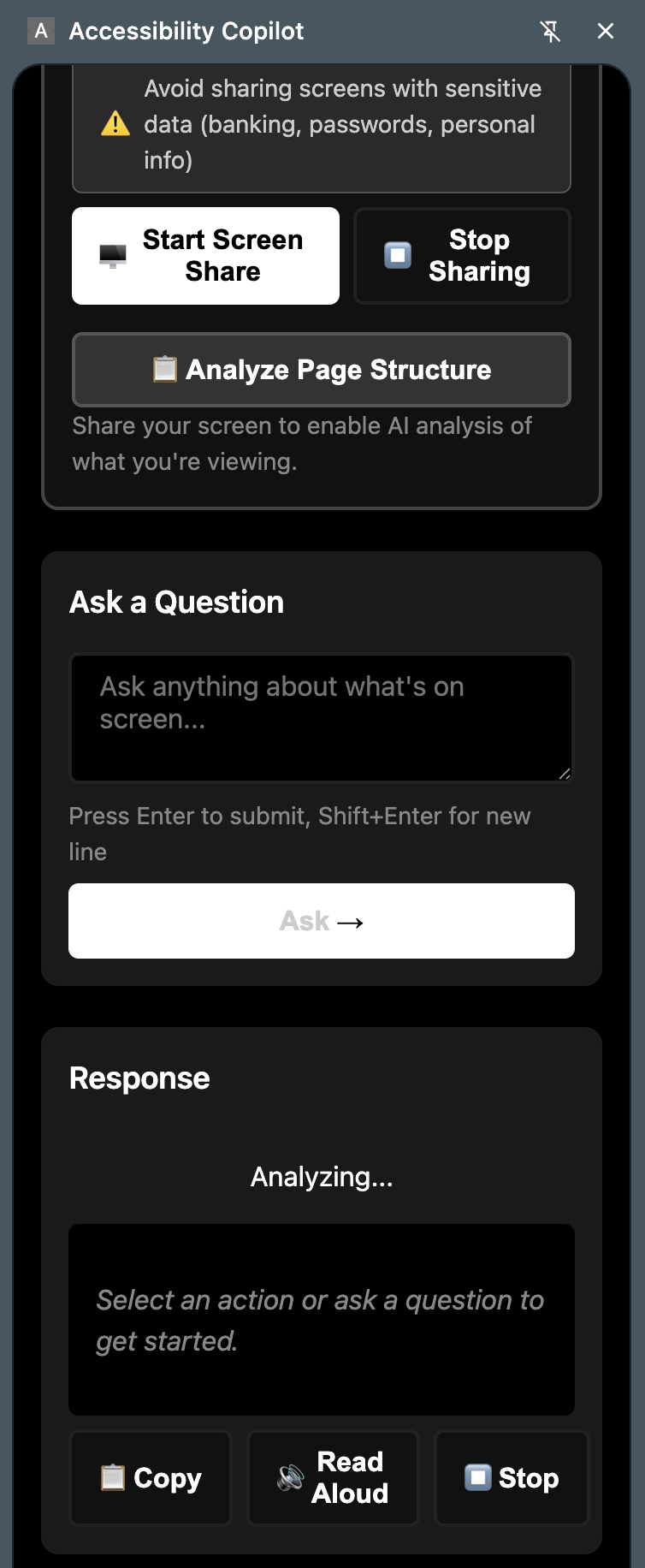
Screen share
-
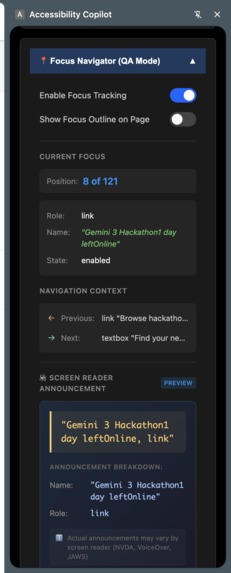
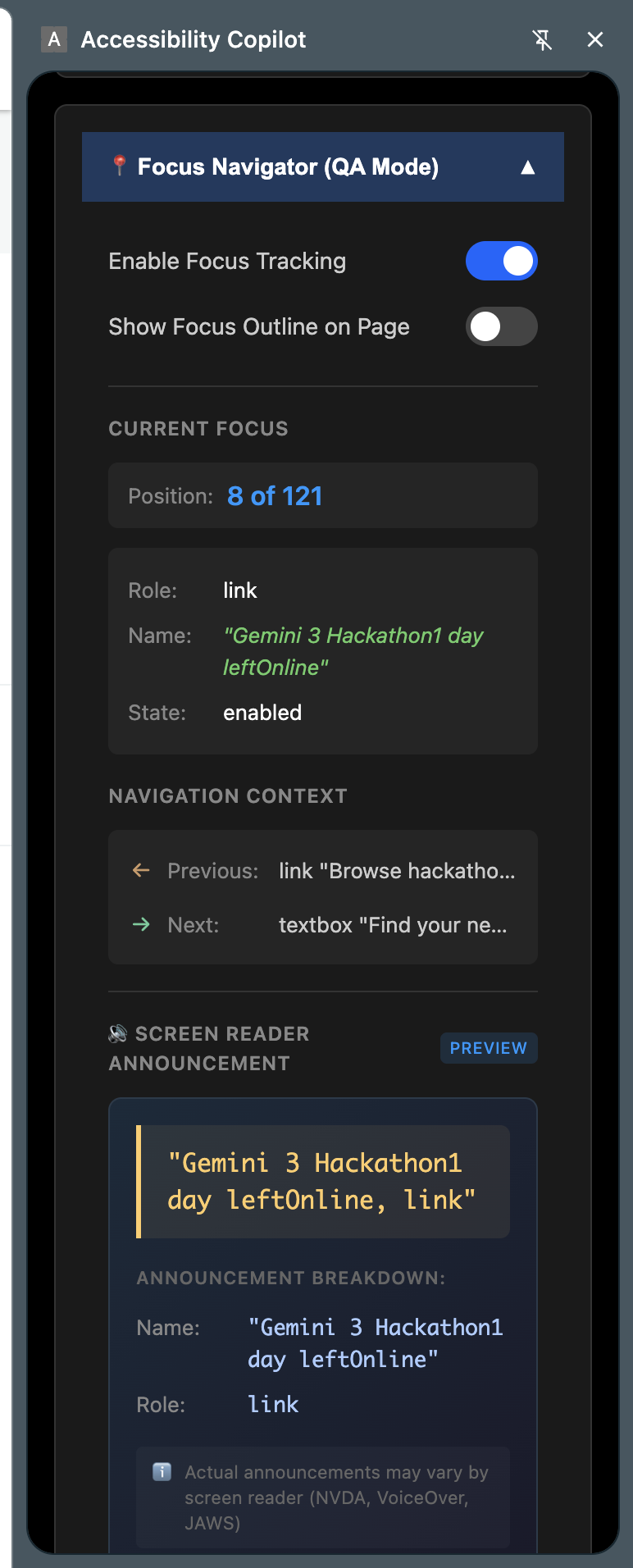
Focus Navigator QA mode
About the project
Inspiration
While working with accessibility testing, I noticed screen reader testers often relied on visual testers to confirm behaviors.
For example, whether a submenu was actually expanded or collapsed.
Or whether the announced content matched what was visually happening on the page.
This reduced independence for screen reader testers and slowed down QA.
Users also struggled to understand complex visual content on demand.
I wanted a way for users, testers, and developers to understand the screen by themselves.
That led to A11y Pilot.
What it does
A11y Pilot is an AI powered Chrome extension for on demand screen understanding.
It explains what is visible on the screen only when the user asks.
It never interrupts screen readers like NVDA, VoiceOver, or JAWS.
It describes layouts, charts, videos, PDFs, and page structure.
It tracks keyboard focus to support accessibility testing.
It includes a QA mode that shows the current focused element.
The QA model predicts how screen readers should announce that element.
This helps developers understand the correct announcement of functional components.
It also helps identify missing roles, labels, and ARIA states.
In addition, it provides accessibility controls for all users.
Users can adjust colors for color blindness.
They can increase font size and brightness.
It includes a dyslexia friendly font and a reading mode.
These controls make web pages easier to read and understand.
How we built it
A11y Pilot is built as a Chrome extension using Manifest V3.
Content scripts observe the DOM, focus order, videos, and PDFs without modifying page behavior.
A side panel provides an accessible interface for actions and controls.
Google Gemini Vision API is used to understand visible screen content.
The QA model analyzes focused elements and predicts screen reader announcements.
Keyboard focus is tracked passively for testing and debugging.
All features are user triggered and run client side.
For future features, the architecture includes a Python backend.
Screen recordings are streamed using WebSockets.
Audio is transcribed using Whisper.
Key frames are analyzed using Gemini to generate step by step guides.
Challenges we ran into
Ensuring zero interference with screen readers was the biggest challenge.
Accurately predicting announcements across different components was complex.
Websites use inconsistent markup and ARIA patterns.
Capturing enough context without exposing sensitive data required care.
Making the extension UI itself fully accessible also required extra effort.
Accomplishments that we're proud of
A11y Pilot works alongside existing assistive technologies without conflict.
The QA model helps developers understand correct screen reader announcements.
Screen reader testers can validate behavior without relying on visual testers.
It supports websites, videos, PDFs, and complex layouts.
Built in accessibility controls improve usability for many users.
The project follows a strong privacy first design.
What we learned
Accessibility is about control, not automation.
Correct announcements are as important as visual behavior.
AI can help explain accessibility issues instead of hiding them.
Small accessibility gaps can create major user barriers.
Good tooling benefits users, testers, and developers together.
What's next for A11y Pilot
Expand the QA model to suggest fixes for incorrect announcements.
Map announcement issues directly to WCAG guidance.
Add video recording with AI generated summaries.
Support multiple languages.
Introduce optional voice based interaction.
Expand advanced testing features for accessibility teams.

Log in or sign up for Devpost to join the conversation.