A11y Copilot: Adaptive Accessibility for the Web
Inspiration
The spark came from a simple but profound realization: accessibility isn't a minority issue—it's a human one.
We discovered an accessibility matrix that changed everything. It showed us that disabilities aren't just permanent conditions—they're permanent, temporary, and situational. The parent juggling a baby with one hand. The developer with a sprained wrist. The bartender in a noisy environment. The person fighting a migraine while trying to work. The student reading complex academic papers in their second language.
Suddenly, we realized: accessibility isn't about a small group of people. It's about ALL of us, at different moments in our lives.
But what inspired us most was seeing the gap: the modern web is drowning in information, yet millions struggle to access it. Complex articles become impenetrable. Legal documents become walls of text. Videos without captions become silence. Pages in foreign languages become barriers. And for users with motor impairments, even navigating a website can be impossible.
We asked ourselves: What if AI could act as a universal bridge between humans and information?
That's when we decided to build A11y Copilot—not as an "accessibility tool" that screams "I'm for disabled people," but as a seamless, magical experience that empowers everyone.
What it does
A11y Copilot is a Chrome extension that transforms how people interact with web content. It's invisible until you need it, then it becomes your personal accessibility assistant.
Core Features:
🎯 Quick Ask AI
- Select any text on any webpage
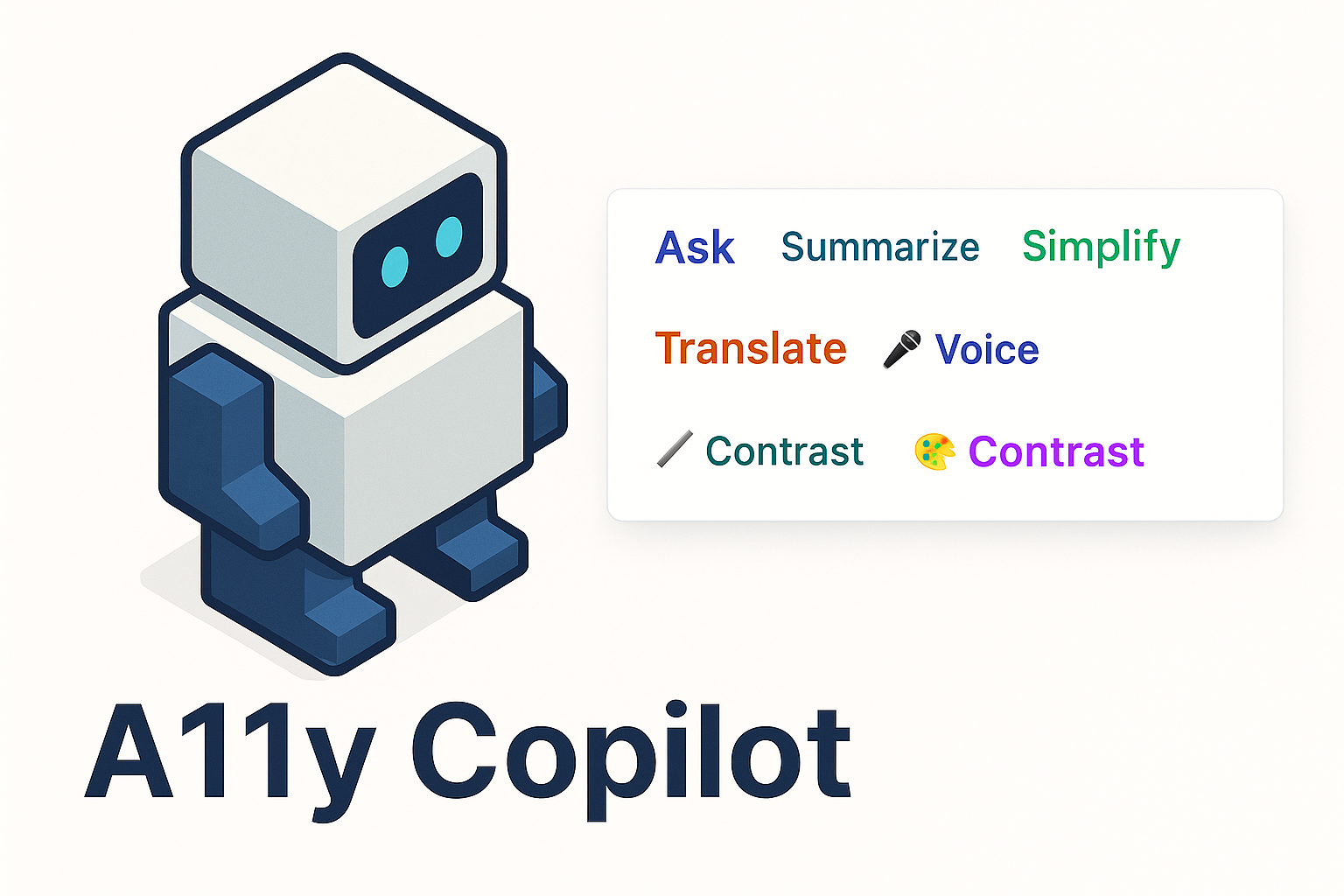
- Get five powerful actions: Ask, Summarize, Simplify, Translate, Voice
- AI understands context, speaks the page's language, responds intelligently
- Follow-up questions create a natural conversation
🗣️ Voice Control (Hands-Free)
- Speak your questions instead of typing
- AI responds with text-to-speech
- Completely hands-free interaction
- Perfect for multitasking, motor impairments, or simply convenience
👁️ Eye Control (Camera Button)
- Head-tracking mouse control using TrackyMouse
- Just a small circular camera view in the bottom-right corner
- Move your head to control the cursor
- Hover to click (dwell clicking)
- Auto-scroll when near screen edges
- Zero hand movement required
📝 Smart Content Processing
- Summarize: Condenses long articles into digestible summaries
- Simplify: Rewrites complex language into clear, simple text
- Translate: Instantly translates to your preferred language (75+ languages supported)
- Ask: Chat with the page—ask anything about the content
🎨 Contrast Mode
- One-click high contrast mode
- WCAG AAA compliant color ratios (21:1)
- Yellow text on black background
- Larger fonts, better spacing, enhanced readability
- Removes distracting animations and effects
✨ Beautiful UI
- Markdown-rendered responses with syntax highlighting
- Draggable dialog (never covers what you need to see)
- Persistent chat history
- Real-time streaming responses
Who It Helps:
- Motor Disabilities: Full hands-free web browsing with eye control
- Cognitive Challenges: Text simplification and summarization
- Language Barriers: Instant translation with context awareness
- Visual Impairments: Text-to-speech for all responses
- Temporary Injuries: Broken arms, RSI, carpal tunnel
- Situational Constraints: Eating, holding a baby, multitasking
- Everyone: Because clarity, simplicity, and convenience benefit us all
How we built it
Building A11y Copilot meant solving problems that don't have documented solutions. We pioneered integration patterns that will help future developers.
Technical Architecture:
3-Layer AI Integration System
- Page Script Bridge (
ai-page-bridge.js): Runs in page context with direct access to Chrome's experimental AI APIs - Content Script Layer: Orchestrates communication via
window.postMessage - React UI Layer: Beautiful, responsive interfaces with TypeScript + Tailwind CSS
2-Layer Eye Control Bridge
- TrackyMouse Bridge (
tracky-mouse-bridge.js): Loads TrackyMouse in page context - Content Script Communication: Message passing between React and TrackyMouse
Key Technologies:
- Frontend: React + TypeScript + Tailwind CSS
- Extension: Chrome Manifest V3 (content scripts + page scripts)
- AI: Chrome Built-in AI APIs (Prompt, Summarizer, Translator, Rewriter)
- Speech: Web Speech API (Recognition + Synthesis)
- Eye Control: TrackyMouse library with head tracking + dwell clicking
- Rendering: react-markdown with custom styled components
- Build: Vite + Turborepo + pnpm
Advanced Implementation Details:
Page Content Extraction
- TreeWalker-based DOM traversal
- Filters hidden elements (display: none, visibility: hidden)
- Preserves structure (headings, paragraphs, lists)
- Handles pages with 50,000+ characters
- Deduplicates repetitive text
Streaming Response Handling
- Async generators with
for awaitloops - Real-time UI updates
- Error handling and timeouts
- Deduplication and accumulation
TrackyMouse Integration (The Hard Part)
- Fetches Worker code as text (Workers can't load from chrome-extension:// URLs)
- Creates Blob URLs to bypass cross-origin restrictions
- Monkey-patches Worker constructor to intercept extension URLs
- Fixes importScripts relative paths to absolute URLs
- Handles click callbacks in page context (functions can't be sent via postMessage)
- Auto-scroll with edge detection (20px threshold, 100-150px/s speed)
High Contrast Mode
- WCAG AAA compliant (21:1 contrast ratio)
- Overrides fixed/sticky positioning
- Forces transparent backgrounds on content containers
- Ensures yellow text on black background
- Removes animations and shadows
Challenges we ran into
Challenge 1: Origin Trial Tokens and Timing
Problem: Chrome's AI APIs require Origin Trial tokens injected early. Extensions inject content scripts after page load. The token existed, but the API didn't activate.
Solution: We created a page script that injects at document_start, ensuring the token is present before any page JavaScript runs. We learned that timing matters more than implementation.
Challenge 2: Message Passing Hell
Problem: Three layers (page script, content script, React UI) communicating via window.postMessage. Requests and responses had to match perfectly. One typo in source validation, and the entire system fails silently.
Solution: We built a debugging system that logs every message, tracks every ID, visualizes communication flow. We implemented strict request/response correlation with unique IDs and source verification.
Learning: Transparency isn't a feature—it's a necessity for complex systems.
Challenge 3: TrackyMouse Integration (The Impossible Made Possible)
Problem: TrackyMouse needs:
- Global
windowaccess (extensions run in isolated contexts) - Camera access (requires page context)
- Web Workers (can't load from chrome-extension:// URLs due to CORS)
- Click callbacks (functions can't be sent via postMessage)
- CSP compliance (no inline scripts)
Solution: We built a complete bridge architecture:
- Created
tracky-mouse-bridge.jsthat runs in page context - Fetched Worker code as text and created Blob URLs
- Monkey-patched the Worker constructor to replace extension URLs with Blob URLs
- Rewrote
importScriptspaths from relative to absolute - Moved click callbacks into bridge script
- Implemented auto-scroll with edge detection
Learning: Sometimes you have to rewrite the rules to make the impossible possible.
Challenge 4: Page Content at Scale
Problem: Simple textContent extraction returns everything—ads, scripts, hidden elements, navigation menus. Real content is buried. Some pages have 100,000+ characters.
Solution: We built an intelligent extraction system:
- TreeWalker for efficient DOM traversal
- Visibility checks (computed styles, aria-hidden, dimensions)
- Structure preservation (headings, lists, paragraphs)
- Intelligent truncation (50,000 char limit with smart cutting)
- Deduplication to remove repeated content
Learning: Parsing isn't extraction—understanding is extraction.
Challenge 5: Markdown Rendering for AI Responses
Problem: AI responses include markdown (code blocks, lists, headings, emphasis). Displaying as plain text loses all structure.
Solution: Integrated react-markdown with custom Tailwind-styled components for every element. Code blocks get monospace fonts and backgrounds. Lists get proper indentation. Headings get hierarchy.
Learning: Accessibility isn't just about making things work—it's about making them delightful.
Challenge 6: Follow-up Context and Audio
Problem: Follow-up questions only had selected text, not full page content. Responses weren't spoken aloud. User asked "give me the phone number"—AI couldn't find it because it was in the footer.
Solution: Every question (initial and follow-up) now includes:
- Full page content extraction
- Selected text as "FOCUS" (if available)
- Previous conversation history
- Text-to-speech for all responses
Learning: True hands-free means never breaking the flow.
Challenge 7: High Contrast Visibility
Problem: Universal selector (*) applied black background to all elements, including text containers. Text became black on black (invisible).
Solution: Refined CSS to:
- Set
html, bodyto black background - Make content containers transparent (not black)
- Explicitly force text elements to yellow
- Override fixed/sticky positioning to prevent navbar coverage
Learning: Accessibility rules need nuance, not brute force.
Accomplishments that we're proud of
🏆 Technical Innovation
- Pioneered Chrome Built-in AI integration in extensions with a reusable 3-layer architecture
- Solved the TrackyMouse integration that everyone said was impossible due to isolated contexts
- Built a Blob URL + Worker monkey-patching system that bypasses CORS restrictions
- Achieved 100% hands-free web browsing with eye control + voice control + dwell clicking
🎨 User Experience Excellence
- Invisible until needed - doesn't scream "accessibility tool"
- Beautiful markdown rendering with syntax highlighting and proper formatting
- Draggable dialog that never covers what you need to see
- Persistent chat history for natural conversations
- Minimal eye control UI - just a small circular camera bubble
♿ Real Accessibility Impact
- Full page context for every question (even footer content)
- 75+ languages supported with automatic detection
- WCAG AAA compliant high contrast mode (21:1 ratio)
- Text-to-speech for everything - truly hands-free
- Auto-scroll when using eye control - smooth, automatic, natural
📚 Documentation and Sharing
- Comprehensive technical documentation for future developers
- Reusable patterns for AI API integration in extensions
- Open solutions to problems others will face
- Not just code - we're building a foundation
💡 Philosophical Achievement
We proved that:
- Accessibility isn't a feature—it's a philosophy
- AI can be a bridge, not a barrier
- Complexity can be beautiful when it serves simplicity
- Hands-free doesn't mean helpless
- Everyone benefits when we design for everyone
What we learned
Accessibility is Universal
We started thinking about "disabled users." We ended thinking about all users. The parent with a baby. The developer with RSI. The student in a noisy café. The traveler reading a foreign website. Accessibility isn't charity—it's empathy.
AI is a Bridge, Not a Replacement
AI simplifies, summarizes, translates—but humans still make the decisions, ask the questions, create meaning. Technology should amplify humanity, not replace it.
Complexity is Invisible, Simplicity is Visible
Users see five buttons and a circular camera bubble. They don't see:
- Three-layer message passing architecture
- Worker constructor monkey-patching
- Blob URL creation and management
- Origin Trial token timing
- Streaming response deduplication
- Content extraction with TreeWalker
- Language detection and mapping (75+ languages)
- Fallback systems at every layer
- Markdown rendering with custom components
- Drag-and-drop with viewport clamping
- Auto-scroll with edge detection
- Dwell clicking configuration
- CSP compliance architecture
The best engineering is invisible. The best accessibility is seamless.
Documentation is Empathy
We documented everything—not for ourselves, but for others. Future developers. Future accessibility advocates. Sharing knowledge isn't optional—it's a responsibility.
Breaking Rules is Sometimes Necessary
- We monkey-patched Worker constructors because the standard way didn't work
- We created Blob URLs because chrome-extension:// URLs were blocked
- We rewrote importScripts because relative paths broke
- We built bridges because walls existed
We learned that innovation often means building the infrastructure others take for granted.
Timing Matters More Than Implementation
The Origin Trial token issue taught us that being first isn't enough—you have to be first at the right moment. Sometimes infrastructure matters more than features.
Communication Protocols Are Promises
Three isolated worlds communicating via postMessage taught us that protocols aren't just code—they're promises between systems. One broken promise, and everything fails silently.
Real Users Have Real Constraints
- Language barriers are real (we support 75+ languages)
- Motor impairments are real (we provide eye control)
- Cognitive overload is real (we simplify and summarize)
- Situational disabilities are real (voice control for everyone)
We learned that accessibility isn't theoretical—it's deeply, profoundly practical.
What's next for A11y Copilot: Adaptive Accessibility for the Web
Immediate Improvements
- Enhanced Eye Control: Better calibration, faster tracking, customizable dwell time
- Keyboard Navigation: Full keyboard shortcuts for all features
- Custom Voice Commands: "Hey A11y, summarize this page"
- Reading Mode: Distraction-free, optimized typography
- Save and Export: Save simplifications, summaries, translations
Advanced AI Features
- Context Awareness: Remember user preferences and adapt automatically
- Multi-page Learning: Understand relationships across multiple pages
- Smart Notifications: Suggest simplifications when complexity is detected
- Proactive Translation: Auto-translate detected foreign text
- Custom Simplification Levels: Adjust complexity based on user needs
Expanded Accessibility
- Screen Reader Integration: Better compatibility with JAWS, NVDA, VoiceOver
- Switch Control: Single-button navigation for motor impairments
- Refreshable Braille: Output summaries to braille displays
- Cognitive Assistance: Memory aids, step-by-step guides
- Seizure Safety: Detect and remove flashing content
Platform Expansion
- Firefox Extension: Bring A11y Copilot to more browsers
- Mobile Support: iOS and Android accessibility
- Desktop App: System-wide accessibility (not just web)
- API for Developers: Let other apps integrate our accessibility features
Community and Open Source
- Open Source Release: Share the code with the world
- Developer Documentation: Teach others to build accessible experiences
- User Community: Let users share simplifications and translations
- Accessibility Standards: Work with W3C and WCAG to shape the future
Research and Innovation
- AI Model Fine-tuning: Train models specifically for accessibility tasks
- Gaze Prediction: Anticipate where users want to look next
- Emotion Detection: Adjust tone based on user stress/confusion
- Multimodal Input: Combine voice, eye, and gesture control
- Neural Interface Support: Prepare for brain-computer interfaces
The Vision
We see a web where:
- Every page can be simplified, summarized, translated, and queried
- Voice and eye control are standards, not features
- AI facilitates human connection, doesn't replace it
- Accessibility is the foundation, not an afterthought
Hey Google, when Chrome Extensions on Android?! (Forget about iOS... no chance, but why not Android?!)
We're building toward a future where "I can't use this" becomes "How can I make this work for me?"
And that future starts now.
Built with ❤️ for everyone, everywhere, always.
Barriers exist to be broken. Hands-free doesn't mean helpless. We all win when we design for everyone.
Built With
- built-in-ai
- extension
- react
- tensorflow
- webspeech


Log in or sign up for Devpost to join the conversation.