-
-
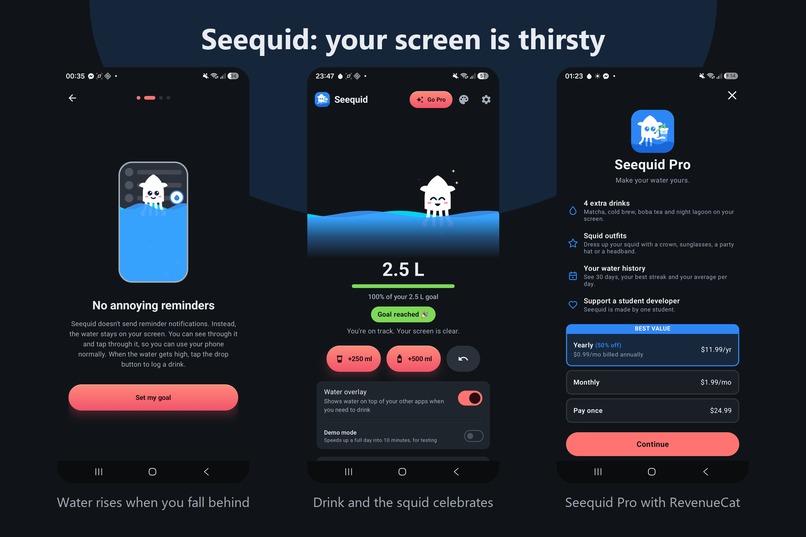
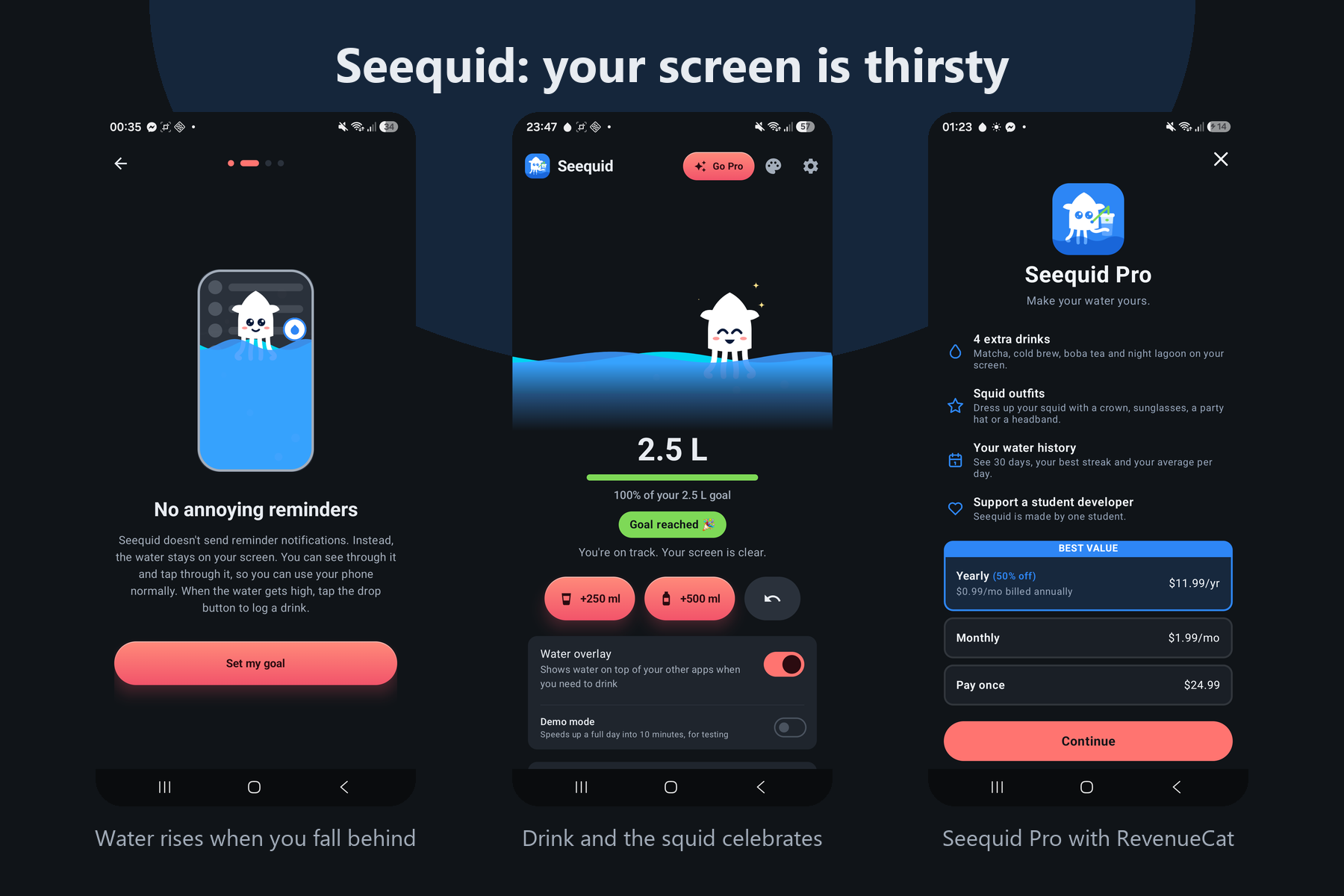
Water rises over your screen when you fall behind. Drink, and the squid celebrates. Seequid Pro is sold through a RevenueCat paywall.
-
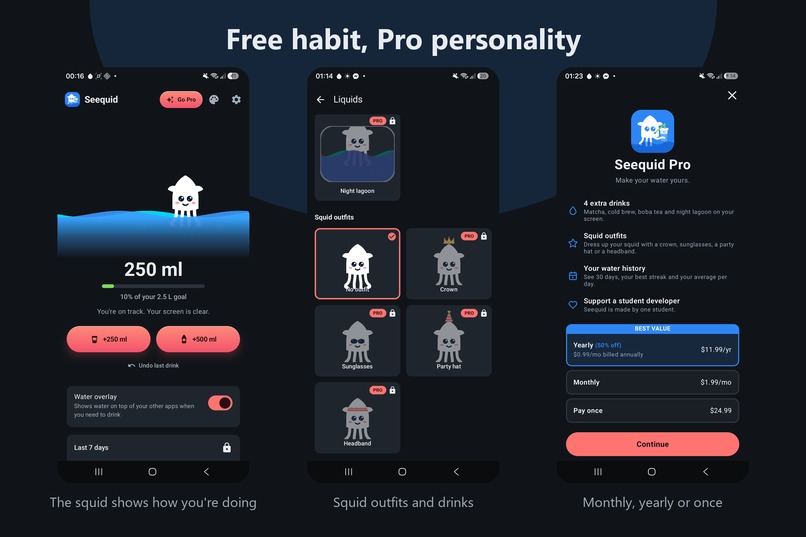
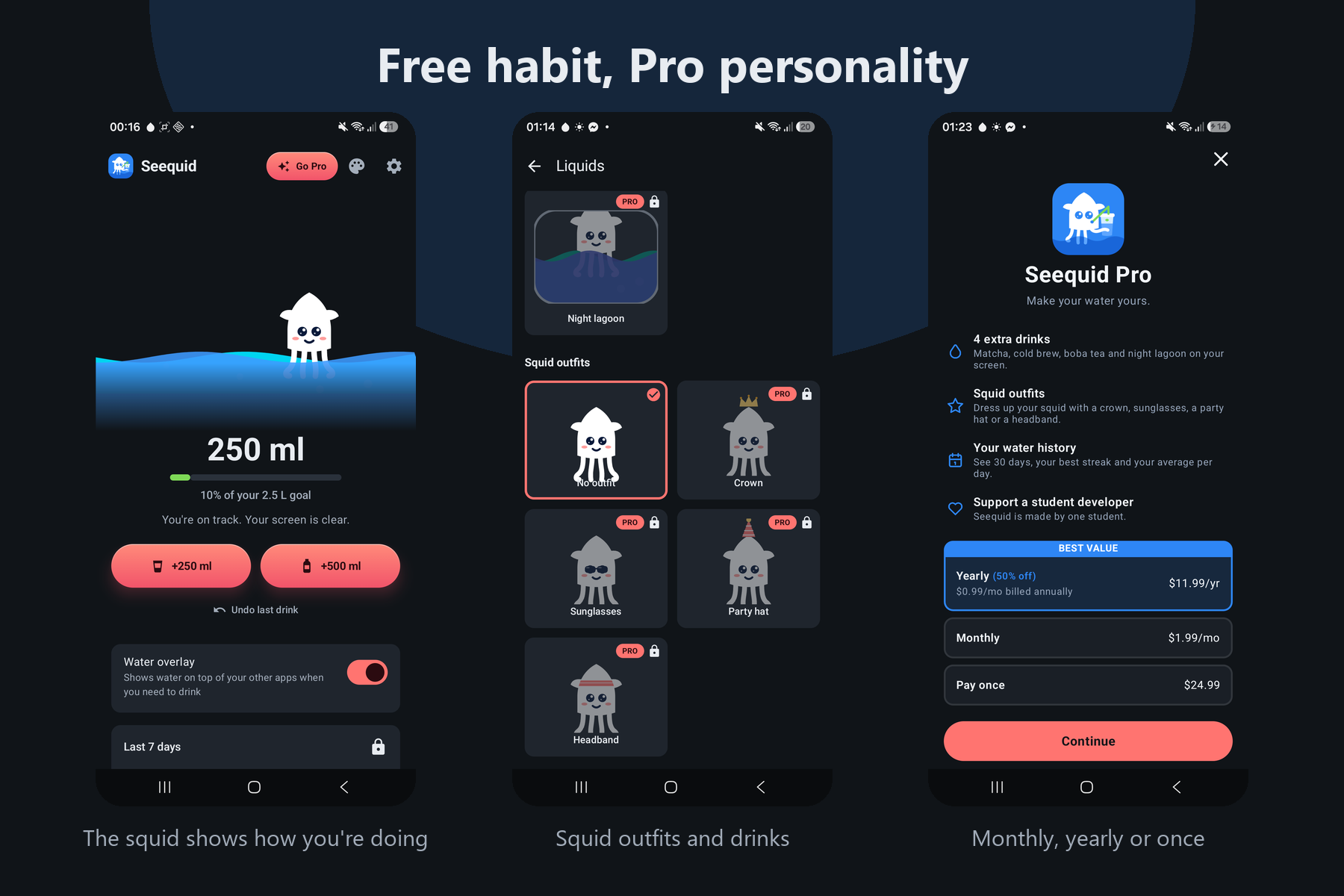
The habit is free forever. Pro adds squid outfits, extra drinks and a 30 day history: $1.99 a month, $11.99 a year or $24.99 once.
-

The Seequid app icon: a squid sipping water from a reusable tumbler.

Inspiration
I kept ignoring water reminders. Notifications are easy to swipe away, and after a week you stop seeing them. So I asked: what if forgetting to drink was something you could see, all the time, without ever being interrupted?
What it does
Seequid slowly covers your phone screen with water when you fall behind on drinking. The water rises over whatever app you're using, but it's see-through and your taps pass through it, so you keep using your phone normally.
When the water gets high, a small squid appears on the edge of your screen. Tap it and a sheet tells you exactly how much to drink to clear your screen, with the matching button highlighted. Log it and watch the water drain away. Left alone, the squid squishes into the edge with one eye peeking out, so it never covers another app's buttons.
The squid is the heart of the app. It shows how you're doing at a glance: happy, worried, thirsty, asleep at night, or celebrating when you hit your goal.
The core habit is free forever, because a health app shouldn't put health behind a paywall. Seequid Pro adds personality and insight: 4 extra drinks that restyle the live overlay, squid outfits, and a 30 day history with your best streak and average.
How I built it
Kotlin and Jetpack Compose on Android.
- The overlay is a
SYSTEM_ALERT_WINDOWwindow in a foreground service. Since Android 12, touches through an overlay are dropped when its window alpha is above 0.8, so the water's translucency comes only from the window alpha and stays below the device's limit. That's why your taps always pass through. - The water level is never stored. It's computed from the clock and the drink log by a pure, unit tested function, so it stays correct after reboots and time zone changes:
$$\text{level} = \min\left(1,\ \frac{\text{expected} - \text{logged}}{0.4 \times \text{goal}}\right)$$ Scaling the full screen point to your goal meanshe water.
- Night owls work too: with a bedtime after midnight, the "day" ends at bedtime instead of midnight, so a 1 AM glass of water counts toward the right day.
- The squid is drawn from the same vector geometry as the app icon, in Compose for the app and in a plain Android View for the overlay.
RevenueCat
- A remote **paywall designed in the RevenueCat dafering: $1.99 a month, $11.99 a year (50% off,preselected) or $24.99 once. Prices and the discount come from the offering, so they can change without an app update.
- A different celebration for each plan, driven by
PaywallListener: bubbles for monthly, confetti for yearly, a crowned squid in gold for lifetime. - One entitlement (
seequid_pro) drives the whole UI. Buying Pro restyles the overlay that's already running, without a restart. - Customer Center for managing the subscriptio
- Built and tested end to end with the RevenueCat Test Store, no Play Console needed.
Challenges I ran into
- Always visible, never in the way. Android drops touches through overlays that are too opaque, the water had to step aside for Seequid's own screens, and the edge button kept landing on top of other apps' buttons until the squid learned to squish into the edge.
- Making the water mean one thing. Early on, the water in the app filled up when you drank, while the overlay filled up when you didn't. That was confusing, so now water always means "you need to drink", and progress is a separate green bar.
- Drinks that didn't seem to count. With a fixed "screen full" point, someone far behind could drink 600 ml and see no change at all. Scaling it to the daily goal made every dr
- Readable for everyone. I ran persona tests, including people reading English as a second language, and rewrote every line of copy in plain, literal English.
Accomplishments that I'm proud of
- A working, polished app on a real phone, not a mockup: the overlay, pacing, onboarding, squid moods, purchases and celebrations all run end to end.
- A mascot that turns a reminder into a companion. The squid hops when you drink, peeks from the edge of your screen, and dresses up in outfits.
- Monetization that respects the user: the hea is a gift to yourself, not a toll.
- Small details that carry the experience: a haptic tick, water that drains instead of jumping, and a sheet that tells you which button clears your screen.
What I learned
Ambient feedback beats interruptions: people respo* far better than to a notification they candismiss. I also learned how much clarity matters: one confusing signal (two kinds of water) can undo a great idea, and plain language makes an app work for far more people.
What's next for Seequid: Your screen is thirsty
- Smart goals that adapt to workouts and hot days
- Night shift schedules and a per-app pause for games and video
- Outfits on the edge squid, more drinks, and a ho
- Paywall experiments once there's real traffic
Built With
- android
- coroutines
- datastore
- jetpack-compose
- kotlin
- material-design
- revenuecat
- room

Log in or sign up for Devpost to join the conversation.