-
-
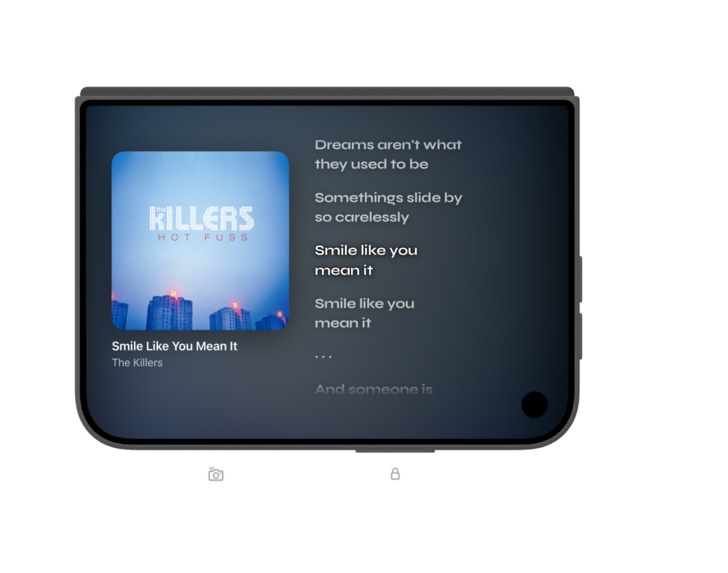
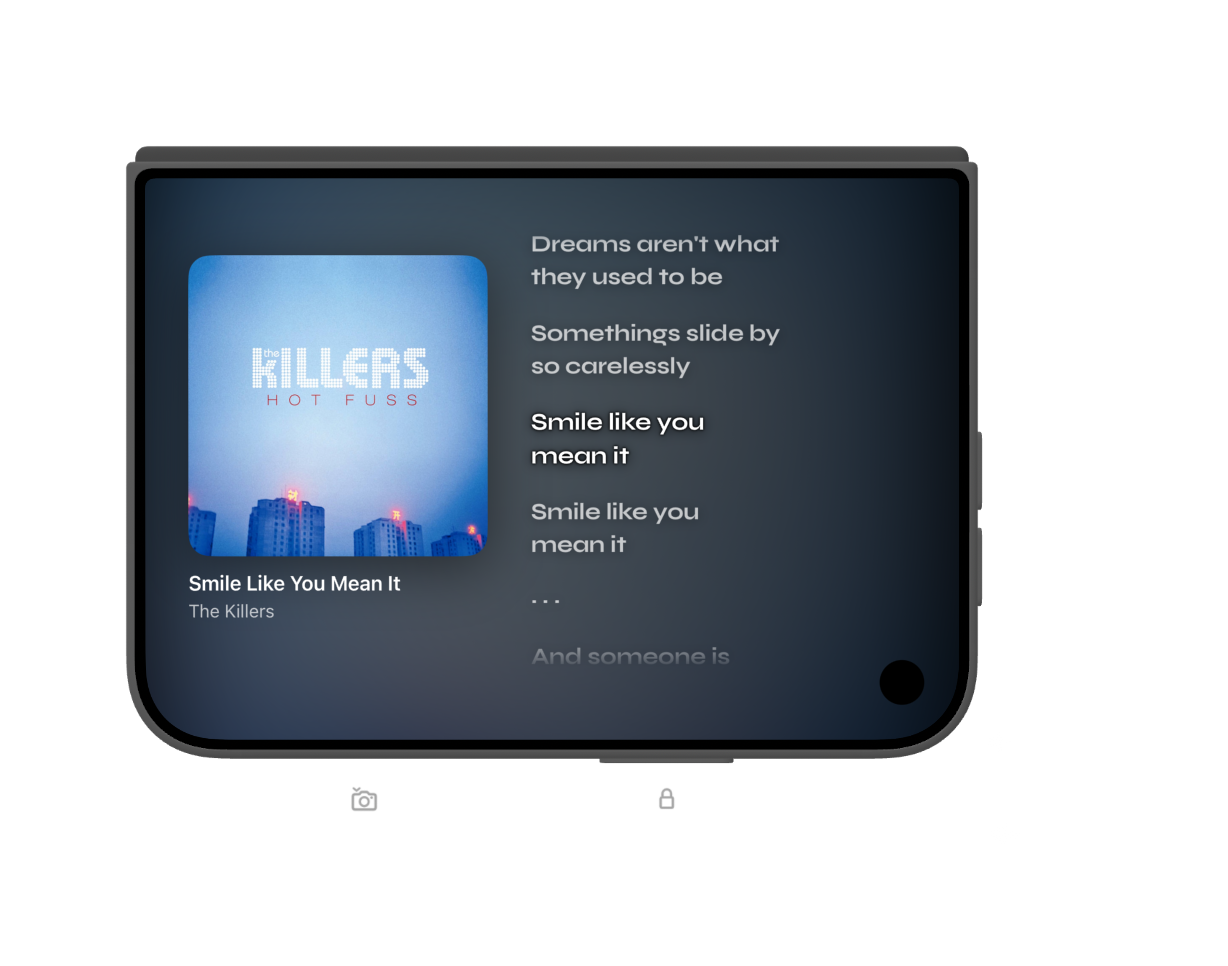
Tent Mode: Ambient listening experience
-
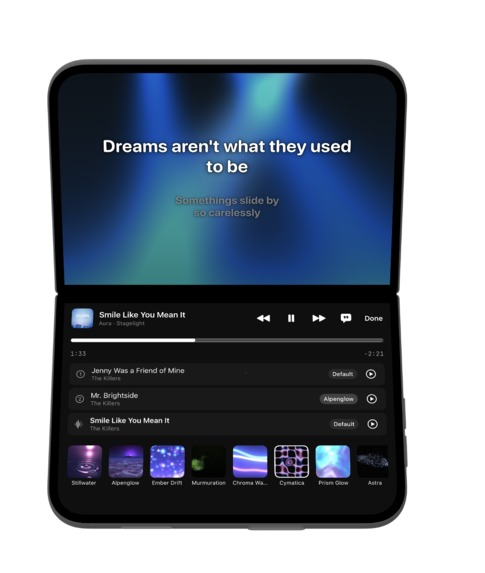
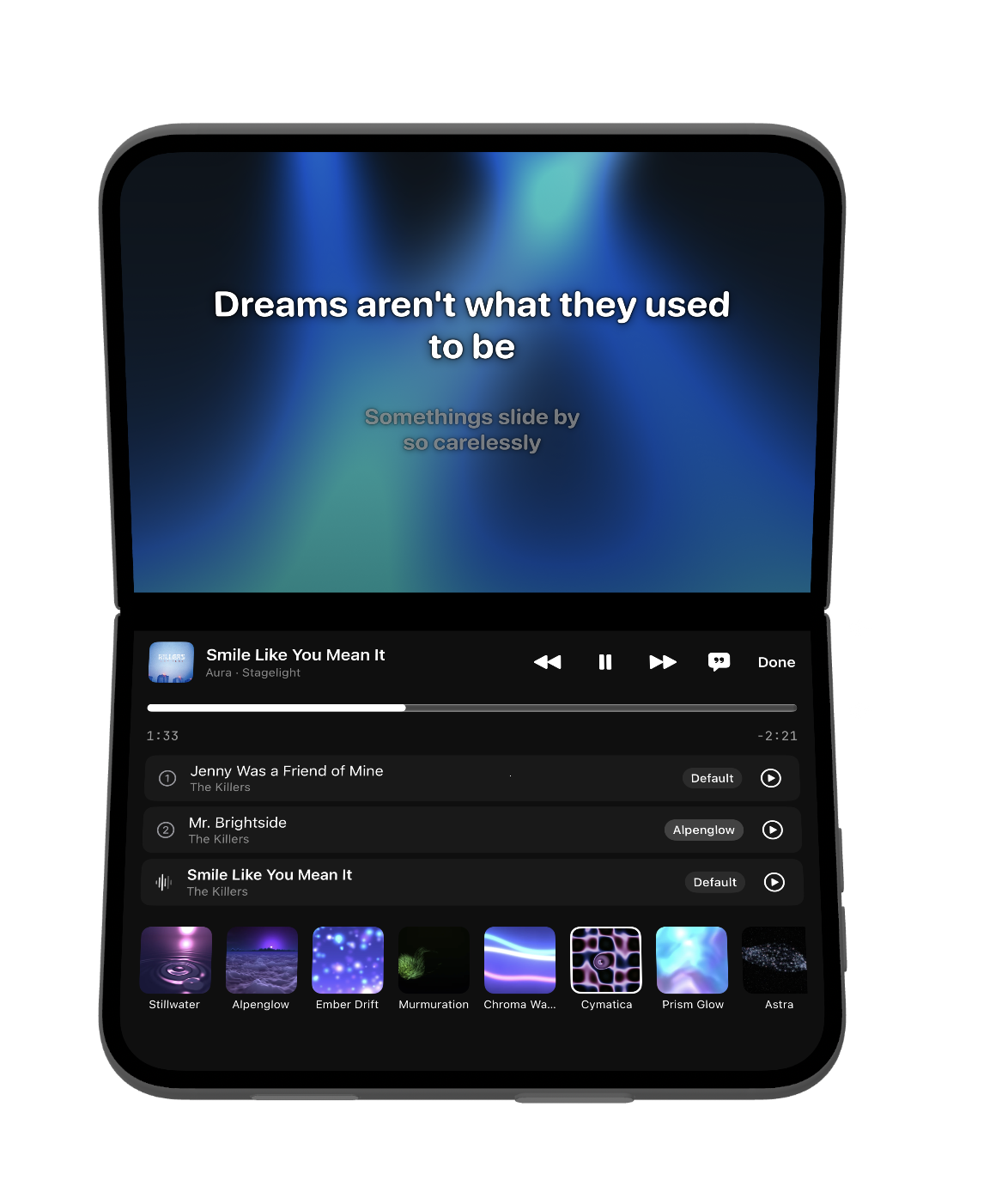
Laptop Mode: Create Playlists that pair visuals and songs
-
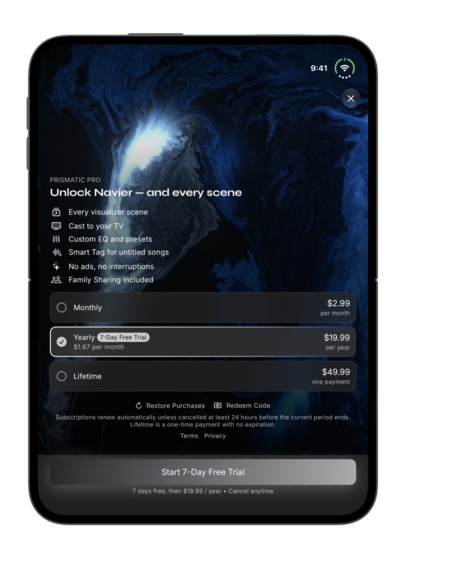
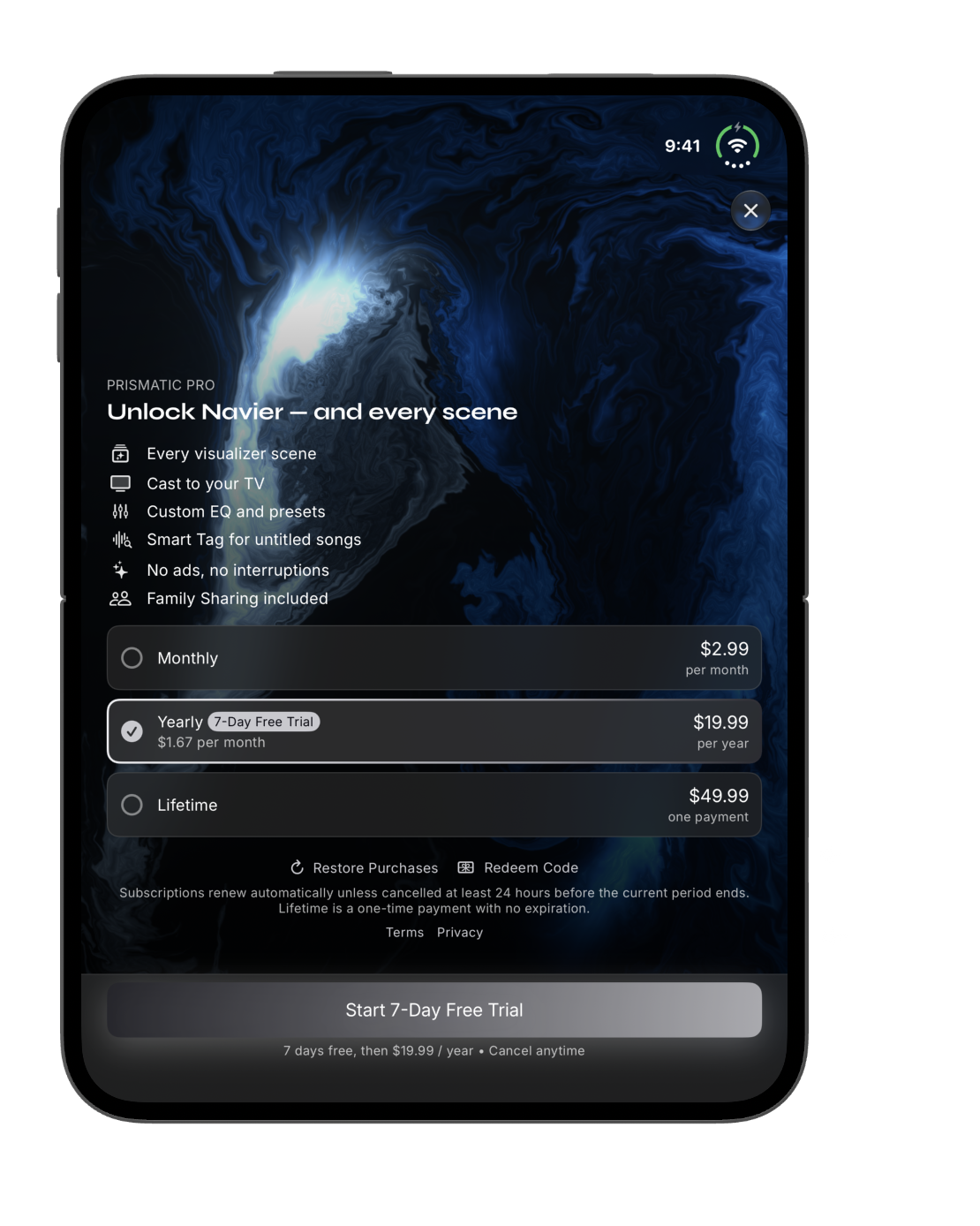
RevenueCat Paywalls with live preview of visualizers
-
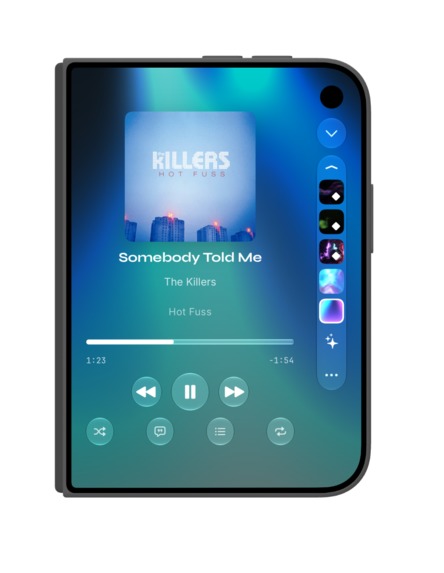
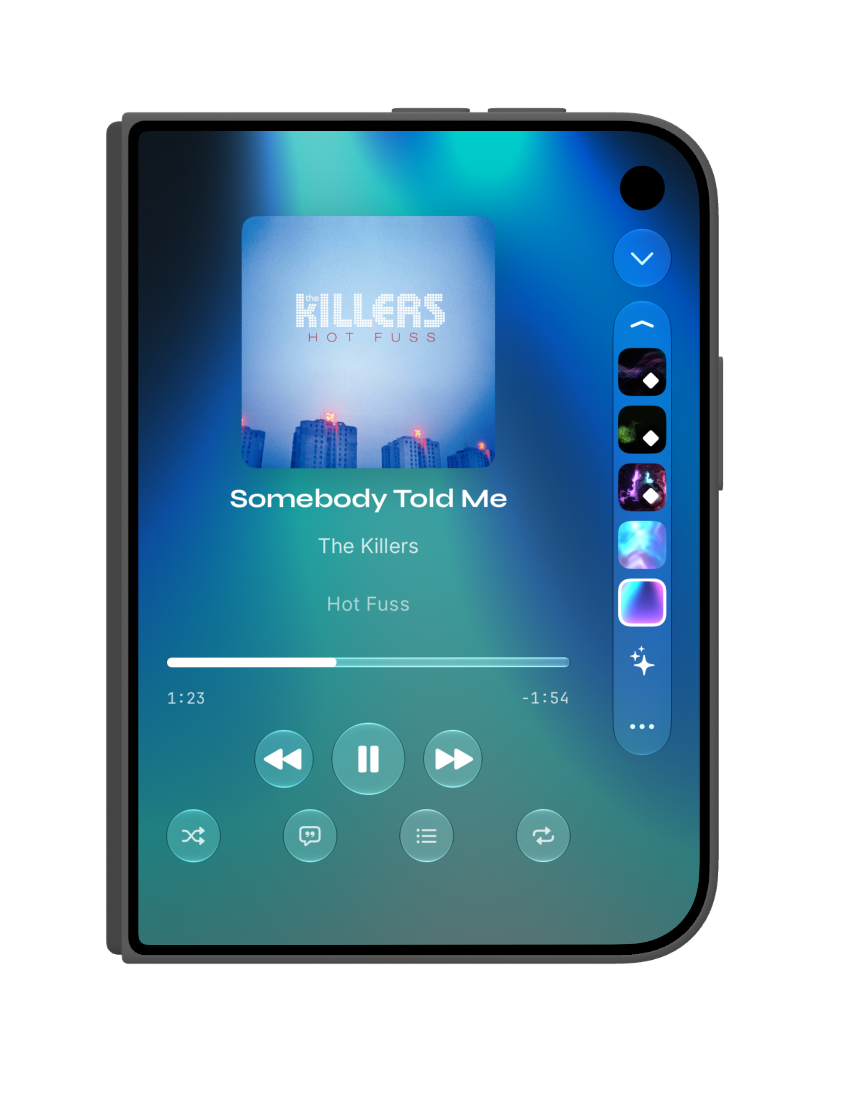
Change your musics "Aura" visualizer with Duo's new toolbar
Inspiration
At the last Bitrig Hacks during WWDC, I started playing with Apple's new MusicUnderstanding framework, making music visuals that don't just react to the sound but see the whole song: the verses, the build, the drop. I kept at it over the summer and shipped it as Aura, the visuals in my music app, Prismatic.
When I thought about what Prismatic could bring to iPhone Duo, what stood out was how different our listening moments are. On the move, you glance at it to skip a song or change the mood. Sitting down with a playlist you love, you want to make it yours. With friends over, or heads-down at your desk, you want it to fill the room without asking anything of you.
Three moments. On iPhone Duo, your music player can finally take a different shape for each.
What it does
On a regular iPhone, Aura is one full-screen visual you pick from a menu, and every song gets the same one. For iPhone Duo, I rebuilt the experience around three ways you hold it.
Closed: your Auras, one tap away. Changing the visual used to mean opening a picker over the player. Now your Auras sit in the Duo's new toolbar along the edge of the screen, right under your thumb. Tap one and the player relights around your song.
Folded like a laptop: a visual album maker. Fold it like a laptop and you finally have a widescreen iPod with touch controls. The top half is the widescreen: your song performing its Aura, lyrics in time. The bottom half, flat on the table, is the touch controls: your playlist with an Aura on every song, and a row of Auras to pick from. Tap an Aura onto a song and your playlist becomes a visual album.
Stood up: an ambient display. Stand it up on a desk or the dinner table, and your visual album goes full screen, each song in the Aura you gave it, with lyrics you can read across the room. The screen stays awake, and nothing asks to be tapped.
There's no mode switch: the hinge is the mode switch, and the song keeps playing through every change.
A free listener who taps a Pro feature gets Prismatic's paywall, powered by RevenueCat, and the paywall itself moves to the song that's still playing.
How we built it
Prismatic is a shipping App Store app (Swift, SwiftUI, Metal, MusicUnderstanding). Everything below was built today on top of it, with Xcode 27.1 and the iPhone Duo simulator.
- Auras in the edge toolbar: one toolbar item with
.axisBehavior(.verticalPreferred)and.visibilityPriority(.high), shown only where the system reports a vertical bar (toolbarVerticalEdge). - Knowing how the phone is held: iOS 27.1 has no posture API, so Prismatic derives one.
onHingeChangegives the hinge status;reservedRegions(kind: .division)gives the fold. A fold across the screen is laptop, a fold down it is book, and the outer display standing in landscape is tent. - The visual album maker is one
ArrangementViewwith.split.axes(.vertical). The system places the song above the fold and the controls below it, and keeps the crease empty. - No restarts: one audio-analysis session serves the whole album, so changing songs swaps the Aura without touching the audio, and going from laptop to tent never reloads the performance.
What we learned
- The way you hold a phone already says what you want from it. That's a better signal than any settings toggle.
ArrangementViewhandles the fold on its own; the design work is deciding what belongs on each side of it.
What's next for Prismatic
iPhone Duo ships October 23, and Prismatic will be there on day one. There's still polish to make it feel native on real hardware, and edge cases to work out.
Built With
- metal
- swiftui

Log in or sign up for Devpost to join the conversation.