-
-
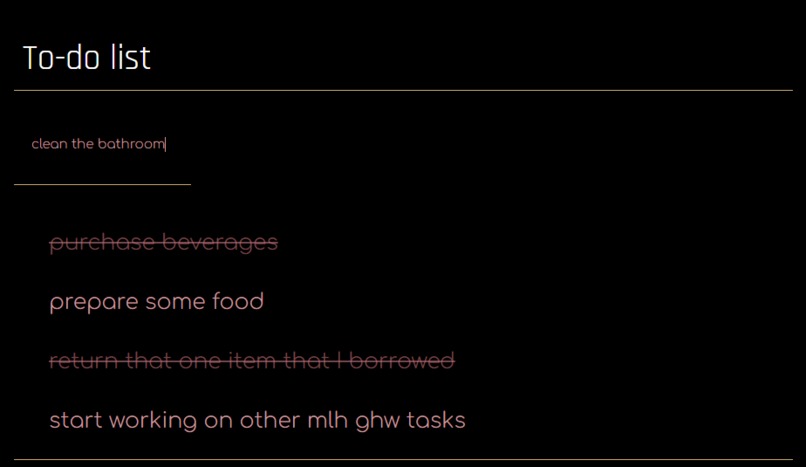
a visual of what it looks like :)

Inspiration
My inspiration was google docs since I usually use it for to do lists.
What it does
You just type in your tasks where it says placeholder since it's a placeholder, press enter, and volia! It displays down below. Once you're done with whatever task that is, you click on it, and it gets crossed out.
How we built it
I just brainstormed how it would work, added the basic html structures, added event listeners, and made it look pretty.
Challenges we ran into
I wanted to add more features and I basically got everthing down but this one part where this one line of code just never worked for some reason so I ended up being unable to add the whole feature which was sad since I worked a lot on it. Also learning javascript, html and css from scratch was a bit hard.
Accomplishments that we're proud of
I'm proud of learning javascript and html and css through this especially since I knew absolutely nothing when I started. I'm proud of finally making something somewhat practical and useable too.
What we learned
I learned how to use javascript and html and css and how stuff works.
What's next for To do list
I don't know?

Log in or sign up for Devpost to join the conversation.