-
-
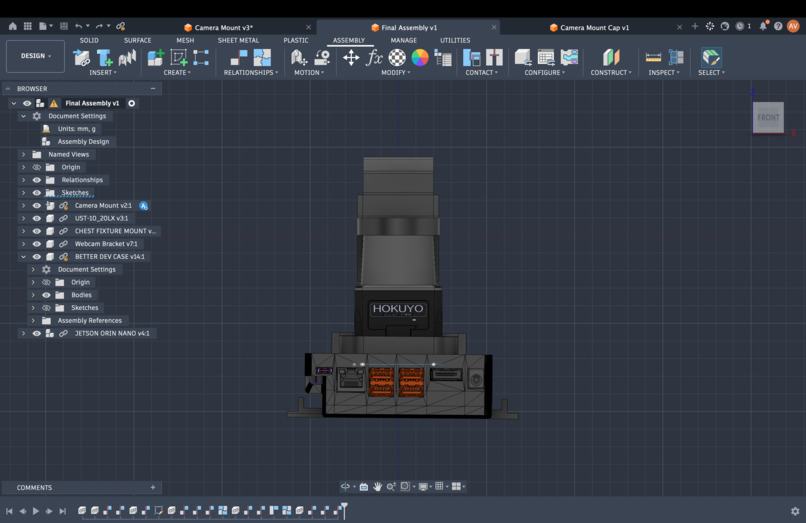
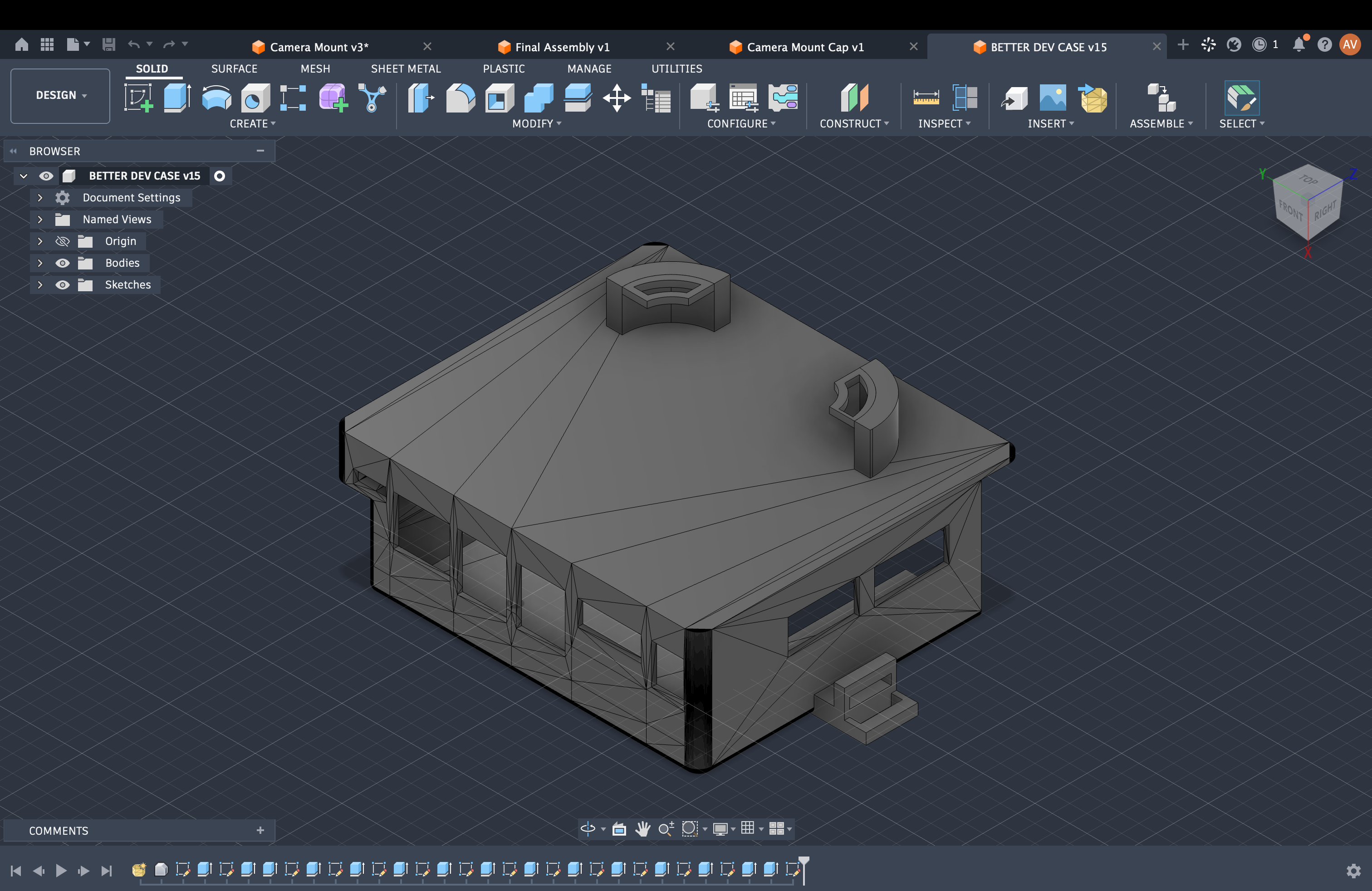
chest bracket system cad design FINAL
-
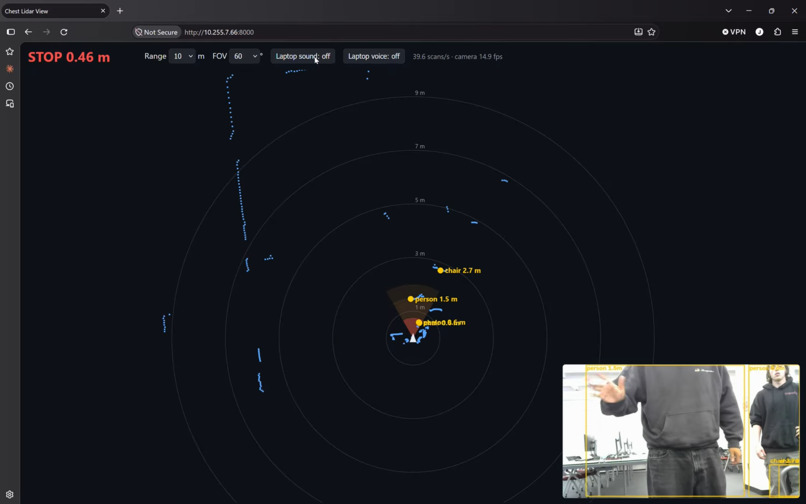
Computer vision demo
-
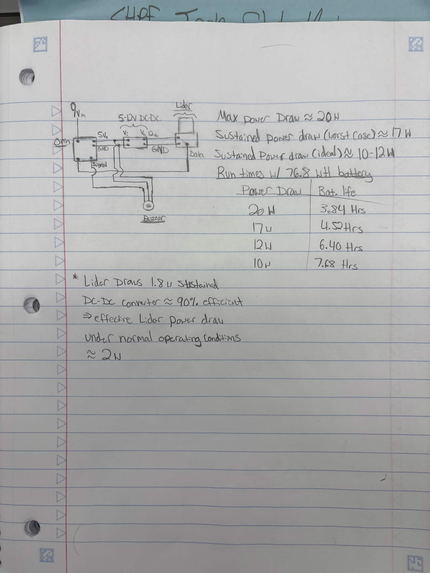
Circuit Diagram V1
-
Lidar mount FINAL
-
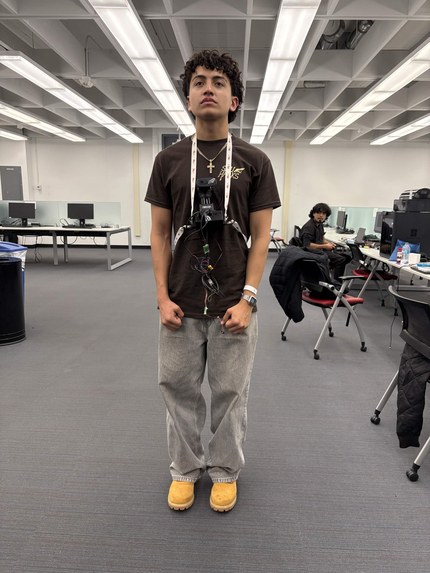
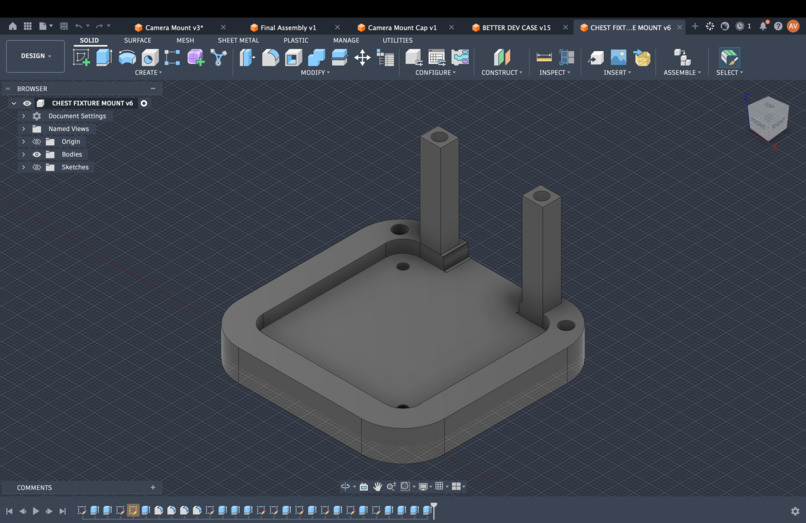
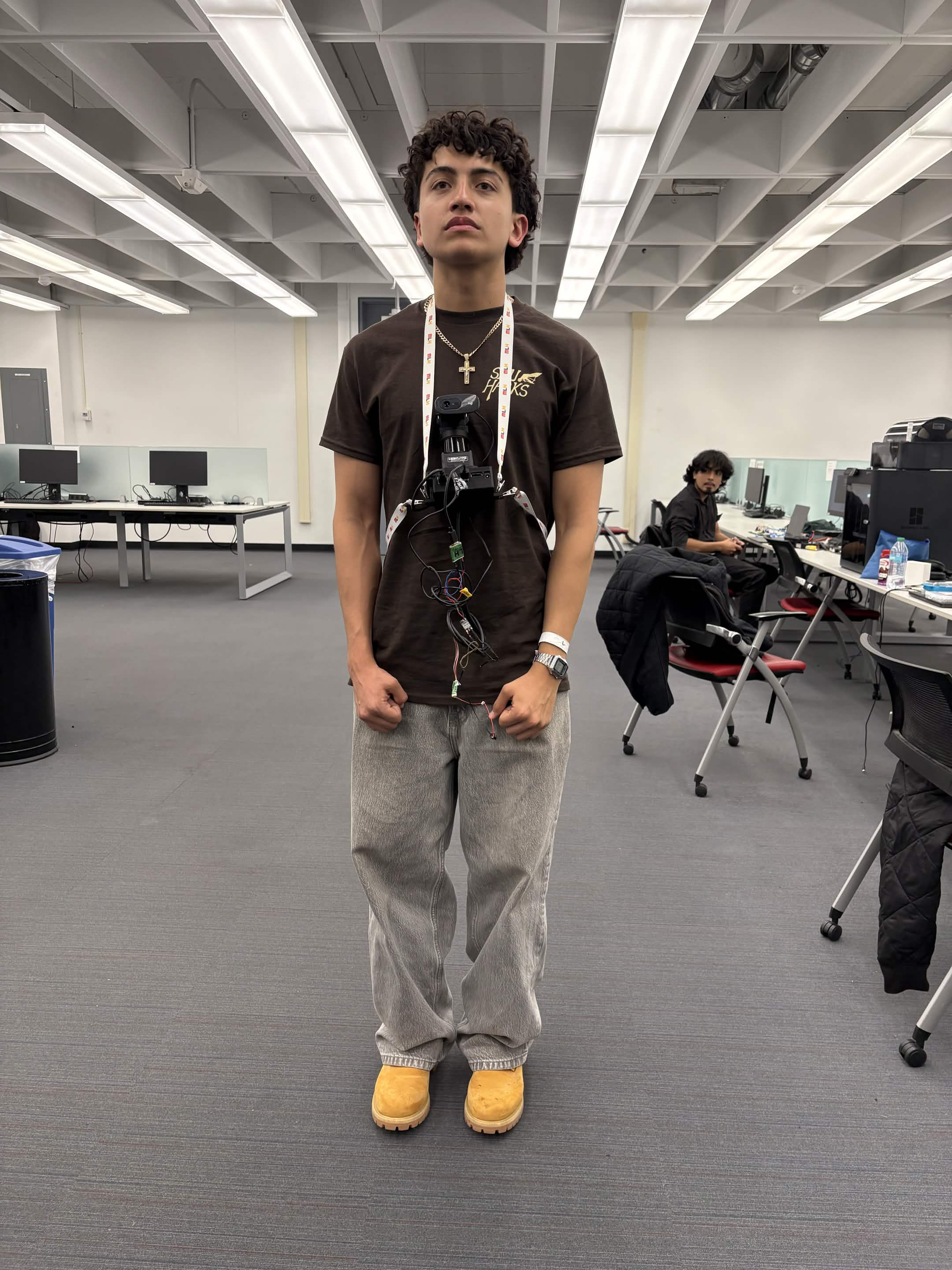
Chest mount for Orin and lidar
-
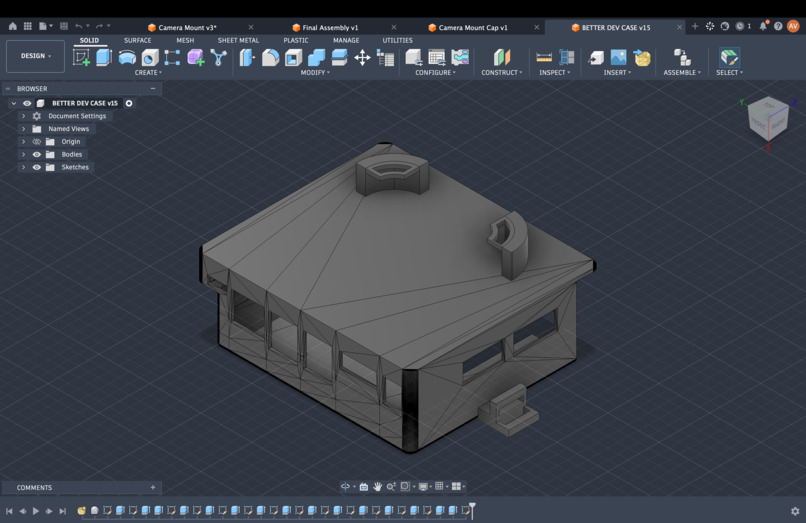
Jetson Orin mount FINAL
-
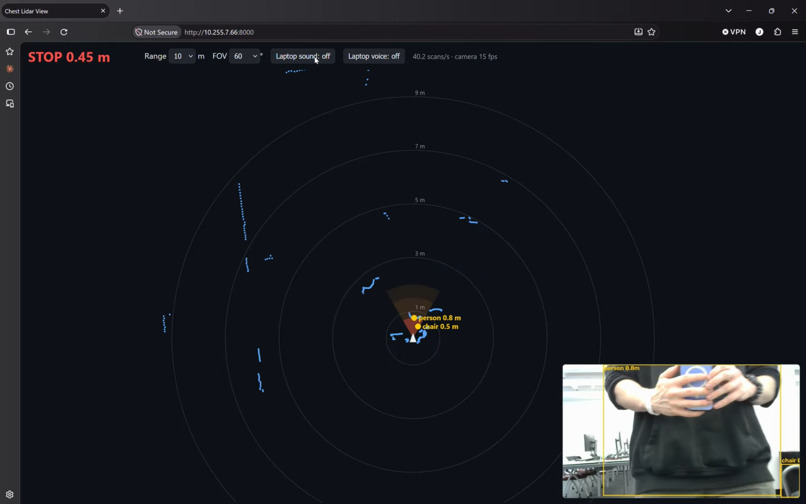
Linux terminal viewer
-
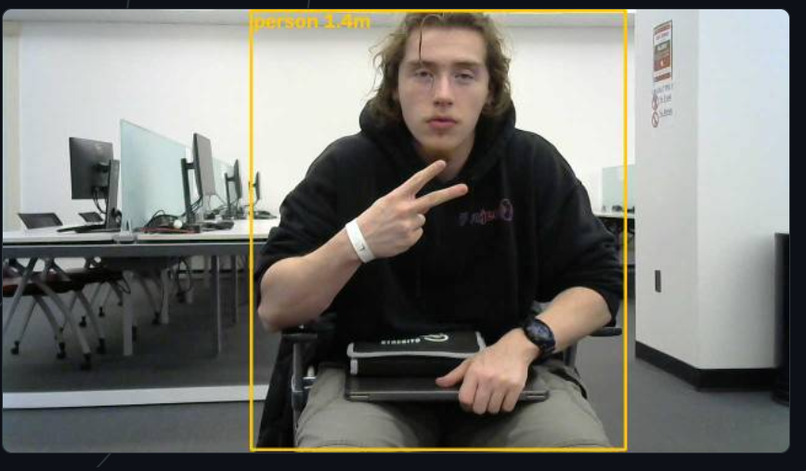
Peace
Inspiration
Millions of people with low vision rely on a white cane, which only senses what it physically touches, about a meter ahead and at ground level. It can't say what is in the way, and it can't warn about something approaching. We wanted to build a hands-free assistant that understands the space in front of the wearer and describes it out loud, combining the precise distance sensing of a self-driving car's lidar with the object recognition of modern computer vision. What it does
A.U.R.A. is a chest-mounted wearable that watches the path ahead and talks to the wearer.
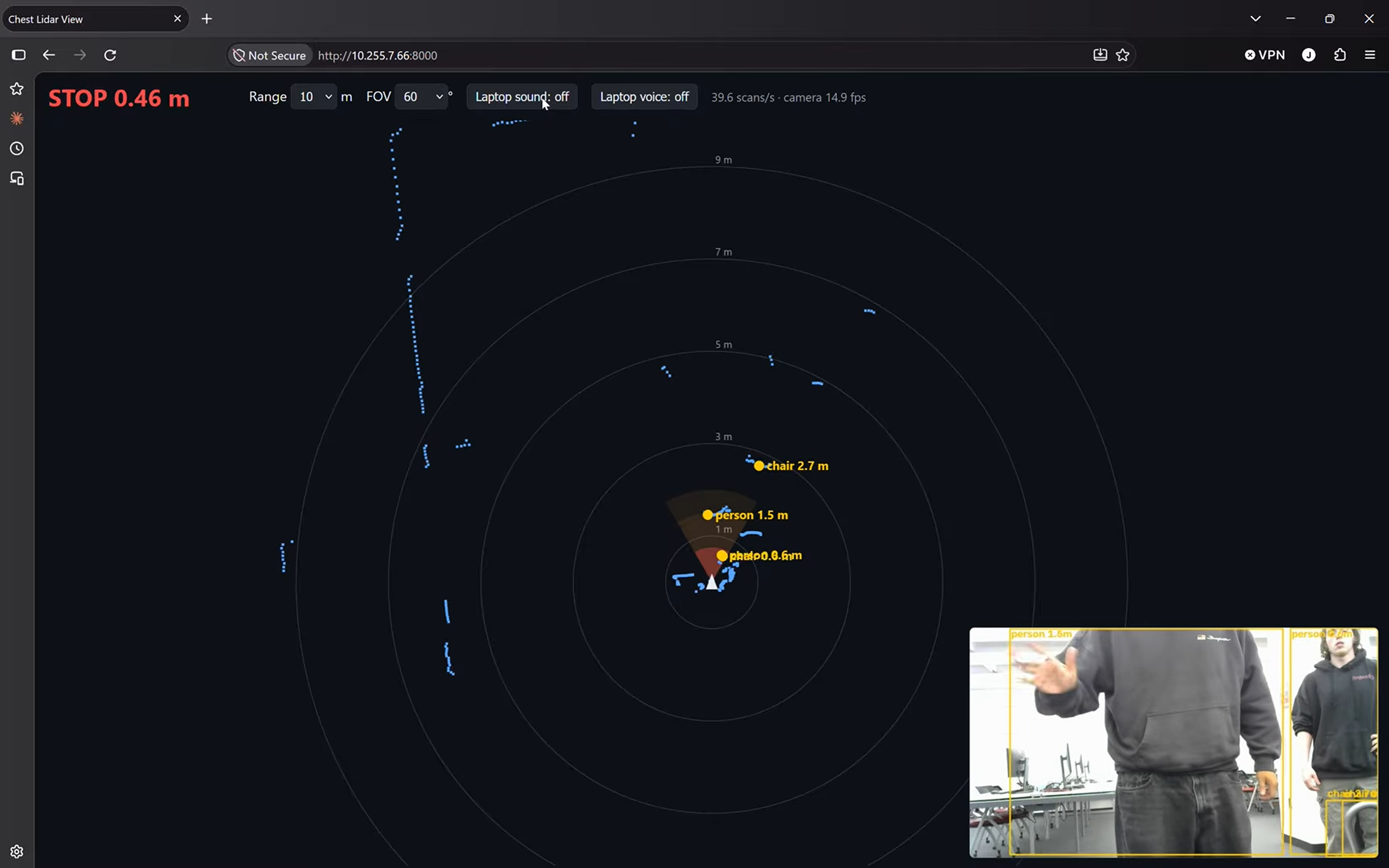
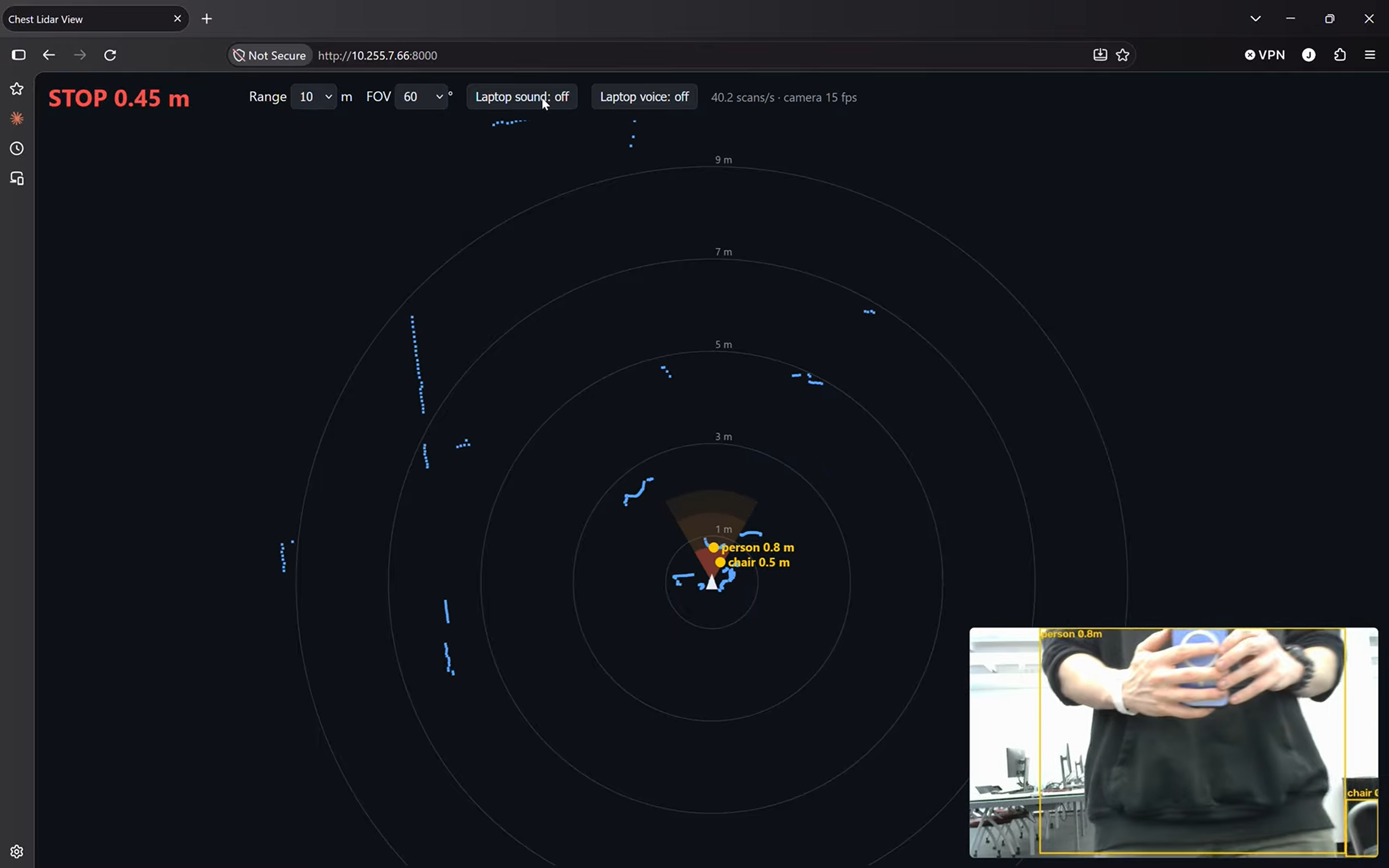
A 2D lidar scans the area in front of the wearer 40 times per second. As an obstacle gets closer, A.U.R.A. beeps faster, from slow beeps at 2 m to a solid tone under 0.75 m.
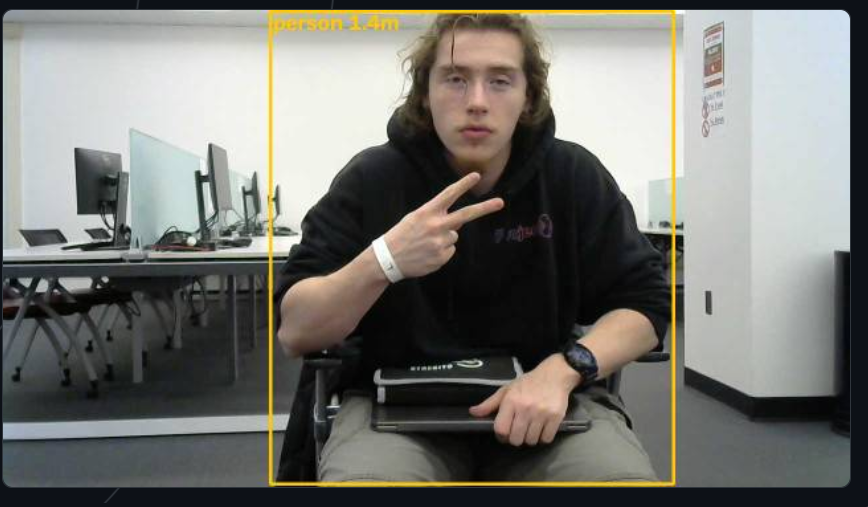
A webcam running a YOLO neural network recognises what is ahead (people, cars, bicycles, chairs, benches and more). A.U.R.A. pairs each object with the lidar's exact distance at that angle and speaks alerts like "person ahead, 2 meters" or "chair on the left, 1 meter".
All audio plays through a clip-on JBL Bluetooth speaker, so the wearer's hands stay free.
A live dashboard streams over Wi-Fi to any laptop or phone browser, with nothing to install. It shows a radar-style map of the lidar scan, colour-coded alert zones, the camera feed with detection boxes, and labels for every recognised object, so a caregiver or judge can see exactly what the wearer is hearing.
How we built it
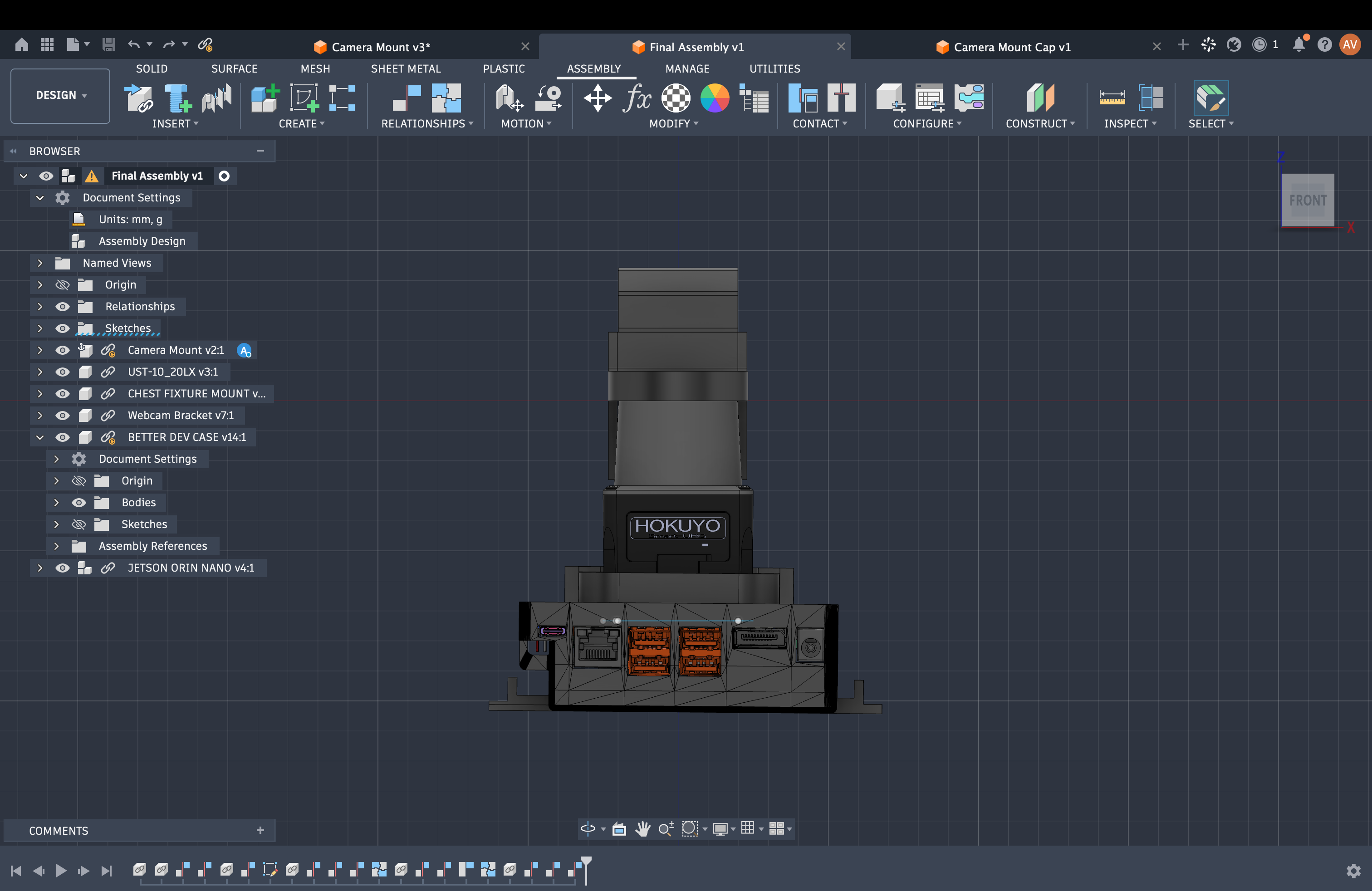
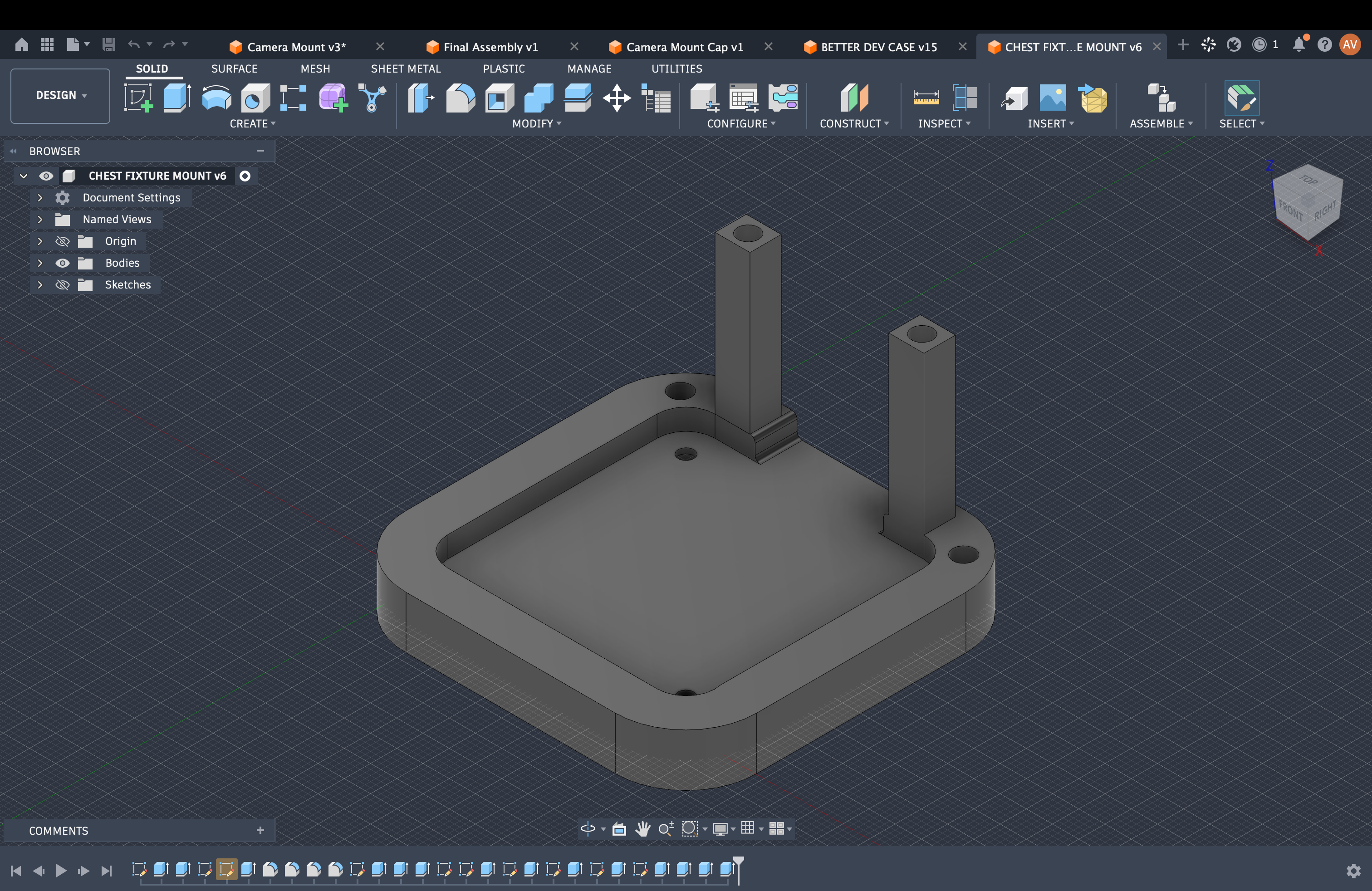
Hardware: a Hokuyo UST-10LX lidar (270° field of view, 10 m range) and an NVIDIA Jetson Orin Nano on a custom CAD-designed, 3D-printed wearable mount with threaded-insert mounting holes, custom brackets for each component and dedicated spaces for the electronics. A Logitech C270 webcam is mounted directly under the lidar so both sensors face the same direction, and a JBL Clip 3 Bluetooth speaker handles audio.
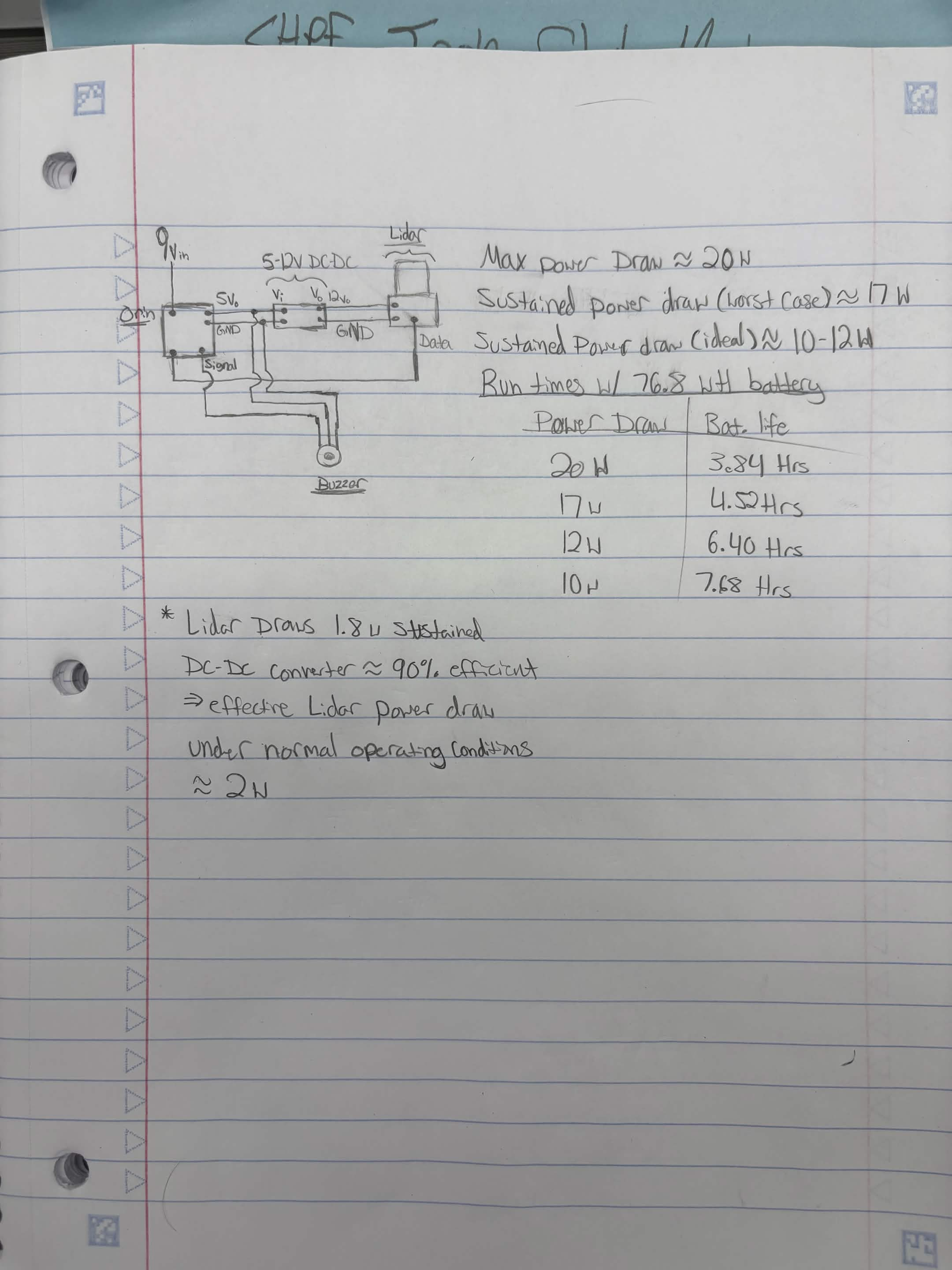
Power: the lidar needs 12 V at about 0.18 A, which the Orin doesn't supply natively. We drew 5 V from the Orin's USB port through a TP4056 module and stepped it up to 12 V with a DC-DC boost converter, so the lidar, camera, compute and audio all run from one board with no extra power supplies.
Lidar software: we wrote our own small driver for the lidar's SCIP 2.0 protocol over Ethernet in plain Python. It reads every scan and checks a forward wedge for the nearest obstacle, using the 5th-closest reading so a single noisy point doesn't trigger an alert.
Computer vision: YOLO11n from Ultralytics, pretrained on Microsoft's COCO dataset, optimised with NVIDIA TensorRT (FP16) to run in real time on the Orin's GPU. We filter COCO's 80 classes down to the 22 that matter to someone walking.
Sensor fusion: each detection box's position in the image is converted to an angle using the camera's field of view. We then take the lidar readings across that angle range and use their lower quartile as the object's distance, so we measure the object rather than the wall behind it.
Speech: offline text-to-speech with espeak-ng. Alerts are spoken nearest first, only after an object has been seen in 3 frames in a row, and with a cooldown so the same object isn't repeated unless it gets closer.
Dashboard: a small built-in Python web server streams the scan and detections to an HTML canvas viewer using Server-Sent Events. The Orin runs its own Wi-Fi hotspot, so the system works anywhere without outside internet.
Challenges we ran into
Powering the lidar from the Orin. Our first attempt used the Orin's 40-pin header as a 5 V source, but we hit current limits and parts died. We went through several power plans, fabricated spares, and ended up with a USB-powered 5 V to 12 V boost circuit.
Memory on a small computer. The Orin Nano's 8 GB of RAM is shared between the CPU and the GPU. With the lidar and vision programs running continuously, memory filled up and the system started swapping, so we had to limit how much data we kept. Building the TensorRT engine also briefly ran the GPU out of memory until we closed other apps.
Setting up AI libraries on Jetson. Standard PyTorch from pip doesn't use the Jetson's GPU. We had to repair an interrupted system update, install NVIDIA-specific PyTorch builds and libraries, and work around NumPy version conflicts before the GPU would run our model.
First time on Linux. Learning the terminal, file permissions, sudo, and Bluetooth pairing from the command line, all on the clock.
Lining up two sensors. The camera sees in pixels and the lidar in angles and millimetres. Getting a "person" label to land on the right lidar points meant mounting the sensors carefully and calibrating the camera's field of view.
Browser security. Chrome blocked our live camera stream from a different port inside the dashboard, so we switched to sending individual JPEG frames.
Accomplishments that we're proud of
Everything (lidar, camera, compute and audio) powered from a single board.
A working, wearable prototype that combines lidar and computer vision into one system that tells the wearer both what is ahead and how far.
Real-time performance on a small embedded computer, with the neural network running on the GPU through TensorRT.
A lidar driver and alert system written from scratch.
A dashboard anyone can open in a browser to experience what the wearer hears.
Designing for failure: the lidar beeps are independent of the camera, so the wearer is still warned about obstacles in the dark or if the vision system fails.
What we learned
We worked across mechanical, electrical and software engineering at once. This was our first time using computer vision, our first time working with a large pretrained model and dataset (COCO, about 118,000 labelled images), and for some of us our first time using Linux. We learned how object detection models work, how to optimise one with TensorRT for an embedded GPU, and how to manage Python environments and system packages on a Jetson. We also learned hands-on power electronics and designing hardware to be worn comfortably. Most of all we learned sensor fusion: each sensor has blind spots, and combining them gives a far more useful picture than either one alone. What's next for A.U.R.A. (Assistive Understanding and Ranging Assistant)
More object types that matter for navigation, such as doors, stairs, curbs, poles and pillars, using an open-vocabulary detector (YOLO-World) or fine-tuning on a custom dataset.
Spotting poles and doorways from the lidar shape alone, which also works in the dark.
Warnings for fast-approaching objects like cyclists, by tracking how quickly distances shrink between scans.
Left/right haptic feedback with small vibration motors, for noisy places and for deaf-blind users.
A "what's around me?" button that speaks a summary of everything nearby, and on-demand reading of signs and room numbers.
Full battery power, which our power design already supports but we didn't have time to finish.
A smaller, lighter build with bone-conduction headphones, so the wearer's ears stay open to traffic.
Built With
- 3d-printing
- autodesk-fusion-360
- computer-vision
- electronics
- jetson-nano
- lidar
- linux
- python
- soldering
- ssh
- trouble-shooting
- ubuntu

Log in or sign up for Devpost to join the conversation.