-
-
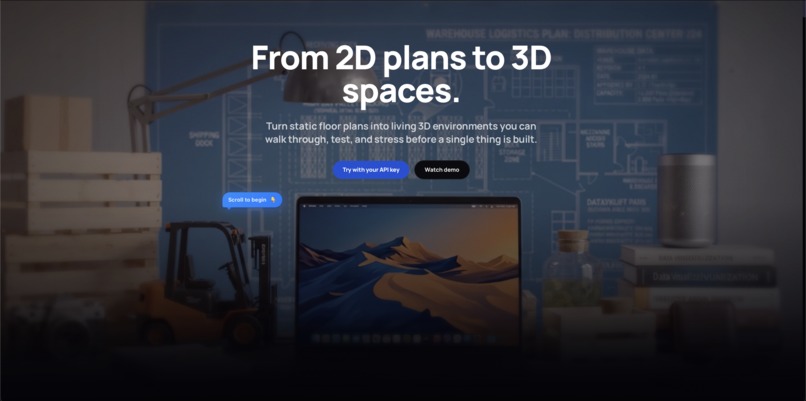
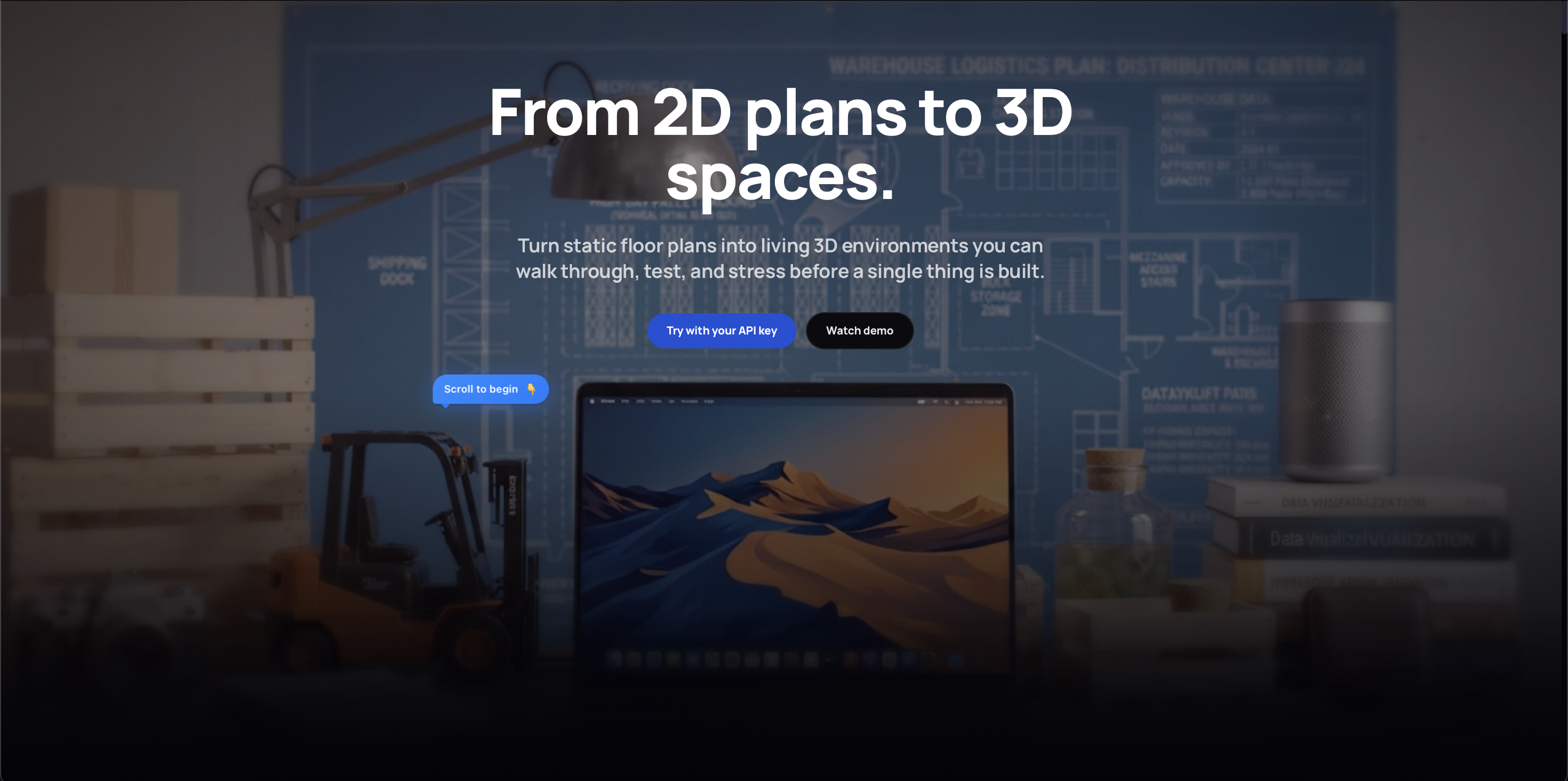
Interactive Landing Page
-
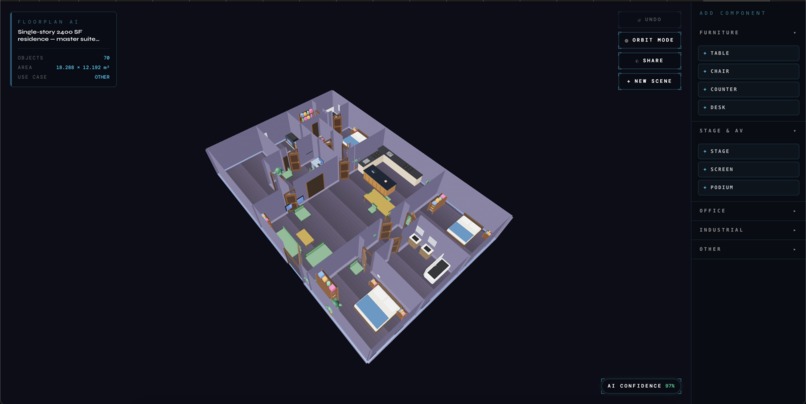
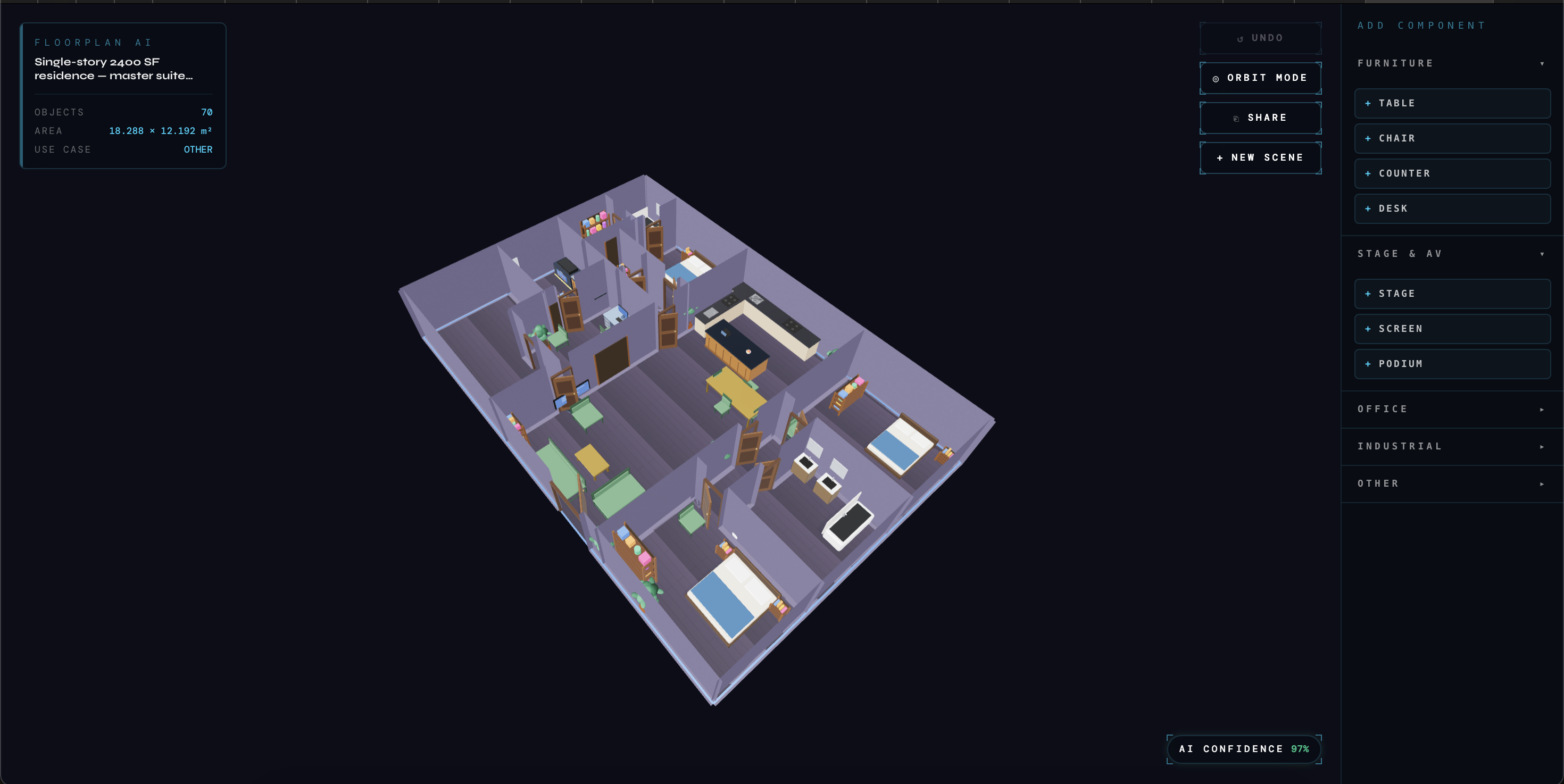
3D Orbit Visualization
-
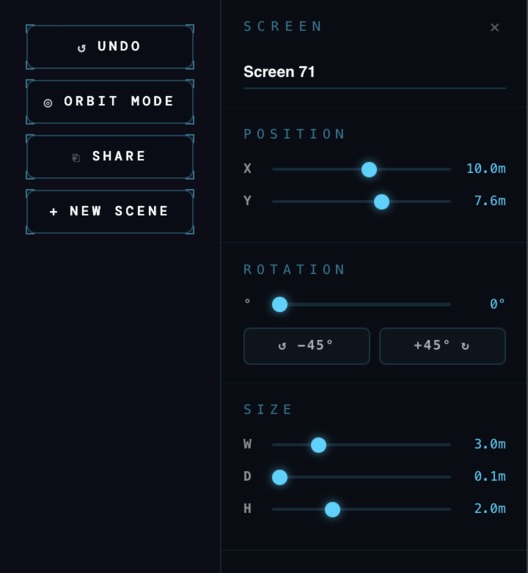
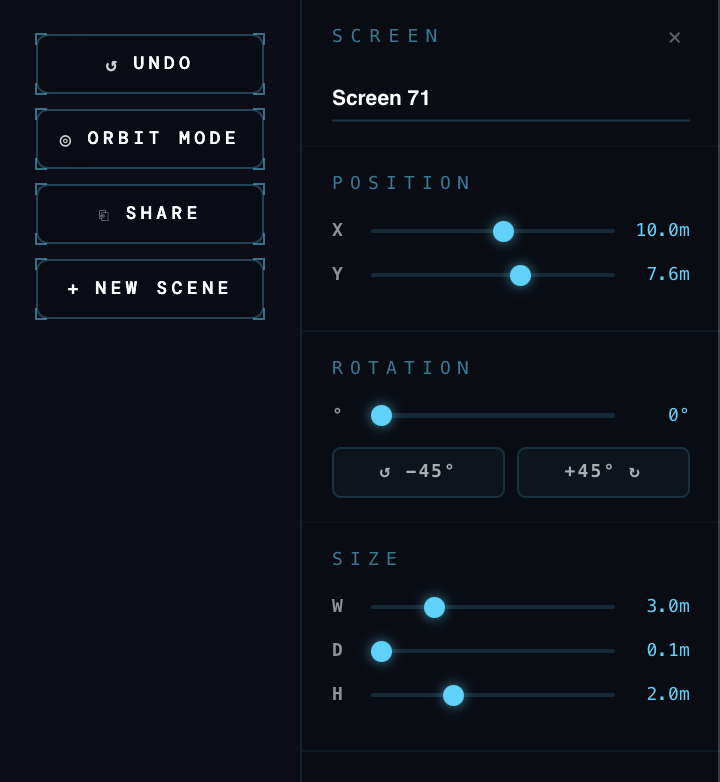
Component Editing Features
-
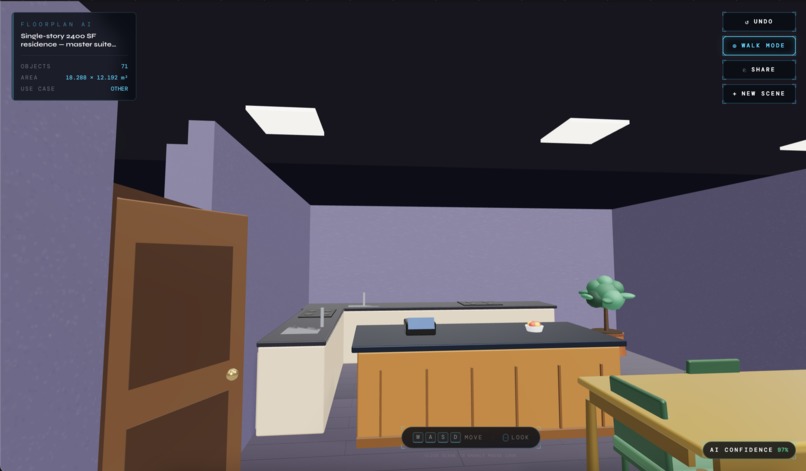
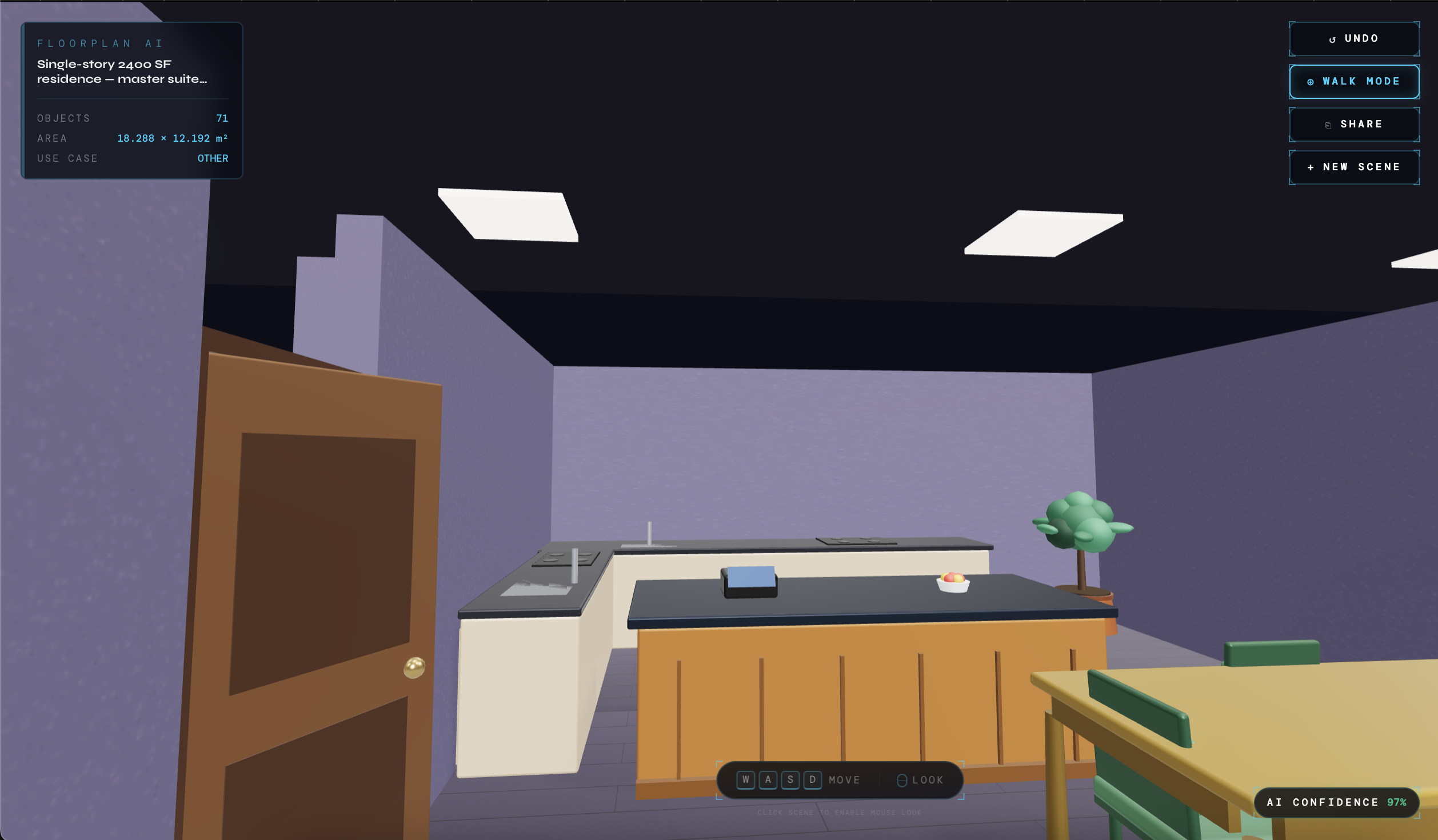
1'st Person Interactive Walk through feature
-
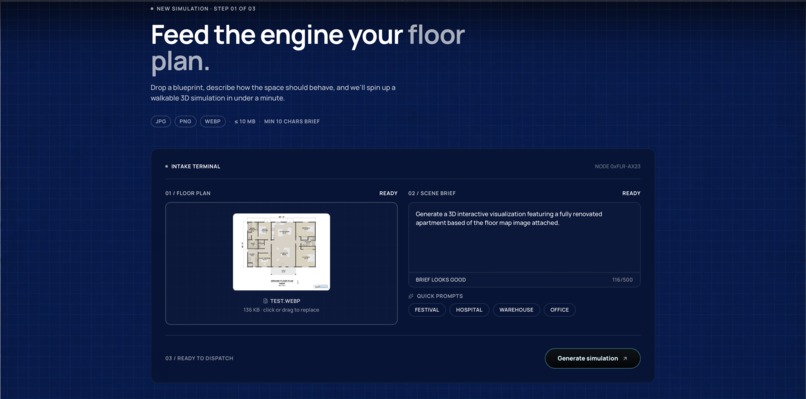
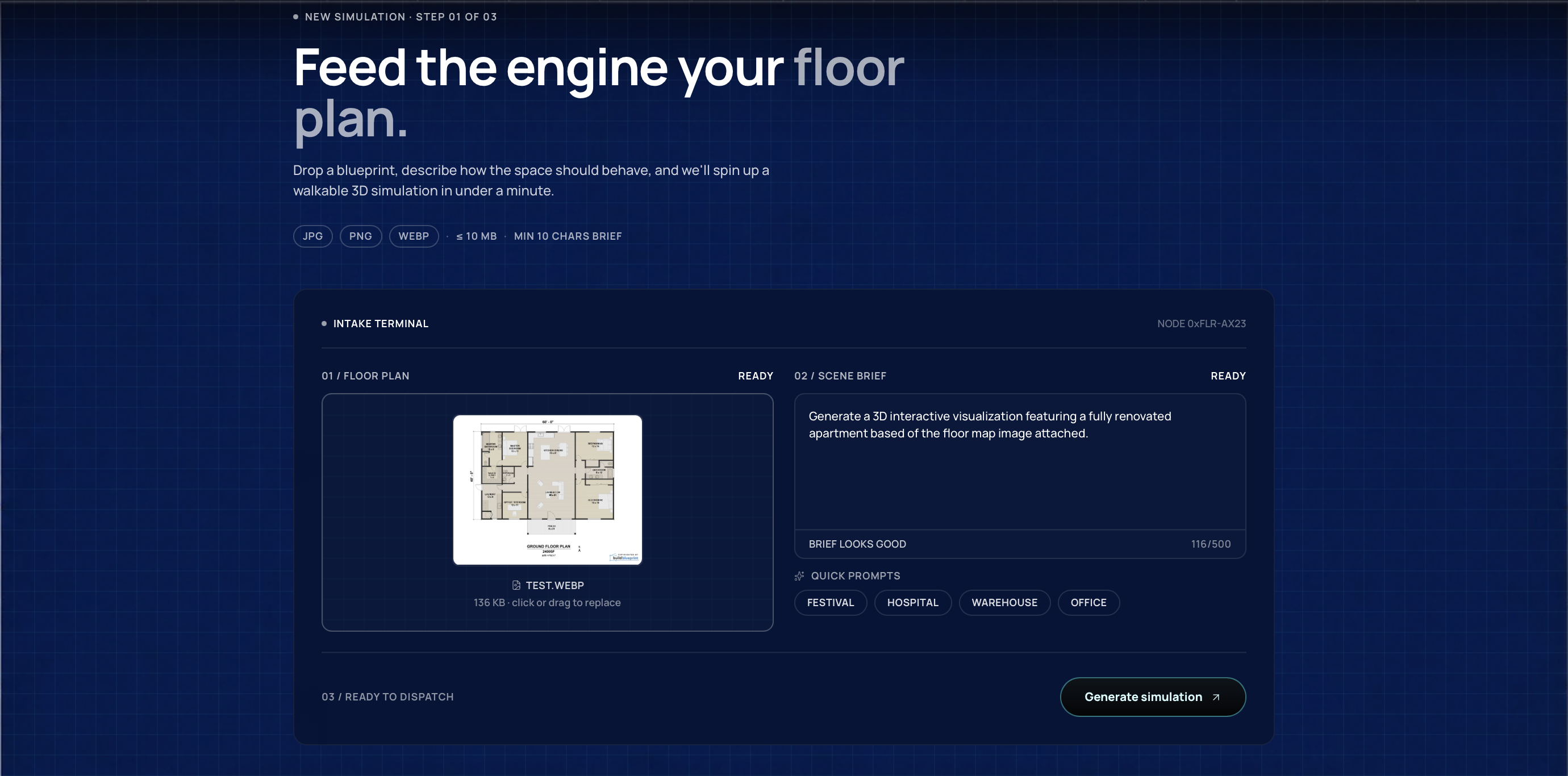
Image and Prompt Upload
-
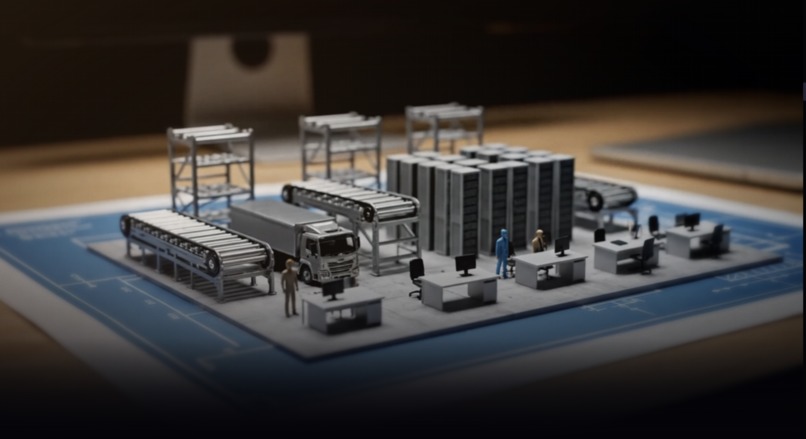
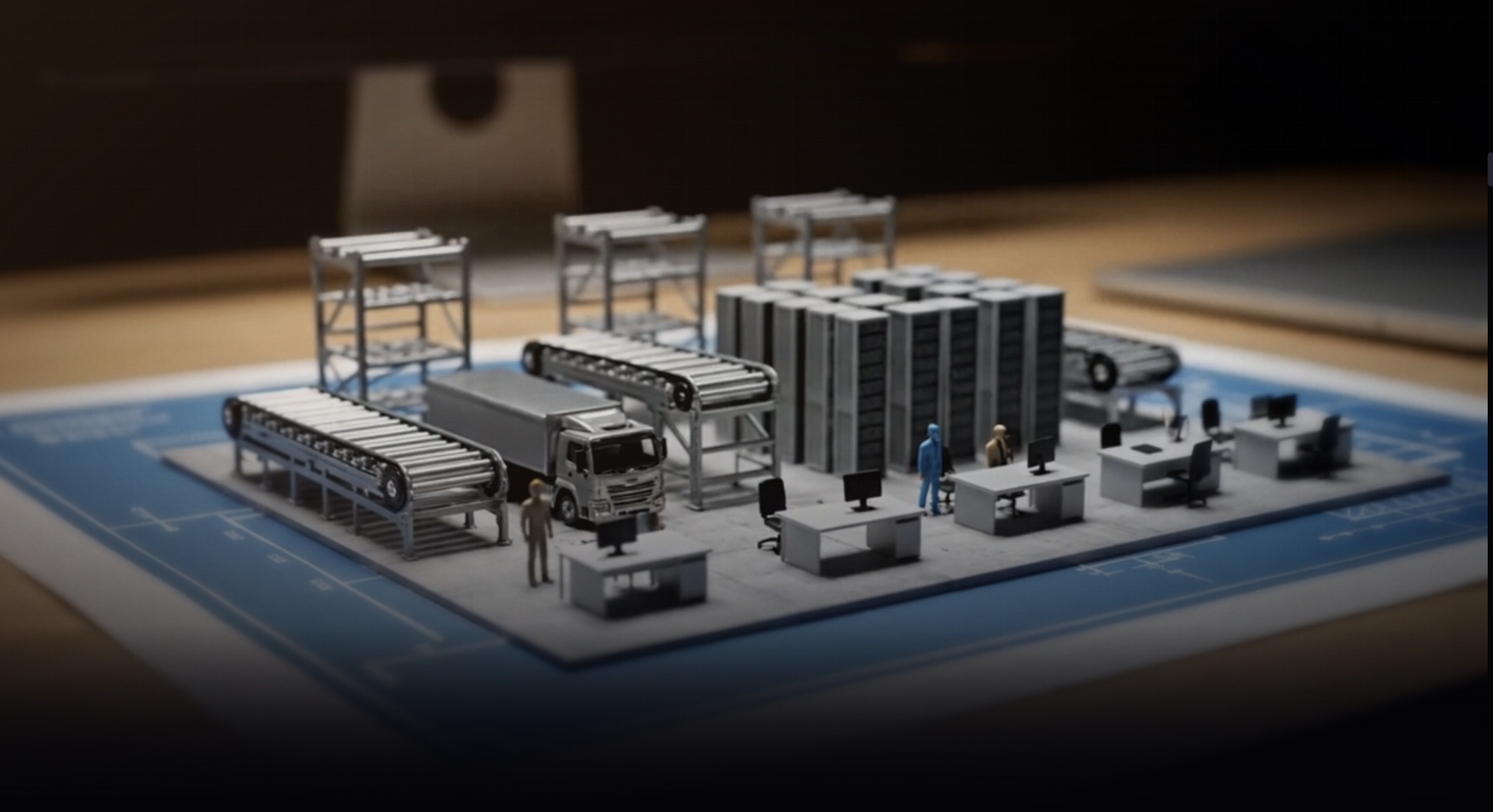
Cool Component
A.U.R.A.
Architectural Understanding & Rendering Agent
Inspiration
A lot of important spaces still start as flat floor plans.
Hackathon layouts. Offices. Events. Classrooms. Warehouses. Apartments. Retail spaces.
People look at a blueprint and try to imagine what the space will actually feel like. They guess where people will move, where objects should go, whether the layout will feel cramped, and whether the space will actually work in real life.
The problem is that a blueprint can show walls and dimensions, but it does not show experience.
We kept coming back to one question:
What if any 2D floor plan could become an interactive 3D environment that you can actually walk through?
That became AURA.
What it does
AURA turns a flat floor plan into a furnished, explorable 3D scene directly in the browser.
A user uploads a floor plan image, describes the type of space they want, and AURA generates a 3D environment that they can walk through, orbit around, edit, save, and share.
For example, someone can upload a house floor plan and say:
"Turn this into a modern furnished home layout that I can walk through."
Or an event organizer could upload a venue layout and say:
"Create a startup networking event layout with booths, tables, and open walking space."
AURA takes the blueprint, understands the space, plans what should go inside it, and turns it into a 3D scene. Instead of guessing from a static image, users can actually experience the space before it exists.
Users can:
- Upload a floor plan
- Describe the vision in natural language
- Generate a 3D environment
- Walk through the scene in first-person mode
- Orbit around the space from above
- Move, rotate, and resize objects
- Save the scene
- Share the layout through a browser link
The goal was not just to make a nice render. The goal was to make floor plans feel interactive.
Agent 1 - The Geometry Extractor
Agent 1 is a Backboard-powered Geometry Extraction agent.
When a user uploads a floor plan, the image is sent through a Backboard API call to this agent. The agent reads the layout and returns structured JSON describing the space.
That includes:
- Rooms
- Walls
- Doors
- Windows
- Dimensions
- Room labels
- Basic layout connections
We did not use Google Vision for this. We also did not build a separate computer vision stack. The geometry extraction step runs through Backboard, and the output becomes the base for the rest of the pipeline.
This was important because we needed the floor plan to become structured data before we could do anything useful with it in 3D.
Agent 2 - The Placement Planner
Agent 2 is a Backboard-powered Placement Planner agent.
It takes the structured geometry from Agent 1 and combines it with the user's prompt. Then it decides what should go where.
For a home layout, it might place sofas, beds, desks, tables, and storage in a way that makes sense for the room. For an event space, it could plan booths, tables, stage placement, entry flow, and open walking paths.
This agent is where the space starts to feel intentional. It is not just dropping random objects into a room. It is using the user's use case to make layout decisions.
For example, if the prompt says "cozy studio for a remote worker," the planner should think about a desk, lighting, open space, seating, and how the apartment feels day to day.
Backboard handles the assistant setup, thread flow, message routing, and API call. The output is a structured placement plan that gets passed to the next agent.
Agent 3 - The Scene Assembler
Agent 3 is a Backboard-powered Scene Assembly agent.
It takes the geometry from Agent 1 and the placement plan from Agent 2, then creates the final SceneFile JSON that our Three.js viewer can render.
This agent decides how the scene should be represented for the frontend. It includes object positions, rotations, sizes, room mappings, materials, and scene metadata.
After the Backboard API call returns, we run a TypeScript validation step. This step makes sure the generated scene will actually render properly.
The validation checks:
- Object sizes
- Object positions
- Rotation values
- Material names
- Wall intersections
- Object overlap
- Scene structure
This part mattered a lot because AI output can be creative, but the 3D viewer needs clean data. The Backboard agent creates the scene, and our validation layer makes sure it is usable.
The final scene JSON is stored in Vultr Object Storage, and the related metadata is stored in Vultr Managed PostgreSQL.
How AURA breaks the norm
The normal way to plan a space is still very flat.
You look at a blueprint. You imagine the layout. You send screenshots around. You make changes. You hope it works.
AURA breaks that by making the blueprint something you can actually walk through.
Instead of treating the floor plan as the final planning document, we treat it as the starting point for an interactive environment. The user does not just get a static image or a pretty render. They get a space they can enter, test, edit, and share.
That changes the way people understand physical layouts.
A classroom can be checked for spacing.
An event can be checked for crowd flow.
A warehouse can be checked for movement paths.
An office can be checked for usability.
A home can be checked for how it actually feels.
The shift is simple:
A floor plan goes from something you have to imagine to something you can experience.
How we used Backboard
Backboard was the core of our agent pipeline.
Instead of making one huge AI call that tried to do everything, we split AURA into three focused Backboard agents:
- Geometry Extractor
- Placement Planner
- Scene Assembler
Each agent had one job, made its own API call, and returned structured JSON for the next stage.
That made the system easier to build and debug. If the geometry was wrong, we knew to check Agent 1. If the furniture layout felt off, we knew to check Agent 2. If the final scene did not render properly, we knew to check Agent 3 or the validation layer.
Backboard helped us build AURA as an actual multi-agent workflow instead of a basic prompt wrapper. It handled the assistant flow, thread structure, message routing, and API calls, while we focused on the logic of each stage.
The most useful part was how cleanly the outputs could move from one step to the next. Agent 1 returned geometry. Agent 2 used that geometry to plan the layout. Agent 3 turned the layout into a renderable scene file.
That structure is what made the pipeline feel real.
How we used Vultr
Vultr powered the deployed infrastructure for AURA.
We used:
- Vultr VPS for the deployed application and backend pipeline
- Vultr Object Storage for uploaded floor plans and generated scene files
- Vultr Managed PostgreSQL for jobs, scene metadata, and agent outputs
- Vultr Firewall to secure the deployment
- Vultr Load Balancing to route traffic to the app more reliably
When a user uploads a floor plan, the image is stored in Vultr Object Storage. At the same time, a job record is created in Vultr Managed PostgreSQL. That job record tracks what stage the pipeline is in, such as geometry extraction, placement planning, scene assembly, completed, or failed.
The VPS runs the deployed app and connects the frontend, Backboard agents, database, storage, and scene generation flow. The firewall helps keep unnecessary access closed off, and the load balancer gives the app a cleaner deployment setup for traffic routing.
Once the 3D scene is generated, the final SceneFile JSON is stored back in Vultr Object Storage. The scene metadata, object count, dimensions, use case, job status, agent outputs, and share URL are stored in Vultr Managed PostgreSQL.
At the end, we deployed the full app so it was not just running locally. Users could open the app, upload a file, generate a scene, view it in the browser, and share it through a link.
Vultr gave us the infrastructure layer that made AURA feel like a real product instead of only a hackathon prototype.
How we built it
| Layer | Technology |
|---|---|
| Frontend | Next.js 14 App Router + React 18 |
| 3D Rendering | Three.js with custom orbit and walk controls |
| Code Editor | Monaco Editor for scene JSON debugging |
| AI Agent Layer | Backboard agents for geometry extraction, placement planning, and scene assembly |
| AI Orchestration | Backboard.io |
| Compute | Vultr VPS |
| Object Storage | Vultr Object Storage |
| Database | Vultr Managed PostgreSQL |
| Networking | Vultr Load Balancing |
| Security | Vultr Firewall |
| Backend | Next.js API routes and server-side pipeline logic |
| Deployment | Full app deployed on Vultr infrastructure |
| Styling | Tailwind CSS and custom Three.js materials |
The Architecture
┌─────────────────────────────────────────────────────────────────────────┐
│                            User Layer                                   │
│                                                                         │
│   Browser Client                                                        │
│   - Upload floor plan                                                   │
│   - Enter use case                                                      │
│   - Track generation status                                             │
│   - View 3D scene                                                       │
│   - Walk mode                                                           │
│   - Orbit mode                                                          │
│   - Object editing                                                      │
│   - Shareable scene link                                                │
└─────────────────────────────────────────────────────────────────────────┘
                                  │
                                  ▼
┌─────────────────────────────────────────────────────────────────────────┐
│                         Next.js App Layer                               │
│                                                                         │
│   POST /api/upload                                                      │
│   - Accept floor plan and prompt                                        │
│   - Store image in Vultr Object Storage                                 │
│   - Create job in Vultr Managed PostgreSQL                              │
│   - Start the generation pipeline                                       │
│                                                                         │
│   GET /api/job/[jobId]                                                  │
│   - Return current job status                                           │
│   - Show current agent step                                             │
│   - Return errors if something fails                                    │
│                                                                         │
│   GET /api/scene/[sceneId]                                              │
│   - Fetch scene JSON from Vultr Object Storage                          │
│   - Fetch scene metadata from Vultr Managed PostgreSQL                  │
│                                                                         │
│   POST /api/scene/save                                                  │
│   - Save edited scene version                                           │
│   - Store updated scene in Vultr Object Storage                         │
│   - Create or update scene record in Vultr Managed PostgreSQL           │
└─────────────────────────────────────────────────────────────────────────┘
                                  │
                                  ▼
┌─────────────────────────────────────────────────────────────────────────┐
│                    Three Backboard Agent Pipeline                        │
│                                                                         │
│   Agent 1: Geometry Extractor                                           │
│   - Backboard API call                                                  │
│   - Reads uploaded floor plan                                           │
│   - Returns structured geometry JSON                                    │
│   - Rooms, walls, doors, windows, dimensions, connectivity              │
│                                                                         │
│   Agent 2: Placement Planner                                            │
│   - Backboard API call                                                  │
│   - Receives geometry and user prompt                                   │
│   - Plans objects, layout, spacing, and flow                            │
│   - Returns structured placement JSON                                   │
│                                                                         │
│   Agent 3: Scene Assembler                                              │
│   - Backboard API call                                                  │
│   - Receives geometry and placement plan                                │
│   - Creates final SceneFile JSON                                        │
│   - Output is validated before rendering                                │
│                                                                         │
│   TypeScript Validation Layer                                           │
│   - Checks object sizes                                                 │
│   - Cleans coordinates                                                  │
│   - Validates rotations and materials                                   │
│   - Checks overlap and wall intersections                               │
└─────────────────────────────────────────────────────────────────────────┘
                                  │
                                  ▼
┌─────────────────────────────────────────────────────────────────────────┐
│                       Vultr Infrastructure                              │
│                                                                         │
│   Vultr Load Balancing                                                  │
│   - Routes traffic to the deployed app                                  │
│   - Helps with reliability during demo traffic                          │
│                                                                         │
│   Vultr Firewall                                                        │
│   - Controls inbound access                                             │
│   - Keeps unnecessary ports closed                                      │
│   - Makes the deployment safer                                          │
│                                                                         │
│   Vultr VPS                                                             │
│   - Hosts the deployed application and backend pipeline                 │
│   - Connects the frontend, Backboard agents, database, and storage       │
│   - Runs upload, job, scene, validation, and sharing logic               │
│                                                                         │
│   Vultr Object Storage                                                  │
│   - Stores uploaded floor plans                                         │
│   - Stores generated SceneFile JSON                                     │
│   - Makes shareable scene loading possible                              │
│                                                                         │
│   Vultr Managed PostgreSQL                                              │
│   - Tracks jobs and statuses                                            │
│   - Stores scene metadata                                               │
│   - Stores agent outputs as JSONB                                       │
│   - Stores share URLs and scene records                                 │
└─────────────────────────────────────────────────────────────────────────┘
Data flow
- The user uploads a floor plan and enters a prompt.
- The uploaded floor plan is stored in Vultr Object Storage.
- A job is created in Vultr Managed PostgreSQL.
- Agent 1 runs through Backboard and extracts geometry.
- Agent 2 runs through Backboard and plans the layout.
- Agent 3 runs through Backboard and assembles the scene.
- The TypeScript validation layer cleans the scene output.
- The final SceneFile JSON is stored in Vultr Object Storage.
- Scene metadata and job status are saved in Vultr Managed PostgreSQL.
- The user opens the generated 3D scene in the browser.
- The user can edit the scene and share it through a public link.
Challenges we ran into
Backboard assistant setup was one of the first problems we had to solve. Since we used three separate Backboard agents, each assistant needed to exist and be connected correctly before the pipeline could run. If one assistant ID was missing or wrong, that stage would fail. We built a setup script to help create and check the agents so we were not manually fixing IDs every time.
The next challenge was keeping the outputs consistent across agents. Agent 1 had to return geometry in a format Agent 2 could understand. Agent 2 had to return placements in a format Agent 3 could assemble. When one part of the schema changed, the next step could break. We fixed this by tightening the prompts, adding JSON examples, and validating outputs between steps.
Vultr setup also took time because we were not just using one service. We had to connect VPS, Object Storage, Managed PostgreSQL, Firewall, and Load Balancing into one working deployment. The hardest part was making sure the deployed app could reach everything it needed, including the database, storage buckets, Backboard agents, and environment variables.
Object Storage had its own small issues. We needed uploaded floor plans and generated scene files to be stored and retrieved properly. Shareable scene links also depended on the scene files being accessible in the right way. Getting that storage flow working was a key part of making the demo feel complete.
PostgreSQL became the source of truth for the pipeline. The frontend needed to know if the job was still running, which agent was active, whether the scene was done, or whether something failed. Early on, the status updates were not always clean. We fixed this by updating the jobs table after every major stage and storing errors clearly when a stage failed.
Deployment was the final challenge. The app worked locally first, but deploying it forced us to clean up the environment variables, firewall rules, database access, object storage access, load balancing, and runtime setup. That final step made the project feel much more real because it meant someone could actually open AURA and use it outside our machines.
Accomplishments that we're proud of
- Built a working three-agent Backboard pipeline
- Made every agent run through its own API call
- Passed structured JSON from one agent to the next
- Turned floor plan images into furnished 3D scenes
- Built a browser-based 3D viewer with walk mode and orbit mode
- Added object editing so users could move, rotate, and resize parts of the scene
- Used Vultr VPS to deploy the app and run the backend pipeline
- Used Vultr Object Storage for floor plans and generated scene files
- Used Vultr Managed PostgreSQL for jobs, statuses, scene metadata, and agent outputs
- Used Vultr Firewall to secure the deployment
- Used Vultr Load Balancing to route traffic to the app
- Deployed the full application at the end
- Created shareable scene links so others could open the generated layout in a browser
- Built something that changes a floor plan from a static document into an interactive environment
What we learned
Backboard worked best when we treated it like infrastructure for agents, not just a place to send a prompt. The project became much easier to manage once each agent had a clear job and a clear output format.
We also learned that splitting the AI work into smaller agents made debugging much easier. One large prompt would have been harder to control. With three agents, we could isolate problems and improve one stage at a time.
Vultr mattered more than we expected. At first, we thought of infrastructure as something we would add near the end. But AURA needed storage, job tracking, security, traffic routing, and deployment to feel like a real product. Vultr became the layer that connected the whole project together.
We also learned that generated output is not enough. The scene has to render. That meant validation was just as important as generation. We had to check object sizes, positions, rotations, materials, and scene structure so the final result actually worked in Three.js.
The biggest lesson was that a demo feels very different once it is deployed. Running locally is one thing. Having the app hosted, connected to a database, storing files, and generating shareable scenes makes it feel much closer to something people could actually use.
What's next for A.U.R.A.
- Multi-floor support: upload multiple floor plans and move between levels in the 3D viewer
- Real-time collaboration: let multiple people edit the same scene together
- Better simulation: add walking paths, bottleneck detection, crowd movement, and object flow
- AR export: let users place the generated layout into physical space using a phone
- More Backboard agents: add lighting analysis, cost estimation, accessibility checks, and crowd-flow simulation
- More Vultr infrastructure: add stronger monitoring, autoscaling, and separate dev and production environments
- Industry templates: create specialized versions for events, offices, classrooms, warehouses, retail spaces, and homes
Built with
Next.js, React, Three.js, Tailwind CSS, Backboard.io, Vultr VPS, Vultr Object Storage, Vultr Managed PostgreSQL, Vultr Firewall, Vultr Load Balancing, TypeScript, and Monaco Editor.
Built With
- antigravity
- backboard
- gemini
- managed
- next.js
- node.js
- object
- postgresql
- react
- storage
- three.js
- typescript
- vercel
- vps
- vultr


Log in or sign up for Devpost to join the conversation.