-
-
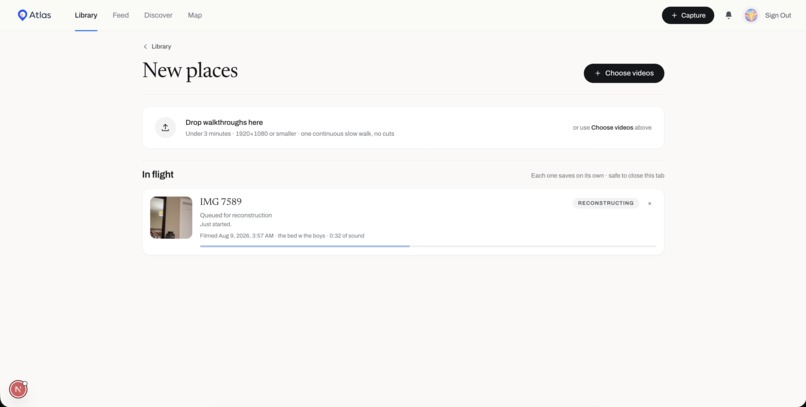
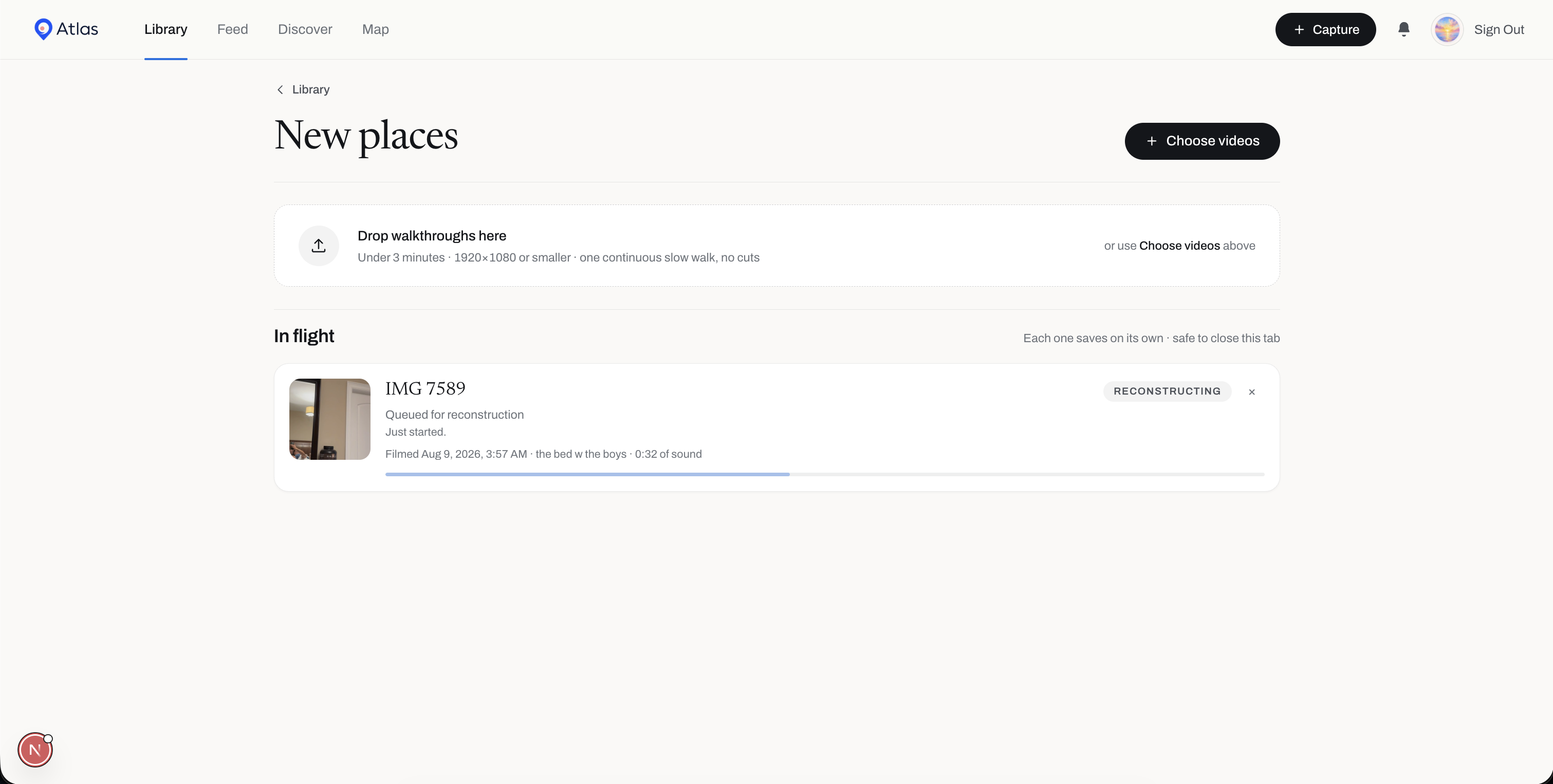
creating a "place"
-
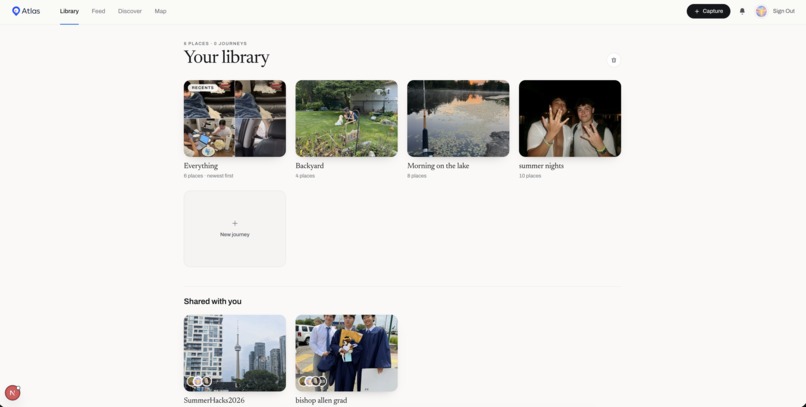
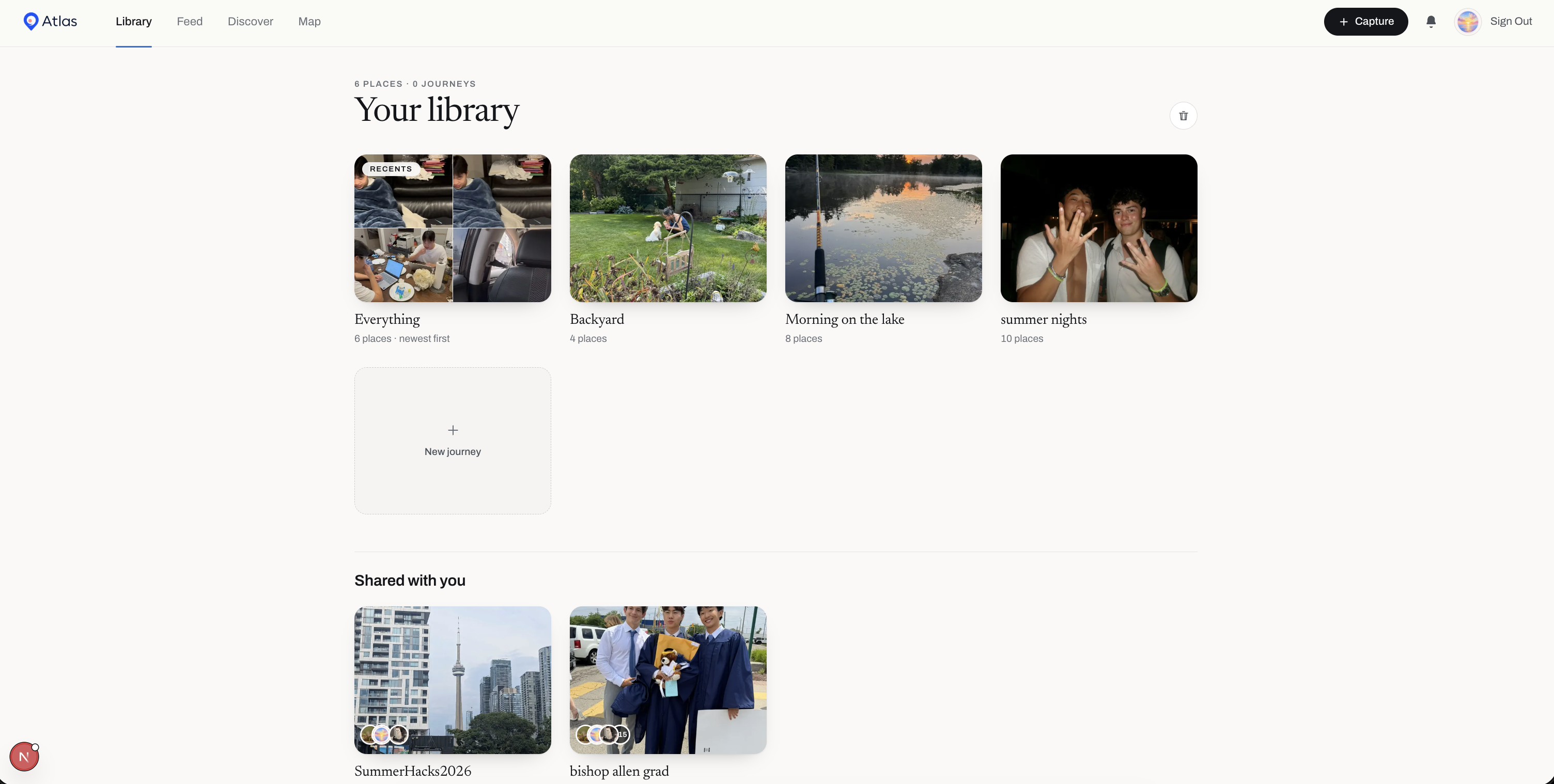
library
-
-
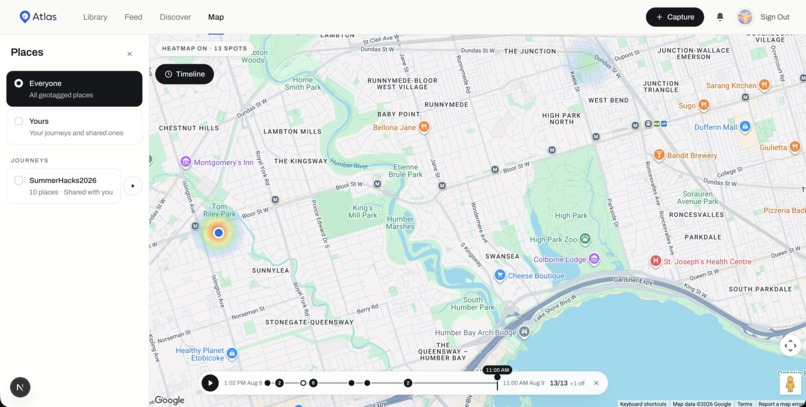
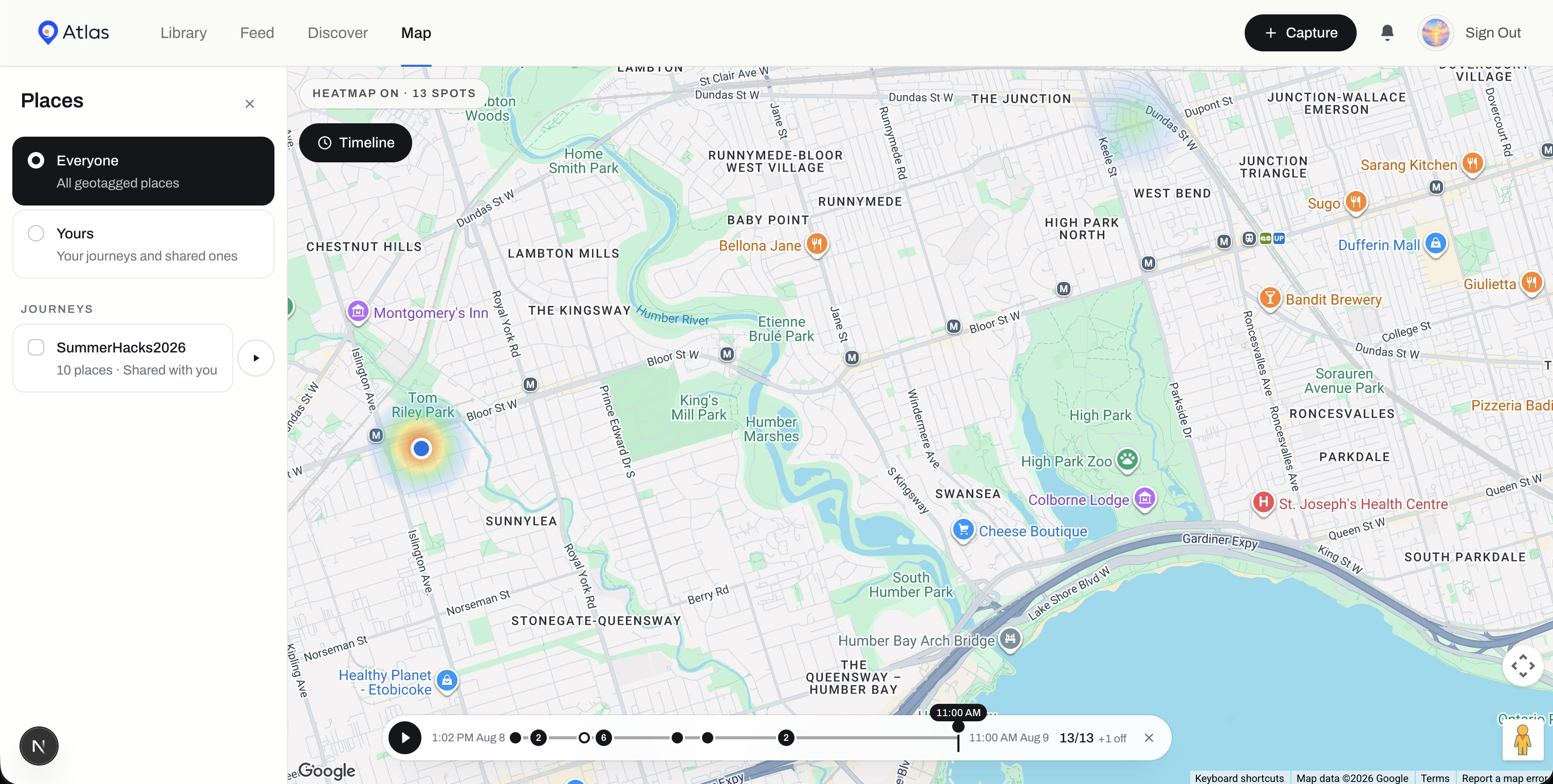
map
Inspiration
We take a lot of photos and videos of places we care about, but looking back at them still feels pretty flat.
We wanted to see if we could capture a place in a way that feels closer to actually being there again. Instead of watching a video of a room, you could walk around inside it, hear what was happening when you recorded it, and organize those spaces into stories with other people.
That became Atlas.
What it does
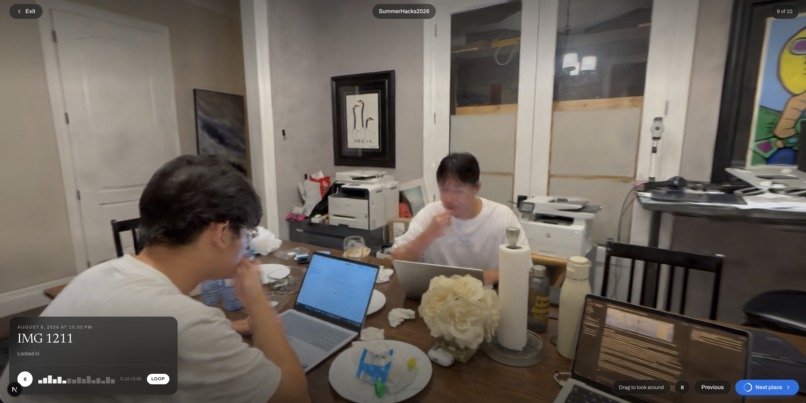
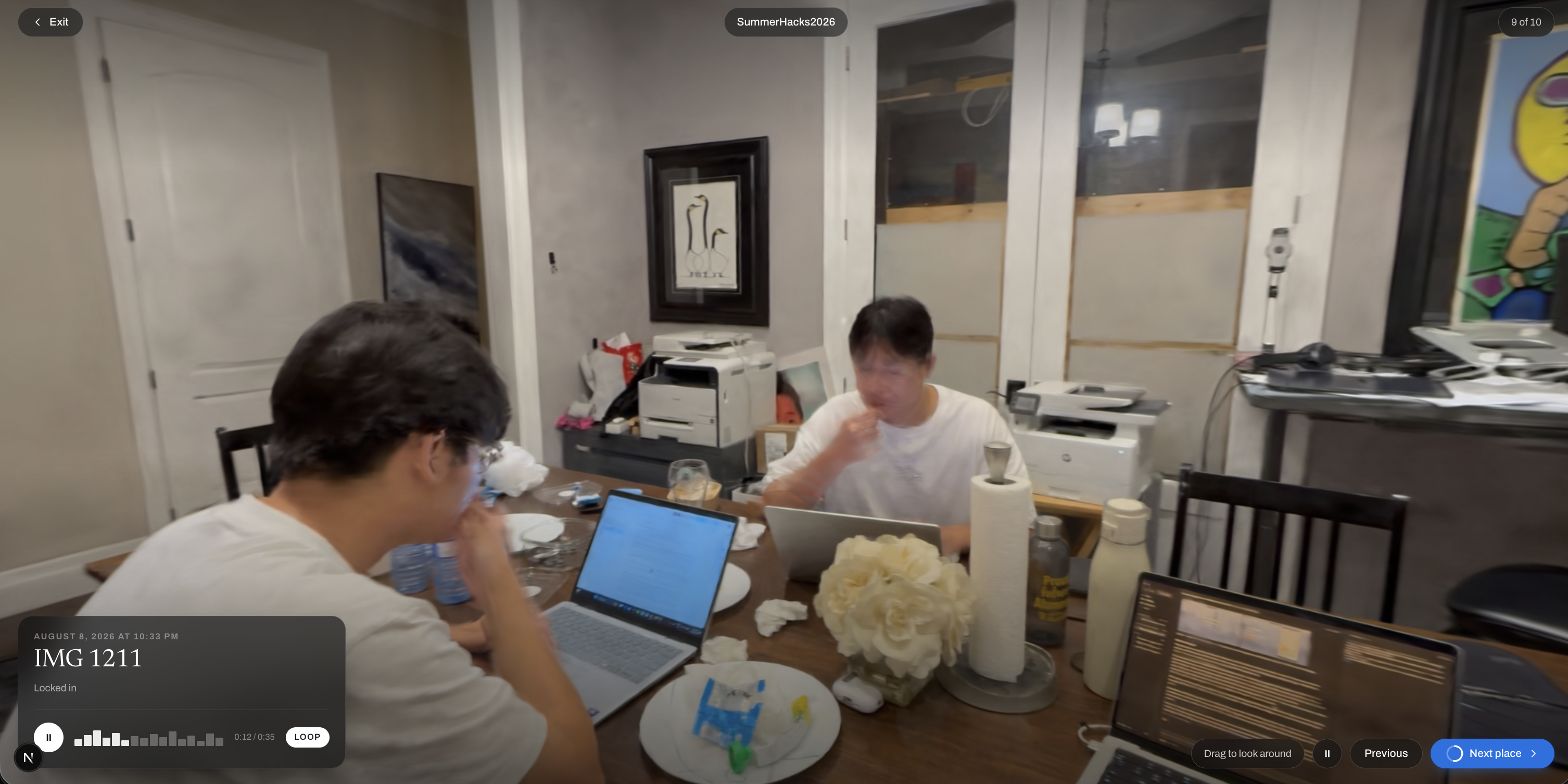
Atlas lets you upload a walkthrough video of a real place and turns it into a photorealistic 3D Gaussian Splat that you can explore directly in your browser. We call each of these captures a Place.
Each Place also pulls information directly from the original video. Atlas reads when and where it was recorded, extracts a thumbnail, and preserves the original audio so that when you enter the Place, you can hear what was happening while it was filmed.
Places can be grouped together into Journeys. A Journey acts like a collection of related memories, whether that's a trip, an event, or a set of places that tell a story.
Journeys can be private, shared with invited collaborators, or made public. Collaborators can add their own Places to a Journey, allowing multiple people to build the same collection of memories together.
The Library gives you a gallery of your Journeys, shared Journeys, and recently captured Places.
The Feed lets you scroll through Places from public Journeys. Instead of showing a normal photo or video, each card can load the actual 3D environment so you can look around without leaving the feed. You can also contribute your own Place directly to a public Journey.
On the Map, you can see a heatmap of geotagged Places based on the locations read directly from their videos.
Journeys can also be played as guided walkthroughs. Atlas starts at the earliest Place in the Journey and moves through each capture in order, including its original audio.
The Discover page lets you search for people by name or username, view profiles, and follow other users. New captures from people you follow can then appear in your notifications.
How we built it
We built Atlas using Next.js 16, React 19, TypeScript, and Tailwind CSS.
For 3D reconstruction, we built a pipeline on top of KIRI Engine's 3D Gaussian Splatting reconstruction. A walkthrough video is submitted to our server, passed to the reconstruction backend, and assigned a job ID that Atlas can continue tracking while the user keeps using the app.
Gaussian Splatting represents a scene differently from a traditional polygon mesh. Instead of building the environment from triangles, the scene is represented using a large collection of 3D Gaussians with properties such as position, size, orientation, opacity, and appearance. When rendered together from a camera viewpoint, these splats recreate the original environment with a high level of visual detail.
Once reconstruction finishes, our server downloads the result and extracts the .ply splat file. Atlas can render that result immediately in the browser using PlayCanvas and three.js.
Before saving, we transcode the PLY into the more compact SPZ format. In one of our test captures, a 260,000-splat room went from 64.7 MB to 4.9 MB.
A lot of the capture pipeline happens directly inside the browser before the video is uploaded. Atlas reads the video container to determine its capture time and GPS coordinates, extracts a frame for the thumbnail, and pulls out its audio track.
We use the Web Audio API to decode the video's audio and convert it into a mono 22.05 kHz WAV file. The audio, thumbnail, metadata, and reconstruction job are kept separately while reconstruction runs.
Because reconstruction can outlive the browser tab, we store the job information in localStorage and keep larger temporary files in Cache Storage. This means someone can submit a Place, close the page, come back later, and continue the same reconstruction.
We use Firebase Authentication for accounts, Firestore for metadata, Journeys, profiles, follows, and collaboration data, and Firebase Storage for splats, audio, thumbnails, Journey covers, and profile pictures.
The reconstruction API keys remain server-side. Our pipeline can also pool multiple reconstruction accounts and automatically fall through to another key when one account runs out of credits.
Challenges we ran into
One of our first major decisions was choosing between iPhone LiDAR and Gaussian Splatting.
LiDAR seemed like the obvious choice at first because it provides direct depth information, but relying on it would limit Atlas to newer iPhones and other devices with dedicated depth sensors.
We wanted capturing a Place to work with a normal phone camera, so we chose Gaussian Splatting. This let us reconstruct detailed 3D environments from ordinary walkthrough videos without requiring specialized capture hardware.
Another challenge was handling a reconstruction job that could last much longer than the browser session that started it.
A normal JavaScript File does not survive a page refresh. We therefore had to separate the reconstruction job ID, metadata, audio, thumbnail, and eventual splat so each part could survive independently. The lightweight job data stays in localStorage, while the larger binary files wait in Cache Storage.
Reading metadata from phone videos was another challenge. Newer iPhones store location and creation data differently from older QuickTime files, so we had to support multiple metadata layouts.
We also found that reconstruction data can be messy. Individual splats or visual artifacts can appear far away from the actual room, which makes something as simple as automatically positioning the camera much harder than it would be with a clean 3D model.
Accomplishments that we're proud of
We're proud that capturing a Place only requires one walkthrough video.
From that single file, Atlas can reconstruct the 3D environment, preserve its original audio, determine its location and capture time, and create its thumbnail without requiring the user to manually enter all of that information.
We're also proud of the capture pipeline itself. Reconstruction can continue independently of the page that started it, so users can submit a walkthrough, keep using Atlas, close the tab, and return to the same job later.
Another accomplishment was compression. One of our test rooms contained around 260,000 splats and produced a 64.7 MB PLY file. We transcoded it into a 4.9 MB SPZ file, making the Place much more practical to store and load in the browser.
We're also proud that Places aren't limited to being isolated 3D files. Journeys let multiple captures become part of a larger story, and shared and public Journeys allow multiple people to contribute their own memories to the same collection.
The Feed was another challenge we're proud of solving. Each Feed card can contain an actual live 3D environment, so Atlas only mounts the renderer for the Place currently on screen and starts preparing the next one in advance.
What we learned
We learned that building a spatial memory platform involves a lot more than just rendering a 3D model.
A large amount of the work went into everything surrounding the reconstruction: video parsing, metadata, audio extraction, storage, long-running jobs, browser caching, authentication, permissions, 3D rendering, and dealing with reconstruction artifacts.
We also learned how much useful information is already stored inside a normal phone video. From one file, we can recover the visuals, audio, date, and location needed to build most of a Place automatically.
Working with Gaussian Splats also showed us how different reconstructed 3D data is from a clean model made by an artist. Captures can arrive at different scales and orientations and contain floating artifacts, so even camera placement and framing require additional logic.
We also learned a lot about designing collaboration securely. Rather than storing separate notification documents that clients could potentially forge, Atlas derives notifications from the underlying follows, Journeys, and Places. Public contributions are also restricted so users can add a Place to a public Journey without being able to rename it, change its members, or modify its privacy settings.
What's next for Atlas
Next, we want to make moving through memories feel even more natural.
We want to improve reconstruction and loading performance, especially on mobile devices, and continue reducing how much data each Place requires.
We also want to make Journeys more immersive by improving guided walkthroughs and making it easier to explore how different Places relate through both location and time.
Long term, we want Atlas to feel like a spatial version of your camera roll. Instead of only looking back at photos and videos, you can return to the Places themselves, organize them into Journeys, and build those memories together with the people who were there.
Built With
- 3d-gaussian-splatting
- computer-vision
- firebase
- firebase-auth
- firebase-storage
- firestore
- gaussian-splatting
- google-maps
- kiri-engine
- next.js
- node.js
- particle
- photogrammetry
- playcanvas
- progressive-web-app
- react
- real-time-3d
- spatial-computing
- tailwind-css
- three.js
- typescript
- web-audio-api
- webgl


Log in or sign up for Devpost to join the conversation.