-
-
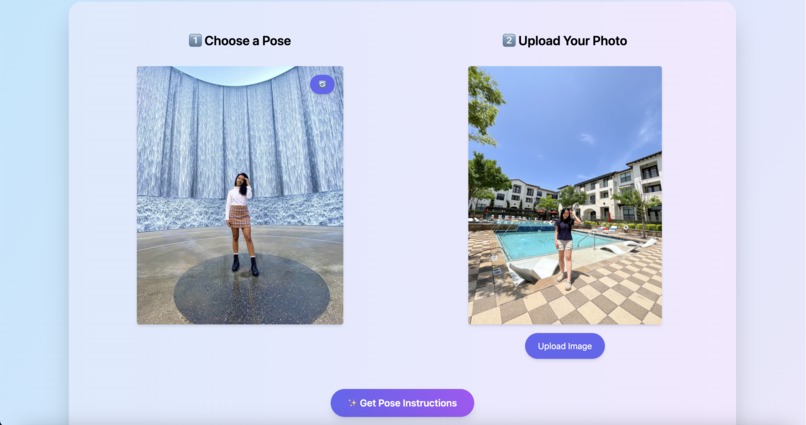
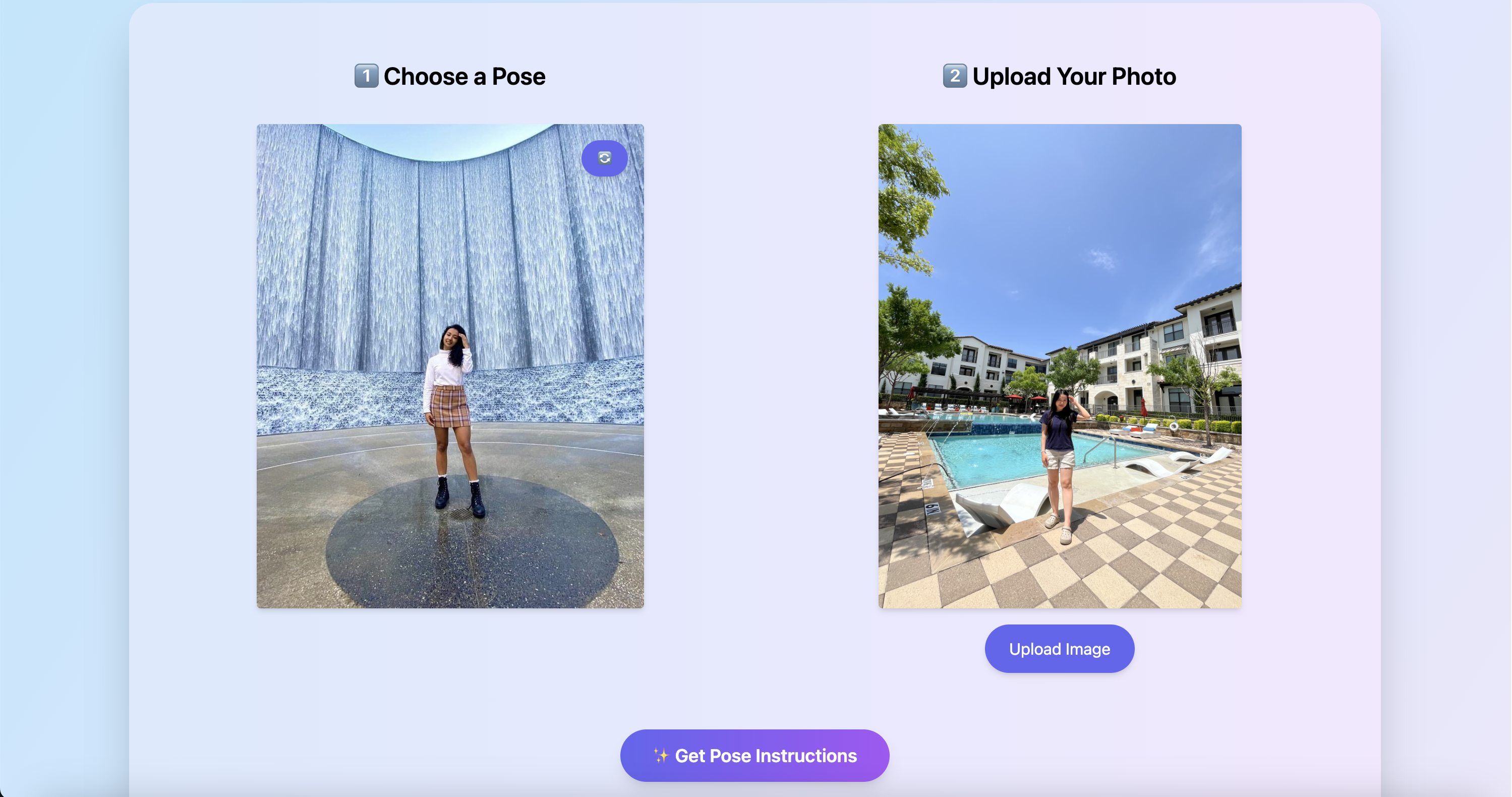
Compare reference poses with your photo side-by-side
Inspiration
We noticed many tourists struggle to take well-posed photos at famous landmarks. They often don’t know how to pose or how to capture creative angles, especially when traveling solo. We wanted to build a tool to make posing fun, smart, and personalized.
What it does
Our app allows users to upload or capture a photo at a landmark. Using AI, it generates personalized pose ideas by analyzing the image’s visual context and metadata. Users can:
- Search reference poses by keywords such as location, gender, objects or by images of the desired background you want to take picture with.
- Compare reference poses with your photo side-by-side.
- Receive visual feedback and tips to improve the next shot.
How we built it
Frontend:
- Built with React, Tailwind CSS, and Vite for rapid UI development.
- Responsive, mobile-friendly experience with animations and pose overlays.
Backend:
- Built with Python + FastAPI, deployed via Docker.
- Integrated MongoDB to store user photos, pose metadata, and filters.
- Used BLIP to extract tags from image.
- Used EfficientNet fine-tuned on the Google Landmarks dataset to extract vector from image
- Used MediaPipe to extract body keypoints
- Built a rule-based model on top of these keypoints to compute a pose matching score and generate feedback to help users adjust their pose
HP AI Studio was central to our development.
- We used it to fine-tune pose classification models using a labeled dataset.
- We tracked multiple experiments, hyperparameters, and model versions with built-in MLflow integration.
- We exported and deployed the best-performing model as a REST endpoint directly through the platform.
Challenges we ran into
- Posing Guidance for Solo Travelers: Many solo travelers struggle to know how to pose naturally or creatively at landmarks, often ending up with awkward or repetitive photos. The lack of a photographer or guide makes it difficult to get real-time feedback or inspiration.
Solution: We addressed this by building an AI system that analyzes the uploaded photo’s context—such as background, subject orientation, and landmark type—and uses a trained model to suggest personalized poses. By combining visual keyword extraction from Vision Model and a custom classifier trained in HP AI Studio, we deliver suggestions that feel relevant and engaging, even without human help.
Accomplishments that we're proud of
- Delivered an end-to-end AI solution with frontend, backend, and ML capabilities.
- Successfully used HP AI Studio to train and deploy a working model in under 48 hours.
- Made posing fun, engaging, and accessible for solo travelers and tourists worldwide.
What we learned
- HP AI Studio simplifies the entire ML lifecycle, from data ingestion to deployment.
- Custom model training requires iterative tuning—and MLflow helped us manage that seamlessly.
- Real-world AI applications benefit from tight integration between UX and ML outputs.
What's next
- Expand this idea to other domains where correct body posture is essential, such as sports training and yoga practice
- Incorporate Generative AI to create a visual representation of the user in their desired pose
- Launch a mobile version with offline pose detection.


Log in or sign up for Devpost to join the conversation.