-
-
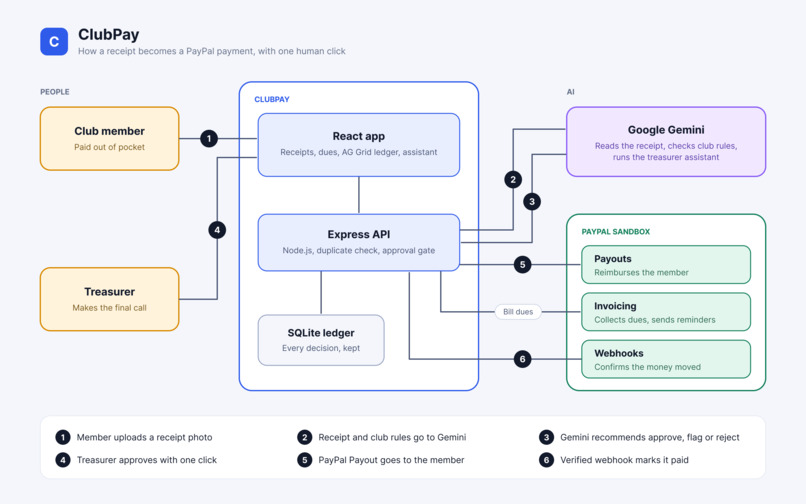
Architecture
-
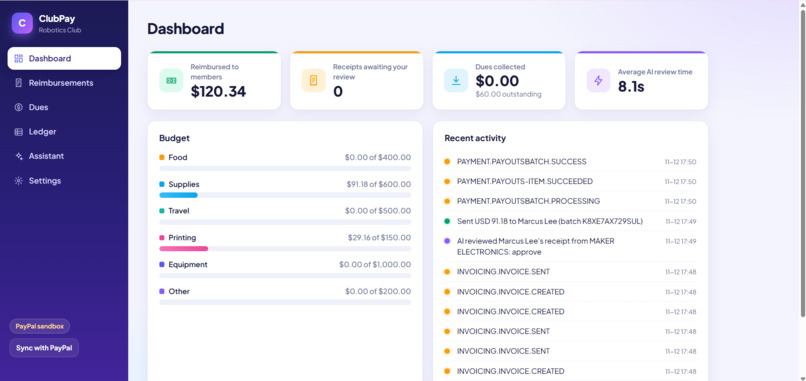
Dashboard
-
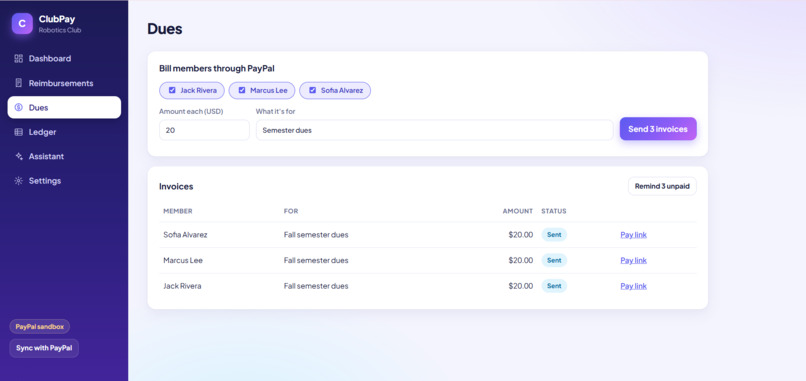
Dues
-
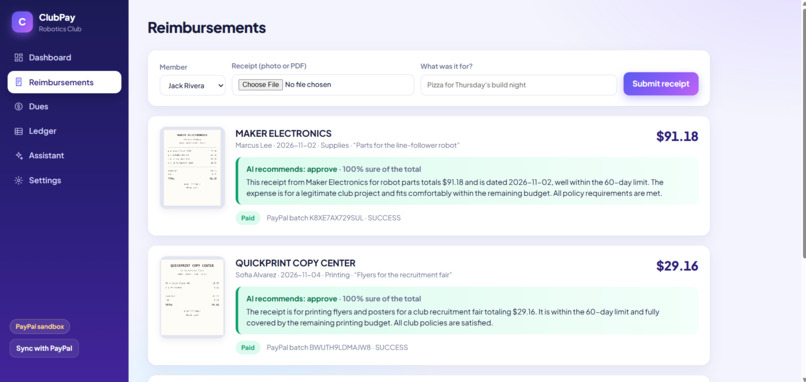
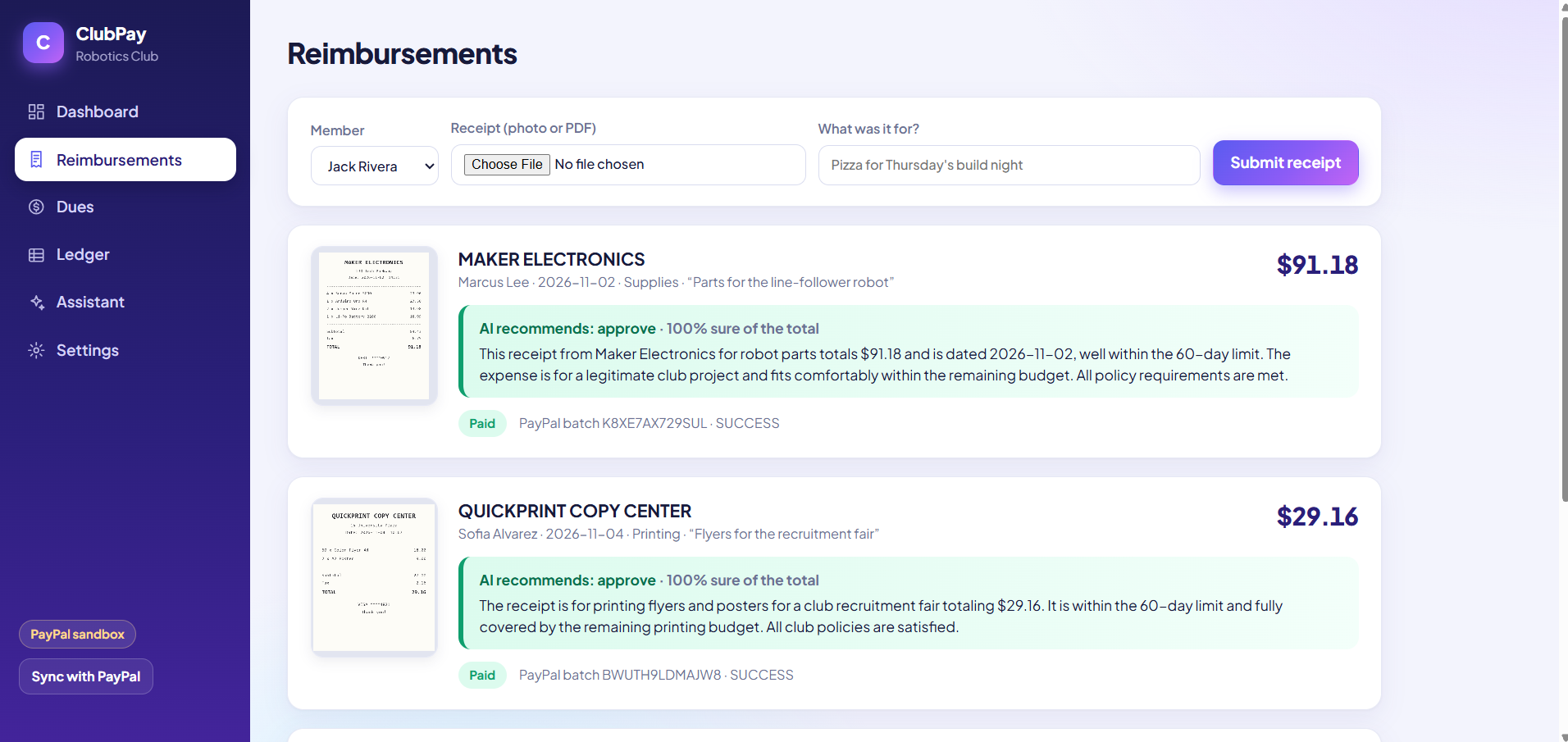
Reimbursements
-
-
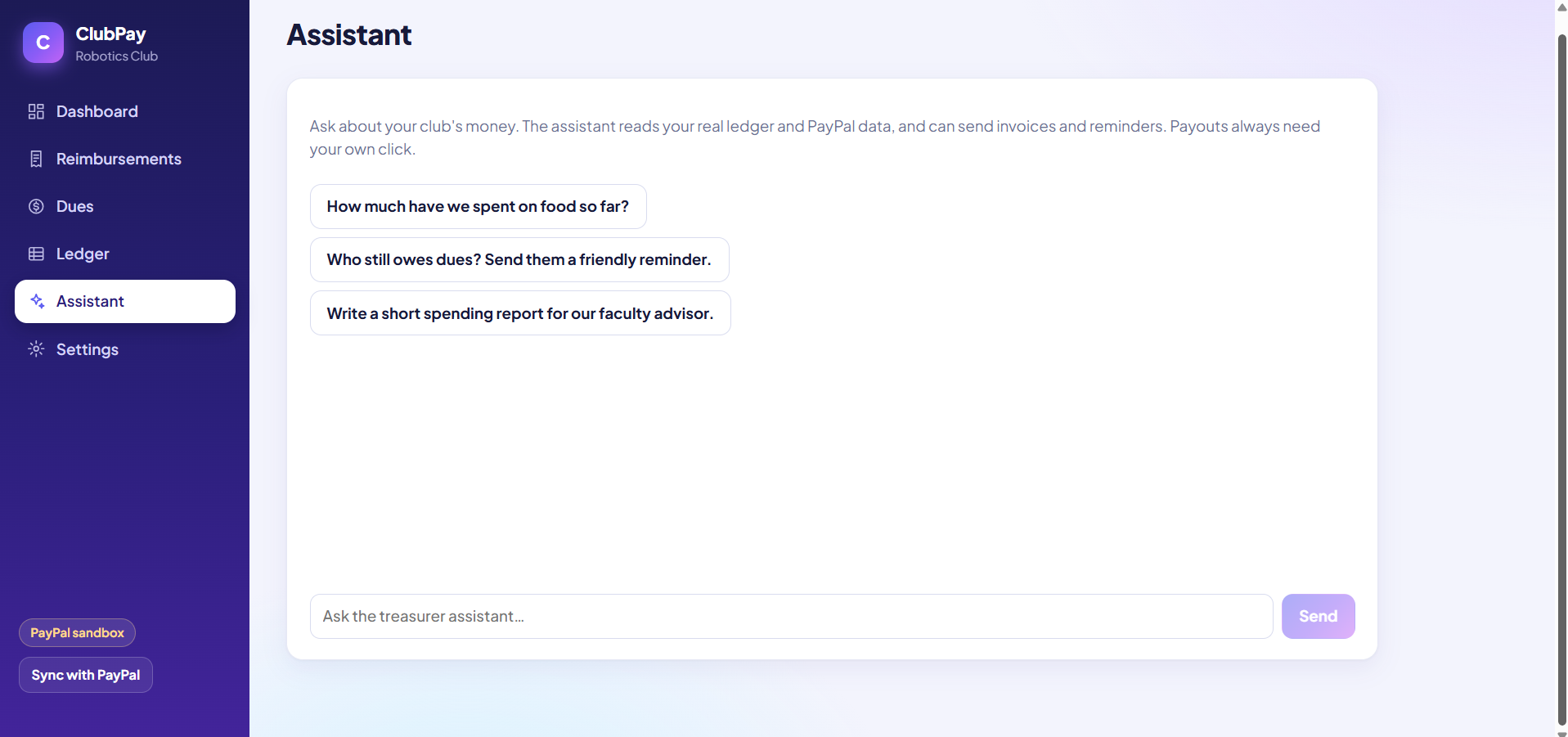
Assistant
-
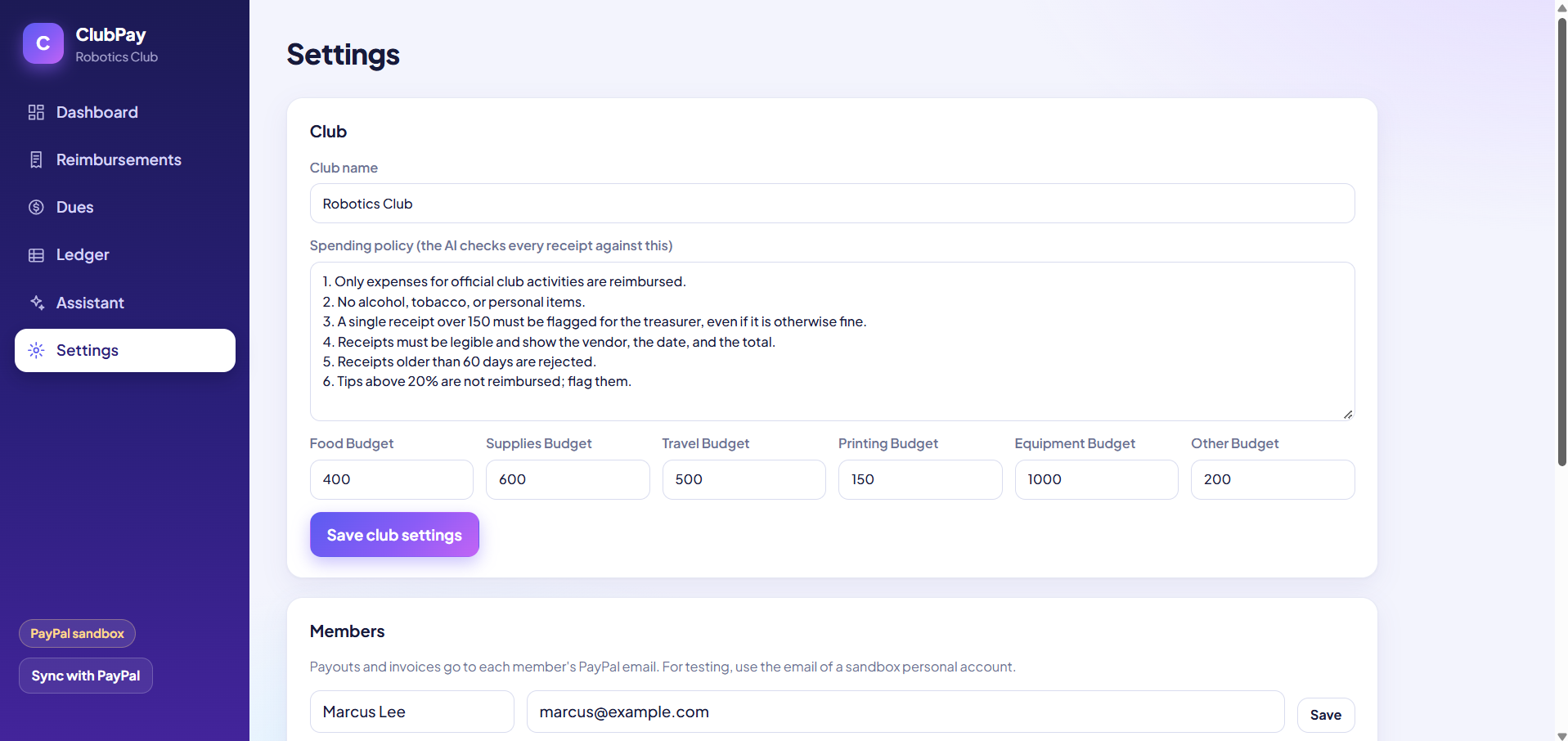
Settings
-
Settings
-
Payment
Inspiration
Every student club runs on a volunteer treasurer, a group chat and a spreadsheet. Members pay out of pocket for pizza, parts or printing and then wait days or weeks to get their money back. Dues are collected by chasing people one message at a time. At the end of the semester someone rebuilds a spending report by hand, and when the treasurer graduates, the records leave with them.
Expense-splitting apps only track who owes what. They don't check a receipt against the club's rules, and they don't move the money.
What it does
ClubPay handles the three jobs a club treasurer does with money:
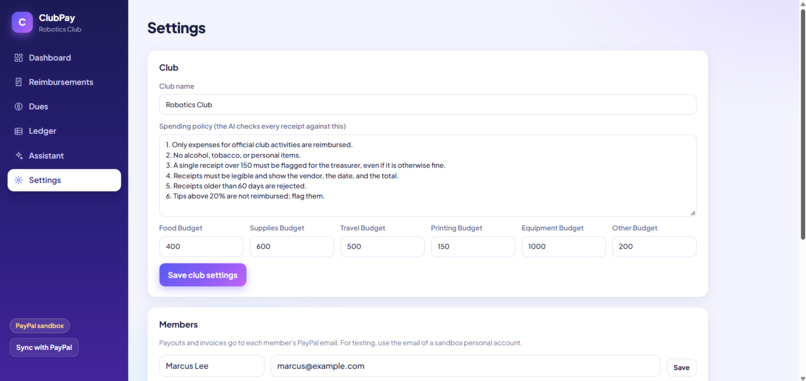
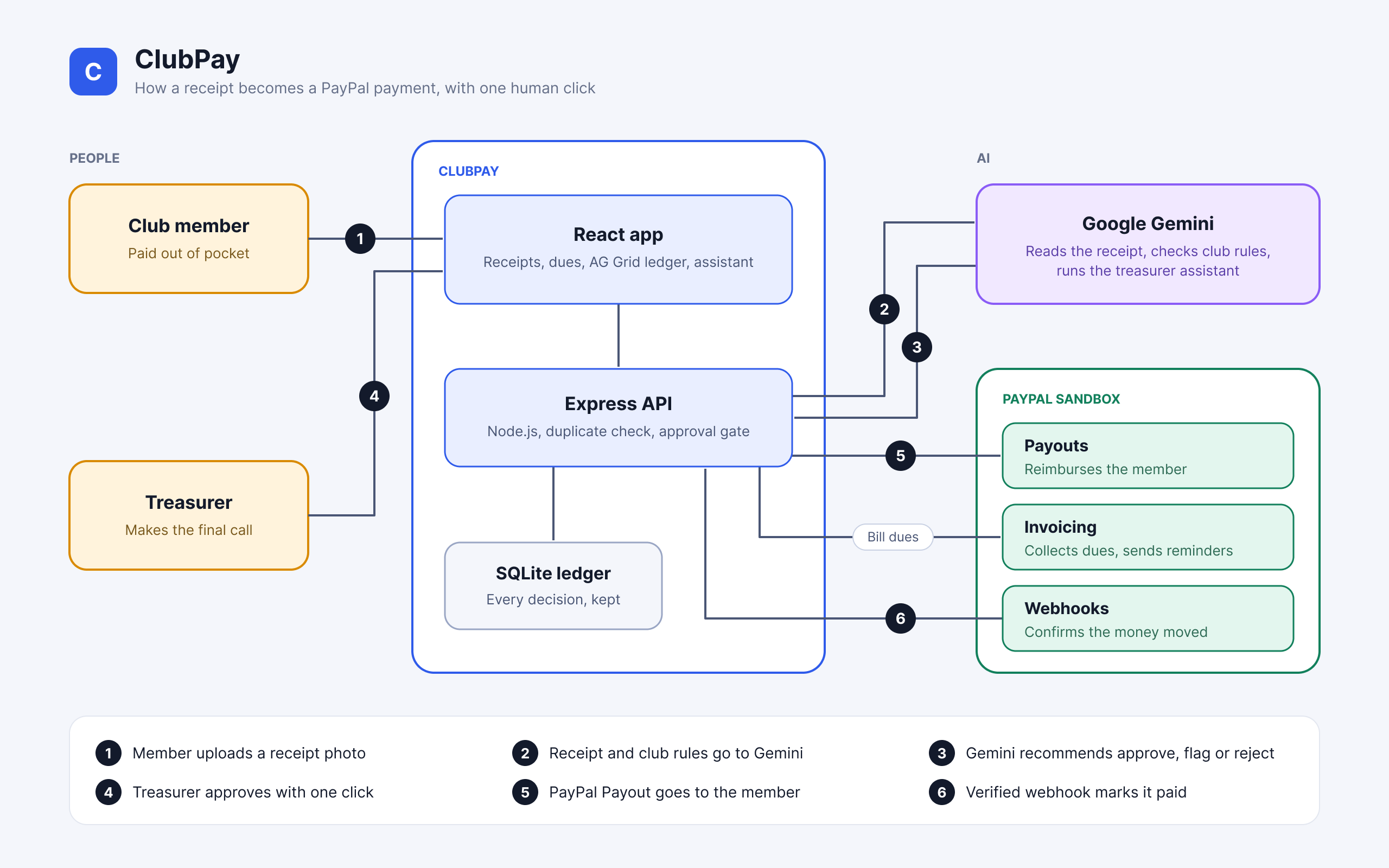
- Reimburse members. A member uploads a photo or PDF of a receipt. The AI reads the vendor, date, line items and total, checks them against the club's written spending policy and the remaining budget for that category, and recommends approve, flag or reject, with its reasons. The treasurer clicks once, and a PayPal Payout goes to the member. A PayPal webhook marks the receipt as paid.
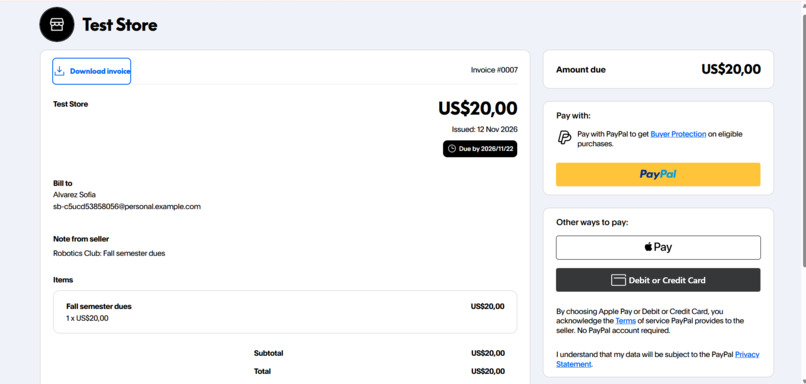
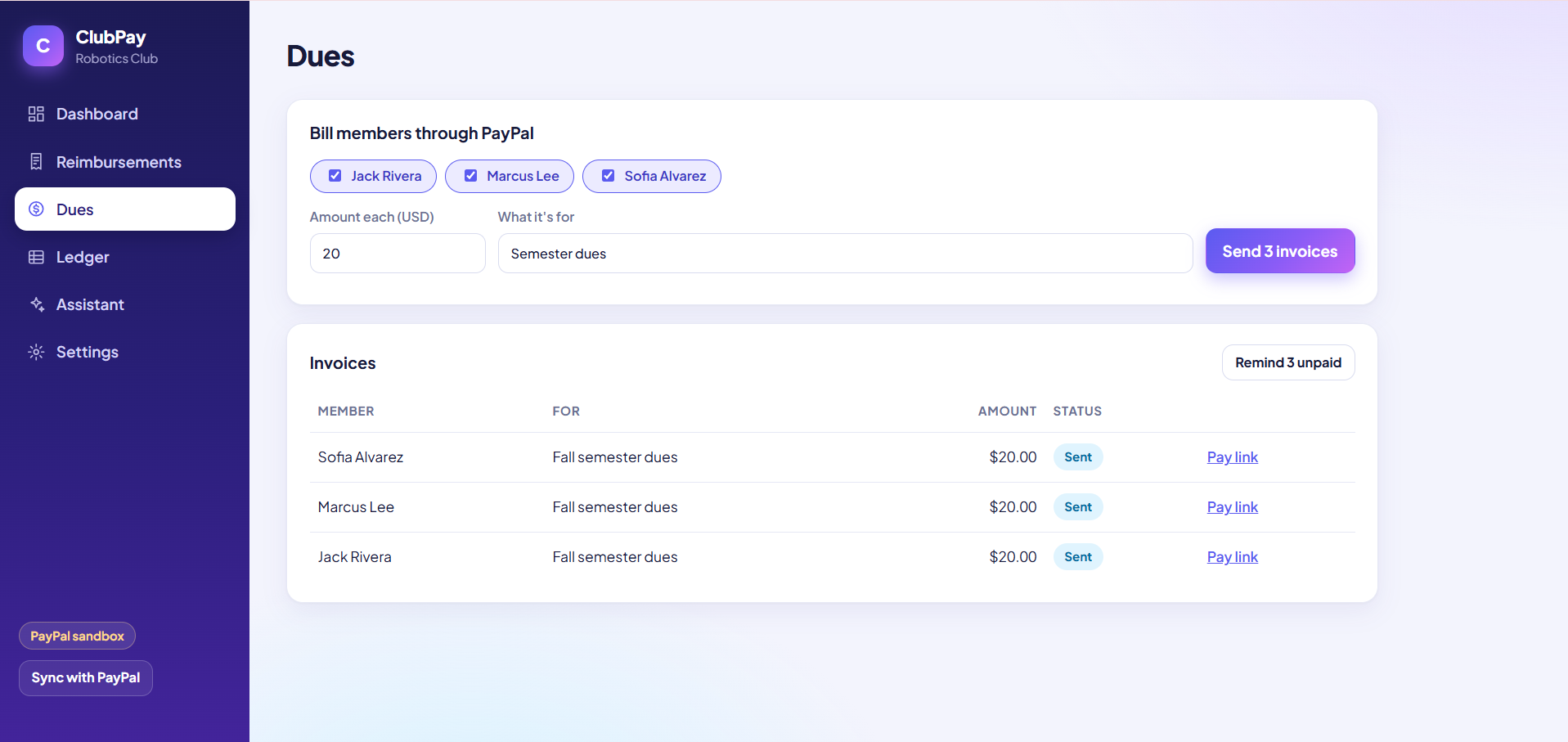
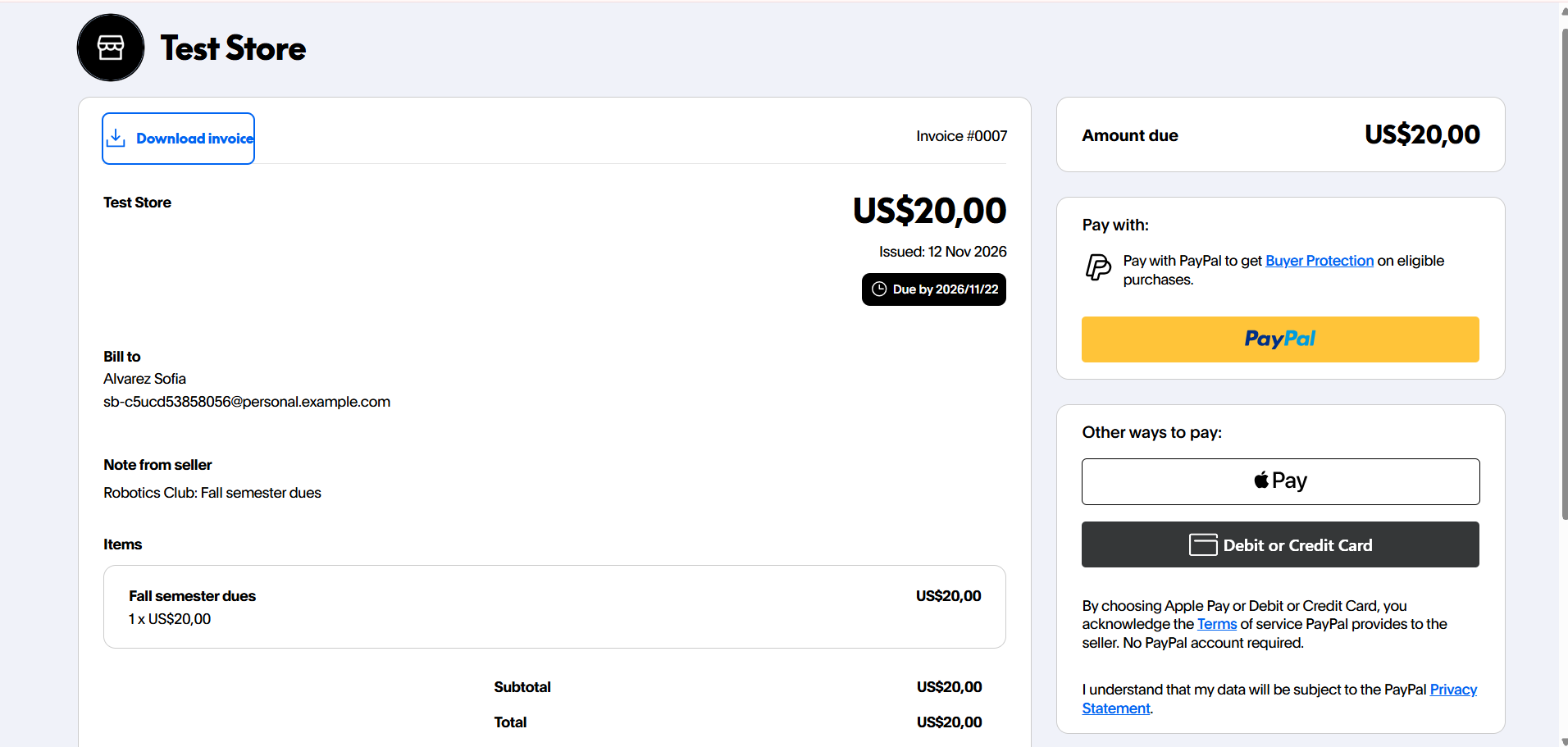
- Collect dues. The treasurer picks members and an amount, and ClubPay sends each one a PayPal invoice. Unpaid members can be reminded in one click.
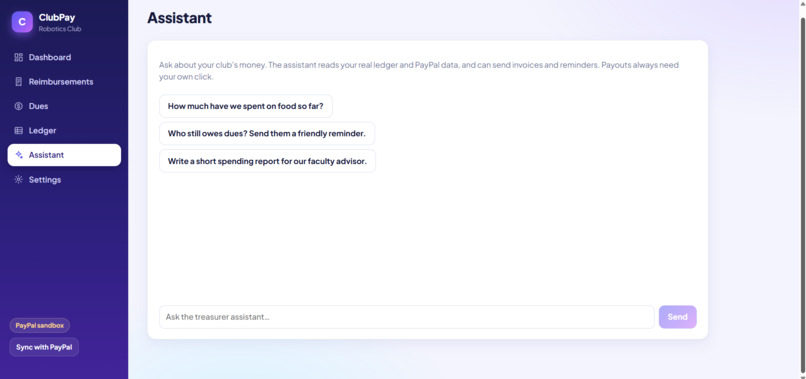
- Answer questions and write reports. A built-in assistant reads the club's real ledger and PayPal transactions. Ask it "who still owes dues?" or "write a spending report for our faculty advisor". It can also send invoices and reminders itself when asked.
Two safety decisions are built in. The AI only recommends; a human always releases reimbursement money. And duplicate receipts are caught by a fixed check in code, not left to the model's judgment.
How we built it
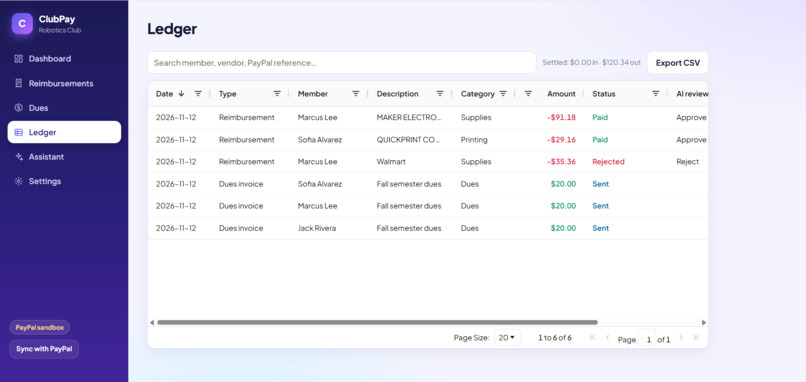
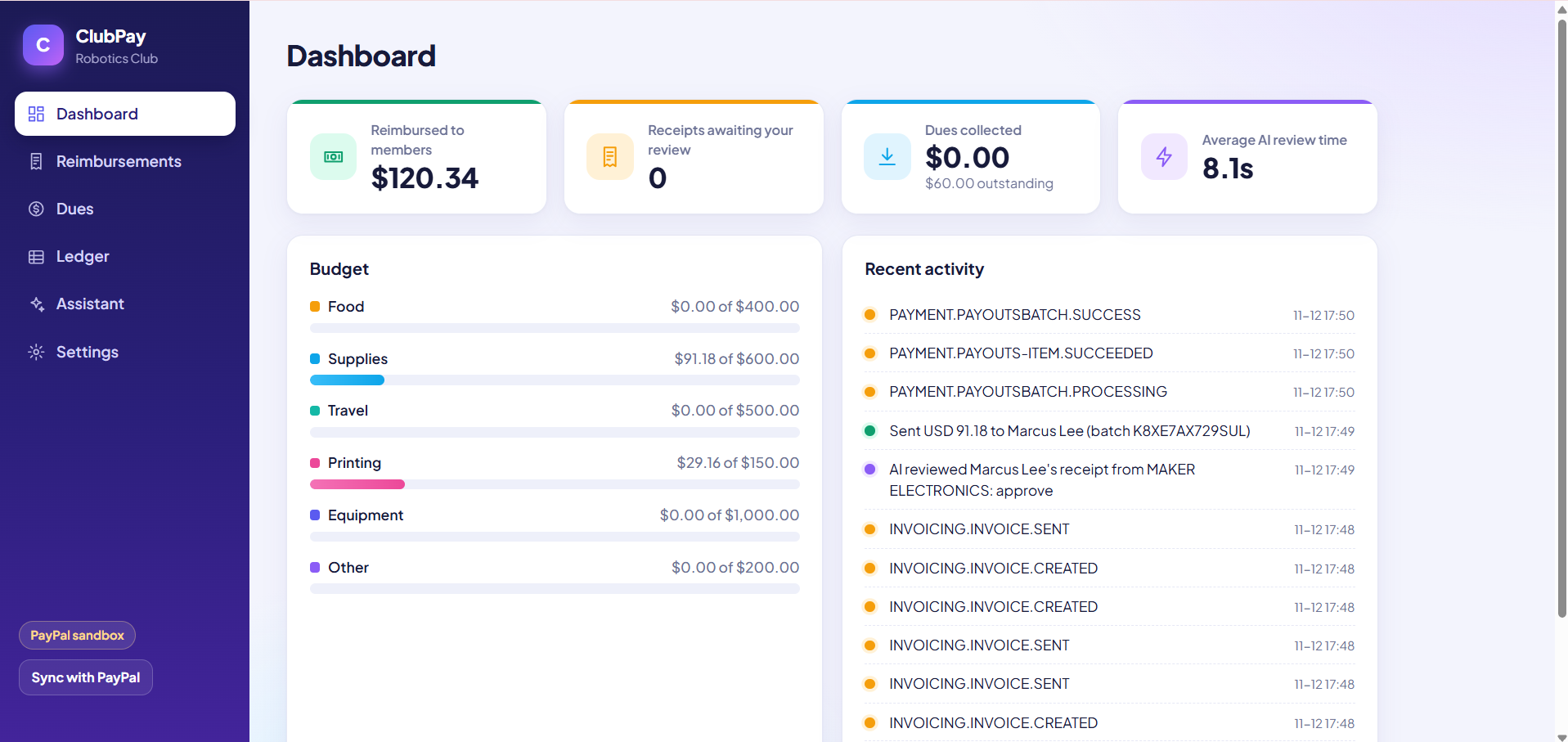
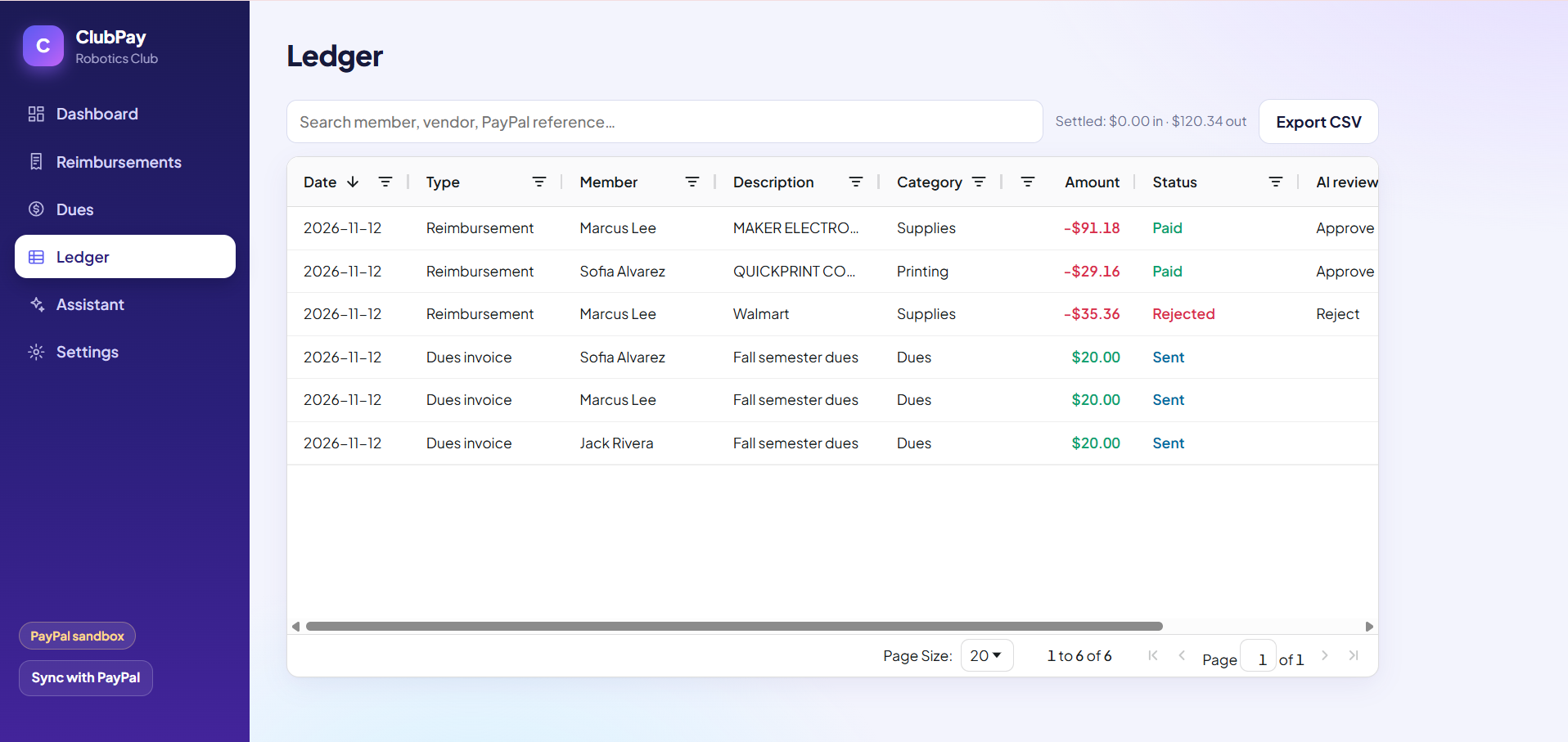
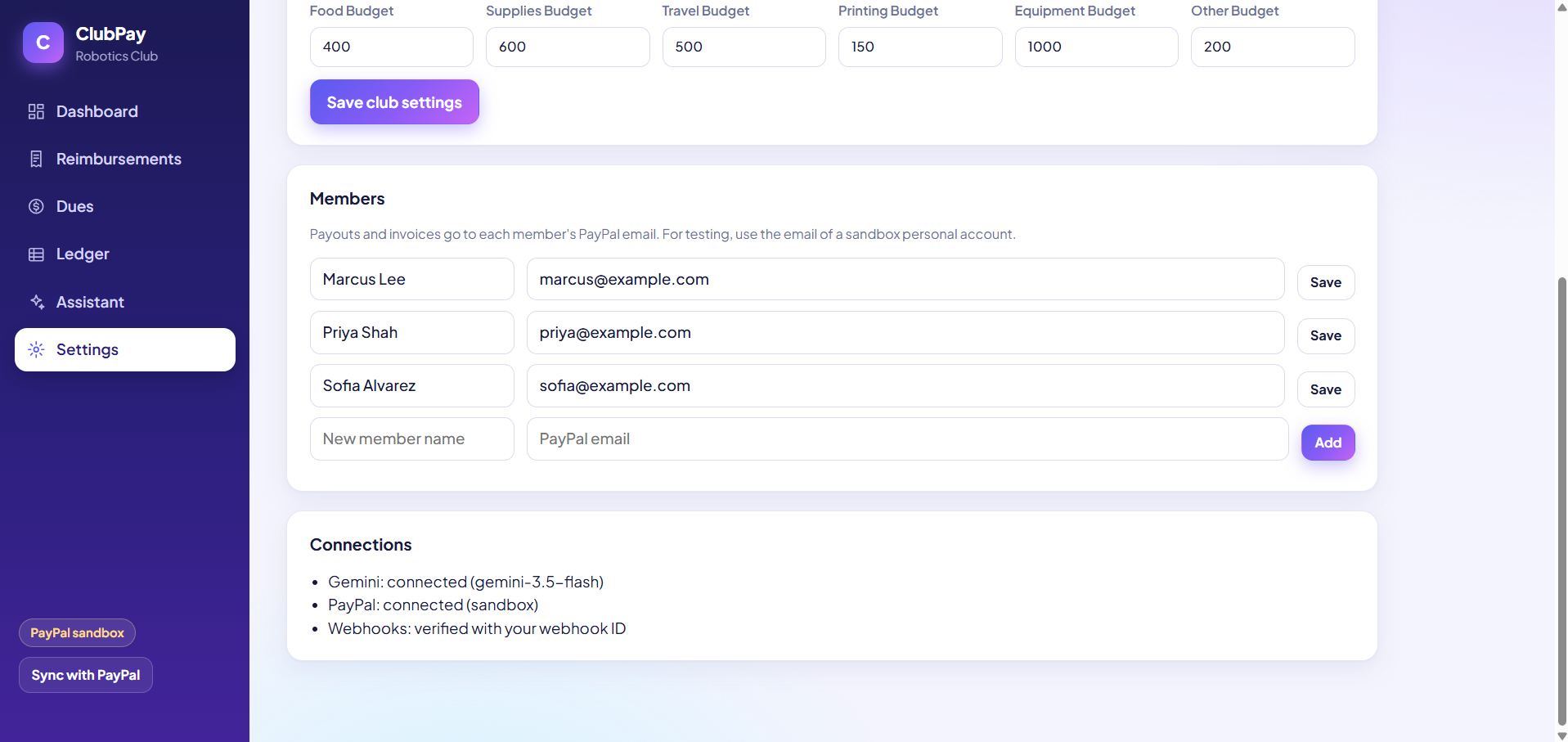
- Frontend: React 19 and Vite, a single-page app with six screens (Dashboard, Reimbursements, Dues, Ledger, Assistant, Settings). The Ledger is built on AG Grid: one sortable, filterable grid of every reimbursement and dues invoice, with search and CSV export.
- Backend: Node.js and Express 5, with SQLite through Node's built-in
node:sqlite. - AI: Google Gemini (
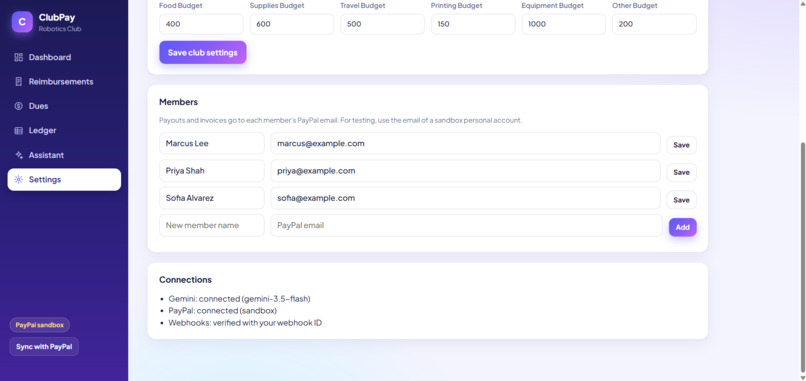
gemini-3.5-flash) through the@google/genaiSDK. Receipt review uses vision input and a JSON schema for the output, which the server validates again before saving. The assistant uses function calling; its tools call PayPal. - PayPal (sandbox): OAuth 2.0 for tokens, the Payouts API for reimbursements, the Invoicing API for dues and reminders, Transaction Search for the assistant, and Webhooks (with signature verification) to update payout and invoice status.
- Hosting: Render, deployed from the GitHub repo with a
render.yamlblueprint. - API docs: a Postman collection in the repo covers every endpoint.
- Development: built with Claude Code.
Challenges we ran into
- Sandbox currency mismatch. Payouts kept failing with "Sender does not have sufficient funds" even after adding funds. The app belonged to a sandbox business account in another country, whose balance was not in USD. Creating the app under a US sandbox account fixed it.
- Free-tier model availability. The newest Gemini models timed out on a free key. We switched to a model that answers in a few seconds, added a request timeout, and added automatic retries for "overloaded" errors.
- Stale data after switching accounts. The status sync stopped on an invoice created under the old credentials. Sync now skips items it cannot read instead of failing.
- Keeping the AI in its lane. Text on a receipt is untrusted input. The prompts treat receipt text and member notes as data, the output is schema-constrained and re-validated, and the model has no tool that can release a payout.
Accomplishments that we're proud of
- The full loop works on the live site: receipt uploaded, reviewed by AI, paid through PayPal Payouts, and marked paid by a verified PayPal webhook, with one human click in the middle.
- PayPal is the core of the product, not an add-on: money comes in through Invoicing and goes out through Payouts.
- The assistant takes real actions (sending invoices and reminders) instead of only chatting.
What we learned
- How PayPal's sandbox models merchants, buyers, apps and webhooks, and how much the account's country and currency matter.
- That an AI feature handling money needs a human approval step and deterministic checks around it.
- How to design tool-calling so the model can act, but only within limits set in code.
What's next for ClubPay
- Logins with separate treasurer and member roles, and support for more than one club.
- A member-facing mobile page for submitting receipts.
- Automatic notifications and a shared ledger sheet through a workflow tool.
- A pilot with real student clubs.

