Inspiration
While studying for AP Computer Science, I quickly realized the lack of online practice problems for the subject. Due to my family's financial situation, I was hesitant to spend money on an entire book just to study for a couple of months, so I turned to ChatGPT, curious about its capabilities. I tried asking it to give me practice problems and AP Computer Science A, and it did so effectively. I was astonished by the results and thus, I became interested in AI and its capabilities. With my knowledge of creating a web app, I decided to use OpenAI's API to create a fully functioning, AI-assisted problem generator that is free, easy to use, and accessible in the hopes of eventually being able to create an app that alleviates the need to purchase a book to study effectively.
What it does
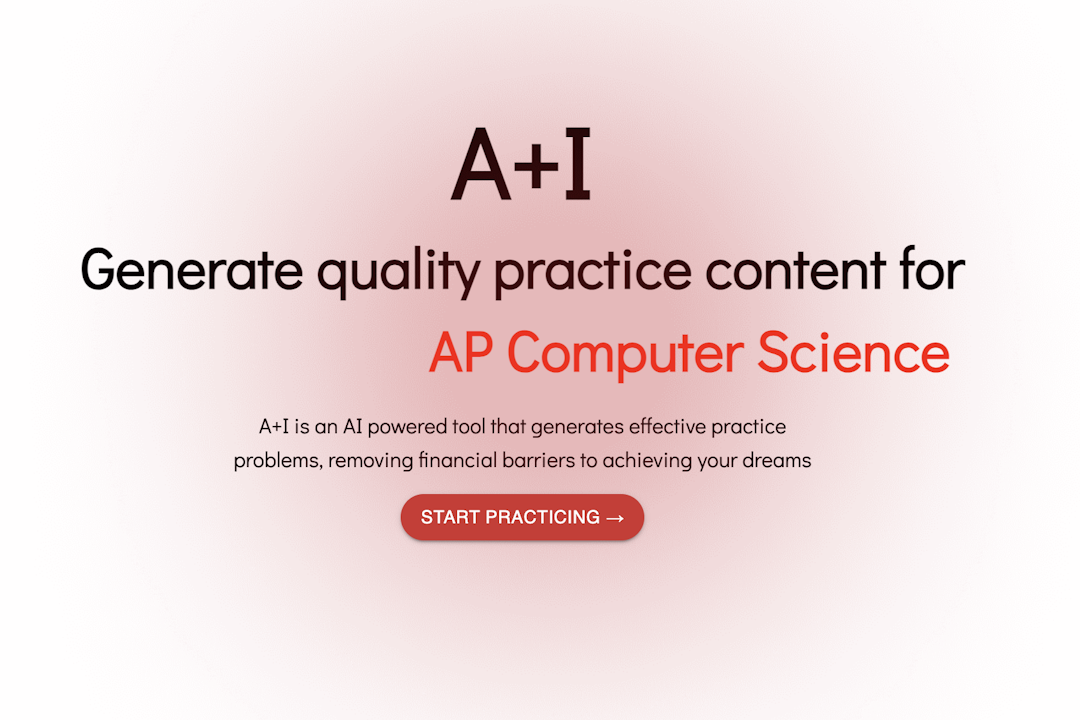
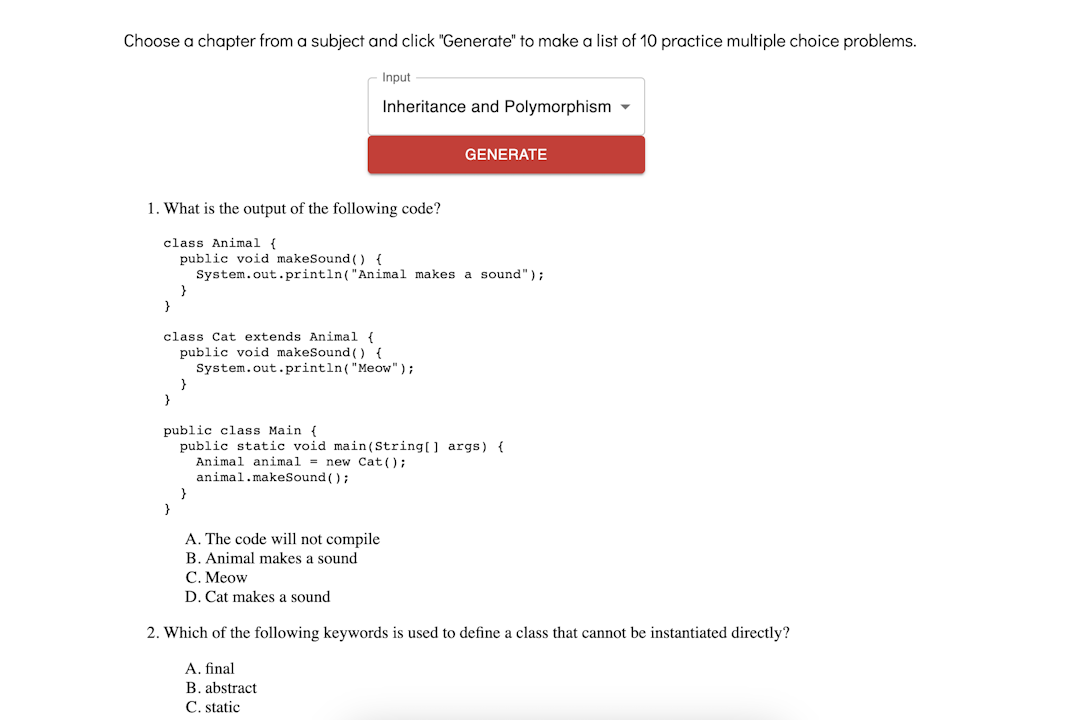
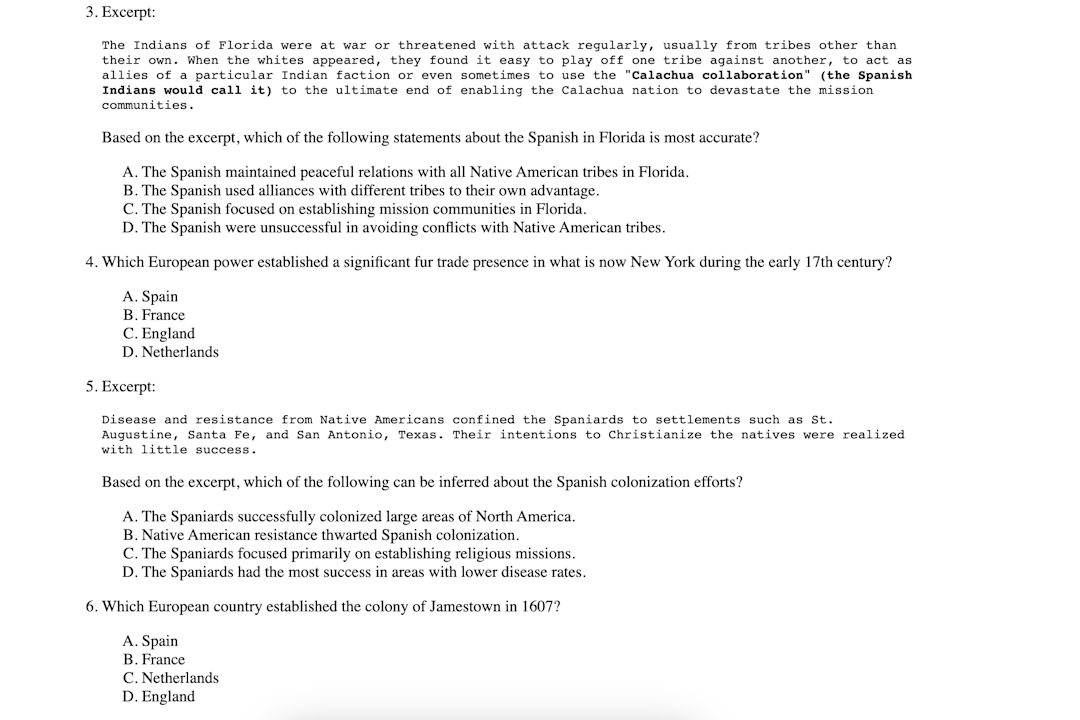
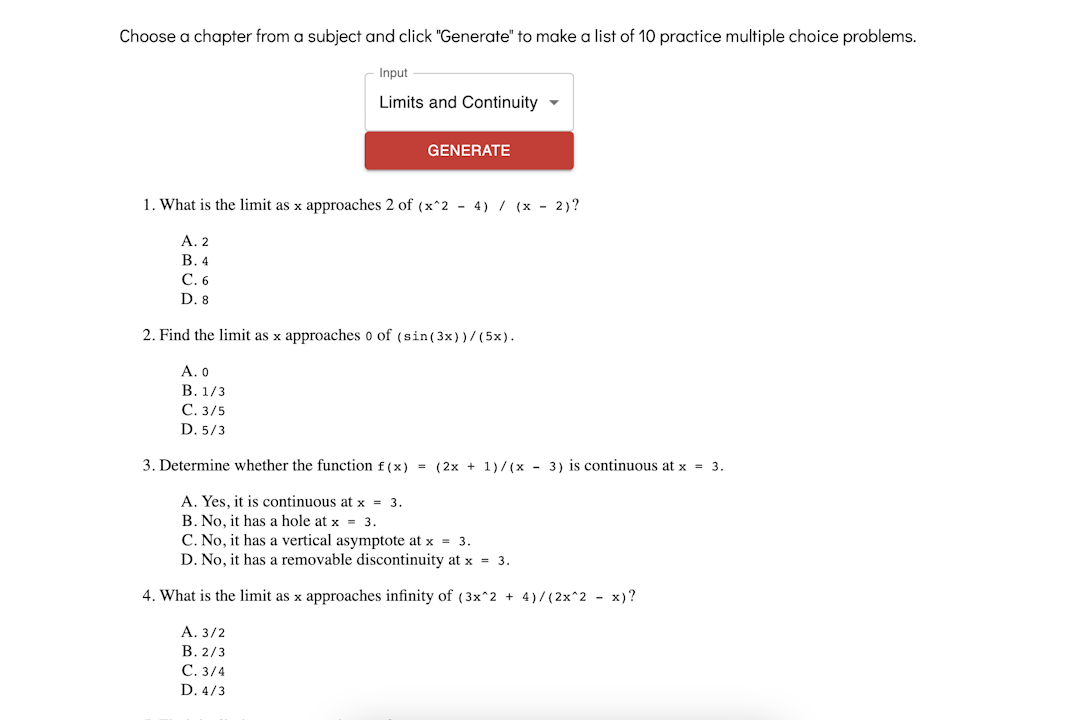
A+I currently provides practice problems for five AP subjects. On the homepage, users can click on the "Start Practicing" button, which brings them to the generation page. There, they can click a drop-down menu where they can choose a specific chapter from any of the subjects. After selecting a chapter and clicking "Generate", AI will provide 10 practice problems and provide an answer key for them. If the user wishes to generate another 10, they can press the button again and it will give another set of problems.
How I built it
A+I is a web app with a frontend and a backend. FastAPI is used in the backend for OpenAI's API. There, I provided a prompt for the ChatGPT which I expanded upon as I tested the program. The prompt mainly asks for 10 practice problems on a particular subject written in HTML elements, but as I tested my program, I heavily expanded upon it to make it as consistent as possible. The frontend is built with React components and HTML/CSS/JS. The program has a home page that directs users to a generation page. I mainly used HTML and CSS for the home page and I installed a library for the code that makes the text alternate. To switch between the pages, I made a function, "setPage" which allows the site to switch between home and generate with the press of a button. The selection drop-down and generate buttons are both Material UI elements. Each of the options for the chapters has its own specific "value" which provides the input for the prompt in backend. Using axios to make an API call, the generate button will give the topic to the backend and the response will be seen on the frontend using "dangerouslySetInnerHTML" for it to display. Using the same function that handles the click to make the API call, I used MUI's loading button element to let the user know the AI is currently running. I also adjusted the values heavily to make the program as consistent as possible for each subject.
Challenges I ran into
When trying to make text alternate on my homepage, I originally used CSS with a element, which worked well but conflicted with my MUI elements as the CSS would also affect those elements. So, I decided to install a React package that has the same intended effect on the text but does not affect MUI elements. Getting the AI to be consistent was also very difficult. Even though the prompt was the same for each call to the AI, it would format the problems very differently every time. The HTML elements it provided would also not run properly at times. I had to fine-tune every value for each of the chapters and the prompt to get it to display the problems in a consistent manner. However, even with the format being consistent, the problems were often ineffective or did not conform with the prompt I intended it to follow. I had to continuously test the program to get the problems to be how I wanted it.
Accomplishments that I'm proud of
I am proud of being able to get the AI to run consistently for the most part. I had to try different prompts and make it as specific as possible to make it run properly and in the end, it was able to work well. Despite the difficulties I encountered while making this program, I am very proud of how it turned out and it has become something that I wish to expand upon in the future.
What I learned
Through this project, not only was I able to see the great potential of AI but also its downsides. I was very impressed at how ChatGPT was able to generate a whole practice problem sheet in pure HTML. For the AP Computer Science subject in particular, it was even able to provide code which some of the problems asked about, very similarly to how actual APCS problems are formatted. Nonetheless, it still struggled at times, especially when my prompt became too specific or demanding. I was experimenting with English subjects for the AI and it would often stop after creating two problems, or generate gibberish that the problems were based on. Although it struggled at times, this project has truly shown me the countless possibilities of AI and I am very excited to see what's next for it in the near future.
What's next for A+I
Currently, A+I only supports 5 different AP subjects, so in the future, I intend to add support for a plethora of different subjects, and not only AP subjects in particular. I also plan on creating a fully-fledged landing page that leads to the generation page. Instead of only displaying the problems and hiding the answer key at the bottom, I would like to implement a way for users to input their answers and it would be automatically graded. Additionally, I also need to refine the prompts for it to work well with more subjects, especially the ones that it struggled with while I was testing the program. My ultimate vision for A+I is to make a web app that students can quickly access for free where they can easily generate problems and study effectively for any subject they would like without having to scroll through many different websites or buy a book just to find practice problems.

Log in or sign up for Devpost to join the conversation.