-
-
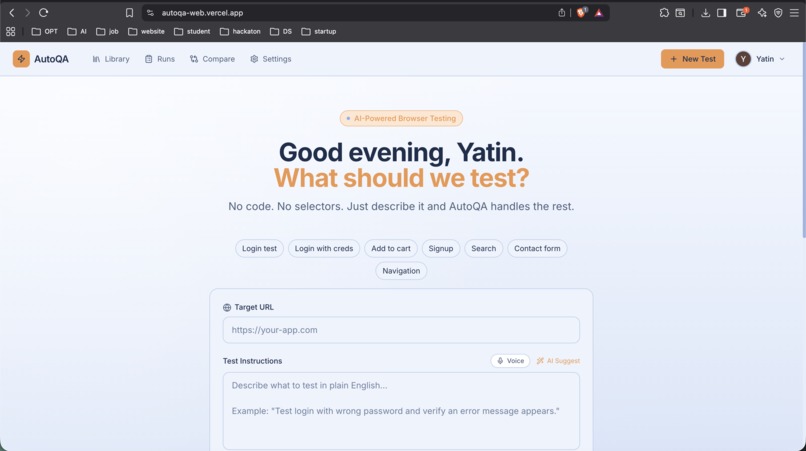
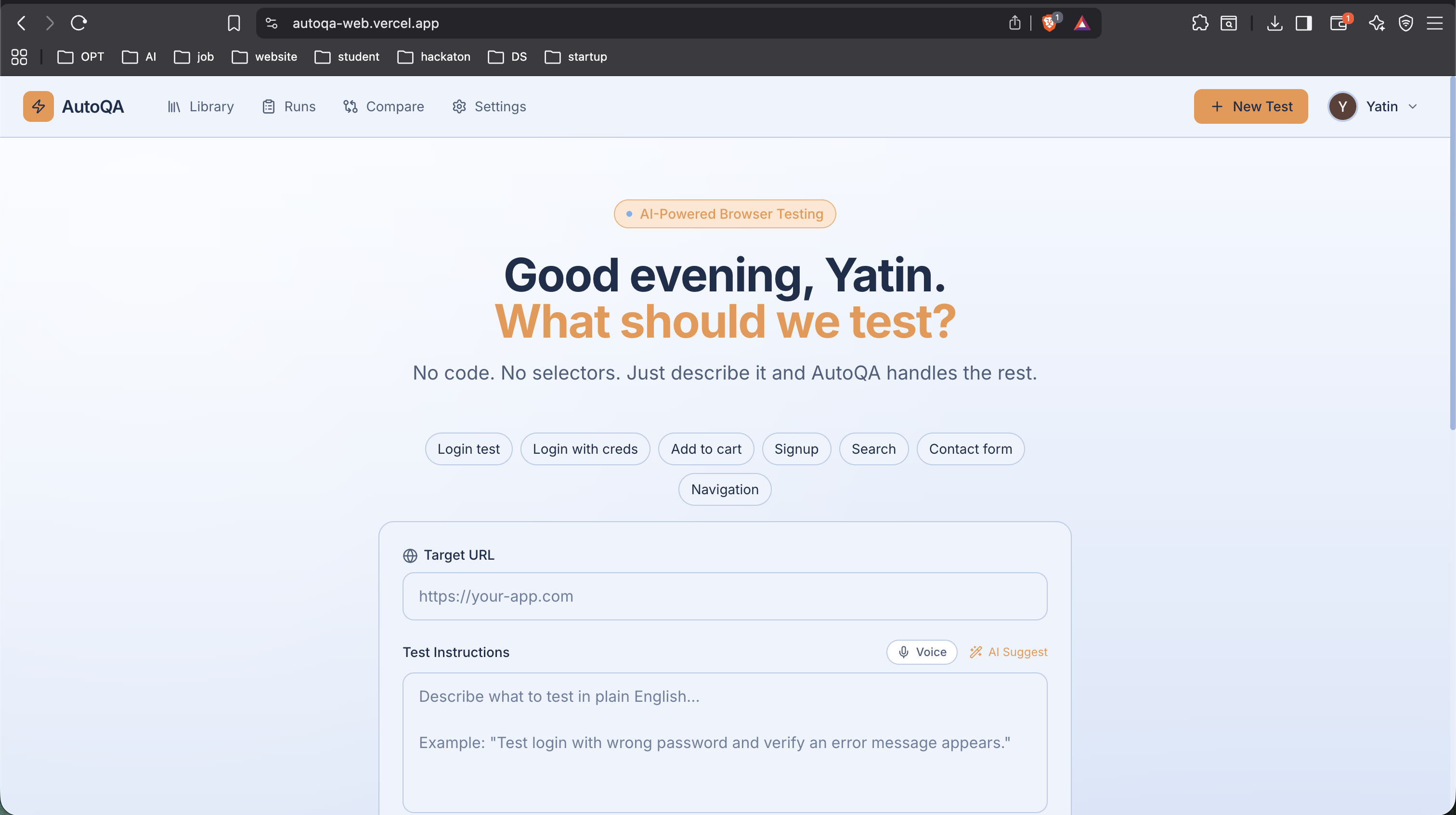
Home Page
-
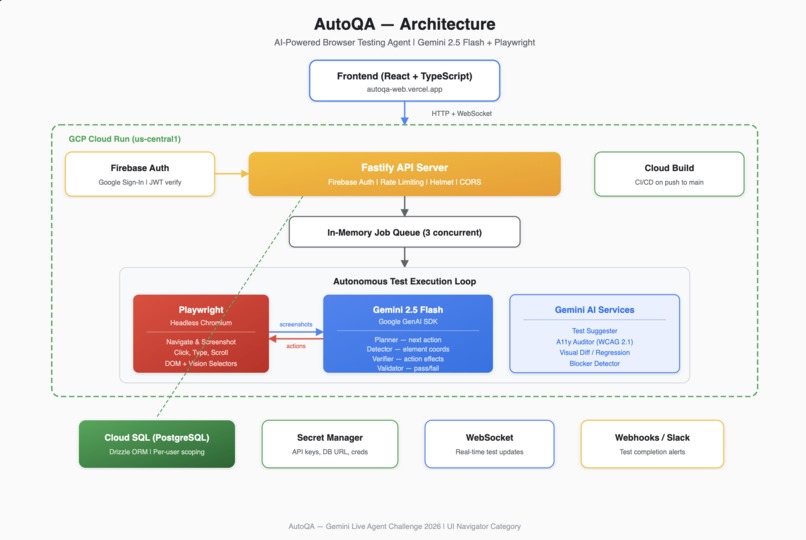
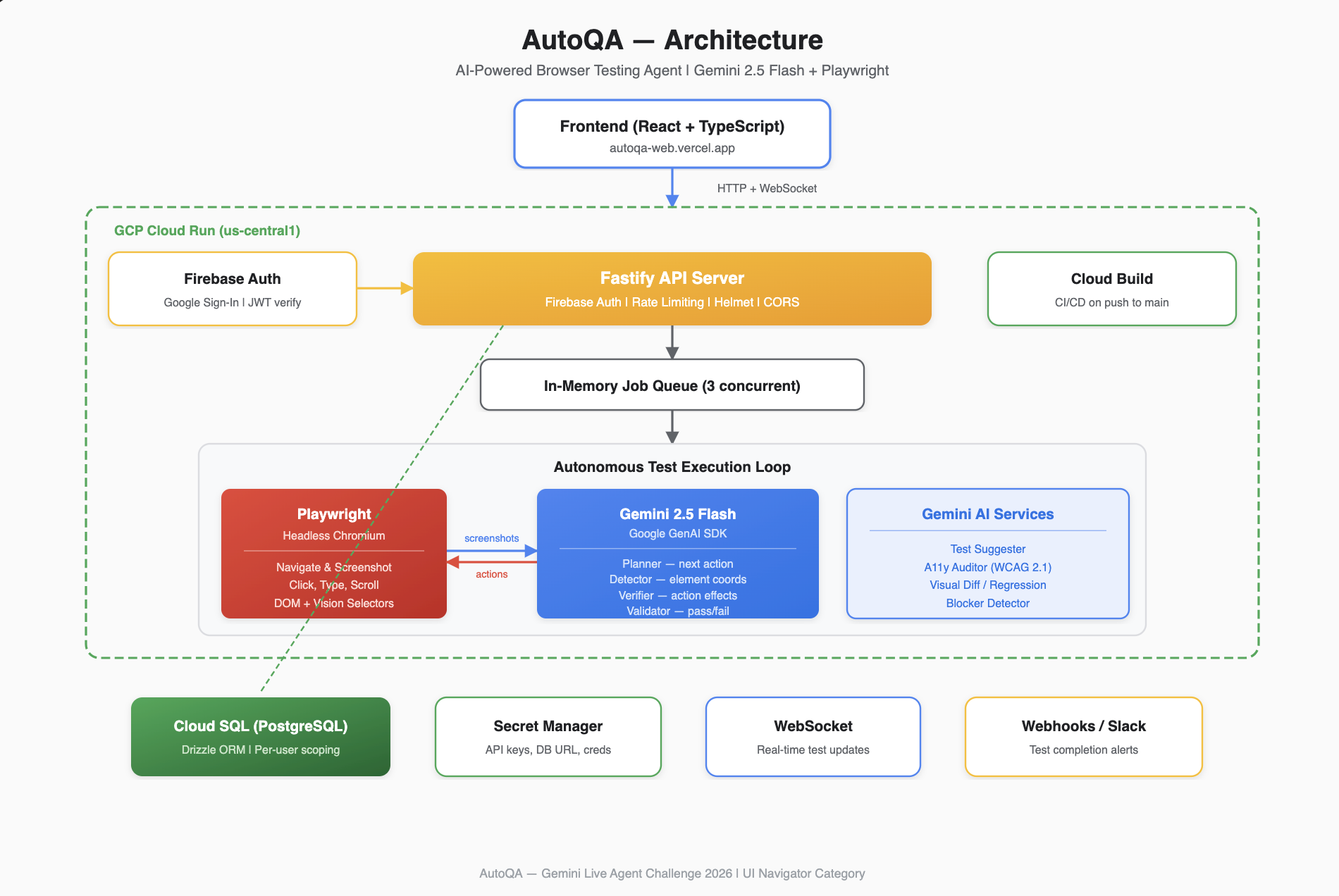
architecture diagram
-
-
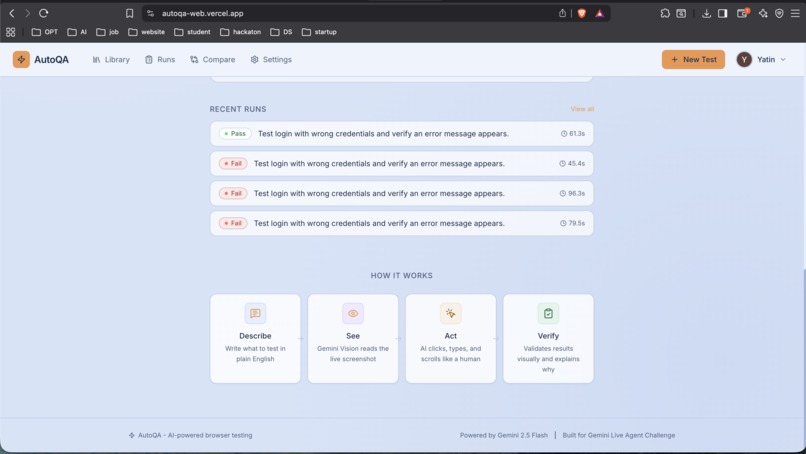
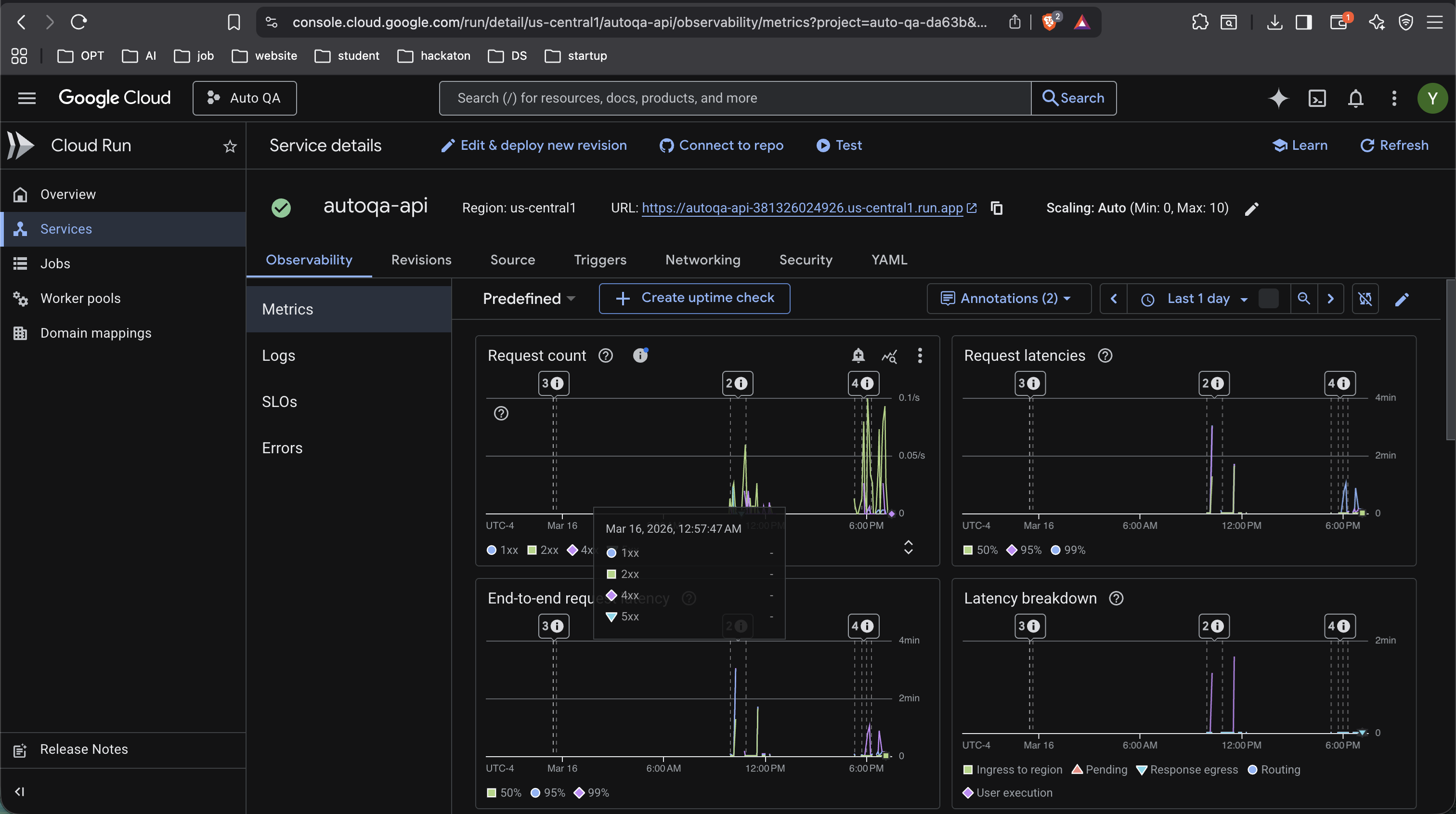
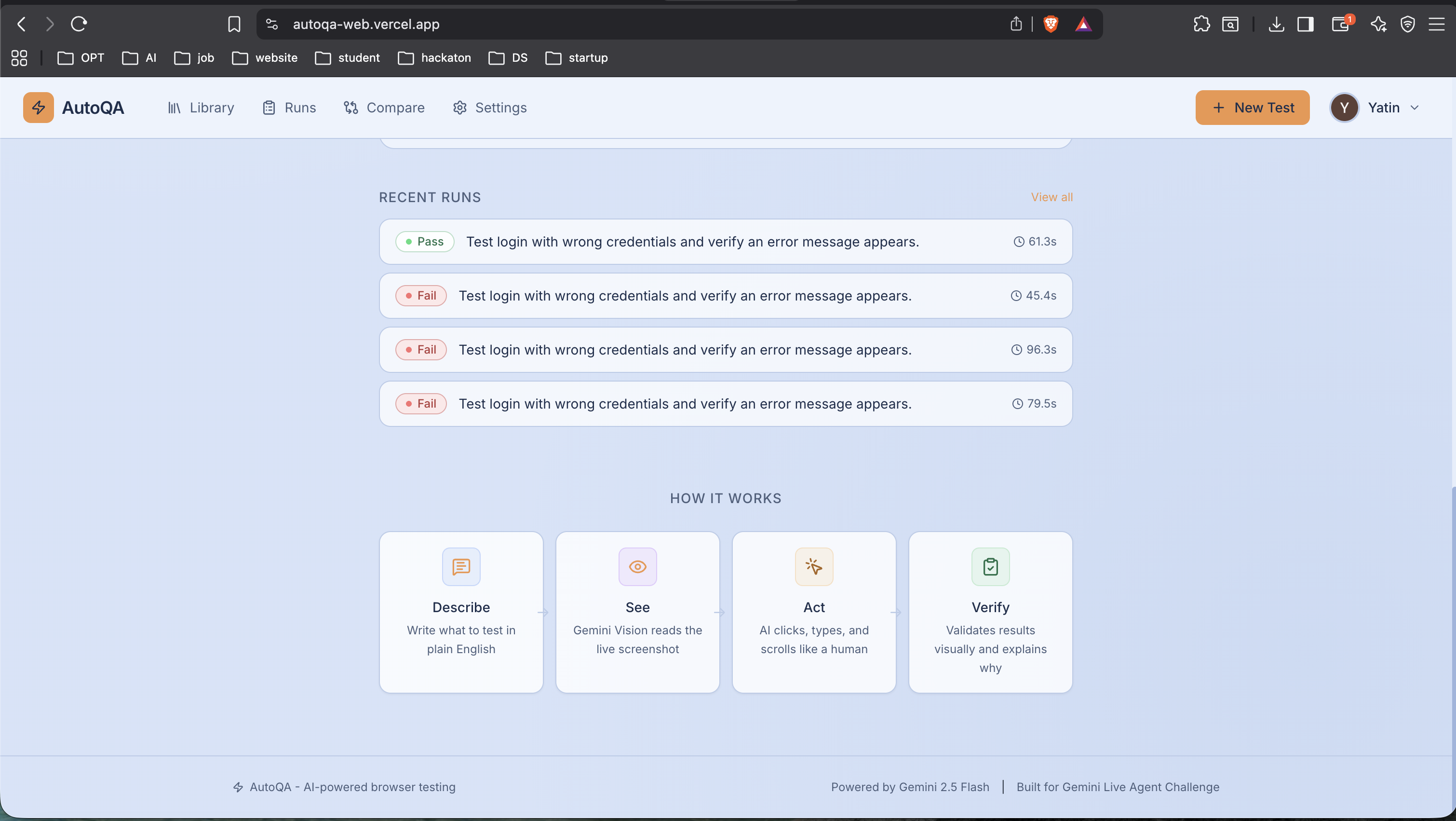
existing runs and about app
-
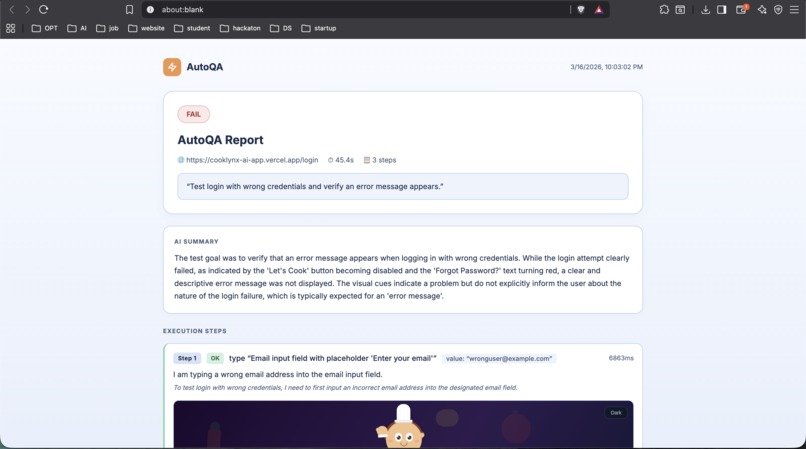
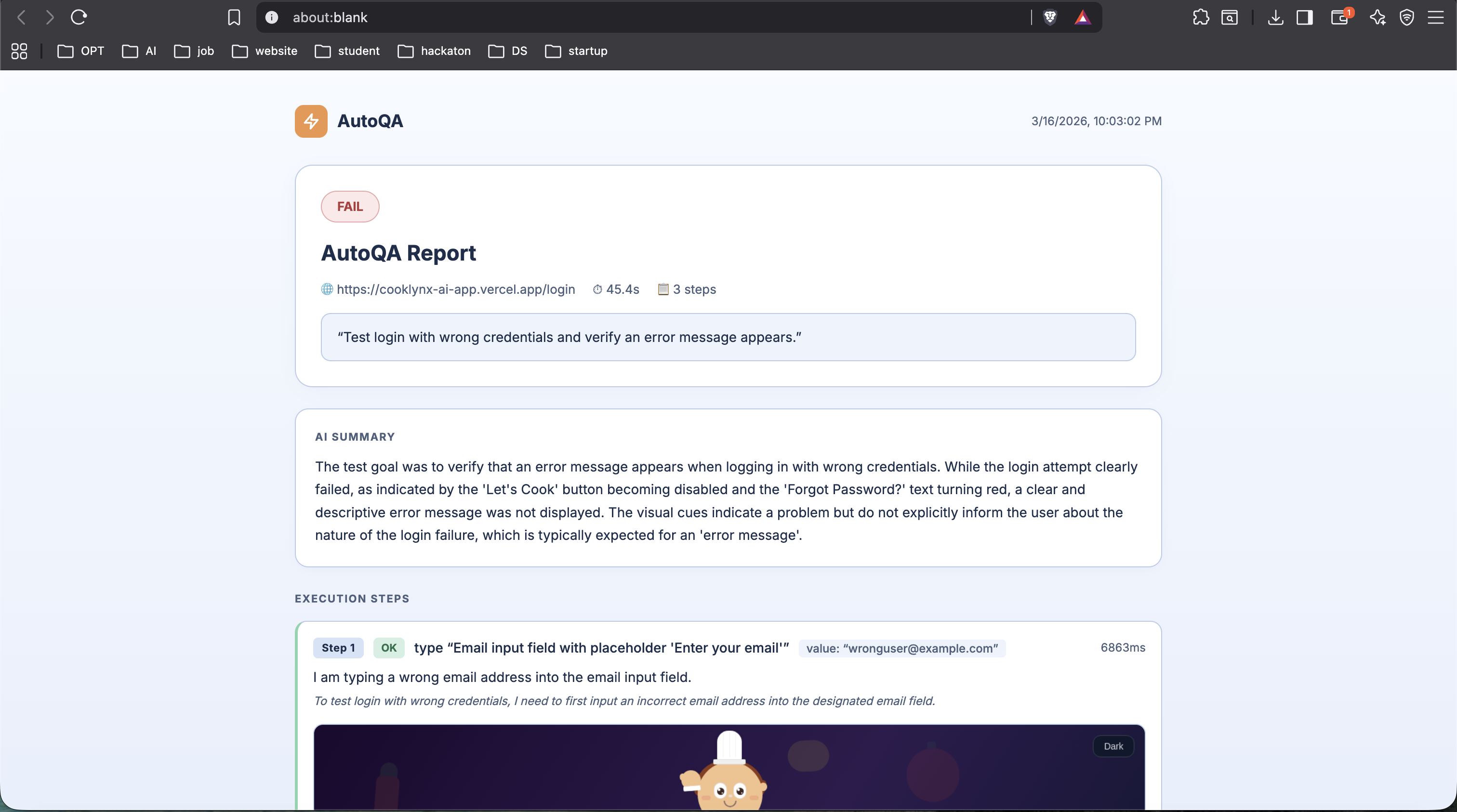
Detail report
-
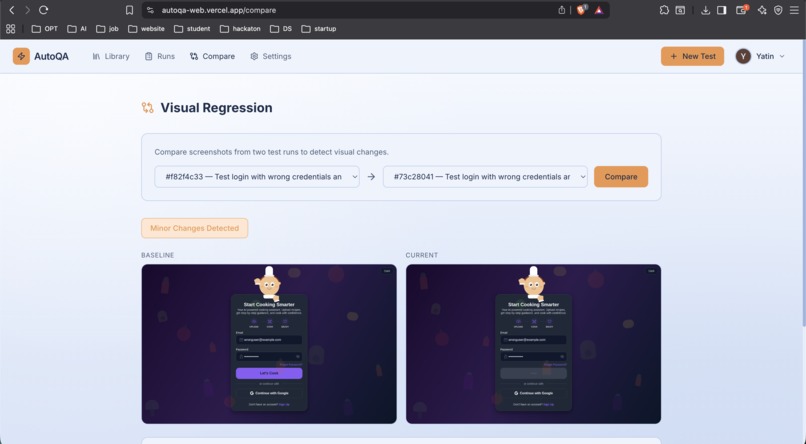
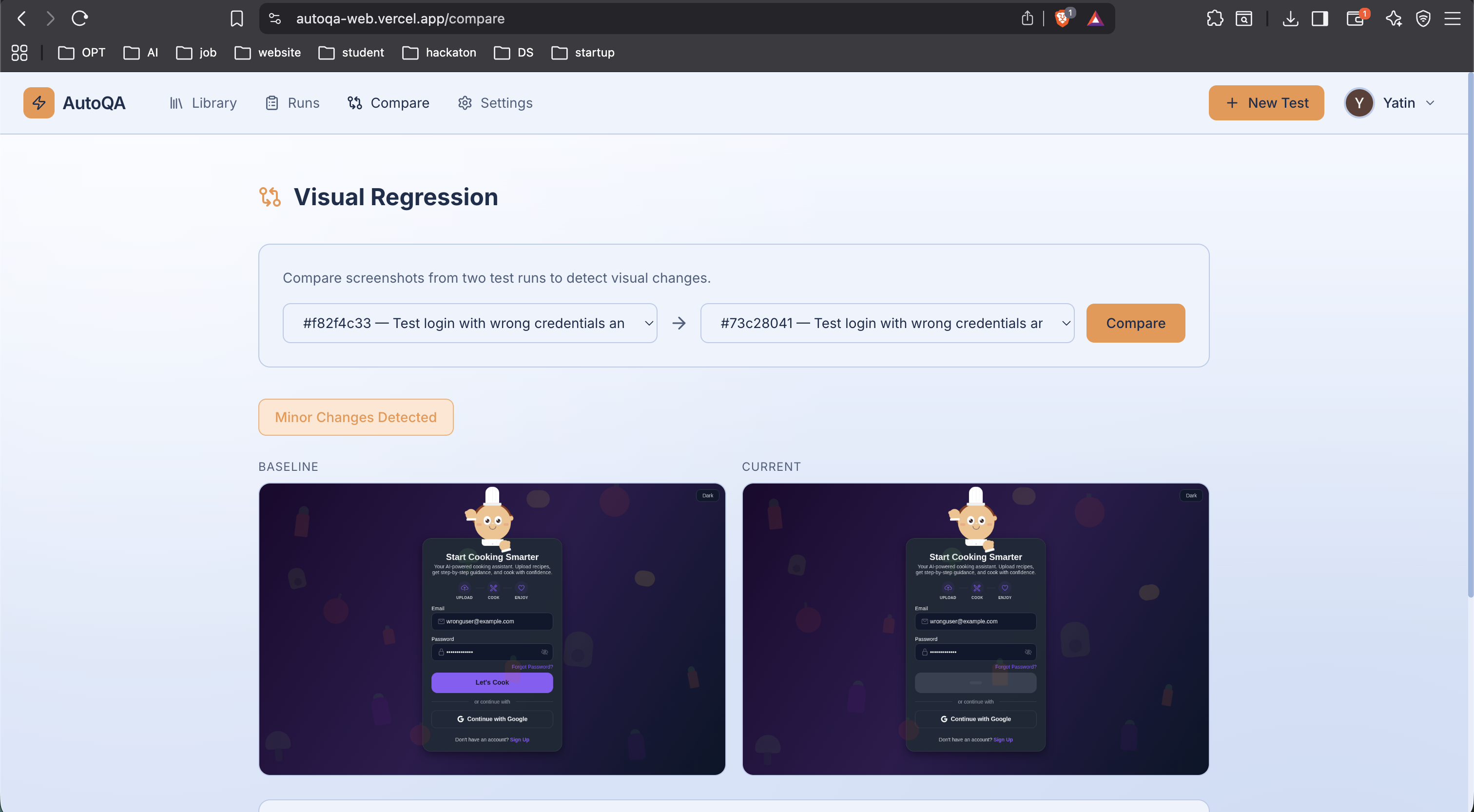
compare runs
-
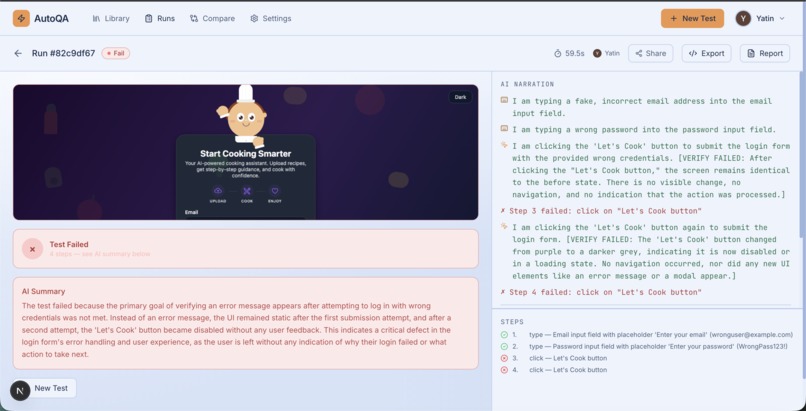
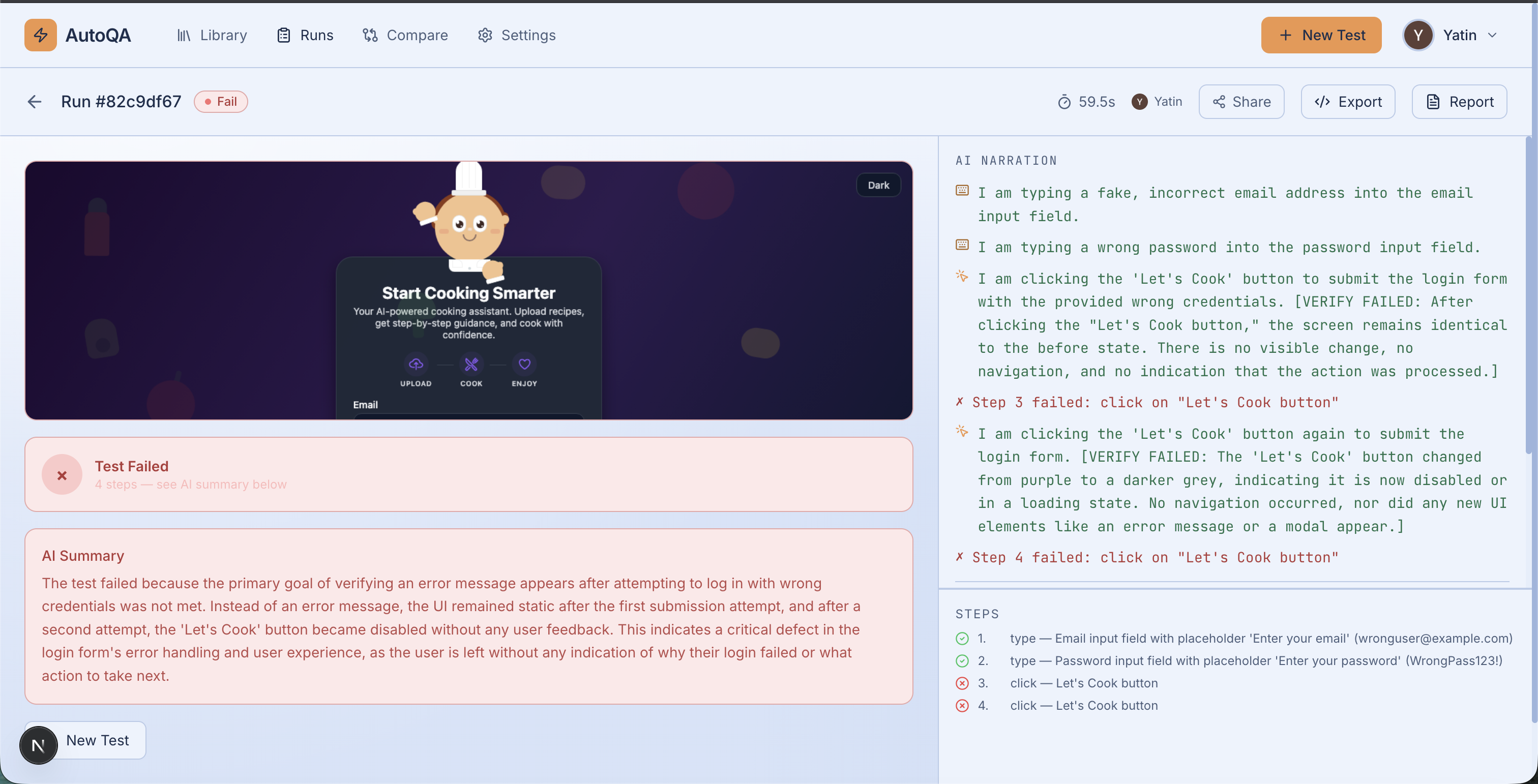
Example Test run
-
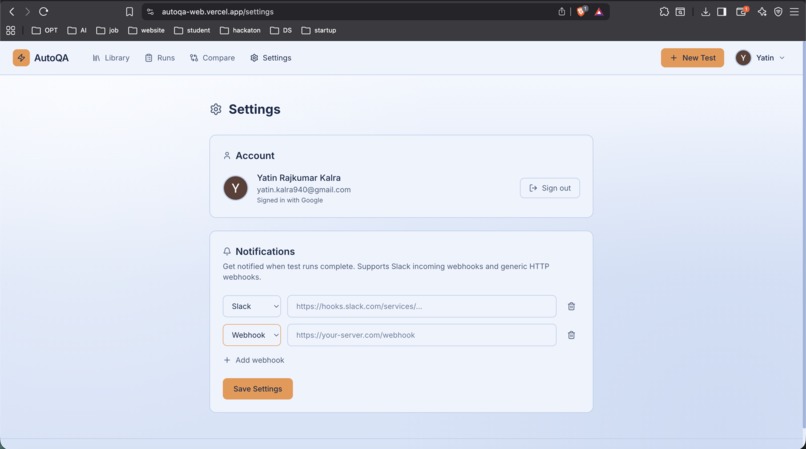
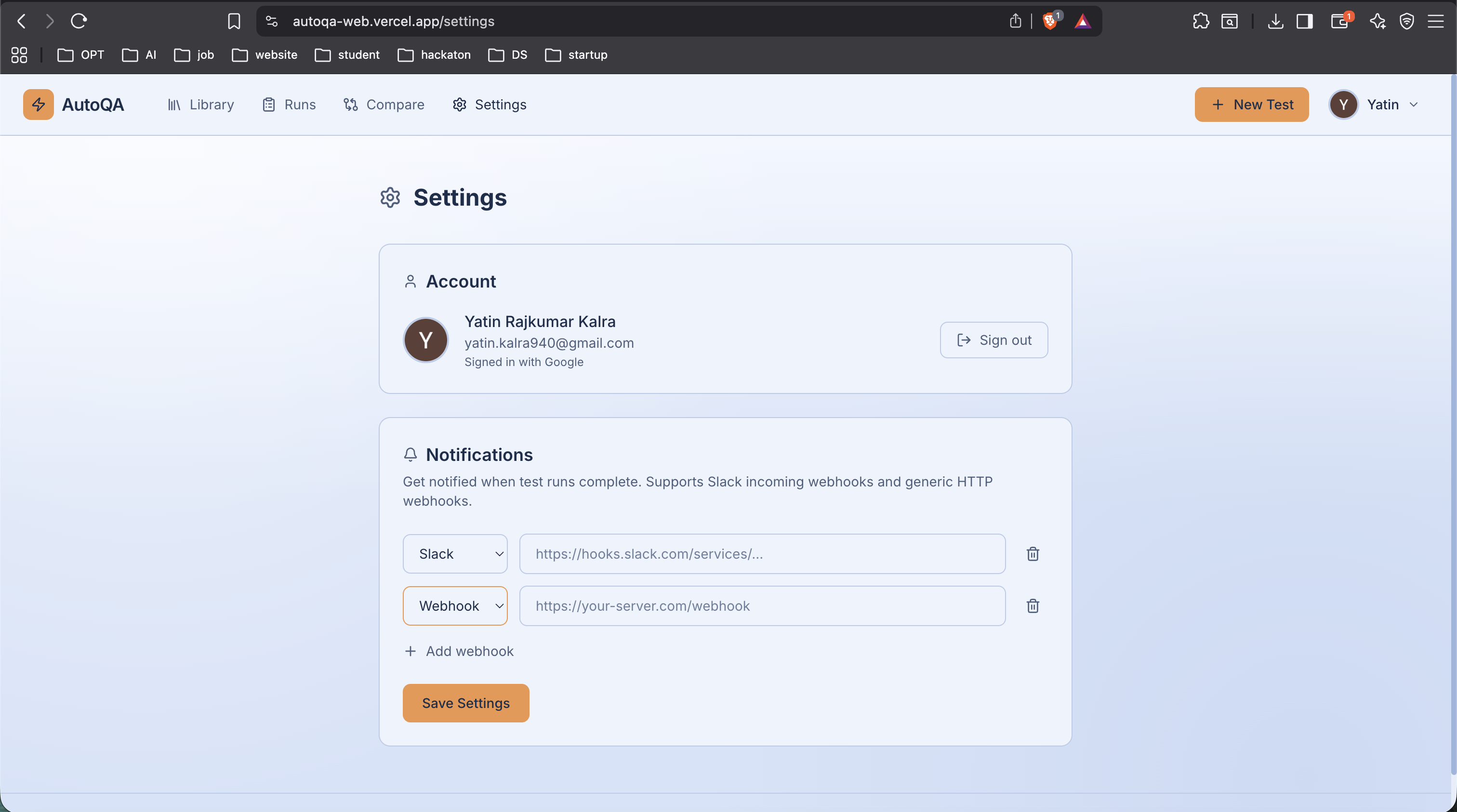
Settings To add Slack or any webhooks
-
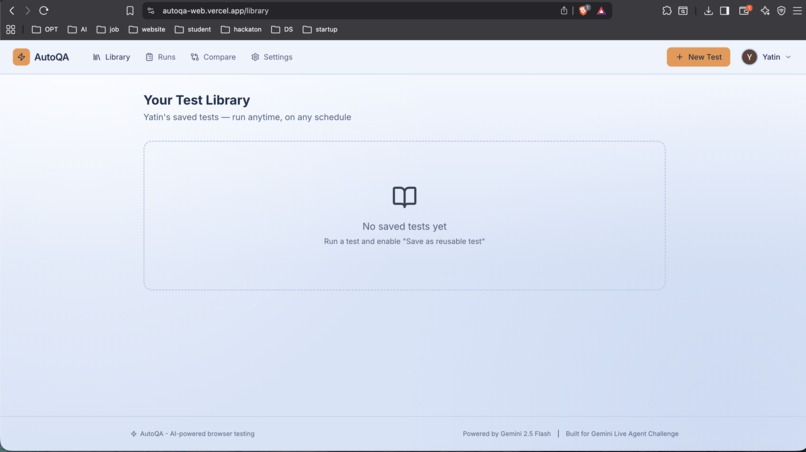
Empty save test run
-
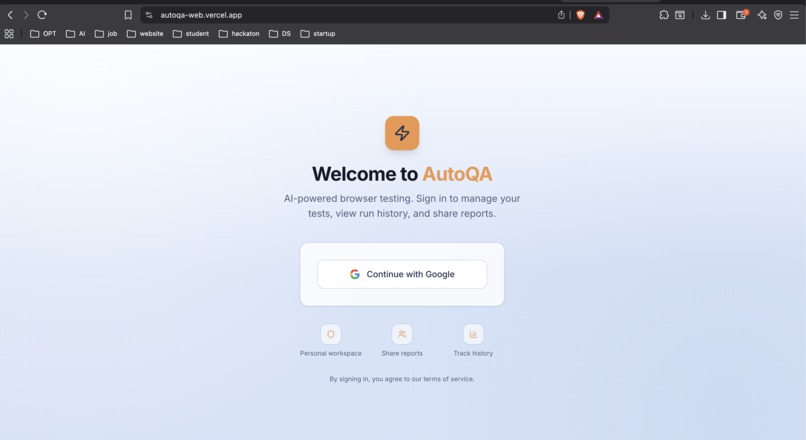
Login Screen
Inspiration
I've spent way too many hours writing and maintaining Playwright/Selenium test scripts that break every time the UI changes. A button moves two pixels and suddenly your entire test suite is red. I kept thinking - if I can look at a screen and figure out what to click, why can't AI do the same thing?
When I saw the Gemini Live Agent Challenge and the UI Navigator category, it clicked (no pun intended). Gemini's vision capabilities are exactly what's needed to build a testing agent that actually sees the page like a human would, instead of relying on brittle CSS selectors. I wanted to build something that would let anyone - not just engineers - describe what they want to test in plain English and have an AI agent go do it.
What it does
AutoQA is an AI-powered browser testing platform. You give it a URL and a prompt like "Log in with wrong credentials and verify an error message appears" - and it does the rest.
Here's what happens under the hood:
- Launches a real browser - Playwright spins up headless Chromium and navigates to your target URL
- Screenshots the page - captures what the page looks like right now
- Asks Gemini what to do next - the planner service sends the screenshot + test goal to Gemini 2.5 Flash, which returns the next action (click this button, type in this field, scroll down, etc.)
- Finds the element - tries DOM selectors first, falls back to Gemini vision-based coordinate detection if selectors fail
- Executes the action - clicks, types, scrolls, navigates
- Verifies it worked - compares before/after screenshots to confirm the action had an effect
- Repeats until the test goal is achieved or it runs out of steps
- Validates the result - Gemini analyzes the final state and determines PASS/FAIL/INCONCLUSIVE with evidence
- Generates an HTML report - with annotated screenshots, step-by-step narration, and AI summary
Beyond basic test runs, AutoQA also supports:
- Auth profiles - save login credentials and the agent will automatically authenticate before running tests
- Saved tests - reuse test prompts across runs
- AI test suggestions - point it at a URL and Gemini suggests 5-8 realistic test cases
- Accessibility audits - WCAG 2.1 compliance checks powered by Gemini vision
- Visual regression - compare baseline vs current screenshots to catch unintended UI changes
- Shareable reports - generate public links to share test results with your team
- Export to Playwright - convert any AI-driven test run into real Playwright TypeScript code
- Real-time updates - WebSocket streaming so you can watch the test execute live
- Slack/webhook notifications - get notified when tests complete
- CI/CD integration - trigger test suites from your pipeline
How we built it
The backend is a Fastify server written in TypeScript running on Node.js 20. Here's the architecture:
Gemini Integration (the core): Gemini 2.5 Flash is not just a helper - it's the brain of the entire testing loop. We built 7 specialized Gemini services:
- Planner - looks at a screenshot and decides the next action (click, type, scroll, etc.)
- Detector - when DOM selectors fail, Gemini locates UI elements by their visual appearance and returns bounding box coordinates
- Verifier - compares before/after screenshots to confirm actions had the intended effect
- Validator - analyzes the final test state to determine pass/fail with reasoning
- Blocker Detector - identifies CAPTCHAs, OAuth walls, 2FA, and other automation obstacles
- Suggester - generates test case ideas from a page screenshot
- A11y Auditor - runs WCAG 2.1 accessibility checks via vision
All Gemini calls use structured JSON output mode with low temperature (0.1) for deterministic results, plus retry logic with exponential backoff for rate limits.
Browser Automation:
Playwright drives headless Chromium. We built a two-stage element location strategy - try fast DOM selectors first (getByRole, getByPlaceholder, CSS), fall back to Gemini vision coordinates when those fail. This makes it resilient to unusual or dynamic UIs.
Infrastructure:
- PostgreSQL with Drizzle ORM for persistence
- Firebase Admin SDK for JWT-based auth
- In-memory job queue with configurable concurrency (3 parallel browsers by default)
- WebSocket for real-time step-by-step updates to the frontend
- Sharp for screenshot annotation (drawing boxes and labels on screenshots)
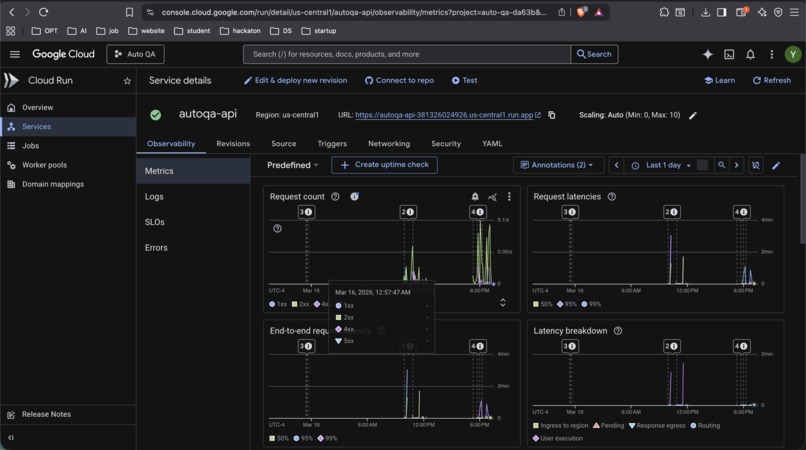
Deployment: Everything runs on GCP Cloud Run with Cloud SQL (PostgreSQL). We wrote deployment scripts that provision the entire infrastructure - Artifact Registry, Cloud SQL instance, Secret Manager, IAM bindings - in one command. Cloud Build handles CI/CD on push to main.
Challenges we ran into
Element location is hard. DOM selectors work 80% of the time, but modern web apps use dynamic class names, shadow DOM, iframes, and all sorts of things that break traditional selectors. Getting the Gemini vision fallback to reliably return accurate bounding boxes took a lot of prompt tuning.
Action verification is tricky. Sometimes you click a button and nothing visually changes (the action happens in the background, or a network request fires). We had to build the verifier service to compare before/after screenshots and understand what "success" looks like for different action types.
Rate limiting Gemini calls. A single test run can make 10-20+ Gemini calls (plan + detect + verify for each step, plus final validation). We built a token bucket rate limiter and retry logic to stay within API limits without slowing down tests too much.
Auth automation. Every website does login differently. Some have the email and password on separate pages, some use OAuth popups, some have CAPTCHAs. We built a session caching system that saves authenticated state to disk so you don't have to re-login for every test, and a blocker detector that tells you why a test can't proceed.
Cloud Run + Playwright. Running headless Chromium in a container on Cloud Run required careful memory management. We had to tune the Dockerfile with specific system dependencies, use --no-sandbox and --disable-gpu flags, and limit concurrent browser instances to avoid OOM kills.
Accomplishments that we're proud of
- It actually works on real websites. Not just demo apps - AutoQA can test production sites with real login flows, dynamic content, and complex UIs.
- The two-stage element location (DOM selectors + Gemini vision fallback) makes it way more robust than pure selector-based or pure coordinate-based approaches.
- Plain English test prompts. Non-technical team members can write tests. "Make sure the search works" is a valid test case.
- The full testing loop is autonomous. Once you hit "Run Test," the agent plans, executes, verifies, and reports - no human in the loop.
- Export to real code. Every AI-driven test can be exported as Playwright TypeScript, so you can take what the AI figured out and put it in your CI pipeline as a traditional test.
- One-command deployment.
./deploy/gcp-setup.shprovisions the entire GCP infrastructure from scratch.
What we learned
- Gemini's vision capabilities are genuinely impressive for UI understanding - it can identify buttons, form fields, error messages, and navigation patterns from screenshots alone
- Structured JSON output mode is essential for building reliable agent loops - without it, parsing AI responses is a nightmare
- The "plan → act → verify" loop pattern works really well for autonomous agents - each step is independently verifiable
- Session caching is critical for testing authenticated flows - re-authenticating for every test is painfully slow
- Cloud Run is surprisingly good for running headless browsers, as long as you manage memory carefully
What's next for AutoQA
- Scheduled test runs - run your test suite on a cron and get notified when something breaks
- Multi-step test flows - chain multiple test prompts into a single flow (login → navigate → verify → checkout)
- Team workspaces - share tests, reports, and auth profiles across team members
- Baseline management - automatic visual regression baselines that update when you approve changes
- Mobile viewport testing - test responsive layouts at different screen sizes
- Parallel test execution - run an entire test suite in parallel across multiple browser instances
- GitHub Actions integration - native action for running AutoQA in CI
Built With
- docker
- drizzle-orm
- fastify
- firebase
- gemini-2.5-flash
- google-cloud-build
- google-cloud-run
- google-cloud-sql
- google-genai-sdk
- google-secret-manager
- node.js
- playwright
- postgresql
- sharp
- typescript
- websocket
- zod

Log in or sign up for Devpost to join the conversation.