-
-
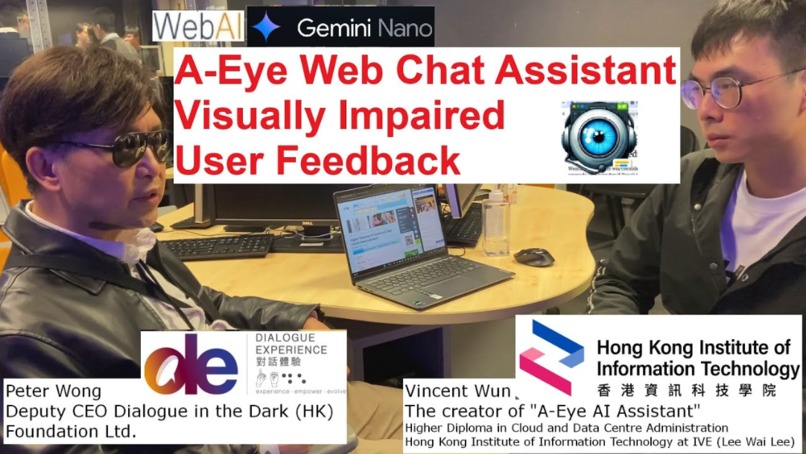
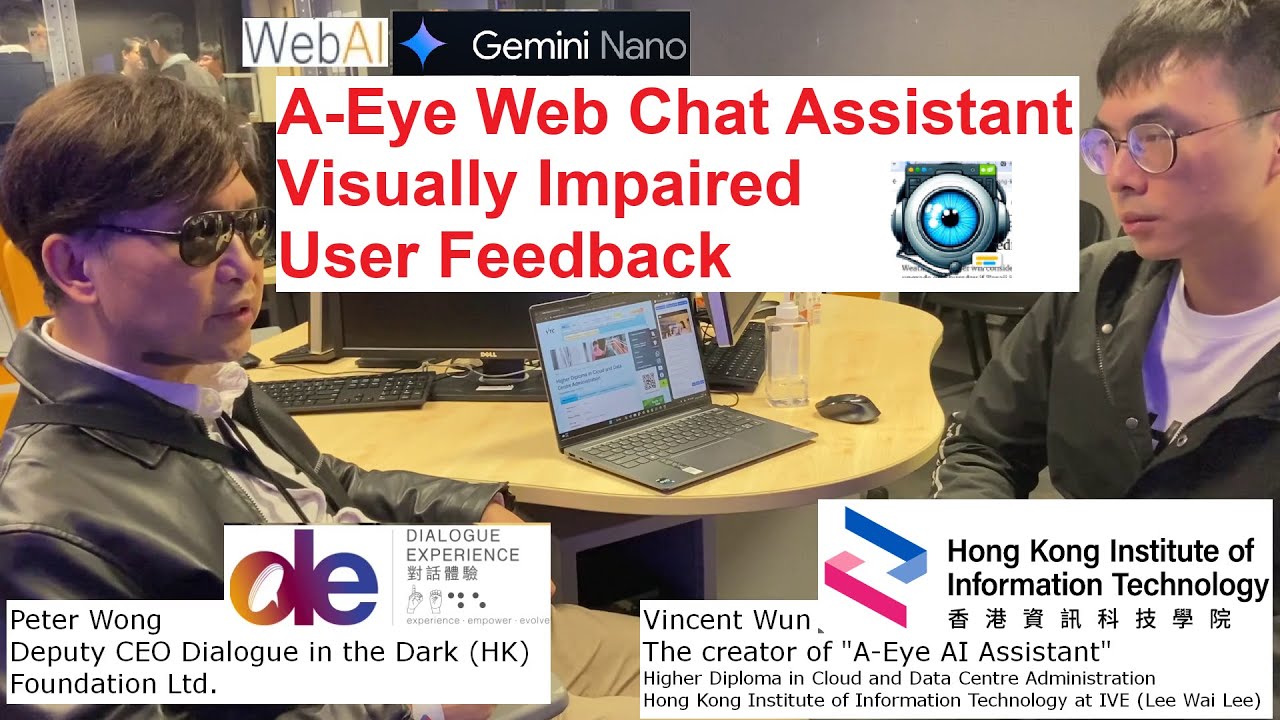
Interviewee Mr. Peter Wong Deputy CEO - Dialogue in the Dark
-
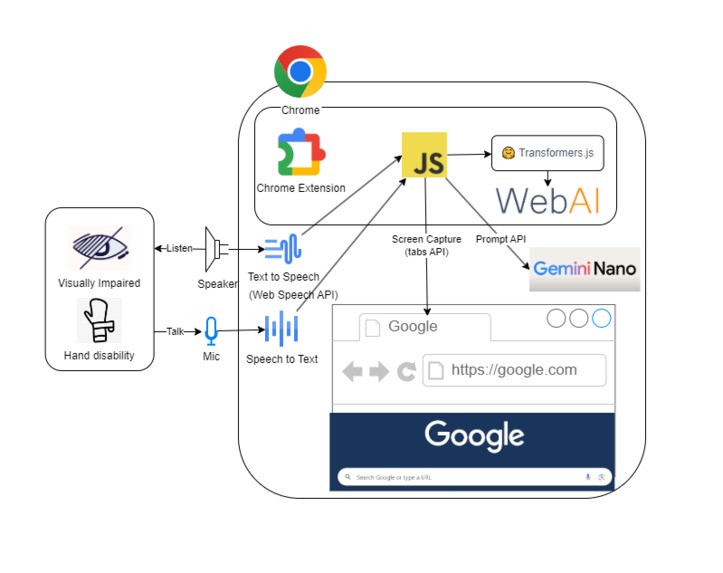
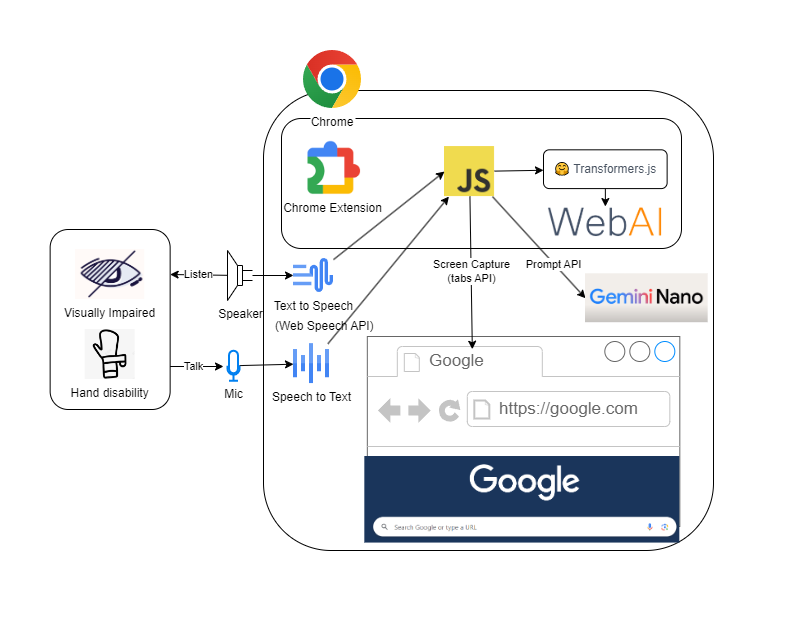
A-Eye Web Chat Assistant Architecture Diagram
-
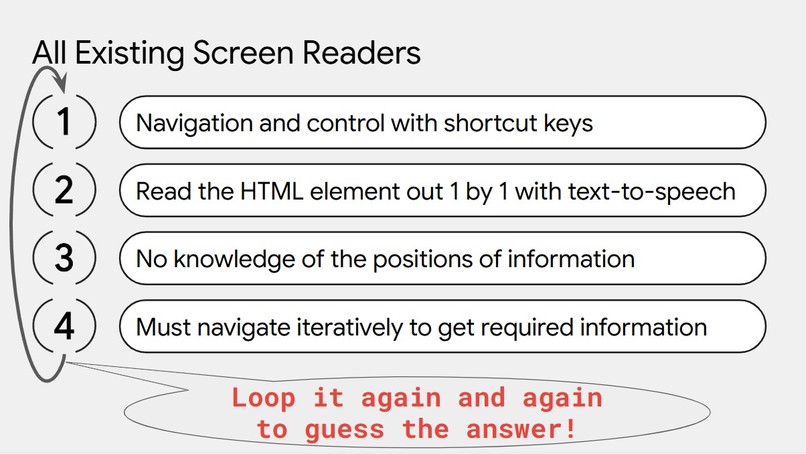
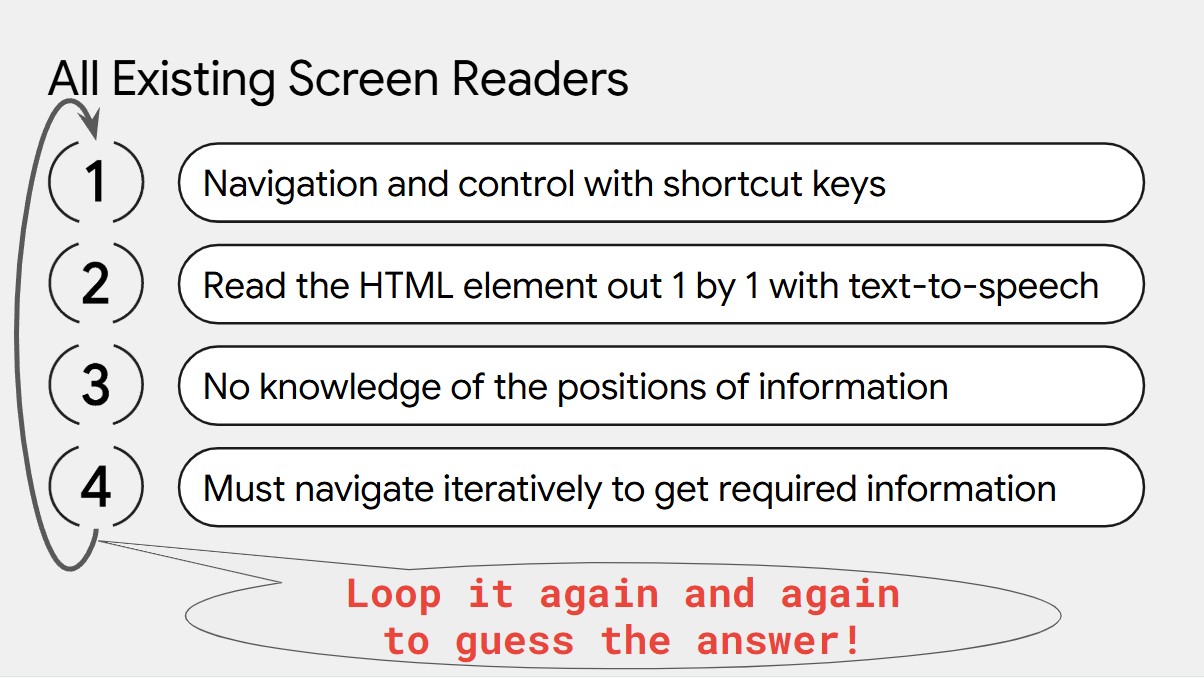
The problem of all existing screen readers
-
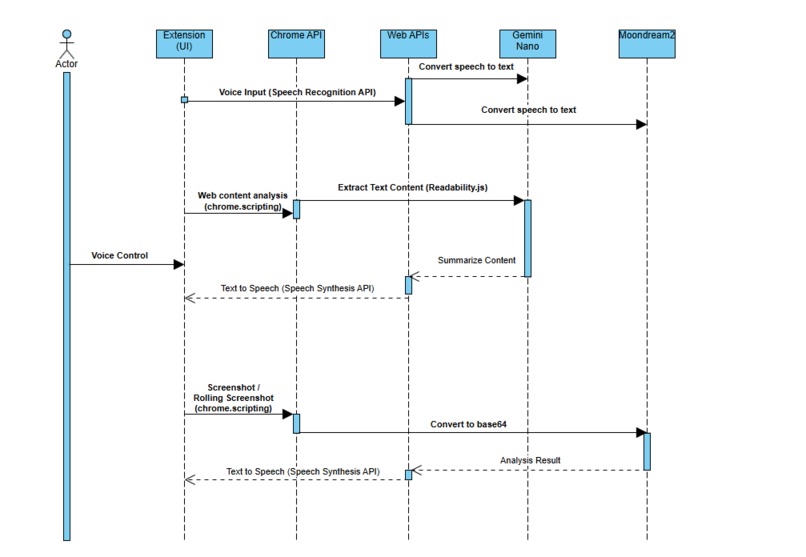
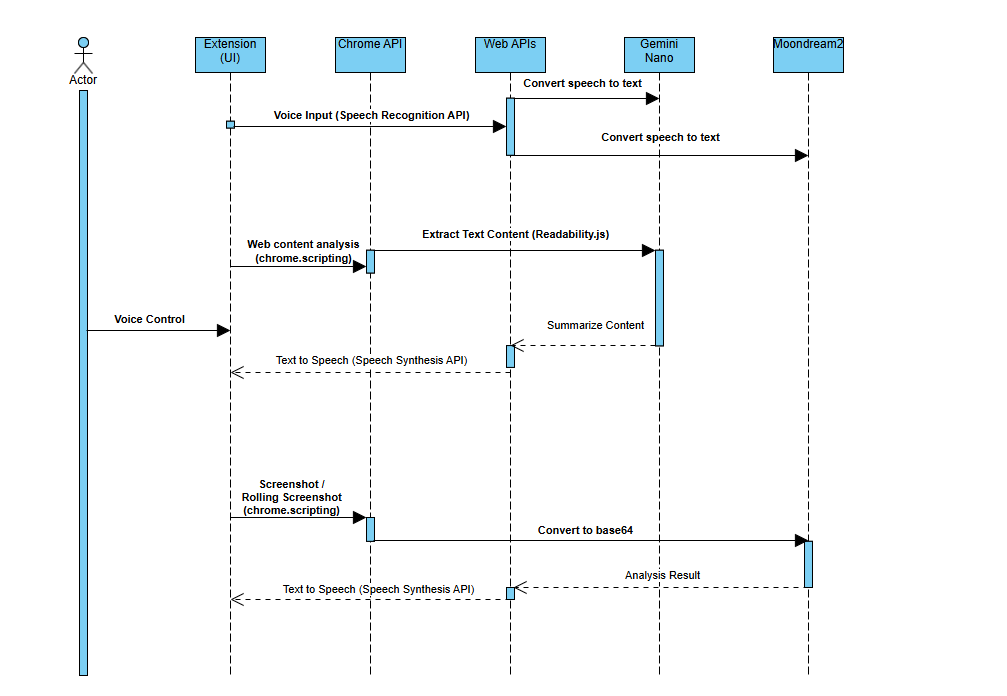
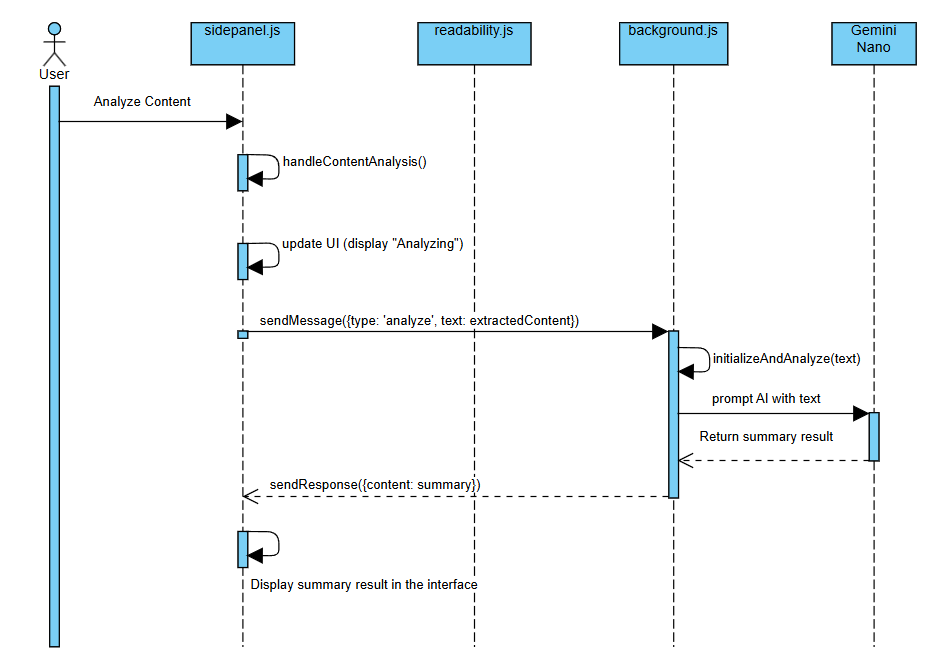
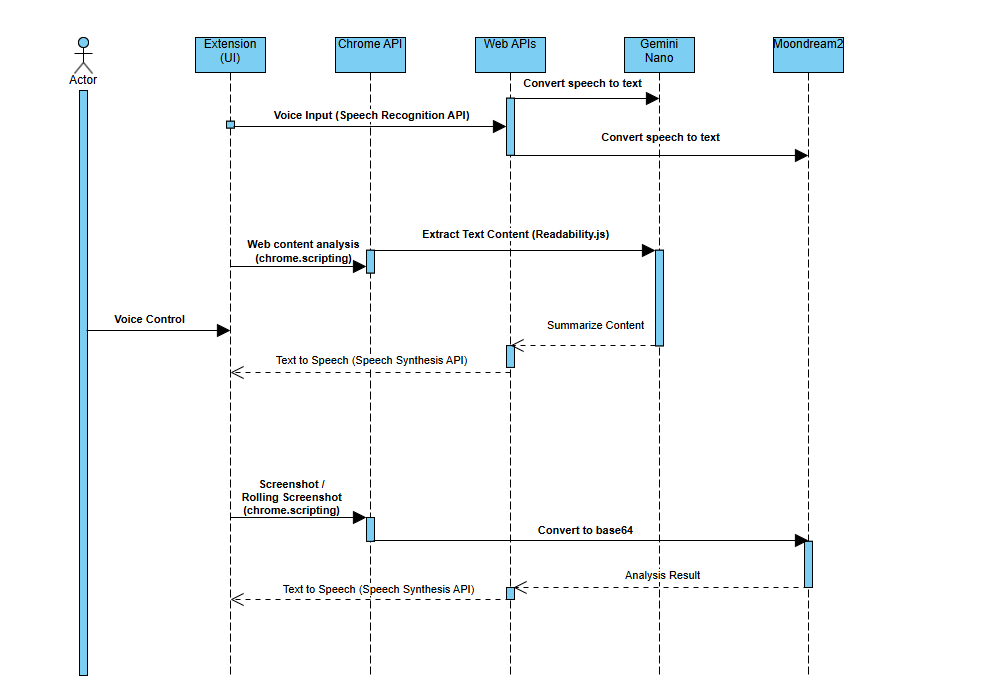
High Level Sequence Diagram
-
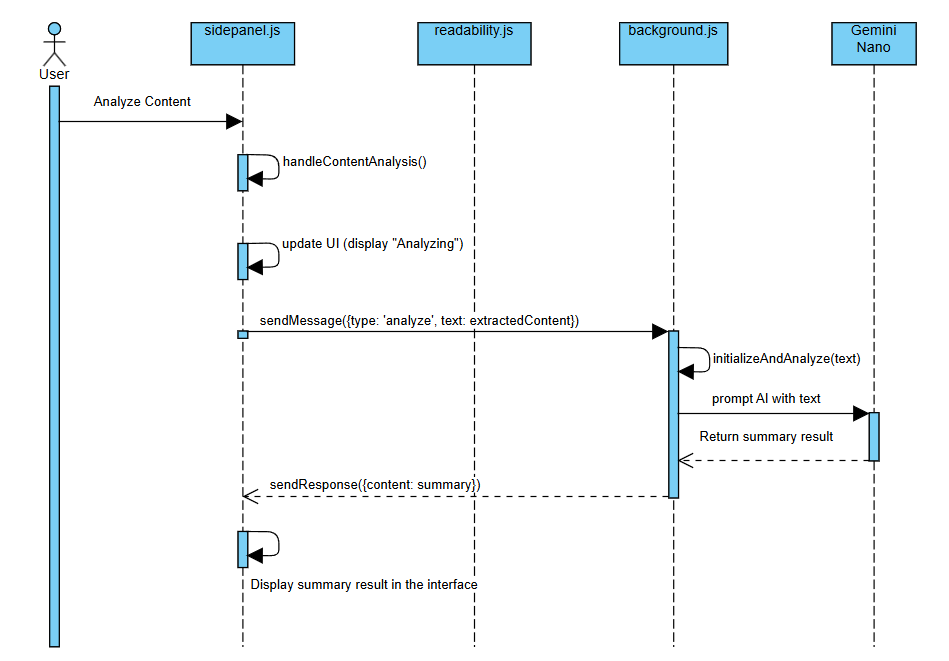
Web Content Chat Sequence Diagram
-
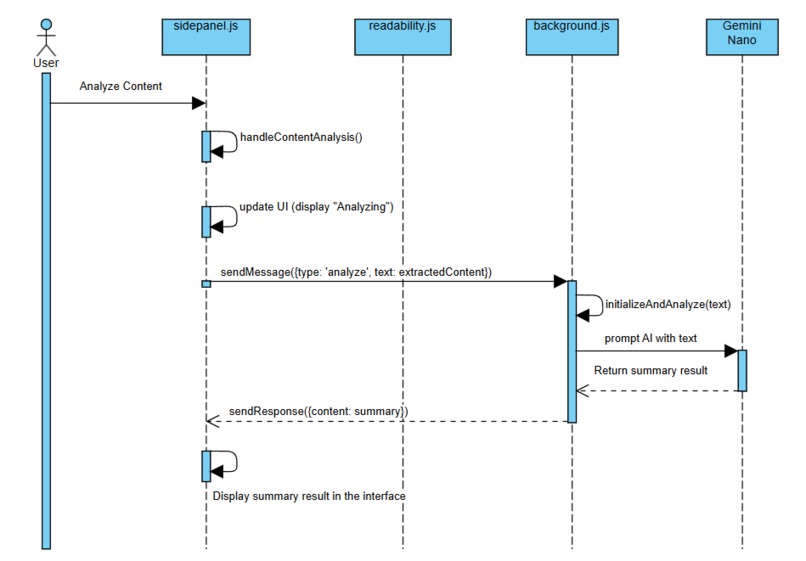
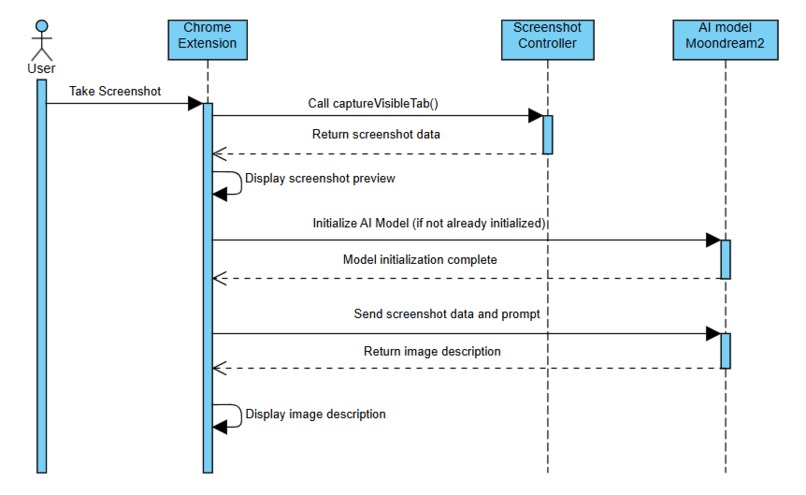
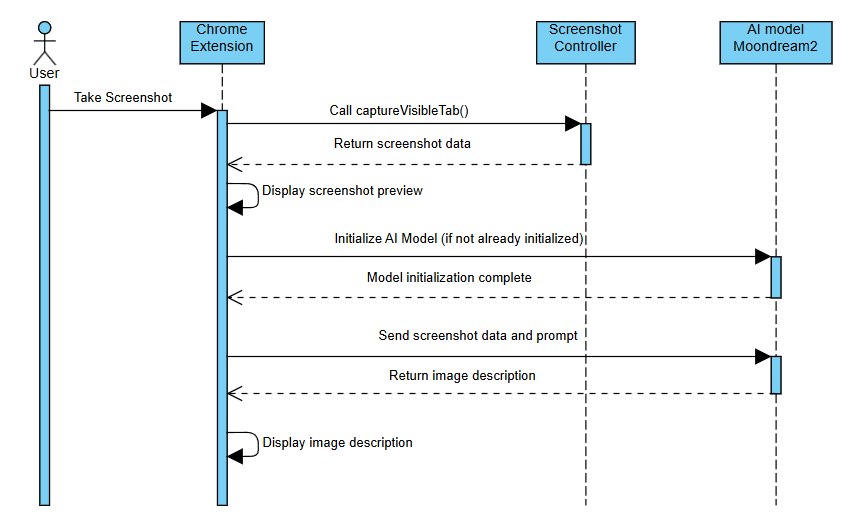
Image Content Chat Sequence Diagram
-
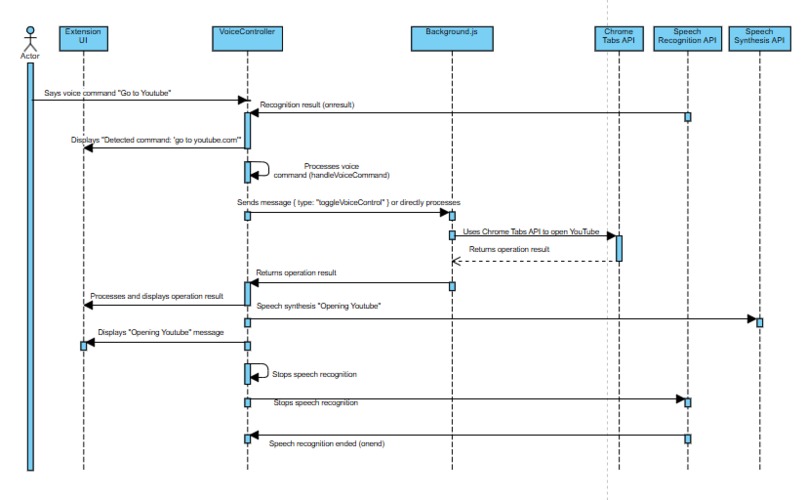
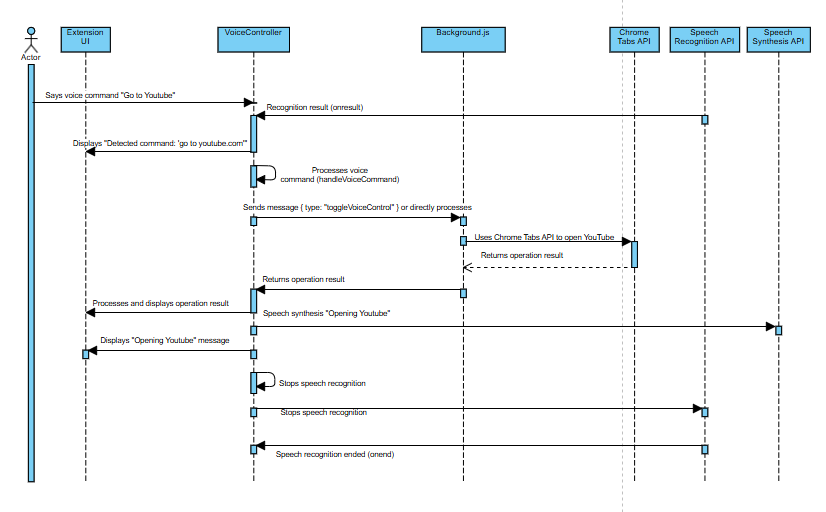
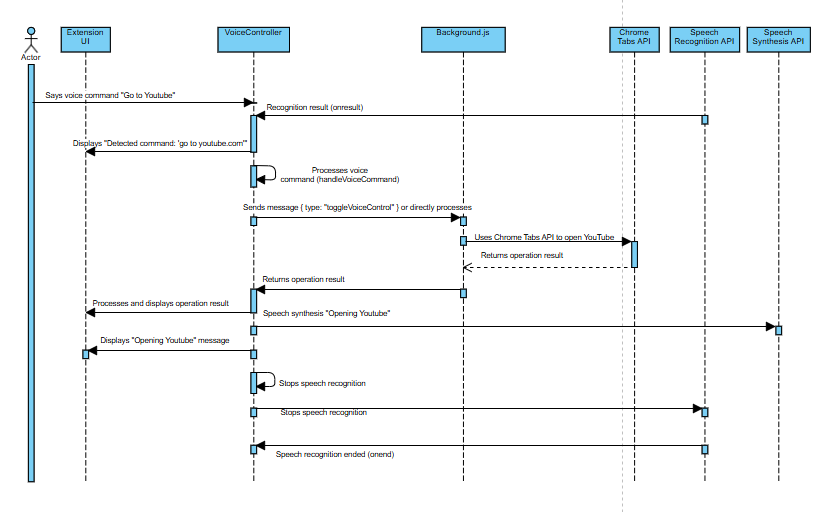
Voice Control Sequence Diagram
-
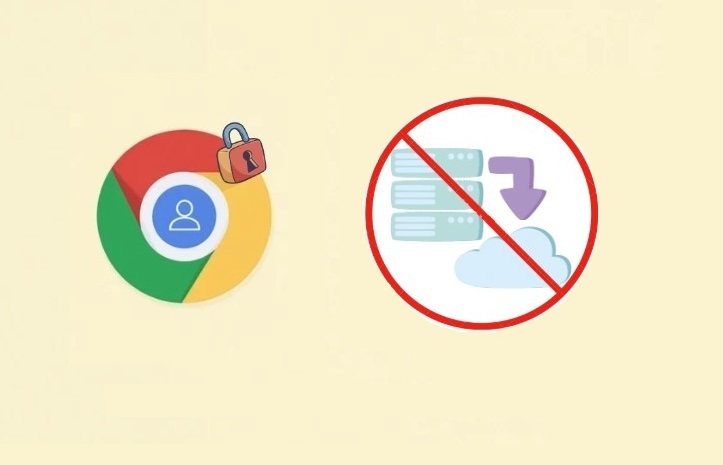
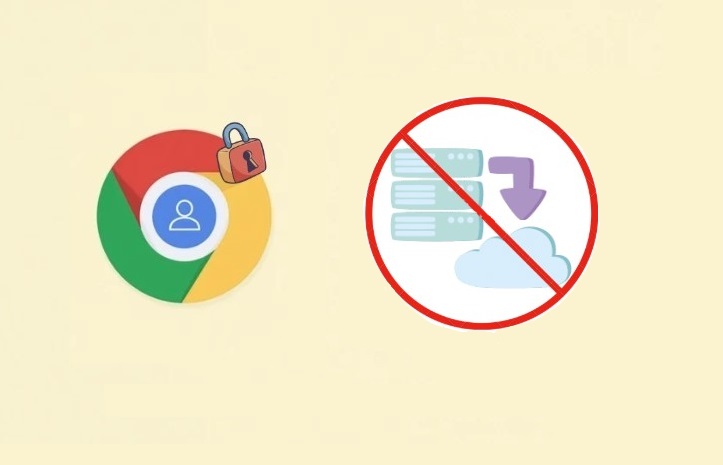
Privacy-First Design
-
 GIF
GIF
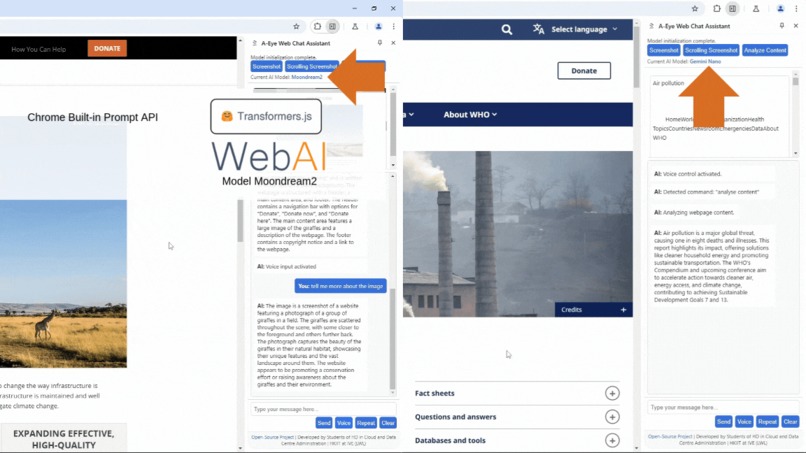
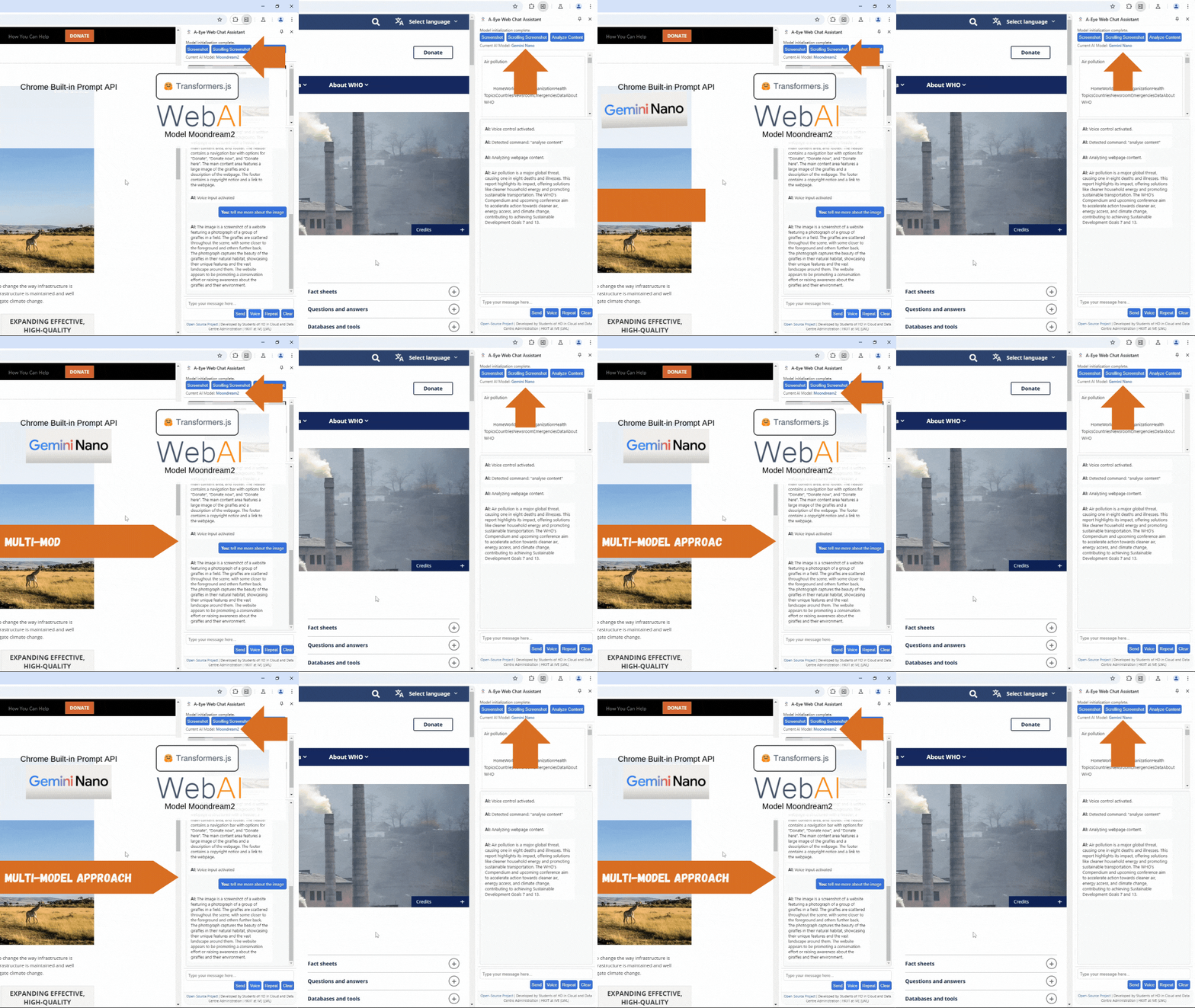
Multi-model Usage
-
 GIF
GIF
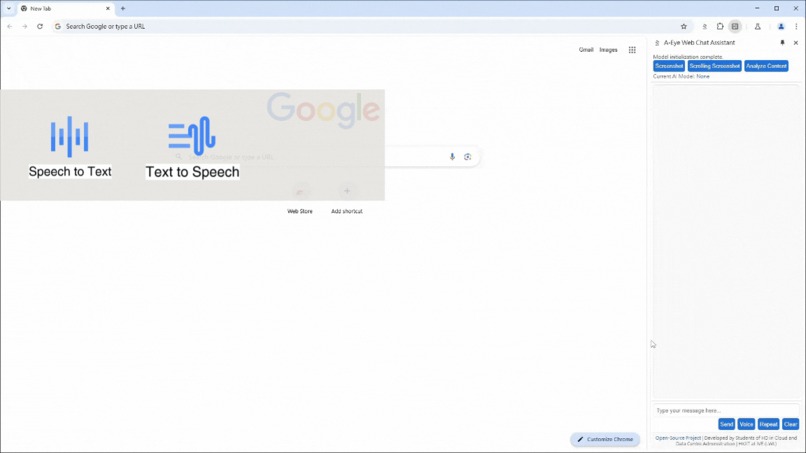
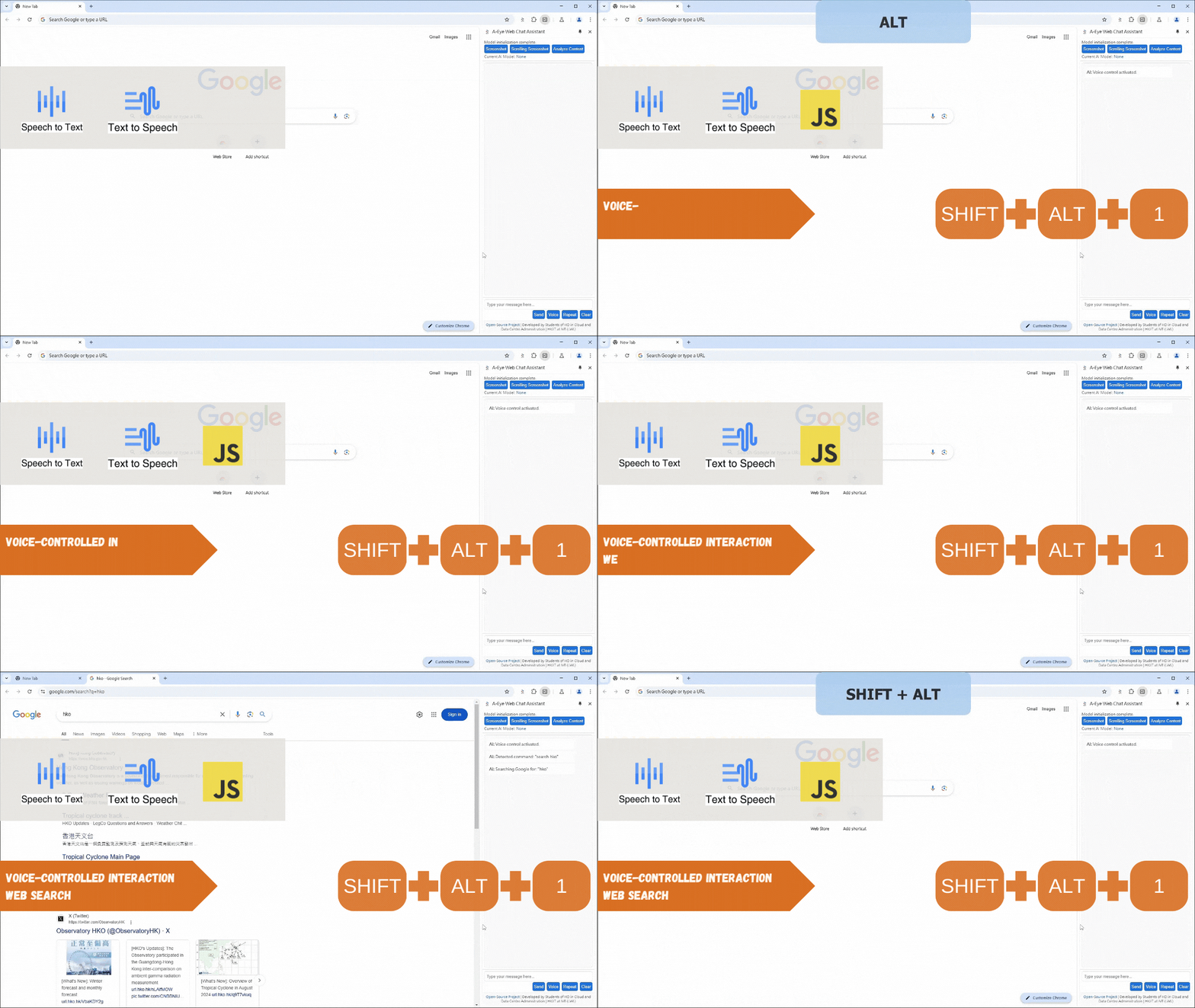
Voice-controlled Interaction - Go To Web Page
-
 GIF
GIF
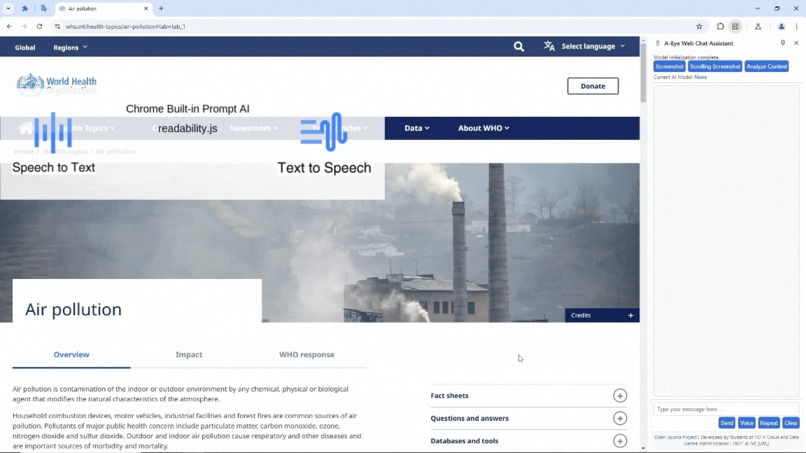
Voice-controlled Interaction - Web Search
-
 GIF
GIF
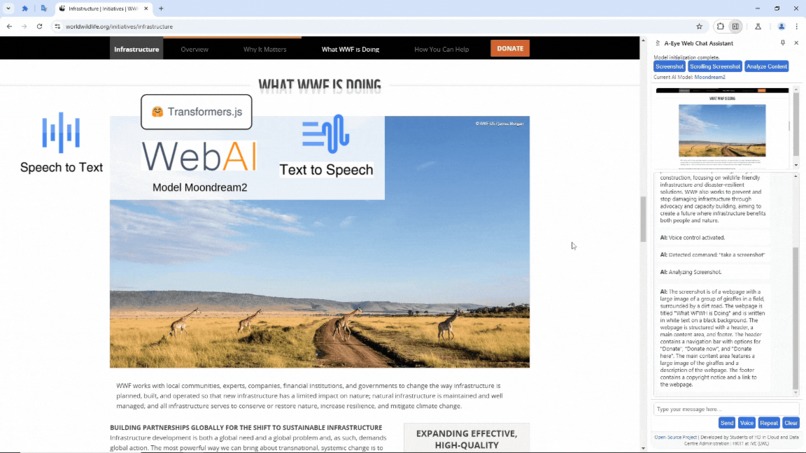
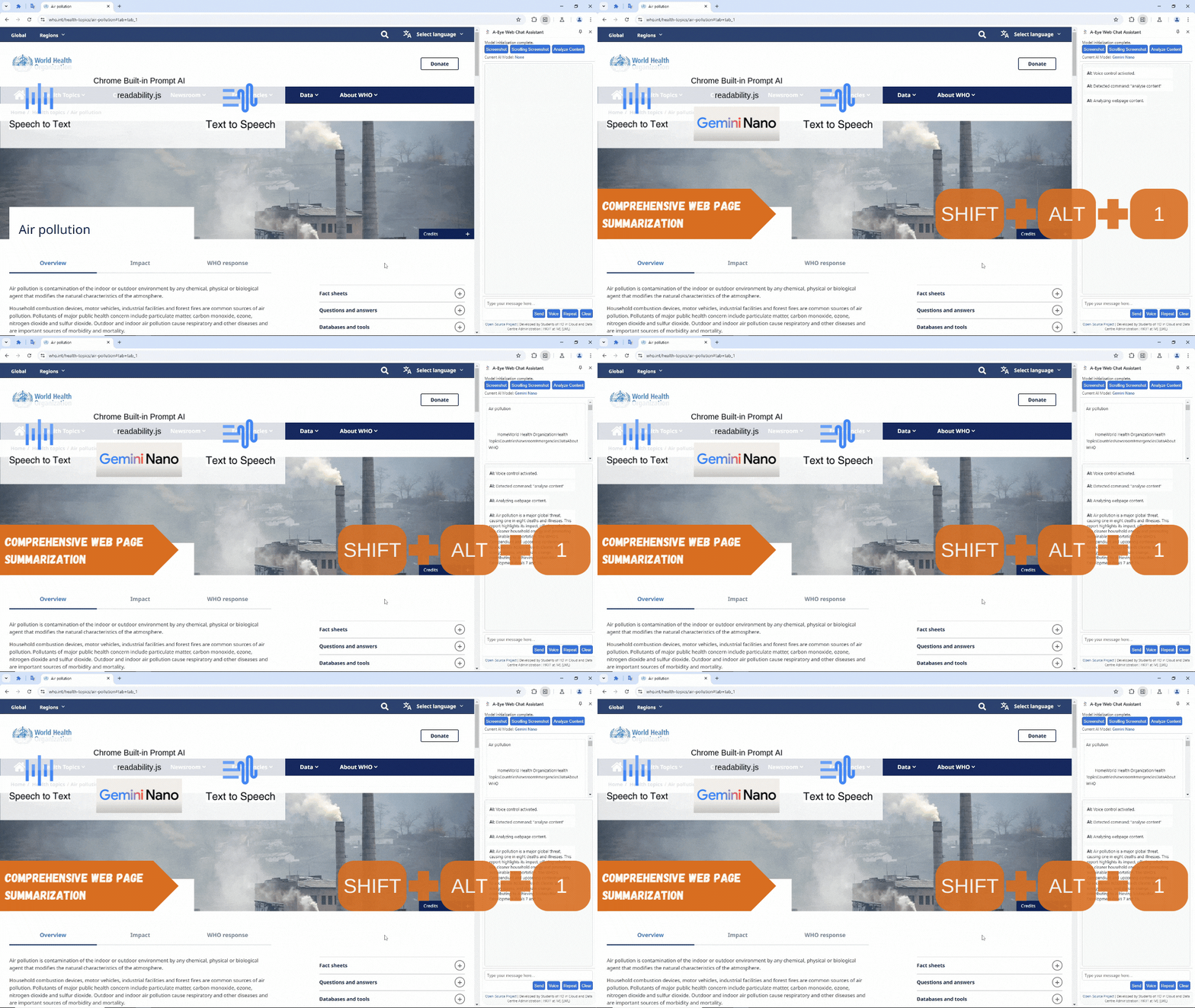
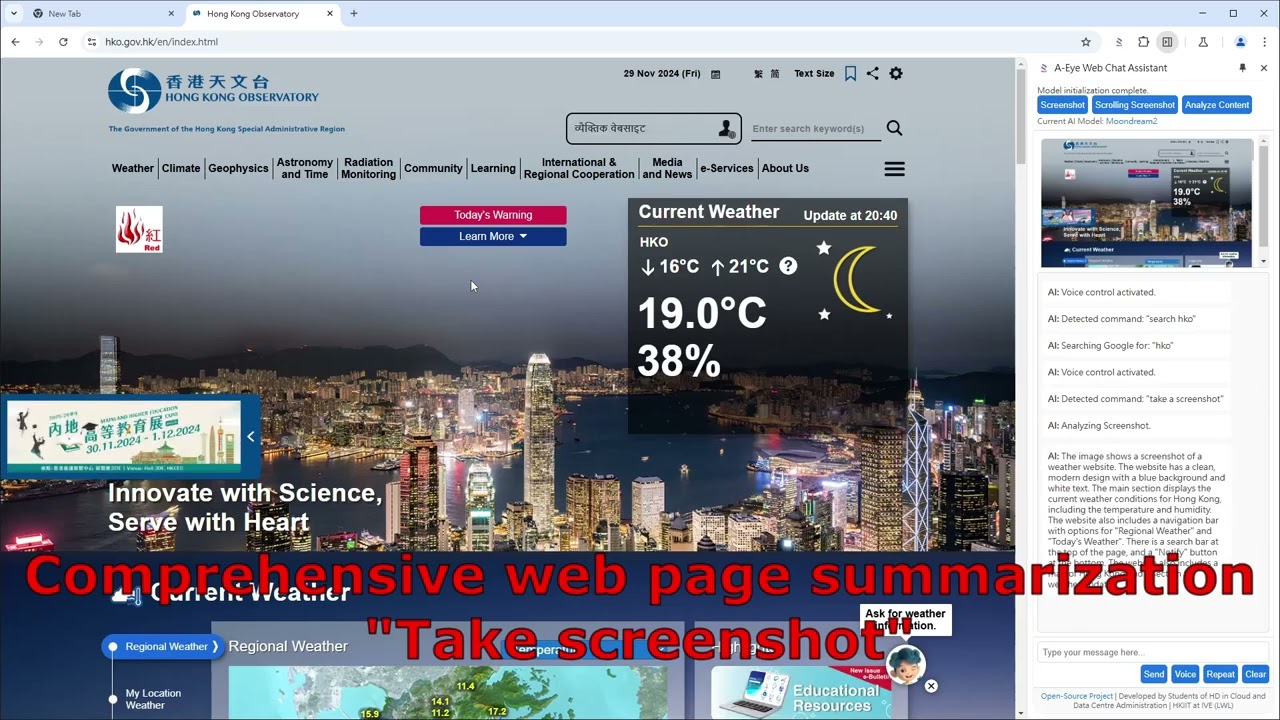
Comprehensive Web Page Summarization
-
 GIF
GIF
Real-time Image Description - Chat On Web Page Image
-
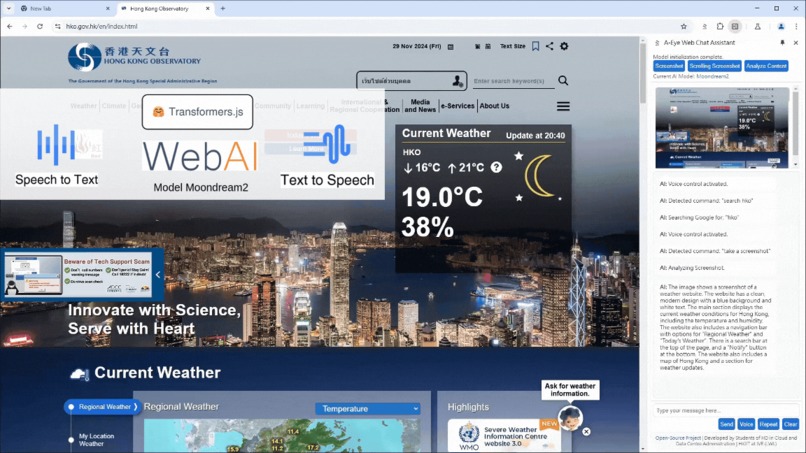 GIF
GIF
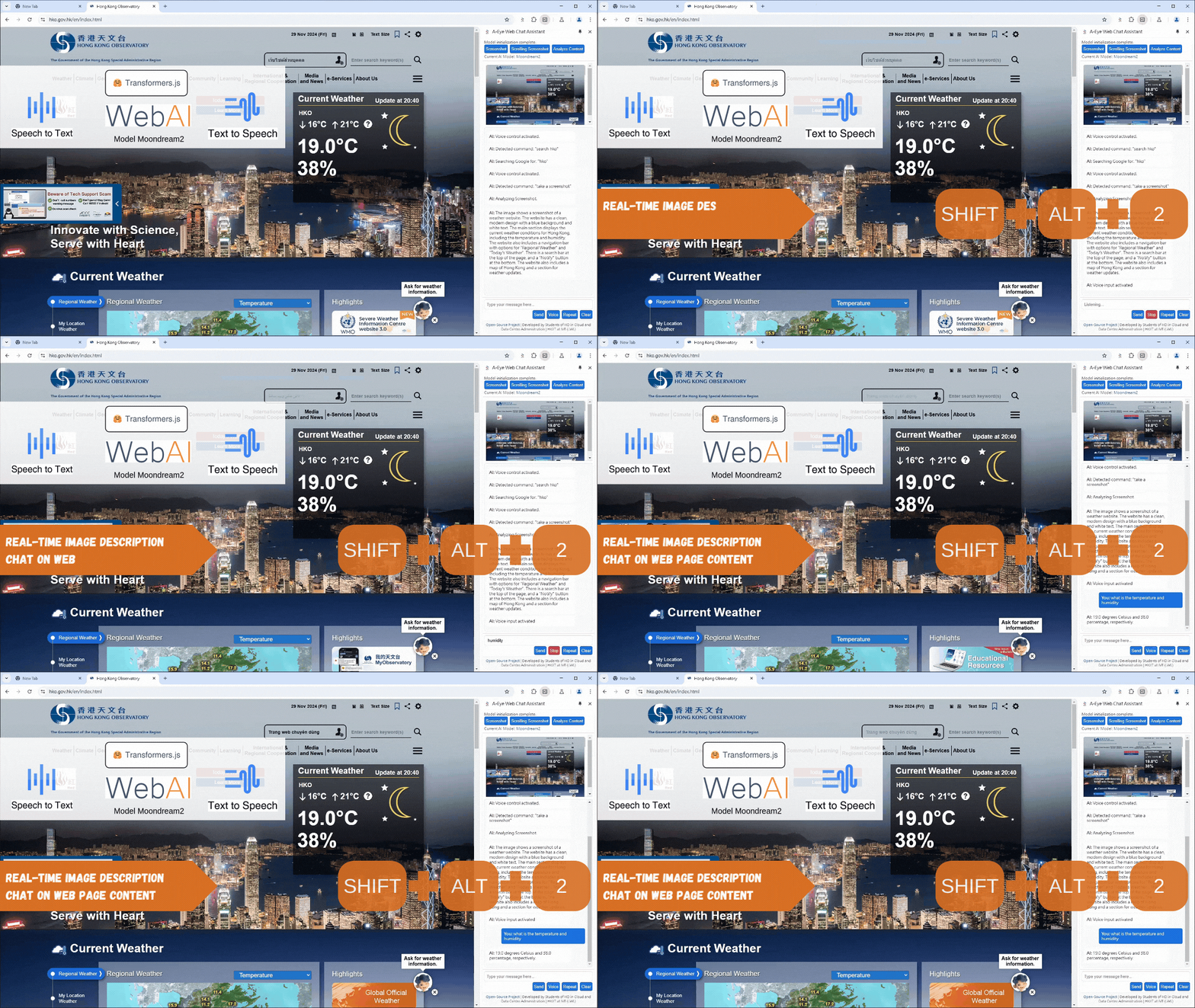
Real-time Image Description - Chat On Web Page Content
-
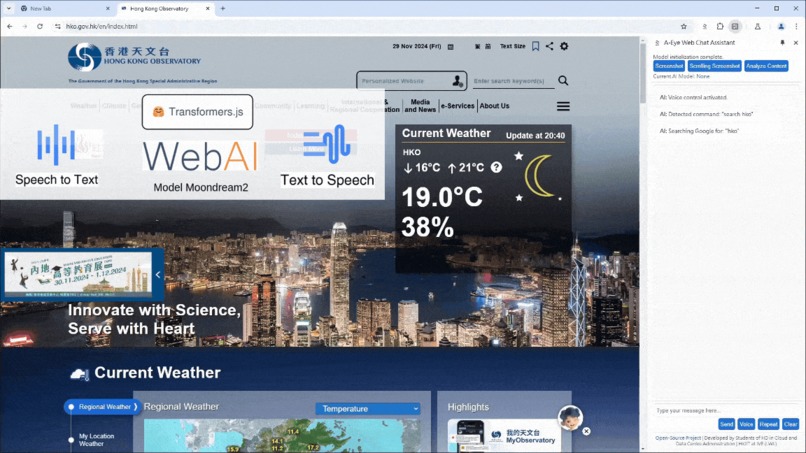 GIF
GIF
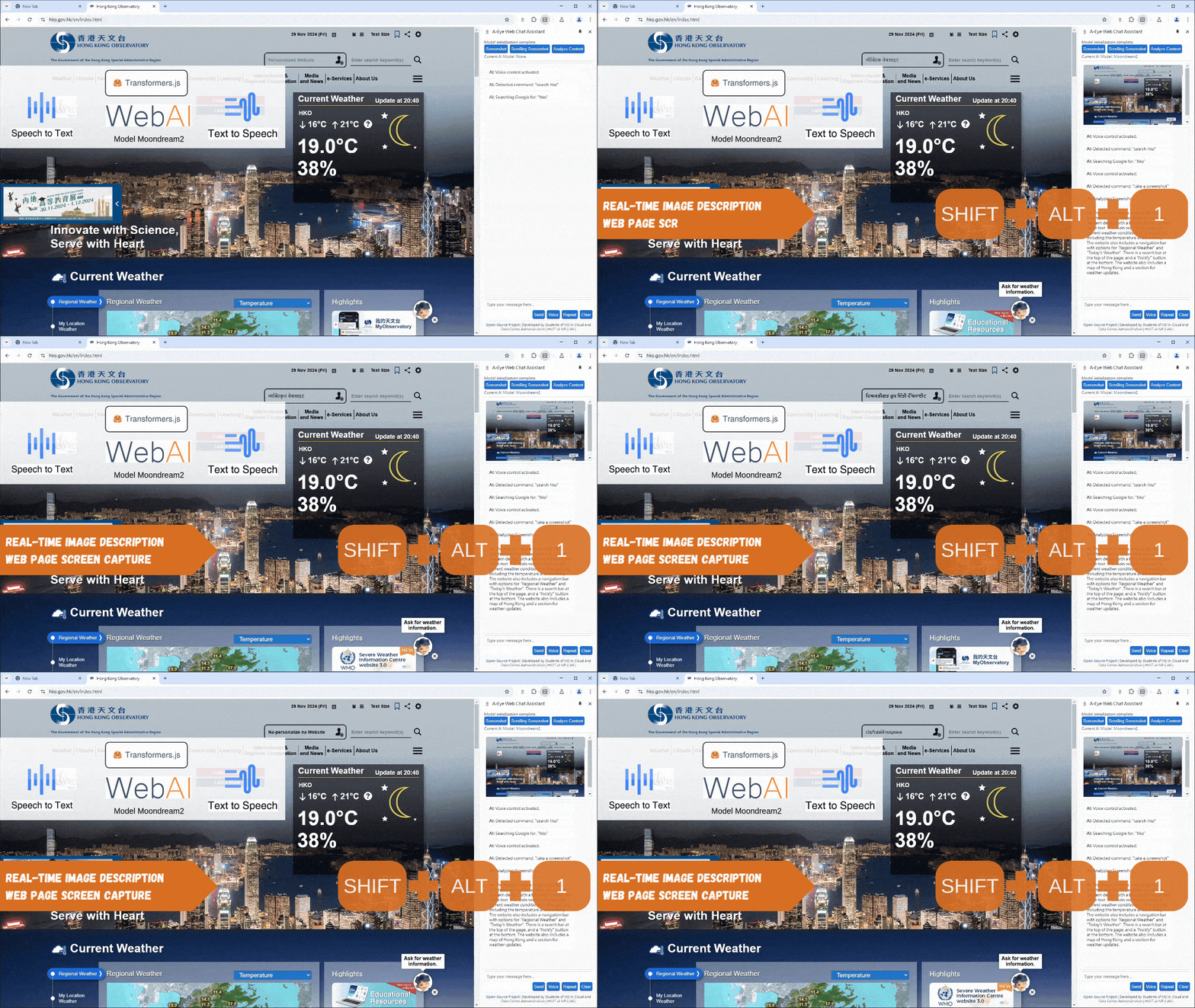
Real-time Image Description - Screen Capture
-

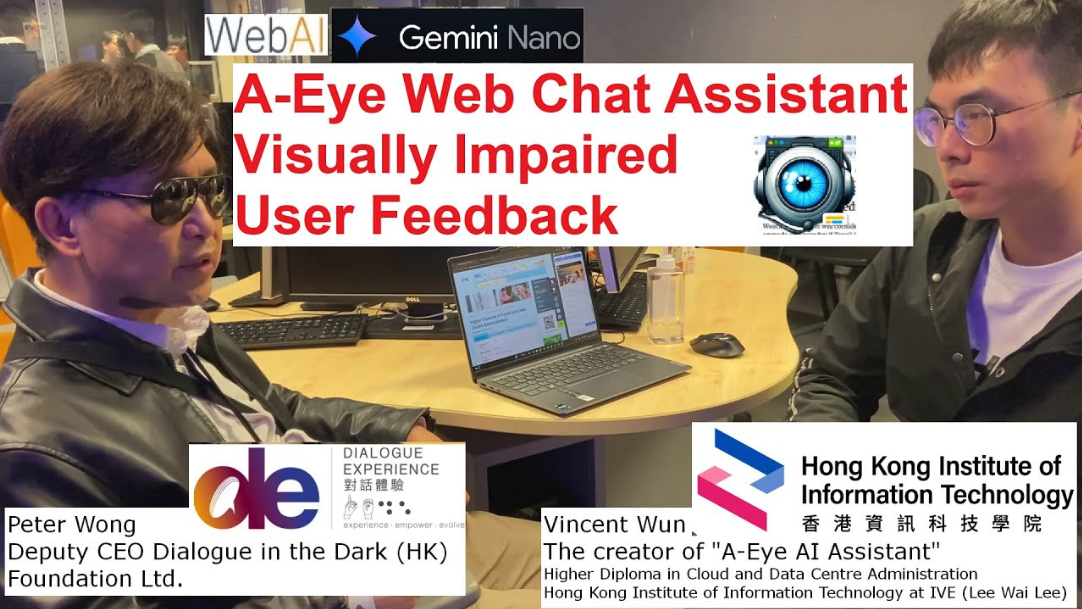
Mr. Peter Wong, Deputy CEO of Dialogue In The Dark (HK) Foundation
-
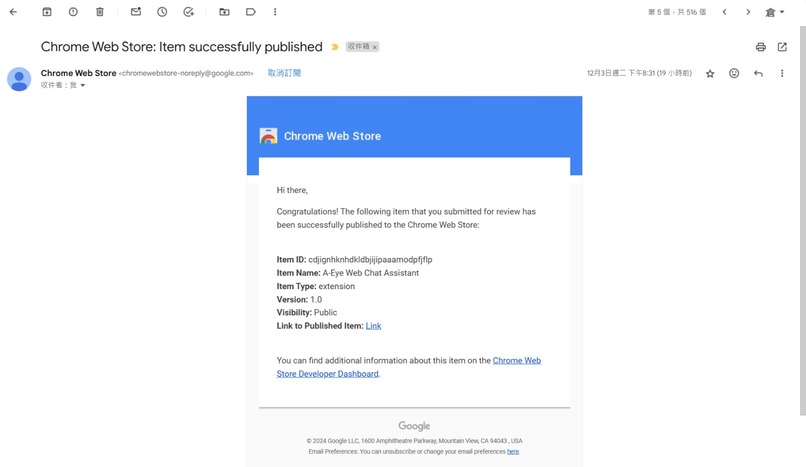
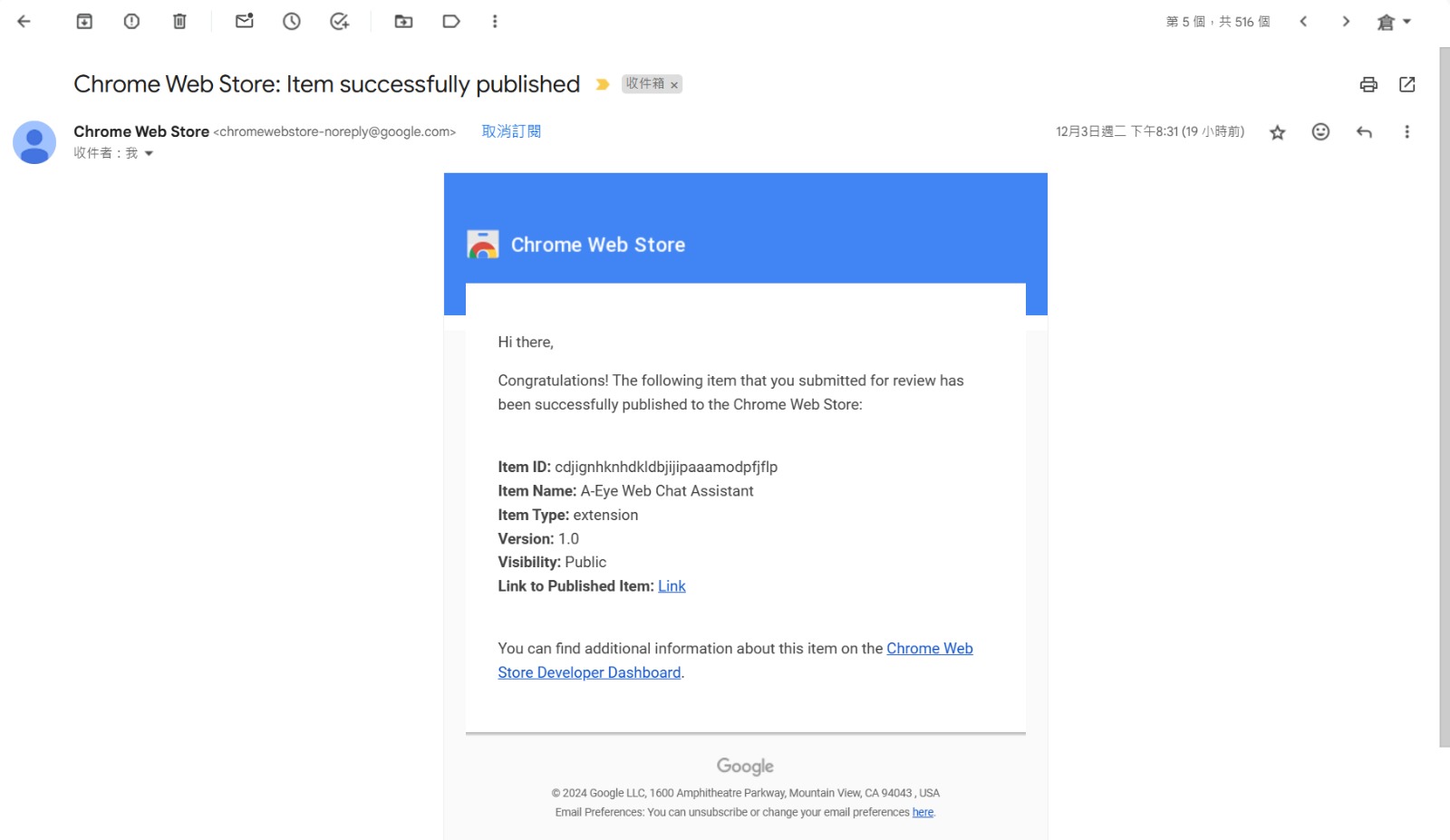
A-Eye Web Chat Assistant Launched in Chrome Web Store
Inspiration
The inspiration for A-Eye Web Chat Assistant stemmed from the limitations faced by visually impaired individuals when accessing information online. Existing screen readers often rely on cumbersome navigation methods and lack the ability to effectively interpret images and complex website layouts. Our previous project, GeProVis - enhanced ChromeVox, addressed image interpretation, but suffered from server-side dependencies and privacy concerns.
Field Test and media interview about the limitation of existing screen reader for visually impaired.(Cantonese)
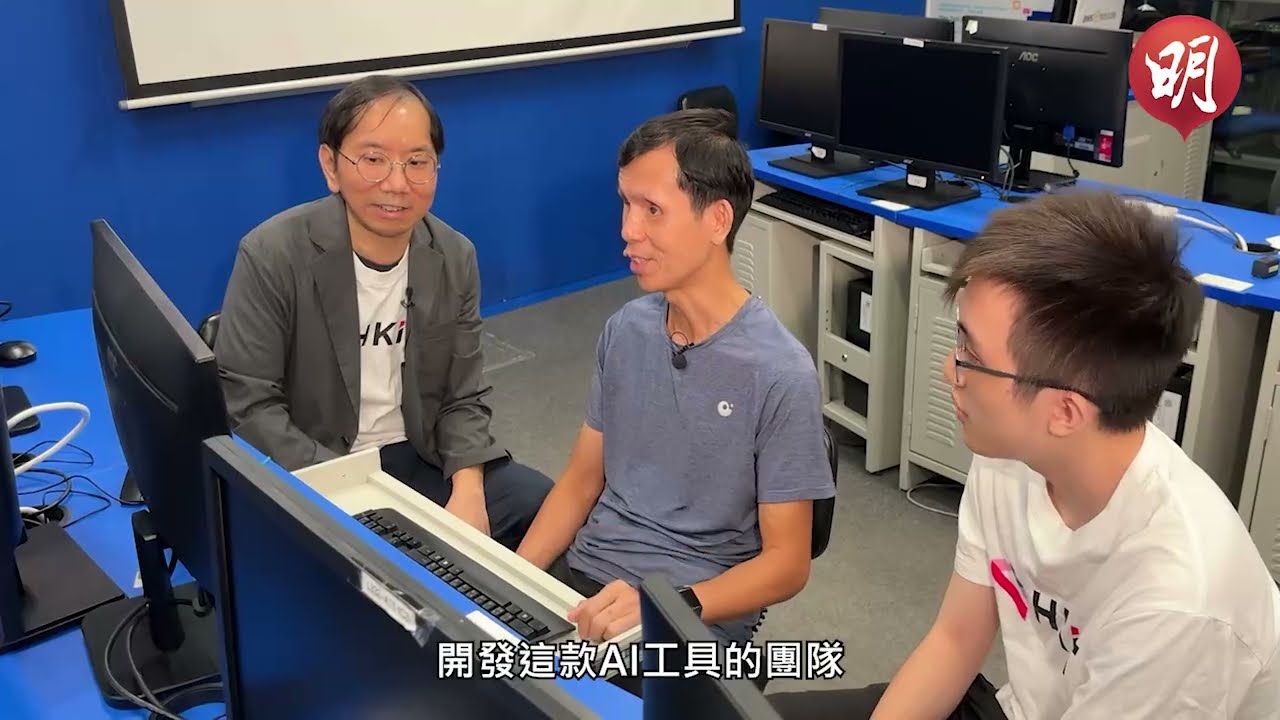 Original source Hong Kong Media interview AI智慧應用|短片:AI工具助視障者瀏覽網頁圖片圖表可讀出聲
The interviewee Mr. Chow (Assistant Project Director, Hong Kong Blind Union— Digital Technology) highlights the core issues faced by visually impaired users with current screen readers. They constantly need to use shortcuts to navigate the web, listen to text-to-speech outputs, remember all the information, and guess their next steps to find the answers they seek.
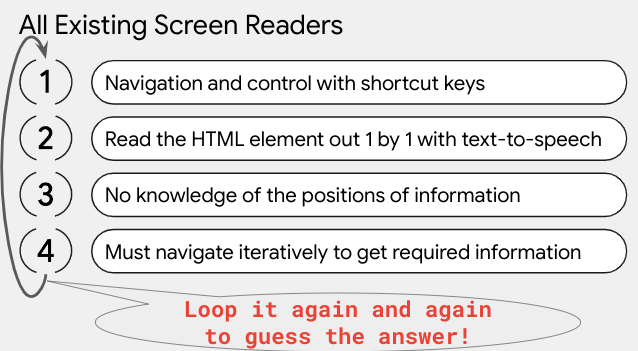
While the GeProVis AI screen reader now allows them to extract information from all images even if websites lack meaningful alternate text for their images, it still doesn’t provide a complete solution. These users are searching for answers or information, and traditional approaches fall short in meeting their needs.
" A-Eye Web Chat Assistant bypasses the tedious navigation and text-to-speech. Users crave instant answers, and chat on the web!"
A-Eye aims to solve these issues by leveraging the power of Chrome's built-in AI and client-side processing. The goal was to create a truly accessible and privacy-respecting browsing experience for everyone. The feedback from visually impaired users highlighted the need for a more conversational and intuitive approach to web interaction.
What it does
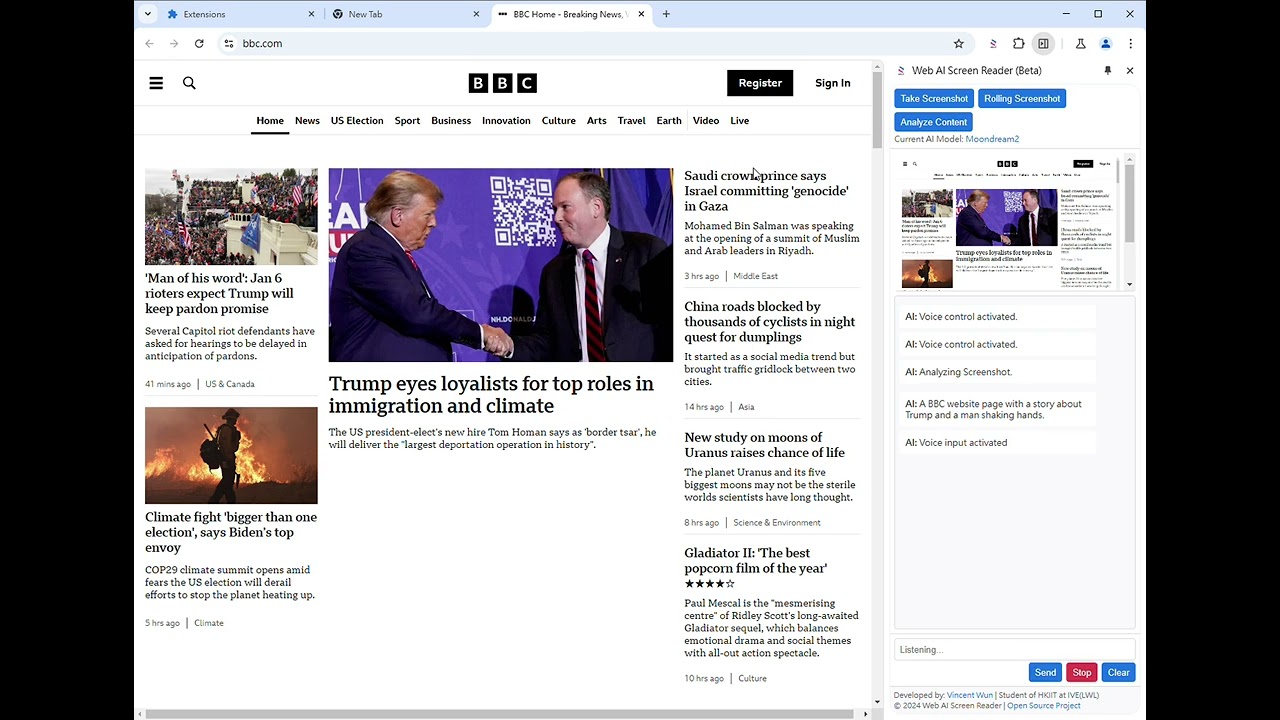
A-Eye Web Chat Assistant is a Chrome extension that uses a combination of built-in Chrome AI APIs (Gemini Nano) and our own custom Web AI models (Moondream) running locally within the browser using WebGPU for acceleration. It allows visually impaired users to interact with websites through voice commands and natural language. Key features include:
1. Privacy-first design: All processing happens locally on the user's device, protecting user privacy.

2. Multi-model approach: Combines Gemini Nano and Moondream2 for robust and accurate results.
- Demo: Multi-model Usage:
3. Voice-controlled interaction: Users can navigate websites and request information using voice commands.
Demo: Voice-controlled interaction - Go To Web Page

Demo: Voice-controlled interaction - Web Search
4. Comprehensive web page summarization: The extension summarizes web page content to provide a concise overview.
- Demo: Comprehensive web page summarization
5. Real-time image description: AI models provide detailed descriptions of images on the page, eliminating the need for alternative text through Web AI and transformers.js.
Demo: Real-time Image Description - Chat On Web Page Image
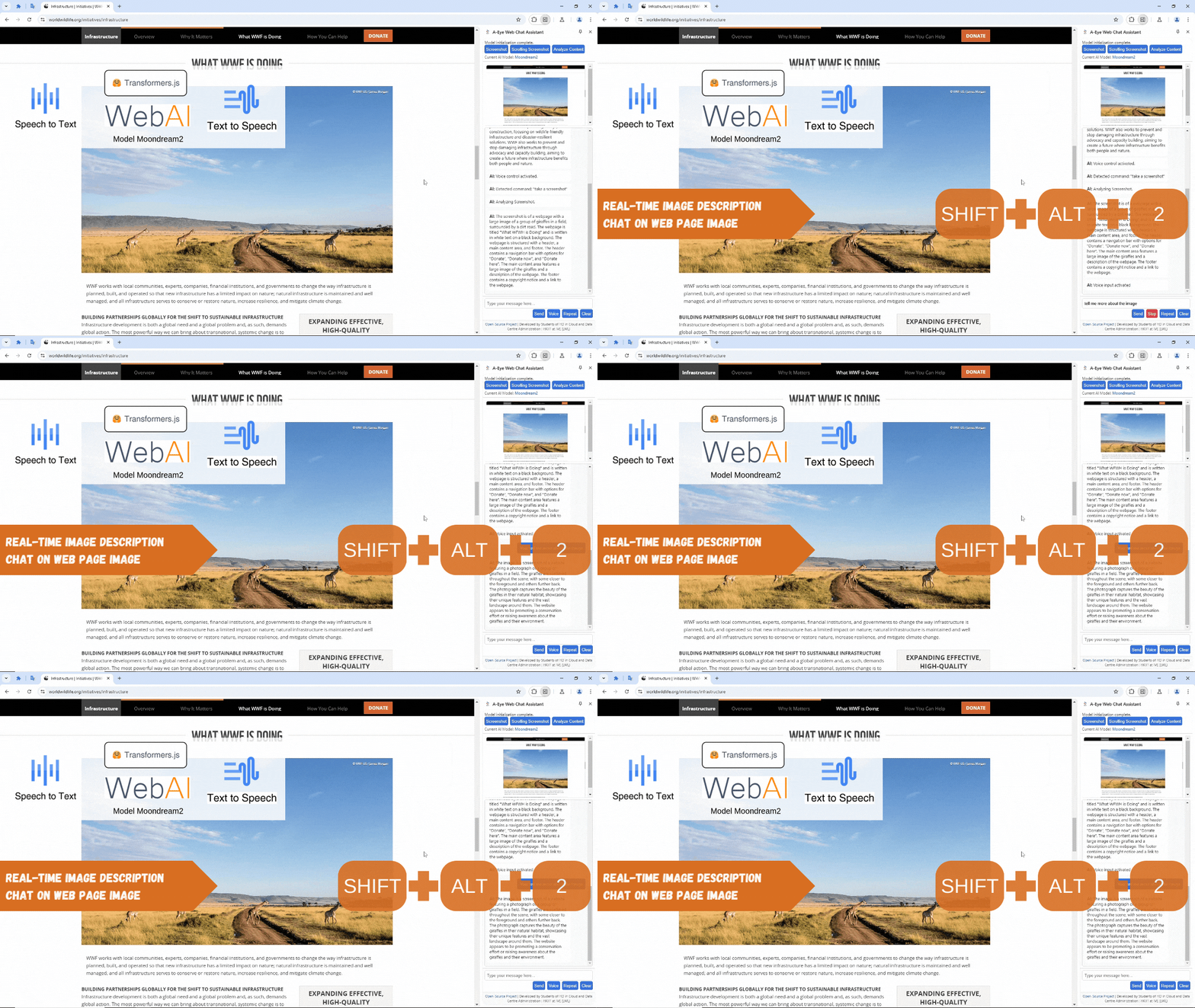
Demo: Real-time Image Description - Chat On Web Page Content
Demo: Real-time Image Description - Screen Capture
Voice Web Search, and Chat on Screen Demo Video
Voice control navigation, and Chat on Screen Demo BBC.com news Video
How we built it
The extension is built using a combination of JavaScript, HTML, and CSS. The core logic resides in a background service worker that handles communication with the Chrome AI APIs and our custom models. The user interface is a simple chat window where users can type or speak their requests.
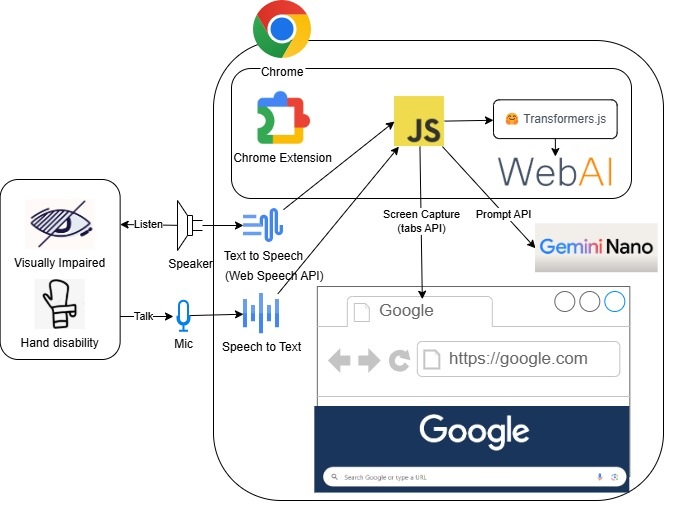
- Chrome AI APIs: We utilized the Prompt API for dynamic prompt generation, and the summarization capabilities of Gemini Nano to create concise summaries of web pages.
- Custom Web AI Models: Our Moondream models, running using WebGPU, handle tasks such as detailed image description and advanced content analysis. Transformers.js 3.0 was leveraged for efficient model management.
- Web Speech API: This API enabled voice input and output capabilities.
- Chrome Scripting API: This allowed us to capture screenshots and manipulate the DOM.
- Service Worker: A background service worker manages communication and processing.
High Level Sequence Diagram
Web Content Chat Sequence Diagram
Screenshot Chat Sequence Diagram
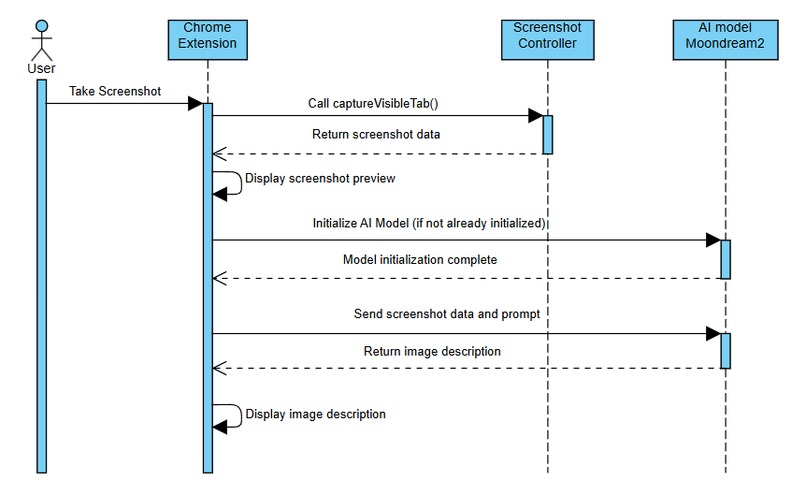
Rolling Screenshot Chat surpasses screenshot chat by implementing full-page capture, eliminating the constraints of viewport limitations. The Sequence Diagram is very similar to Screenshot Chat Sequence Diagram and omitted here.
Voice Control Sequence Diagram
Challenges we ran into
Developing A-Eye presented several challenges:
- Balancing performance and accuracy: Finding the optimal balance between the speed of processing and the accuracy of the AI models required careful experimentation and model selection.
- Handling large web pages: Processing entire web pages efficiently, especially those with complex layouts and many images, required optimization strategies.
- Managing model resources: Efficiently loading and managing multiple AI models within the browser posed a significant challenge, impacting startup time and memory usage.
- Cross-browser compatibility: Ensuring consistent functionality across different browsers and operating systems proved demanding.
- Initial model loading times: Loading large AI models like Moondream within the browser resulted in slow initial load times which needed optimization techniques.
Accomplishments that we're proud of
Despite the challenges, we achieved significant milestones:
- Successfully built a fully functional Chrome extension that leverages both Chrome's built-in AI and our own custom models locally.
- Created a user-friendly interface with voice control and a conversational approach.
- Delivered a privacy-preserving solution, eliminating concerns associated with server-side processing.
- Received overwhelmingly positive feedback from visually impaired users, confirming the solution's practical value.
Visually impaired User Mr. Peter Wong's Feedback Video
What we learned
This project significantly enhanced our understanding of:
- Chrome's built-in AI APIs: We gained hands-on experience with the capabilities and limitations of Gemini Nano and other Chrome APIs.
- Web AI model deployment: Successfully deploying and optimizing large Web AI models within a browser environment increased our expertise in browser-based AI development.
- Web accessibility best practices: The project reinforced the importance of creating inclusive web experiences.
- Efficient resource management: The need for optimizing resource utilization (memory, CPU) in browser environments.
- Voice UI development: Designing intuitive voice interfaces for ease-of-use was a key learning point.
What's next for A-Eye Web Chat Assistant - Web AI for Inclusive Browsing
Our future plans include:
- Expanding language support using the Translate API.
- Integrating PaliGemma support for improved conversation capabilities.
- Improving the speed and efficiency of model loading.
- Seeking collaboration with Google to potentially integrate A-Eye into Chrome as a default feature.
- Refining the model prompts to improve response accuracy and clarity.
- Enhanced error handling and improved user experience.
- Community feedback-driven iterative development.
A-Eye Web Chat Assistant has been be launched in Chrome Web Store
A-Eye Web Chat Assistant can be downloaded from Chrome Web Store!!
Thank you

Mr. Peter Wong, Deputy CEO of Dialogue In The Dark (HK) Foundation, is a veteran with more than 20 years’ experience in promoting diversity and inclusion. Peter worked in Microsoft’s Accessible Technology Group for 11 years and patented 5 ideas/products that focus on assistive technology prior to joining Dialogue in the Dark. He then became proficient in providing psychological and career counseling for PoDs and other vulnerable groups. He also had experience working with nonprofits in China and America, providing strategic framework solutions and support to social inclusion development.
Peter finds the extension plugin very useful and innovative, especially as a blind user. While they can navigate screens using a screen reader, it’s often challenging to get an overall picture of a website due to its varying layouts and packed information. The plugin provides a concise overview of the page, which doesn’t overwhelm their senses and helps them understand the content better. This allows them to ask specific questions and navigate the page more comfortably with their screen reader, making it a valuable addition to their tools.
The Community Engagement Unit of VTC organizes multiple field tests to collect actual user requirements from various visually impaired NGOs in Hong Kong.
Our school Hong Kong Institute of Information Technology at IVE(Lee Wai Lee) and teacher supports

Please give us a vote and like to encourage us to continue our 100% free and opensource development!
Built With
- chrome-built-in-ai-apis
- chrome-scripting-api
- css
- gemini-nano
- html
- javascript
- prompt-api
- readability
- transformers.js-3.0
- ttsengine
- web-speech-api
- webai
- webgpu


Log in or sign up for Devpost to join the conversation.