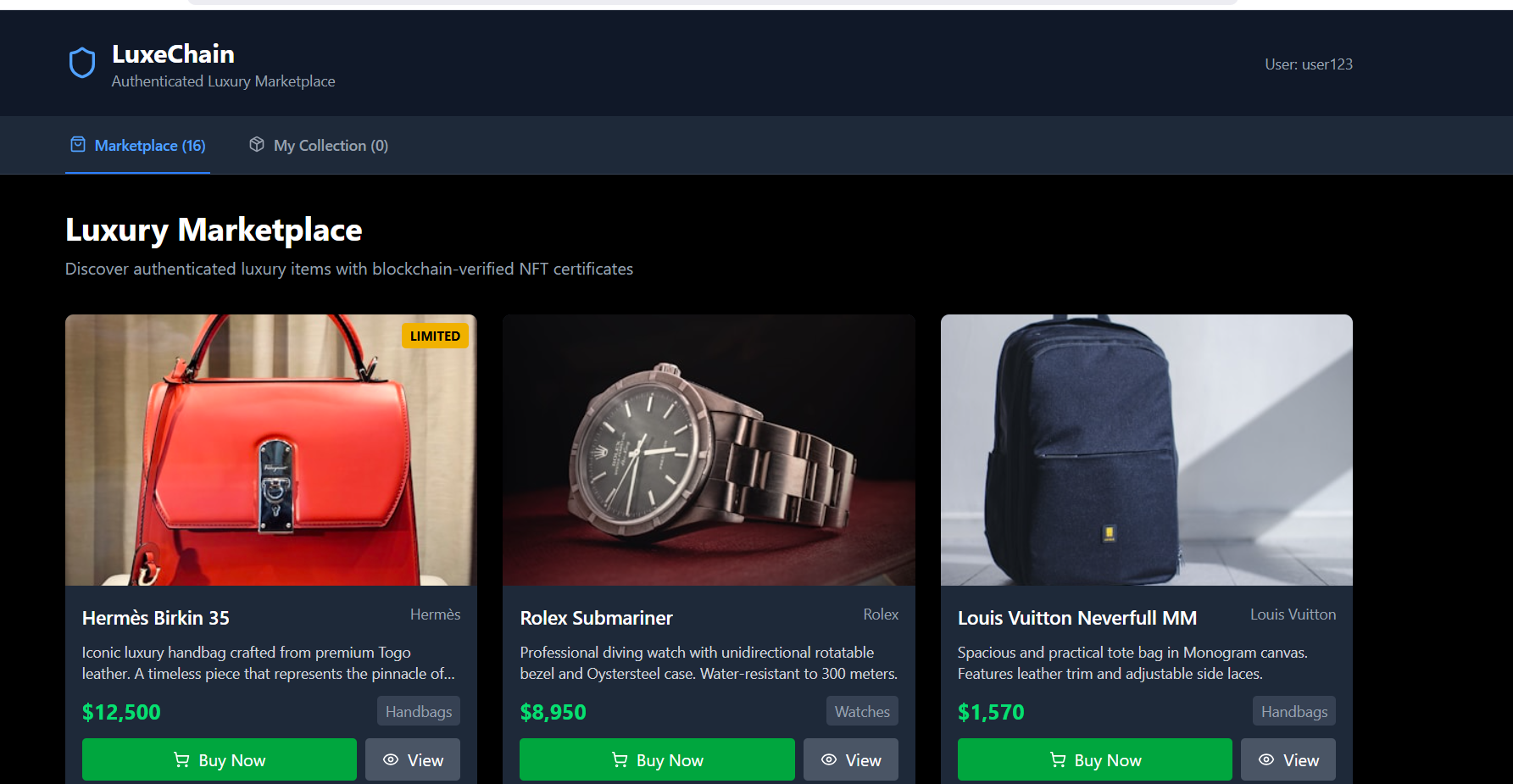
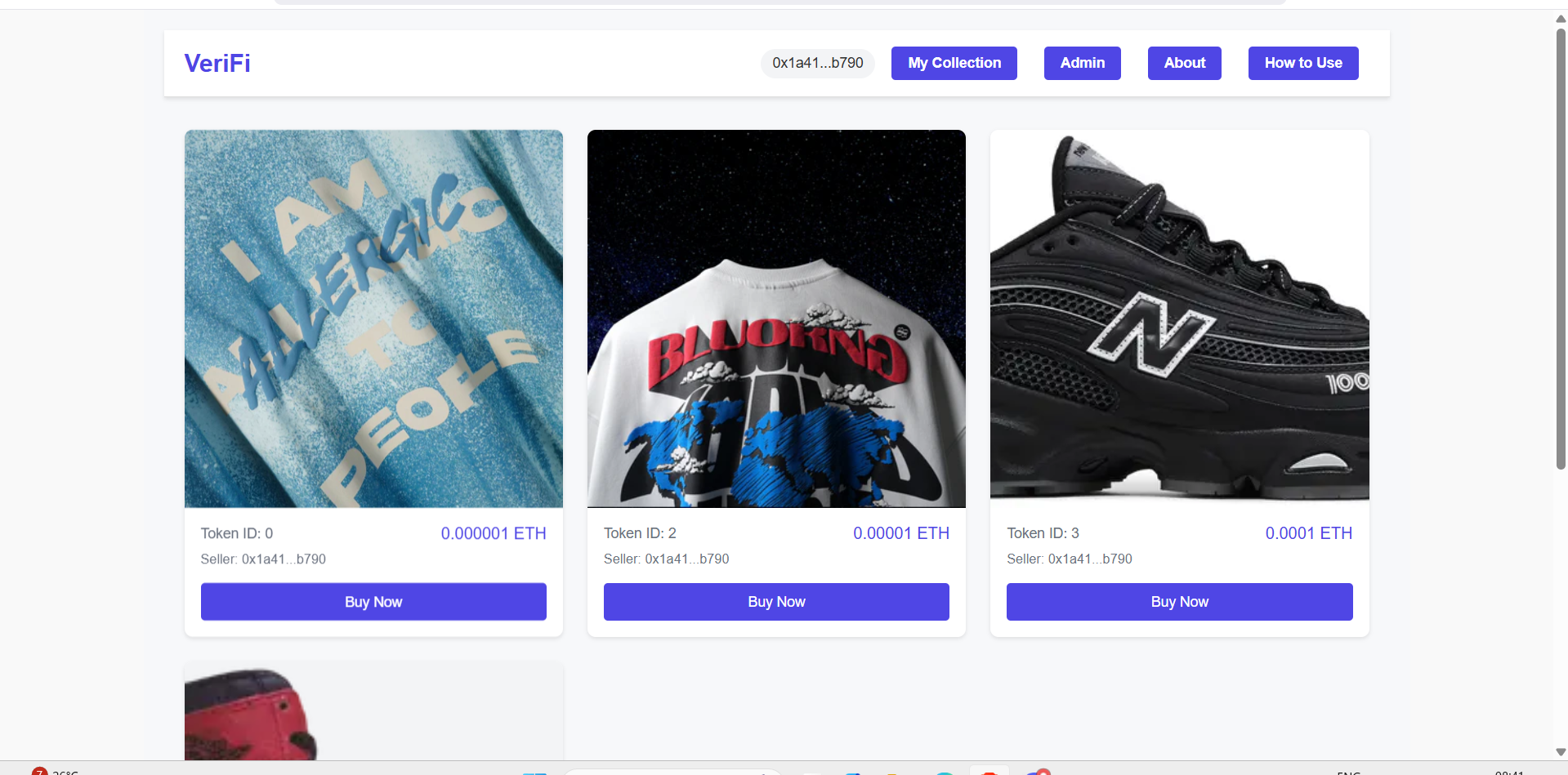
🔗 Live Demo
https://aimpactsolanademo.vercel.app/
Aimpact.dev Demo
https://f6ad2998-813a-4b85-b9a6-a1ccbb034e68.deployment.aimpact.dev/
Blockchain-Based NFT Marketplace dApp
🚀 Project Goal
This decentralized application (dApp) is built to combat counterfeiting in the luxury goods market. By creating digital twins for physical luxury items in the form of Non-Fungible Tokens (NFTs), it ensures authenticity, enables secure resale, and allows buyers to request physical delivery of their items.
The platform focuses on simplicity, transparency, and trust for premium ownership and resale experiences.
🧩 Project Overview
This is a web-based dApp deployed on a blockchain test network, using:
- Decentralized storage for NFT images and metadata
- Wallet integration for secure user interaction
🔧 Key Pages
- NFT Marketplace (Home)
- My Collection (Owned NFTs)
- Admin Panel (Create & List NFTs)
- About Page
- How to Use Page
🎨 UI/UX
- Clean, responsive layout
- Dark theme with gold/white accents
- Reflects premium/luxury branding
✅ Functional Requirements
1. 🔐 Wallet Connection
- Users securely connect their blockchain wallet
- Display shortened wallet address (e.g.,
0x7x9k...AbCd) in the header - Show a “Connect Wallet” button if disconnected
- Hover effects for interactivity
2. 🛍 NFT Marketplace (Home Page)
- Display a grid of NFTs with:
- Token ID, price (in testnet crypto), seller address
- NFT image from decentralized storage
- Mark NFTs as “Sold” or “Redeemed”
- Include a “Buy Now” button to trigger transactions
- Show loading indicators and empty state if no listings
- Grid layout with hover effects and responsive cards
3. 🎒 My Collection Page
- Display NFTs owned by connected wallet
- Token ID, purchase price, seller address, redemption status
- “Request Physical Delivery” button for non-redeemed NFTs
- Consistent styling with marketplace
- Show loading state or empty collection message
4. 🛠 Admin Panel
- Form to create new NFTs:
- Name, price (crypto), image upload
- Preview and upload image to decentralized storage
- Create & list NFT on blockchain
- Disable button during processing or if fields are incomplete
- Success/error messages for feedback
- “Back to Marketplace” link with hover effect
5. 📘 How to Use Page
- Step-by-step instructions:
- Install a blockchain wallet
- Switch to the test network
- Obtain test cryptocurrency
- Connect wallet
- Purchase NFTs
- View collection and request delivery
- External links for wallets and faucets
- Card layout + “Back to Marketplace” button
6. 🧾 About Page (Detailed)
🎯 Hero Section
Title: Securing Luxury with Blockchain
Subtitle: Protecting authentic ownership with digital twins
Styled with bold typography and dark theme
🧨 Section 1: The Counterfeit Problem
- Rampant counterfeiting in luxury goods (e.g., handbags, watches)
- Loss of consumer trust and brand value
- Billions lost annually
- Difficulty verifying genuine items, especially in resale markets
💡 Section 2: The Solution
- Each item receives a unique NFT as a digital twin
- Blockchain = tamper-proof ownership record
- Metadata + images stored on decentralized storage
- Only verified items are listed and resold
⚙️ Section 3: How It Works (Grid Layout)
| Step | Description |
|---|---|
| 🧾 Digital Twin Creation | NFT minted at point of sale |
| 🔁 Verified Resale | Ownership transferred on resale |
| 📦 Physical Delivery | Owners can request delivery |
| 👀 Ownership Transparency | Provenance viewable on-chain |
🛡 Section 4: Benefits
- ✅ Trust in purchases
- 🔐 Secure resale
- 🎁 Exclusive access (perks & drops)
- 🌍 Global transparency via blockchain
🚀 Section 5: Call to Action
- "Join Today" button linking to marketplace
- Reinforce the mission of trust and transparency
7. 🔗 Navigation
- Persistent header with:
- Logo
- Connected wallet address
- Links: Marketplace, My Collection, Admin, About, How to Use
- Connect Wallet button (if disconnected)
- Responsive design with collapsible menu on smaller screens
🛠 Technical Requirements
- Web-based dApp using SPA (Single Page Application) structure
- Built on a blockchain test network (e.g., Solana Devnet)
- Use wallet authentication (e.g., Phantom or Solflare)
- Store metadata + images on decentralized storage (e.g., IPFS, Web3.Storage)
- Responsive layout, luxury-themed UI
📁 Deliverables
| File | Description |
|---|---|
index.html |
Main HTML file with root element |
app.js |
All application logic and components |
styles.css |
Responsive, luxury-styled CSS |
README.md |
Setup guide and full project documentation |
🧪 Setup Guide
⚙️ Prerequisites
- A browser extension wallet (e.g., Phantom)
- Test network selected (e.g., Solana Devnet)
- Test cryptocurrency from faucet (e.g., Solana Devnet Faucet)
📦 Steps
# Install dependencies (if using a bundler or framework)
npm install

# Start the app (if using a framework)
npm start

# OR simply open index.html in your browser if it's a plain HTML/JS project

Log in or sign up for Devpost to join the conversation.