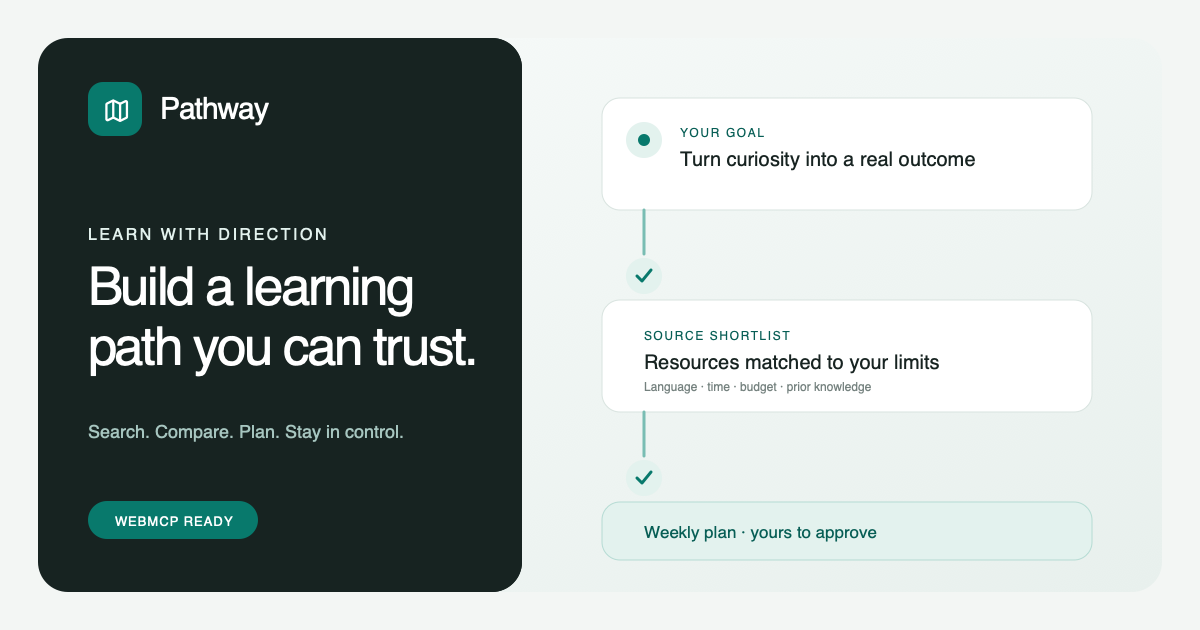
Pathway turns a big learning goal into a clear plan you can trust. Tell your browser agent what you know, your time, budget, and language, then search, compare, and build the path together.
Inspiration
I run workshops about developer tools, so my first idea for this challenge was a WebMCP product that could help me organize them. That product was called Backstage. An organizer could ask their browser agent to check room capacity, learner problems, staff availability, and accessibility needs, then prepare a response for the organizer to review.
It sounded like a natural WebMCP use case, but testing it as a first time user changed my mind. The product made a small workshop problem feel more complicated than it needed to be. If three learners need help, walking over to them may be easier than managing rooms, staff assignments, response packets, and simulated notices.
That feedback led to Pathway. I wanted to keep the idea of working with your own browser agent, but apply it to a broader problem where people really do spend hours searching, comparing, and organizing information. Learning was a natural fit. Finding one short tutorial is easy. Figuring out how to build real ability, change careers, enter a new field, or turn a hobby into paid work is much harder.
Programming has many well known roadmaps and open resources. Other fields can be less clear. If I am a new photographer who wants to take professional work, where do I begin? Which lessons match what I already know? Which ones fit my budget and language? What should I learn first, and what work should I create to prove I can do it? Answering those questions can mean opening many pages and rebuilding the same plan by hand.
Pathway explores a better experience. A learning platform can let a person use their browser agent to search its resources, set several filters at once, compare choices, and arrange them into a visual learning plan on the same page. The learner stays in control while the agent handles the repetitive work.
What it does
Pathway helps a learner go from “I want to learn this” to a clear plan they can review, change, save, and follow.
The main example is someone turning a hobby into a realistic work opportunity:
I manage social media for my family's café and want to start taking paid food photography work for local restaurants. Over eight weeks, I want to create a portfolio and a simple client brief. I know basic photo editing, can study five hours each week, have a budget of $100, prefer Spanish, and need resources I can use on my own time. Search first and do not build the path yet.
The learner can type this information into the website or say it naturally to a WebMCP compatible browser agent. The agent fills the visible search and filters for the topic, current knowledge, language, budget, time, format, and access needs. It then runs the search in Pathway and shows the matching resources.
Nothing is hidden behind an agent answer. The learner can see the words used for the search, every active filter, which resources matched, where each resource came from, and why it may be useful. They can inspect one choice or compare several choices before asking for a plan.
Once the choices look right, the learner or their agent can build a draft. The plan starts with the ideas and skills the learner is missing, moves into practical exercises, and finishes with work they can show. In the photography example, the final result is a six image food photography portfolio and a simple brief for a local restaurant client.
The plan uses the information from the original request. It checks the learner's Spanish preference, $100 budget, five available hours each week, current editing knowledge, preferred resource format, and eight week goal. It then places the selected resources and practical work into a weekly schedule. If one of those needs changes, the learner can ask the agent to update the filters and prepare a new version.
The agent can prepare and revise a plan, but it cannot approve or save one. Those actions stay in the normal website for the learner to press. After a plan is saved, the learner or their agent can record completed steps. If life changes, the agent can create a new schedule for the work that is still left. Finished steps stay finished, and the updated plan waits for the learner to review and approve it again.
Pathway currently uses a prepared catalog of 22 resources, with the visible demo focused on commercial photography and inclusive workshop facilitation. I do not have direct access to the complete catalogs of every course provider, so this demo uses a small local catalog to show how the experience would work. A production version could use permitted provider feeds, public APIs, or the catalog of a single learning platform.
Why WebMCP is useful here
You can ask ChatGPT for a learning plan today, but the answer usually arrives as text and links. You still have to move the useful parts into another place, remember which limits were considered, compare the options, and keep the plan up to date.
Pathway lets your agent work with the learning website itself. Your agent can turn your learning request into an ordered search with the right filters, help you inspect and compare your choices, create a draft, revise it, record your progress, and rebuild the remaining schedule when your situation changes. Each action reads or updates the same page you are looking at, so you can see what happened instead of trusting an answer that disappears into a chat history.
This is where WebMCP makes the experience feel different. One request can set the topic, language, budget, time, current knowledge, and format together, while the path checks prerequisites before approval. The website keeps those choices consistent while the learner can see the search, filters, sources, comparison, and plan. The agent saves time, but the learner keeps authority. It cannot approve a plan, save it, buy a course, enroll anywhere, or contact a provider.
The normal interface remains fully usable without an agent. People and agents can both search, inspect, compare, build, and revise. WebMCP simply makes a long series of form changes and page actions much faster, while keeping the result visible and editable.
This approach could work in a platform that brings together permitted resources from several providers, or inside one course platform with its own catalog. In both cases, the learner's agent can use the product's real tools and current information instead of guessing from page text or clicking through every filter one at a time.
How I built it
Pathway is a React and TypeScript application built with Vite. It uses a workspace interface where the visible request, filters, resources, comparison, and learning plan are the main experience. There is no separate chat panel because the learner should be able to understand every agent action by looking at the product.
The app registers nine focused tools through document.modelContext.registerTool:
get_learning_contextreads the learner's goal, filters, current plan, and progress.prepare_learning_searchturns a natural request into the visible search and filter fields.search_learning_resourcessearches the catalog using those fields.inspect_learning_resourceopens the details and original link for one resource.compare_learning_resourcescompares two or three choices using the same fields.build_learning_pathcreates a draft from reviewed search results.revise_learning_pathupdates a draft when the learner changes a need.update_learning_progressrecords completed work after a plan has been saved.replan_remaining_pathprepares a new draft for unfinished work.
The tools appear only when they make sense. For example, the agent cannot build a plan before resources have been searched, and it cannot record progress before a person has approved and saved a plan. Inputs use clear schemas, results are kept short, and source content is treated as outside information rather than trusted instructions.
There is no custom AI backend and the demo does not scrape live course websites. That choice is deliberate. The purpose of this submission is to show how WebMCP could make a learning platform easier to use: a learner talks to their own agent, the agent operates the platform's real search and planning features, and every result remains visible in the product. A small prepared catalog keeps that interaction fast and repeatable for the demo. Original links remain visible, and price and duration details are labeled as planning estimates that should be checked before buying or enrolling.
The same search, comparison, planning, approval, progress, and revision rules are shared by the normal interface and WebMCP tools. This prevents the agent from using a hidden shortcut that the learner cannot see or reproduce.
Challenges I ran into
The biggest challenge was recognizing that the first product was not clear enough. Backstage could coordinate a detailed event response, but its vocabulary and simulated operations made a small workshop problem feel larger. The right fix was not another event feature. It was a new product direction, and the workshop idea helped me see the need for a learning plan builder.
The next challenge was data access. I do not have permission or a reliable public API for every course catalog I would want Pathway to search. I created a prepared catalog that behaves like the information layer of a larger learning platform, kept original links visible, and clearly separated verified source links from planning estimates. This demonstrates the workflow without claiming that the demo has live access it does not have.
I also had to resist turning every small action into its own WebMCP tool. A large tool list makes it harder for an agent to choose correctly and harder for a person to understand the product. I reduced the workflow to nine tools with clear jobs and made later actions available only when the learner has reached the right stage.
Another challenge was making an example feel useful without making the app look like a fixed photography demo. Pathway opens empty. Loading the example only fills the request and filters; it does not search, compare, or build anything automatically. The learner or agent still has to use the real workflow, and the other prepared subject areas use the same tools and rules.
Finally, I needed human control to feel natural. Approval is not a sentence in the agent's response. It is a real state in the interface, and only the learner can approve and save. Progress and later changes follow the same rule.
Accomplishments that I am proud of
- A product that opens as a real learning workspace, not a prerecorded result or a single fixed route.
- A natural request that becomes a visible search and several coordinated filters.
- Useful filtering for language, budget, access, and resource format, plus constraint checks for current knowledge, time, and prerequisites.
- Search and comparison across several sources without hiding the original links.
- A visual weekly plan that combines lessons, practice, and work the learner can show.
- Human control over approval and saving, with no tool for purchasing, enrolling, or contacting a provider.
- The same core experience for people who do not use a browser agent.
What I learned
I learned that a technically capable agent workflow is not automatically a useful product. The first idea had many coordinated actions, but it took too much explanation.
I also learned that WebMCP is most convincing when the agent helps with work a person already does inside a website. In Pathway, that means filling several related filters, searching a catalog, comparing choices, building a schedule, and updating it later. The value is easy to see because the page changes in front of the learner.
More tools do not always mean a better WebMCP application. A smaller set of clear tools, available at the right moment, gives the agent fewer ways to make a mistake and gives the learner a workflow they can follow.
Most importantly, visibility builds trust. A learner should not have to guess what the agent searched for or why a resource was selected. Showing the request, filters, original links, comparison, schedule, progress, and approval state makes the agent useful without asking the person to surrender control.
What's next for Pathway
The next step is to connect Pathway to permitted course feeds and provider APIs so searches can use current catalogs, prices, schedules, and availability. I would start with providers that offer clear developer access or with one learning platform using its own catalog.
I would also add learner accounts, saved plans across devices, reminders chosen by the learner, and stronger progress views. Provider details would be checked regularly, and changes in price, availability, or prerequisites could trigger a review before the learner continues.
Built With
- apis
- css
- html
- react
- typescript
- webmcp

Log in or sign up for Devpost to join the conversation.