-
-
Elastic Lens
-
The Problem
-
Architecture
-
LOOKUP JOIN
Inspiration
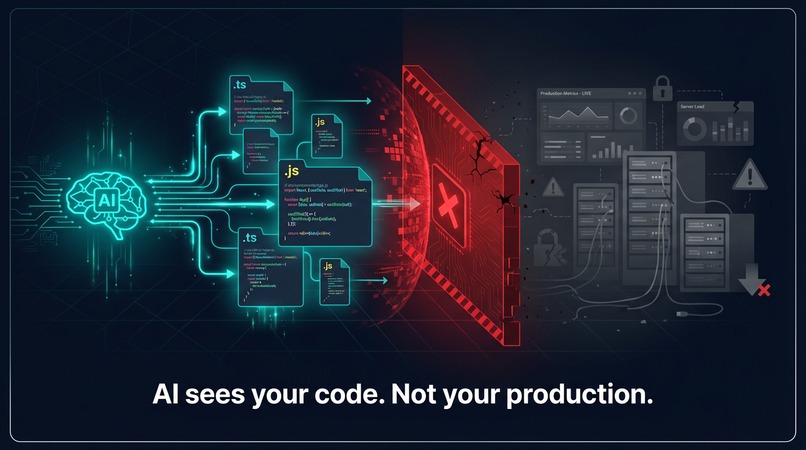
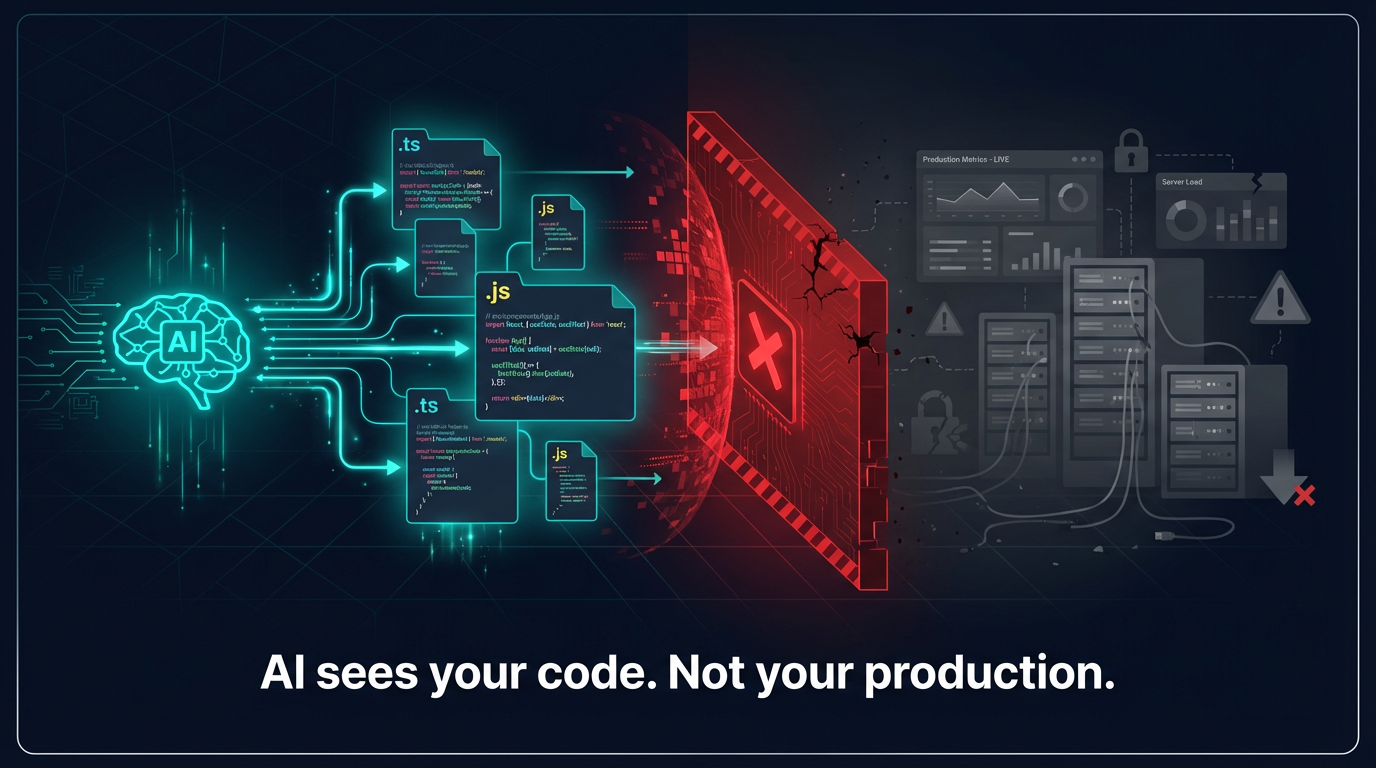
Every AI coding tool - Cursor, Copilot, Amp - operates in a vacuum. They can read your code, suggest refactors, and write tests, but they're completely blind to production. They don't know your function handles 18,000 requests/day, has a 2.3% error rate, or that the last deployment caused a P1 outage. The data already exists in Elasticsearch - APM transactions, error logs, deployment records, incident history. It's just not connected to where developers work. We wanted to fix that.
What it does
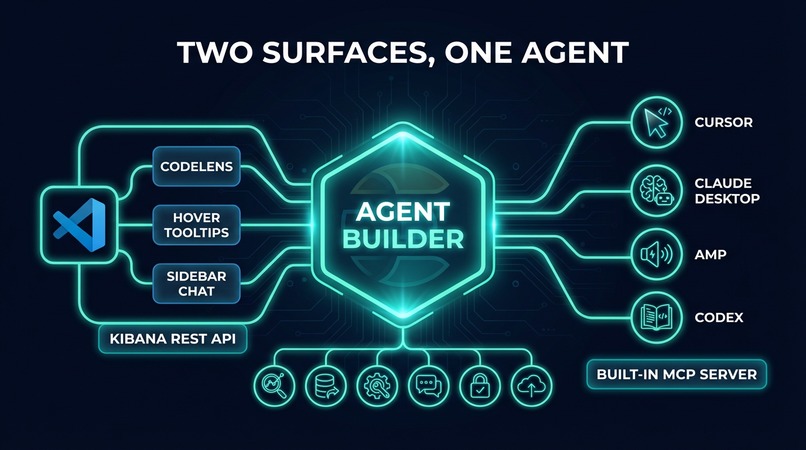
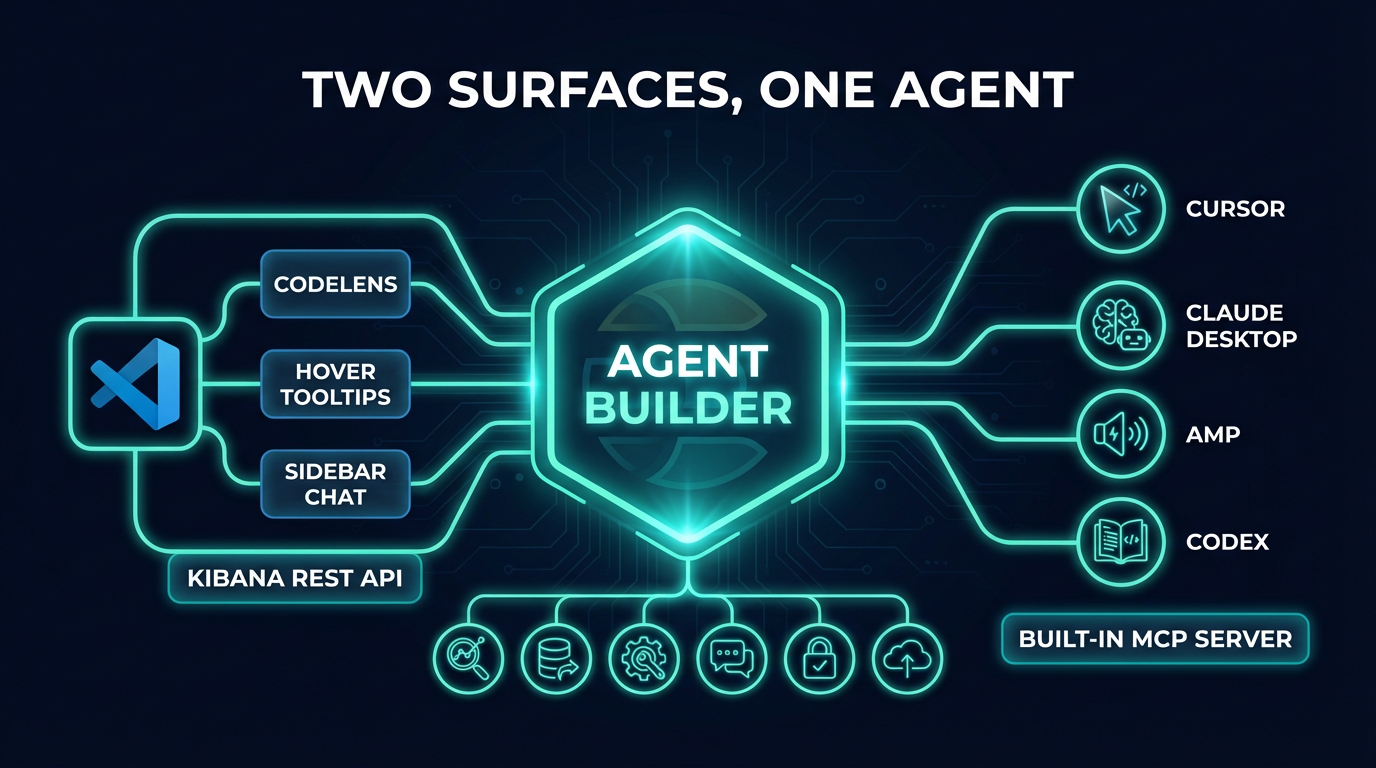
Elastic Lens bridges production data in Elasticsearch with coding environments through two interfaces, powered by a single Elasticsearch Agent Builder agent:
VS Code Extension - CodeLens annotations (🟢🟡🔴) above every function showing live production health, hover tooltips with deployment and incident history, diagnostic squiggles on high error-rate functions, and a sidebar chat for deep-dive investigation.
MCP Server - Agent Builder's built-in MCP server connects instantly to any MCP-compatible tool (Cursor, Claude Desktop, Amp, Codex). Ask "Is it safe to refactor processPayment?" and get a data-backed risk profile instead of a guess.
How we built it
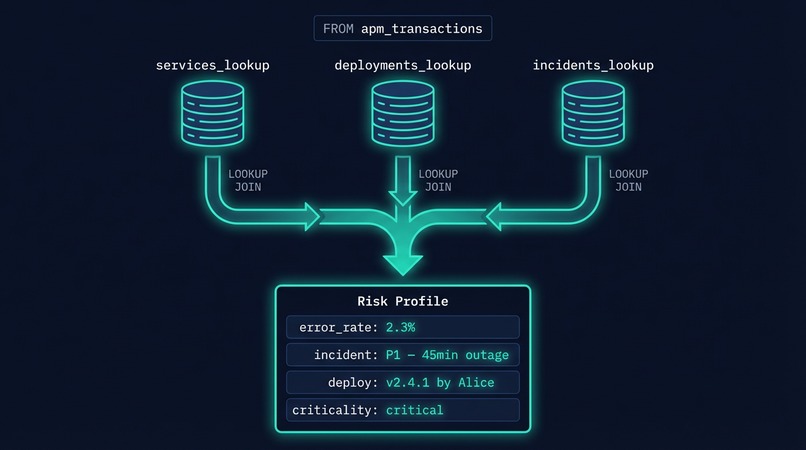
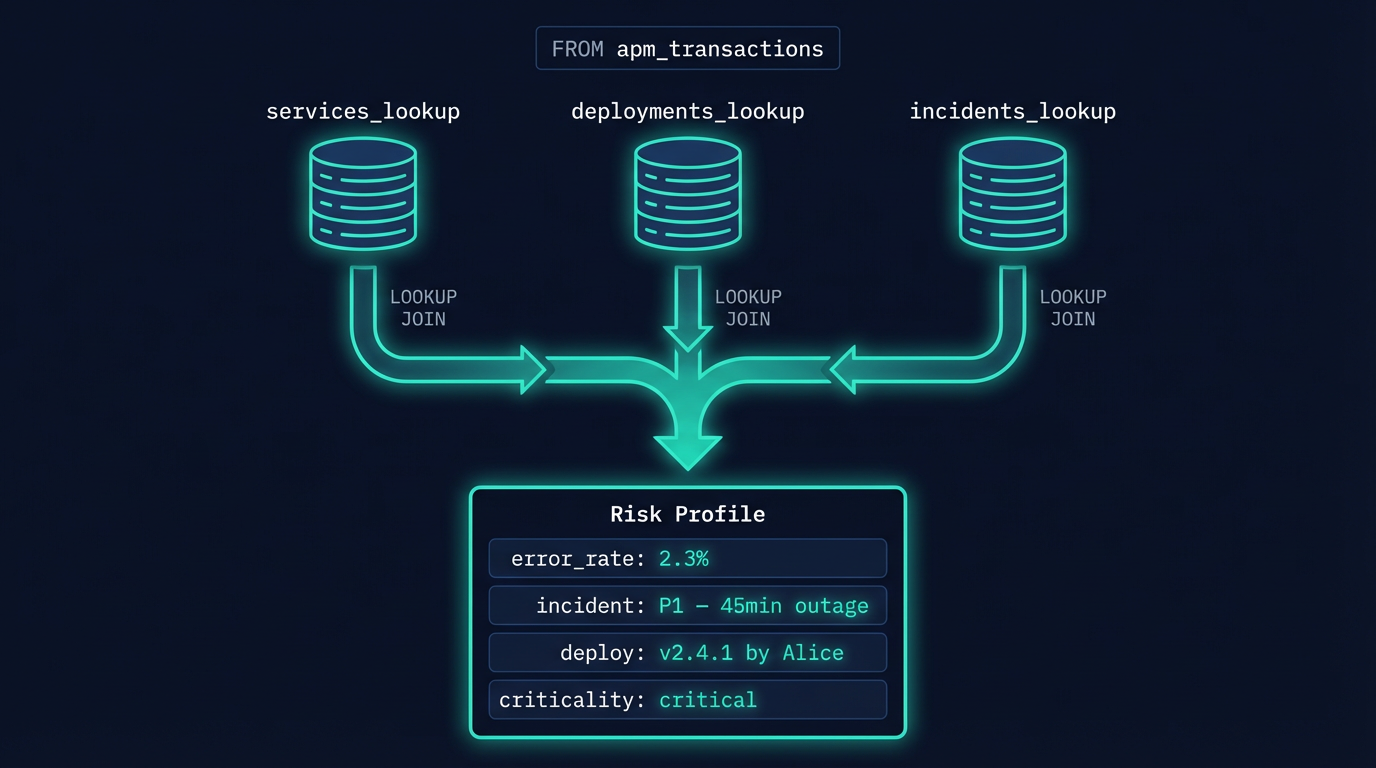
We created six Elasticsearch indices (including four in lookup mode) to store APM transactions, error logs, services metadata, deployments, and incidents. We built Agent Builder tools using ES|QL - the showcase being a 3-way LOOKUP JOIN that correlates APM metrics with service metadata, deployment history, and incident records in a single query. The VS Code extension was built with TypeScript, using CodeLens, Hover, and Diagnostics providers that call the same Agent Builder backend. Mock data generation was done in Python, producing ~100K APM transactions and ~5K error logs across 30 days with realistic patterns - including a "hero bug" where processPayment's error rate spikes after a specific deployment.
Challenges we ran into
Designing ES|QL queries with multiple LOOKUP JOINs to correlate data across indices was a key challenge - we needed to chain three JOINs in a single query while keeping it performant. Building a VS Code extension that renders production data inline without being intrusive required careful UX thinking. Making the same agent work seamlessly across both a custom VS Code sidebar and the standard MCP protocol required thoughtful API design.
What we learned
ES|QL's LOOKUP JOIN is incredibly powerful for correlating data across indices without denormalization. Agent Builder's built-in MCP server eliminates the need for custom server code entirely. The gap between "data exists" and "data is useful" is almost entirely a UX problem.
Built With
- elasticsearch
- elasticsearch-agent-builder
- elser-(semantic-search)
- es|ql
- mcp-(model-context-protocol)
- node.js
- python
- typescript
- vs-code-extension-api


Log in or sign up for Devpost to join the conversation.