Inspiration
What it does
How we built it
Challenges we ran into
Accomplishments that we're proud of
What we learned
What's next for 77- Heart Auscultations made easy
Introduction: Cardiovascular diseases (CVDs) remain the leading cause of death worldwide, according to the World Health Organization (WHO). In 2019, CVDs were responsible for approximately 17.9 million deaths worldwide in 2019, representing 32% of all global mortalities. 6,457 deaths were reported in Jamaica that same year ( World Heart Federation, 2025). Furthermore, research done by Jones and Rostant, PC trial Lawyers, revealed that “Failure to diagnose” or “delayed diagnosis” was one of the primary drivers of malpractice lawsuits in cardiology. To address this critical issue, I propose to you an innovative AI solution that will revolutionize the field of medicine: Heart Consultations Made Easy. This AI technology is designed to assist healthcare professionals, particularly cardiologists, with the detection of abnormal heart sounds with greater precision and efficiency. This solution aims to improve diagnostic accuracy, reduce the incidence of misdiagnosis or delayed diagnosis, and ultimately strengthen our Health Sector’s secondary interventions for cardiovascular diseases. Resulting in earlier detection, prompt interventions, and, most importantly, saved lives.
Description of Project:
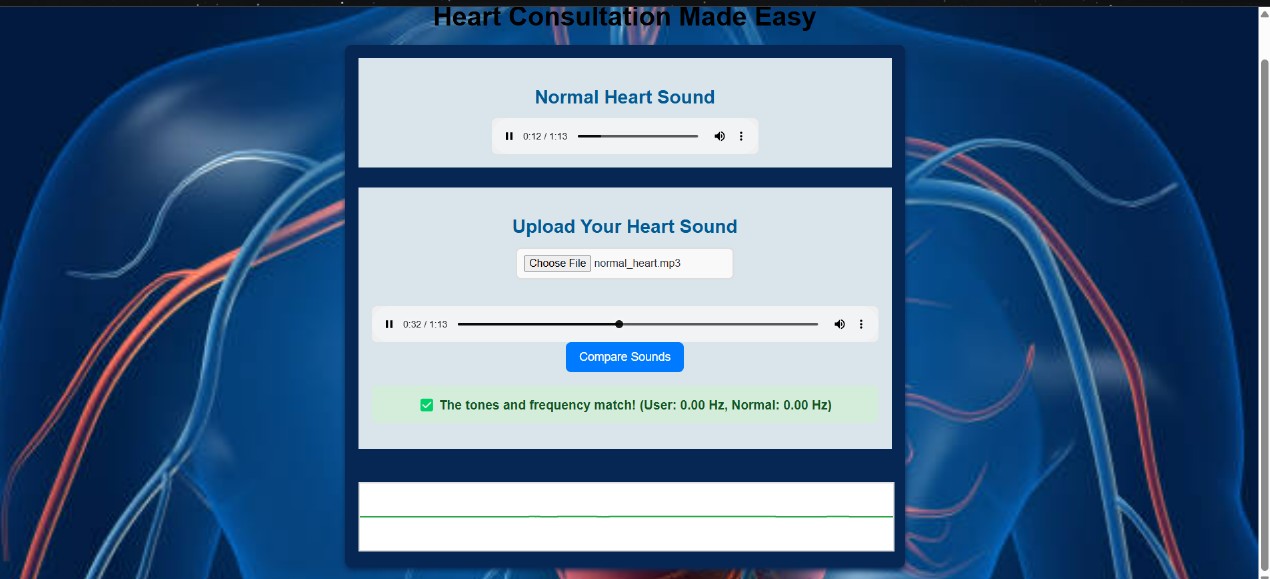
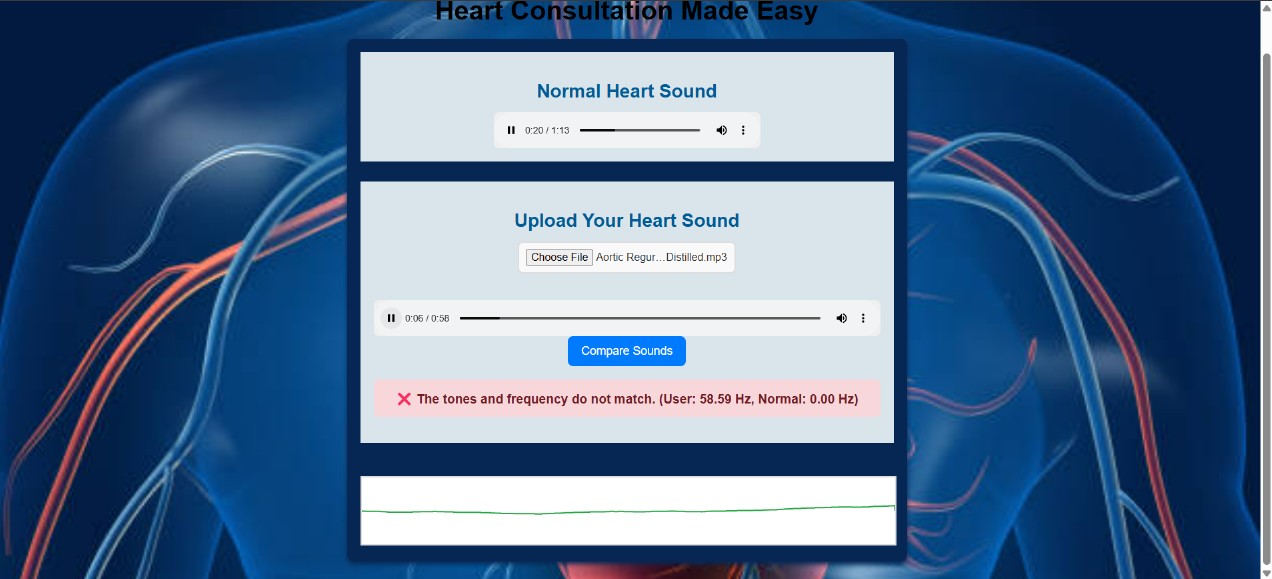
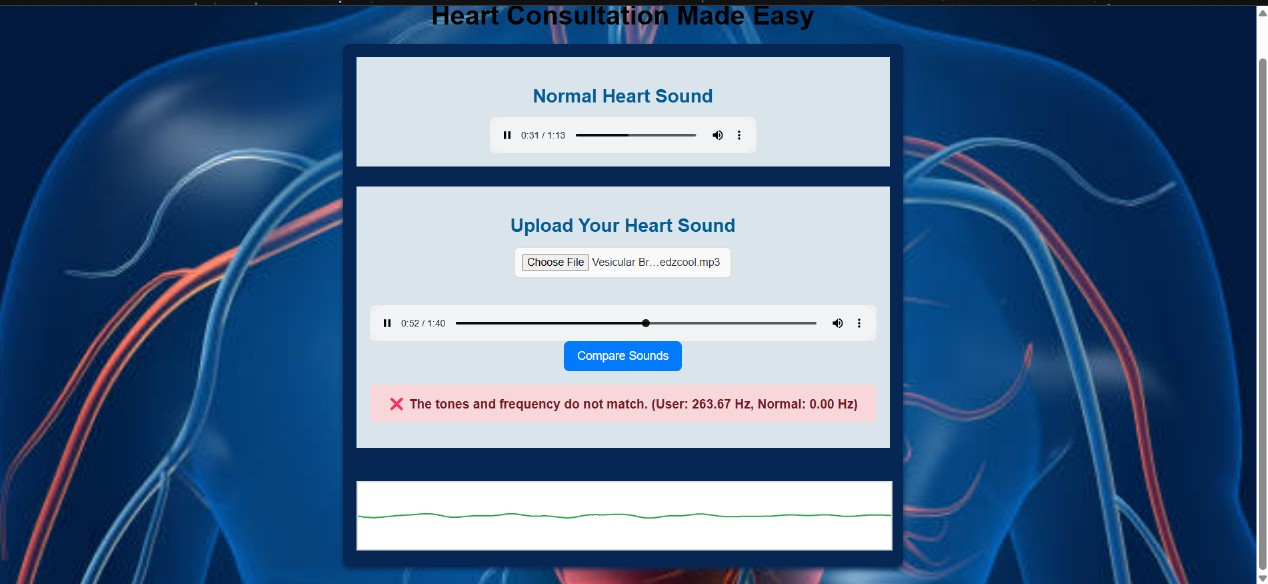
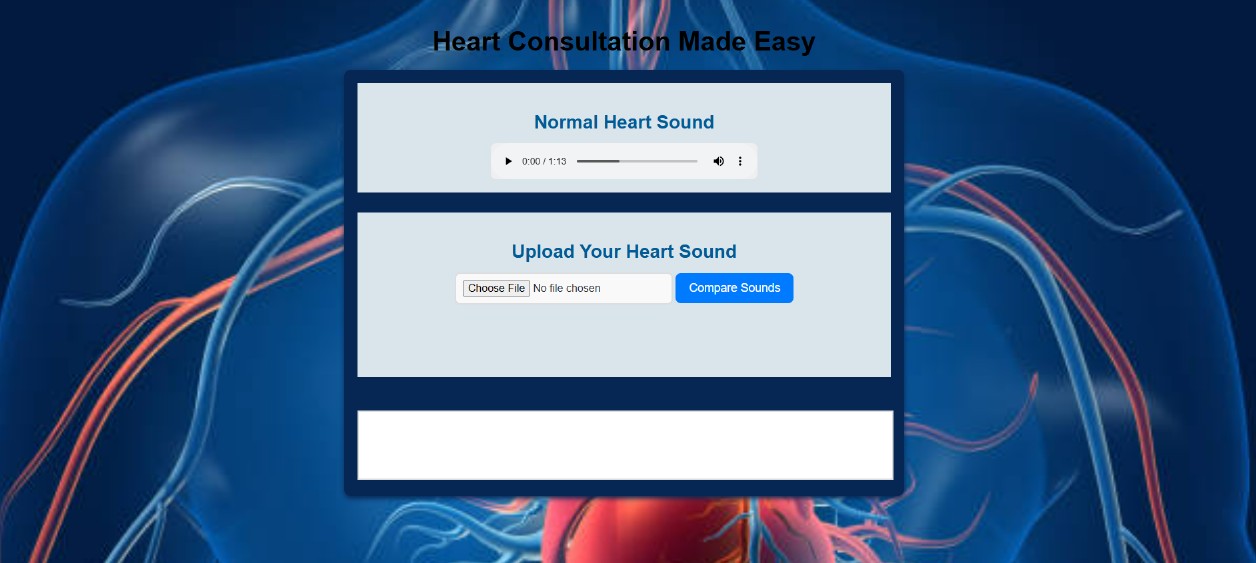
This program is designed to compare the frequency of a normal heart sound (stored in the normal_heart.mp3 file), an abnormal heart sound ( Aortic Regurgitation), and a non-heart sound (Vesicular Breath). The core functionality revolves around analyzing the frequency spectrum of the sounds and comparing their dominant frequencies to the range of normal cardiac sounds stored with a library of normal cardiac heart sounds. The result indicates whether the heart sounds are normal or abnormal.
Audio Context:
- The program uses the Web Audio API, specifically the
AudioContextobject, to handle and analyze audio files. TheAudioContextis responsible for decoding audio files into a format that can be processed for analysis.
- The program uses the Web Audio API, specifically the
Heart Sound Comparison :
- The program first loads the normal heart sound library (
normal_heart.mp3) into memory and decodes it into anAudioBuffer. This is done asynchronously in theloadNormalHeartSound()function, which is triggered when the page loads. - When a user uploads an audio file, the program reads the file, decodes it into an
AudioBufferas well, and then analyzes it to find its dominant frequency.
- The program first loads the normal heart sound library (
Frequency Analysis :
- The uploaded sounds are compared to the library of normal heart sounds and are analyzed using the Fourier Transform through the
AnalyserNodein the Web Audio API. TheAnalyserNodeprovides real-time frequency data, and this data is used to identify the dominant frequency (the frequency with the highest energy). - The
getDominantFrequency()function handles the frequency analysis by creating anAnalyserNode, connecting it to the audio buffer, and then extracting the frequency data to determine which frequency has the maximum intensity.
- The uploaded sounds are compared to the library of normal heart sounds and are analyzed using the Fourier Transform through the
Comparison Logic :
- Once the heart sounds are analyzed, their dominant frequencies are compared to normal frequency range for heart sounds within the library. If the frequencies are close (within a specified threshold), the program concludes that the sounds are similar, indicating that the heart sounds are normal. If the frequencies differ significantly, it concludes that the heart sounds are abnormal .
- The threshold for frequency difference is set to 10 Hz, which means that if the frequencies are within 10 Hz of the normal range the program will consider them normal.
Visual and Interactive Feedback :
- Audio Playback: After the comparison, the program plays the uploaded heart sound so the user can hear it.
- Result Display : The result is displayed in a
pelement with an ID ofresult. If the sounds match, the result text is shown with a green background and a success message. If they don’t match, it’s displayed with a red background and a failure message. - The page also dynamically shows the uploaded audio file, allowing the user to listen to their uploaded heart sound.
How It Works:
Loading Normal Sound :
- The
loadNormalHeartSound()function is triggered when the page loads. It fetches the normal heart sound (normal_heart.mp3), converts it into anArrayBuffer, and decodes it into anAudioBufferfor analysis.
- The
User Uploads Heart Sound :
- The user selects an audio file through the file input. The program then reads the file using the
FileReaderAPI and decodes it into anAudioBuffer.
- The user selects an audio file through the file input. The program then reads the file using the
Frequency Extraction :
- Both heart sounds (the uploaded one and the normal one) are passed to the
getDominantFrequency()function, where anAnalyserNodeis used to analyze the frequencies. The dominant frequency is calculated by examining the frequency spectrum and identifying the frequency bin with the highest value.
- Both heart sounds (the uploaded one and the normal one) are passed to the
Comparison :
- After extracting the dominant frequencies for the sounds, the program compares the absolute difference with normal frequency range in the library. If the difference is smaller than the set threshold (10 Hz), the tones are considered a normal. Otherwise, they are considered abnormal.
Results and Feedback :
- The result of the comparison is displayed dynamically on the page. If the frequencies match, the result is positive and shown with a green background. If they don’t match, the result is negative and shown with a red background.
- Additionally, the program plays the uploaded heart sound so that the user can hear their recording.
Technical Details:
Web Audio API :
- The Web Audio API is a powerful tool for handling audio operations directly in the browser. In this case, it’s used to decode, analyze, and compare the audio data from both heart sounds.
FileReader :
- This API is used to read the uploaded file, which is then converted into an
ArrayBuffer. This allows the program to handle raw audio data from the file.
- This API is used to read the uploaded file, which is then converted into an
AnalyserNode :
- This node is key to extracting frequency data. It provides an array of frequency data, which represents the audio signal's strength at different frequencies. The program analyzes this data to find the dominant frequency.
Possible Use Cases:
- This system could be expanded to work as a basic diagnostic tool for comparing heart sounds. It doesn't replace real medical equipment or a doctor’s diagnosis. Compilation of the Library would be governed by an internationally recognized Society/ Association of Cardiologists/ Cardiothoracic Surgeons.
- It could be part of a larger healthcare app or a learning tool for students studying cardiology, as it demonstrates how frequency analysis can be used to analyze heartbeats.
Conclusion: This program uses modern web technologies like the Web Audio API and JavaScript to analyze heart sounds. It allows users to input patient's heart sounds and compare them with a library of normal heart sounds, providing feedback on whether the heart sounds are similar based on their frequencies. It’s a simple yet effective demonstration of audio analysis and frequency comparison in real-time using JavaScript and HTML5.
Problems Faced: In the initial stage of the project, we wanted to implement an application that would be able to interpret heart, breath, and bowel sounds input from auscultations performed by a medical doctor while examining a patient. This wasn’t feasible due to the complexity of this project, and we were advised by a coach to go for a simpler idea. We followed the coach's advice and made the change. However, we still faced some challenges finding suitable audios from the internet and having problems with the audio playing for an excessive time. Additionally, we had issues with the cascade design of the website, having to ensure the images were able to fit the screen and look appropriate. Apart from typical syntax errors when using the HTML5 tags we were able to complete the project.
Built With
- html5
- javascript
- webaudioapi

Log in or sign up for Devpost to join the conversation.