-
-
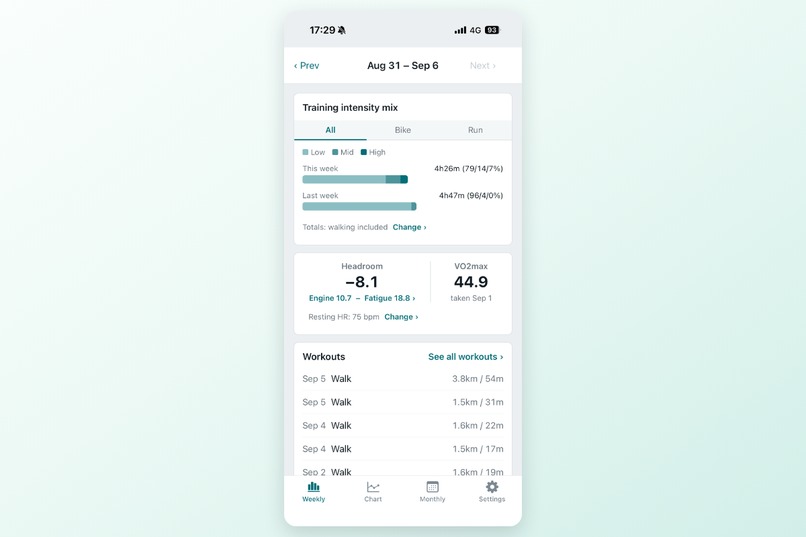
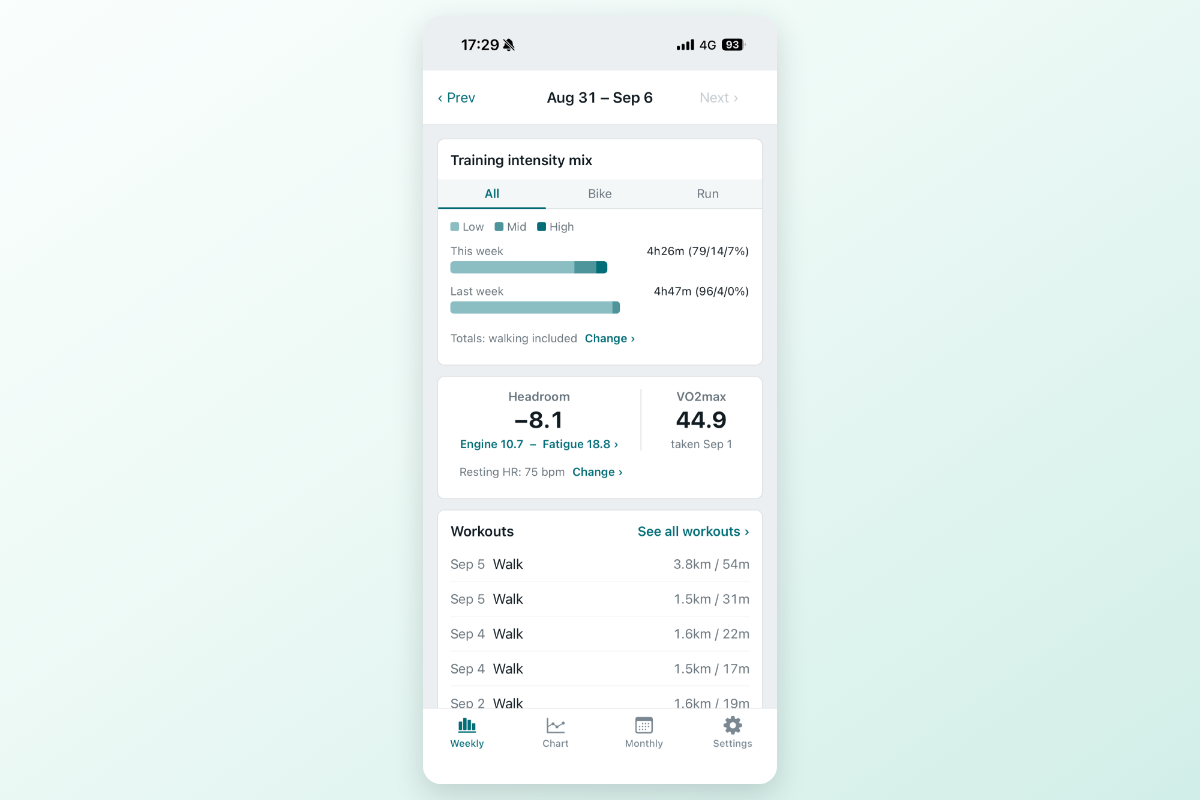
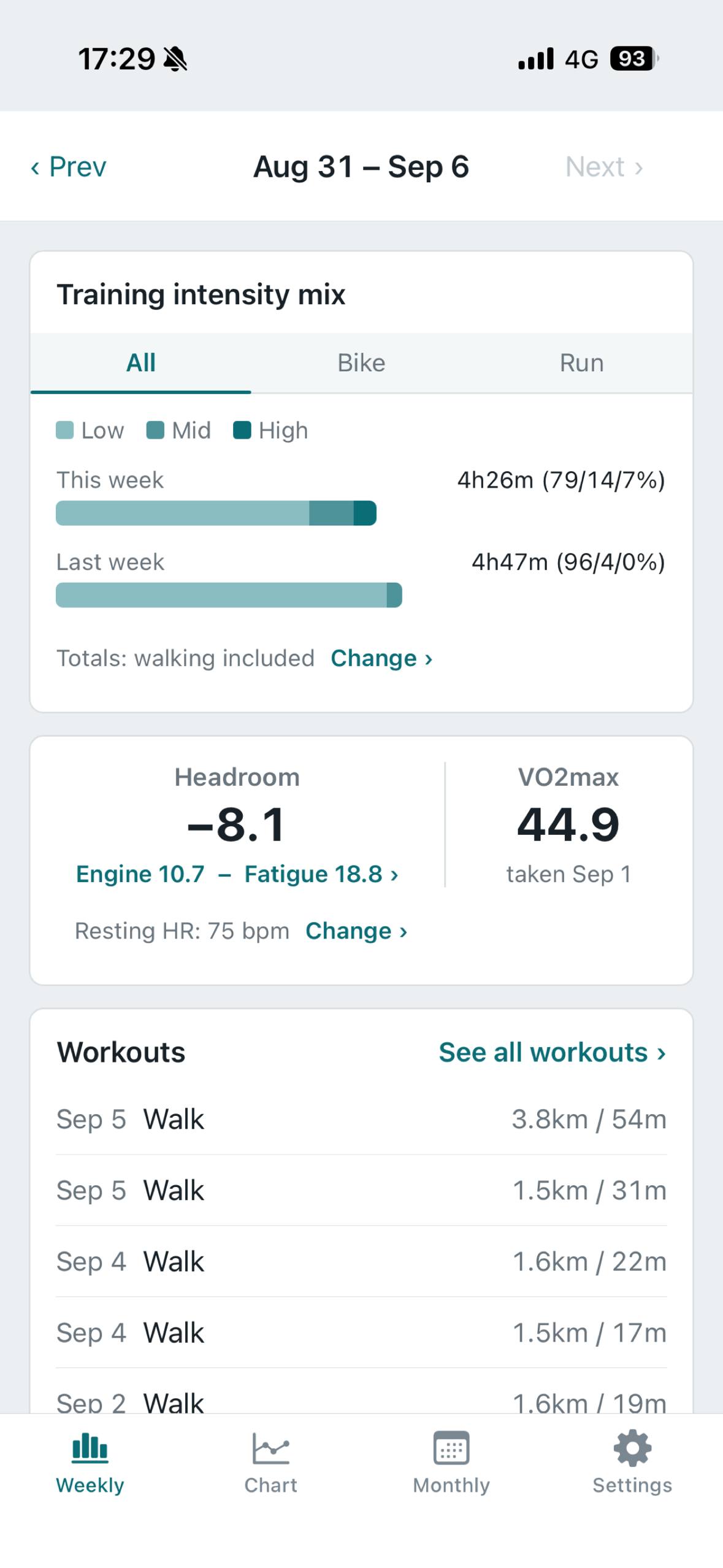
Weekly tab: this week's intensity mix across cycling, running, and walking, Headroom with the numbers behind it, and the workouts below.
-
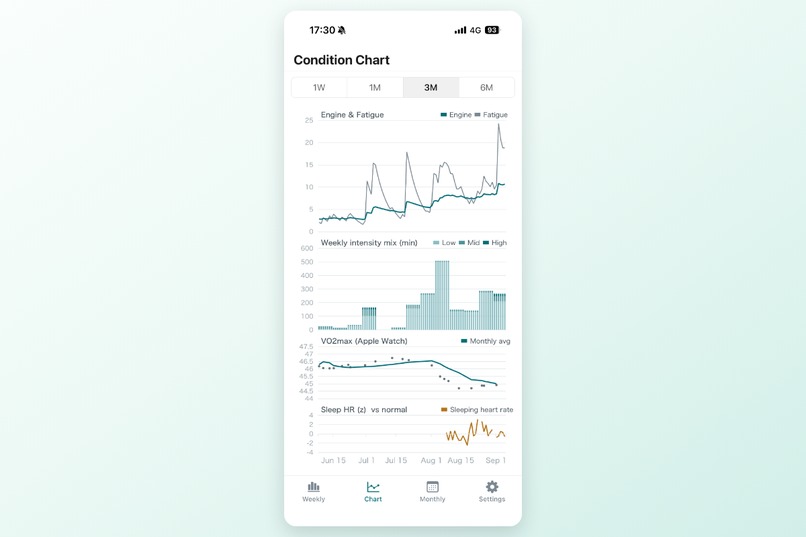
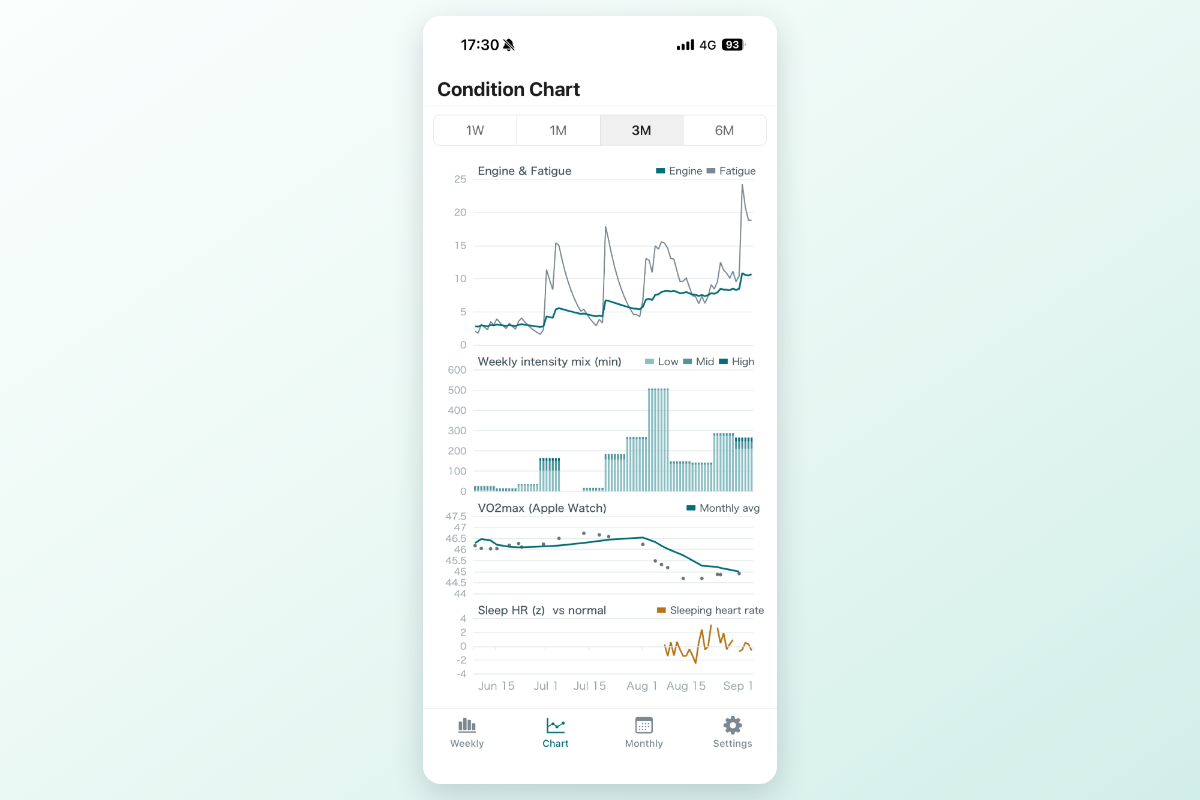
Condition Chart: Engine and Fatigue, intensity mix, VO2max, and sleeping heart rate on one timeline, with a crosshair linking all four.
-
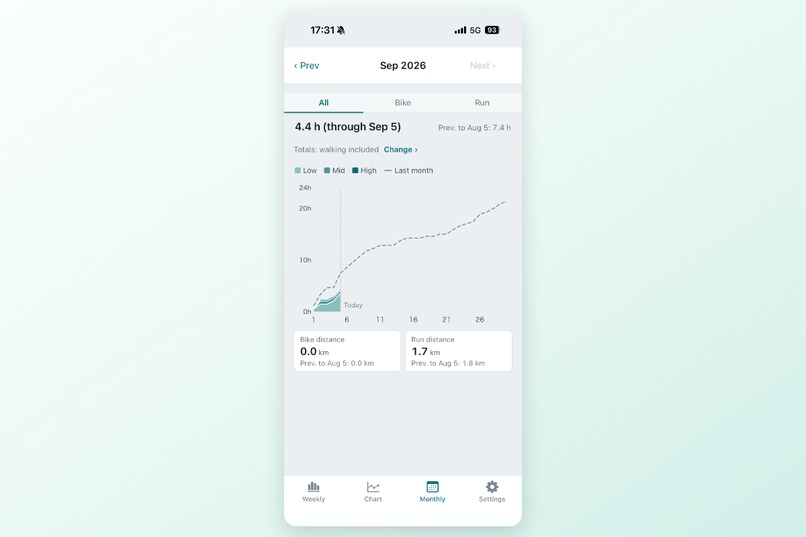
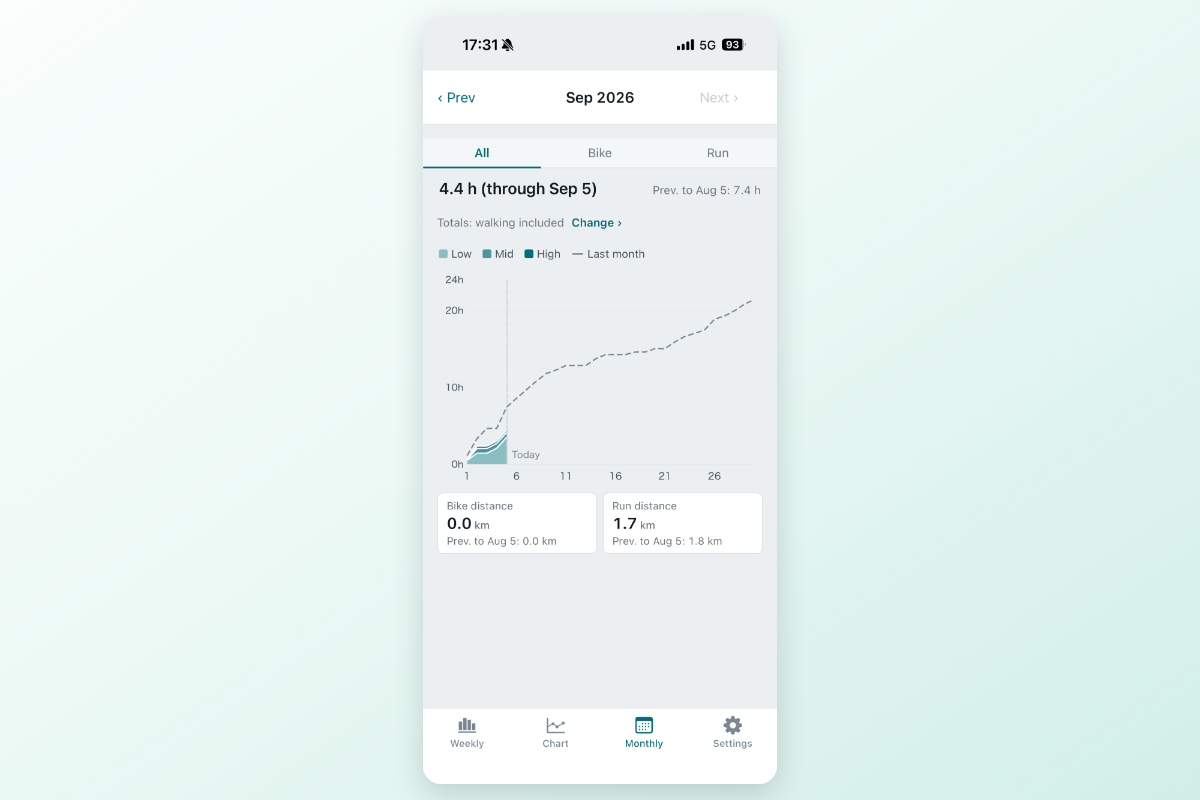
Monthly view: hours accumulated so far this month by intensity, against the same point last month (dashed), plus distance per sport.
-
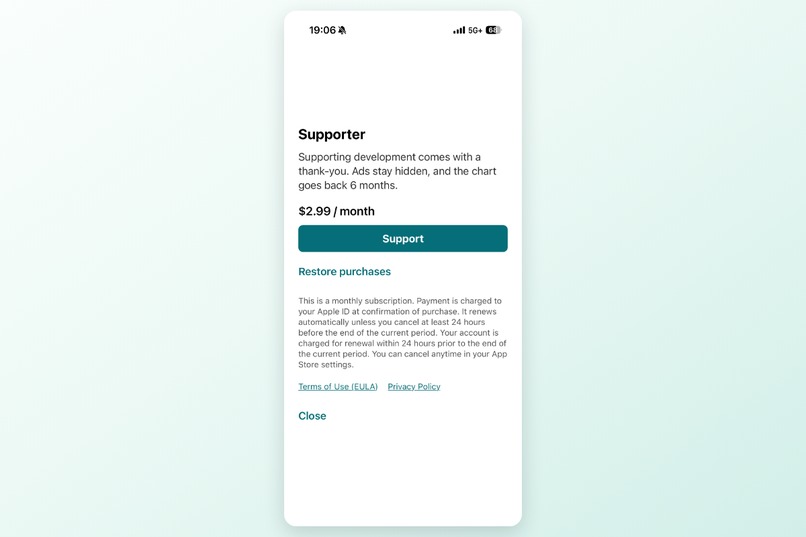
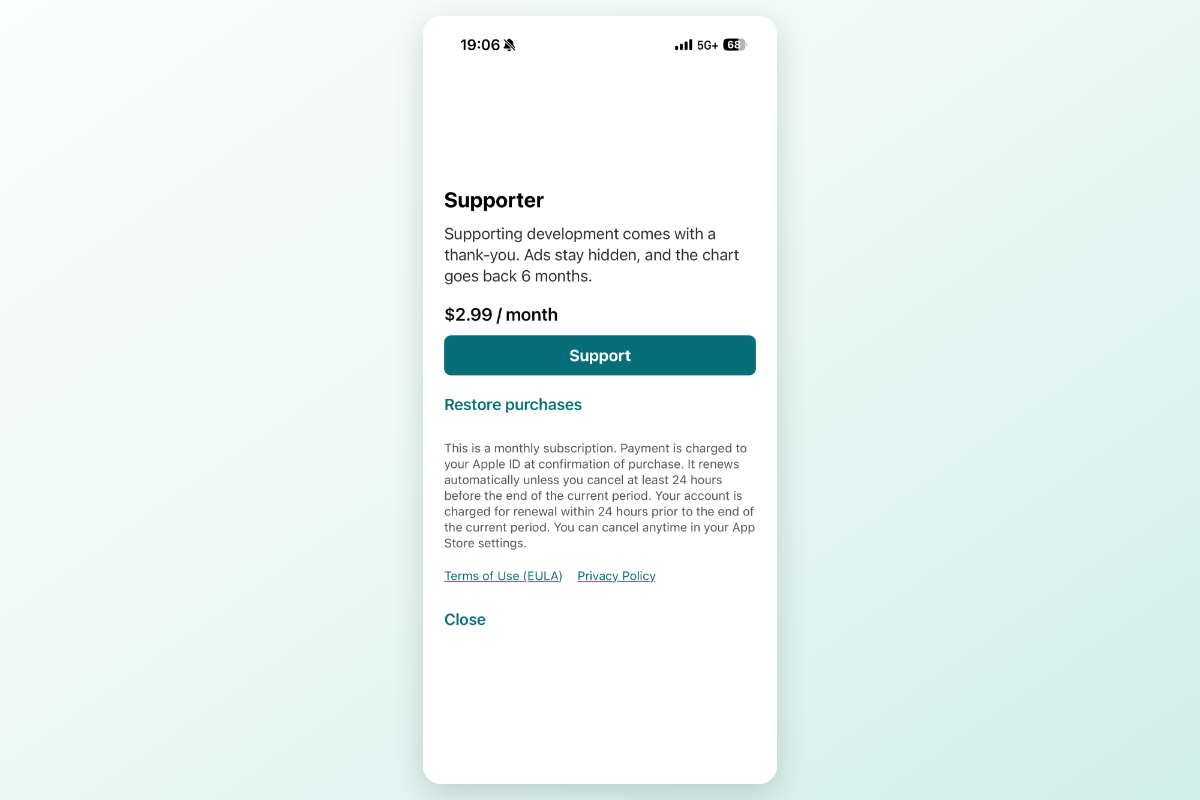
Supporter plan (¥480/month) via RevenueCat: removes ads and unlocks the 6-month chart window. The chart itself is free.
-
App icon, 1024x1024, uncropped.
-
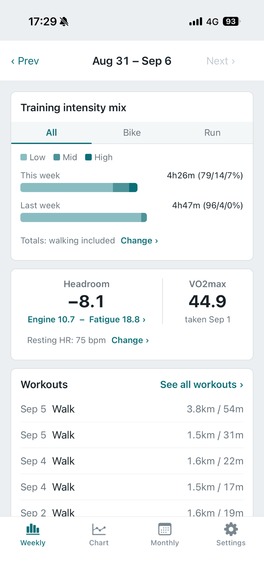
Weekly tab, unmodified device screenshot (no frame).
Inspiration
I'm past 50. I started looking at VO2max after reading that it correlates with lifespan — my Apple Watch said 45–47, and I wanted 50.
What I found is that "just train harder" is the least efficient way to get there. What works is deliberately combining high intensity with genuinely easy low intensity, and avoiding the middle. In your 50s a second constraint shows up: recovery is slow, and a hard session on an unrecovered day costs you months if you get injured.
So the two things I needed to see were: how my intensity is actually distributed across cycling and running, and how much accumulated fatigue I'm carrying today. I had a heart rate strap, a watch, a bike computer, and three services chained together — and neither of those two things was visible. Existing apps are built for athletes, show a dozen scores a day, and tell you what to do without giving you any way to check whether they're right.
What it does
Cardilife reads workouts, heart rate, sleep, and VO2max from Apple Health and puts four things on one shared timeline:
- Engine & Fatigue — 42-day and 7-day exponentially weighted averages of daily training load. The gap between the two lines is Headroom.
- Intensity mix — time in low / moderate / high intensity, stacked in absolute minutes so the height shows volume and the colors show shape. Cycling, running, and walking are combined; per-sport tabs are there too.
- VO2max — observations as points, a monthly moving average as a line. Never interpolated between measurements.
- Sleeping heart rate (z) — flat is normal. When it stays elevated while Headroom says you're recovered, the app marks that stretch as a divergence on panels 1 and 4.
Two design rules run through all of it:
- It never tells you what to do. No "today's recommendation", no achieved/missed badges, no readiness score. It presents facts and leaves the training theory to you — the polarized research is on elite athletes, and how well it transfers to a 55-year-old amateur is genuinely an open question.
- Your records stay on your device. Heart rate, sleep, workouts, and everything computed from them are processed and stored on the phone. The server holds only settings that need to follow you across devices — heart rate zone boundaries, max HR, VO2max goal. There is no endpoint that accepts a health metric.
It also handles the messy part of using two trackers: pick which device is authoritative per metric (workouts from Apple Watch, sleeping heart rate from Fitbit), toggle whether walking counts toward load, and let duplicate recordings of the same ride resolve automatically — marked, never deleted, so a bad call stays auditable.
How I built it
- React Native / Expo (Dev Client + config plugins, New Architecture), TypeScript, Expo Router
- HealthKit via
@kingstinct/react-native-healthkit, read-only — no write permission is ever requested - All the math is pure functions in
src/domain/, with no access to storage, HTTP, or HealthKit. Coefficients and thresholds get retuned against real data constantly, so they had to be testable in isolation and shippable over the air. - Apache ECharts inside a WebView for the four-panel chart, bundled offline — the data is on-device, so the chart has to render with no network
- expo-sqlite for the computed metrics, FastAPI on Cloud Run + Neon Postgres for settings only, Firebase Auth (Google and Sign in with Apple)
- RevenueCat for the Supporter plan (¥480/month): removes ads and unlocks the 6-month chart window. The core — chart, intensity mix, divergence warnings — is free.
Challenges I ran into
A single heart rate reading can invent a workout. One 175 bpm sample followed by a strap falling off produced 30 minutes of fabricated high intensity. I capped how long one sample may represent, adapting to each device's actual sampling interval — and I don't fill gaps. Coverage is reported instead, so a sparse recording looks sparse rather than looking like training.
Moving the calculation onto the phone, after building it on the server. Every competitor advertises on-device processing, and Apple's guideline 5.1.3 restricts sharing HealthKit-derived data with third parties — including derived numbers. Rewriting the domain layer in TypeScript was the larger half of the project, and it closed the door on server-side LLM features I had planned.
Two devices recording the same ride. Grouping by sport and start time, choosing a representative by device priority and by whether heart rate is actually present, without letting the chain of comparisons swallow a genuinely separate afternoon ride.
Accomplishments that I'm proud of
The four panels share one x-axis and one crosshair, so "the week I raised high intensity" and "the week my sleeping heart rate wouldn't come down" are readable as one picture instead of four screenshots. And the discipline of not scoring the user — everything on screen is an observation, not a verdict.
What I learned
That the hard part of a health app is not the model, it's what you refuse to do with the data: not sending it anywhere, not filling in gaps, not turning an average into advice.
What's next
Recommendations ("what should I do today?") stay on hold until on-device LLMs are common enough to generate them without sending health data anywhere. When that lands, it should present multiple training theories rather than assert one.
Built With
- alembic
- eas-build
- eas-update
- echarts
- expo-sqlite
- expo.io
- fastapi
- firebase-authentication
- github-actions
- google-cloud-run
- healthkit
- jest
- neon
- playwright
- postgresql
- pydantic
- python
- react-native
- revenuecat
- sqlalchemy
- sqlite
- typescript
- webview


Log in or sign up for Devpost to join the conversation.