-
-
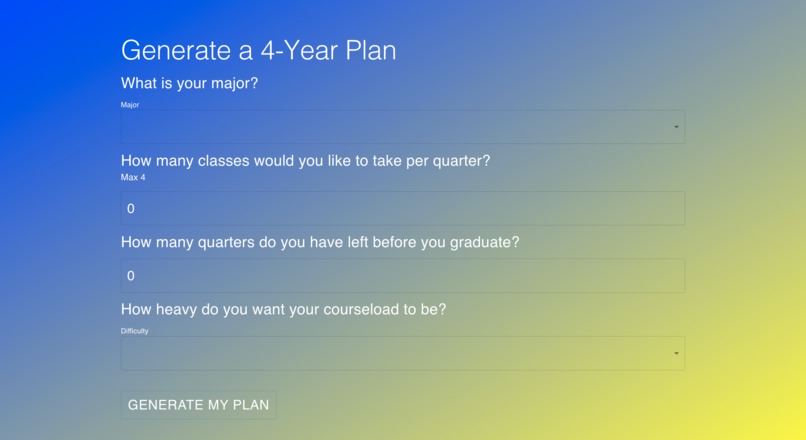
Questionnaire
-
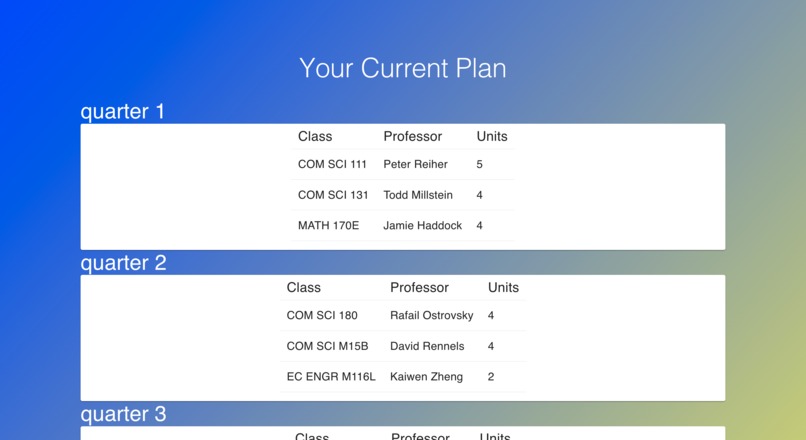
Plan
-
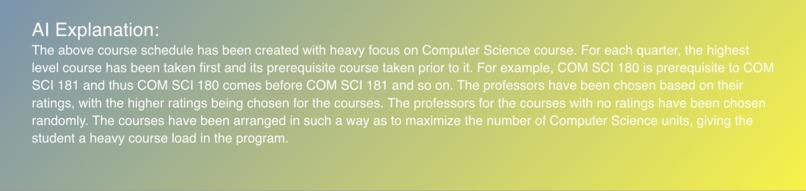
Explanation
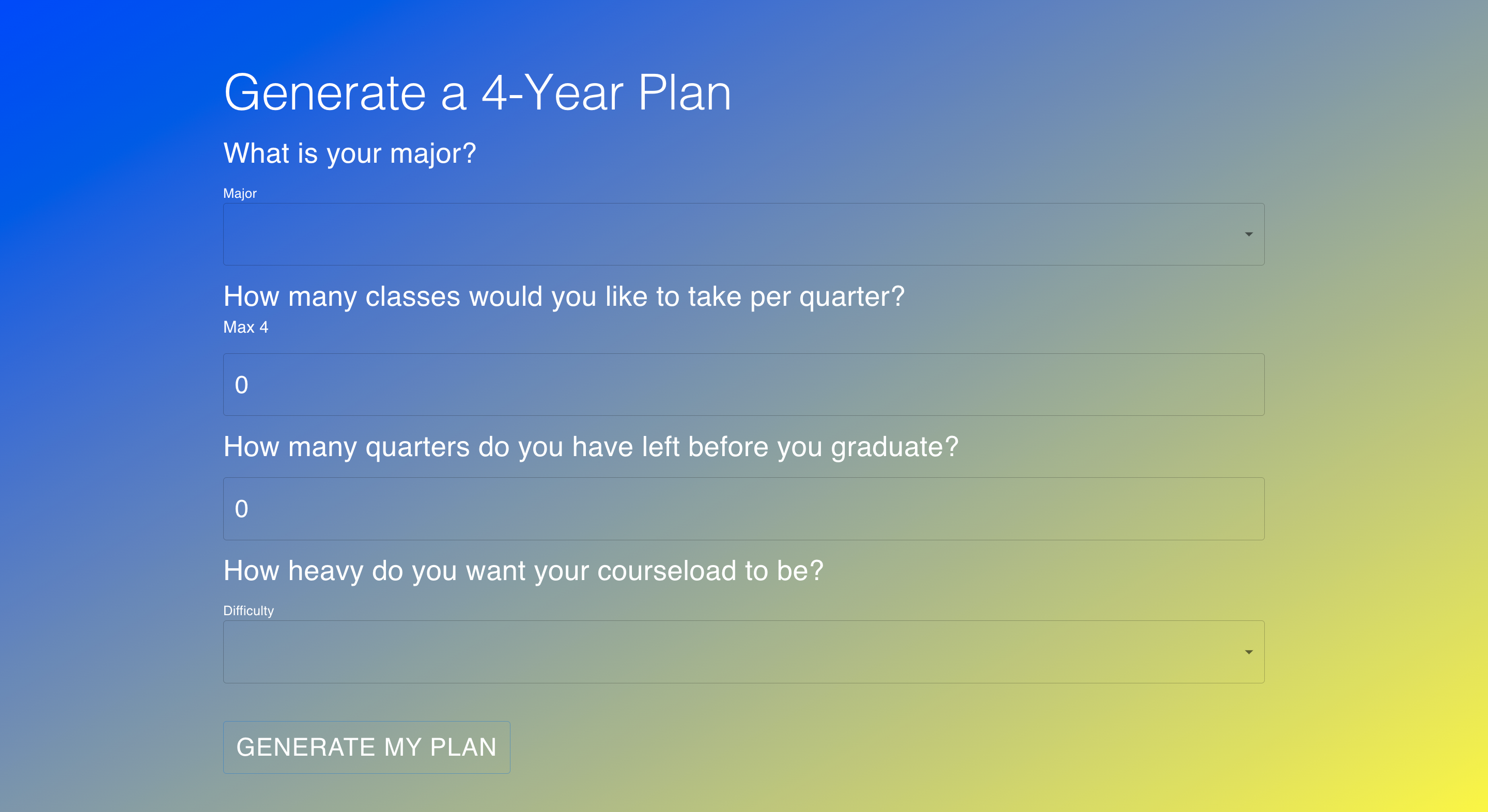
Inspiration
At a public school as large as UCLA, it isn't easy to get your hands on an academic advising appointment. I learned this first-hand when I was trying to switch majors. I spent hours sending emails back and forth in hopes of getting an appointment only to be met with waits and directions to different departments. I was clueless; I had no idea which classes to take and when to take them. That's why I was so happy when I was finally able to meet with my counselor and she helped me create a four-year plan so I could navigate through the rest of my time at UCLA with confidence. I only wish I could've done this earlier, so I wanted to create something that could help students like me do this themselves.
What it does
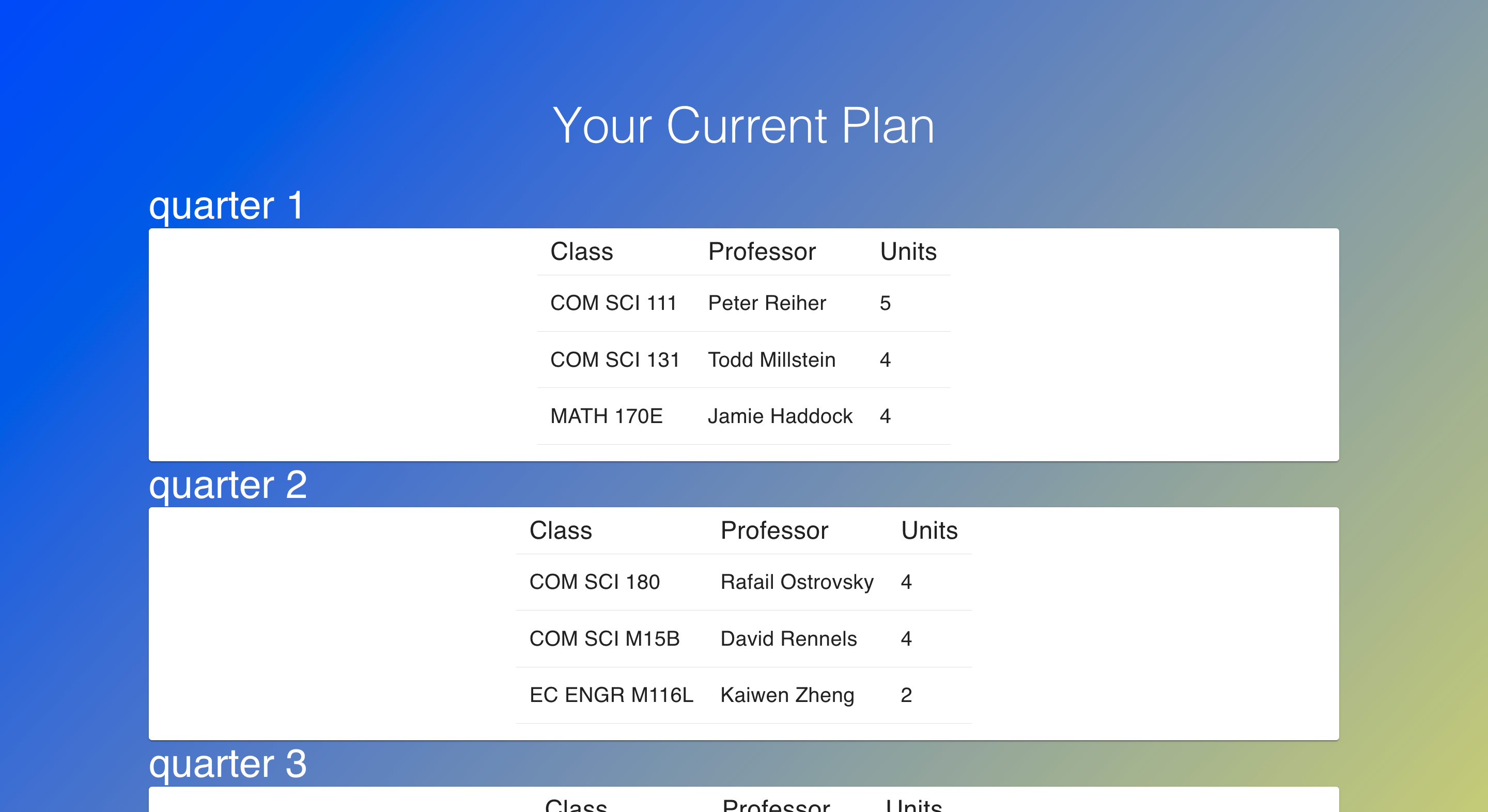
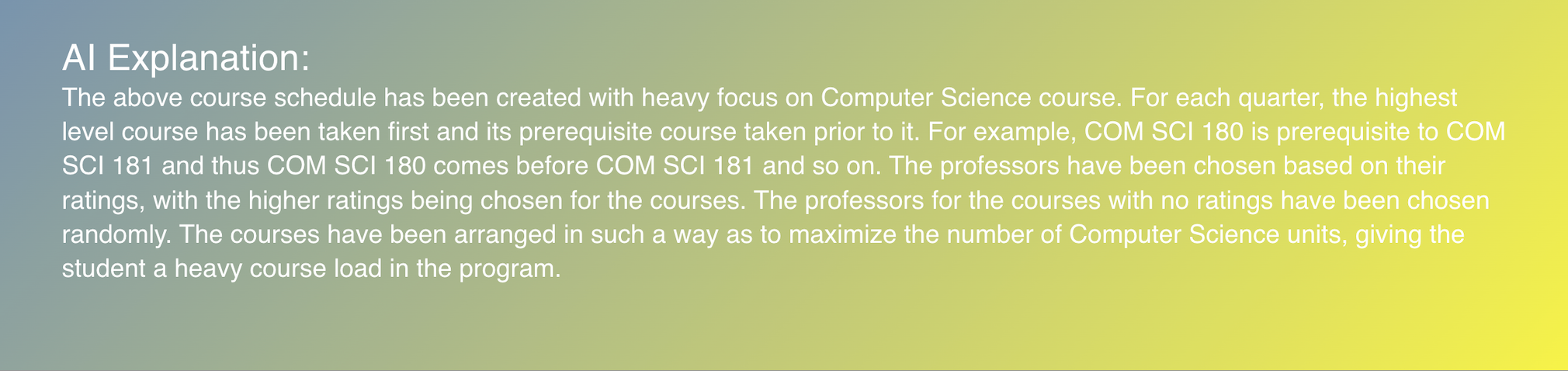
This website, which is a single-page application, generates a personalized 4 year plan for students at UCLA. It does this by prompting users for their major, year, desired courses per quarter, and desired course-load difficulty. It then returns a detailed and tailor-made quarter-by-quarter course schedule based off of all of these factors using information from the UCLA Registrar and professor ratings from Bruinwalk. The plan is generated by leveraging OpenAI's powerful text completion and data analysis API. We also used OpenAi's NLP capabilities to explain the rationale behind the placement of each course so that students can understand the reasoning behind every decision, providing guidance similar to that of a course counselor.
How we built it
We built this app by first web scraping UCLA's list of majors, courses for each major, and data for each course using Selenium and Beautiful Soup. Moreover, we also scraped relevant data about professors teaching each course and in order to suggest those professors that are most in tune with the student's requirements. We used React for the front end to make our single-page application which includes a login page, landing page, and results page. Additionally, we used Python Flask for the backend to serve REST API requests to the front end. We load the scraped data in the backend and incorporate OpenAi's Text Completion API by building a robust prompt, feeding in the user's requirements, in order for it to generate a four-year schedule. Moreover, We also used the API to generate an in-depth explanation as to why a particular schedule was chosen, thus giving feedback akin to an academic advisor.
Challenges we ran into
The task of building an end-to-end full-stack application and integrating it with an AGI model in a short time span proved to be a challenging yet great learning experience for us. Here are a few challenges that we faced along the way:
- The first challenge was to write Python scripts that scrape the web of UCLA course information. We had to analyze multiple web pages across 2 separate domains and leverage Selenium Webdriver to mock web surfing along with using beautiful-soup to extract information.
- We built our front-end SPA from scratch which involved wire-framing the UI/UX, writing asynchronous JS code, and coming up with relevant routing.
- We also ran into the challenge of editing certain stubborn CSS elements.
- For the backend part, the major problem we faced was encoding the scraped information along with user-sent input to build a robust prompt to be sent to OpenAI's text completion and analysis API. This required a heavy bit of prompt engineering and we went through a multitude of online articles to understand how to ask the AI for the information that we wanted in the format we wanted.
Accomplishments that we're proud of
We are proud of making something that we ourselves would use. We are also proud of combining frontend, backend, web scraping, and implementing an AI API. This was all our first time building a full-stack web app, web scraping, and using NLP models, so it is amazing that it worked. I remember one of our members looking up what an API was and now she has worked with one and helped to implement it.
What we learned
This was 2 out of 3 members' first hackathon. We learned how to ideate and build a full-stack application from the ground up. This involved designing our webpage, building & integrating our front-end and back-end, web scraping, using third-party APIs, and prompt engineering for Large Language models. Overall it was an awesome learning experience we are proud that our team went all the way and built a finished product.
What's next for PlanPal
We plan on adding a multitude of features to our application in the future. These include:
- Generating 4 year plan for more departments and majors
- Adding capability for users to modify and fine-tune the generated plan
- Generate a study plan for each course along with a course plan
- Adding a chat component to make the application more interactive
Built With
- ai
- beautiful-soup
- flask
- javascript
- material-ui
- natural-language-processing
- openai
- python
- react
- selenium


Log in or sign up for Devpost to join the conversation.