About the project
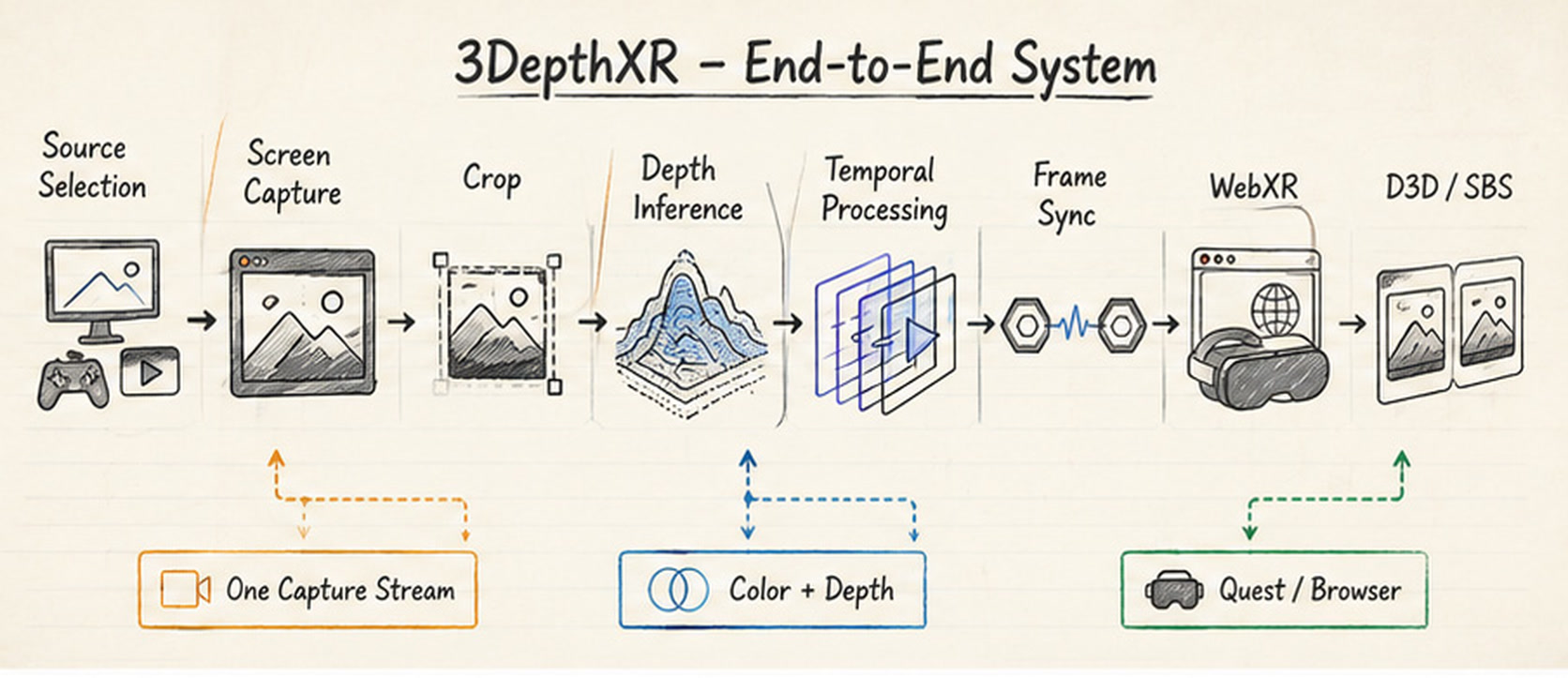
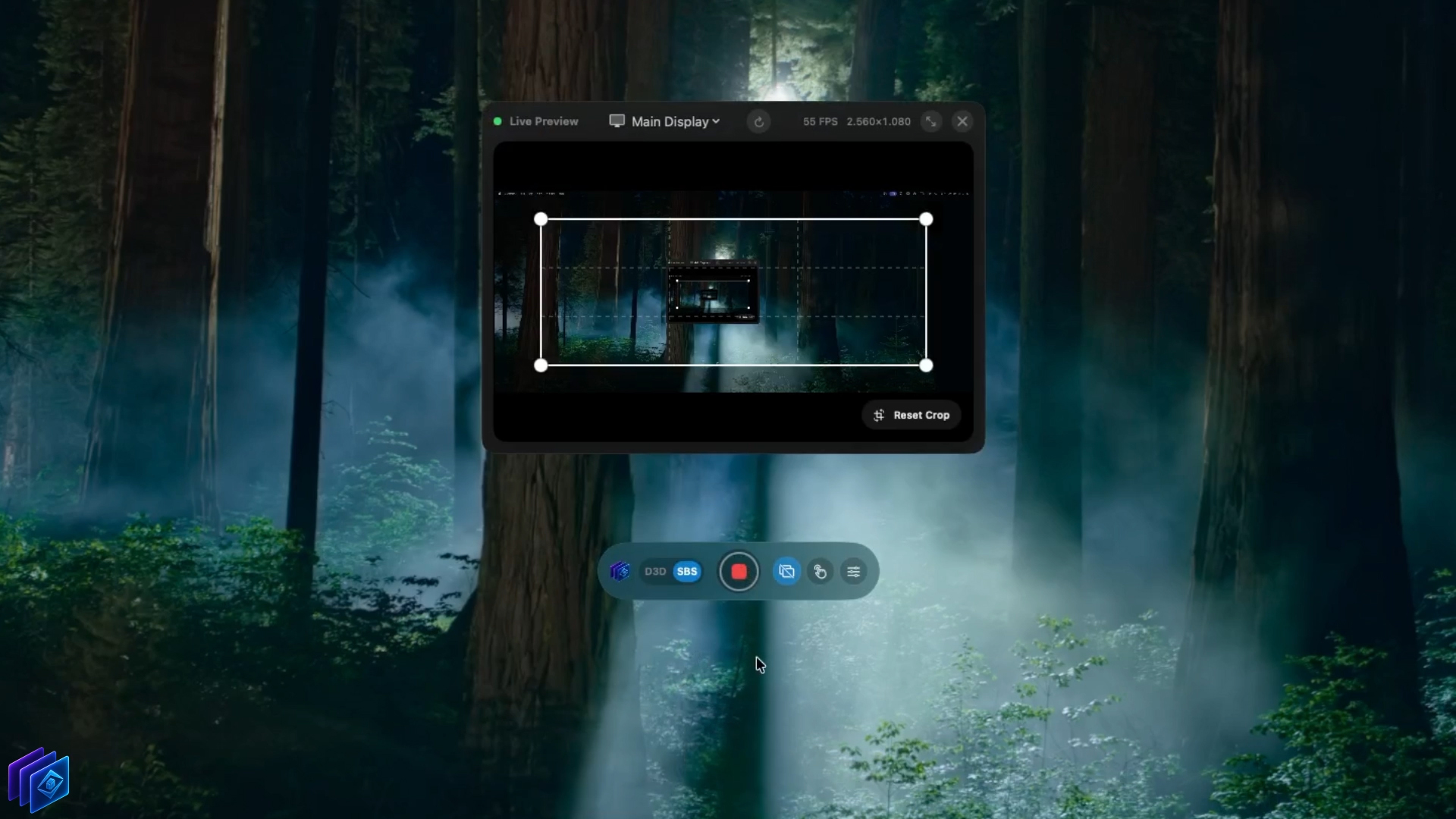
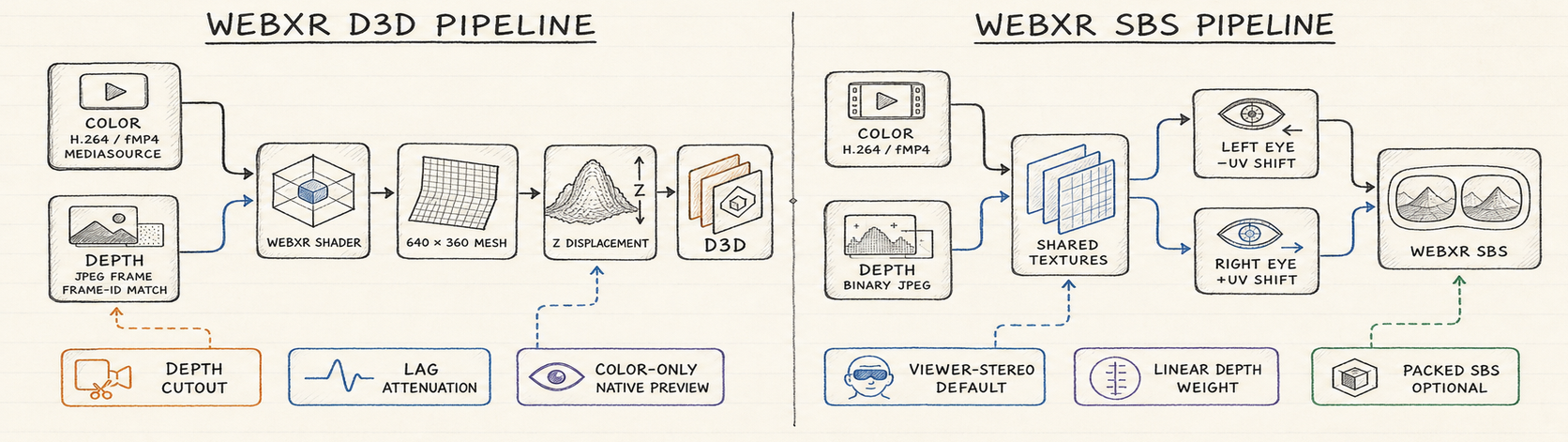
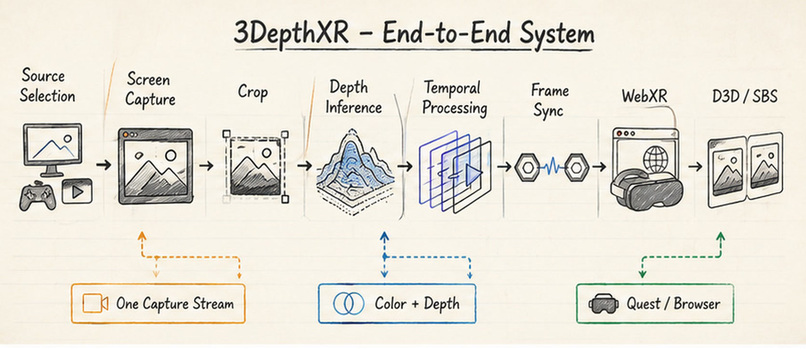
3DepthXR is a native macOS app that turns a selected display or window into a real-time, depth-aware WebXR experience for a VR headset. The Mac handles screen capture, crop selection, depth estimation, synchronization, and stabilization, while the WebXR viewer presents the result in D3D or SBS.
I started the project with a simple question: could a normal Mac screen feel three-dimensional inside a headset without requiring a stereo camera or special capture hardware?
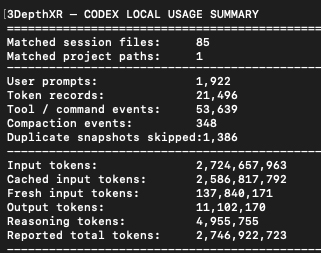
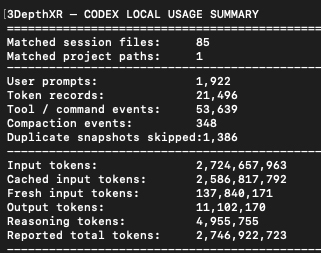
3DepthXR was built from beginning to end with OpenAI Codex. I used Codex throughout the entire process to explore ideas, write and review code, diagnose visual problems, test fixes, and develop the Swift and WebXR sides together.
During the hackathon development run that started on July 13, 2026, I continued the project with GPT-5.6 in Codex. It helped me complete several difficult parts that I had previously postponed or hesitated to tackle:
- Motion Control
- Control Safety
- D3D and SBS Viewer Refinements
- D3D Flicker Reduction
- Temporal Depth Stabilization
- Motion-Aware Depth Reuse
- Camera-Motion Handling
- Real-Time Latency Optimization
- WebXR Scene and UI Restructuring
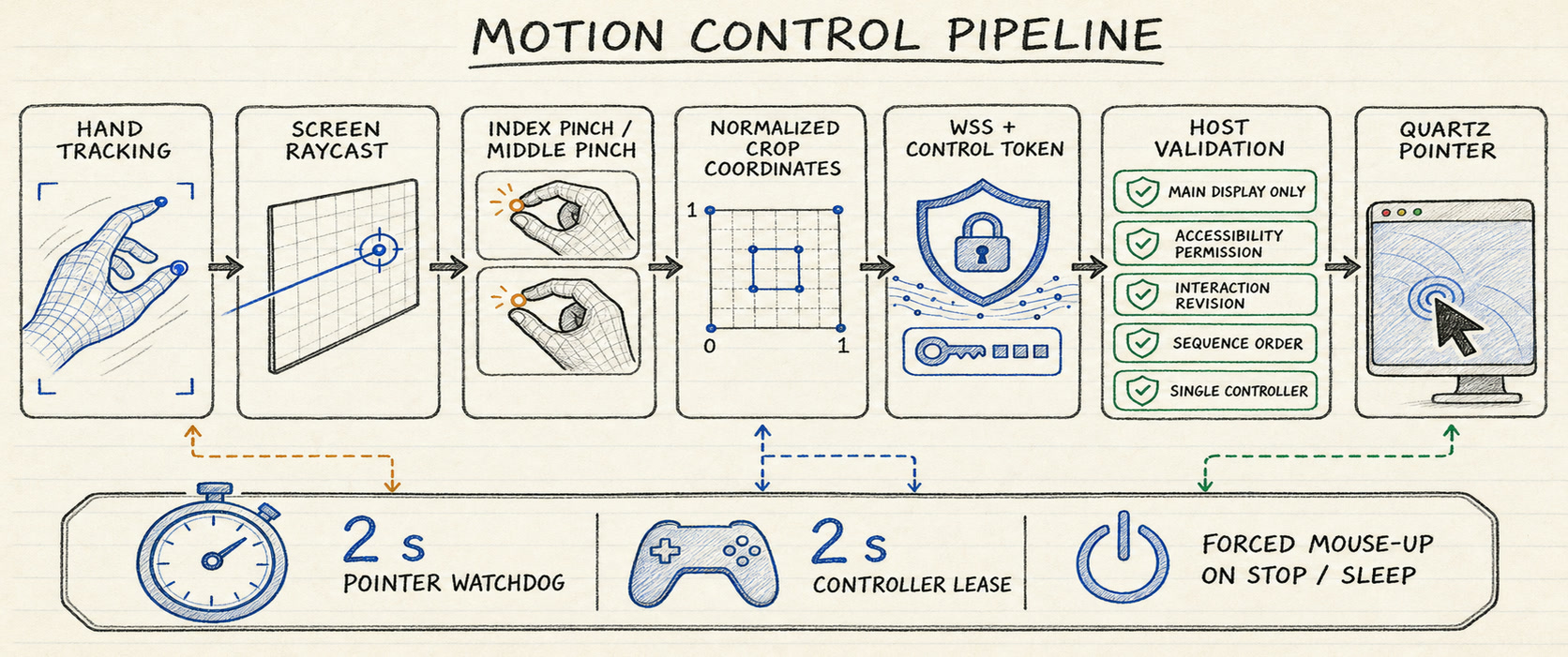
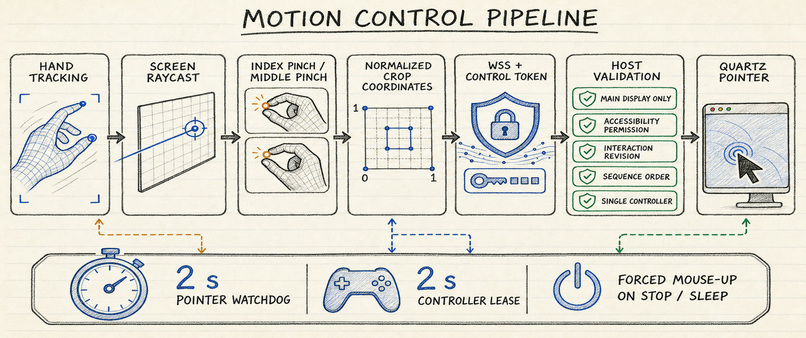
Motion Control was built entirely during this GPT-5.6 phase. This included crop-aware pointer mapping, hand-ray targeting, pinch gestures, secure control authorization, controller ownership, watchdogs, and forced pointer release when a session stops or disconnects.
GPT-5.6 also contributed to the later D3D and SBS refinements, flicker fixes, motion-mask processing, temporal depth stability, camera-motion protection, and real-time performance improvements across capture, depth inference, encoding, and browser playback.
Inspiration
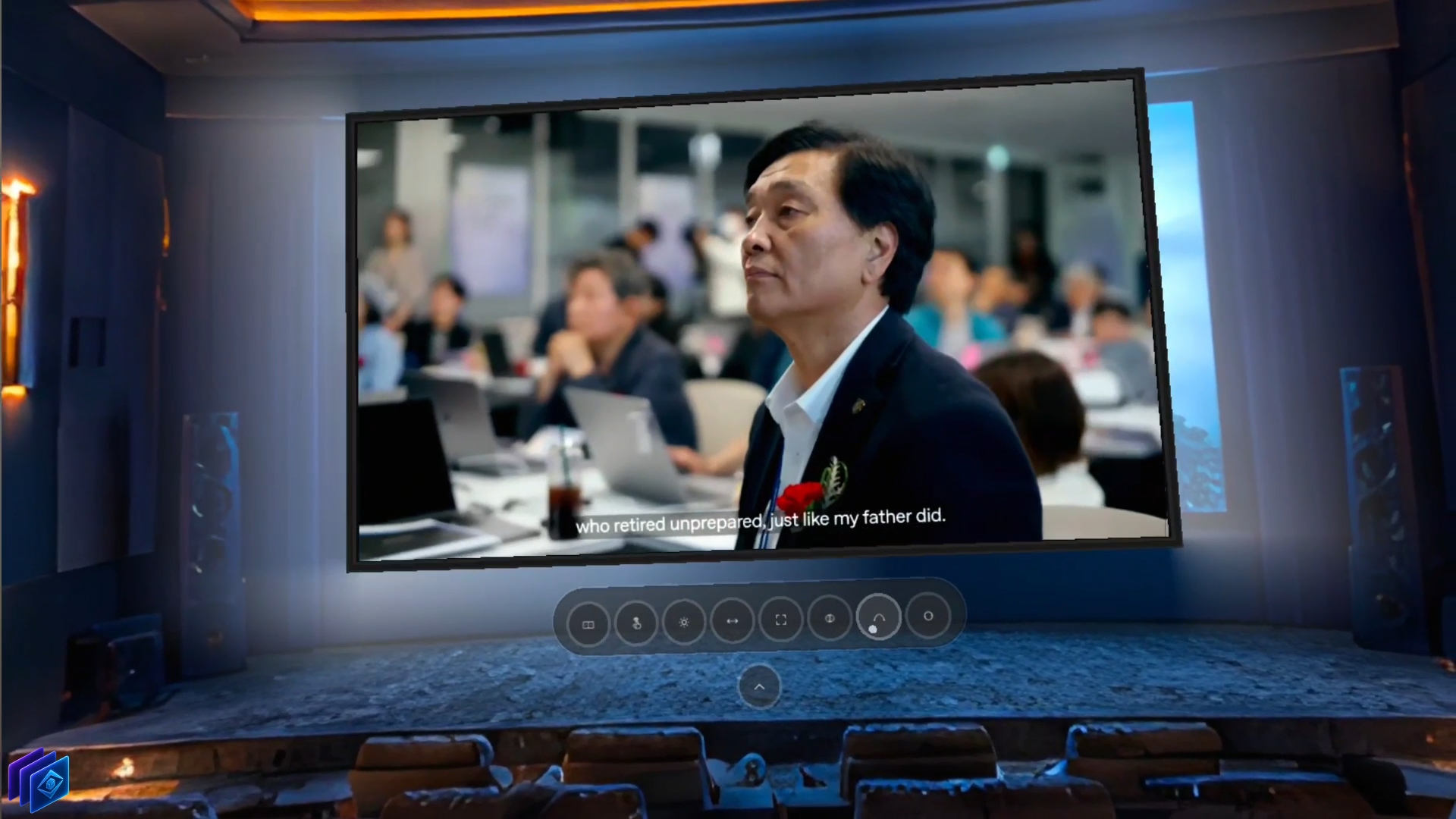
I wanted to see whether a normal desktop could become a convincing spatial screen using only software and monocular depth estimation. The project grew from that experiment into a real-time Mac-to-WebXR pipeline with stereo viewing and hand-based desktop control.
What it does
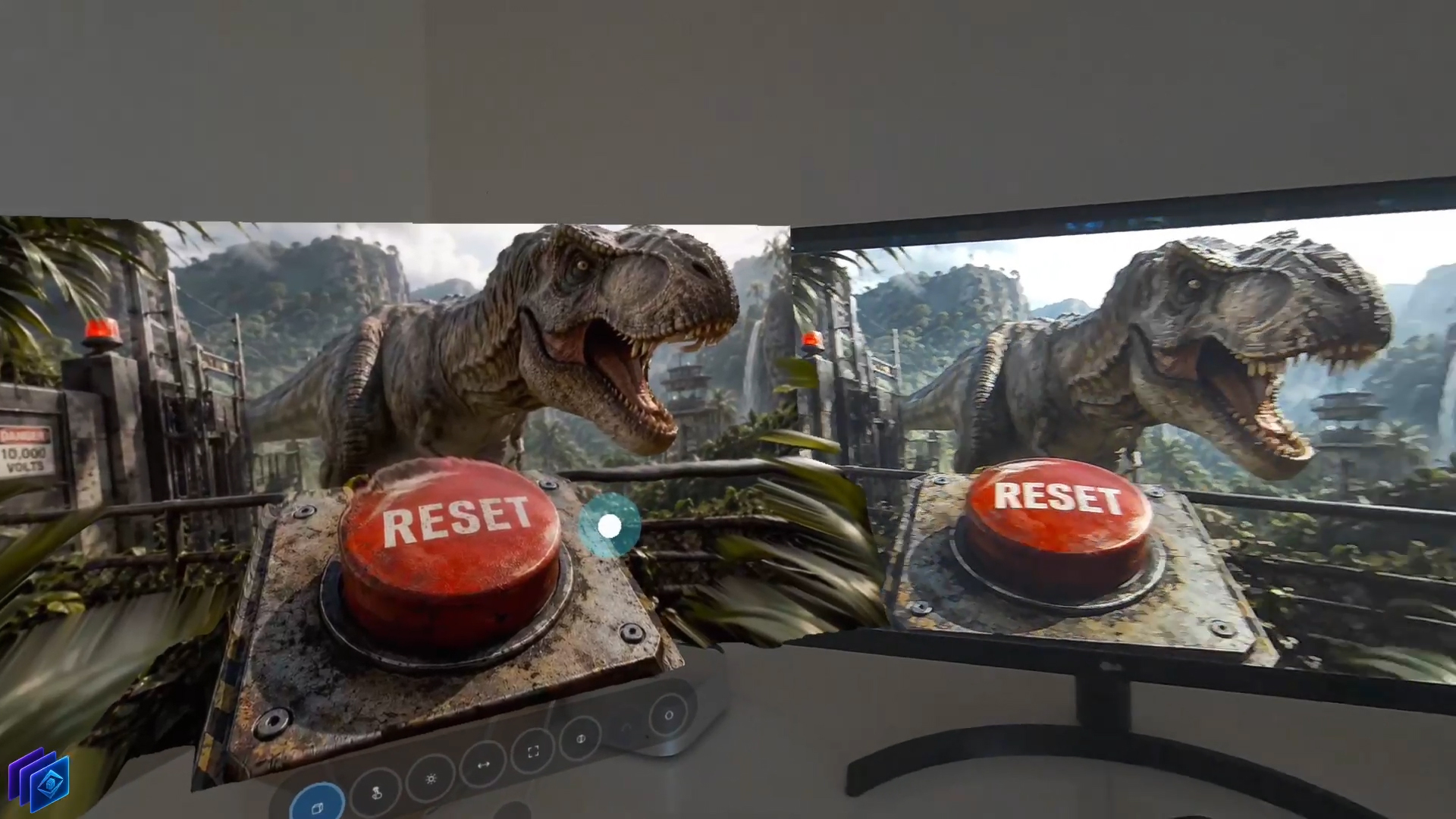
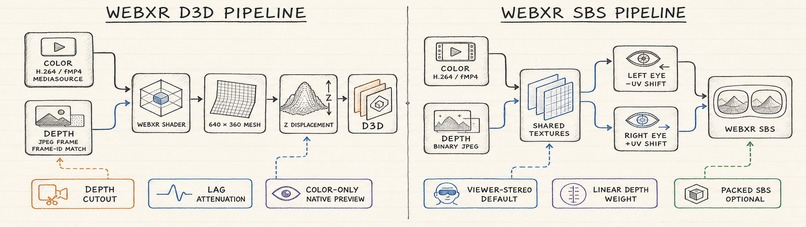
3DepthXR captures a Mac display or window, estimates its depth, stabilizes the result over time, and sends synchronized color and depth to a WebXR viewer in real time. D3D creates a depth-displaced surface, SBS creates separate eye views, and Motion Control maps headset hand gestures back to the captured Mac desktop.
How I built it
I built the macOS host in Swift using ScreenCaptureKit and CoreML, then built the headset experience with Three.js and WebXR. The system uses one capture stream for both color and depth, processes the newest available frame, synchronizes the results, and sends them to the browser through a low-latency real-time pipeline.
I used Codex throughout the project to inspect the codebase, implement features, diagnose visual problems, test fixes, and iterate on the native and WebXR sides together.
Depth model and real-time stability
3DepthXR uses Apple's DepthAnythingV2SmallF16 CoreML model to estimate monocular relative depth from the selected Mac screen. The raw model output is processed through several additional layers designed to create the smoothest and most consistent real-time viewing experience possible.
- Motion Analysis — Detects changing regions and global image movement before temporal depth is applied.
- Static Confidence Mask — Identifies areas where previous depth can be reused safely without freezing moving objects.
- Mask Hysteresis — Prevents regions from rapidly switching between static and moving states.
- Motion Cooldown — Temporarily protects areas that have moved recently from receiving stale depth.
- Flow Cache and Inference Skip — Reuses reliable masked depth and can skip a limited inference frame when the scene is sufficiently stable.
- Soft Static Stabilization — Blends stable regions while keeping moving edges responsive.
- Temporal Normalization — Aligns the relative depth range between consecutive frames to reduce whole-frame flicker.
- Jump Absorber and Scene-Cut Reset — Dampens sudden depth changes while immediately resetting when a real scene transition occurs.
- Camera Motion Guard — Compensates for estimated global movement so camera pans do not leave stale depth behind.
- Real-Time Frame Synchronization — Matches each processed depth result with the correct captured color frame before WebXR rendering.
These systems are built around the depth model because producing a single depth map is not enough for comfortable viewing. The final experience also needs temporal stability, low latency, responsive motion, and reliable color-depth synchronization.
Challenges I ran into
The hardest part was not generating depth for one frame, but keeping it stable while videos played, windows moved, scenes changed, and the viewpoint shifted. Synchronizing color and depth in real time while keeping latency low—and making desktop control safe when a headset disconnects—required several rounds of testing and redesign.
Accomplishments I'm proud of
I built a complete real-time pipeline that captures one Mac screen stream and turns it into both D3D and SBS WebXR experiences without specialized capture hardware. I am especially proud of Motion Control, which supports click, drag, double-click, right-click, and scrolling while remaining restricted to the selected screen area.
What I learned
I learned that temporal stability and synchronization matter as much as the depth model itself. I also learned that real-time XR systems need strict queue management, motion-aware reuse, defensive input handling, and careful separation between capture, processing, transport, and rendering.
What's next for 3DepthXR
My next steps are plan to bring 3DepthXR to Windows instead of keeping the host limited to macOS. My longer-term goal is to make the WebXR experience work consistently across different VR headsets, without tying the project to a single headset, browser, or desktop platform.
Built With
- codex
- coreml
- gpt-5.6
- screencapturekit
- swift
- swiftui
- three.js
- websockets
- webxr

Log in or sign up for Devpost to join the conversation.