-
-
On-boarding screen
-
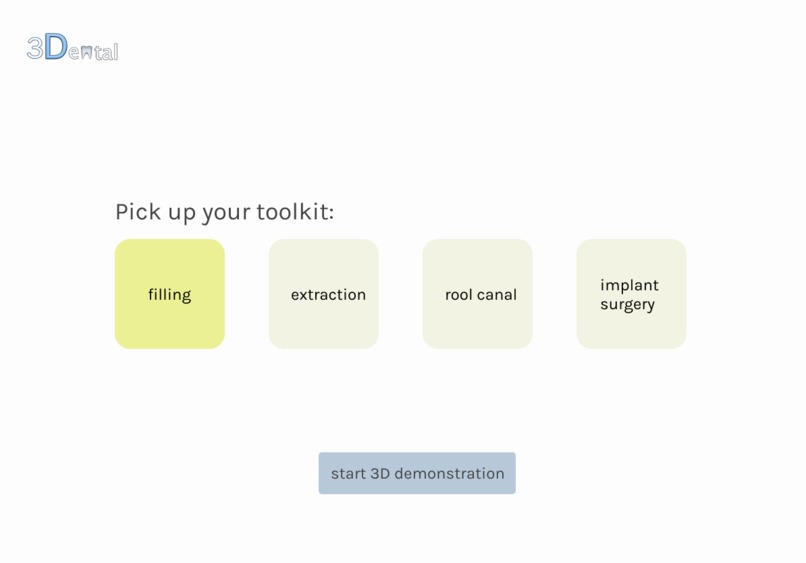
Dashboard
-
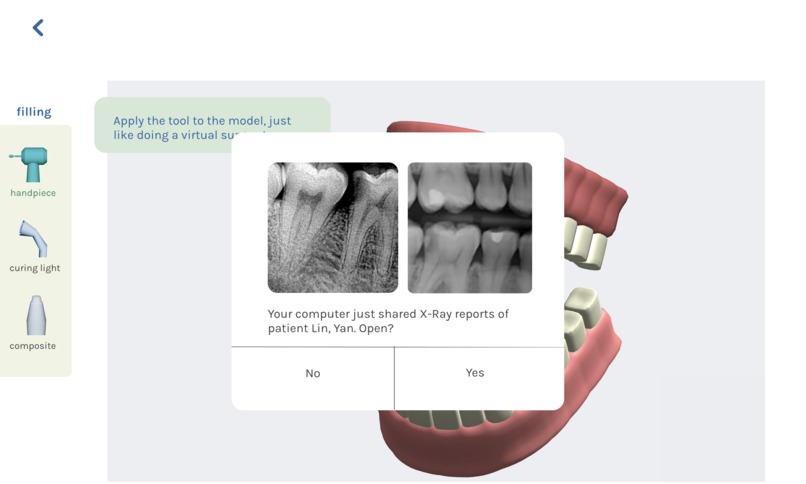
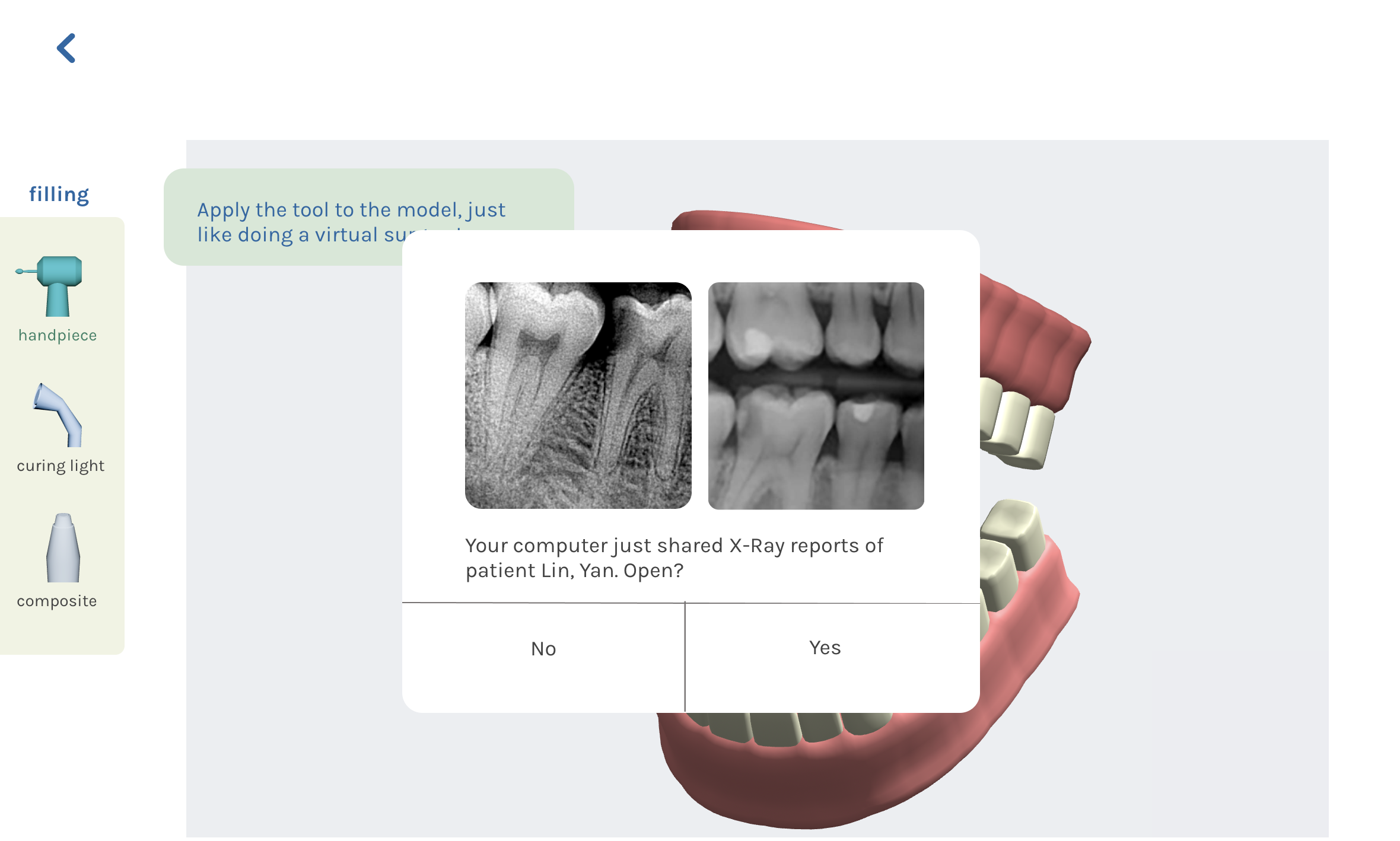
Pop-up after receiving a file sharing from work computer
-
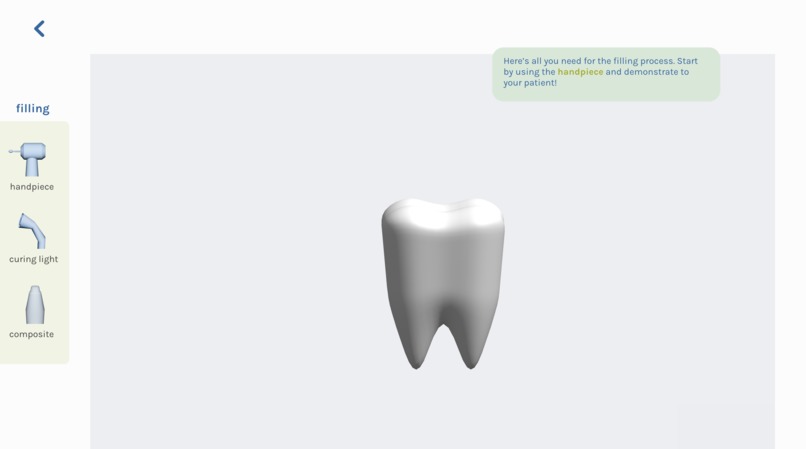
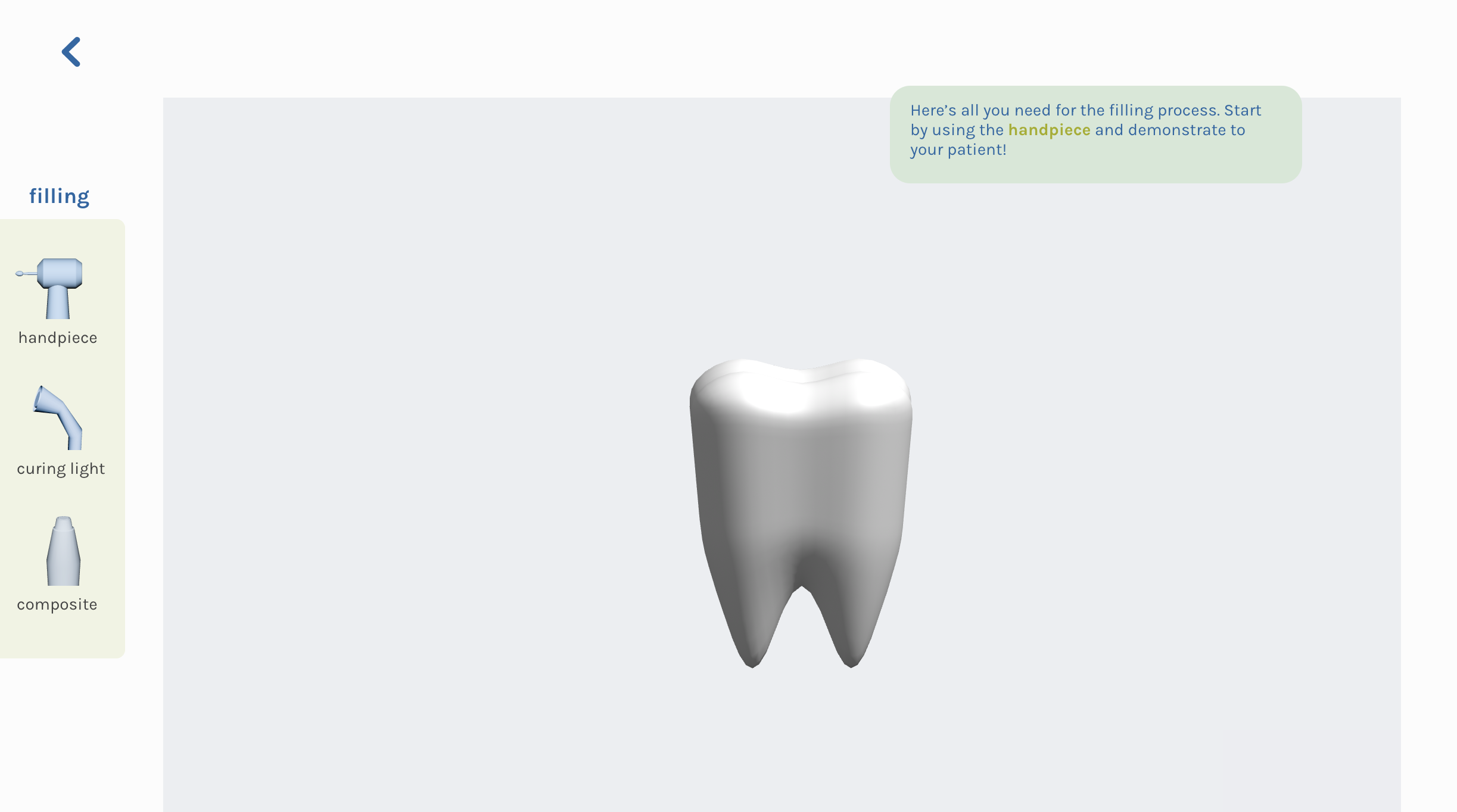
Start demoing the surgery for your patient with their customized 3D model!

On-boarding Screens (CLICK TO VIEW)
Main Screens (CLICK TO VIEW)
🦷 Product Overview:
3Dental is an app that converts dental X-rays into 3D models so that doctors can demonstrate different procedures to their patients in a clear and efficient manner.
Our product is primarily designed for iPad/tablets in dental settings. Here is a typical user flow that we imagined:
The terminal (iPad / tablet) is cable connected to the dental system (PC) where the patients’ information and X-rays are located. (It doesn't work with a wireless connection in our design because of the need to protect the privacy of patients, especially in medical settings)
The doctor will select the files needed on the dental system and send them to the software.
The software will generate a 3D model based on the X-rays
The doctor then can use the model and tools provided in the software to demonstrate the procedure for the patient.
💡What's unique about our design:
When the patient has no X-Ray reports but still has a need for clearer explanations regarding the upcoming surgery, the doctor can use the default full mouth model of the app to start demonstration in a quick and easy way. It is always accessible from the dashboard area after the user picks up a toolkit.
Toolkit selection: since there are a variety of complex dental instruments which serve different surgery procedures, for the convenience of the user, we decided to make our product categorize them based on the most common surgical usage. In the example provided by our prototype, for instance, the doctor can select the toolkit "filling" when they want to demonstrate the filling process to the patient. The toolkit and the dental instruments inside (handpieces, composites, etc) would appear in the toolbar area after the doctor enters the demo screen. This design can help boosting the efficiency of the doctor by saving time finding tools needed for demoing.
🧠Story behind
The reason our team came up with this idea is that one of the members works in a dental office. The dentist said that sometimes it is difficult to explain to the patient what the procedure will be like without visual aid. Furthermore, because every patient has different teeth, mouth, and issues, it will be great to have a customizable visual aid for the patient instead of a generic model.
This Figma prototype of 3Dental aims not just to solve the pain point of doctors having an easier time to explain to the patient, moreover, it aims to help patients to understand the choices they have, and make them confident and less nervous about the upcoming procedure. It may also serve for educational or entertainment purposes for the general public to help them get more understanding of the dental procedures through hands-on virtual surgeries.
3D Modeling (Winsey Wu)
Since this is a 3D model-related product, we believe that using 3D visuals can not only better demonstrate the product features in the prototype, but also illustrate the product identity more effectively.
For this project, I used Autodesk Maya to model the sample tooth, tooth with hole, logo, and tool icons.
I started with the tooth, we have already decided on the topic beforehand, so I was trying to 3D model a tooth, and that is what we use in the Figma prototype. The process of modeling the tooth is rather easy, but when I was modeling the tooth after drilling, I encountered some difficulty. Since the tooth is not a flat surface, when I was trying to make space and circularize the area, the outcome was not satisfactory. So I have to try a few different methods and figure out that the boolean difference function works best in this scenario.
After modeling the tooth, I went on and modeled our logo, 3Dental. This is the first time I tried using the type function in Maya. I thought it was easy until I tried to smooth the 3D text. Everything collapses. Then I realized that the surfaces have way too many edges. So I went in and deleted those faces with more than four sides. Then I bridged the edges to create the logo we have now. After the model, I realized that we just needed the png of the front of the logo.
Lastly, I created the tool icons with Maya, after knowing that we just need the png file of those models. I simply make the shape of the model and oriented the model in a good-looking perspective and export the png file as the icon for our prototype.
For the time being, I did not model the full mouth so we found a full mouth free model online for one of the progressions in our prototype.
UX & UI (Xinran Shen)
For the visual aspects of the product, we decided to go for a minimalist, clear but comforting UI that makes the user easily navigate through the features as well as feel a sense of relaxation. I used dark blue as the main color and some mild colors as complementary ones, and also made sure that the rectangle components in the prototype are round-edged.
Here are the two biggest challenges I faced:
Embedding interactable 3D models into the Figma frame. I used the Anima plug-in as well as Spline, the online 3D modeling platform for digital designers. They worked well together in allowing users to rotate, zoom in & out of the model. However, we have to compromise with the restriction of this plug-in, because Anima does not support all of the native Figma interaction features effectively in its free version, for example, dragging. Even the last section of our demo procedure cannot work as expected because of an error in the exported prototype. So I split the entire product experience into two files, making the launch screens, which contain dragging as the main form of user interaction, separate from the Anima-hosted main screens, in which simple tapping and instant transitions would be enough.
Understanding the needs of the user coming from a different discipline. As someone who barely goes to the dental hospital and knows almost zero about dental knowledge, I had a hard time empathizing with my users, who are the dentists who demonstrate surgery procedures to their patients. While prototyping the wireframes, I sometimes make inaccurate assumptions based on my guessing and ignore important aspects of their needs, but my partner Winsey (who works as a part-time dental assistant) would point them out for me when she reviews my prototypes so that I can tweak them from a more rounded perspective. For example, I thought showing the mostly reviewed patient’s information on the screen would help the doctors to better locate what they need, I ignored the sensitivity related to personal information, especially in a hospital setting. However, I enjoy the process of stepping out of my comfort zone and acknowledging my limitations through doing design.
🙌 Next Steps
- Add more dental procedures with more precise demonstrations.
- More user research and user testings with the target audience
- Revise user interface

Log in or sign up for Devpost to join the conversation.