What it does
3D Wiz is a Spectacles Lens that lets you see a robot and its circuit in AR before you build it, then build it step by step.
Four pages, one flow:
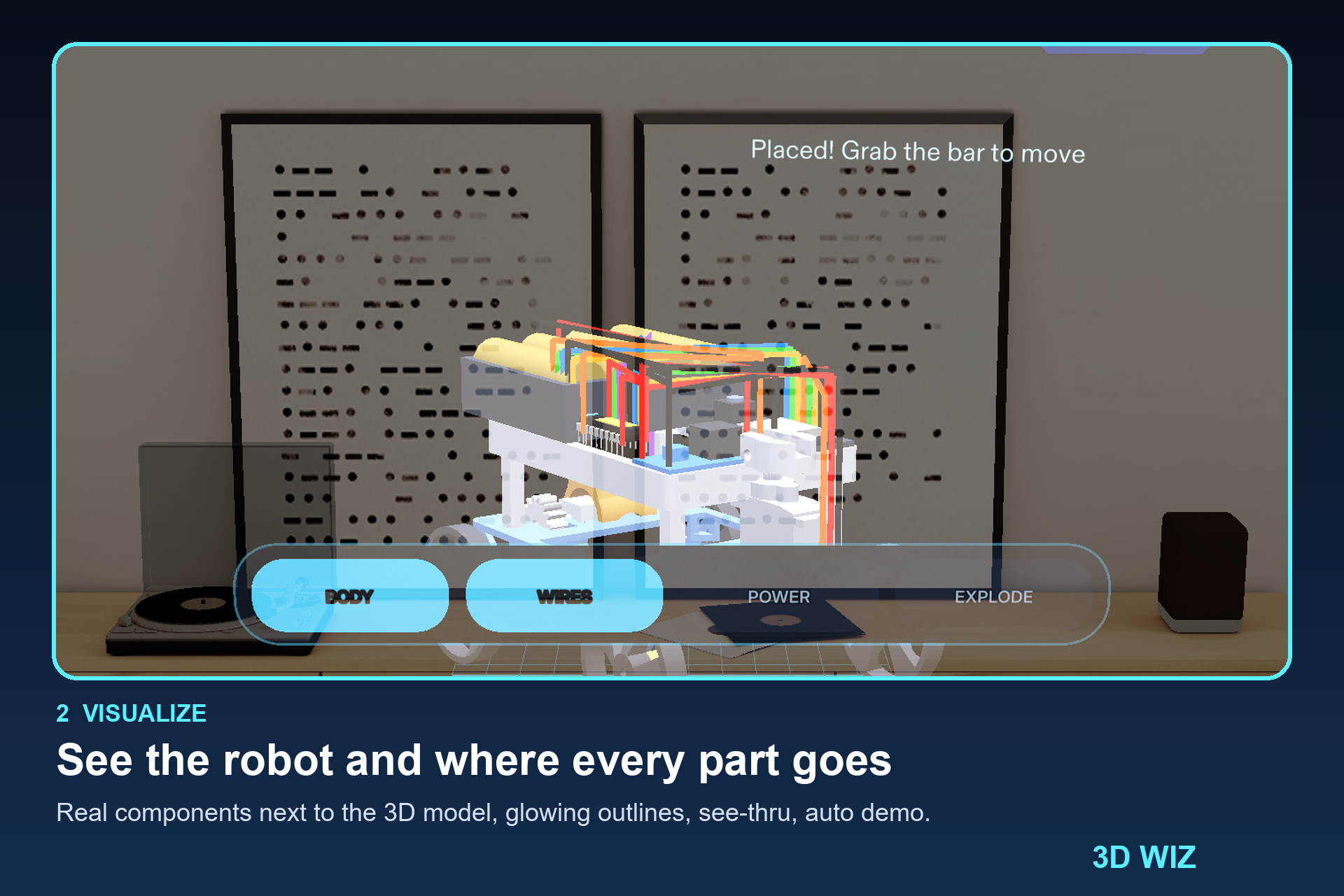
- Visualize: the real components sit next to the 3D model, each with a glowing outline where it belongs. Drag them on, or watch the auto demo. See-thru shows inside the body.
- Analyse: hover a part for a thin outline, tap it for an info card (what it does, how it connects), and press ASK MORE for a longer answer.
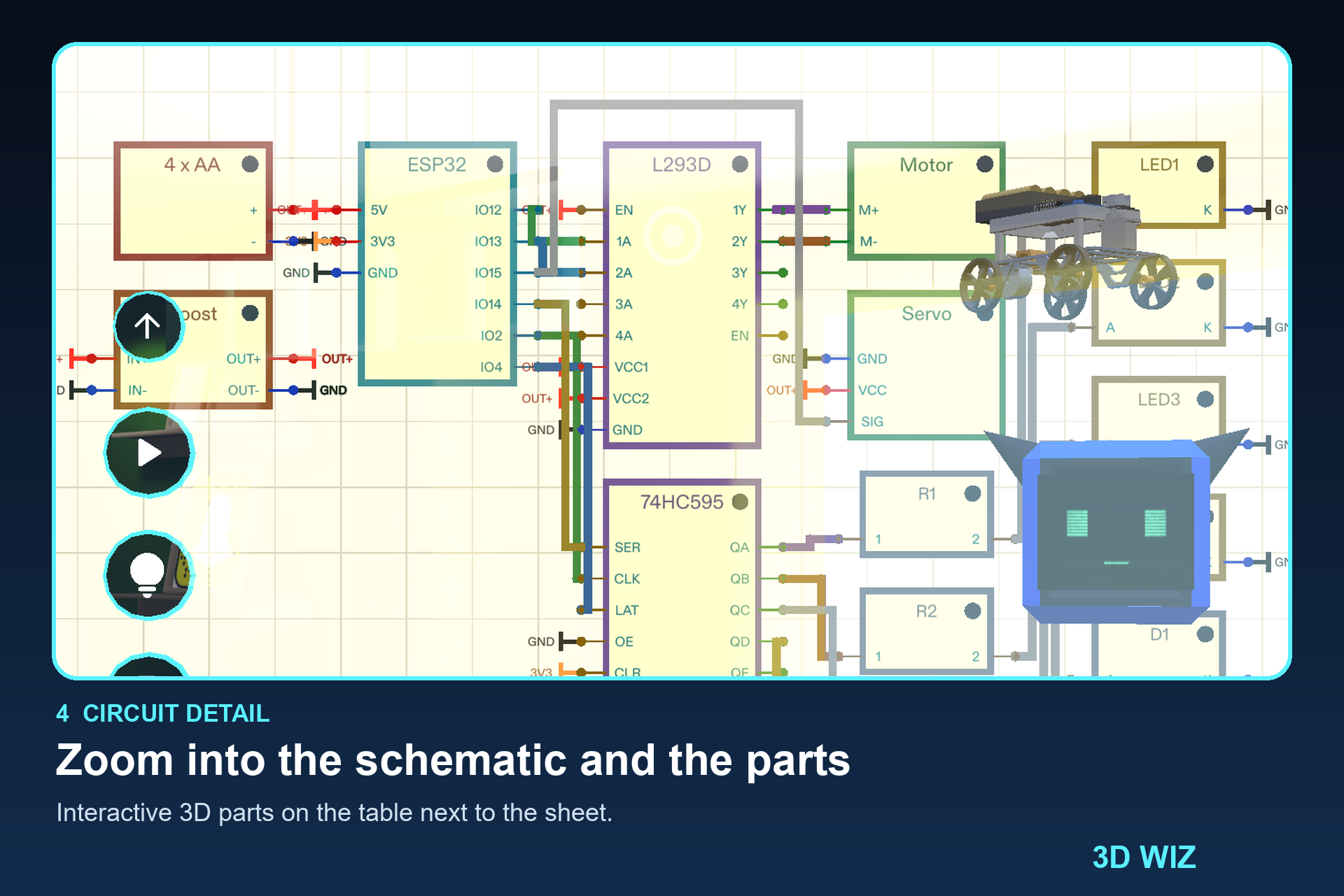
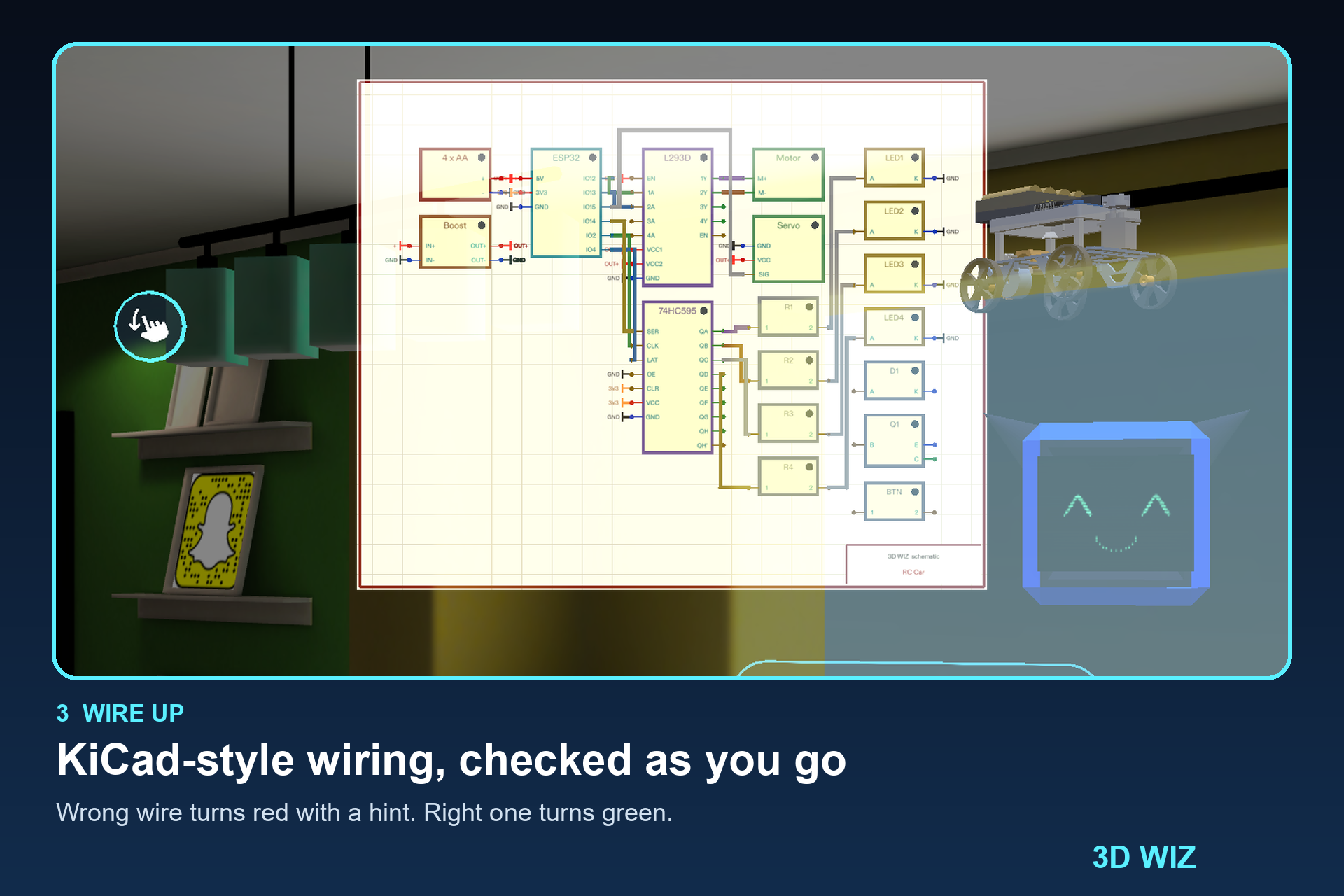
- Build: a guided build. The current step glows on the table, a wrong wire turns red with a hint, a right one turns green. Explode and Assemble the model, follow the tutorial panel, take over from the auto build, and press Play to test it.
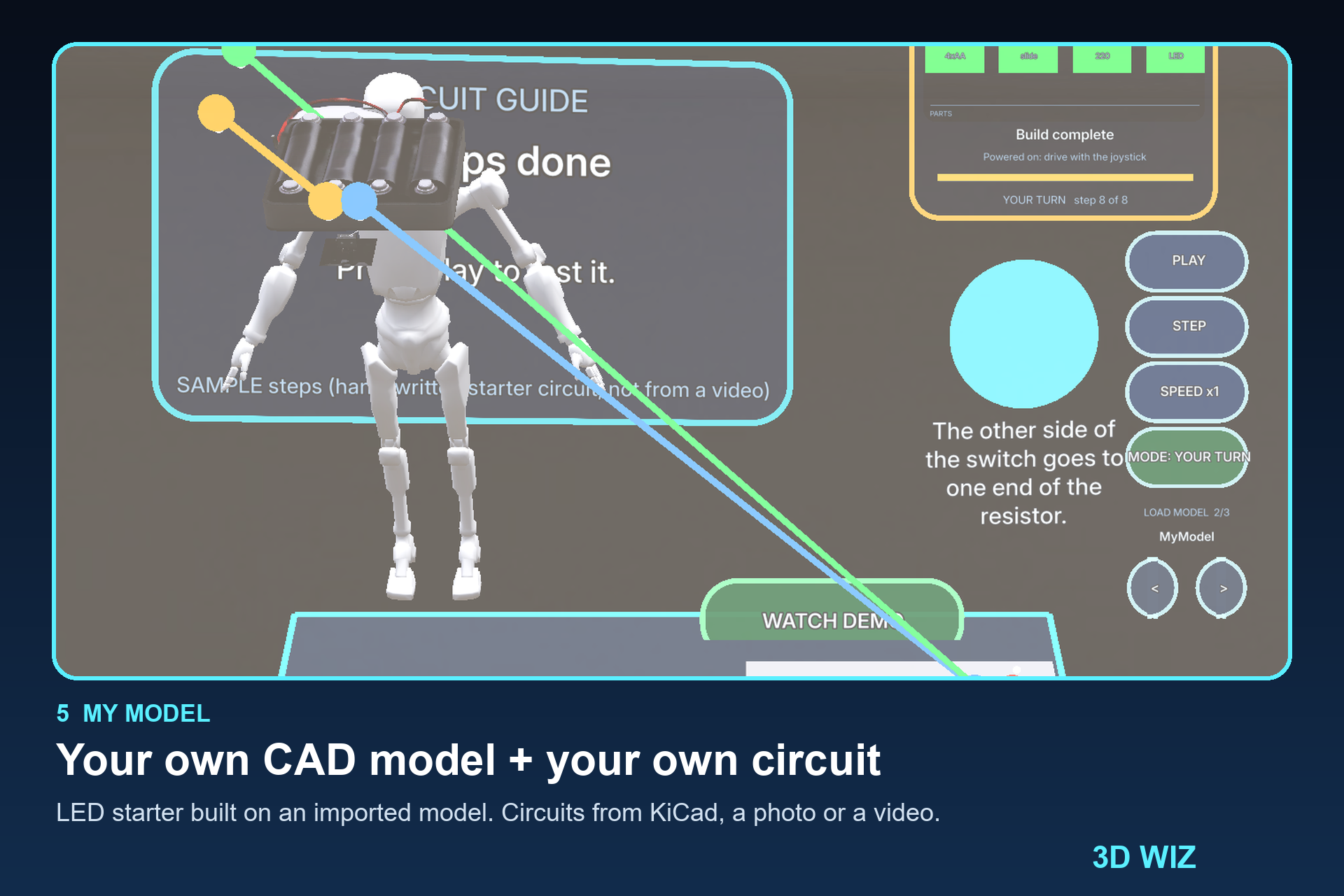
- My Model: bring your own 3D model and your own circuit. Pick an imported CAD model (we show a MicroD model), pick a circuit (starting with a simple LED circuit: battery, switch, resistor, LED), press START BUILD, and the parts are placed on your model with the same glowing-spot guide. Circuits can come from a KiCad schematic, a photo of a circuit drawing, or a tutorial video.

Who it's for
Students, hobbyists and makers who build small robots and electronics. The people who wire something wrong because they could not see where the parts go, and only find out after soldering.
How we built it
- Lens Studio (TypeScript) for Spectacles, with a head-following UI, hand and mouse input in the preview, and sound effects.
- Gemini reads pictures and videos. It turns a circuit photo or tutorial video into a list of parts and connections, writes the longer ASK MORE answers, and drafts step lists.
- Groq handles the spoken or typed command ("build me a robot car"), because it answers fast.
- Each provider backs up the other, and with no key the Lens runs fully offline on a built-in catalogue, so the demo never depends on the internet.
- Whatever the AI returns is checked against the parts and pins we have 3D models for, so a wrong AI answer cannot produce an impossible build. Calls are capped at 8 per session and cached, and keys are never logged or committed.
- A KiCad
.kicad_schparser (pin geometry, rotation, mirroring, nets) and a LEAF test suite that drives the Lens and checks it.
What we learned
- A Lens cannot open a file picker, so "upload your model" really means importing it once in Lens Studio. Designing around that was a lesson in the platform.
- Hover and transparency in AR are easy to get wrong: our first hover effect filled the part with a solid blue block. A thin outline was the fix.
- AI should help the demo, not hold it up: caching, a call cap, local fallbacks and validation matter more than the model.
- Testing in the Spectacles preview with scripted scenarios catches a lot, but it is not the same as real glasses.
Honest limits
- Only part types we have 3D models for are supported: LED, resistor, battery, switch, motor, servo, ESP32, L293D.
- KiCad import was tested on a hand-written KiCad 7 file, not on real exports.
- Video conversion runs as a tool outside the Lens.
- Groq is wired in but was not exercised in a live test; Gemini was.
- Tested in the Lens Studio Spectacles preview only, not on real glasses.
What's next
Real KiCad exports, more part types, in-Lens video conversion, and testing on real Spectacles.
Built with
Lens Studio, TypeScript, Spectacles, Gemini API, Groq API, KiCad
