-
-
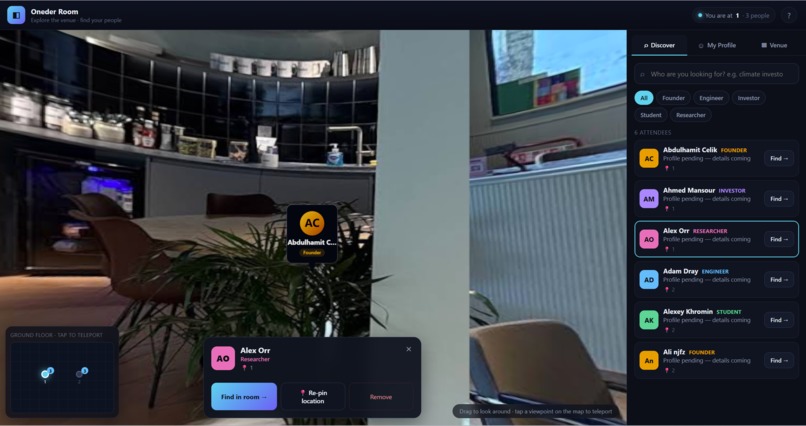
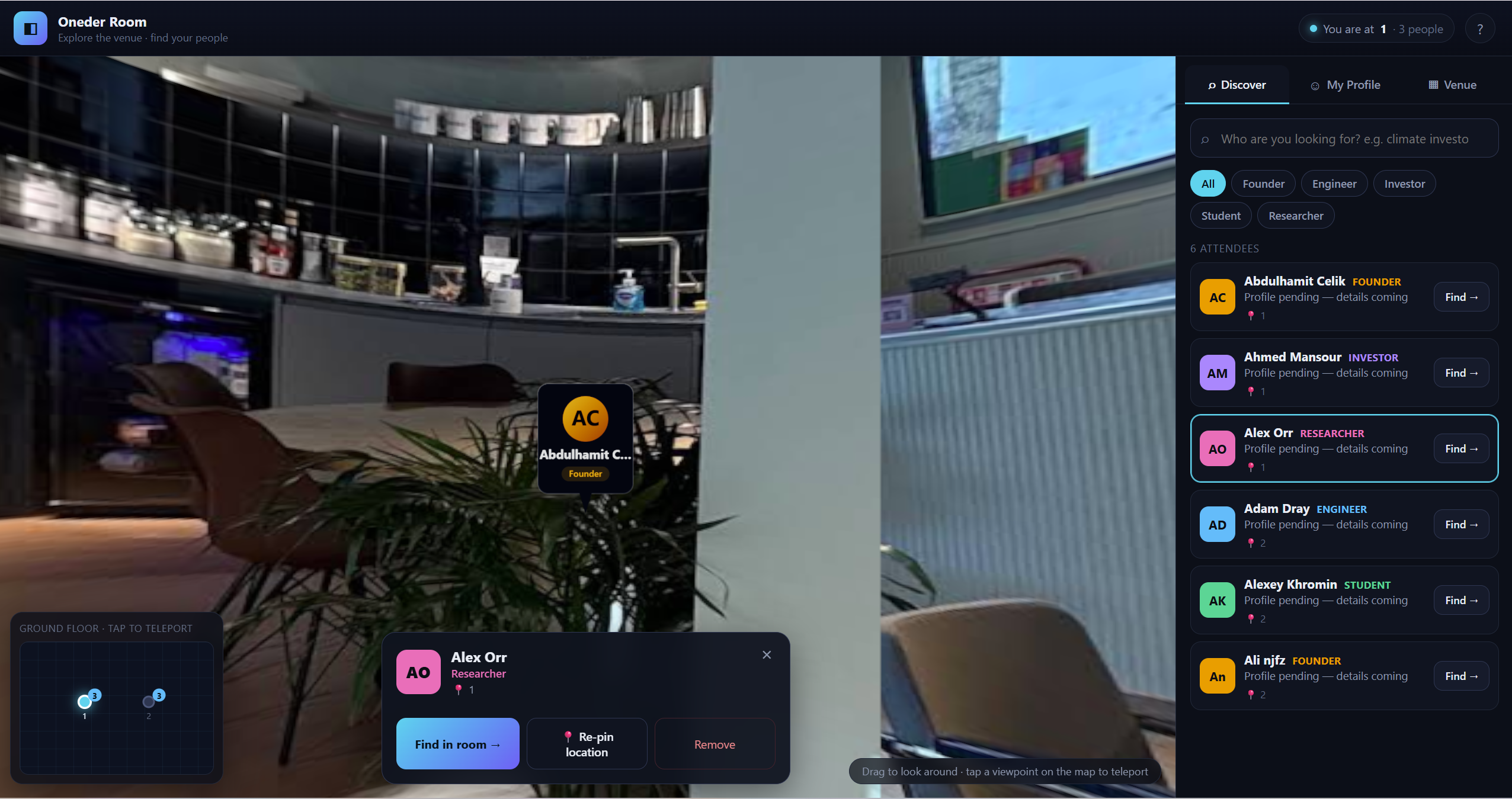
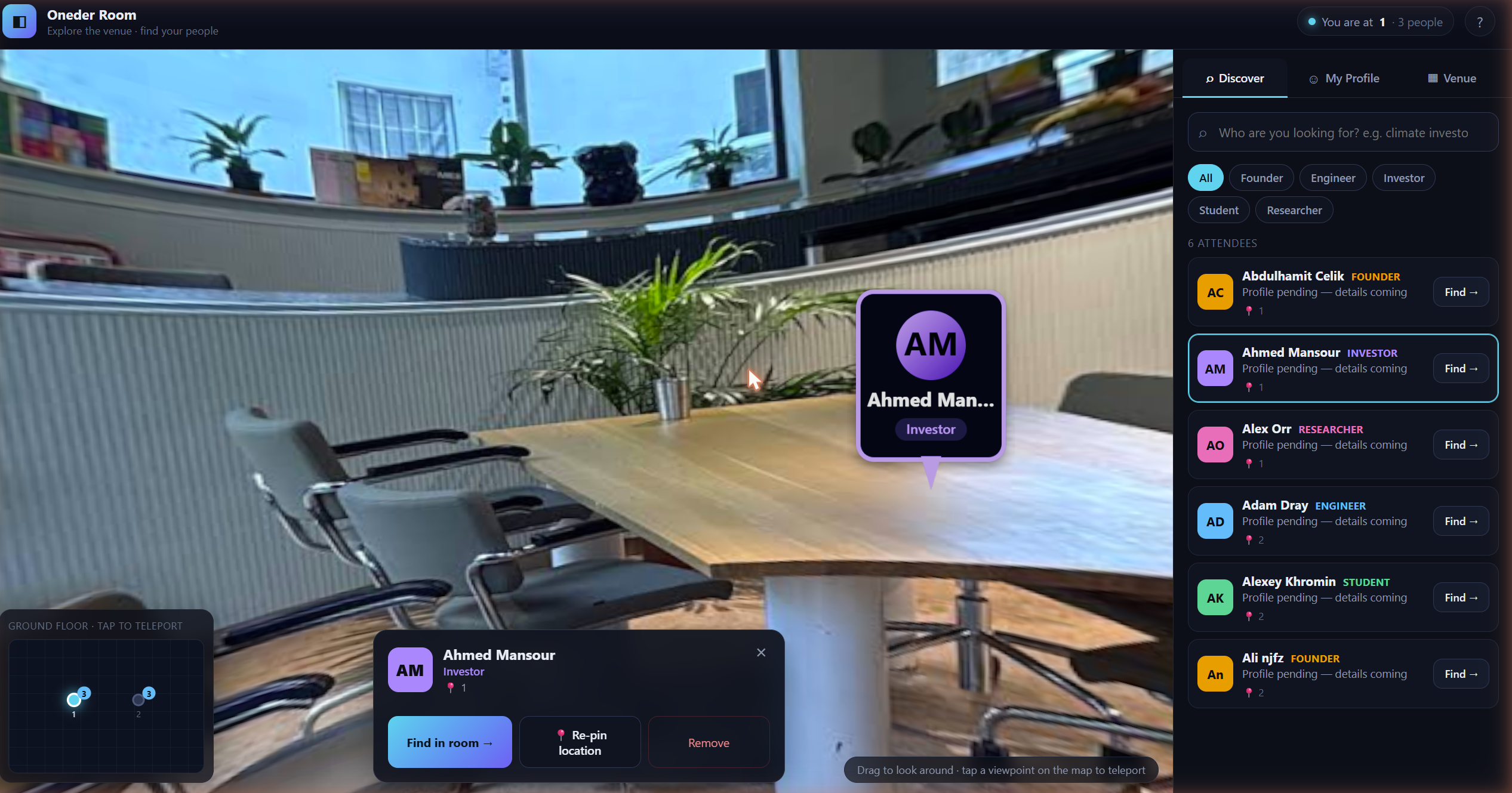
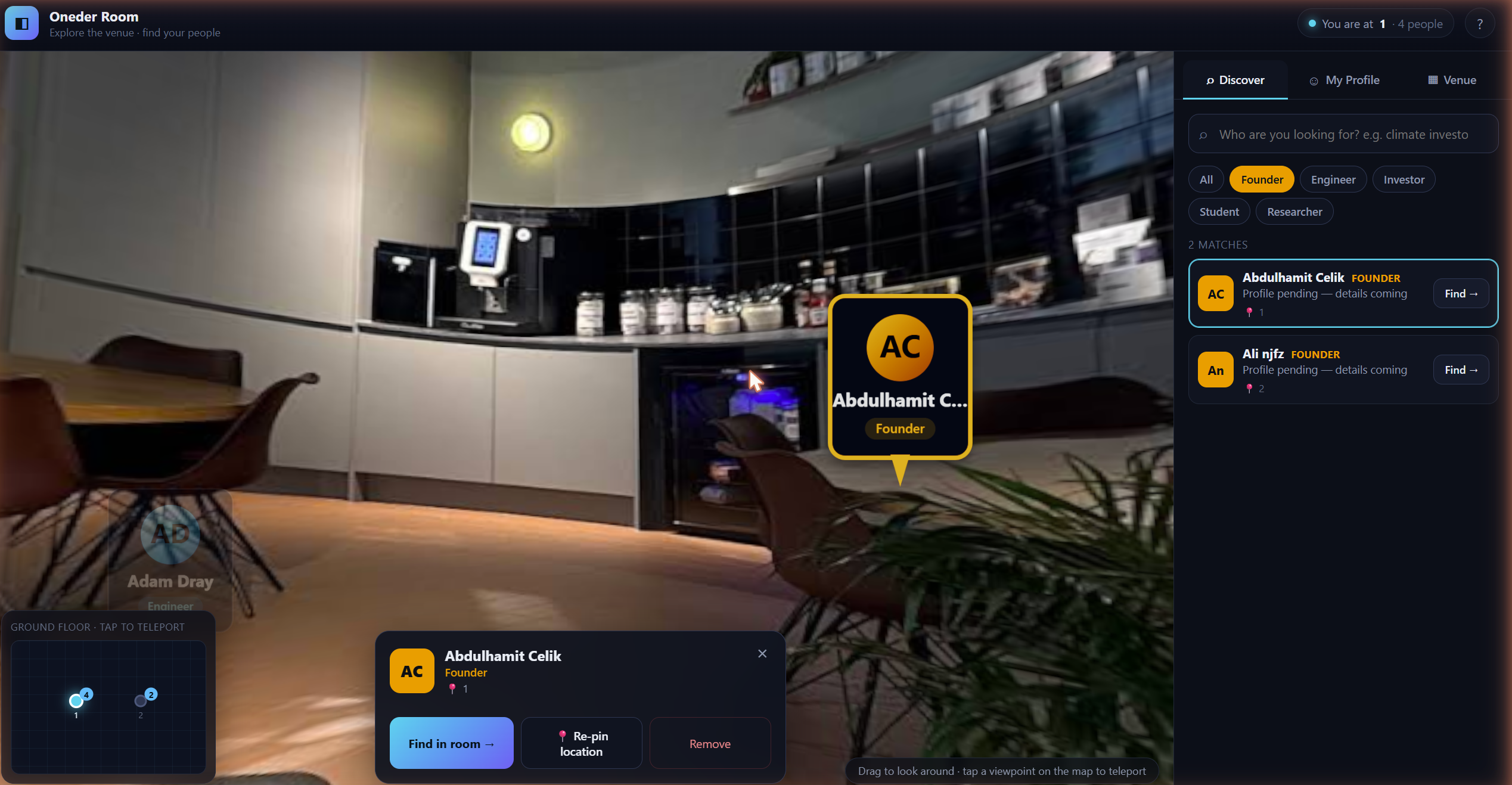
Find people in the room from the platform based on their roles or titles and their current seat at the venue
-
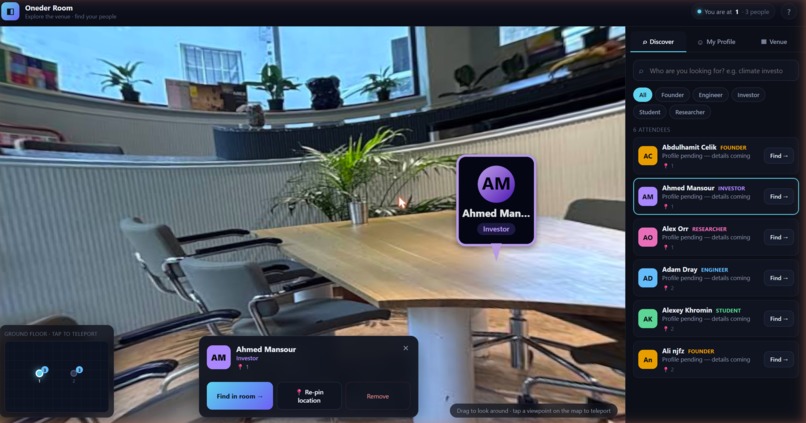
Find an investor in the event
-
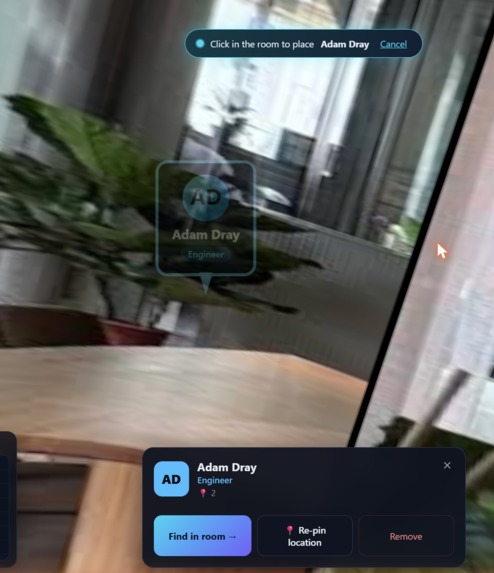
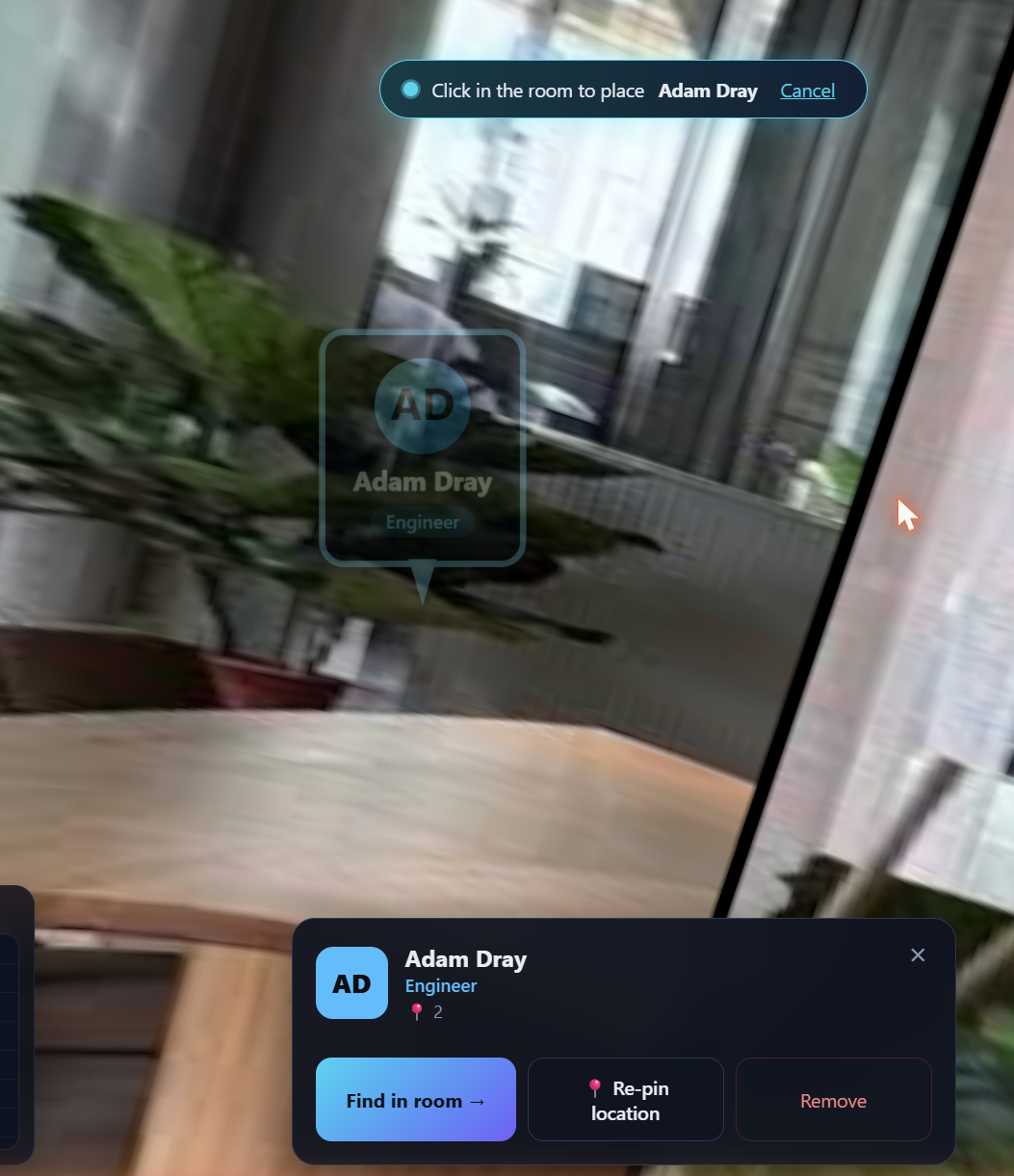
Re-pin location of yourself when changed seat
-
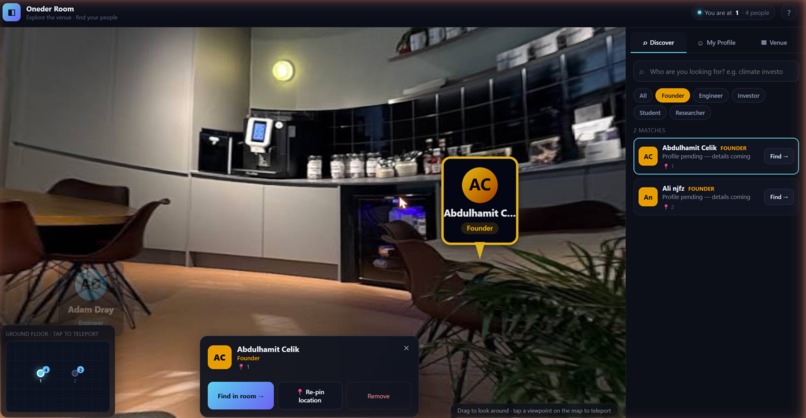
Search all the founders at the venue
-
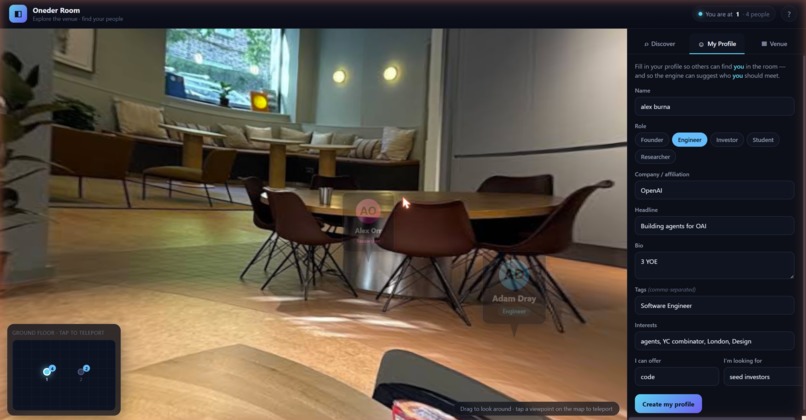
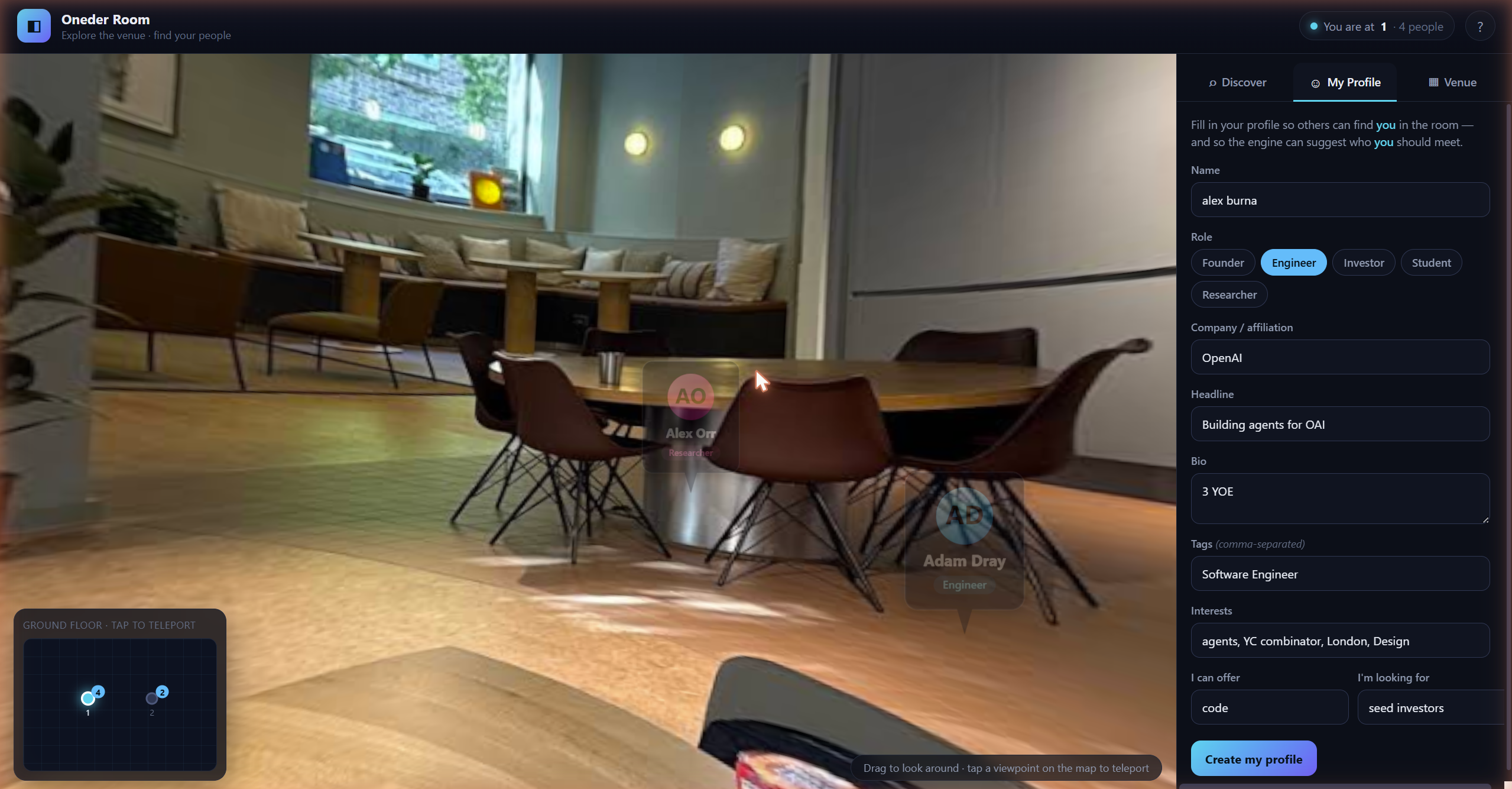
Create you persona profile to be added in the venue area
-
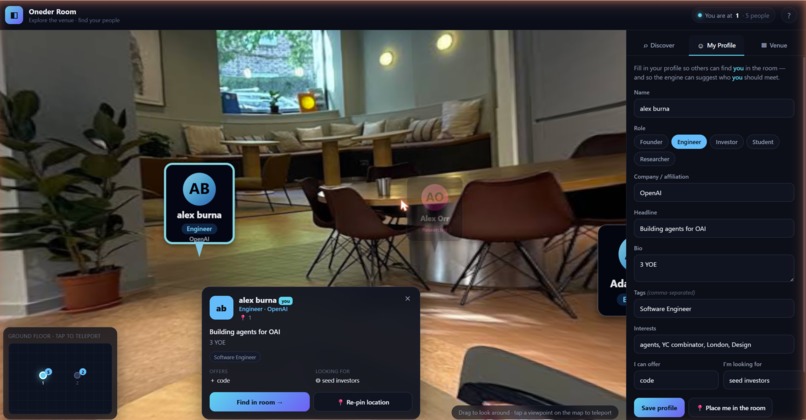
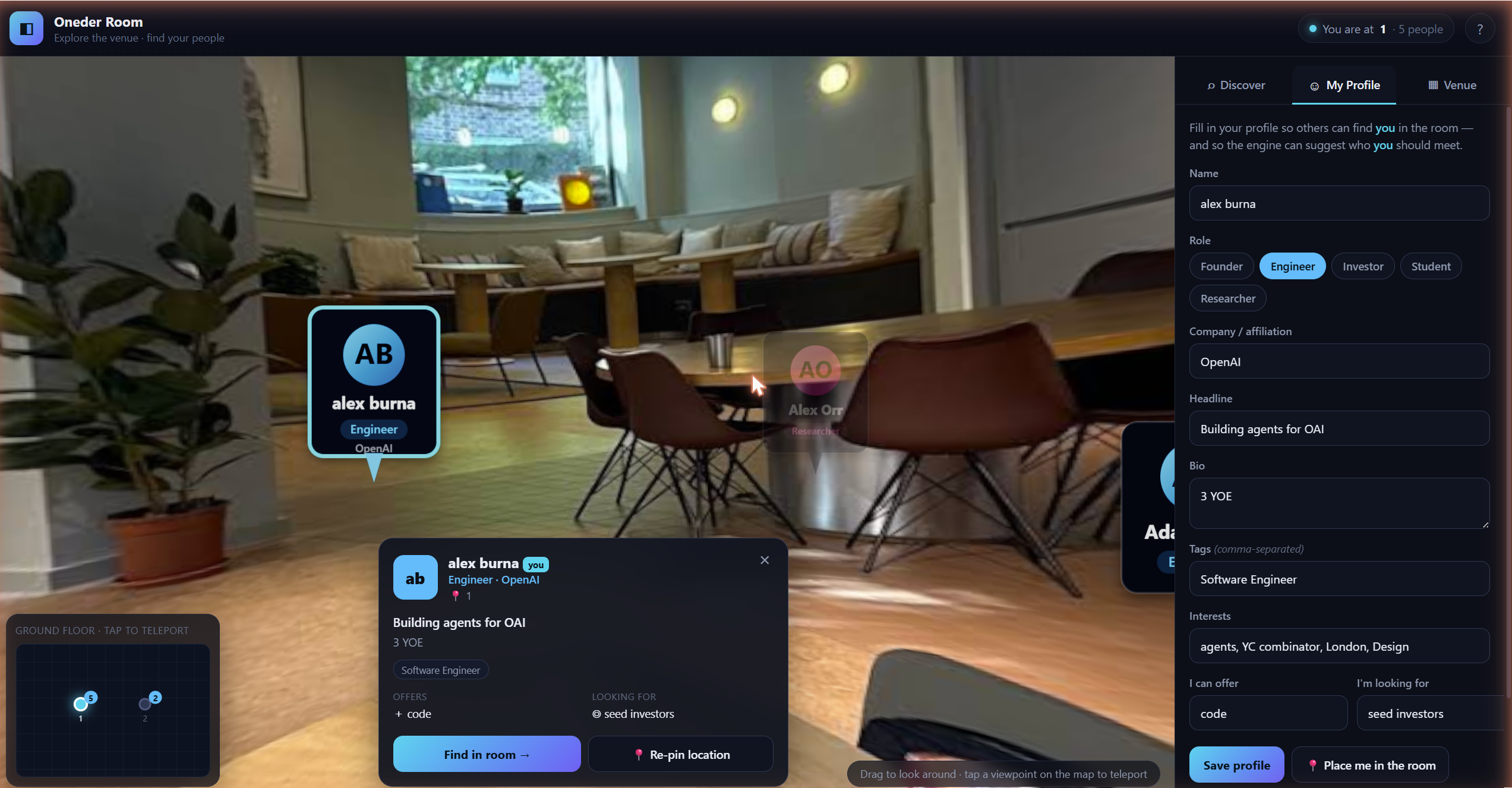
New profile successful created
## Inspiration
At hackathons, conferences, and demo days, the most valuable person to meet may be only a few metres away—but finding them often means scanning name badges, wandering between floors, or hoping for a chance introduction.
Attendee directories tell us who is present, while venue maps tell us where things are. We built Oneder Room to connect the two: a searchable, spatial map of the people inside an event.
## What It Does
Oneder Room turns venue photos into a lightweight digital twin that runs entirely in the browser. Attendees are pinned to their real locations inside the space, alongside profiles describing what they are building, what they can offer, and who they want to meet.
A user can search for something like “climate investor” or “ML infrastructure engineer.” Oneder Room ranks relevant attendees, explains each match, and guides the user directly to the correct floor, viewpoint, and direction.
Users can also create their own profile, place themselves in the venue, move between panoramic viewpoints, switch floors, and receive suggested introductions based on complementary interests, offers, and asks.
## How We Built It
We built the interface with React and Vite, using Three.js through React Three Fiber for the spatial experience.
Each venue photo becomes a navigable viewpoint rendered on the inside of a 3D sphere. Attendees appear as billboarded profile pins positioned around the panorama. Clicking “Find” moves the user to the attendee’s viewpoint and rotates the scene to face them.
A Zustand store manages venue nodes, floors, profiles, searches, selections, and camera targets. Photos can be uploaded through the interface or loaded automatically from the project’s asset folder. Filename conventions identify floors and generate human-readable viewpoint names.
The current matchmaking engine runs locally in the browser. It scores names, roles, tags, interests, offers, asks, and role relationships, while showing the reasons behind every recommendation. This gave us a fast, private, and explainable foundation for testing the complete spatial workflow.
## Challenges We Faced
The hardest challenge was creating intuitive spatial navigation without requiring a complete photogrammetry pipeline or calibrated cameras. Venue photos can face arbitrary directions, so we combined a minimap, floor controls, and consistently visible navigation arrows to keep users oriented.
Placing people accurately inside a panorama was another challenge. We convert clicks on the 3D scene into angular and vertical coordinates, allowing an organiser or attendee to pin themselves visually instead of entering coordinates manually.
We also had to connect two very different systems: ranked profile search and physical navigation. A match is only useful if the app can translate it into a floor, viewpoint, and camera direction.
Finally, WebGL performance and reliability required careful handling. We used on-demand rendering, texture reuse, smooth camera interpolation, and WebGL context recovery to keep the experience responsive.
## What We Learned
We learned that a useful digital twin does not always require a perfect 3D reconstruction. For event navigation, a network of linked photographic viewpoints can provide enough spatial context while remaining quick to create and easy to run.
We also learned that recommendations feel more trustworthy when users can see why someone matched. Surfacing shared interests, relevant roles, and complementary offers makes the result feel like an introduction rather than a mysterious score.
Most importantly, we discovered that the venue itself can become an interface. Instead of separating attendee discovery from the physical event, Oneder Room connects intent directly to place.
## What’s Next
The current prototype validates the spatial experience with an explainable offline matcher. The next step is to add OpenAI-powered semantic matching so the system can understand nuanced requests, turn unstructured bios into structured profiles, and generate concise explanations or conversation starters for each introduction.
We also want to support live location updates, event schedules, organiser dashboards, privacy controls, and mobile guidance—transforming Oneder Room from a static venue map into a living social layer for physical events.

Log in or sign up for Devpost to join the conversation.