-
-
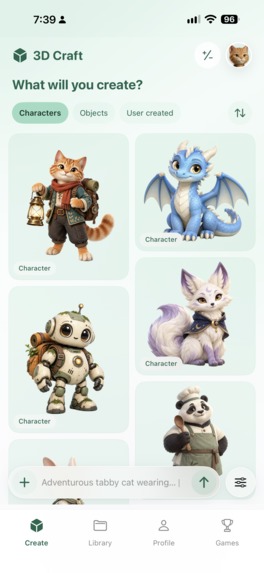
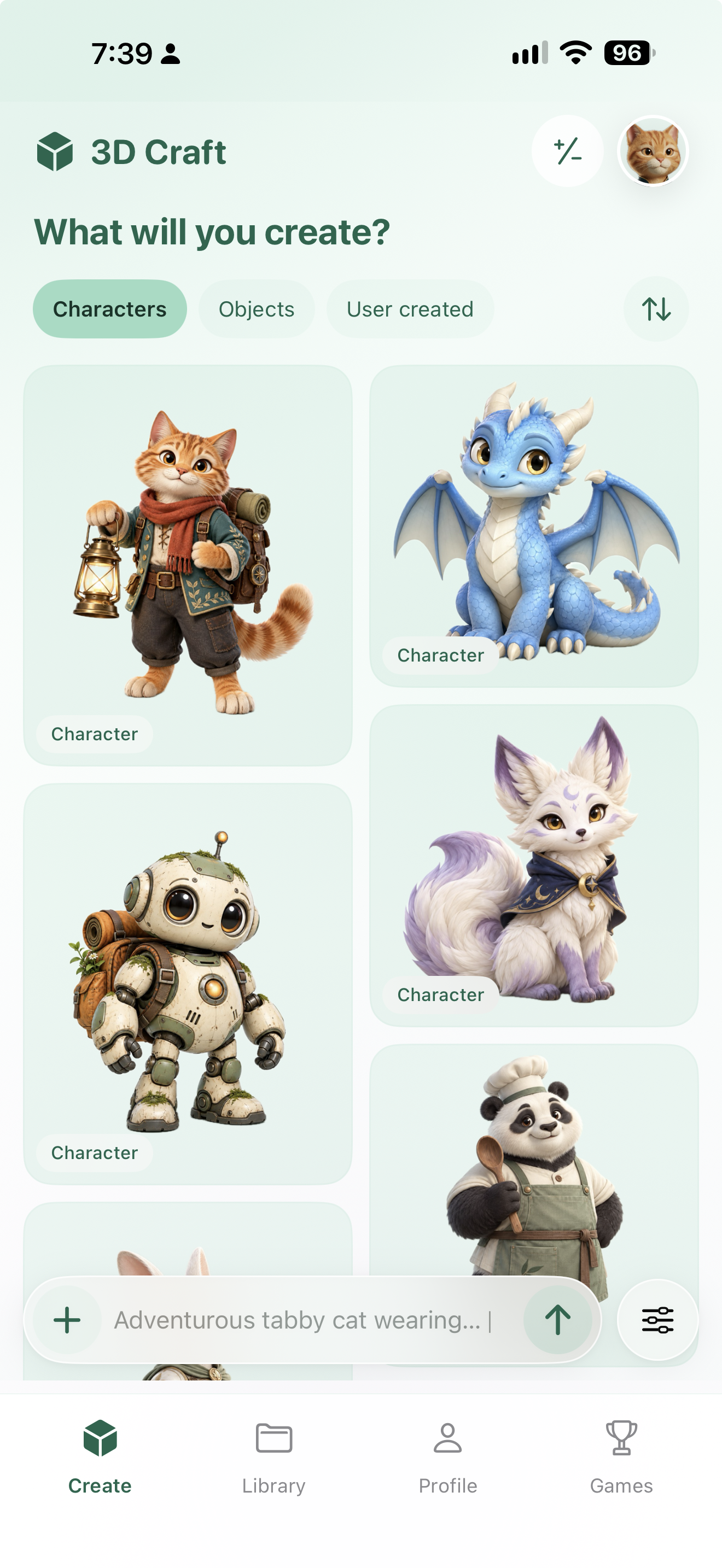
Current iOS source build: browse example characters or start a new creation from your own prompt.
-
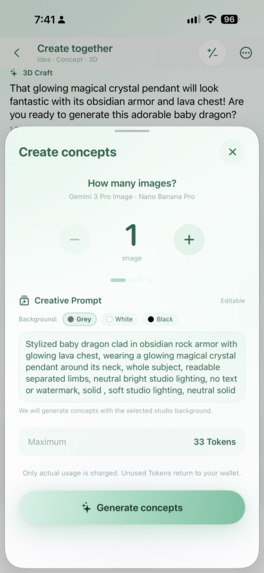
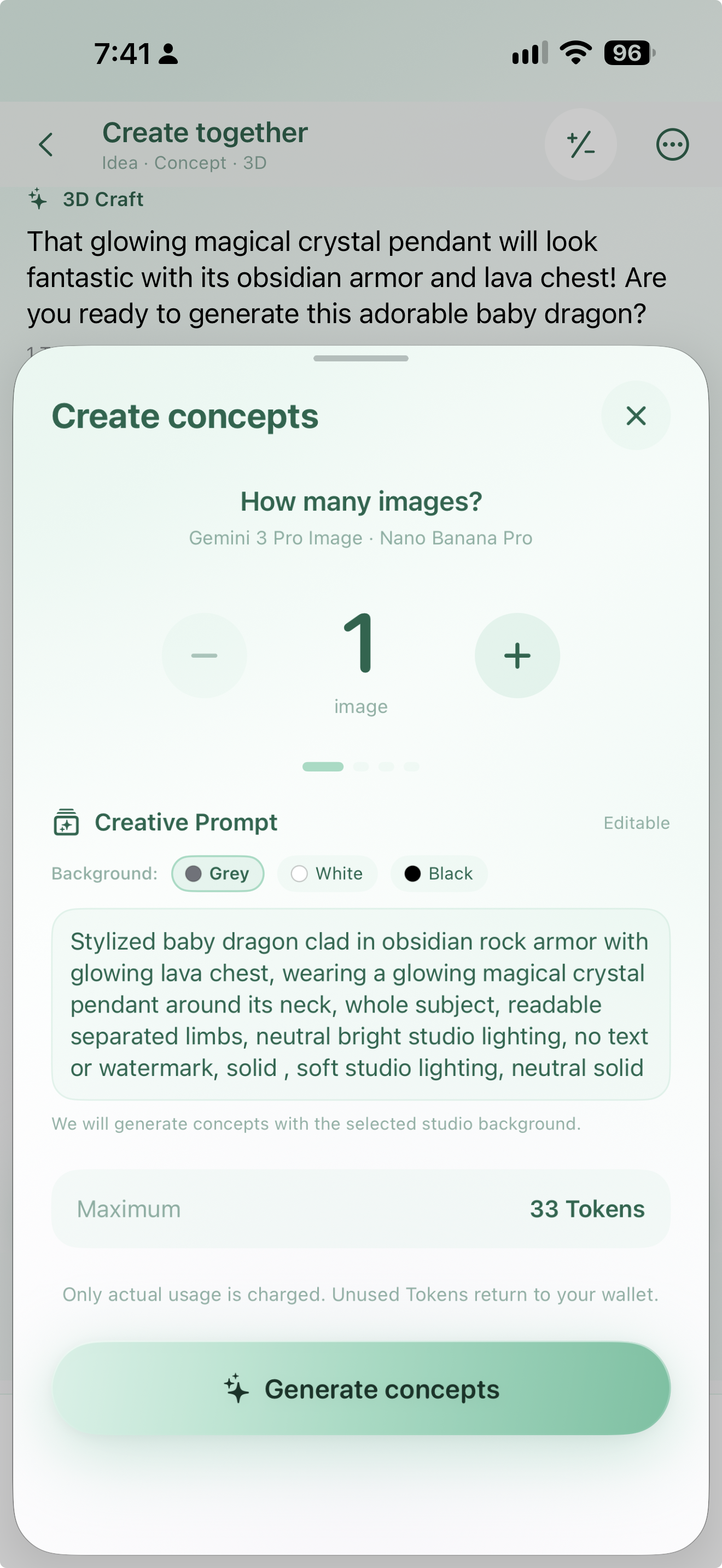
Current iOS source build: choose the image count, refine the prompt, and review the Token quote.
-
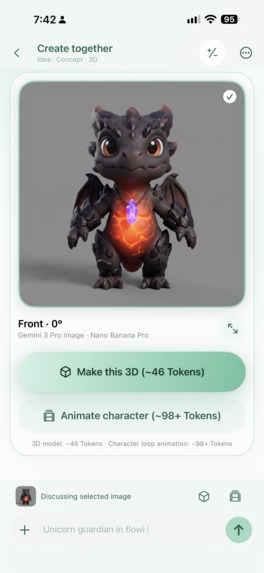
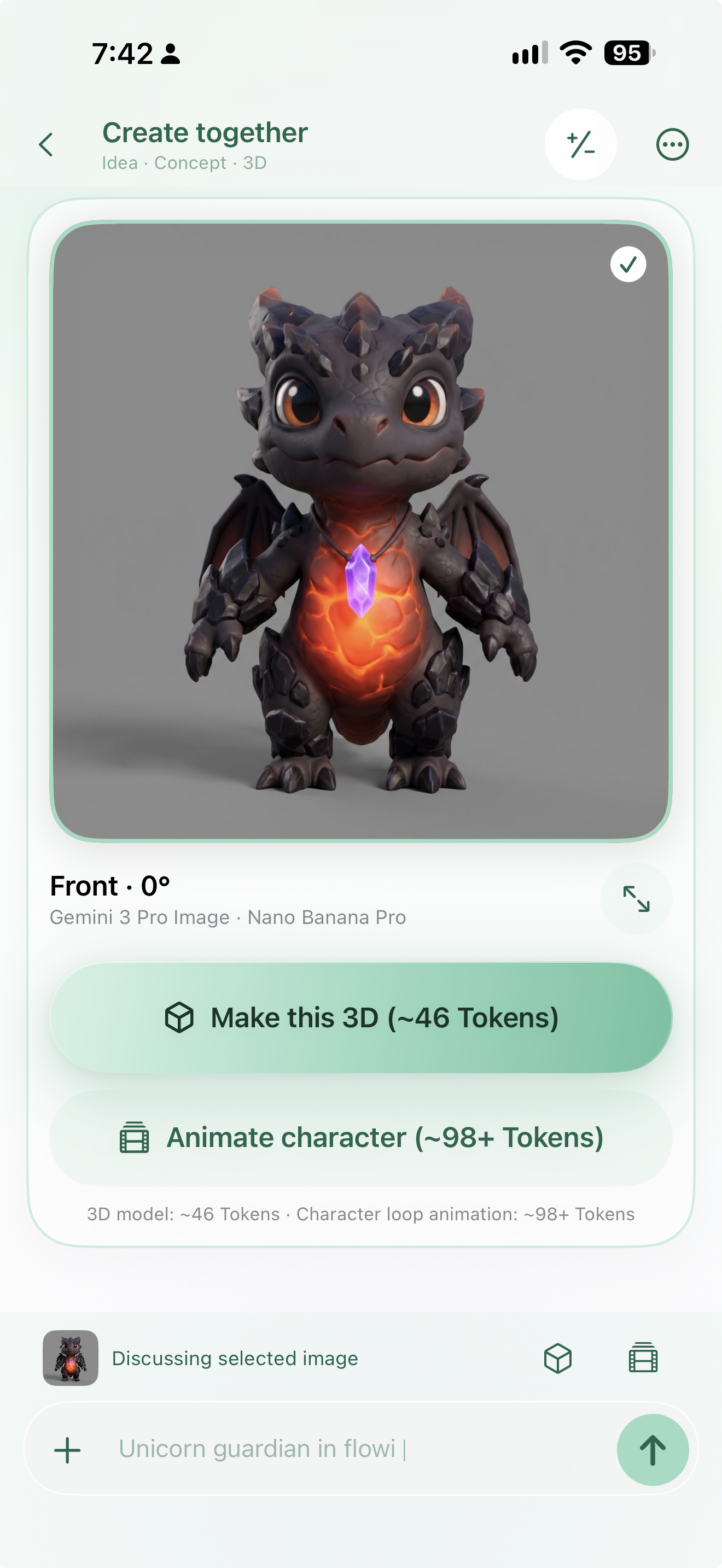
Current iOS source build: select a concept image before choosing a separate 3D or animation action.
-
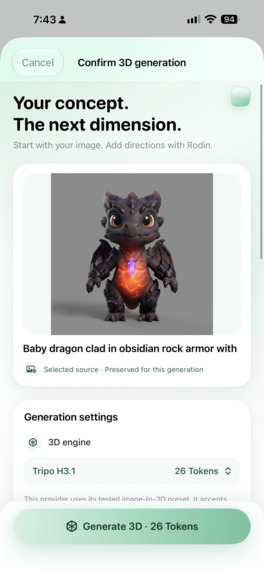
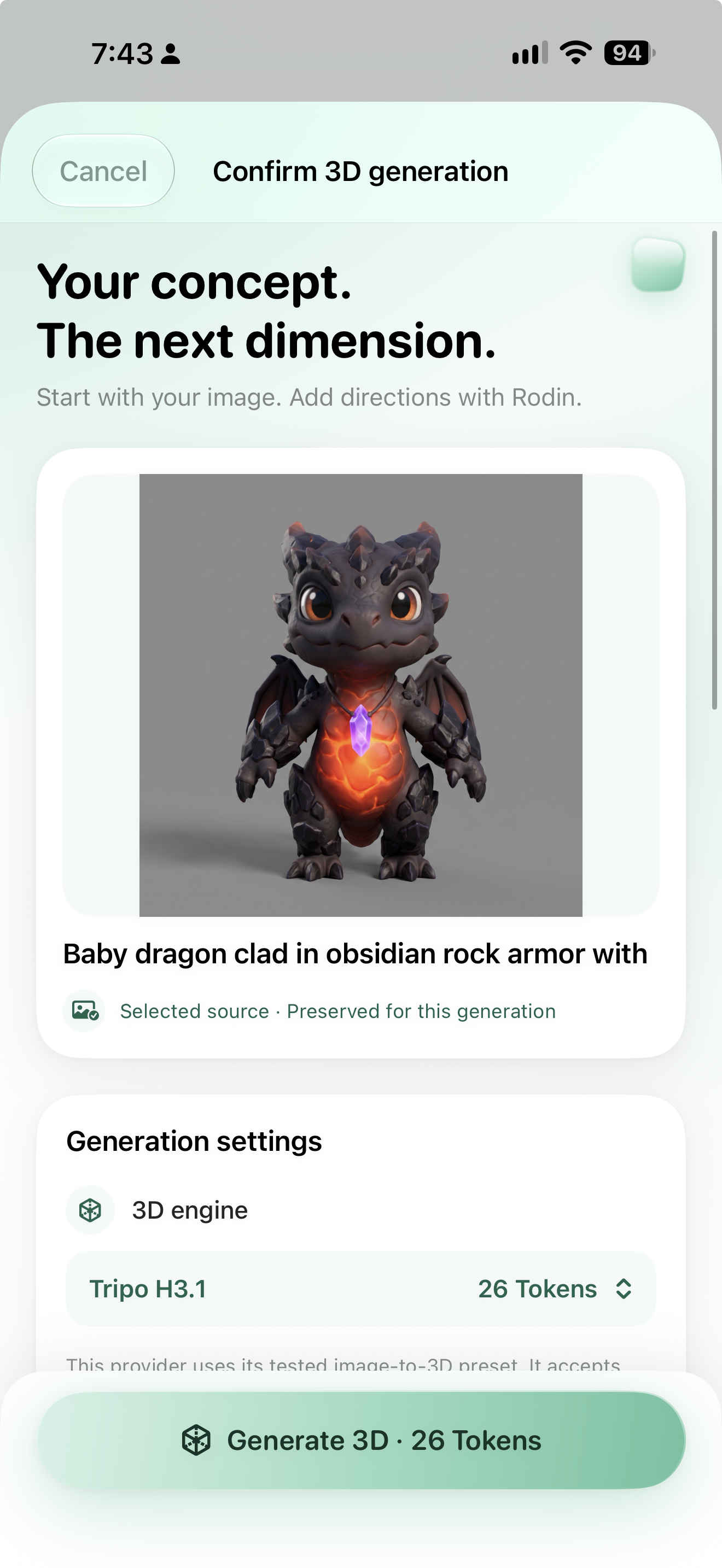
Current iOS source build: review the chosen concept, 3D engine, and Token quote before starting reconstruction.
-
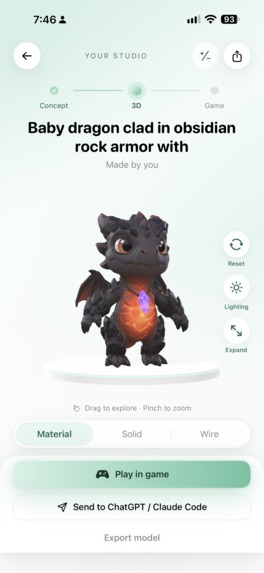
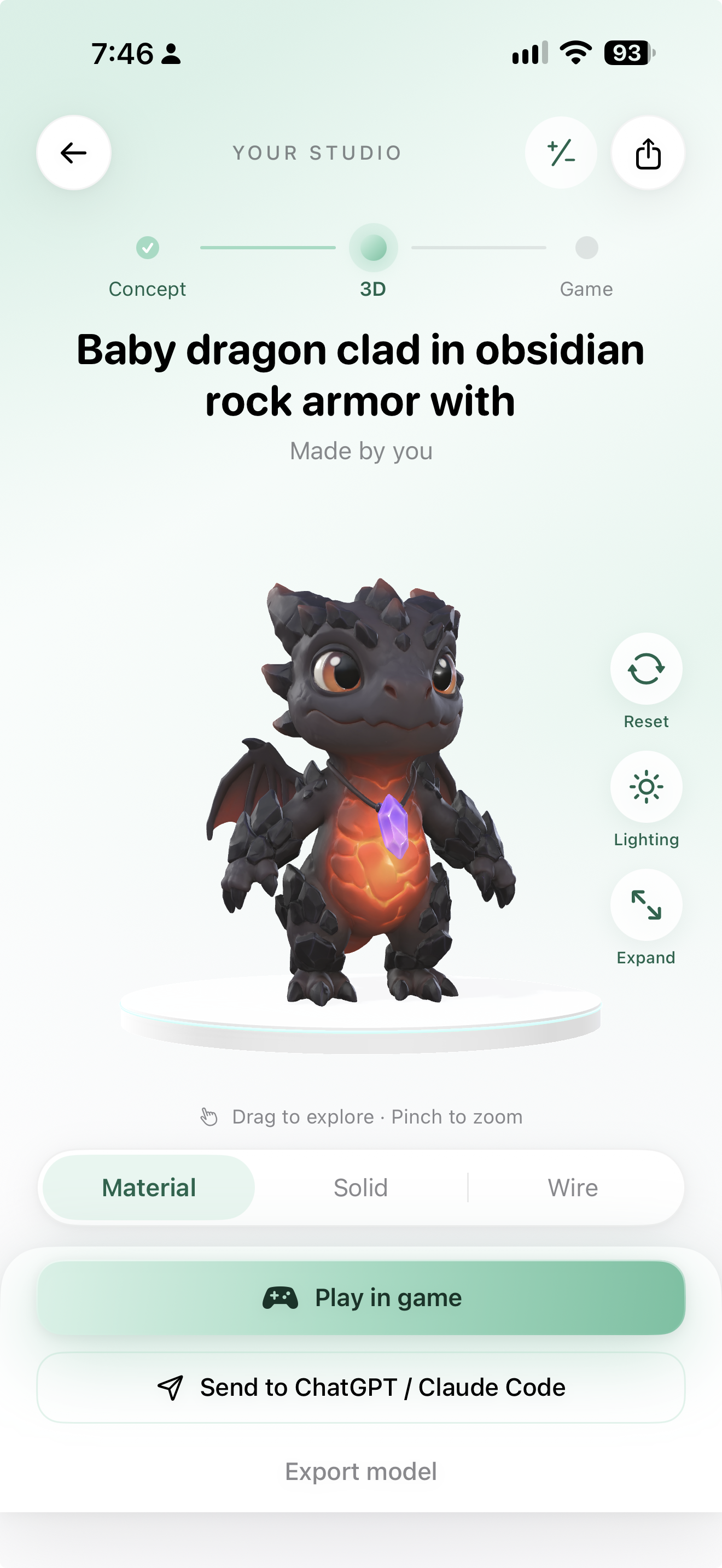
Current iOS source build: inspect the finished dragon with lighting and material views, then play or export.
3D Craft: from an idea to something you can use
3D Craft turns a text idea or reference image into concept art, then a 3D asset you can inspect, export, animate, or bring into a playable creation. The project includes a native iPhone and iPad studio, a companion web studio, and a cloud creation service.
The creation path
💡 Idea or photo → 🎨 Choose a concept → 🧊 Generate a 3D model → 🔍 Inspect and export → 🎬 Animate or play
3D object creation: from idea to finished model
These captures show one path through the current iOS source build. Token amounts shown are examples from that session; the app requests a fresh quote for each model and setting.
| Start with an idea | Refine it together |
|---|---|
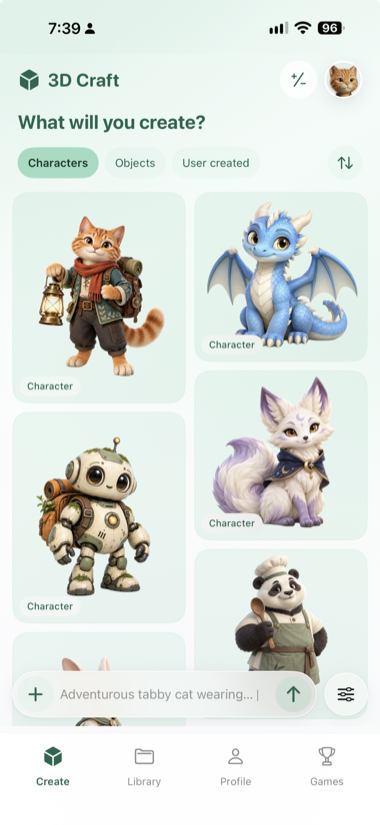 Browse example characters or start from a written idea. |
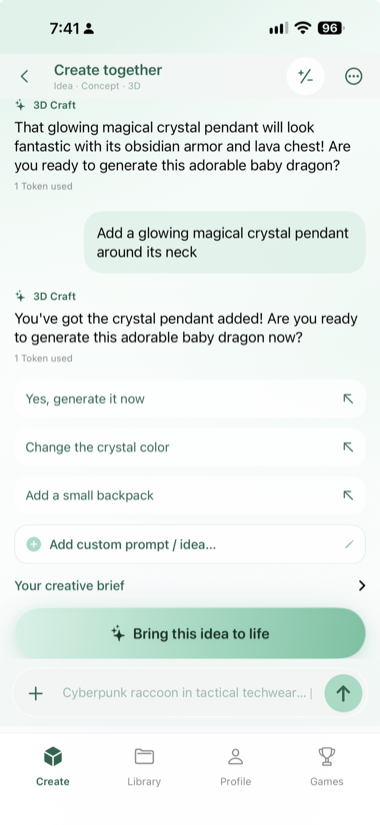 Shape the character in the creation conversation. |
| Review the concept request | Choose a concept |
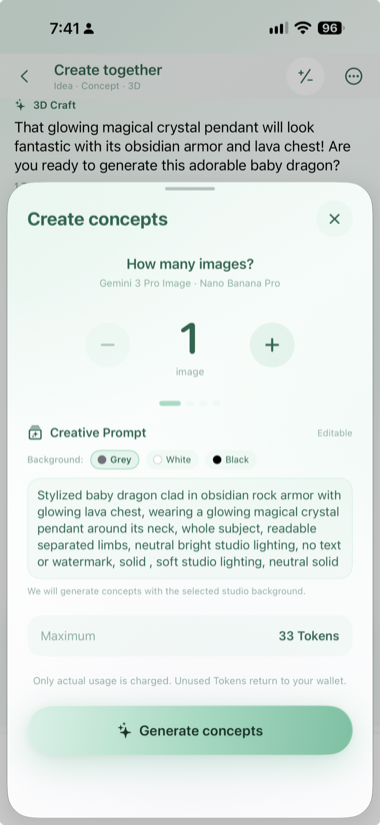 Set the image count and prompt, then review the Token quote. |
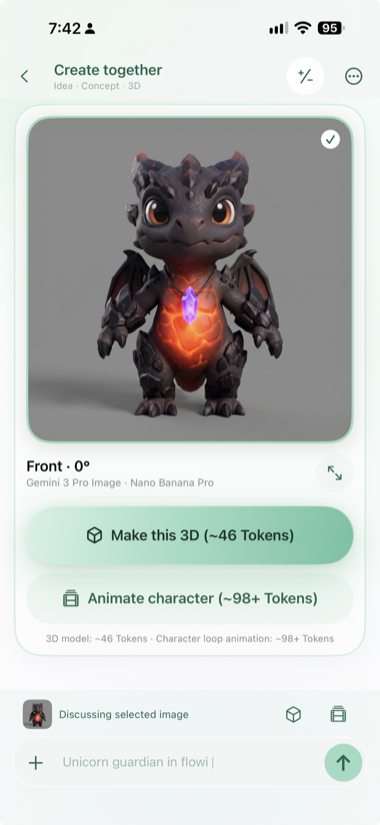 Choose the image to carry into a 3D or animation action. |
| Confirm the 3D job | Follow its progress |
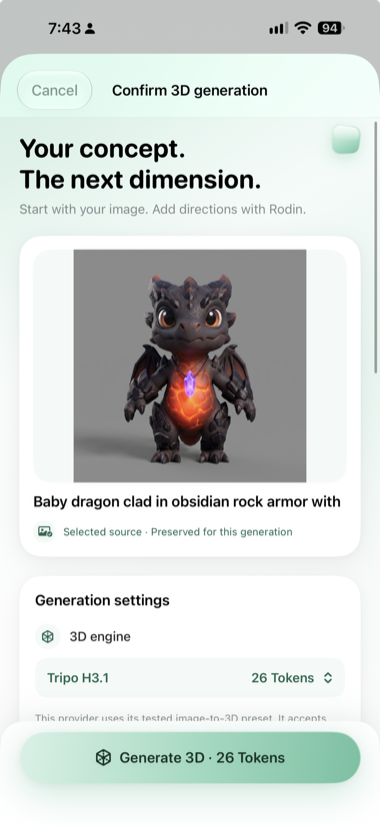 Inspect the source image, engine, and quote before generating. |
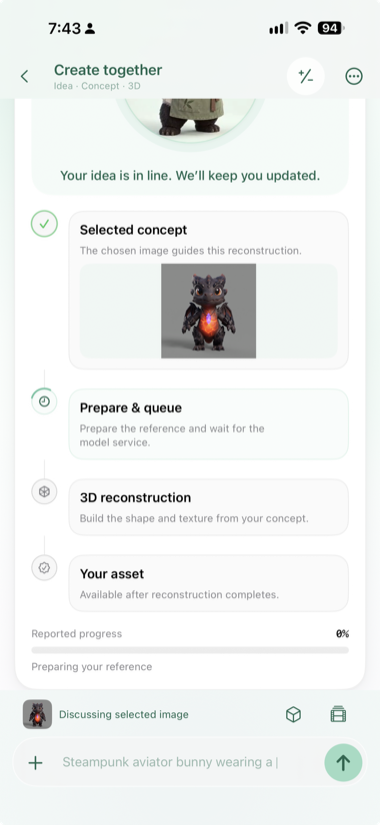 Return to the job as the model is reconstructed. |
| Inspect the result | |
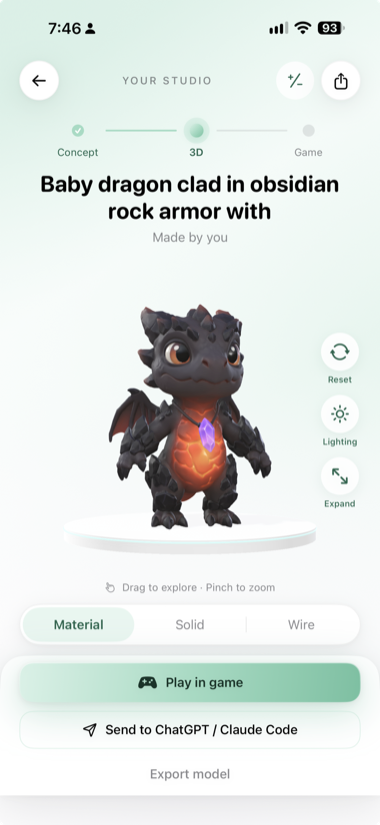 Rotate, zoom, change lighting, and inspect material or wire views. |
| Area | Current implementation |
|---|---|
| iOS studio | SwiftUI with an interactive SceneKit/GLTFKit2 model viewer, lighting controls, and material/solid/wire views. |
| Concepts | Text or image references, generated concepts, and explicit image selection before 3D generation. |
| Image to 3D | Atlas options including Tripo H3.1, Seed3D, Hunyuan, HI3D, and Meshy; fal options including Rodin, TRELLIS.2, Hunyuan3D, and hybrid. The iOS picker currently suggests Tripo H3.1. |
| Animation | Atlas MiniMax H3, Seedance 2.0 Mini, Seedance 2.0, Seedance 2.5, and Wan 3.0 Prime; fal MiniMax H3 and Seedance 2.5. The iOS picker currently suggests Atlas MiniMax H3. |
| Preview 3D model samples before generating | The 3D confirmation view lets creators inspect interactive sample meshes for supported engines before starting their own generation. Animation choices include Dragon sample videos, with the sample's provider identified clearly. |
| Themes | Lavender and emerald are independent appearance choices. The lavender gallery uses the blue dragon; the emerald gallery uses the lantern explorer. |
| Games | Built-in browser games, game-building handoff, and community-submitted game links with review, voting, and reporting controls. |
| Accounts and billing | Firebase accounts and cloud library; weekly/monthly Creator subscriptions and separate one-time Token packs through Apple purchases and RevenueCat. |
Selecting a concept does not start a paid 3D job. After inspecting a model, creators can export it, make a character animation, or use a game-building handoff. Open the full-size walkthrough in the README.
Why the purchase flow matters
Different 3D and animation models have different costs. Before a generation starts, 3D Craft requests a quote for the selected model and settings so the creator can see the required Tokens. The iOS app offers weekly and monthly Creator subscriptions plus separate one-time Token packs through Apple purchases and RevenueCat. Purchases are associated with the signed-in account, and the cloud service verifies purchase data before applying Tokens. The explicit concept choice and quote make each paid step understandable.
What powers it
Google Gemini creates concept-art options from text and image references. Supported Atlas and fal models turn selected images into 3D assets or create animation videos. The app presents model choices and samples; the public image-to-3D comparison and animation comparison show actual sample outputs from specific test runs. Results can vary with the input and model.
Architecture at a glance
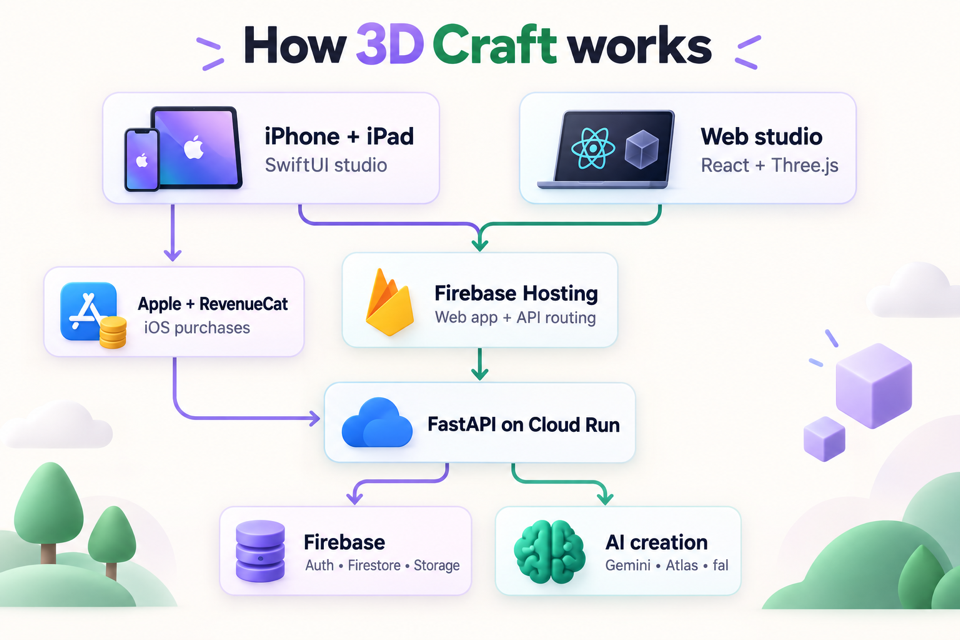 The studios share a cloud API. The iOS purchase path uses Apple and RevenueCat, with verification in the API.
The native studio uses SceneKit and GLTFKit2 for interactive 3D viewing. Firebase Authentication, Firestore, and Storage support accounts, background jobs, and the asset library. Firebase Hosting serves the web studio and routes /api/** requests to the FastAPI service on Cloud Run. Signed-in creators can also create scoped, expiring personal API keys for compatible HTTP clients; those calls use the account's production Token balance.
Designed for creative exploration
Concepts, models, and animations have separate views, so it is clear which asset is being inspected. Lavender and emerald appearances give the studio distinct visual themes. The model viewer adds lighting and material or wire views for checking geometry. A game-building handoff carries a model and prompt into the next creative step.
Explore 3D Craft
Install the iOS app to browse examples, open a 3D model, try its viewer controls, and explore playable creations. Visit the web studio for the companion experience. The public repository documents the current source build and architecture, including features that may reach the App Store in a later release.
3D Craft first appeared on the App Store on September 18, 2026.


Log in or sign up for Devpost to join the conversation.