-
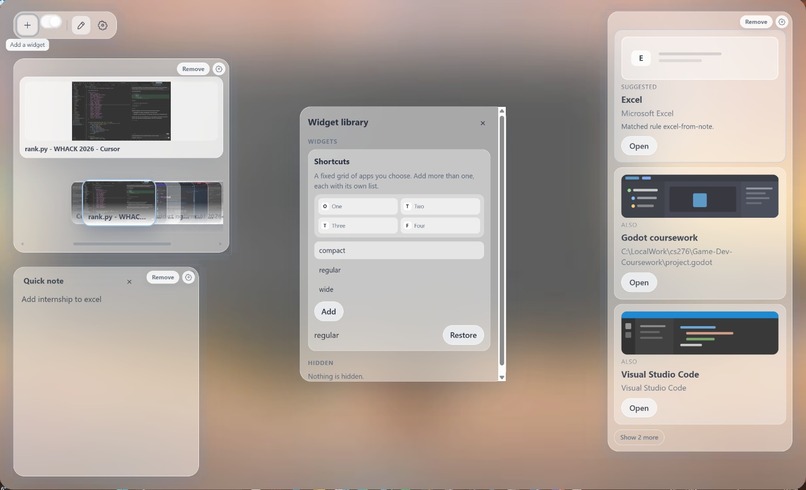
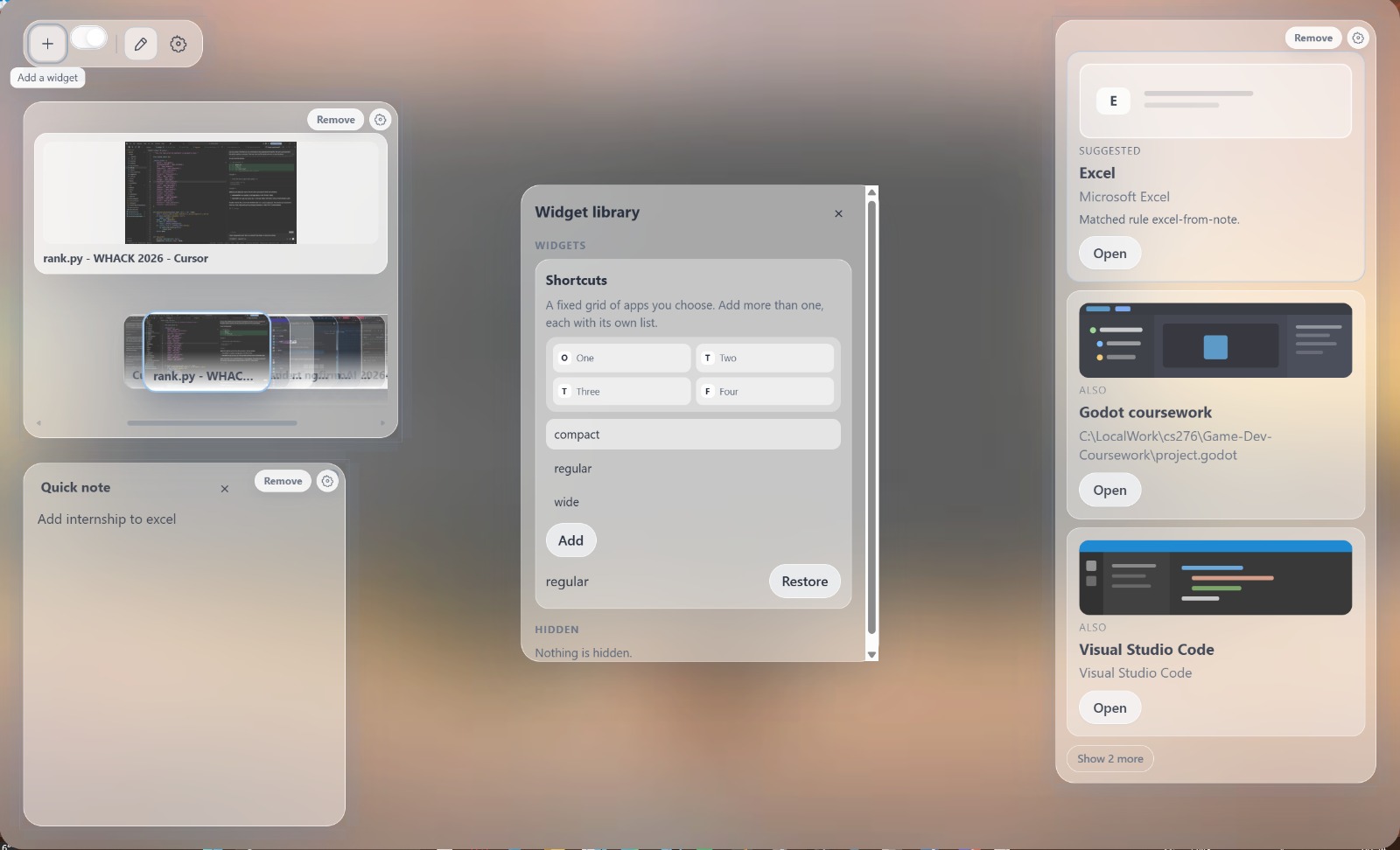
User can add shortcut widgets. These widgets can be moved around for personalised use.
-
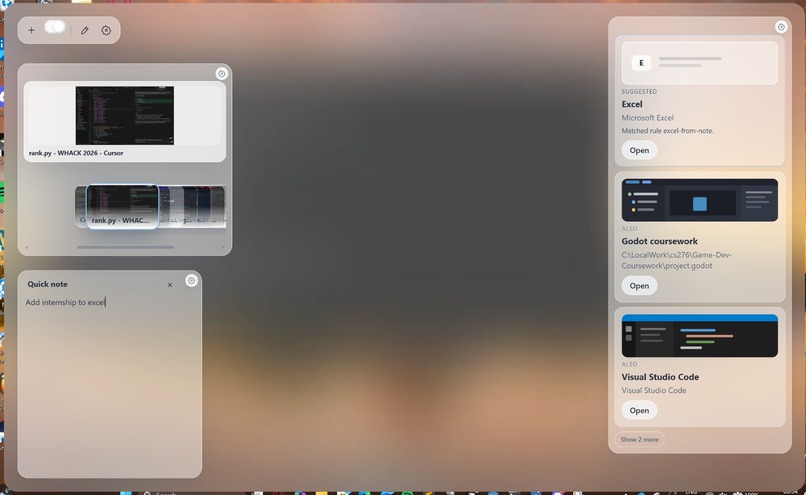
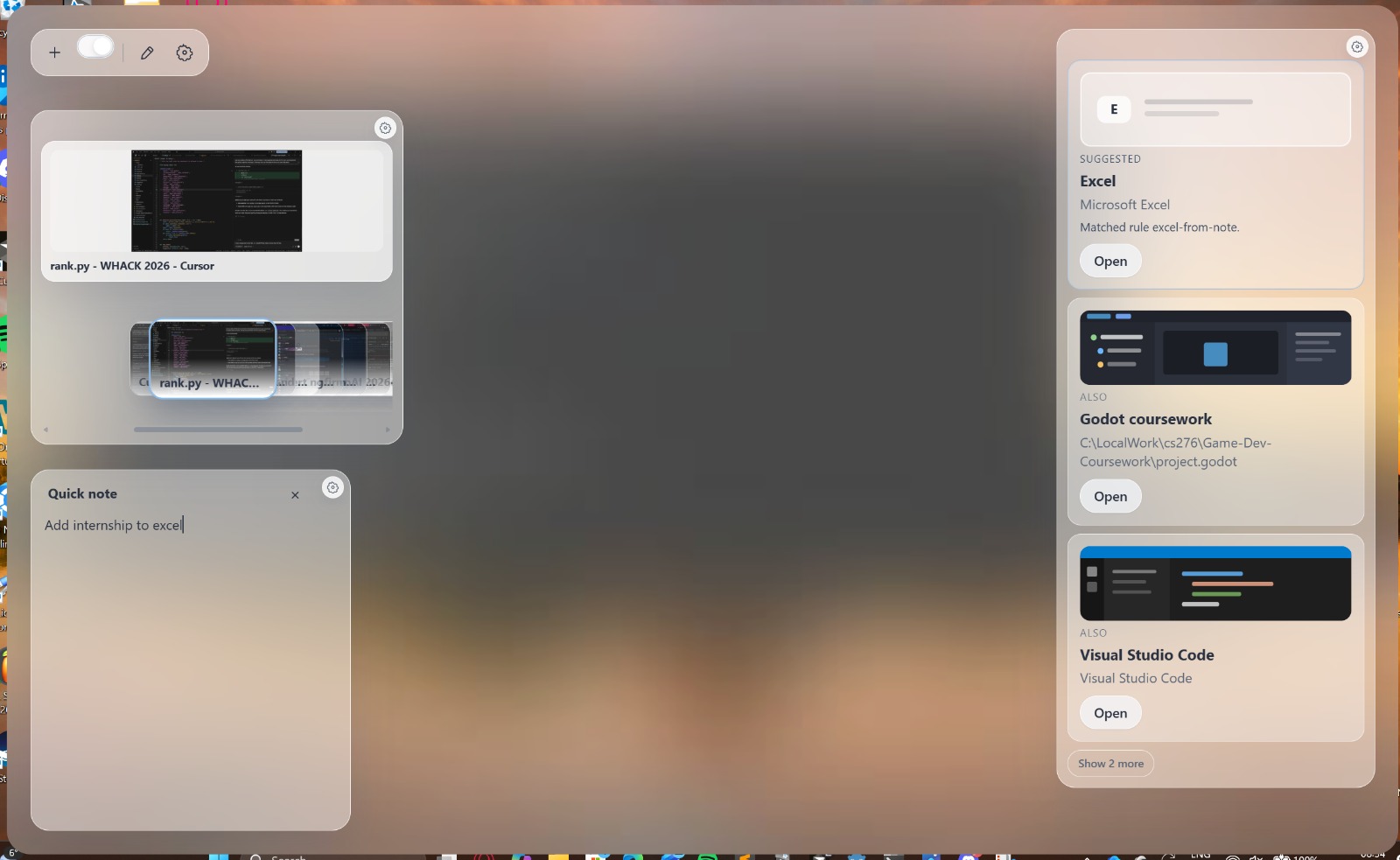
Quick note references Excel, so Excel it shown on suggestions.
-
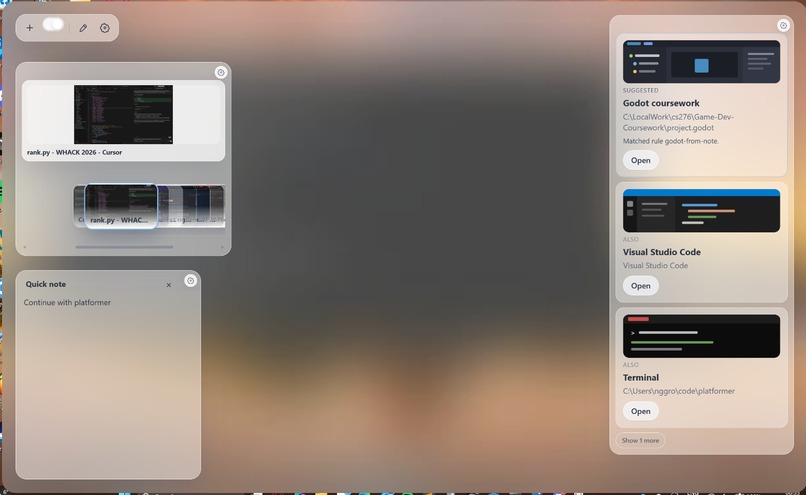
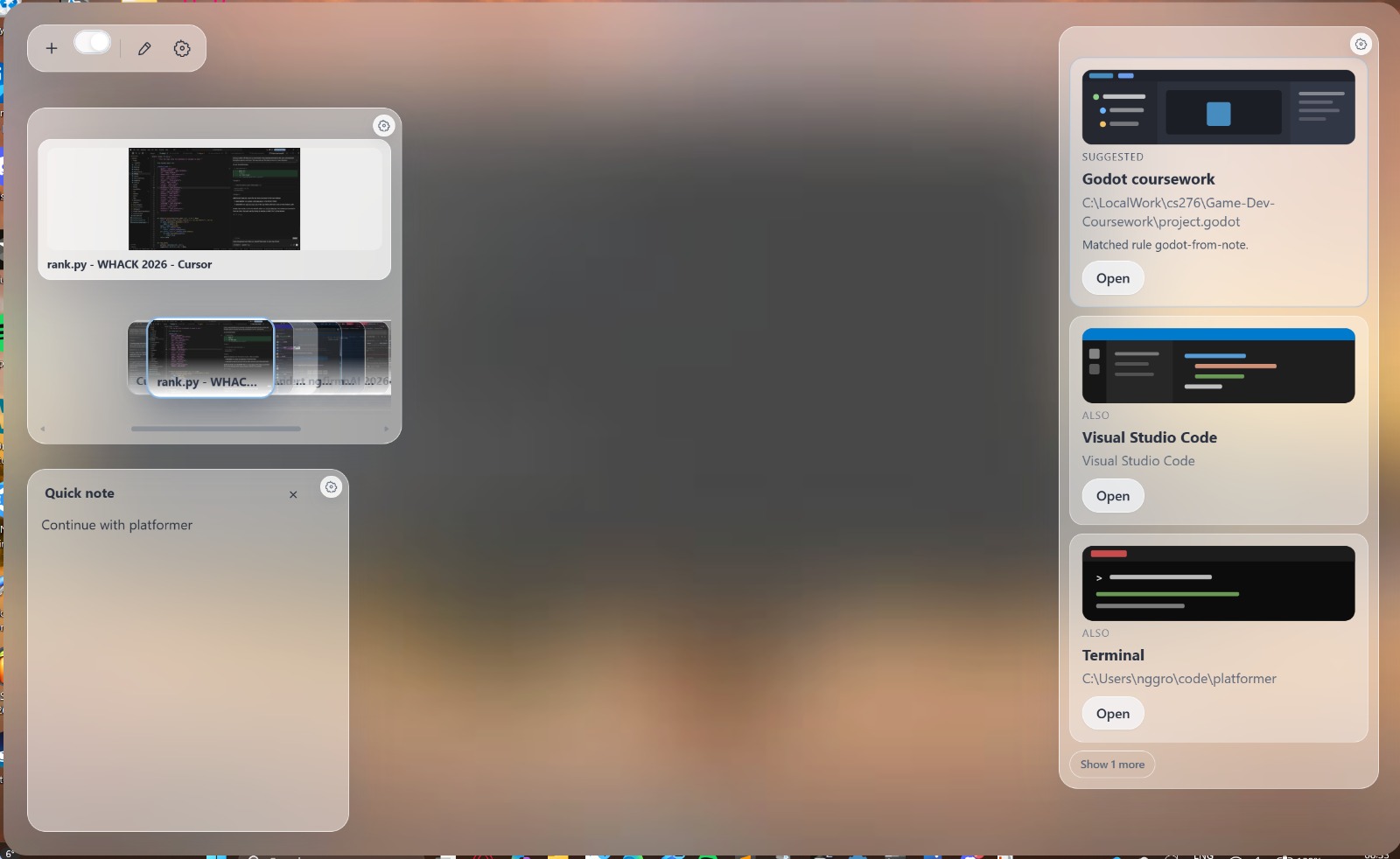
Quick note references platformer, so Godot app which contains the platformer game is shown on suggestions.
-
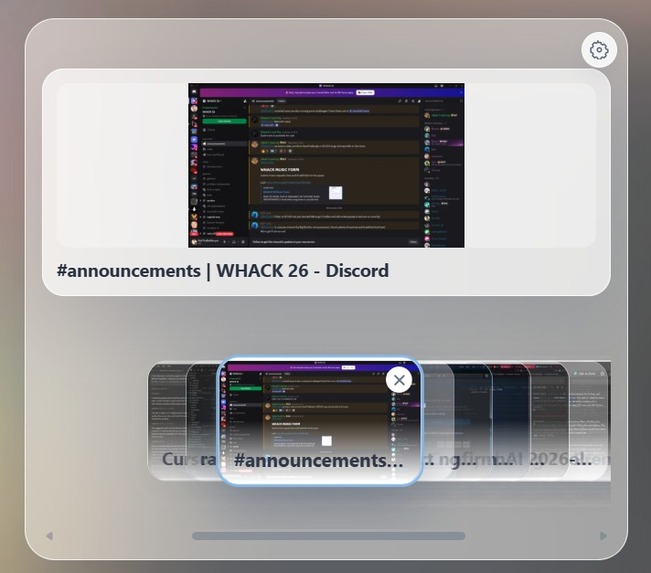
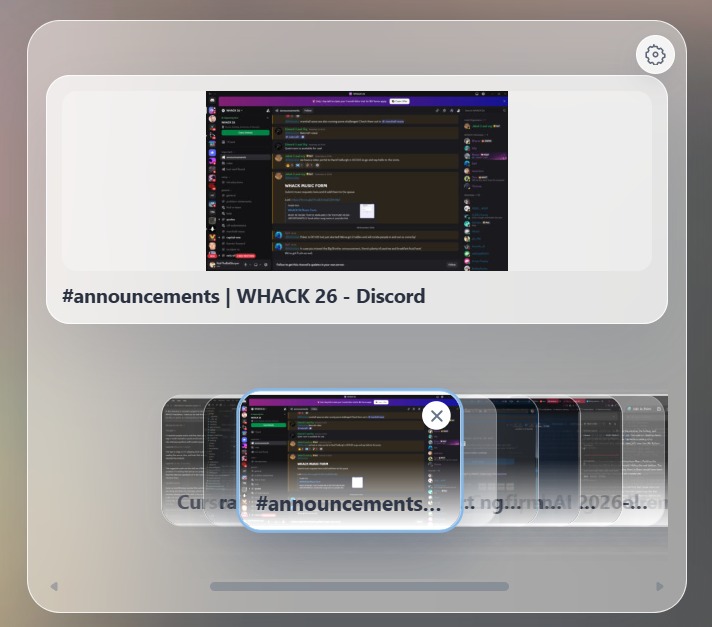
Zoomed into the preview of displaying multiple windows. Helps user with navigation
Inspiration
We wanted to rethink how people interact with their computers, particularly as we enter an era where AI can make everyday workflows significantly more intelligent and efficient.
Windows is the dominant desktop environment for many users because of its familiarity, broad software compatibility and ecosystem. However, its traditional desktop experience can feel static and often requires users to manually manage windows, applications and workflows.
On the other hand, Linux offers a much greater degree of customisation and control over the desktop experience, but achieving this often requires technical knowledge, configuration and time. Its ecosystem and software compatibility can also make switching difficult for everyday users.
We saw an opportunity to bridge this gap: what if we could bring a more intelligent, customisable and adaptive desktop experience to Windows, without sacrificing its compatibility and familiarity? We believed computers should do more than simply respond to user input. They should understand the context of what we're working on, anticipate what tools we might need and help us navigate our workflows more efficiently.
This inspired us to build a context-aware desktop dashboard that dynamically adapts to what users are doing. Rather than being another static collection of widgets, our project aims to make the desktop feel alive, intelligent and personalised — reducing friction between applications and allowing users to focus on what matters.
What it does
Users can launch applications and access tools directly from the dashboard, reducing the need to manually search through their desktop. Users can customise dashboard widgets, add multiple shortcut widgets, and manage their workspace. A quick-note scratchpad also allows users to record information that can influence contextual recommendations. It includes an interactive window switcher with live window previews. Users can browse open windows through an overlapping horizontal stack and activate the window they need.
Ultimately, our aim is to transform the desktop from a passive interface into an intelligent workspace that responds to the user's activity.
Implementation
Contextual Information
Collectors that retrieve contextual data from the desktop, including the active application, background processes, clipboard changes. (The quick note is handled separate from this as the user has direct control over what they want. ) This has been developed through python with a central context manager that coordinates these collectors, processes events and maintains a snapshot of the current desktop context. This information helps it understand what the user is currently working on and will be used to predict what the user might need.
Persistent Memory
We use SQLite to maintain application focus history across sessions. The system records application usage sessions, tracks how long applications remain in the foreground and identifies frequently used applications. This history provides additional context for recommendations.
Recommendations
We built a recommendation pipeline that combines deterministic rules, application history and an optional LLM integration. The rules engine evaluates contextual information such as the active process, window title, clipboard contents and notes. If no rule matches, the system can request a recommendation from an OpenAI-compatible chat completion API.
The model receives a compact representation of the current context and recent application usage. Its response must correspond to an approved application ID in our application catalogue, preventing arbitrary application launches.
Frontend — React, TypeScript & Vite
The frontend is built with React 19 and TypeScript, bundled using Vite. We designed it as a modular component system, with separate components for the dashboard, window switcher, suggestions, navigation and widgets.
A key part of the frontend is our custom dashboard layout engine. We implemented draggable and resizable panels, snapping, z-index management, minimising and hiding, alongside a widget registry that allows users to dynamically add and manage widgets. Layouts and widget configurations are persisted between sessions.
We used custom CSS to create the translucent, frosted-glass aesthetic, with layered surfaces, backdrop effects and animations.
Native Desktop — Rust, Tauri 2 & Windows APIs
Tauri 2 packages the React frontend into a native Windows desktop application. The Rust backend handles operating-system functionality that cannot be achieved through a standard web interface.
Using native Windows APIs, we implemented window enumeration, activation and closing, as well as global keyboard shortcuts. We also built a window preview system using Windows.Graphics.Capture and Direct3D 11, with caching and dirty-window detection to avoid unnecessary captures.
For the frosted-glass effect, we combine desktop image capture and blur processing with Windows Desktop Window Manager (DWM) APIs, creating a transparent, always-on-top desktop overlay.
Communication between different layers
The React frontend communicates with Rust through Tauri's IPC commands and events. The separate Python backend communicates with Rust through Windows named pipes using structured JSON messages, allowing context updates and user actions to flow between processes.
We use SQLite to persist application focus history, alongside separate persistence for dashboard layouts, widget configurations and scratchpad content.
Challenges we ran into
Utilising AI recommendation
We didn't want to rely entirely on an LLM for every recommendation. This could introduce unnecessary latency, API costs and unpredictable results. We addressed this by prioritising deterministic rules and using the AI model as a fallback when no rule matches. We also introduced application whitelisting, duplicate-request prevention, error handling and diagnostic information to make the recommendation pipeline more predictable.
Dashboard designing
Creating a desktop interface that feels integrated with the operating system rather than like a traditional web application was another challenge. We worked on a frosted-glass appearance, rounded surfaces, window previews, overlapping window cards, animated transitions and a customisable widget layout. Achieving the desired visual effects also required native Windows APIs rather than relying entirely on CSS.
Window Management and Performance
Displaying previews of multiple open windows introduces performance challenges, particularly when windows change frequently. We implemented preview caching, dirty-window detection and a limit on concurrent captures to avoid repeatedly capturing unchanged windows.
What we learned
AI Needs Context to Be Useful
We learned that simply integrating an LLM does not automatically create a useful AI assistant. The quality of its recommendations depends heavily on the quality, relevance and structure of the context it receives. Combining current desktop activity with historical application usage gives the AI a much stronger foundation for making useful recommendations.
Better to not have LLM in some cases
One of our biggest architectural lessons was that deterministic logic and AI work best together.
Rules are faster, predictable and reliable for known situations, while LLMs are useful when context is ambiguous or a situation doesn't match predefined conditions. Combining both creates a more practical and efficient system.
Built With
- database
- llm
- python
- react
- rust
- sqlite
- tauri
- typescript
- vite
