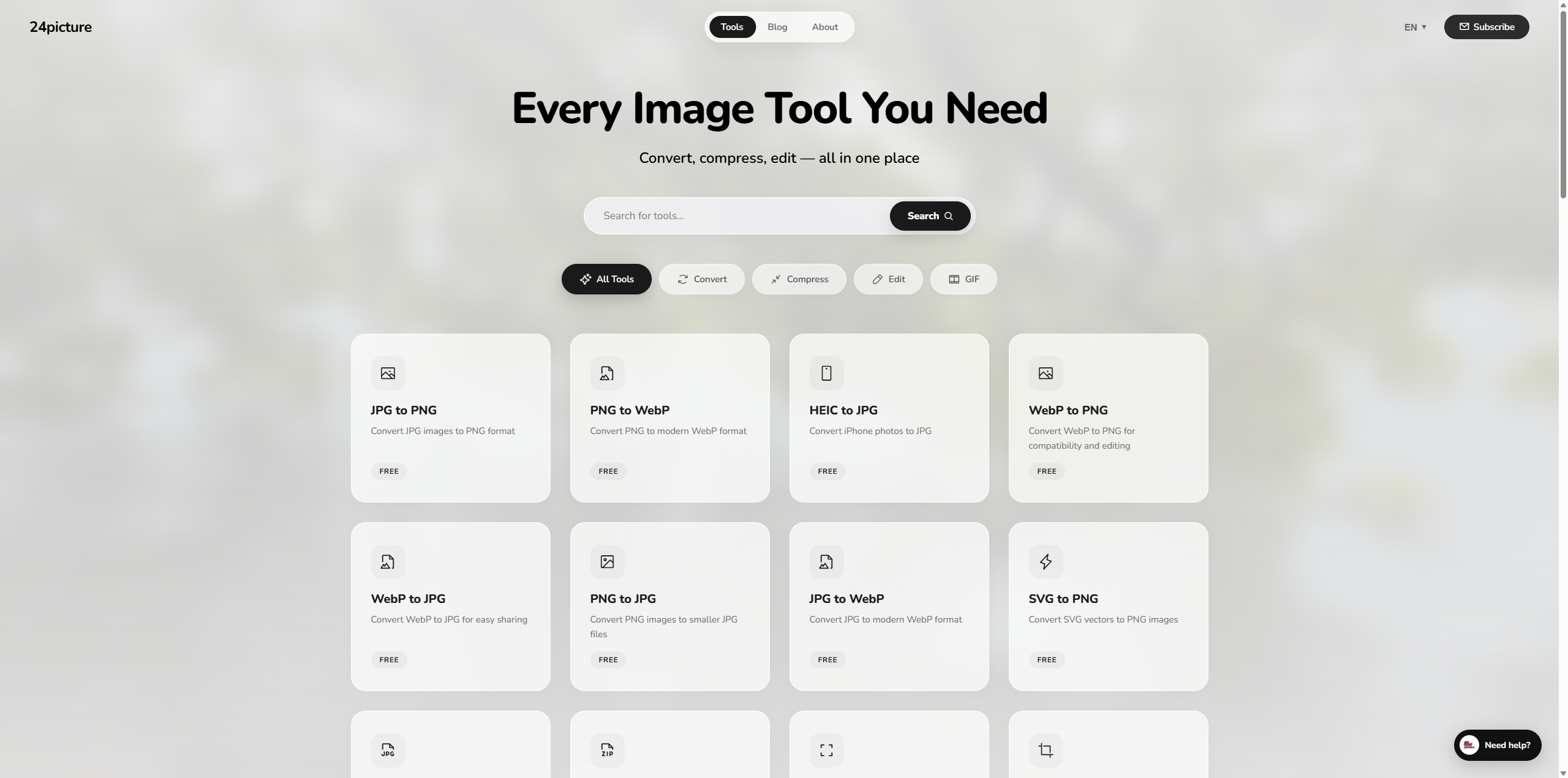
What is 24Picture?
24Picture is a free, ad-light, no-signup image toolkit that runs entirely in your browser. Every conversion, every compression, every resize happens locally on your device using modern Web APIs (Canvas, OffscreenCanvas, WebAssembly). Your files never leave your computer.
No signup. No upload. No subscription. No upsell. Just open the page and start.
Try it now: 24picture.com
Why browser-local?
| Promise | What it means |
|---|---|
| Privacy | Your images never reach any server. Process medical scans, ID photos, or work assets without leaking them. |
| Speed | Zero upload time + zero download time. A 20 MB image converts in the same time it takes you to drag it onto the page. |
| Free | No paywall, no watermark, no daily limit. Every tool is fully usable forever. |
| Offline | Install as a PWA on your phone or desktop and the tools keep working without internet. |
| Open standards | Built on Canvas, WebAssembly, and Web APIs that any modern browser supports. No vendor lock-in. |
Read the full privacy policy →
All 28 tools
Format Converters (18 tools)
| From → To | Direct link |
|---|---|
| PNG → JPG | tools/png-to-jpg |
| JPG → PNG | tools/jpg-to-png |
| PNG → WebP | tools/png-to-webp |
| JPG → WebP | tools/jpg-to-webp |
| WebP → JPG | tools/webp-to-jpg |
| WebP → PNG | tools/webp-to-png |
| SVG → JPG | tools/svg-to-jpg |
| SVG → PNG | tools/svg-to-png |
| AVIF → JPG | tools/avif-to-jpg |
| AVIF → PNG | tools/avif-to-png |
| HEIC → JPG | tools/heic-to-jpg |
| HEIC → PNG | tools/heic-to-png |
| HEIC → WebP | tools/heic-to-webp |
| TIFF → JPG | tools/tiff-to-jpg |
| TIFF → PNG | tools/tiff-to-png |
| ICO → PNG | tools/ico-to-png |
| GIF → MP4 | tools/gif-to-mp4 |
| Base64 ⇄ Image | tools/base64-converter |
Compress & Optimize (2 tools)
| Tool | Link |
|---|---|
| Image Compressor — JPG/PNG/WebP with quality slider | tools/image-compress |
| SVG Optimizer — strip metadata, minify paths | tools/svg-optimizer |
Edit (4 tools)
| Tool | Link |
|---|---|
| Image Editor — full multi-tool editor (crop / resize / filter / text) | tools/image-editor |
| Resize Image — px / %, lock-aspect-ratio, batch | tools/resize-image |
| Crop Image — freeform, square, 16:9, 4:3, custom ratio | tools/crop-image |
| Add Watermark — text or logo, anchor + opacity controls | tools/add-watermark |
Create (3 tools)
| Tool | Link |
|---|---|
| GIF Maker — multi-frame, frame delay, loop control | tools/gif-maker |
| Meme Maker — top + bottom text, classic Impact font | tools/meme-maker |
| Gradient Generator — CSS + PNG export, 2-3 stops | tools/gradient-generator |
Batch (1 tool)
| Tool | Link |
|---|---|
| Batch Convert — drop a folder, convert dozens at once | tools/batch-convert |
Available in 5 languages
24Picture auto-detects your browser language and serves the matching version:
- 🇺🇸 English — 24picture.com
- 🇨🇳 简体中文 — every page localized
- 🇯🇵 日本語 — every page localized
- 🇪🇸 Español — every page localized
- 🇧🇷 Português — every page localized
Every tool page, every blog post, every legal document is available in all 5 languages with hand-curated translations (no machine translation).
Tech stack
24Picture is built with intentional minimalism:
- Vanilla HTML / CSS / JS — no React, no Vue, no build step. Each page is a hand-tuned static document.
- Service Worker — full offline mode + smart cache strategy (network-first for HTML, stale-while-revalidate for assets).
- WebAssembly codecs — UTIF.js + pako for TIFF, custom ICO parser, heic2any for HEIC, native
<canvas>for everything else. - 5-language i18n — single
i18n.jssource-of-truth, smart<html lang>detection, browser-language redirect with anti-loop guard. - PWA — installable on iOS, Android, Windows, macOS via standard Web App Manifest.
- No tracking pixels — no Google Analytics, no Facebook Pixel, no third-party fingerprinting.
Recent updates
The full release history is on the Changelog page →
Highlights from the last few weeks:
- v1.8.7 — Global footer unification across 193 inner pages, 404 page i18n fix
- v1.8.0 — 7 new format converters (AVIF / HEIC / TIFF / ICO)
- v1.7.10 — Homepage AI Assistant launch
- v1.7.x — P1 batch tool wave: GIF Maker, Meme Maker, Image Editor, Batch Convert
- v1.6.x — Status page, PWA installation guide, Cookie / Privacy / Terms refresh
- v1.5.x — Initial 5-language launch, full SEO sitemap
We ship in public — every release has a developer diary attached.
Status & uptime
Live status, tool count, and infrastructure details: 24picture.com/status
Listed on:
FAQ
Q: Is 24Picture really free? Yes. No signup wall, no daily limit, no watermark, no premium tier. The site is funded by being cheap to run (everything is static HTML + JS, no servers crunching images).
Q: Where do my files go when I upload?
Nowhere. All processing happens in your browser tab. The "Upload" button is just a <input type="file"> that hands the file to a JavaScript API. Your files never reach our servers because we never built that infrastructure.
Q: Can I use 24Picture offline? Yes — install it as a PWA from the browser address bar (or via pwa-guide) and the tools work without an internet connection.
Q: Why isn't the source code on GitHub? The repository hosting the production source is currently private. This GitHub repo is documentation only — see the live site for the working product.
Q: How do I report a bug or request a tool? Email [email protected] or open an issue on this repository.
License
This repository contains documentation only. The 24Picture product itself is free to use at 24picture.com under the terms in the Terms of Service.
The text and images in this README are released under Creative Commons Attribution 4.0 — feel free to reference 24Picture in your own articles, lists, or directories with attribution.
Contact
- Website: 24picture.com
- Status: 24picture.com/status
- Changelog: 24picture.com/changelog
- Privacy: 24picture.com/privacy-policy
- Email: [email protected]
Built With
- canvs
- css3
- javascript
- php


Log in or sign up for Devpost to join the conversation.