-
-
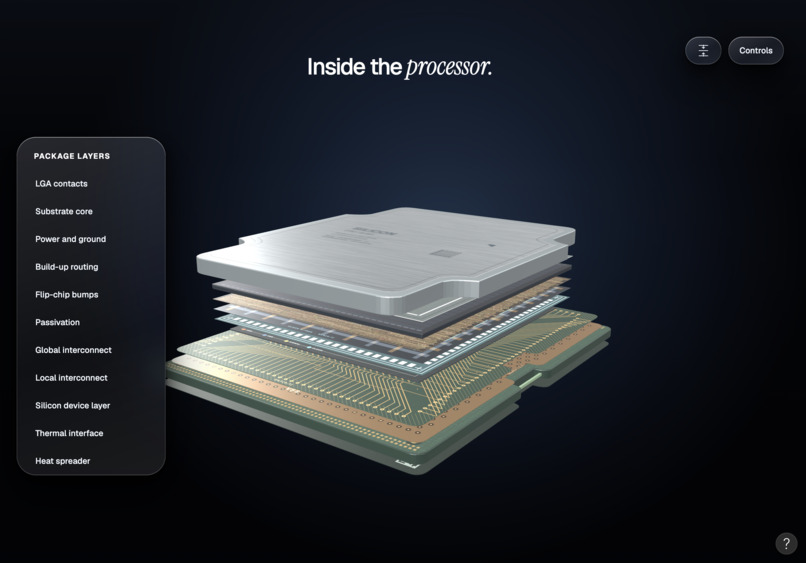
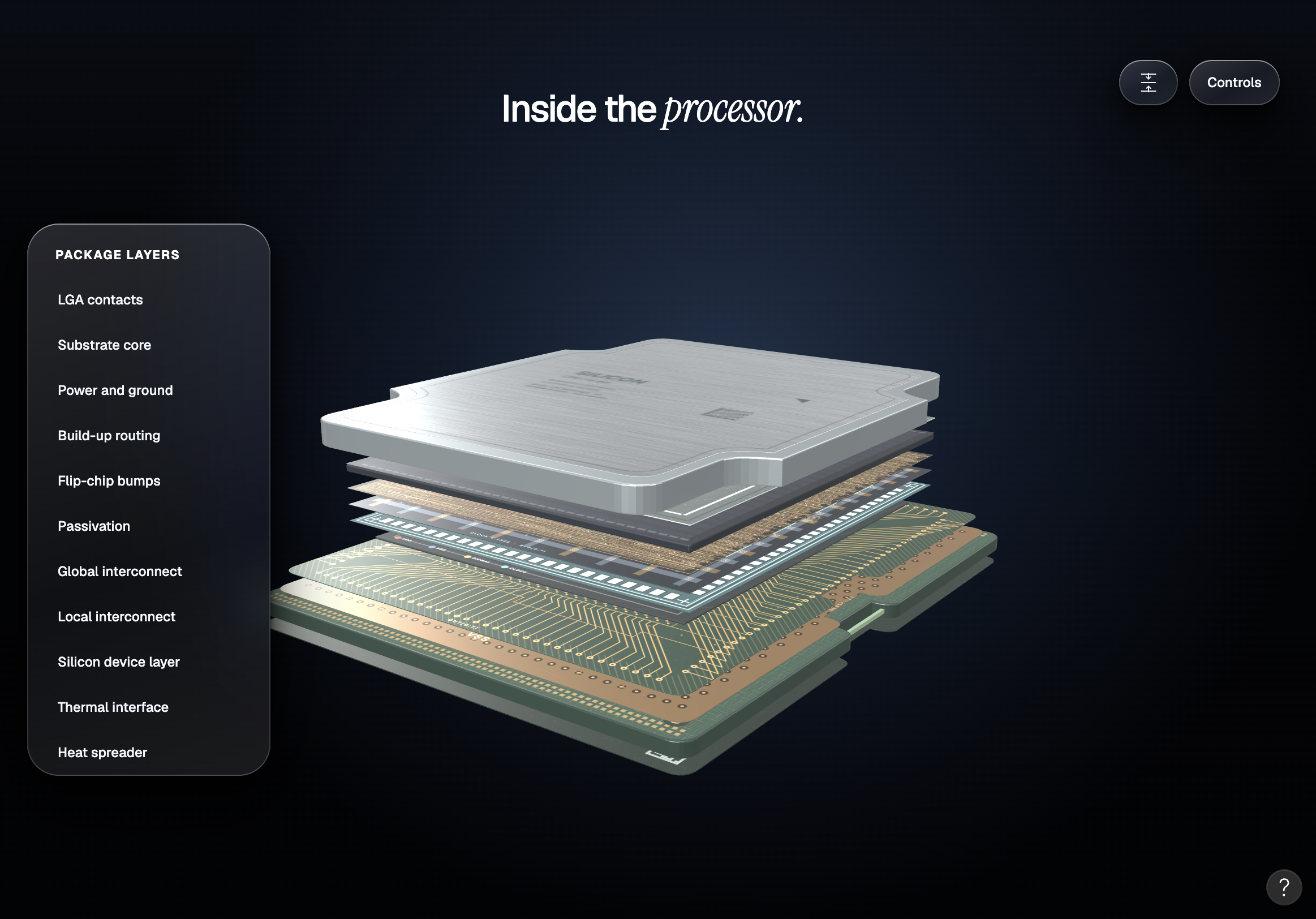
educational walkthrough and 3D visualization of CPU processes
-
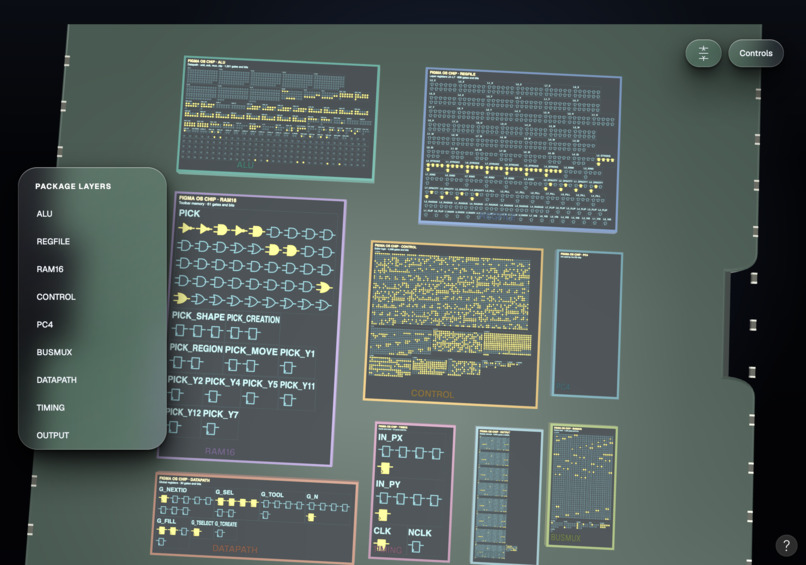
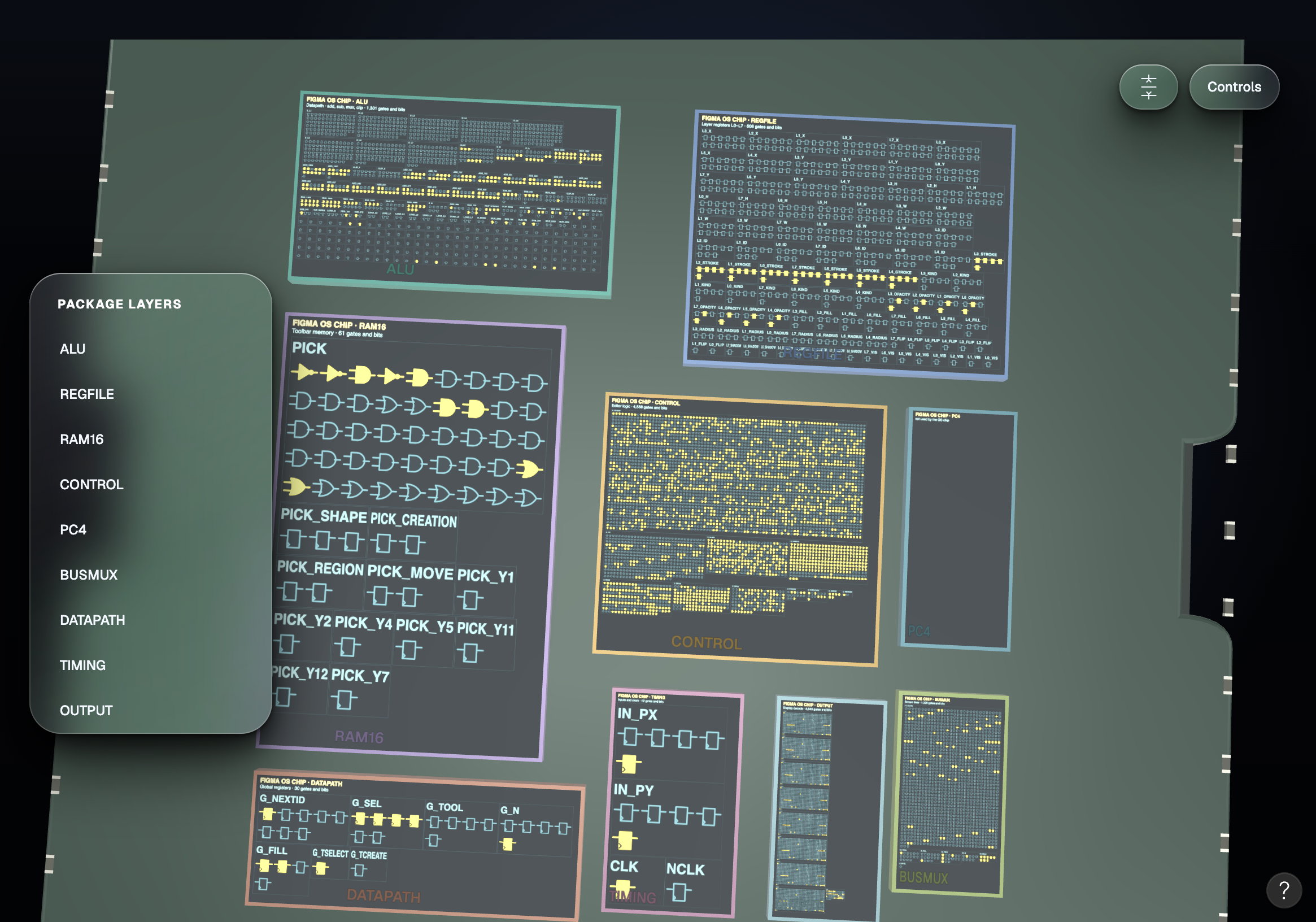
Real-time visualization of CPU computations
-
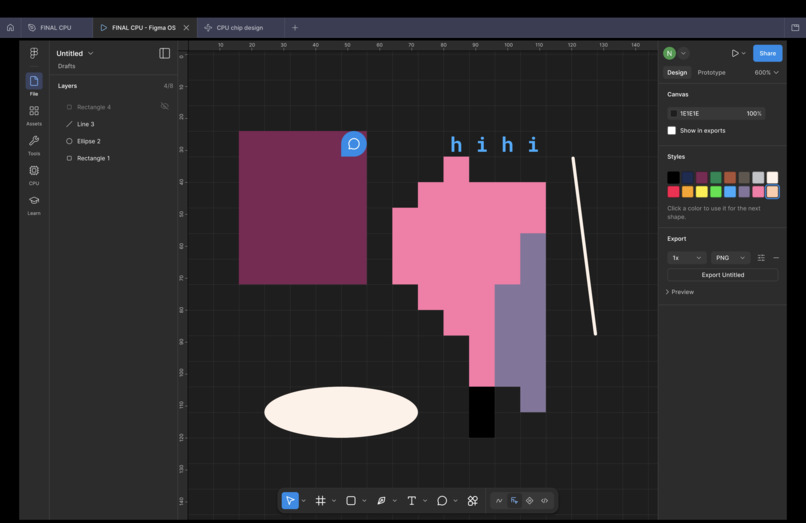
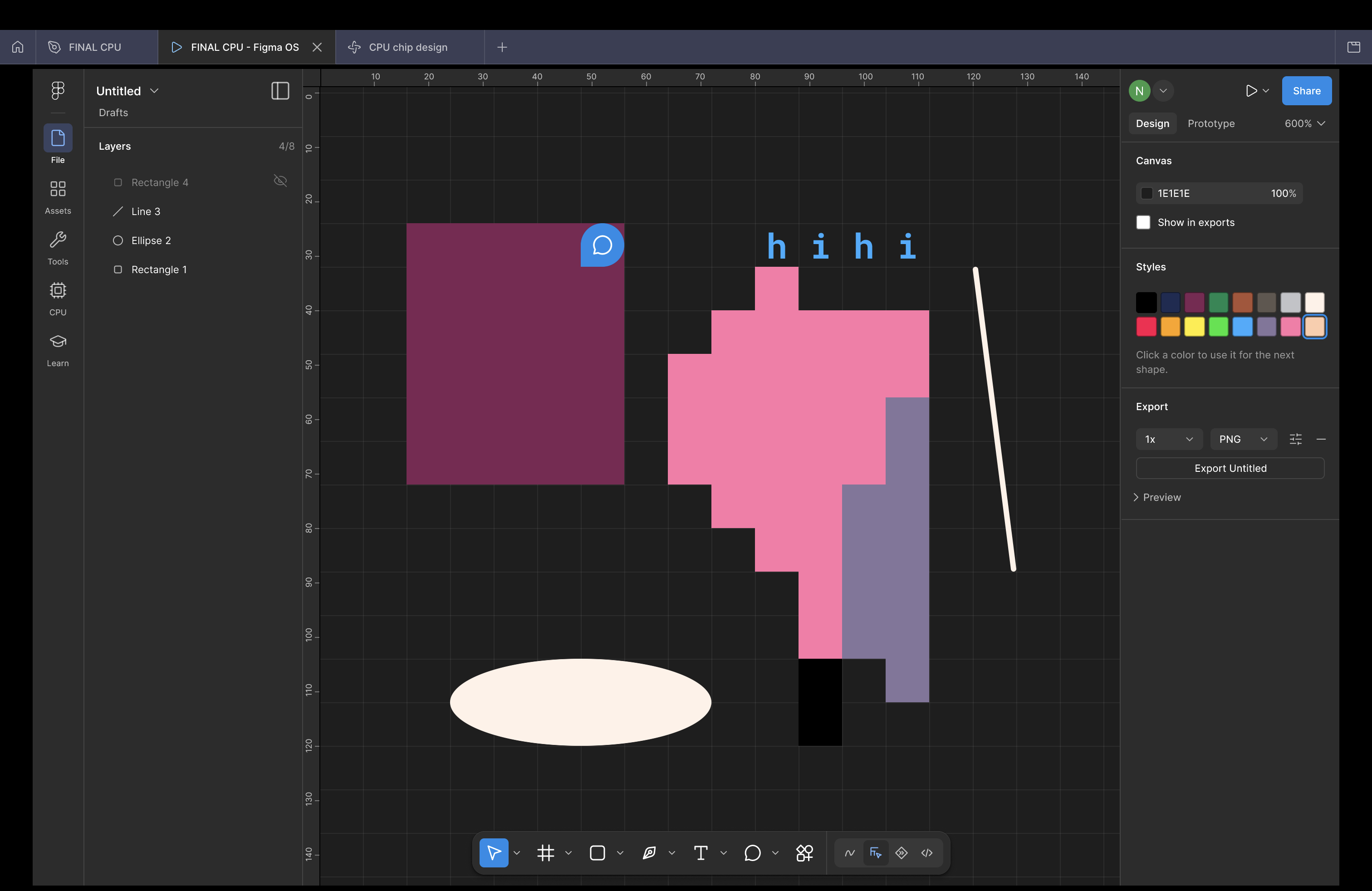
Figma canvas running on a CPU made inside Figma
-
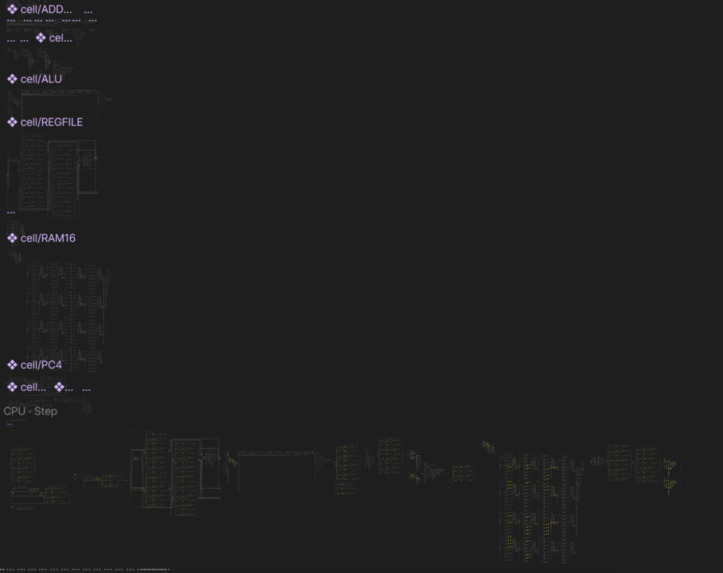
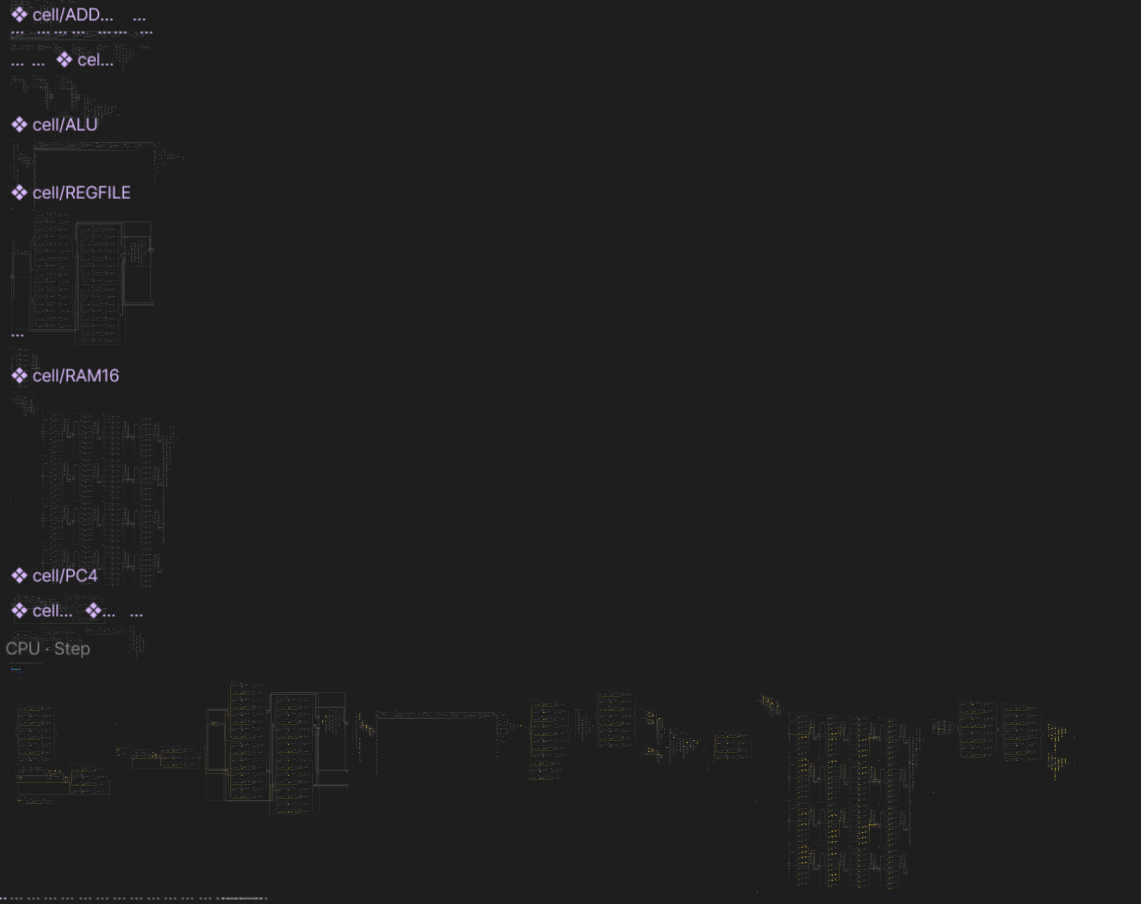
CPU Architecture & Firing Snapshot (zoomed out) within Figma
Two Figma
Inspiration
Let's make a CPU from scratch! Most people use Figma's prototype variables to toggle a dark mode or count items in a cart. We noticed that a variable can be set to an expression like a AND NOT b, and that's a logic gate within Figma. With enough gates you can build a computer. So we asked how far Figma itself could go: could Figma Design run a CPU, and could that run Figma itself?
This is the first ever 8-bit CPU designed in Figma which can run Figma. From scratch architecture and logic gating.
What it does
Two Figma is a working Figma editor built inside Figma, running on logic gates that Figma's own prototype engine computes. The system is build end to end starting from operators, to being able to run its own Figma program, along with being equipped with a 3D CPU visualization walk through and real time visual CPU processor.
- A gate-level CPU in Figma Design. It's an 8-bit processor made of about 2,300 AND, OR, XOR, NOT and buffer gates. Every wire is a Figma variable and every gate is a prototype action. In Present mode it runs real programs: counting, multiplication, Fibonacci, and a small perceptron.
- Figma OS, a Figma editor running in Present mode. It has the toolbar, menus, ⌘K, drawing, moving, resizing, nudging, duplicating, deleting, recolouring, strokes and shadows. Its behaviour is a 31,554-gate circuit, so every click is computed by gates, all inside one prototype.
- A Live view inside the prototype. You can watch the machine work, from the program down to the datapath and individual gates. Gates light up because their layers are bound to the same variables they compute.
- A Figma Make lab, live-linked to the prototype. A Figma Make app, the Silicon CPU Lab, runs the same circuit and follows the Present-mode CPU live from another laptop, tick for tick.
How we built it
We used four Figma products, each for what it does best.
| Figma product | What we used it for |
|---|---|
| Figma Design | Where the computer runs: components for circuits, variables for wires, prototype interactions for gates, and Present mode as the run time |
| Figma MCP server + AI agent | Drawing and wiring the machine: the agent wrote hundreds of nodes and thousands of reactions straight into the file |
| Figma Plugin API | Build-time dev plugins: Build hardware, Compile, and building every Figma OS screen |
| Figma Make | The Silicon CPU Lab, a second view of the same CPU, driven live by the prototype |
Figma Design as hardware
- Circuits are components. A full adder is a component made of gate instances, an 8-bit adder is eight full adders, and so on up to the CPU. Ports are component text properties, so you wire parts by typing net names in Figma's properties panel.
- Wires are variables. Every wire is one boolean variable, more than 31,000 of them in the OS.
- Gates are prototype actions. Each gate is one "set variable" action with an AND, OR or NOT expression. A clock tick is a chain of these actions, split across buttons, timed hops and overlays.
- The display is variable bindings. Lamps, the 7-segment output, the memory view and the OS screen are layers whose visibility is bound to wire variables, so drawing costs no extra actions.
- The canvas is the source of truth. Our compiler reads the circuit off the canvas, so editing a component in Figma changes the machine.
The Figma MCP server as our build crew
- An AI agent connected through the Figma MCP server drew the first full machine in one
use_figmacall: 463 named nodes, with an opcode table generated from our spec. - When Figma desktop timed out writing huge prototype reactions from a plugin, we switched to writing them through the MCP at 0.3 to 0.8 seconds each. One version of the OS deploys in ten MCP calls.
Figma Make as a second screen
- The prototype has no network actions, so we found another way out. With Figma's "Adapt content for screen readers" setting on, Present mode mirrors visible text into the page.
- A Chrome extension reads the tick counter from that mirror and broadcasts it, and the Make app steps its own copy of the circuit to match. All 2,298 wires agree at every tick.
- We used Figma Make to turn the 3D CPU education breakdown into a reality, beaking down the CPU in layers to see the units running in real time.
Code only at build time
- We built the editor first in TypeScript, captured all 61 of its screens from the running app, and generated the Figma version from them, so it matches 1:1.
- JavaScript simulators run the same compiled schedule to test it tick by tick. A self-test inside the Figma file passes 120 random editor actions.
Challenges we ran into
Most of our challenges came from pushing Figma's prototype engine further than it was designed to go:
- We initally started out with typescript-only plugins. Originally, the first 3 renditions were just typescript renditions but had no gate logic, meaning that it was connecting to an external plugin just reading opcodes tables to execute.
- About 700 actions per click. The viewer crashes somewhere between 1,700 and 2,500 actions per event, and one CPU tick is about 3,900. We split ticks into chunks and designed the OS chip so that no event goes over 700 actions.
- No nested conditionals. Figma rejects a conditional inside another conditional, so every reaction stays flat, one level deep.
- A slow clock. Timed hops run at about 0.9 per second. Restructuring the clock with overlays took the CPU from 7.6 to about 95 ticks per second, and Fibonacci went from 59 seconds to about 5.
- Plugins at scale. Writing thousands of reactions from a plugin timed out in Figma desktop, so the Figma MCP took over that step.
- Smaller limits. Number variables can't bind to text, so we used string variables. Holding a key doesn't repeat, and the free plan allows only 3 pages, so everything lives in frames on one page.
Accomplishments that we're proud of
- A CPU made only of logic gates that runs real programs: including a Figma Prototype - inside Figma Design's prototype engine.
- A 31,554-gate Figma editor you can actually use in Present mode: Figma, running in Figma.
- Four Figma products working together: Design runs the machine, the MCP agent builds it, plugins compile it, and Make watches it live.
- A stage log (STAGELOG.md) where every stage is a git tag with the Figma work, prompts, code and steps to reproduce.
- Fully executing a visualized CPU firing off in real time, along with a 3D visualization of the architecture itself running.
What we learned
- Figma's prototype engine is a real computer once you treat variables as wires and actions as gates.
- The Figma MCP server changes what's practical. Thousands of reactions are tedious by hand and unreliable from a plugin, but routine for an agent.
- Generating the Figma file from code and specs, instead of building it by hand, kept it 1:1 with what we designed and made every rebuild repeatable.
What's next for Two Figma
- Run Figma OS as a program on the general-purpose CPU instead of on its own chip.
- More of Figma's tools in the OS: pen, text, comments, rotation, panning.
- A two-way Make link, so the Make lab can send inputs back into the prototype.
Built With
- assembly
- cpu
- figma
- typescript


Log in or sign up for Devpost to join the conversation.