-
-
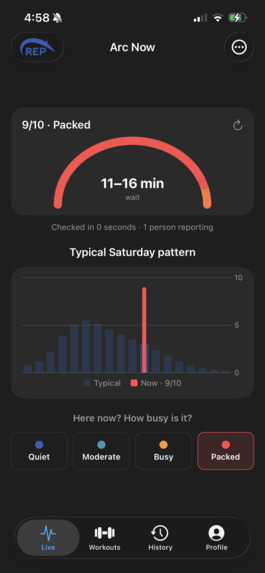
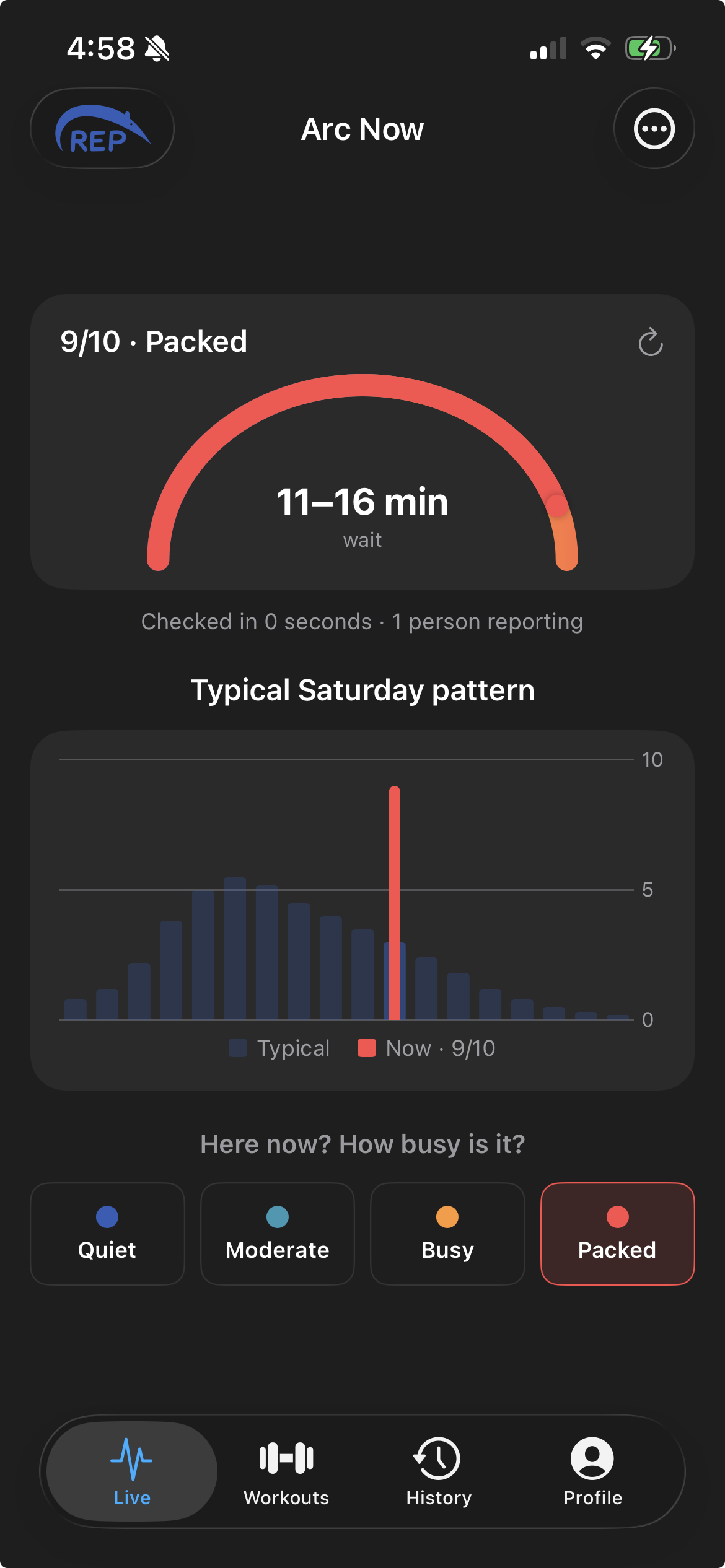
Shows the busyness meter when it's extremely busy.
-
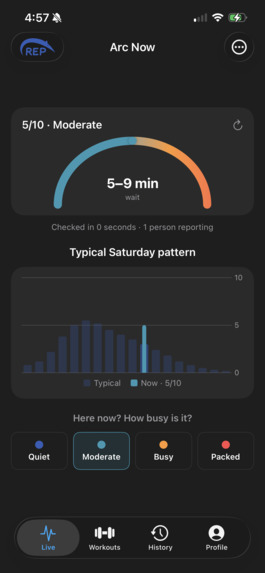
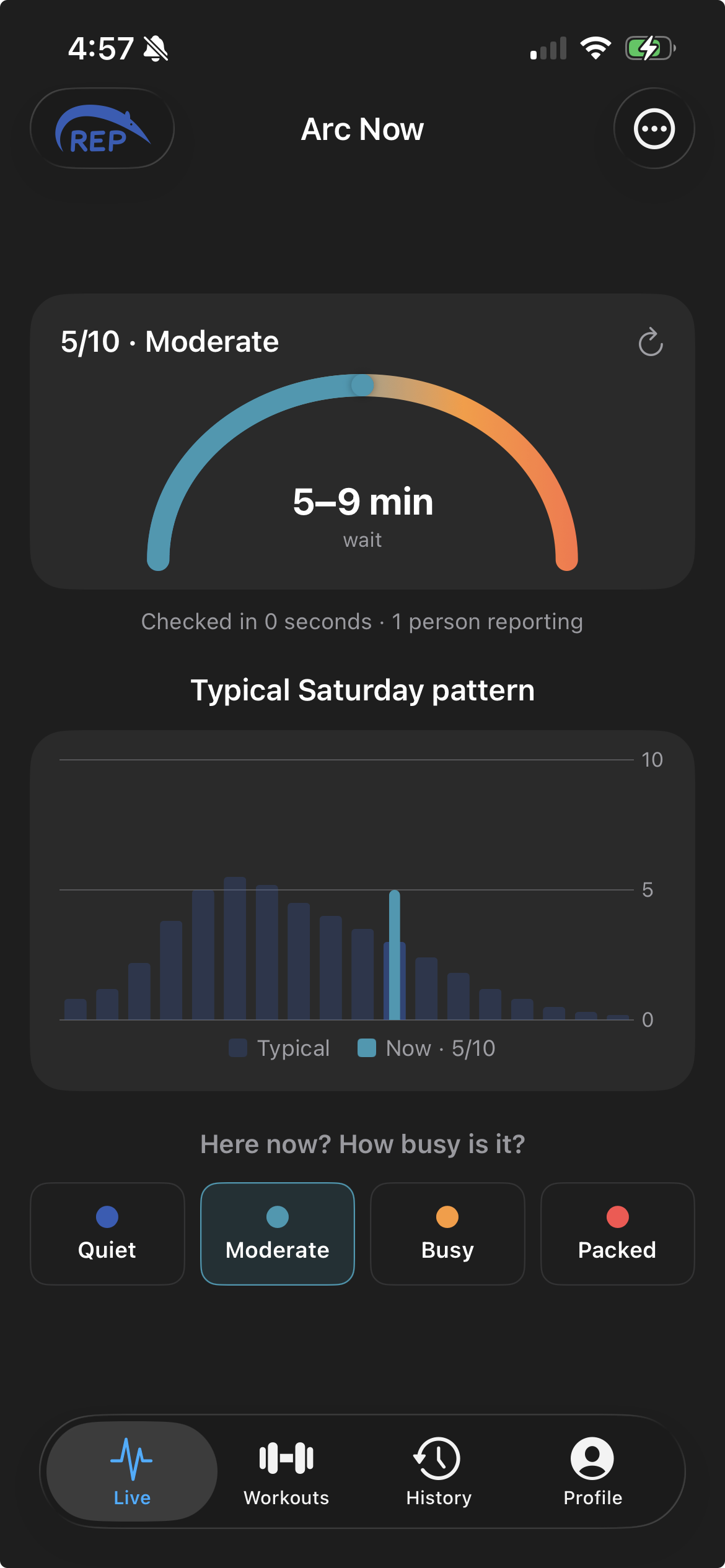
Shows the busyness meter when it's moderately busy.
-
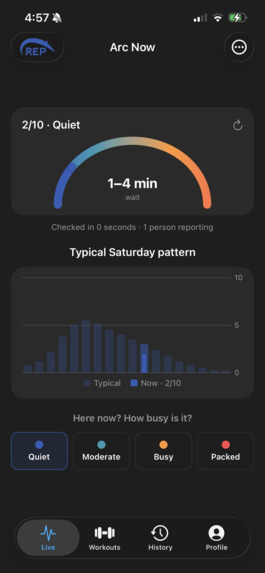
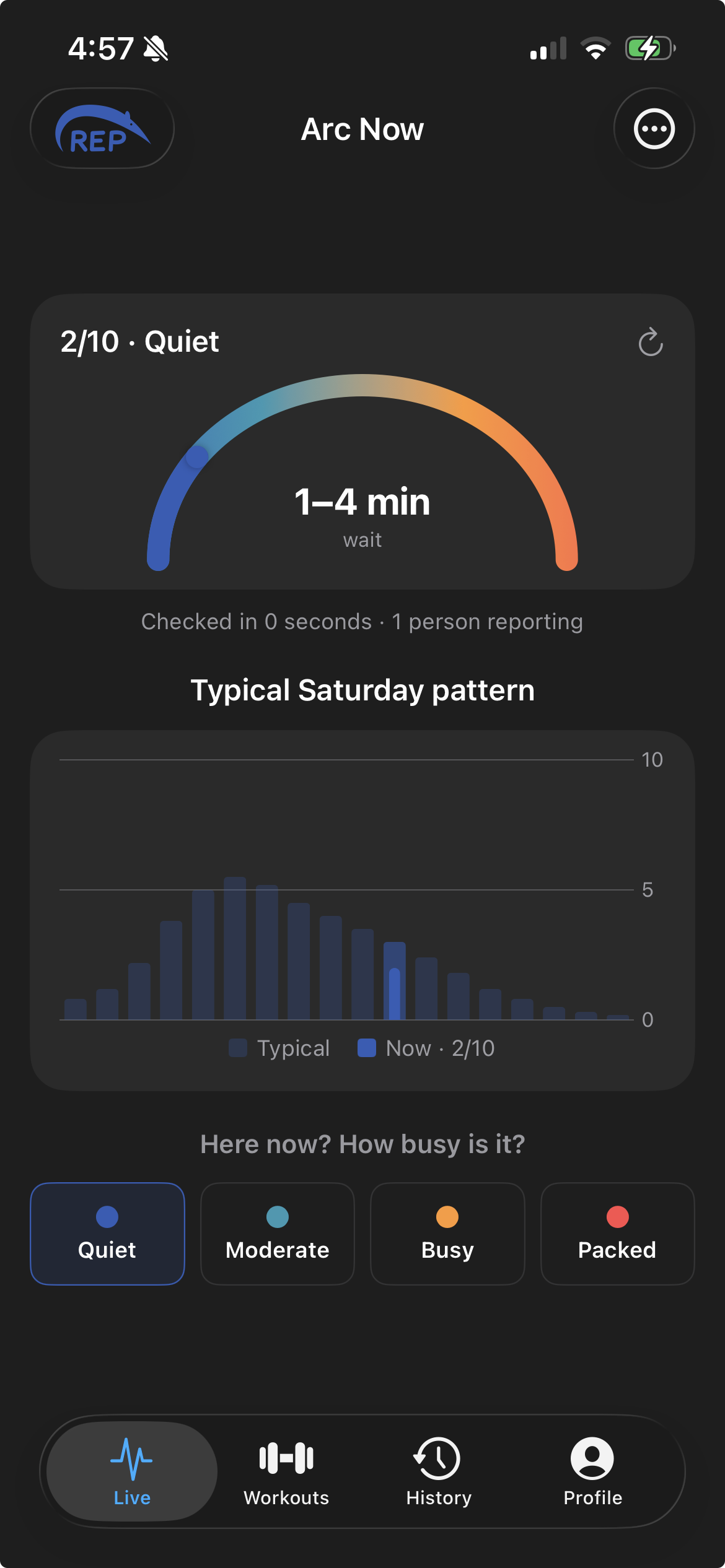
Shows the busyness meter when it's empty.
-
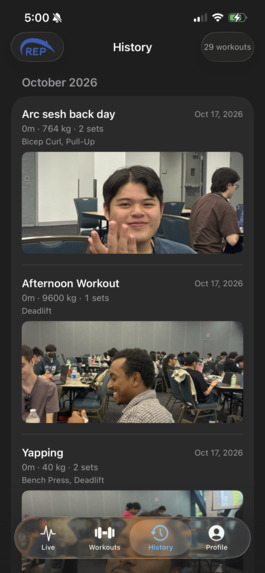
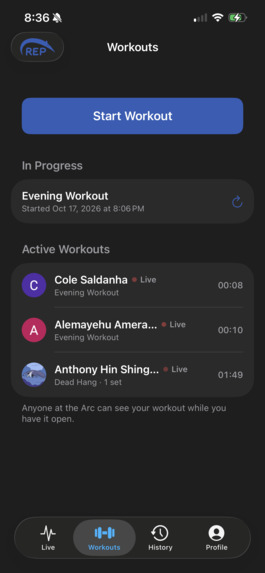
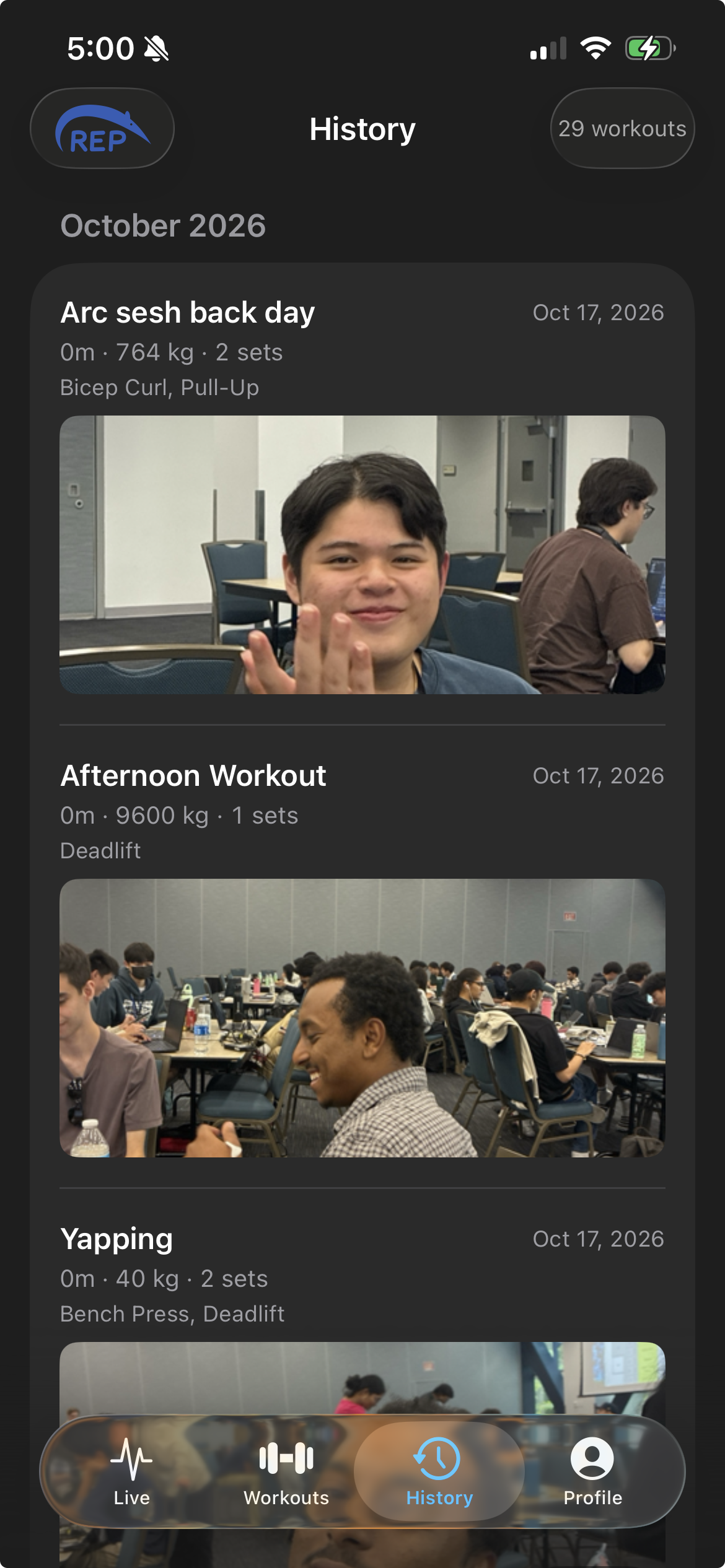
Workout history.
-
Karma Leaderboard
Inspiration
For university students juggling heavy course loads, group projects, and long commutes to campus, time is at a premium. We were consistently frustrated by the unpredictability of the Anteater Recreation Center (ARC)—showing up for a quick session between lectures only to waste half our time waiting for a machine to open up. We realized that maximizing our productivity and maintaining momentum required a smarter way to manage our gym time. We built 150Rep to eliminate the guesswork and help students get in, get their reps done, and get on with their day.
What it does
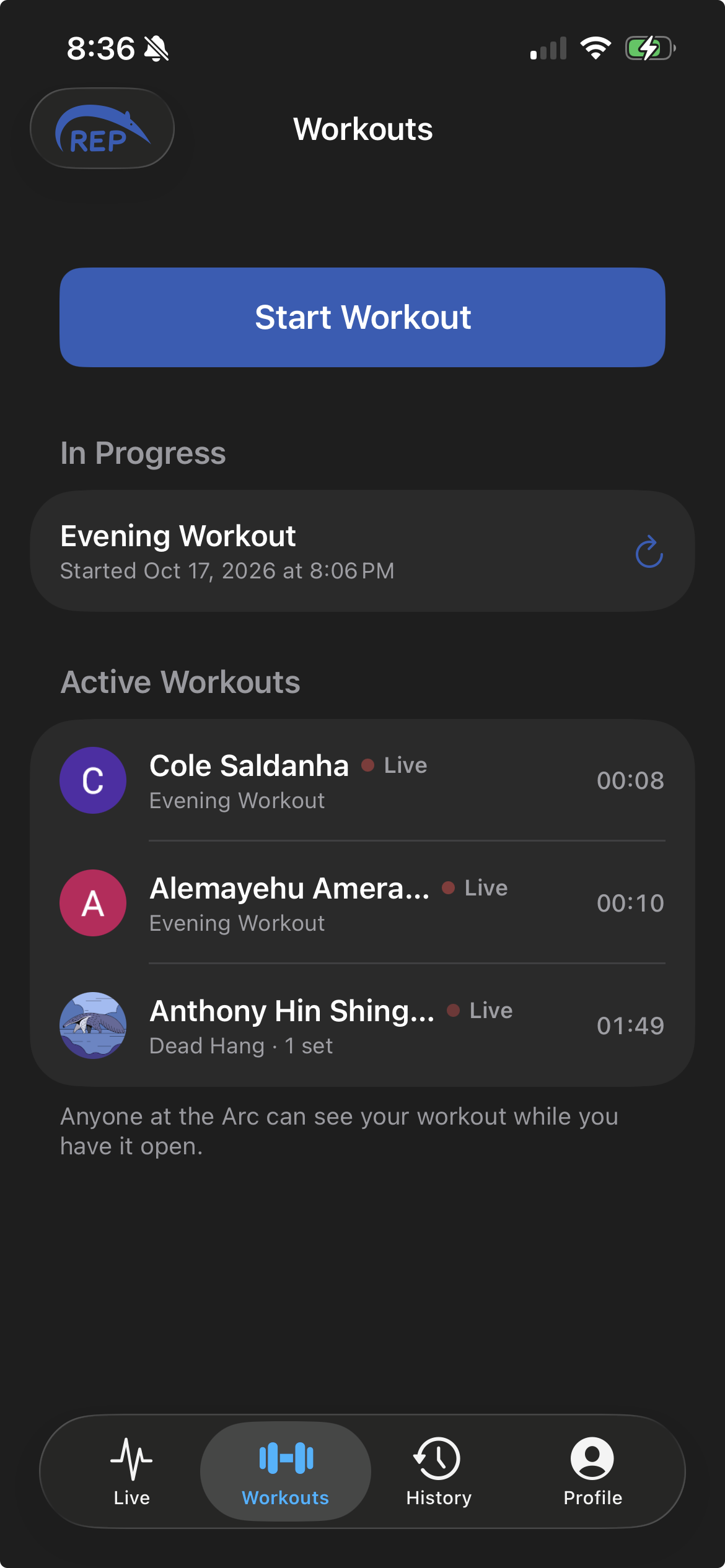
150Rep is a comprehensive iOS gym companion that acts as a real-time pulse for the ARC. Live Crowd Sourcing: Users can check current busyness levels (ranging from "quiet" to "packed") driven by live user reports. Smart Fallbacks: If live data is sparse, the app intelligently falls back on a 0-100 historical schedule matrix to predict how busy the ARC is at that exact hour. Live Machine Inventory: It tracks the real-time availability of specific machines, so users know exactly what equipment is free before they even walk into the weight room. Session Logging: Users can meticulously track their live workouts—logging weight, reps, set types (warmup, drop set, failure), and time-based intervals, while also reviewing their historical workout data to track progressive overload.
How we built it
We utilized a modern, decoupled stack spanning mobile, backend, and cloud technologies: Frontend: Built natively for iOS using Swift and SwiftUI for a fluid, Apple-Human-Interface-compliant design, leveraging SwiftData for local on-device caching. Backend: Programmed in Python using FastAPI and Uvicorn to create a robust REST API. We used ngrok to tunnel our local server through the campus network's strict client-isolation firewall. Database & Auth: Powered by Supabase (PostgreSQL). We implemented strict Row-Level Security (RLS) policies to ensure only authenticated @uci.edu accounts can manage workout data.
Challenges we ran into
Integrating a decoupled frontend and backend on a strict deadline presented several deep technical hurdles. Network Routing & IPv6: We initially struggled with database connection timeouts because the campus Wi-Fi couldn't resolve the cloud database's IPv6 hostnames. We overcame this by routing our FastAPI backend through a specialized Supabase IPv4 Transaction Pooler. Authentication Flows: Implementing Google Authentication required navigating strict OAuth 2.0 protocols, specifically debugging mismatching callback URIs and ensuring our custom iOS URL schemes successfully intercepted the login handshakes to redirect users back into the app. Data Synchronization: Mapping local SwiftData UUIDs to a relational PostgreSQL database required careful orchestration to handle partial sync failures and ensure our foreign-key constraints didn't orphan data.
Accomplishments that we're proud of
We are incredibly proud of successfully executing parallel development. By clearly defining our JSON API contracts early on, the frontend and backend teams were able to build simultaneously without blocking each other. We are also proud of delivering a highly polished, native iOS UI that seamlessly integrates complex live data streams and Google Authentication without feeling clunky or slow.
What we learned
Building 150Rep was a crash course in full-stack architecture. We leveled up our understanding of networking protocols, asynchronous RESTful API design, and JSON serialization. We also learned how to manage cloud infrastructure, implement secure token-based authentication (handling access and refresh tokens), and translate Figma wireframes into functional, responsive SwiftUI views.
What's next for 150Rep
Our immediate goal is to promote 150Rep across campus to build the critical mass necessary for highly accurate crowdsourced data. Technically, we plan to implement a predictive UI heat map to visualize gym traffic zones, expand our exercise database, and explore utilizing the iPhone's internal sensors (like integrating LiDAR or haptic feedback) to passively detect when a user has finished a set or walked away from a machine.


Log in or sign up for Devpost to join the conversation.