-
-
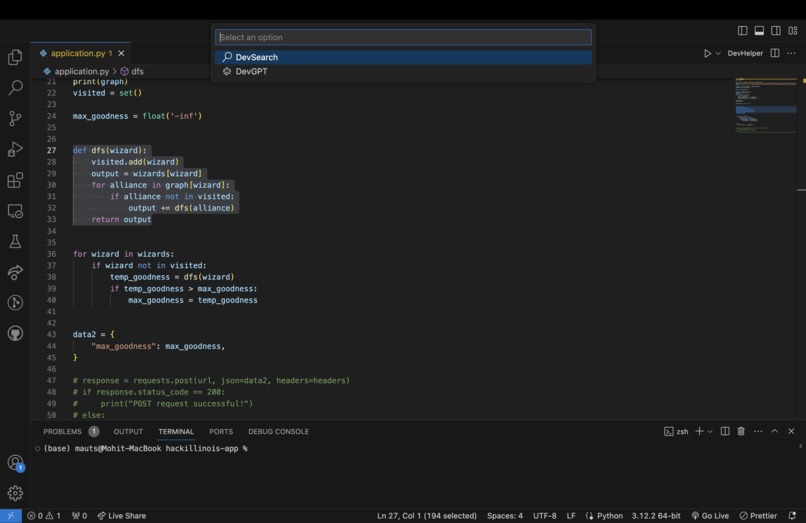
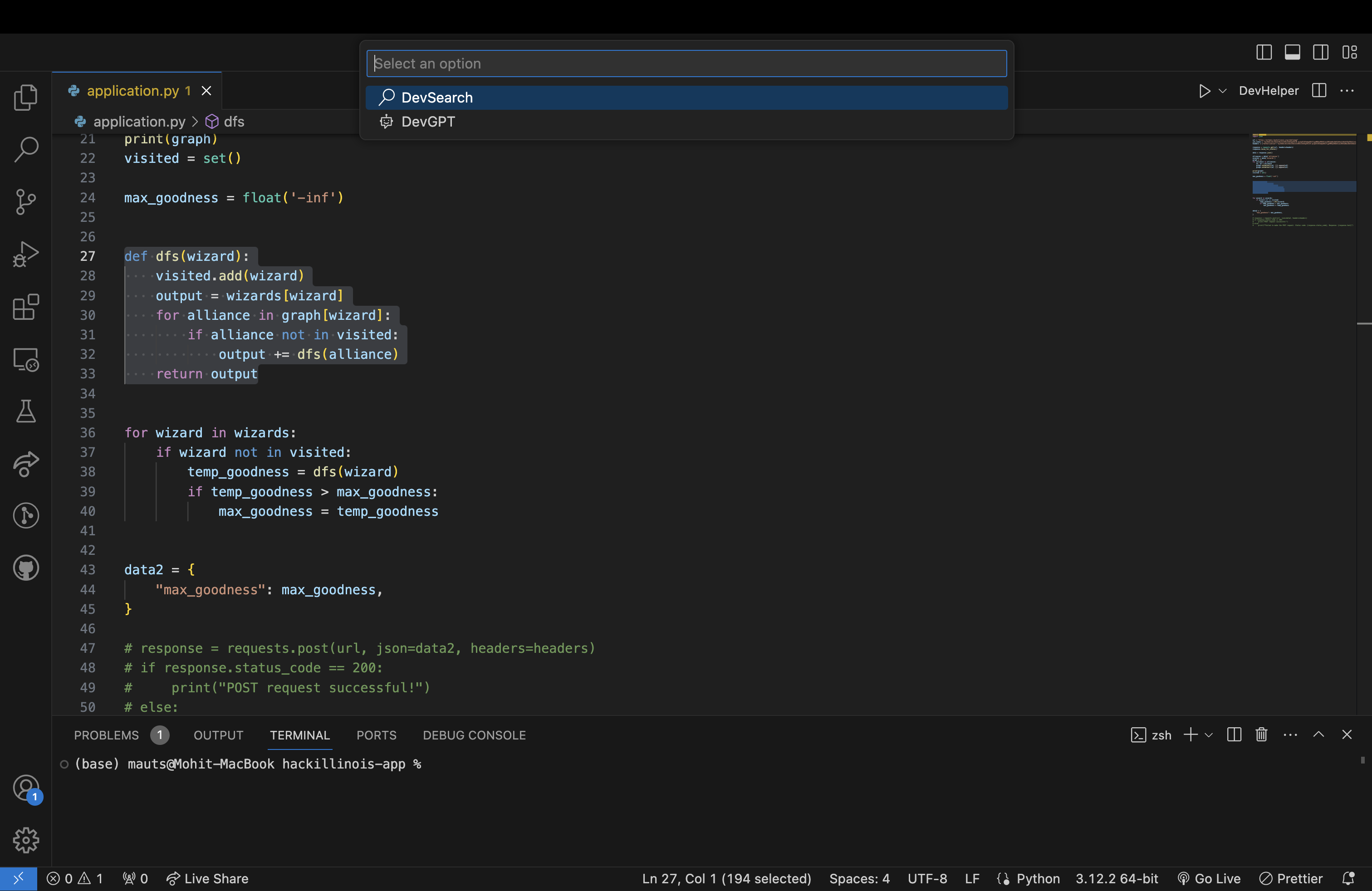
Highlighted code snippet with first DevHelper screen.
-
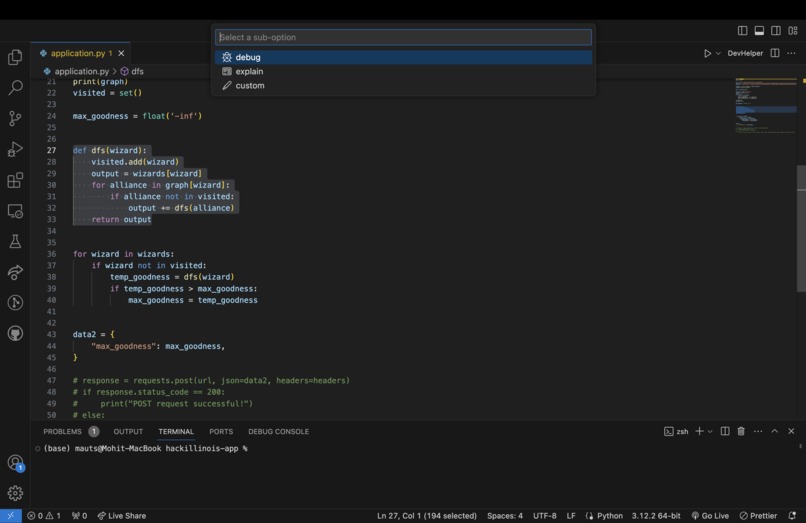
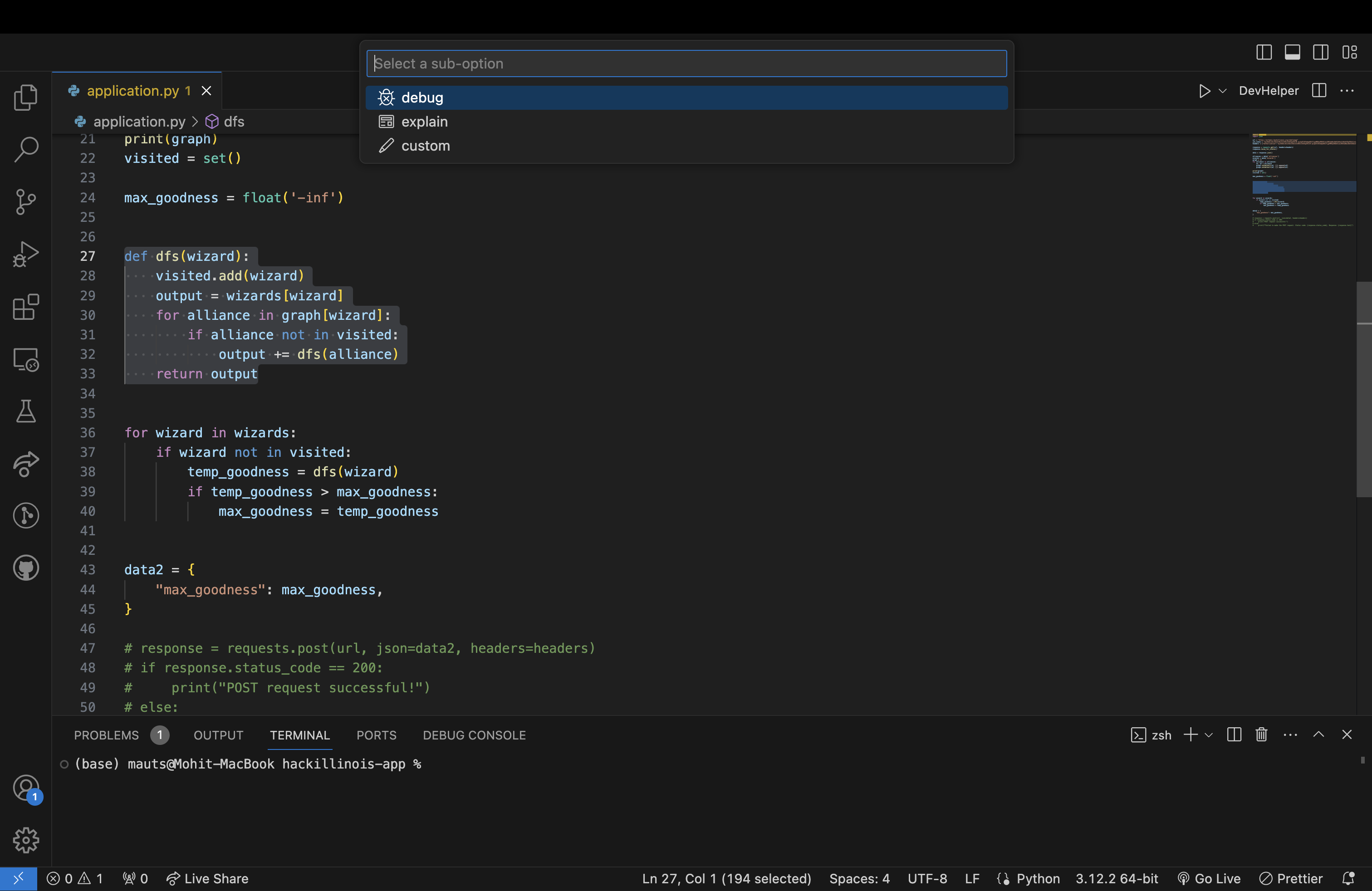
Highlighted code snippet with second DevHelper screen sub-options.
-
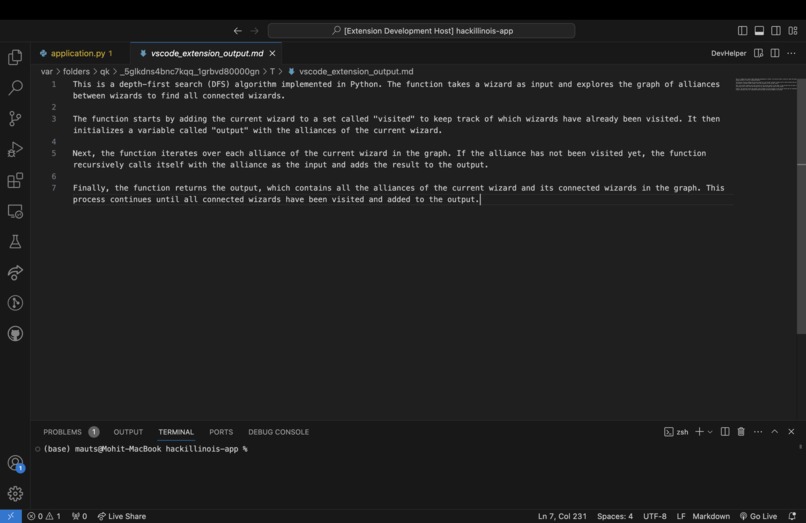
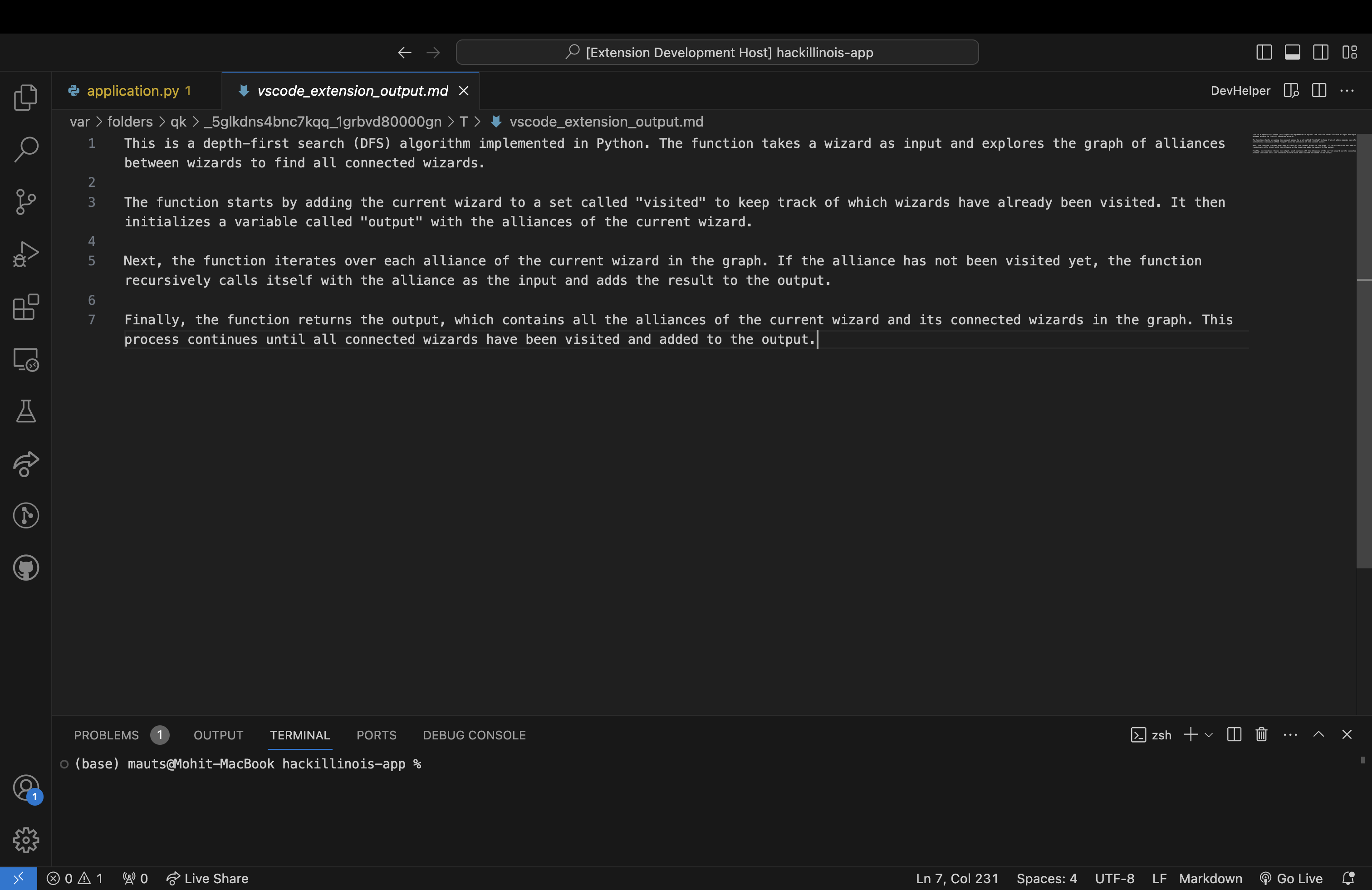
DevHelper DevGPT command output.
-
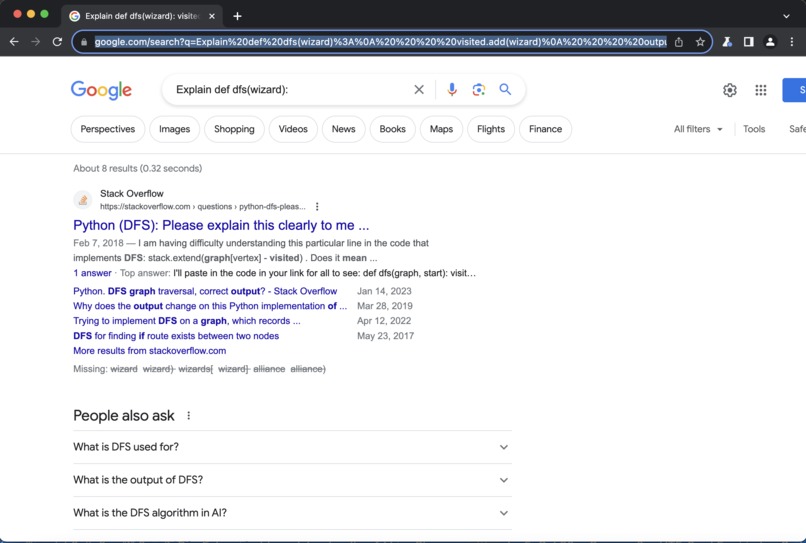
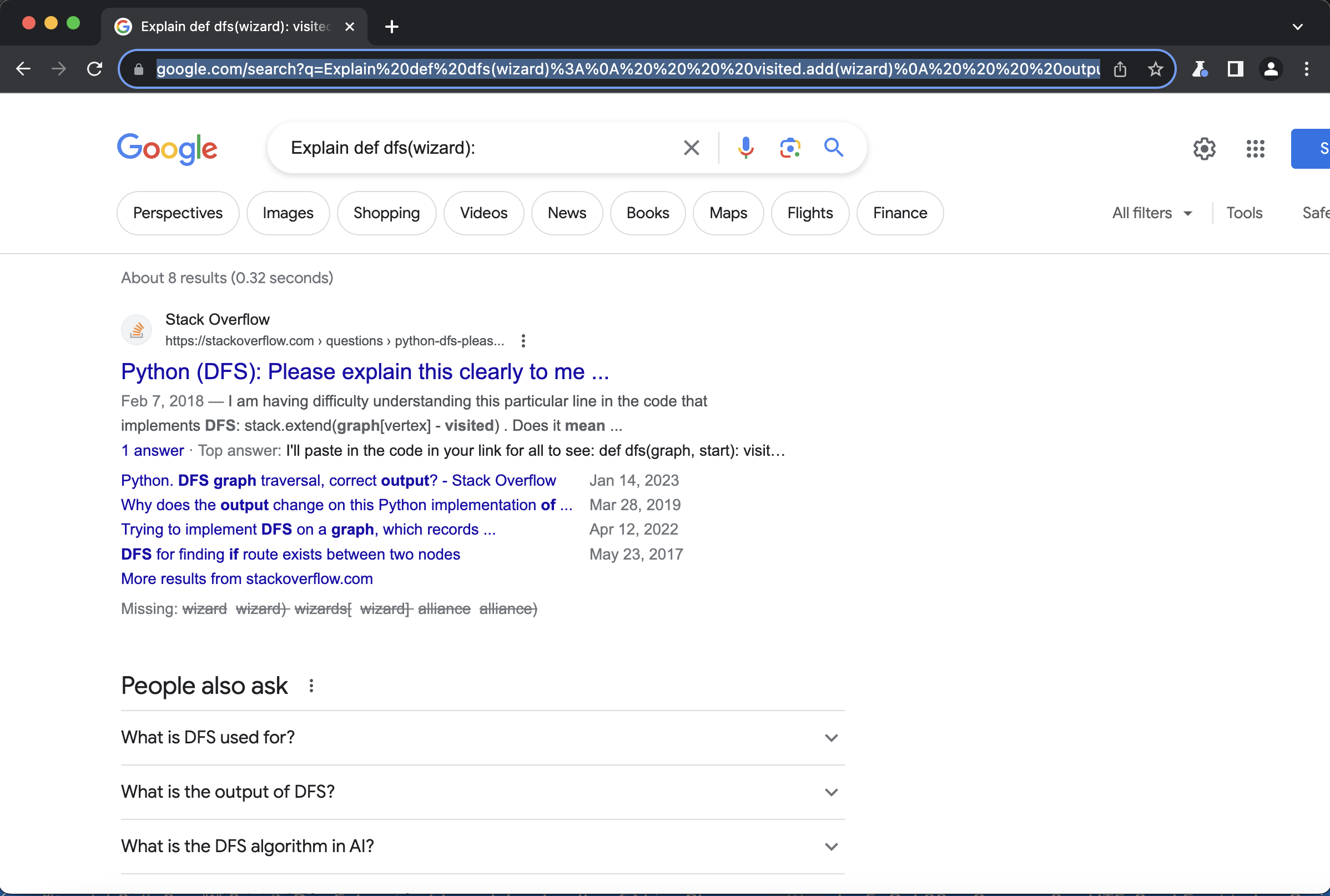
DevHelper DevSearch command output.
Inspiration
As developers, we all run into errors that leave us stumped. Whether it's trying to understand legacy code without proper documentation or debugging a new feature you're implementing, the best resources for understanding and solving your problem are often found online. DevHelper aims to bridge the gap between developing code and receiving online feedback, giving developers a coherent programming experience.
What it does
As its name suggests, DevHelper assists programmers in each step of the development process. Specifically, when a user is facing challenges, they can simply highlight parts of their code, and employ DevHelper to query ChatGPT or search Google for feedback. Users can ask to explain, debug, and translate their code snippets and even give their own queries for their particular situations. The results are directly given in VS Code, so users can quickly plan their next steps and ultimately save crucial time.
How we built it
- OpenAI API to process user's code through LLM (ChatGPT)
- Puppeteer package to process user's code through search engine (Google)
- JavaScript in the backend to select highlighted code block and open pop-up window corresponding to the requested assistance
- React.js in the frontend to build out buttons embedded into VSCode and create an intuitive UI
Challenges and Accomplishments — what we learned
LLM Integration
We used the GPT 3.5 Turbo Model to use an API key to generate responses using the highlighted code snippet and other defined keywords, such as translation and debugging. We also created an option to use custom prompts regarding the highlighted code snippet. However, we faced many issues regarding OpenAI software deprecation and differentiating between old and new API fetching approaches. It was also difficult to integrate the GPT response function with VS Code "DevHelper" Button Displays because the functionality was fundamentally much more different than the Google search features.
New Technologies
Our team came in with strong backend development experience but limited knowledge on frontend development and integration. With our project having greater frontend requirements, our team had to adjust to working within the JavaScript framework and integrating our frontend build with our backend API calls. This was also our first time developing a VS Code extension, using their API and yeoman. Working on this project provided us with the opportunity to learn more about these technologies that we were not as familiar with.
What's next for DevHelper
There are several pathways to expand upon the functionality of DevHelper. These are some of our ideas:
- Extend the DevHelper tools to work with the terminal windows opened in VS Code.
- Incorporate voice recognition technology to provide verbal prompts related to the highlighted code snippets, which will be parsed into GPT and Google.
Built With
- chromium
- javascript
- node.js
- openai
- react-native
- yeoman


Log in or sign up for Devpost to join the conversation.