-
-
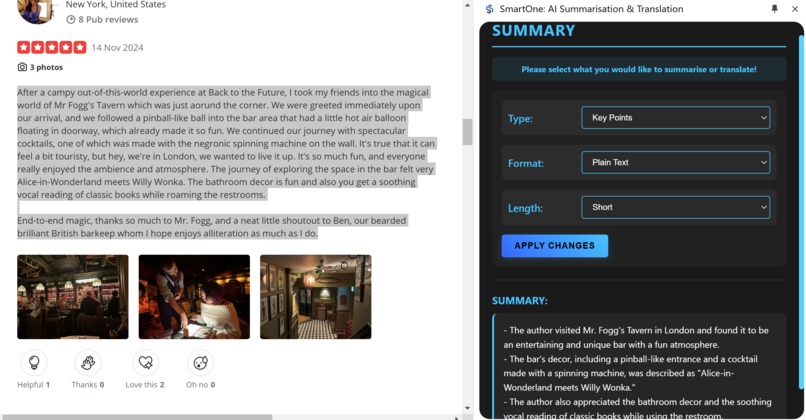
Summary
-
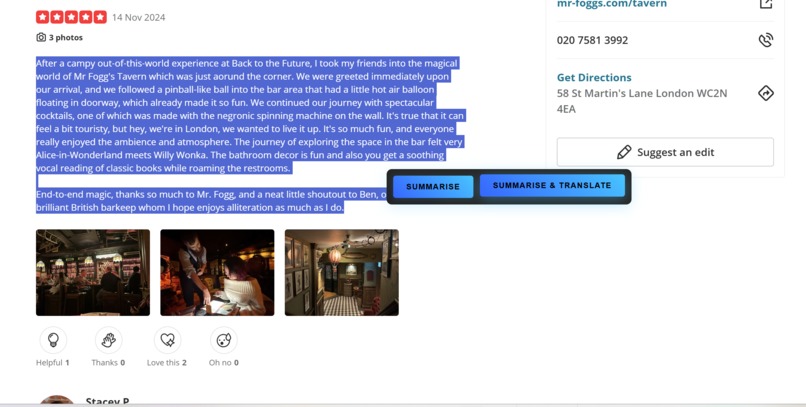
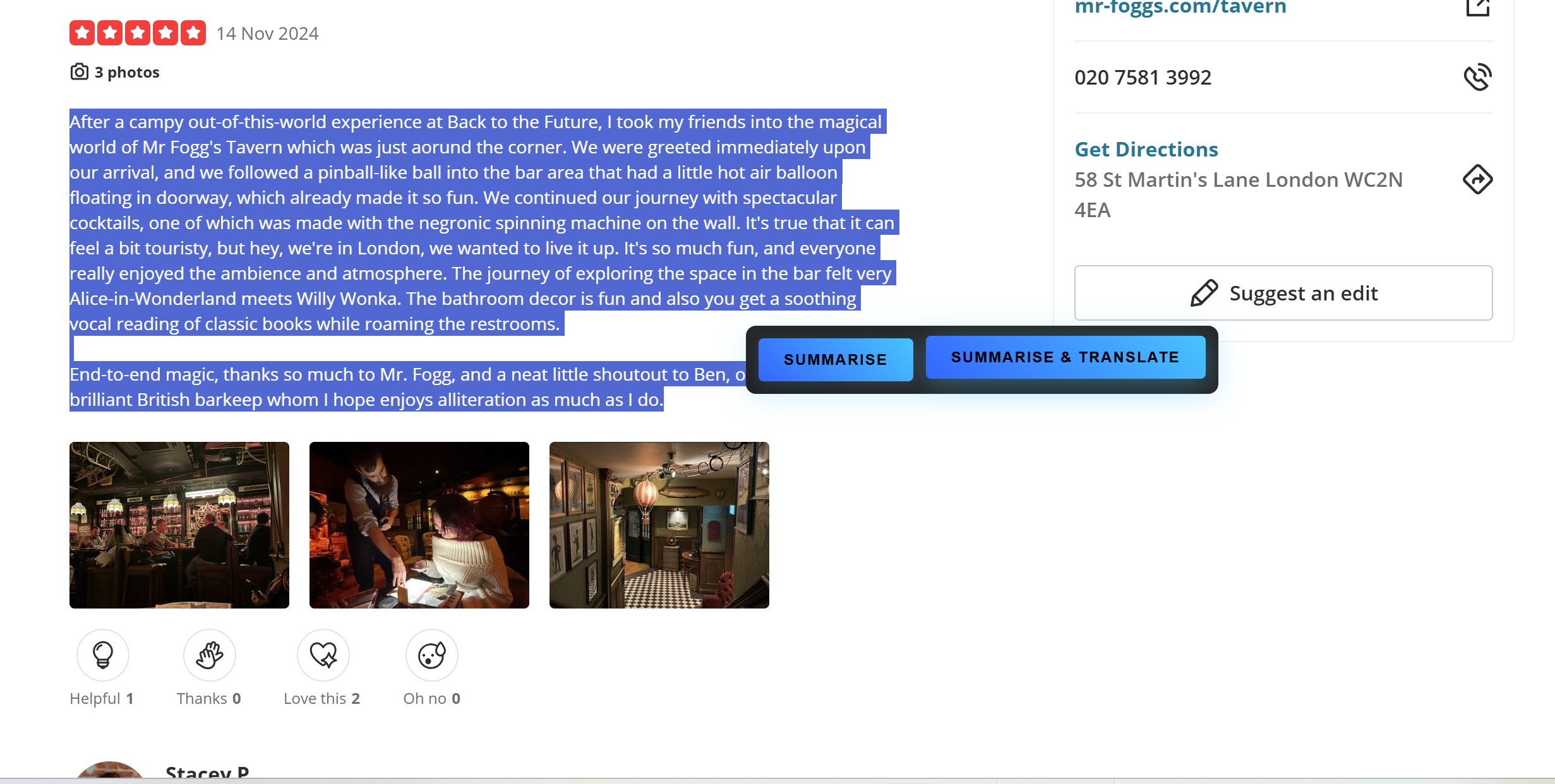
Popup buttons
-
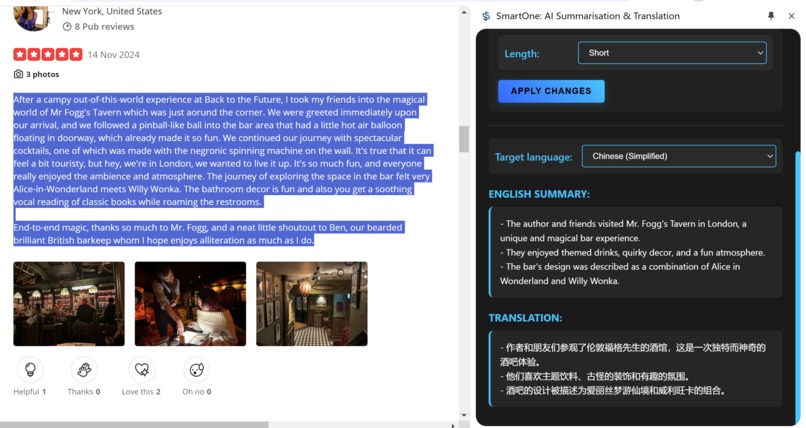
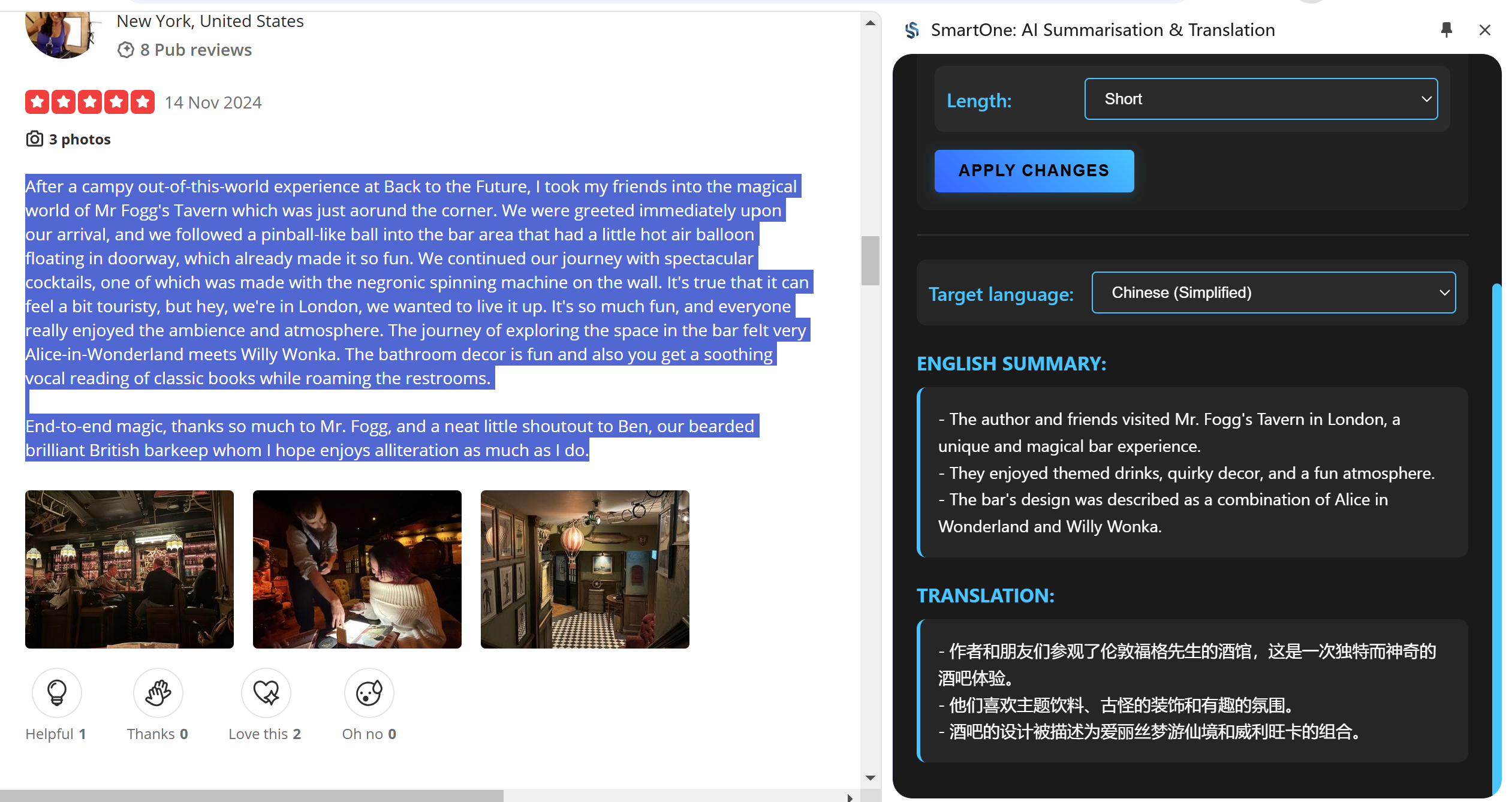
Summary and Translation
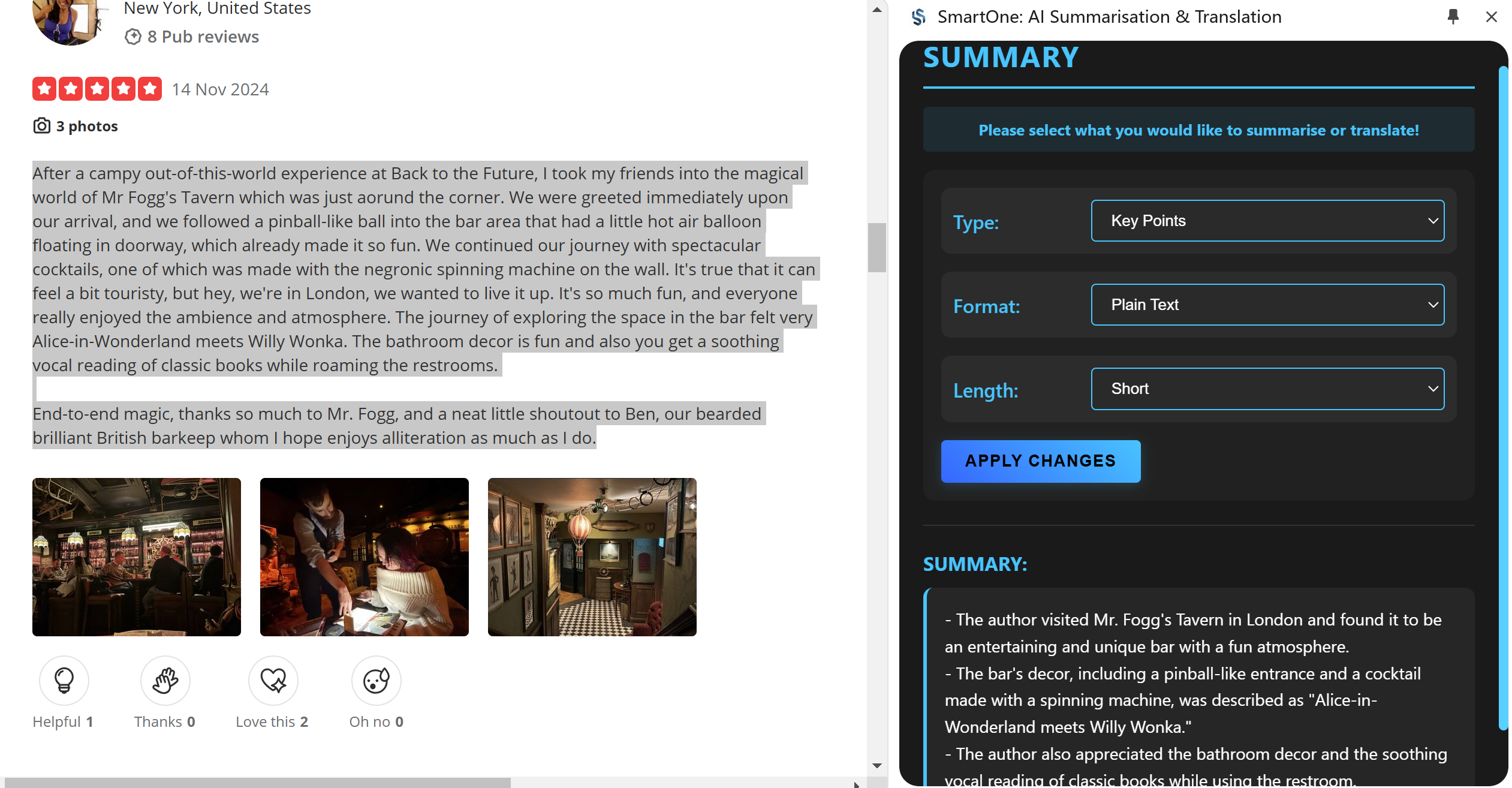
About SmartOne: AI Summarisation & Translation
Inspiration
Information Overload
- As an avid traveller, I often view review-based platforms like Yelp.com, Booking.com, and Airbnb.com, but I noticed how overwhelming it became to read through dozens of extremely lengthy reviews to make informed decisions. Users were spending excessive time trying to extract key information from walls of text, often missing crucial details buried within verbose reviews. It would be wonderful if I could summarise one or some reviews on these websites.
- Sometimes, on the other websites, I am only interested in some parts of the content, not the whole page, It would be wonderful if I could use tools to summarise the text I selected.
Language Barriers The problem compounds for non-native English speaker users. It would be wonderful if users could read the summary also in their preferred languages.
What it does
Selective Text Processing:
- Summarize or translate any selected text portion
- Perfect for part of the page, like long reviews, comments, or articles
Smart Text Summarization:
- Generate concise summaries using Chrome's AI
- Customizable Summary Options
- Summary types:
- Key Points
- TL;DR
- Teaser
- Headline
- Format options:
- Plain Text
- Markdown
- Length variations:
- Short
- Medium
- Long
Multi-language Translation:
- Support for 9 major languages
- Remembers your language preference
- Combined summarization and translation in one click
User-Friendly Interface:
- Quick-access popup on text selection
- Right-click context menu integration
- Side panel display for results
- Persistent settings between uses
The extension particularly shines when dealing with review-heavy websites, where users can quickly grasp the essence of one or multiple reviews without language barriers.
How I built it
Foundation
- Built using vanilla JavaScript for core functionality
- Utilized Chrome's Extension Manifest V3
- Integrated Chrome's built-in AI APIs for summarization and translation
- Chrome Summarizer API for intelligent text processing
- Chrome Translator API for accurate translations
Architecture
- content-script.js for user interaction and text selection
- service-worker.js for background processes and context menu integration
- sidepanel.js and sidepanel.html for displaying results and user controls
- style folder to store CSS files: popup.css and sidepanel.css.
- manifest.json and images folder in root directory
UI/UX Design
- HTML/CSS/JavaScript for the UI
- Implemented a floating popup for quick actions
- Created a responsive side panel with customization options
- Designed with accessibility and user experience
Challenges I ran into
Challenge 1: Managing Chrome AI API States
The Chrome AI APIs (Summarizer and Translator) can be in different states: 'readily' available, needs downloading, or not available.
Solution:
Implemented a robust state checking and handling system:
javascript:sidepanel.js
// Check API availability and handle different states
const canSummarize = await ai.summarizer.capabilities();
if (!canSummarize || canSummarize.available === 'no') {
outputElement.innerText = 'Text Summarizer API not available.';
return;
}
let summarizer;
if (canSummarize.available === 'readily') {
summarizer = await ai.summarizer.create({ type, format, length });
} else {
summarizer = await ai.summarizer.create({ type, format, length });
// Show download progress to user
summarizer.addEventListener('downloadprogress', (e) => {
outputElement.innerText = Loading summarizer: ${Math.round((e.loaded / e.total) * 100)}%;
});
await summarizer.ready;
}
Challenge 2: Language Package Download Handling
Users might not have required language packages installed for translation.
Solution:
Implemented clear user feedback and download progress monitoring:
javascript:sidepanel.js
async function handleTranslation(textToTranslate, targetLang = null) {
try {
const canTranslate = await translation.canTranslate(languagePair);
if (canTranslate === 'no') {
outputElement.innerText = textToTranslate + '\n\nTranslation not available for this language.';
return;
}
let translator;
if (canTranslate === 'readily') {
translator = await translation.createTranslator(languagePair);
} else {
translator = await translation.createTranslator(languagePair);
translator.addEventListener('downloadprogress', (e) => {
outputElement.innerText = Loading translator: ${Math.round((e.loaded / e.total) * 100)}%;
});
await translator.ready;
}
} catch (error) {
outputElement.innerText = textToTranslate + '\n\nDownloading the language package, please refresh the page!';
}
}
Challenge 3: Creating an Intuitive Selection Popup
Needed to create a non-intrusive popup with direct action buttons after text selection.
Solution:
Implemented a floating popup that appears near the selected text:
javascript:content-script.js
showPopup(x, y, text) {
this.removePopup();
const popup = document.createElement('div');
popup.className = 'smart-summary-popup';
popup.innerHTML = <div class="popup-buttons-container"> <button class="smart-summary-button" data-action="summarize-text">Summarise</button> <button class="smart-summary-button" data-action="summarize-and-translate">Summarise & Translate</button> </div> ;
// Position popup near selection
const popupRect = popup.getBoundingClientRect();
const viewportWidth = window.innerWidth;
const viewportHeight = window.innerHeight;
let finalX = x;
let finalY = y;
// Ensure popup stays within viewport
if (x + popupRect.width > viewportWidth) {
finalX = viewportWidth - popupRect.width - 10;
}
if (y + popupRect.height > viewportHeight) {
finalY = y - popupRect.height - 10;
}
popup.style.left = ${finalX}px;
popup.style.top = ${finalY}px;
}
Challenge 4: Maintaining User Preferences
Needed to persist user's customization options between different text selections.
Solution:
Implemented state management using Chrome's storage API and local variables:
javascript:sidepanel.js
let currentTextToSummarize = '';
let currentShouldTranslate = false;
let lastSelectedLanguage = 'zh';
// Storage listener to maintain preferences
chrome.storage.session.onChanged.addListener(async (changes) => {
const textChange = changes['lastTextToSummarize'];
const actionChange = changes['action'];
if (textChange?.newValue || actionChange?.newValue) {
chrome.storage.session.get(['lastTextToSummarize', 'action', 'lastLanguage'], (data) => {
if (data.lastTextToSummarize) {
const shouldTranslate = data.action === 'summarize-and-translate';
if (data.lastLanguage) {
lastSelectedLanguage = data.lastLanguage;
}
chromeAISummarizeAndTranslate(data.lastTextToSummarize, shouldTranslate);
}
});
}
});
Challenge 5: Real-time Updates in Side Panel
Needed to ensure the side panel updates immediately when new text is selected.
Solution:
Implemented a message passing system between content script and service worker:
javascript:service-worker.js
chrome.runtime.onMessage.addListener((message, sender, sendResponse) => {
if (message.action === 'storeSelection') {
storeSelection(message.data)
.then(() => sendResponse({ success: true }))
.catch(error => sendResponse({ success: false, error: error.message }));
return true;
}
if (message.action === 'openSidePanel') {
chrome.sidePanel.open({ tabId: sender.tab.id })
.then(() => sendResponse({ success: true }))
.catch(error => sendResponse({ success: false, error: error.message }));
return true;
}
});
These solutions not only addressed the technical challenges but also enhanced the overall user experience by providing:
- Clear feedback during API operations
- Seamless text selection and processing
- Persistent user preferences
- Smooth real-time updates
The combination of these solutions creates a robust and user-friendly extension that handles complex operations while maintaining a simple and intuitive interface.
Accomplishments that I'm proud of
- Created my first Chrome Extension that is fully functional and can address real-world problems I ran into when browsing websites
- Developed an intuitive user interface that doesn't disrupt browsing using popup and side panel
- Successfully integrated Chrome's cutting-edge AI APIs and handled different states
- Implemented robust error handling and progress indicators
What I learned
Technical Skills
- Deep understanding of Chrome Extension architecture
- Practical experience with Chrome's AI APIs
- Popup and side panel UI design and implementation and how to use javascript to control the them
- Advanced error handling in asynchronous operations
Project Management
- Importance of modular code structure
- Value of comprehensive error logging
What's next for SmartOne
Feature Enhancements
- History tracking for previous summaries
- Additional language support
- Custom summarization templates
- Export and sharing capabilities
- Offline mode support
Technical Improvements
- Enhanced error recovery mechanisms
- Improved performance optimization
- Better memory management
- Advanced caching strategies
User Experience
- Customizable keyboard shortcuts
- More summary format options
- Enhanced accessibility features
- User preference synchronization
The journey of SmartOne is just beginning, and I'm excited to continue evolving it based on user feedback and emerging technologies.
Built With
- css
- html
- javascript
- summarizerapi
- translatorapi

Log in or sign up for Devpost to join the conversation.