Inspiration
AI agents can work for minutes or hours, but their progress is usually trapped in a chat or terminal. I wanted a way to glance at what’s running, spot what needs attention, and return to our work. A headset makes that idea especially compelling: agent status can sit beside your workspace instead of replacing it. And I wanted to make it reusable across all different projects I'm working on, so I don't need to keep reinventing this status layer.
What it does
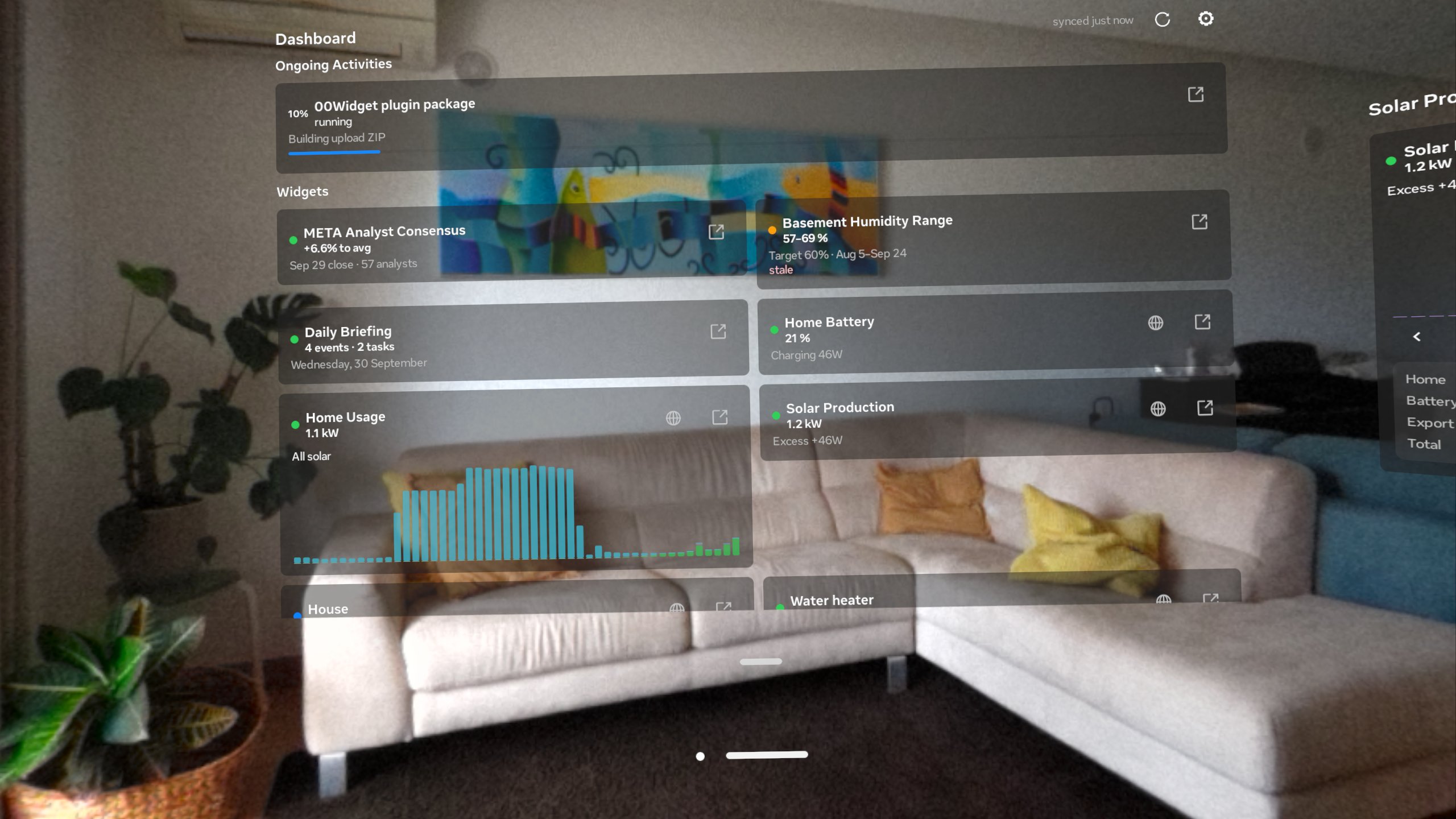
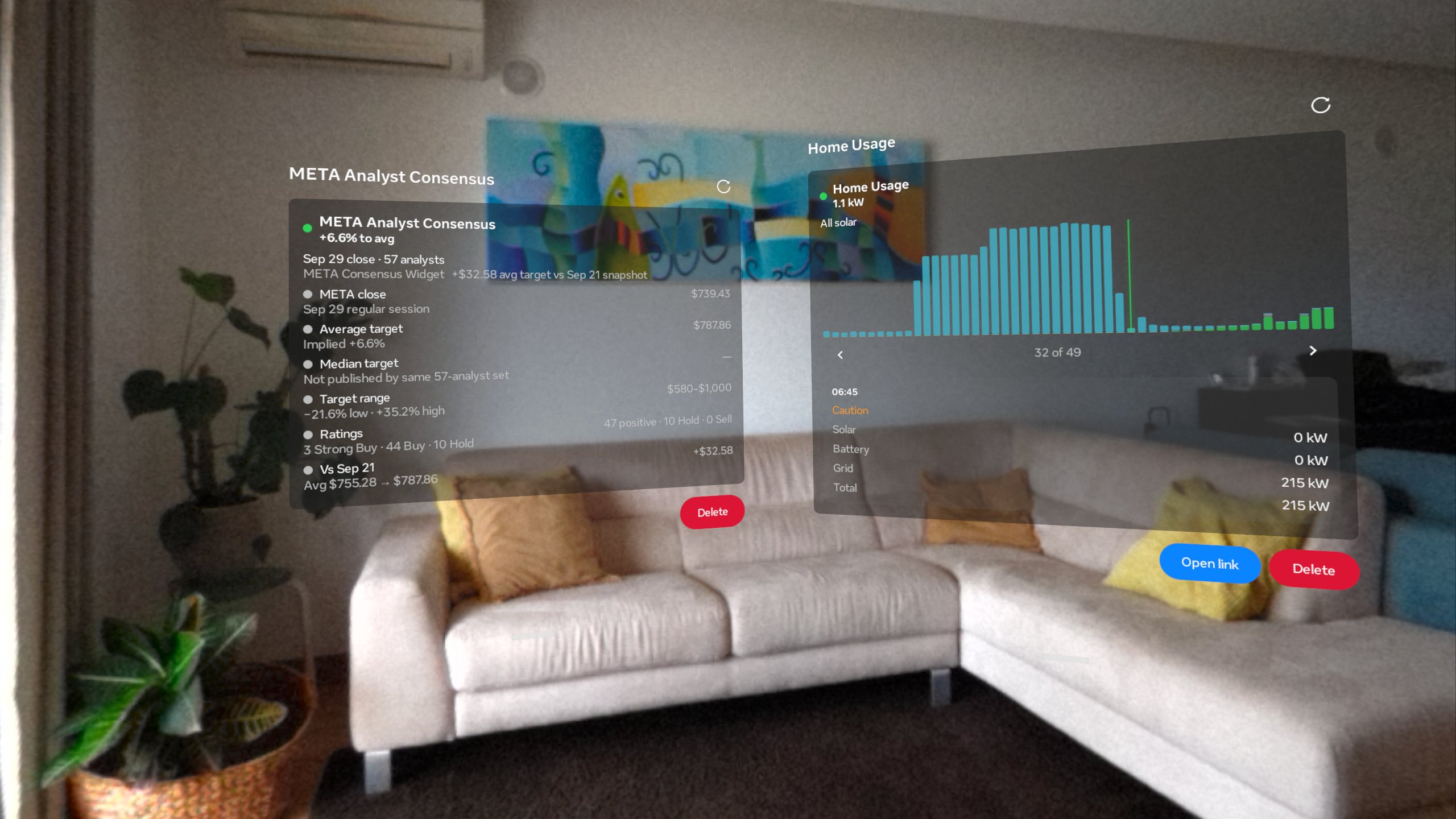
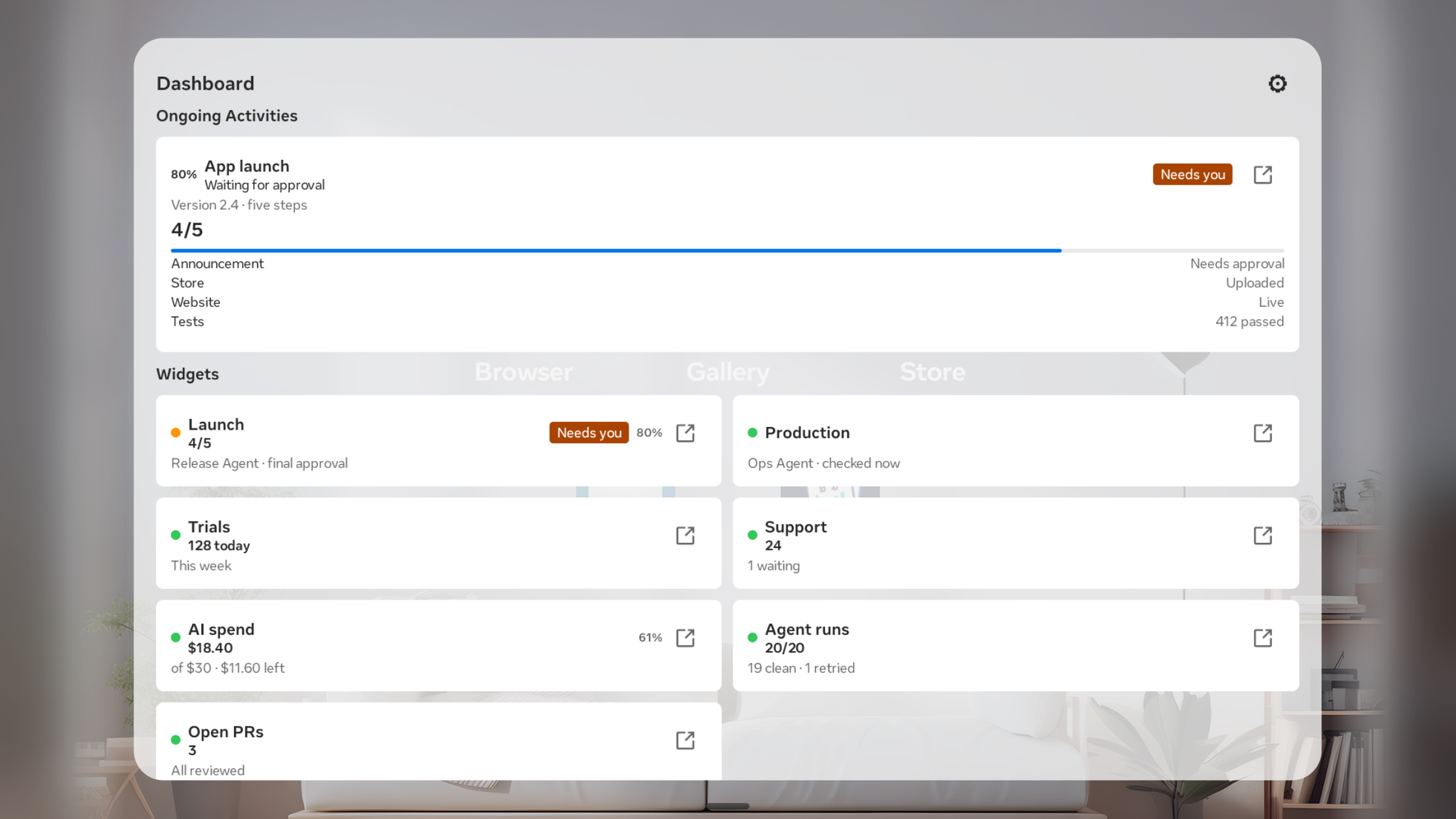
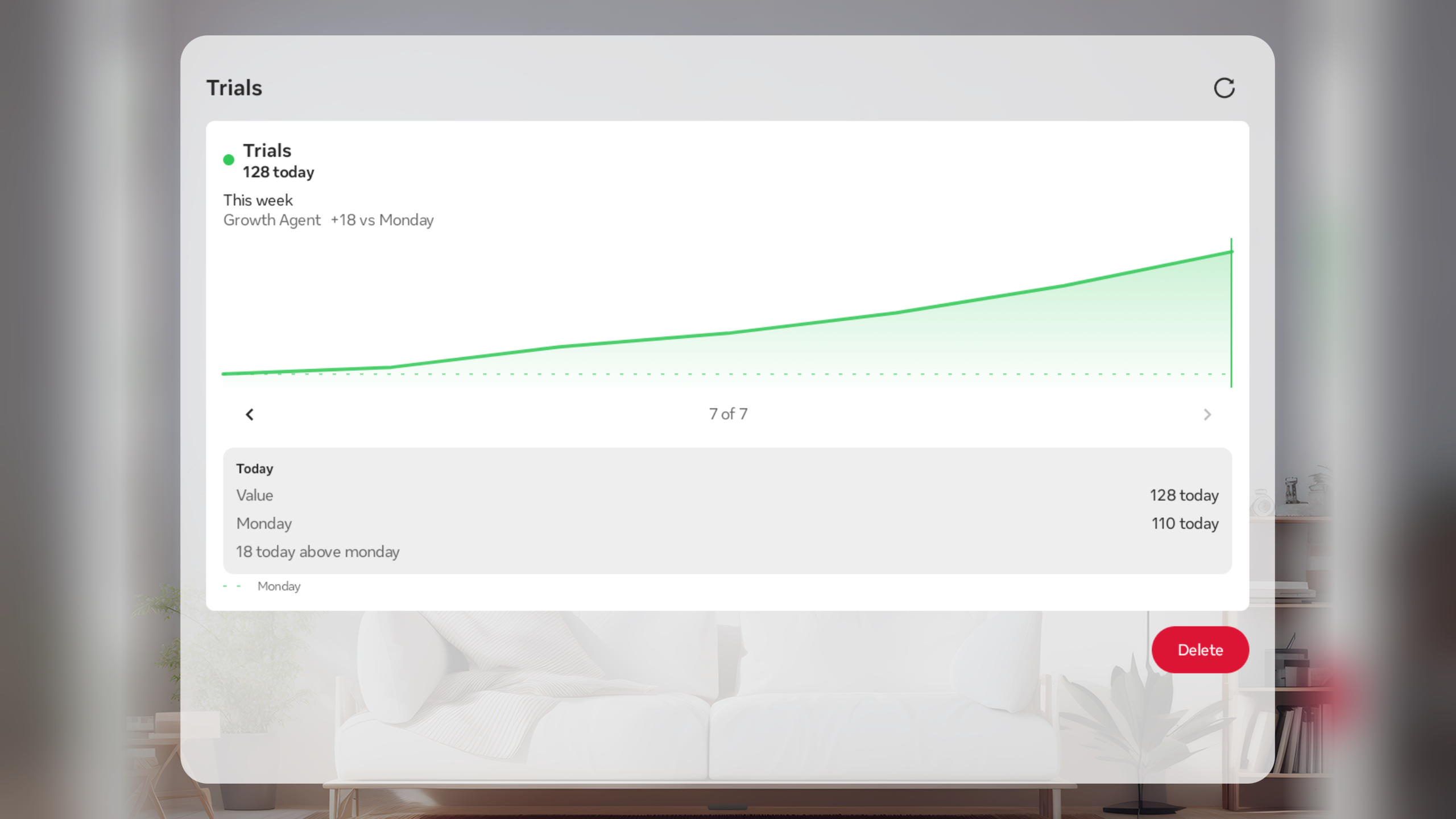
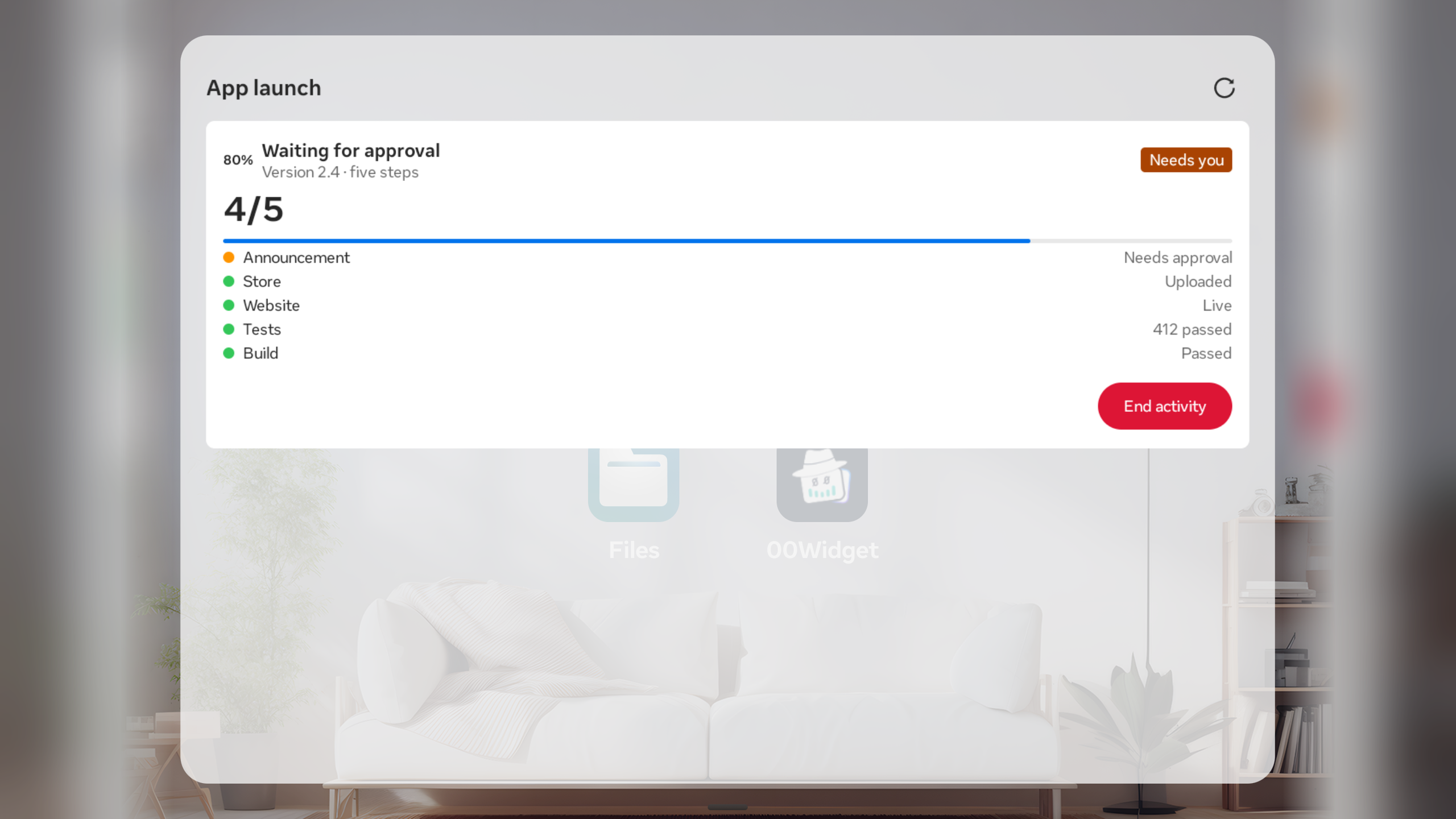
00Widget turns updates from agents, automations, and other software into a dashboard of status cards and ongoing jobs. On Meta Horizon OS, you can check a release, production health, support queue, AI spend, or agent runs from a panel in your workspace. Open an important card into its own panel to keep it in view. When a connected agent requests an action, you can review it and confirm it from the app. An offline sample dashboard lets anyone explore the experience before connecting an account or agent. And its super easy to connect your existing agents and projects, either using MCP or by copy & pasting a short instruct to your favourite code LLM.
How we built it
Agents publish structured state to a Cloudflare Worker through an API or MCP tools. The Worker stores the data and serves it to 00Widget’s native apps. The Horizon OS app is built with Kotlin, Jetpack Compose, and Meta’s VR UI Set. It renders that state as movable, resizable system panels, with separate panels for the dashboard, settings, and individual cards. I designed the controls for hands and Look and Pinch, including clear targets and chart controls that don’t depend on pointer hover. Meta account sign-in connects the headset to an existing 00Widget account through an approval flow.
Challenges I ran into
The same agent update has to remain understandable across a phone widget, a TV dashboard, and a headset panel that can shrink to a narrow width. I kept the published data separate from the interface and built a native renderer for each platform. Headset interaction also exposed details that are easy to miss on a desktop: small targets, overlapping gaze targets, charts that assume hover, and panels that compete for limited field of view. Account linking added another challenge: connecting the headset without asking someone to type an API token into it.
Accomplishments that I'm proud of
One agent integration can now power status across Apple devices and Meta Horizon OS. On the headset, useful details can become their own panels while the main dashboard remains available. The sample experience works offline, so the first five minutes show what the app is for. And I think this will be absolutely amazing when paired with Remote Desktop running on VR Glasses - keep in the zone, quickly glance to the side to see important stuff.
What I learned
Agent status needs a vocabulary people can scan: what happened, what is happening, what comes next, and whether I need to act. Structured cards made that vocabulary reusable across very different agents. I also learned that hands-first design changes more than button size. Every important step needs a clear target and a way forward without hover or a controller.
What’s next for 00Widget
I want to make the headset the easiest place to keep an eye on long-running agent work: clearer attention signals, better ways to arrange a few important panels, and more integrations that publish useful progress with little setup. I'll be on the lookout for any new Horizon OS APIs for placing augments around the rooms. And I'll keep refining the hand-driven experience on Quest and exploring how a compact agent dashboard should work on Meta VR Glasses - can't wait to get them!
Built With
- android
- cloudflareworkers
- jetpackcompose
- kotlin
- metahorizonos
- metahorizonplatformsdk
- metavruiset
- typescript

Log in or sign up for Devpost to join the conversation.