Inspiration
We recognized the growing need for an integrated platform that empowers researchers and bioengineers to rapidly explore protein stability and design. While existing tools either focus on raw sequence analysis or 3D visualization, very few combine mutation-guided ΔΔG/entropy prediction with real-time structural context. Our goal today was to prototype a unified workflow: from multiple-sequence alignment and ProtBert-based ΔΔG estimation in the backend, all the way to a browser-based Mol⋆ viewer that shows structures and highlights candidate mutations. We were inspired by the challenge of translating machine‐learning predictions directly into the structural space, so users can make informed decisions about which residues to target next.
What it does
Sequence Input and MSA Generation: The user submits a protein sequence; behind the scenes, Clustal Omega runs an MSA to gather evolutionary context.
ΔΔG & Entropy Prediction: Our Flask backend uses a ProtBert‐based PyTorch model to embed the aligned sequences and output per‐mutation ΔΔG and entropy scores. These predictions help identify stabilizing or destabilizing substitutions.
Mutation Candidate Endpoint: A REST endpoint (/suggest_mutations) returns a JSON list of top candidate mutations (e.g., "V15A": {"ddg": 0.705, "entropy": 1.50}).
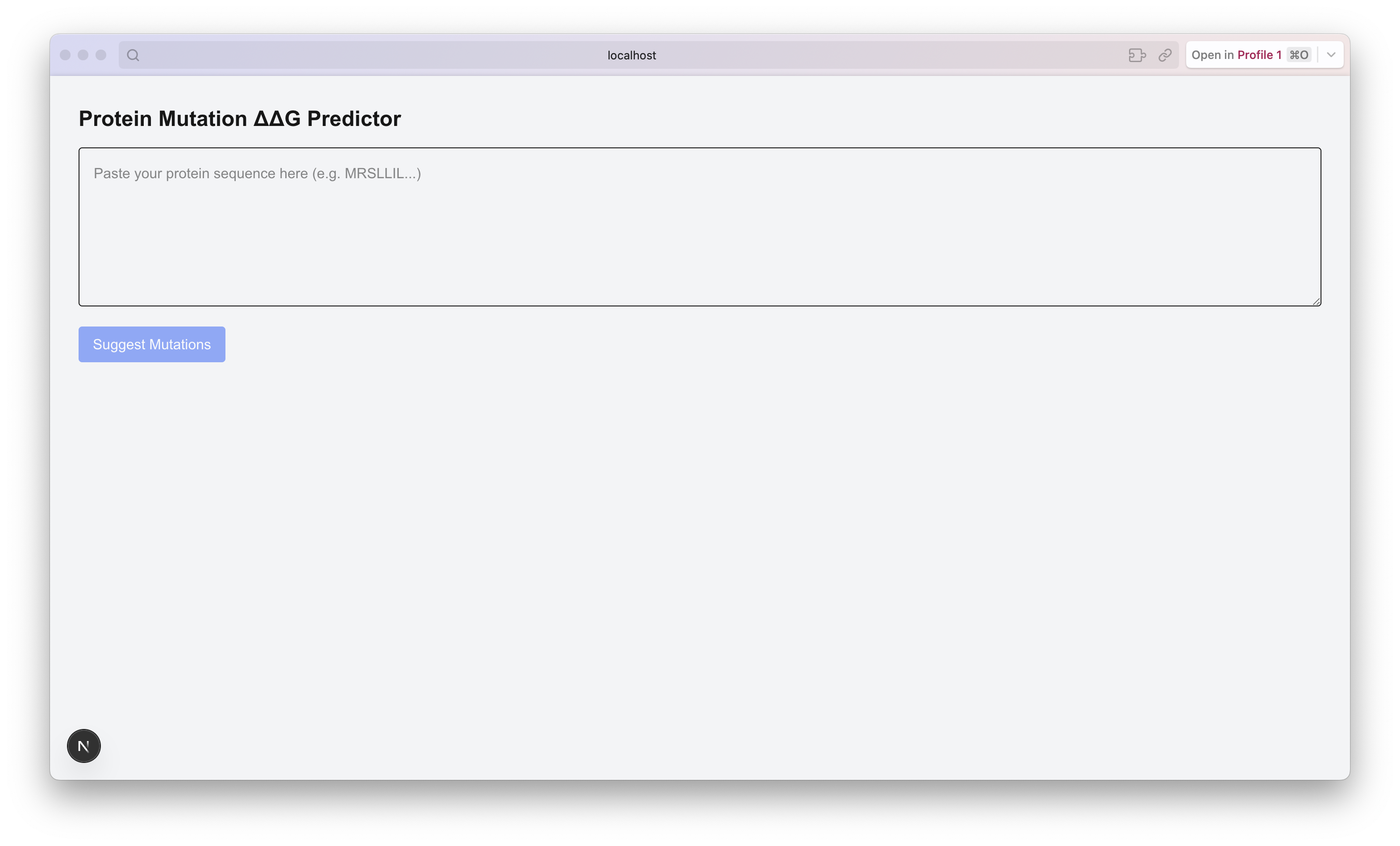
3D Visualization: On the frontend, a Next.js/React app dynamically loads a Mol⋆ viewer. When a sequence is submitted, it fetches the PDB (or mmCIF) file, displays it in Mol⋆, and overlays mutation hotspots colored by predicted ΔΔG values.
Interactive Feedback: Users can hover or click on individual residues to see numeric ΔΔG/entropy details, enabling iterative exploration without toggling between separate tools.
How we built it
Backend Setup (Flask + ProtBert + Clustal Ω)
We wrote a Flask server with endpoints to:
Run Clustal Ω in a subprocess to generate an alignment (.aln file).
Load the ProtBert model from Hugging Face, generate embeddings for each MSA position, and feed them through a simple MLP regressor to predict ΔΔG and entropy.
Parse mutation strings (e.g., "A23T") to compute zero‐indexed positions and evaluate the ΔΔG/entropy for each possible single‐residue swap.
Ensured that all tensors (features, model weights) were on the same device (CPU/GPU), fixing a runtime error where some data landed on CPU while the model was on CUDA.
Packaged the predictions as a JSON response.
Frontend Setup (Next.js, React, Mol⋆)
Scaffolded a Next.js app in the /app directory, marking our main component with "use client" so that Mol⋆ only loads in the browser.
Created ProteinViewer.tsx which:
Uses a useEffect hook to call createPluginUI from Mol⋆ and loadStructureFromUrl, passing our PDB/mmCIF URL.
Provides a reference container (ref) for Mol⋆ to render into, resizing it to fill the viewport.
Integrated a simple form component where users paste a FASTA sequence. On submit, it hits /api/suggest_mutations, receives a list of candidates, then overlays colored spheres on the 3D structure to highlight top mutable positions.
Deployed a lightweight fetch call in the Next.js frontend to connect to our local Flask server running on port 5000.
Workflow Orchestration & Data Flow
The React frontend sends the raw sequence to the Flask backend. Flask:
Writes the sequence to a temporary FASTA file.
Invokes Clustal Ω via subprocess, writing the alignment to disk.
Reads the alignment back into Python, generates Prot⋆ embeddings with Rostlab/prot_bert, and runs the MLP to predict ΔΔG/entropy.
Returns a JSON array like:
json Copy Edit [ { "mutation": "V15A", "position": 15, "wt": "V", "alt": "A", "ddg": 0.705, "entropy": 1.5 }, { "mutation": "V15C", "position": 15, "wt": "V", "alt": "C", "ddg": 0.712, "entropy": 1.48 }, … ] The frontend then parses that list, picks the top N stabilizing mutations (lowest ΔΔG), and calls a Mol⋆ API to add markers at residue positions (e.g., plugin.managers.structure.hooks.applyAction(actionBuilder.selection.addResidue(residueIndex))), colored on a gradient from green (most stabilizing) to red (destabilizing).
Challenges we ran into
Device Mismatch in ProtBert: Early runs crashed with Expected all tensors to be on the same device. We had to audit every tensor creation (inputs, labels, model) to ensure consistency on CUDA when available.
MSA Alignment Speed: Running Clustal Ω on longer sequences hung the server for tens of seconds. We added a progress bar via tqdm in our Python script to monitor alignment and ensured we only run MSA once per sequence submission.
React Hydration Errors & SSR: Because Mol⋆ relies on window and browser‐only APIs, Next.js server‐side rendering produced the infamous “Hydration failed” error. We solved it by wrapping all Mol⋆ imports and initialization inside "use client" modules and using dynamic(() => import("./ProteinViewer"), { ssr: false }) so that the component only loads in the browser.
Module Resolution for Mol⋆: Some import paths (e.g., 'molstar/lib/mol-plugin-ui/viewer') were incorrect, leading to “Can’t resolve module” errors. We verified the correct paths under node_modules/molstar/lib/mol-plugin-ui and updated imports to:
tsx Copy Edit import { createPluginUI, renderReact18 } from "molstar/lib/mol-plugin-ui"; import "molstar/lib/mol-plugin-ui/skin/light.scss"; Missing PDB Files: When users request a PDB that’s not present locally, Mol⋆ silently fails to load. We added a fallback: if the user’s PDB URL 404s, we detect it in the .catch() of loadStructureFromUrl and display an error banner prompting the user to upload their own PDB or provide a valid URL.
Color Overlay Logic: Translating ΔΔG values (a floating‐point range) into Mol⋆’s color scale required normalizing predictions (e.g., mapping ΔΔG in [–3, +5] to a 0–1 range) so that residues with the lowest predicted ΔΔG stably show in deep green, mid‐range in yellow, and high values in red. Fine‐tuning that gradient took a few iterations to visually convey the right “thermostability” context.
Accomplishments that we're proud of
End-to-End Pipeline: In a single afternoon, we went from no integration to a fully functional demo where a user can paste a FASTA sequence, generate an MSA, calculate Prot⋆ embeddings, predict ΔΔG/entropy for every possible single‐residue mutation, and visualize those hotspots on the 3D structure in the browser.
ΔΔG Predictions Live in Browser: We successfully connected the PyTorch Prot⋆ model on GPU to a Next.js UI, with sub-second feedback for typical proteins (~150–200 residues).
Mol⋆ Integration: Without prior experience using Mol⋆, we managed to embed it in React, handle PDB loading, apply custom color themes for residue selection, and clear up viewers on component unmount.
Robustness & Error Handling: We enforced checks for missing PDBs, sequence validation (only valid single-letter amino acids), and MSA completion. Now the server returns clear JSON errors if upstream steps fail.
Modular Codebase: We separated concerns cleanly:
backend/app.py holds all Flask routes and mutation logic,
backend/model_utils.py handles Prot⋆ loading, embedding extraction, and ΔΔG inference,
frontend/components/ProteinViewer.tsx encapsulates all Mol⋆ interactions,
frontend/pages/index.tsx manages user I/O and data fetching.
What we learned
SSR vs. CSR in Next.js: That mixing browser-only libraries like Mol⋆ into Next.js can break SSR. The "use client" directive and dynamic({ ssr: false }) were crucial.
Cross-Device PyTorch: Even a single CPU‐device mismatch (e.g., loading model on CUDA but accidentally creating a tensor on CPU) will abort with a confusing error. Vigilance about .to(device) is a must.
Shelling Out to MSA Tools: While Python has Biopython for alignments, for production‐grade MSA we rely on the native Clustal Ω binary. We learned how to spawn a subprocess safely, pass FASTA paths, and wait for .aln output before proceeding.
Mol⋆ API Basics: Navigating the Mol⋆ documentation clarified how to create PluginUI, call loadStructureFromUrl, and apply residue‐level coloring via actionBuilder calls. We now understand the difference between loading from a URL vs. local file.
Data Flow Design: We improved our mental model for a “single source of truth” flow: user → Flask (MSA & ΔΔG) → JSON → Next.js → Mol⋆. Without muddling state across components, it became easier to debug.
Normalization for Visualization: Mapping raw ΔΔG values to a perceptual color scale requires clipping extreme predictions (e.g., anything above +5 kcal/mol treated as full red), which taught us to inspect the distribution before visualizing.
What's next for WTF-what the fold
Integrate AlphaFold/Custom Structures
Right now, we rely on a user-supplied PDB or use a limited local repository. We plan to connect to an AlphaFold API (or use OpenFold locally) so we can predict structures on the fly for novel sequences and then run our mutation pipeline directly on those predicted models.
Interactive Mutation Design Loop
Allow users to click on a residue in Mol⋆ and propose point mutations in the UI (e.g., a dropdown of alternative amino acids), immediately sending that single mutation to the backend to recalculate ΔΔG in real time. This “click→predict” loop will feel more seamless than having to re-submit an entire sequence.
Batch Upload & Job Queueing
For longer proteins (>300 residues), MSA and Prot⋆ inference can take 20–30 seconds. We’ll implement a background job queue (e.g., Celery + Redis) so that users can submit jobs, receive a job ID, and poll or get emailed when results are ready.
Fine-Tuning & Model Improvement
Our current Prot⋆-MLP regressor was trained on a small open ΔΔG dataset. We plan to incorporate larger published datasets (e.g., FireProtDB), retrain the MLP (and possibly add an attention head) for better accuracy, and compare predictions against experimental benchmarks.
User Authentication & Collaboration
Introduce an account system so researchers can save “projects,” store their favorite mutation sets, and share them with collaborators. This will require integrating Supabase or Auth0 for secure login and tying job history to user profiles.
Advanced Visualization & Reports
Generate an automated PDF report for each job, summarizing predicted ΔΔG distributions, top stabilizing/destabilizing mutations, and 2D charts (e.g., histogram of ΔΔG) via a Python plotting library. Users can download these reports for their lab notebooks.
Dockerization & Deployment
Containerize both the Flask backend (with all dependencies for Prot⋆ and Clustal Ω) and the Next.js frontend so that the entire stack can spinning up via docker-compose. We’ll then deploy on a cloud VM with a GPU (e.g., AWS g4dn) so remote users can access the web app.
Built With
- neuralnetwork
- nextjs
- protbert
- python


Log in or sign up for Devpost to join the conversation.