-
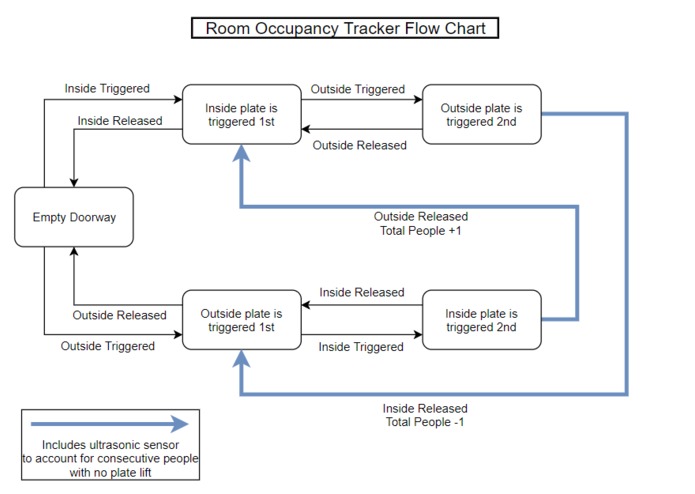
Flow chart for basic data collection
-
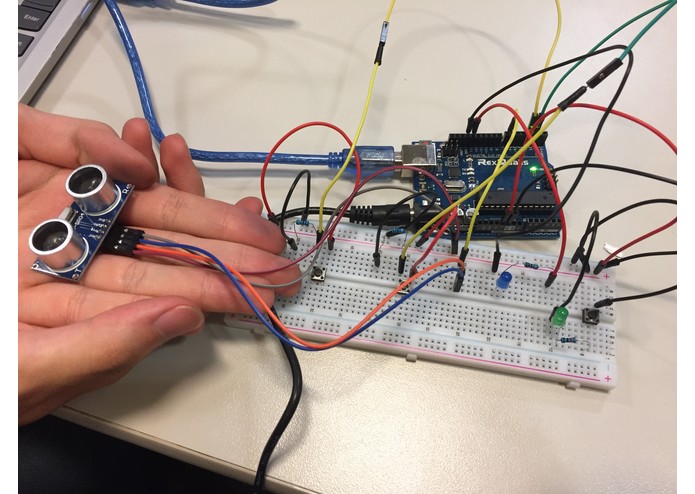
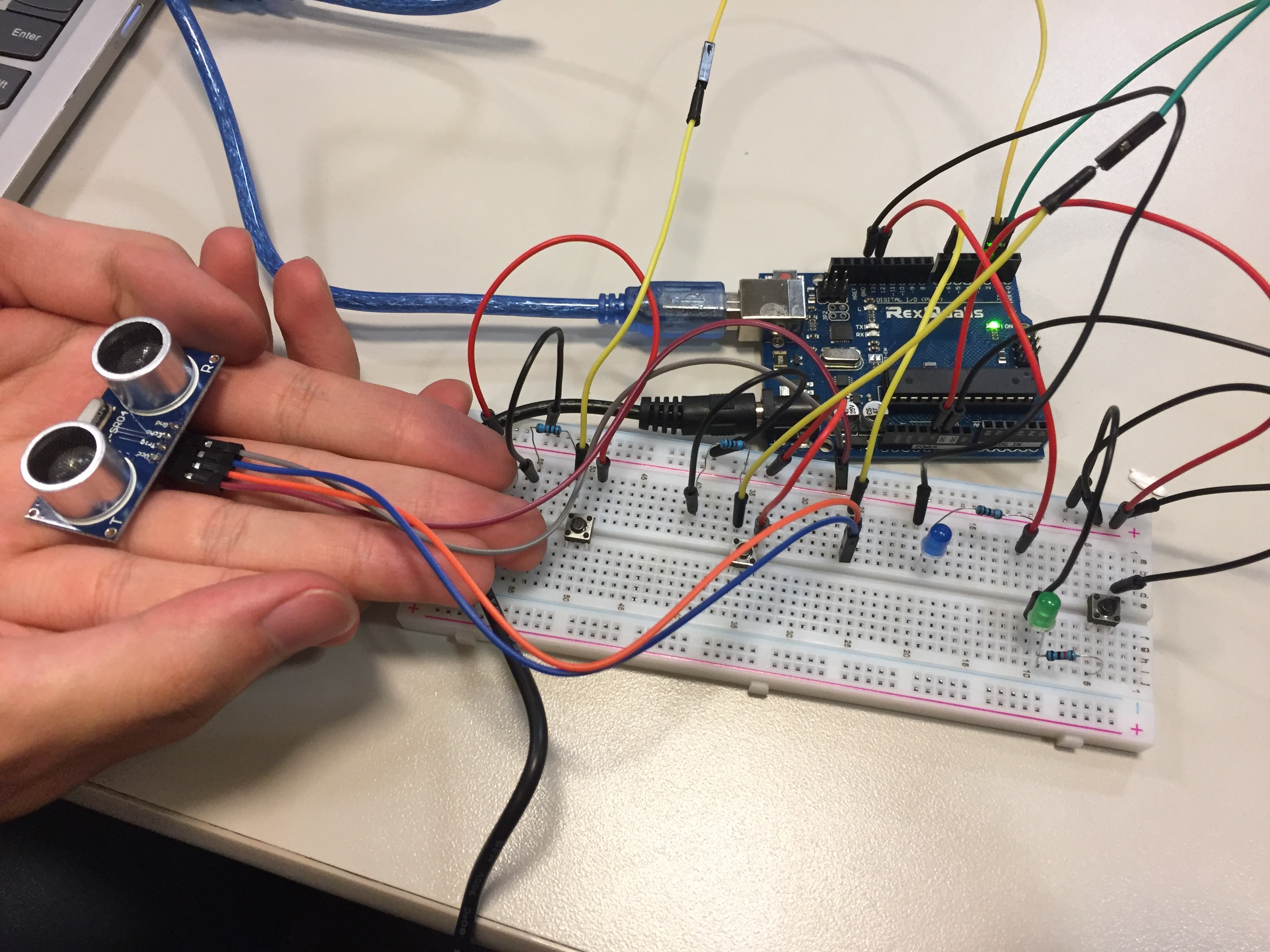
Our Circuit Setup
-
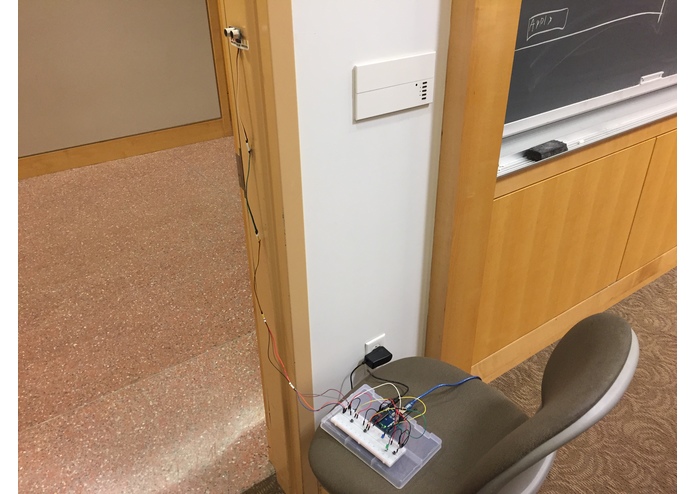
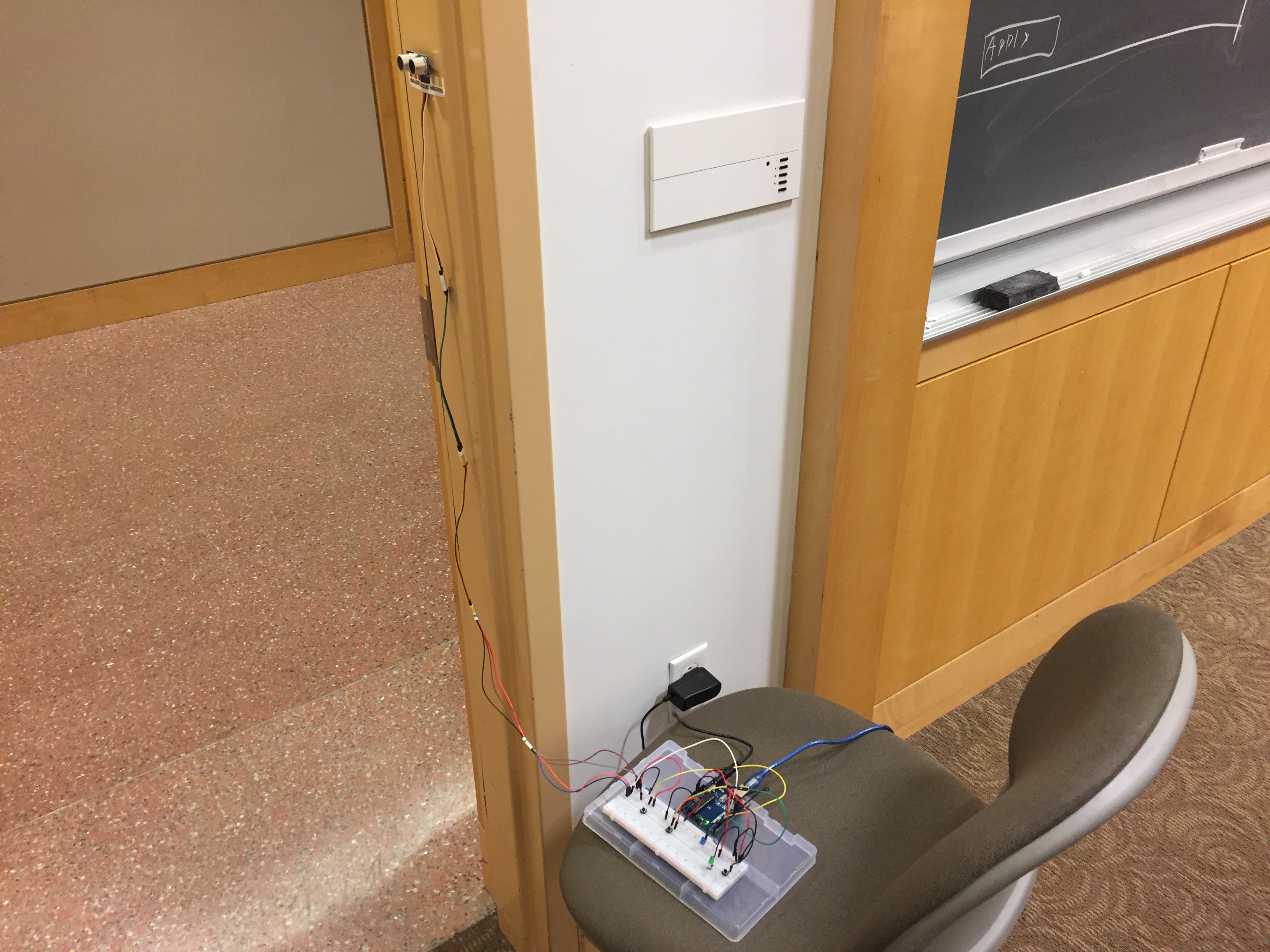
Our set, mounted with final prototype
-
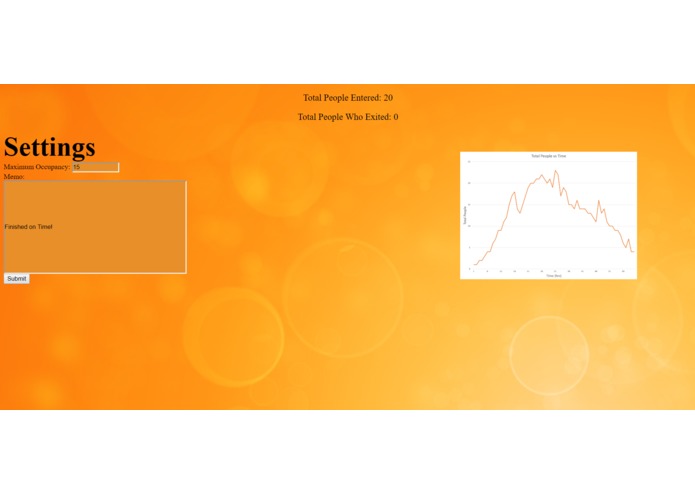
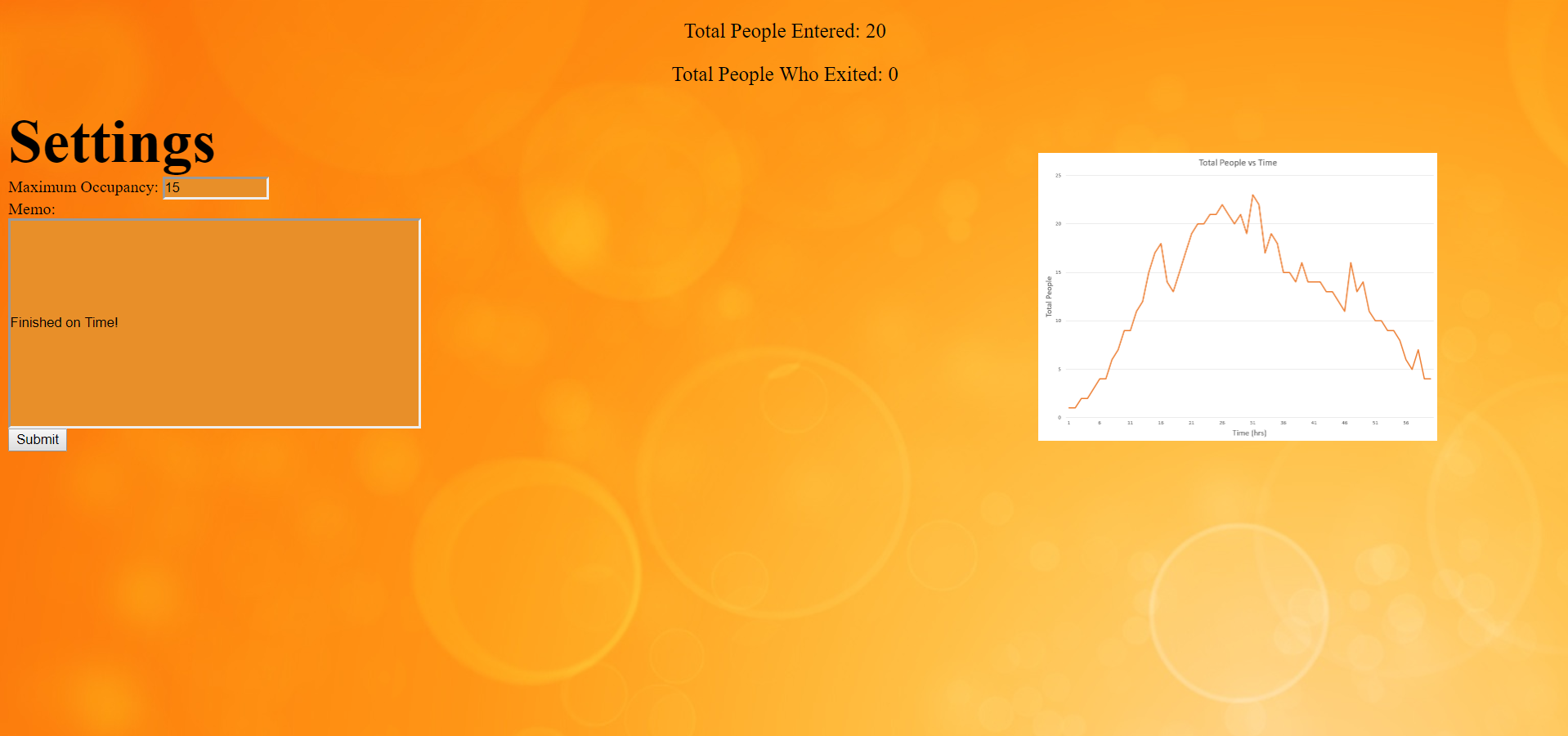
Admin Page
-
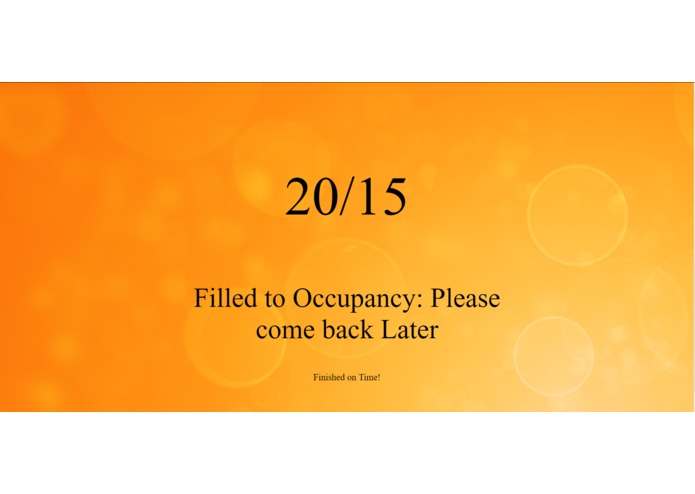
User Page


Inspiration
We wanted to create a hardware and software setup that collects data on the occupancy of a room and makes it view-able to a client and editable to an admin. We also wanted to explore the capabilities of the Arduino's data collection abilities
What it does
Our build will record people entering and exiting the space by using a set of pressure sensors and an ultrasonic sensor to count the actions a person makes on their way through an entrance. It also accounts for people following close behind one another by using the ultrasonic sensor to double-check the people crossing the threshold. Then the program takes the data and sends it to an admin and client for viewing and editing.
Data Collection: For higher accuracy, we assumed that the door only allows one person to go through at a time. The data collection begins with the Arduino waiting for a response from one of the buttons, which act as our pressure sensors. Depending on which side of the door is pressed first defines which path the program takes. It then waits for the person to either back away from the door, leaving nothing to happen to the count, or step across the opening onto the next plate, leaving both pressed. Now two more things can happen; the person can step back into the room and we go back to the previous step, or the person continues and steps off the plate their back foot is on. When this happens, the count of people in the room changes based on the starting plate, which denotes the direction they went through the opening. The code also supports multiple people moving through the opening one after the other with the help of an ultrasonic sensor.
Visual Interface: Our visual interface is split into two main parts; the Admin Page, and the Client Page. The Client Page displays information that would be relevant to customers or visitors at the venue of deployment. It displays the total number of people currently in the room, the maximum occupancy, and an announcement that notifies the customers about the status of the room. Also, visible beneath the attendance and announcement, there is the memo which is a message from the administrator of the building that says whatever he/she desires. This message is controlled by the Admin Page. The Admin Page contains specific data that the admin would find useful. The administrator can change, as of now, two settings; the previously mentioned memo on the client page, and the rooms maximum capacity.
How we built it
We utilized Arduinos to collect data through sensors and the Johnny-Five API to compile the data into a format that could be utilized for data manipulation. Through HTML formatting, we were able to make this data user friendly and informative to clients.
Challenges we ran into
The first roadblock we ran into was figuring out which sensors we could use. Many of them weren't usable for our task and the ones that we could use had severe limitations. For instance, the Infrared sensor was only able to test for motion once every three seconds which made them unusable in an environment where people walk past the sensor constantly. Another problem we faced was that our initial plan involved using pressure sensors, which would have been an accurate indicator of people entering and exiting a room. However, since none of us had any pressure sensors, we were unable to follow out initial plan. Instead we used something that could simulate it, buttons, which were readily available to us. We got the chance to use JavaScript , which was something new to us, and this made this a difficult and interesting learn experience. It works very differently to the other languages we already knew and made every step something we had to learn before using.
Accomplishments that We're proud of
We are proud that we were able to get the Arduino to collect usable data. We were also proud that we were able to use JavaScript to complete the challenge
What we learned
We learned to utilize the Arduino and it's sensors to collect usable data. We also learned how to use JavaScript to collect, compile, and format data.
What's next for Room Occupancy Tracker
- Add a interactive graphs on the website
- Add more admin functionality
- Add more ways to identify the status of the room
- Add an interactive graph to the admin page
- Replace buttons with pressure sensors
Built With
- arduino
- css
- express.js
- html5
- javascript
- johnny-five-api
- sensors


Log in or sign up for Devpost to join the conversation.