-
-
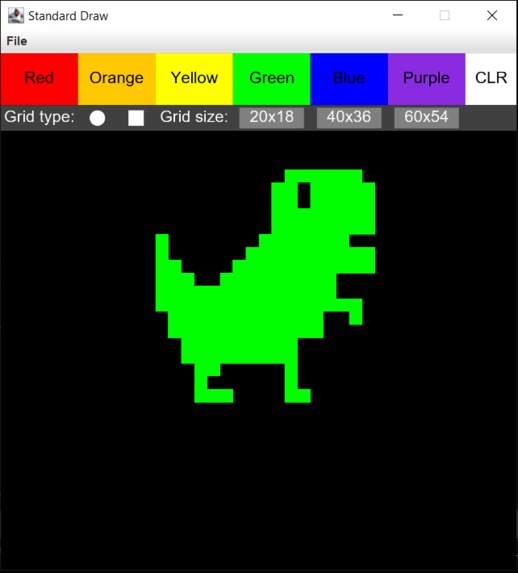
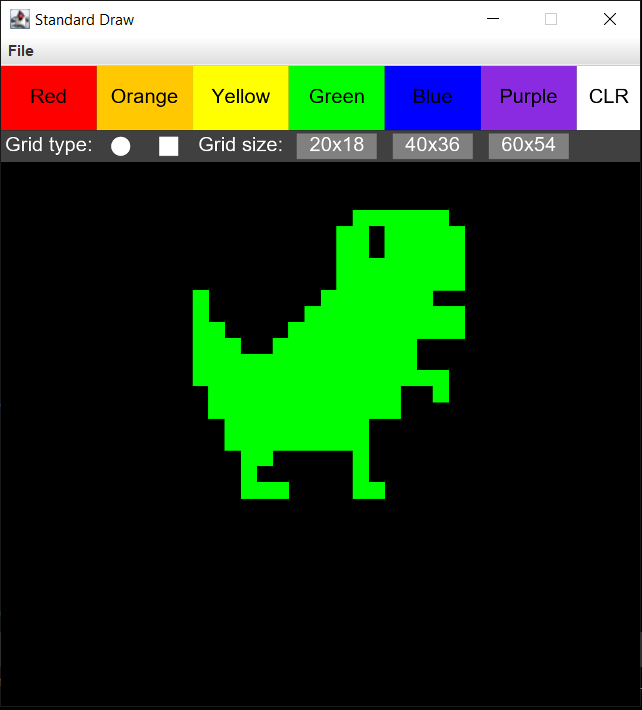
A friendly dinosaur drawn using Pixel Paint!
Inspiration
I was part of an after school creativity club in high school where students would draw, write, or take a picture of anything they wanted and send in their submissions to be published in bi-yearly printed booklets. I thought that pixel art would have certainly qualified as a form of creativity for such a club, and thus, a small platform for such art: Pixel Paint!
What it does
This program allows the user to paint on a blank, pixelated canvas in the color of their choice. The grid comes in three sizes (20x18, 40x36, 60x54), and allows the user to choose between painting the canvas in traditional square pixels or spherical ones. The user may additionally clear their drawing by pressing the white "CLR" button.
How it was built
I built it using Java and by working with the StdDraw Library (See: link) in IntelliJ IDEA.
Challenges I ran into
Ironically one of my first challenges presented itself before I even began coding! I was having issues loading the StdDraw Library into a new project, and so I referred to help online: link.
One slight issue that I was unable to tackle deals with the speed at which you move your cursor: if you click and drag your mouse too fast across the screen, sometimes you may get a few skipped pixels. This issue is more evident the larger the grid size is.
Accomplishments that I'm proud of
Since the program offers different canvas sizes, coding with static numbers and dimensions would have been difficult and inefficient. I was thus proud of my the way in which I adjusted the code to be written in terms of formulas that would work regardless of the canvas dimensions.
What I learned
-I now know how to easily import and use Java libraries when creating new projects. -I worked with mouse action methods for the first time (such as the isMousePressed() method from the StdDraw library) -I practiced the use of efficient code by not hard-wiring values where appropriate.
What's next for Pixel Paint
Pixel Paint could potentially be improved by: -Allowing for a more versatile paint palette where the user can input a specific RGB color. -Allowing for more grid sizes by having the user enter their own dimensions. -Adding more "pixelation shapes." -Addressing the issue of occasionally skipped pixels at high mouse speeds.
Built With
- intellij-idea
- java
- stddraw

Log in or sign up for Devpost to join the conversation.