-
-
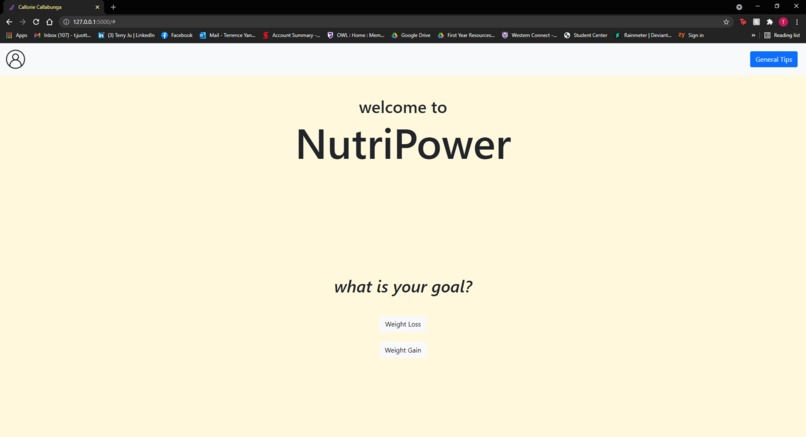
Main Window
-
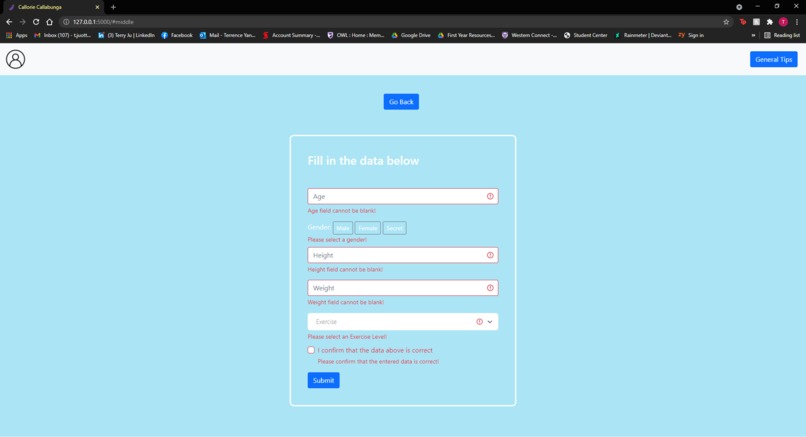
User Qualities
-
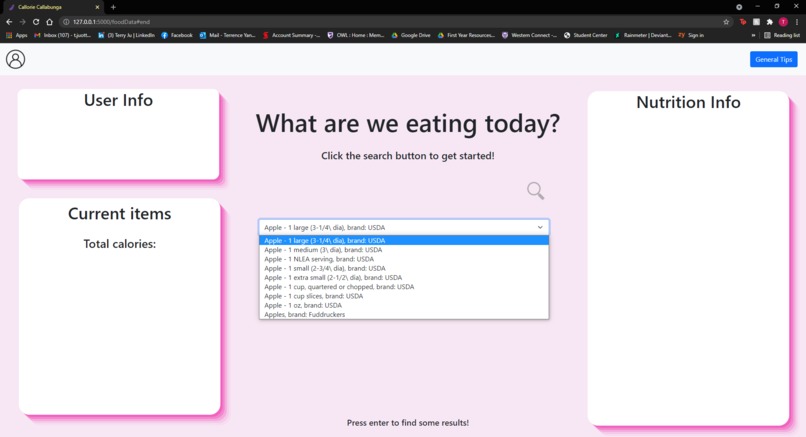
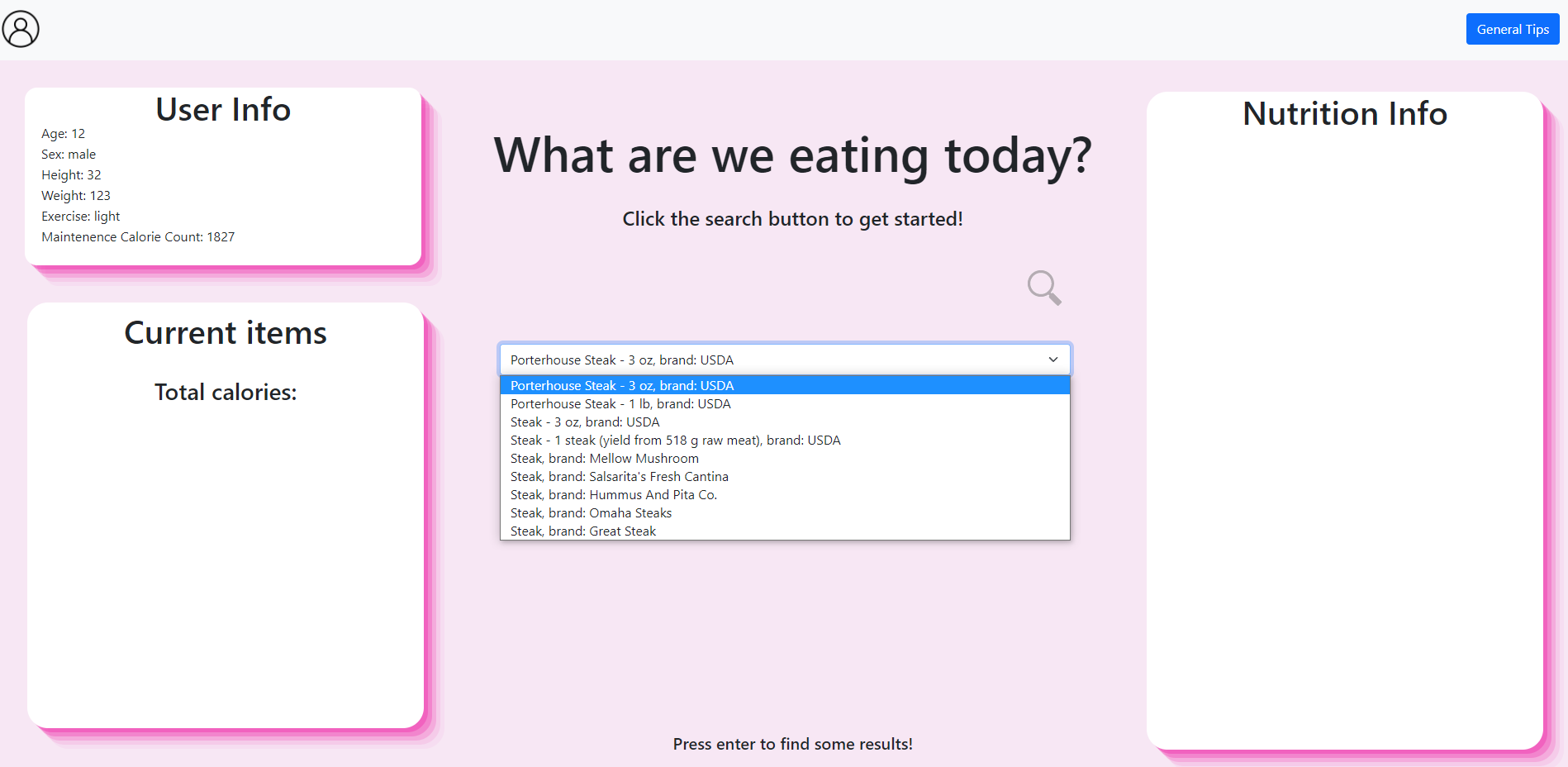
Food Selection Screen
-
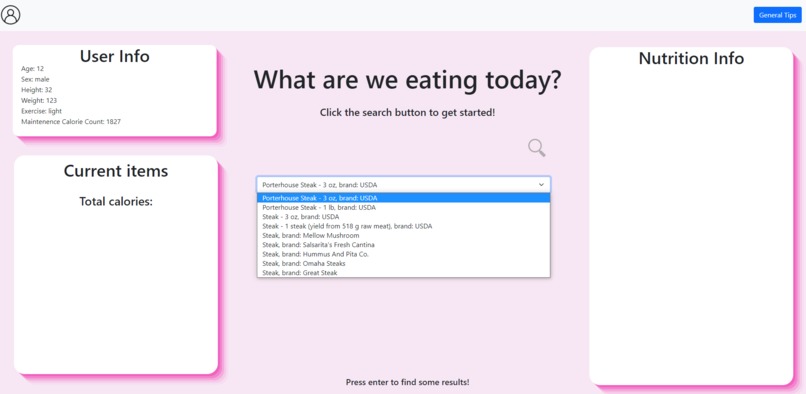
Food Selection Screen Populated (1)
-
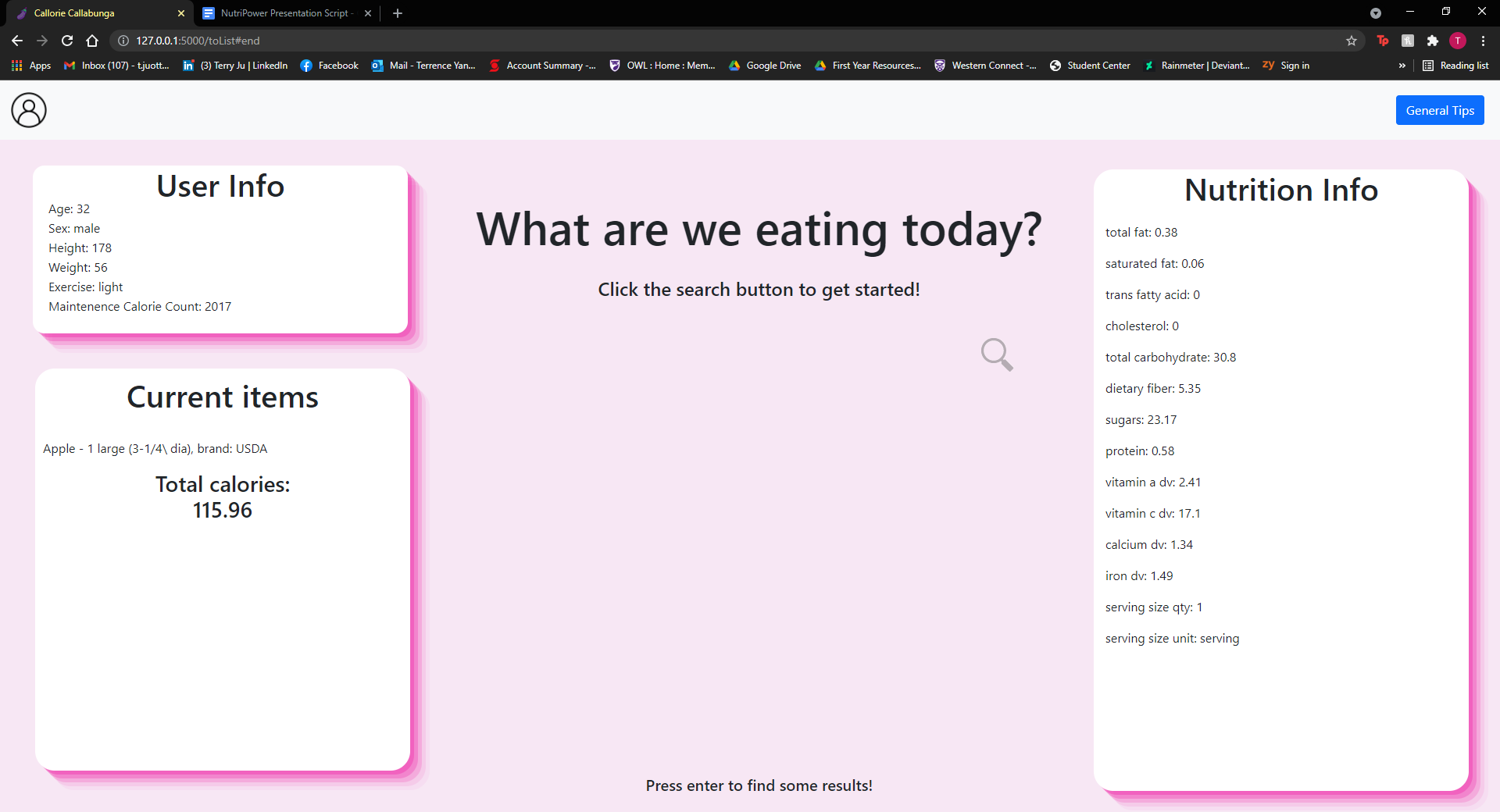
Food Selection Screen Populated (2)
GitHub: https://github.com/1terry/Hack-Western
Inspiration
Seeing that the worldwide pandemic has caused both physical and mental wear on a lot of people, we decided to dedicate our project to solely helping people look at themselves in the mirror and feel absolutely spectacular!
What it does
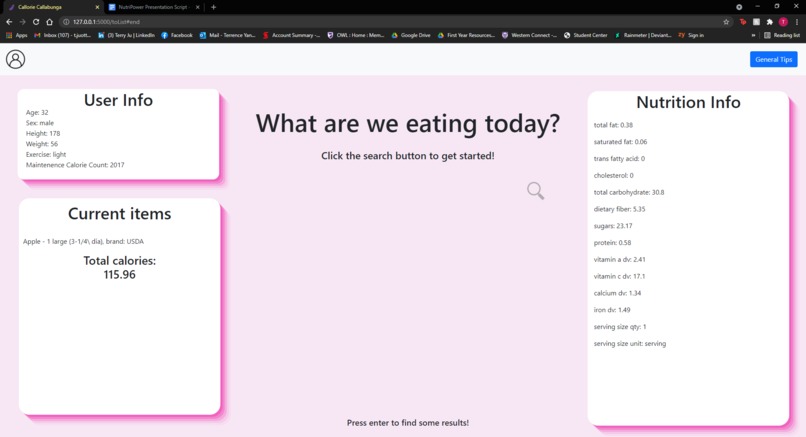
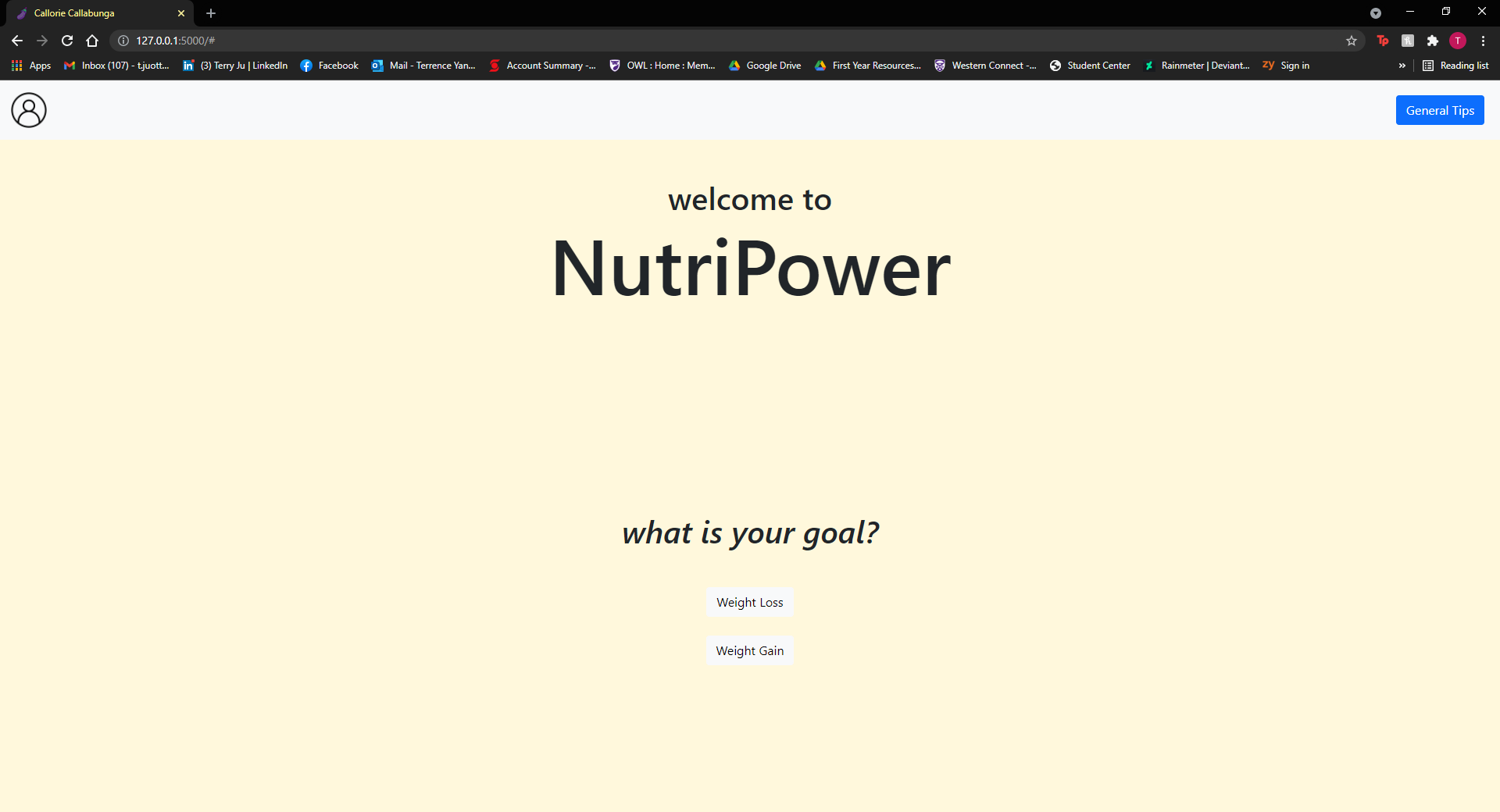
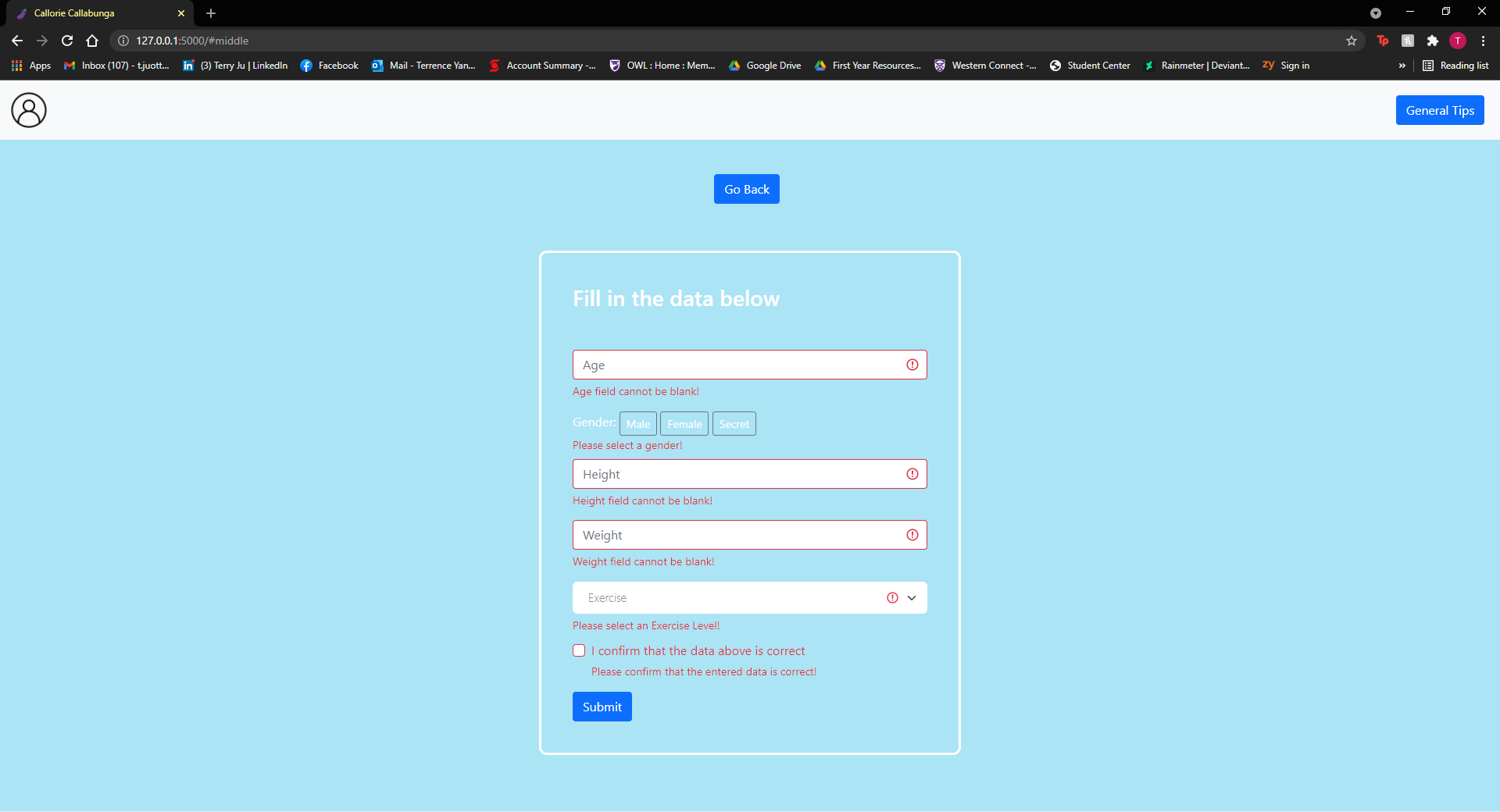
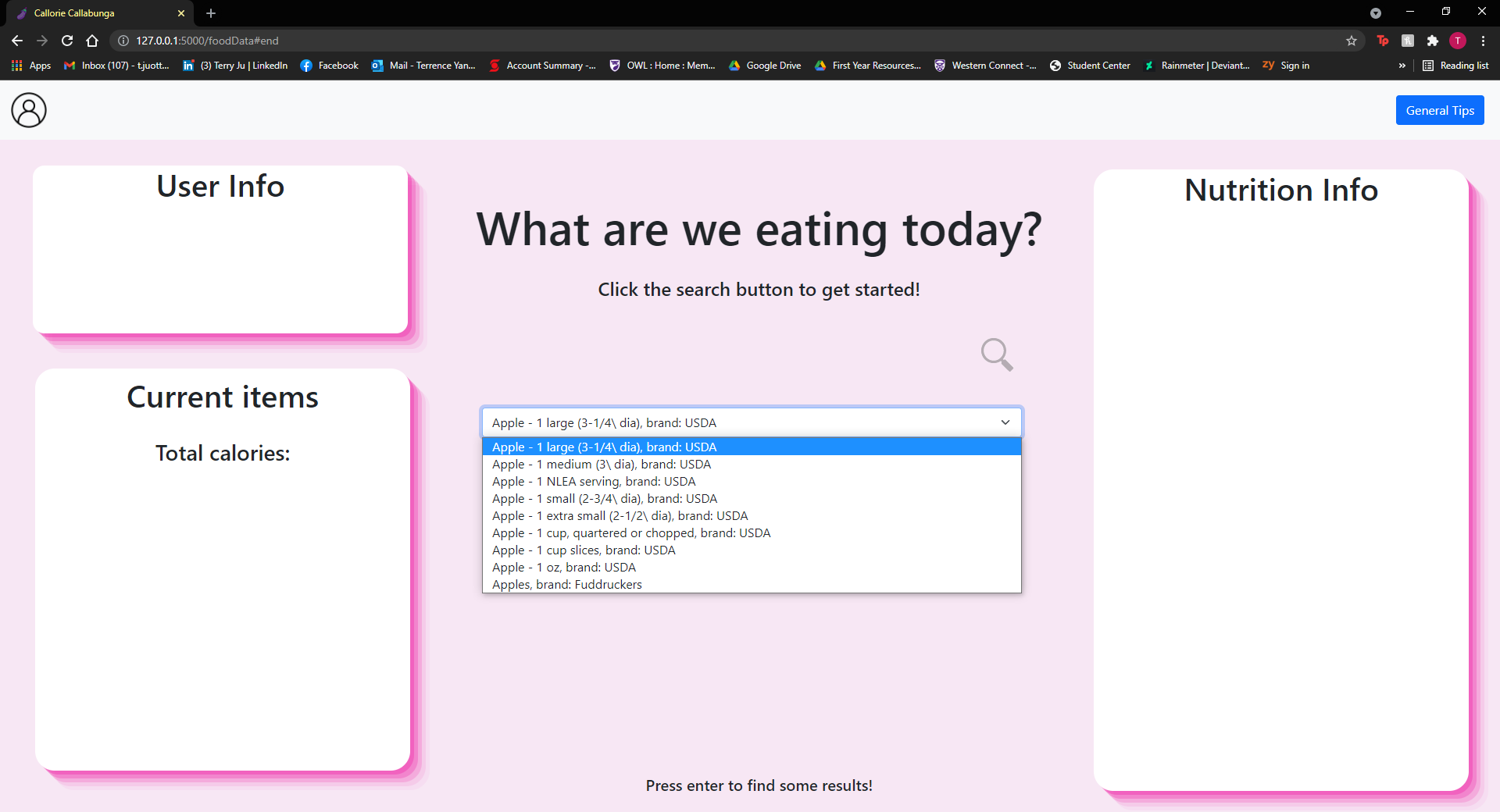
NutriPower is a localhost-based application that allows a user to create their own, unique custom profiles by entering their unique metrics into the system, everything from their height, weight, and exercise level. The system then allows the user to select what they have eaten throughout the day from a vast variety of foods and displays the nutrition and micronutrition from the selection. When the user has inputted everything that they have eaten, the system then determines, given the user's unique profile, what kinds of nutrients they may be lacking (this was, unfortunately, not implemented). Additionally, the user may choose to either maintain their current physical condition, lose weight, or bulk depending on their needs - the entire processing pipeline adapts to these changes and routes calculations differently.
How we built it
This application was created with a Python backend and a combination of CSS and HTML for the frontend of the project. Figma was used to create the general design of the project.
In the backend, we used the Nutrionix API which gave us access to a vast library of information on a variety of foods. We used a BMR calculation to ensure that the program knew exactly how many kcals a user would require each day. We also performed the following calculations in the backend:
- Maintenace, bulking and losing (moderate and low) kcals
- Daily recommendations of nutrition based on profile
- Percentage of food nutrition based on profile
In the frontend, we used vanilla CSS and HTML. We also used a number of third-party libraries, from Jinja to Colorama. To send data from the frontend to the backend and vice versa, we utilized Flask as a gateway. To make fonts and general UI elements look better, we used custom fonts from the Google Fonts API. The frontend is responsible for displaying the information retrieved from the backend in an organized way.
How to Build it
- git clone https://github.com/1terry/Hack-Western
- pip install flask
- flask run once in folder
Challenges we ran into
We ran into a number of issues during the duration of the project. In the backend, we initially wanted to create a database with MongoDB or MySQL but we ran into authentication errors when setting up our local server. We also wanted to use Edamame's Nutrition Analysis API, which was a very made API for food nutrition. However, the service was limited to 100 tests per day, and it was fairly costly to purchase an enterprise edition so we needed to find a different API. Additionally, it was difficult to parse the data from the Nutrionix API.
In the frontend, the main issues that we faced were related to coding in vanilla CSS and implementing third-party libraries. Initially, we were looking to code in Node.js or React, but we found that implementing the frontend with Flask would require a few workarounds that we were unfamiliar with. This lead us to work with vanilla CSS and HTML, which posed an issue when we attempted to implement certain third-party APIs/libraries.
We ended up running out of time and being a little overambitious and were not able to complete all the initial ideas that we wanted in our program. We were not able to the account database that we created and we did not implement some of the calculations we created from the backend in the frontend.
Accomplishments that we're proud of
We are proud of our handler of the Nutrionix API. It was fairly time-consuming to parse the return values from the API, and it required a lot of parse workarounds.
In the front end, we are proud of our clean implementation of Flask and our general UI design that was created in Figma. We are also proud of our implementation of the scrolling design of our user interface, and the general polish of the animations that are found throughout the GUI.
What we learned
We learned how to parse complicated return values from other libraries like the Nutrionix API. We also how to use third-party libraries in vanilla CSS and how to make certain animations in the UI. Furthermore, we learned more about Flask and its applications for web apps.
What's next for NutriPower
We are looking to continue learning and developing our application, and in the near future, we hope to use a database like MySQL to store users and their meals. We would also like to implement the smaller features that we missed. We also hope to create a mobile version of our application so it can be used in a more dynamic environment.


Log in or sign up for Devpost to join the conversation.