-
-
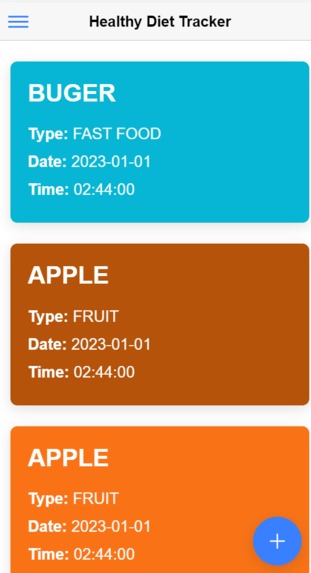
Bright Mode
-
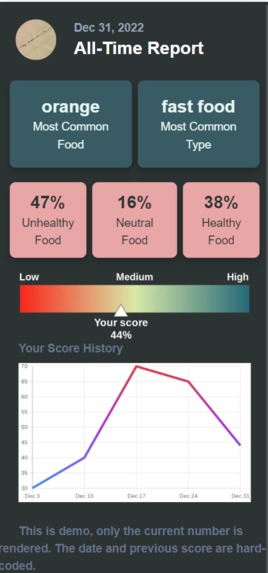
Recap
-
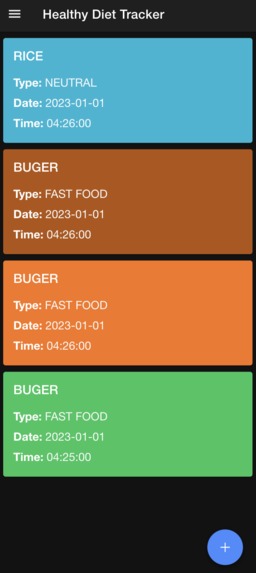
Dark Mode
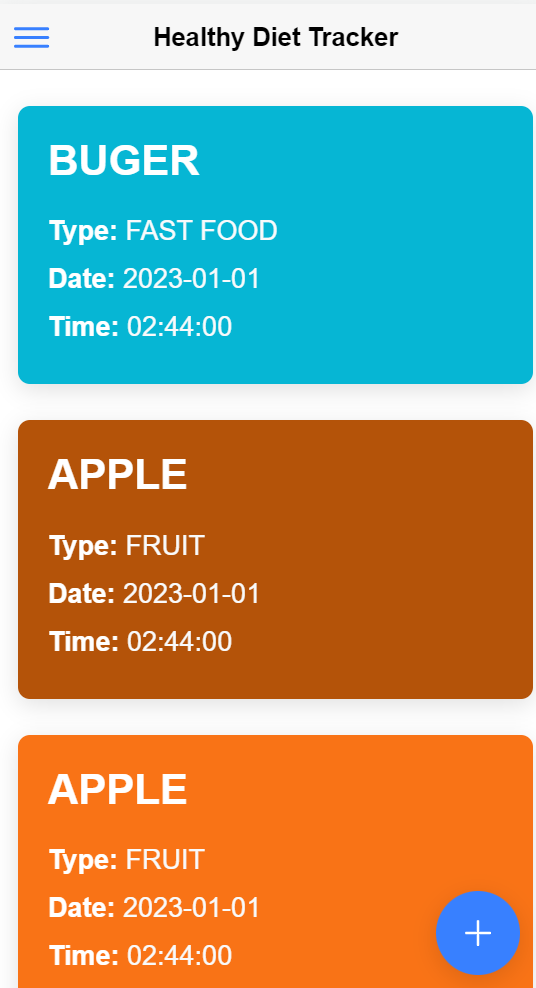
Inspiration
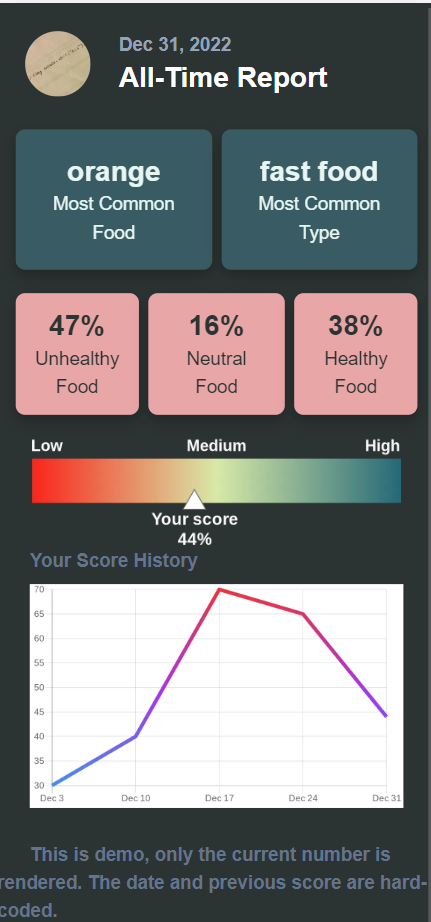
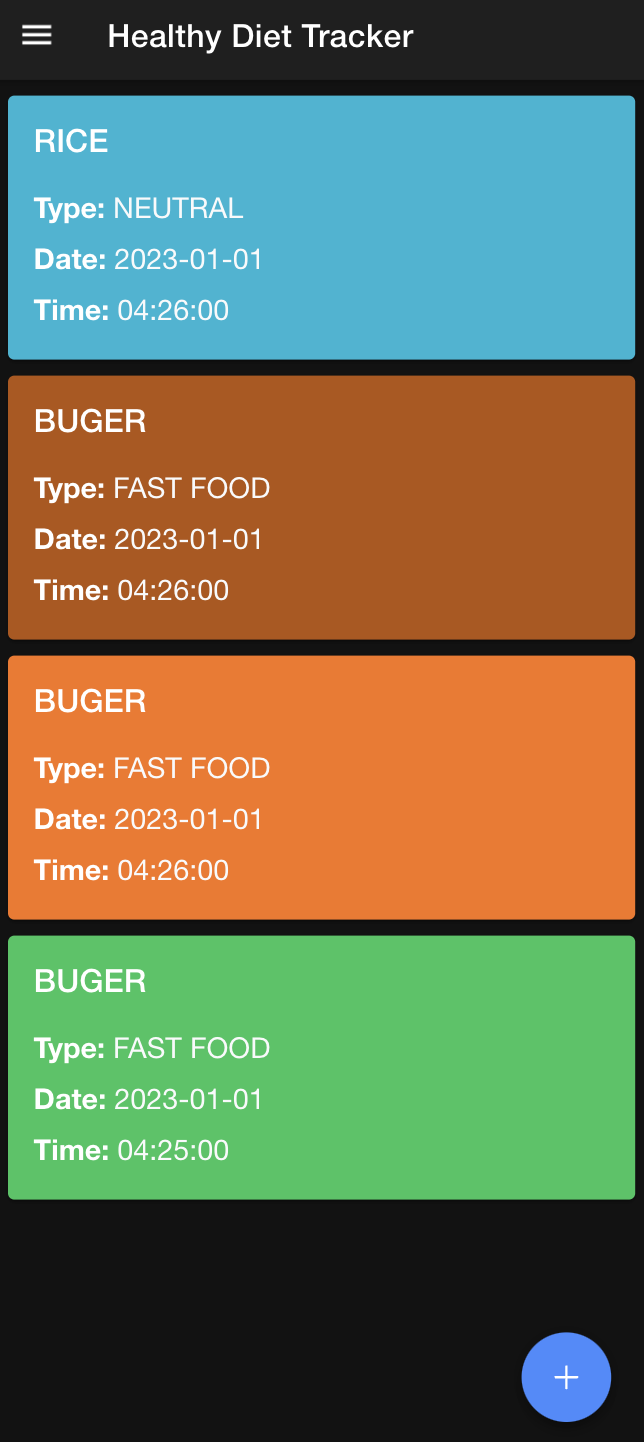
We found out that we are not eating really healthy lately so we decide to make this app. It is many people's new year’s resolution to eat healthily and become fit. Ashar and Wayne helped those individuals keep their promise by monitoring their eating patterns and analyzing their food consumption in detail. It also tells the healthy, unhealthy, and neutral percentages of their food consumption from the photos uploaded. And for better visualization, there is a line chart and a scale.
What it does
The application selects an image from the gallery or the user can take an image directly from the camera if using it on a smartphone. Then the application classifies the image into a category for example if it’s a Pepperoni pizza it will be classified as Pizza. It also gives the percentage of healthy, unhealthy, and neutral food consumption using the stored labels. We avoid storing raw images to save storage and decrease the complexity of the infrastructure.And then plots a graph of the percentage increase/decrease in healthy eating. It also gives the healthy index in a similar way to a pH scale.
How we built it
For Front-End development, we used Ionic React to make the display cards and the buttons, and for the different font and styling help, we used Tailwind. While for Back-End development we used Supabase to allow the application to have access the data in the database to track people's eating habit. We also used Fast Api to hosted our tensorflow machine learning models. This provided an endpoint to the user that they can upload an image and get back to classes of the food.
Challenges we ran into
Many chart libraries were not working thus we solved it by using directed API First, a few ML models were not working. It has a high accuracy on training set, however you perform really poorly on the validation and testing set. We solved it by constructing a smaller dataset with fewer classes which only include some common food, orange, april, rice, pizza, and burger. This changed the model's accuracy from 10% to 75%
Difficult to find images data sets for some particular foods->we had to manually find and combine many images of the food into one directory. Our server has low performance.
Accomplishments that we're proud of
We implemented the app in various frameworks like react, Ionic, tensorflow, and tailwind. First time learned supabase, tailwind, (for Wayne), and react and Ionic ( for Ashar) I (Wayne) tried to build multi-class ML models before, and they are not working well many time. However, this time it works so perfectly! We tested many cases and the results are really consistent.
What we learned
Ashar learned React and JavaScript in a short span of time, while Wayne learned SupaBase and tailwind. We learned about the significance of design and how a stylish layout makes a huge difference. Moreover, we both improved our teamwork since our team consisted of us two only, thus we had to manage our time well and not procrastinate. Planning and execution of the idea in a concise and timely manner.
What's next for "New year cafeteria"
We hope to more descriptively identify the food item (more classes) and approximate its total calories. Also using the archived data stored we can calculate the number of nutrients the person is getting and how much more he needs for a healthy body. Furthermore, using the previous images we want to use the pattern to predict the user’s next meal, for example for the past few days if he’s consuming chocolates, then their next meal would be predicted as chocolate. Now the weekly report is actually the report since the user first signed up. But in the future, we will make it a weekly report. Also, the chart of score history is hard coded, we will make it for real data in the future.
We are now using Twillow manually to send out notif and we do not collect users’ phone numbers yet, in the future, we will collect users’ phone numbers and users can opt in an auto message system that sends out SMS notifications every week.
We referenced a lot of other designs to make our own design, next time we will try to design from scratch.
Clarification
In the video we said the report page is not hardcoded, but we forgot that the date is hardcoded. In the video we did not demonstrate the list will be refreshed every time you upload an image. This was working when the database is small.
Built With
- colorhunt
- fastapi
- github
- ionic
- react
- supabase
- tailwind
- tensorflow
- typescript


Log in or sign up for Devpost to join the conversation.