-
-
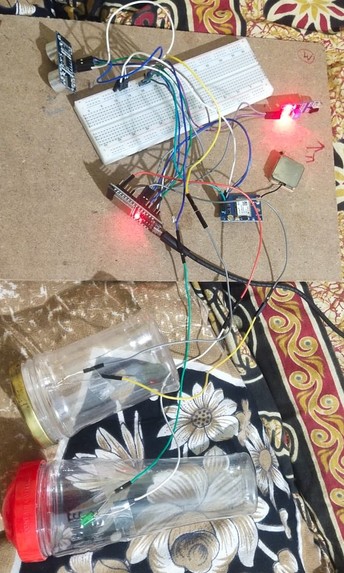
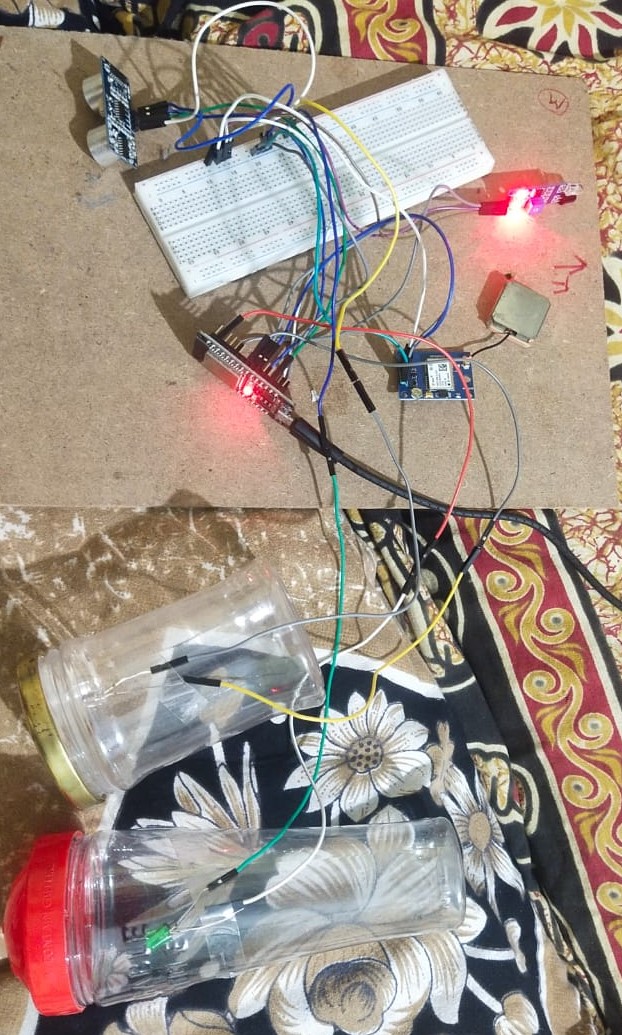
no direction
-
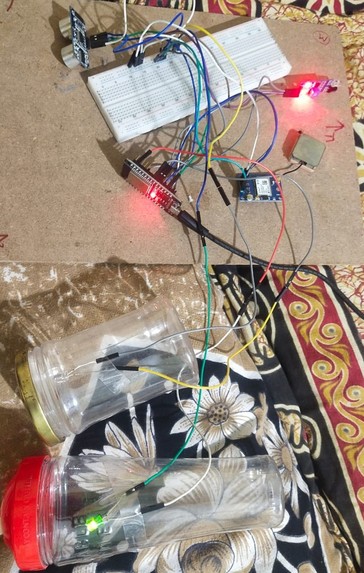
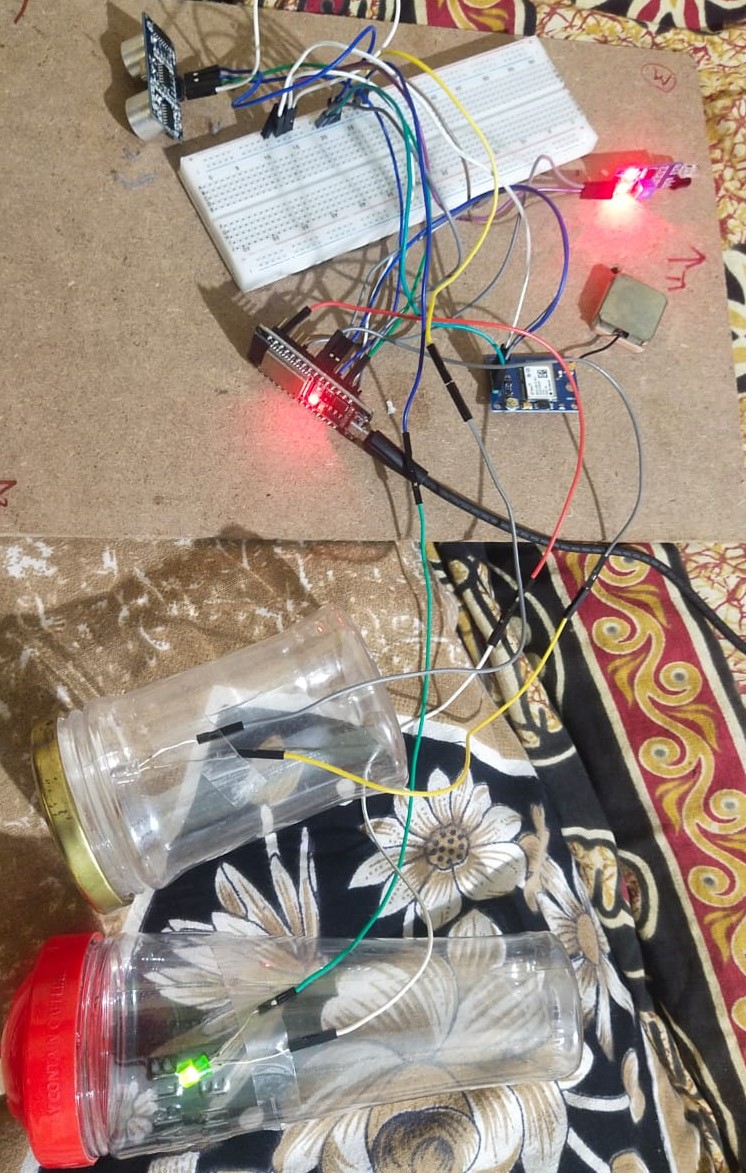
right direction
-
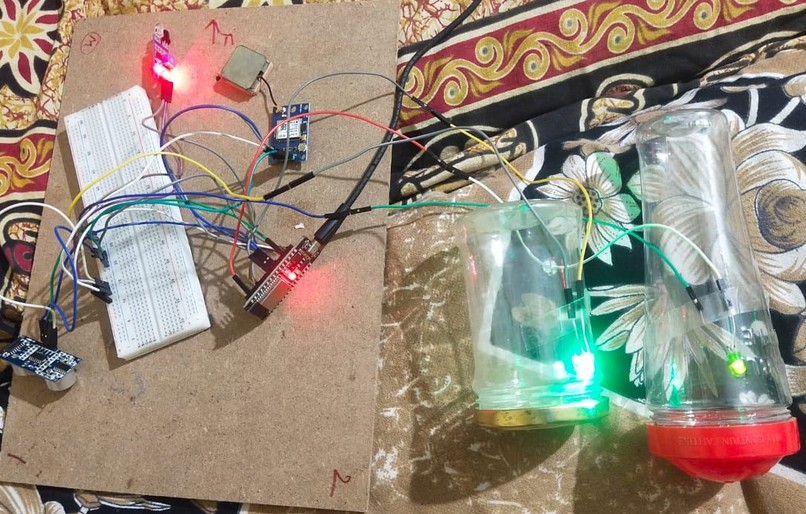
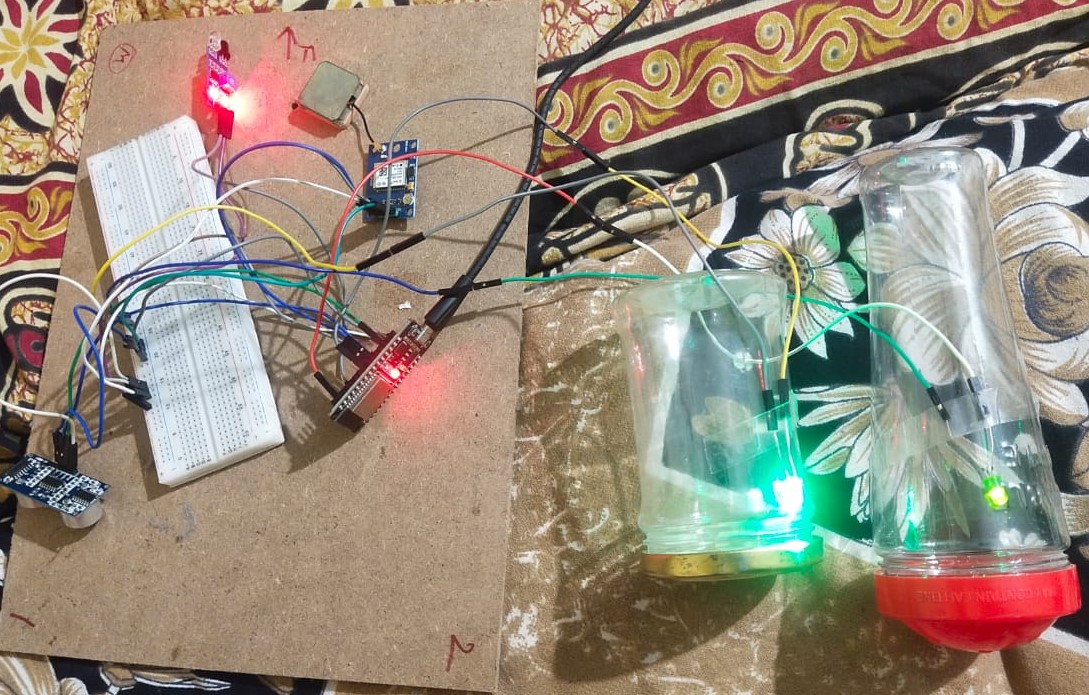
straight direction
-
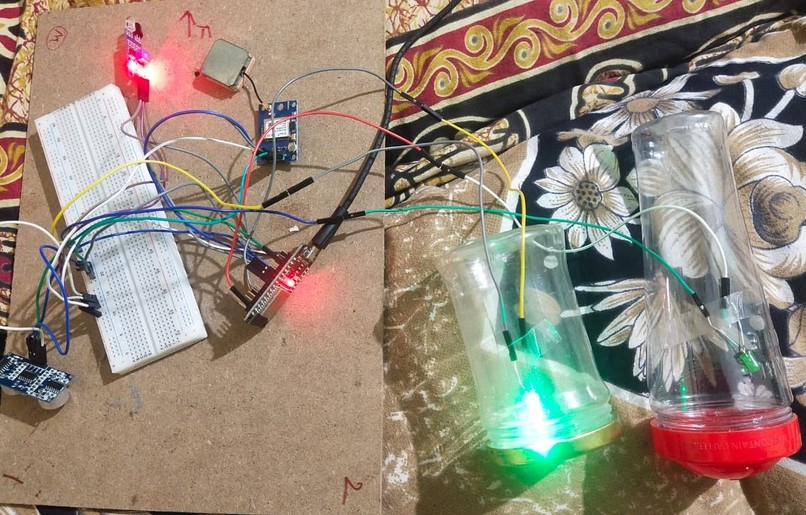
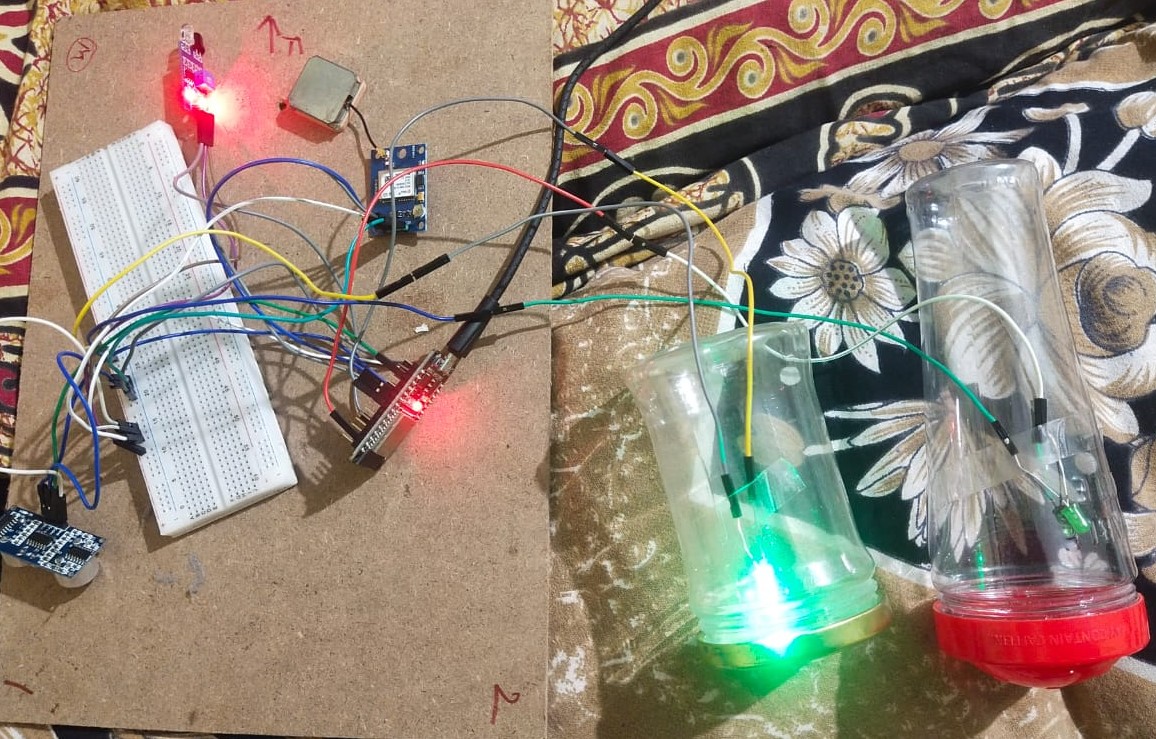
left direction
Inspiration
The inspiration for the Navigating Insole project came from the idea of creating a smart wearable device that could help individuals navigate unfamiliar environments with ease. The aim was to develop an insole that could provide haptic feedback to guide the user towards their destination. The concept was born out of the desire to assist people with visual impairments, but it also found applications in various scenarios like hiking, tourism, and exploration.
What it does
The insoles are designed to work with a mobile device to help the user navigate a city without looking at a smartphone for directions. The insoles do this by vibrating and led blinking or vibration to let the wearer know where to go.
How we built it
The Navigating Insole project was built through a step-by-step process that involved hardware setup, software development, and API integration. Here's a detailed breakdown of how we built the project:
Hardware Setup: ESP32 WROOM DevKit: We selected the ESP32 WROOM DevKit as the main controller board due to its capabilities, including Wi-Fi, Bluetooth, and multiple GPIO pins.
GPS Module: We connected a GPS module to the ESP32 board using SoftwareSerial for communication. The GPS module provided real-time location data, including latitude and longitude.
LEDs: Two LEDs were connected to the ESP32 board, one for the left direction and the other for the right direction. These LEDs were used to provide visual cues to the user during navigation.
Piezoelectric Buzzer: The piezoelectric buzzer was used to provide haptic feedback to the user. It vibrated at different patterns to indicate turns and destination proximity.
Software Development: Arduino IDE: We used the Arduino IDE for programming the ESP32 board. The IDE provides a user-friendly interface and support for various libraries.
TinyGPS++ Library: The TinyGPS++ library was used to decode the NMEA GPS data from the GPS module and extract latitude and longitude information.
HTTPClient Library: The HTTPClient library allowed us to make HTTP requests to the GraphHopper Directions API for fetching destination coordinates.
ArduinoJson Library: The ArduinoJson library was used to parse the JSON response from the API and extract the destination coordinates.
Control Functions: We implemented functions to control the LEDs and the piezoelectric buzzer based on distance to the destination and direction changes.
API Integration: GraphHopper Directions API: We signed up for a GraphHopper account and obtained an API key. The API key was required for authentication to access the API services.
Dynamic Destination: We allowed the user to input destination names. When the user provided a destination name, the Arduino code made an HTTP request to the GraphHopper API, passing the source location (current GPS coordinates) and destination name.
API Response: The API responded with a JSON object containing the route details, including the latitude and longitude of the destination.
Challenges we ran into
API Authentication: Understanding the API authentication process and generating the API key was a challenge.
Coordinate Conversion: Converting destination names to latitude and longitude coordinates required handling HTTP requests and parsing JSON responses.
Real-time Updates: Ensuring real-time updates of destination coordinates was crucial for dynamic navigation.
Hardware Integration: Integrating multiple hardware components while ensuring proper wiring and power efficiency was a challenge
Accomplishments that we're proud of
Functional Wearable Device: We successfully created a functional wearable device in the form of the Navigating Insole. The device was equipped with GPS tracking, LEDs, and a piezoelectric buzzer, all integrated into a compact and comfortable design.
Real-time Navigation: The Navigating Insole provided real-time navigation assistance to users. It could calculate the distance to the destination and offer directional cues based on GPS data.
Dynamic Destination Input: One of the key achievements was enabling dynamic destination input. Users could provide destination names as input, and the device would automatically fetch the corresponding latitude and longitude coordinates using the GraphHopper Directions API.
Haptic and Visual Feedback: We successfully implemented haptic feedback through the piezoelectric buzzer and visual feedback through the LEDs. These cues helped users navigate effectively, especially those with visual impairments.
API Integration: The integration of the GraphHopper Directions API was a significant accomplishment. We learned how to make HTTP requests, parse JSON responses, and extract relevant data for navigation purposes.
User Impact: The Navigating Insole had the potential to positively impact the lives of users, especially individuals with visual impairments or those navigating unfamiliar locations. It aimed to enhance independence and safety during travel.
Learning and Collaboration: Building the Navigating Insole was a learning journey. We honed our skills in hardware programming, API integration, and problem-solving. Moreover, the project fostered collaboration and teamwork, as different members contributed their expertise.
Overcoming Challenges: We encountered challenges during the project, such as API authentication, coordinate conversion, and hardware integration. Overcoming these hurdles gave us a sense of achievement and taught us valuable lessons in perseverance.
Innovation and Creativity: Developing the Navigating Insole required innovative thinking and creativity. We designed a unique solution to address a real-world problem, showcasing the potential of technology to make a difference.
Sharing Knowledge: Throughout the project, we shared our knowledge and experiences with each other, helping to strengthen our skills and understanding of various technologies and concepts.
What we learned
Throughout the development of the project, I had the opportunity to learn and explore various technologies and concepts. Some of the key learning experiences were:
GPS Technology: Understanding how GPS works and how to interface with a GPS module to obtain real-time location data.
API Integration: Learning to interact with external APIs, in this case, the GraphHopper Directions API, to fetch destination coordinates based on user input.
Arduino Programming: Gaining proficiency in programming an Arduino board to control hardware components like LEDs and sensors.
Haptic Feedback: Exploring ways to provide haptic feedback using a piezoelectric buzzer and experimenting with different vibration patterns.
Arduino Libraries: Learning to use and integrate various Arduino libraries like TinyGPS++ and SoftwareSerial.
What's next for Navigating Insole
There are several exciting possibilities for its future:
Enhanced User Interface: The current prototype used LEDs and haptic feedback for navigation cues. The next iteration could incorporate a more sophisticated user interface, such as a small display or voice-based instructions, to provide clearer and more detailed navigation guidance.
Mobile App Integration: Developing a dedicated mobile app that pairs with the Navigating Insole could enhance its functionality. The app could allow users to input destinations, adjust settings, and receive more personalized navigation instructions.
Indoor Navigation Support: Expand the capabilities of the Navigating Insole to support indoor navigation. This could be achieved by integrating technologies like Bluetooth beacons or Wi-Fi positioning systems, enabling users to navigate inside buildings, malls, or airports.
Integration with Wearable Devices: Consider integrating the Navigating Insole with other wearable devices, such as smartwatches or fitness trackers. This could provide a seamless and holistic navigation experience for users.
User Customization: Allow users to customize the navigation preferences based on their specific needs and preferences. For instance, users could choose different types of haptic feedback or LED patterns for turn instructions.
Safety Features: Implement additional safety features, such as obstacle detection using ultrasonic sensors or integration with proximity sensors, to warn users of potential hazards.
Community Input and Feedback: Engage with the visually impaired community and gather feedback on the Navigating Insole's usability and effectiveness. Incorporate this feedback into future iterations to create a more user-centric solution.
Battery Efficiency: Optimize power consumption to extend the battery life of the Navigating Insole, ensuring it remains reliable during extended journeys.
Machine Learning and AI: Incorporate machine learning and AI algorithms to improve the navigation system's accuracy and adaptability to different environments and user preferences.
Built With
- api
- iot
- web

Log in or sign up for Devpost to join the conversation.