Inspiration

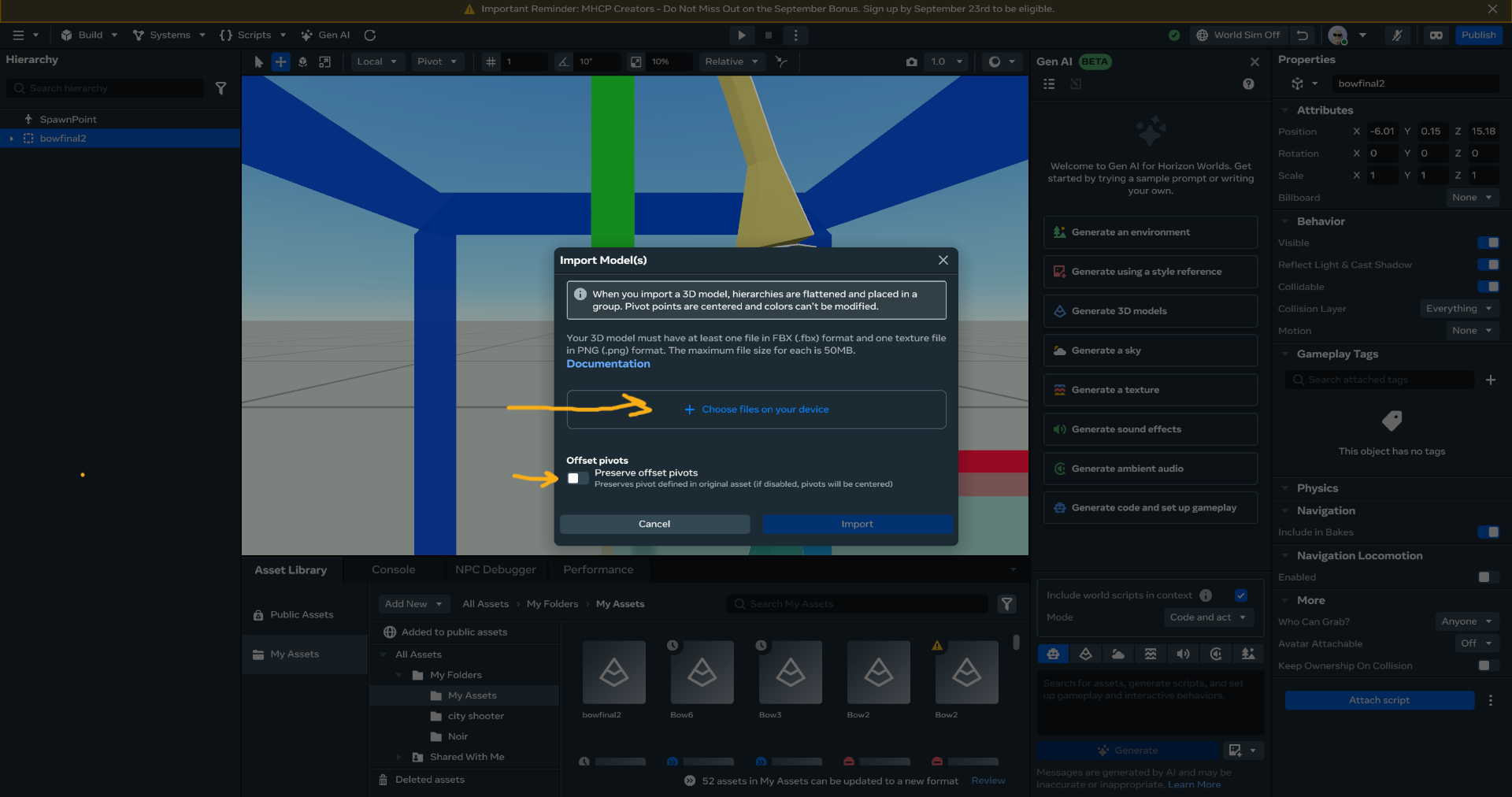
My inspiration for this project was my through my personal experience using Gravity sketch as a oppose to the standard which is blender for 3D models when making worlds in Horizon, I would struggle to make simple worlds using blender which has a very steep learing curve for any new user.

What it does

Uses Gravity Sketch which is a VR based 3D modeling software, so users can make their models from start to finish within the headset which most MHCP users have equal access to.

How we built it

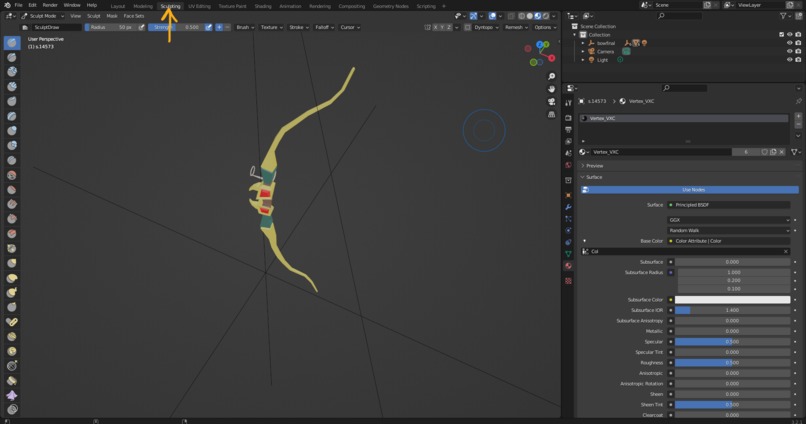
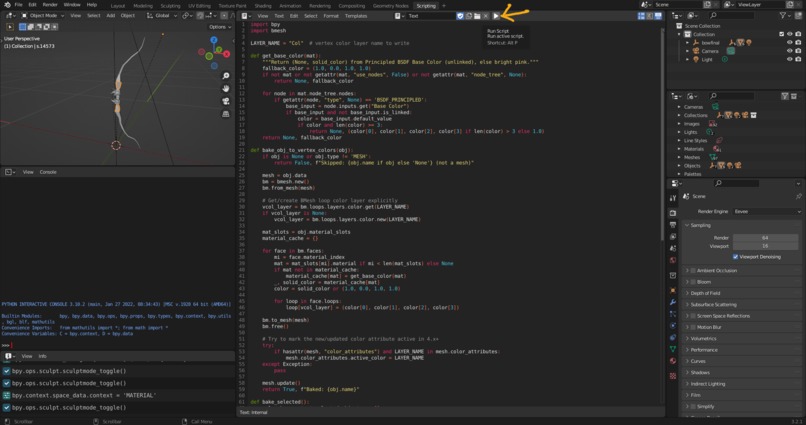
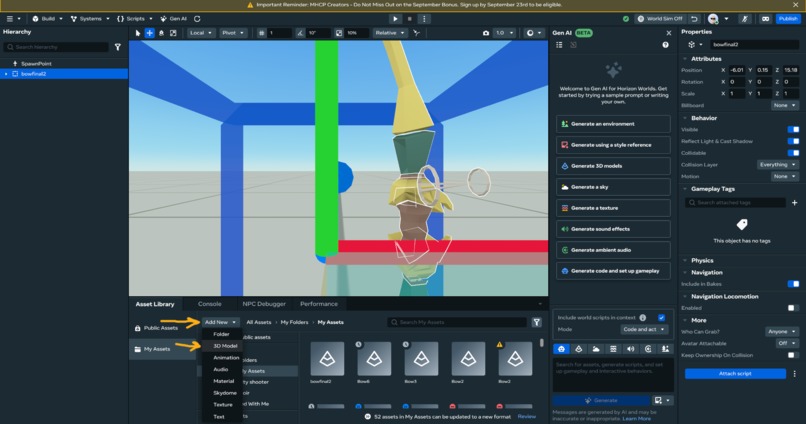
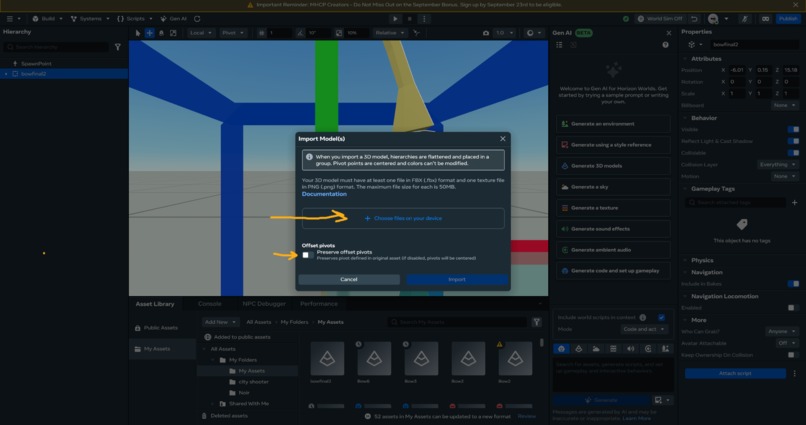
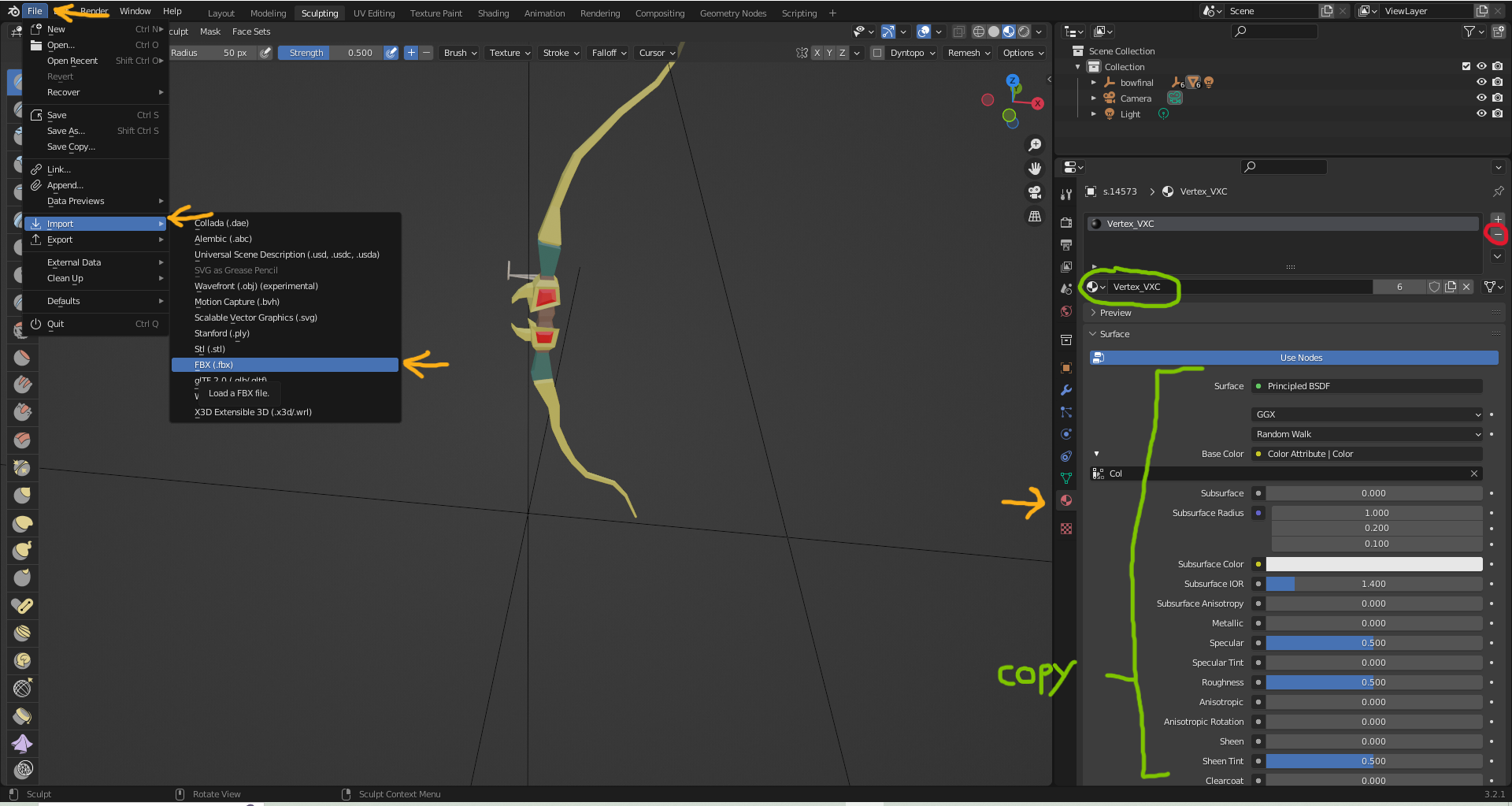
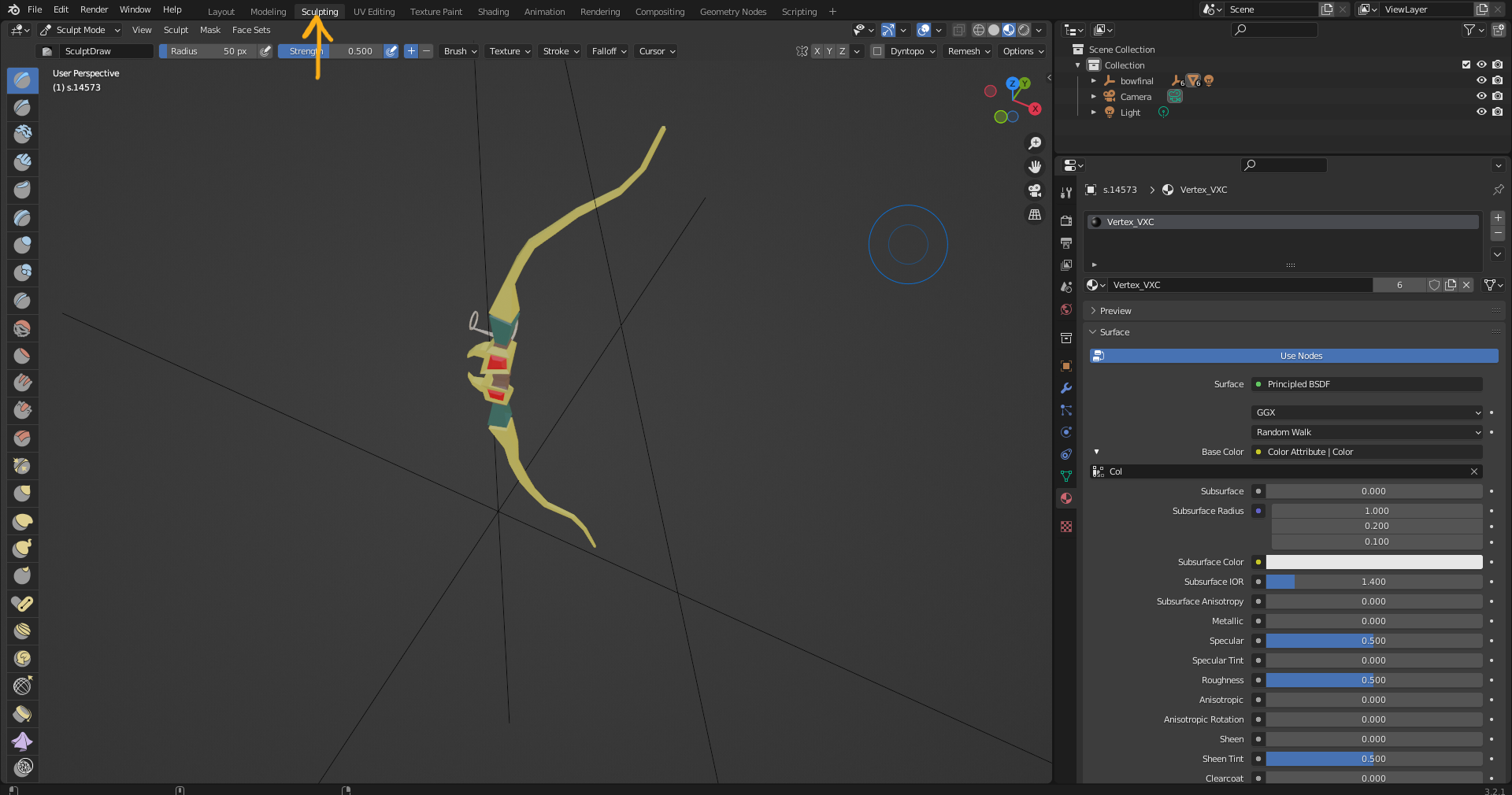
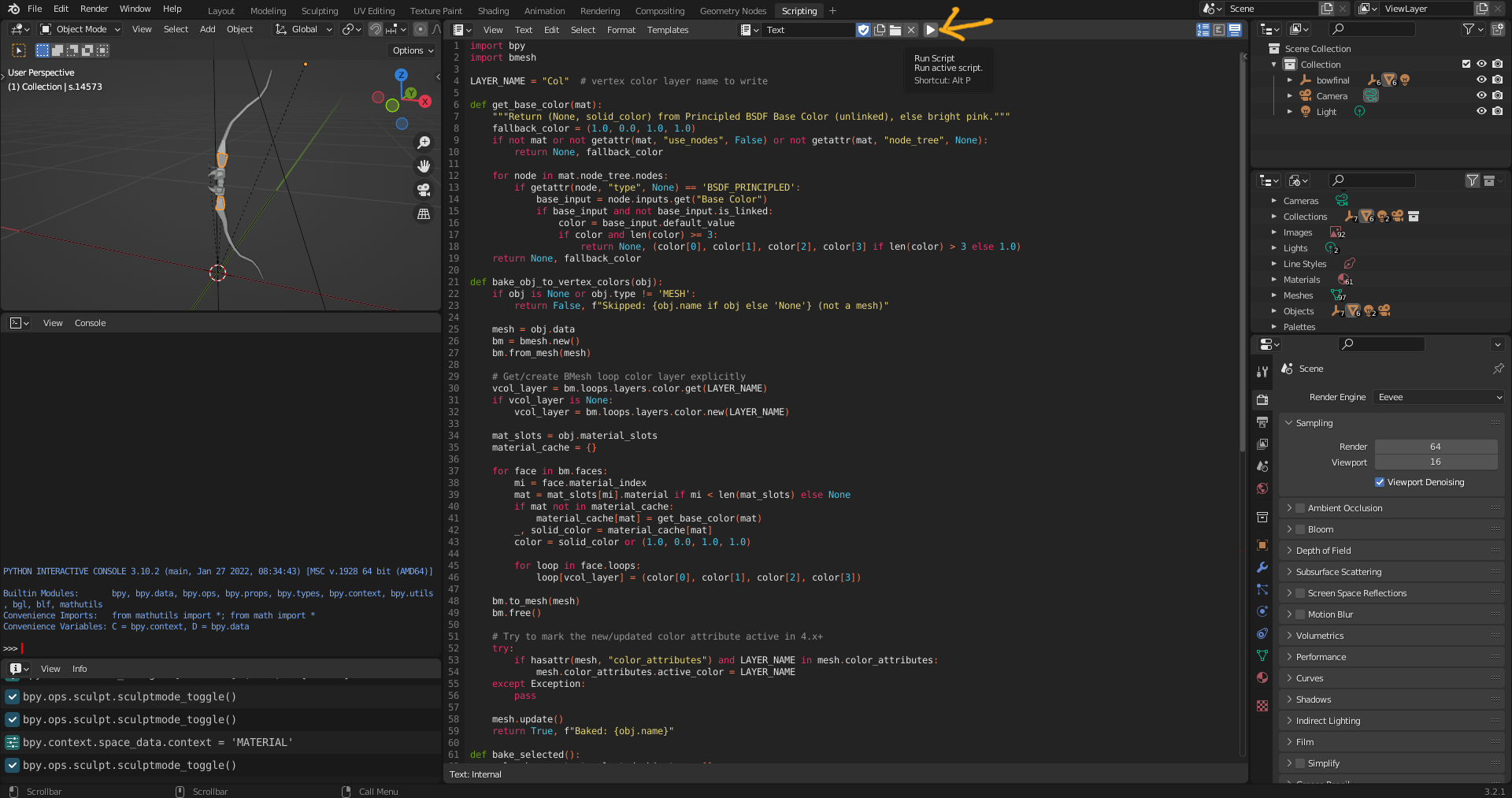
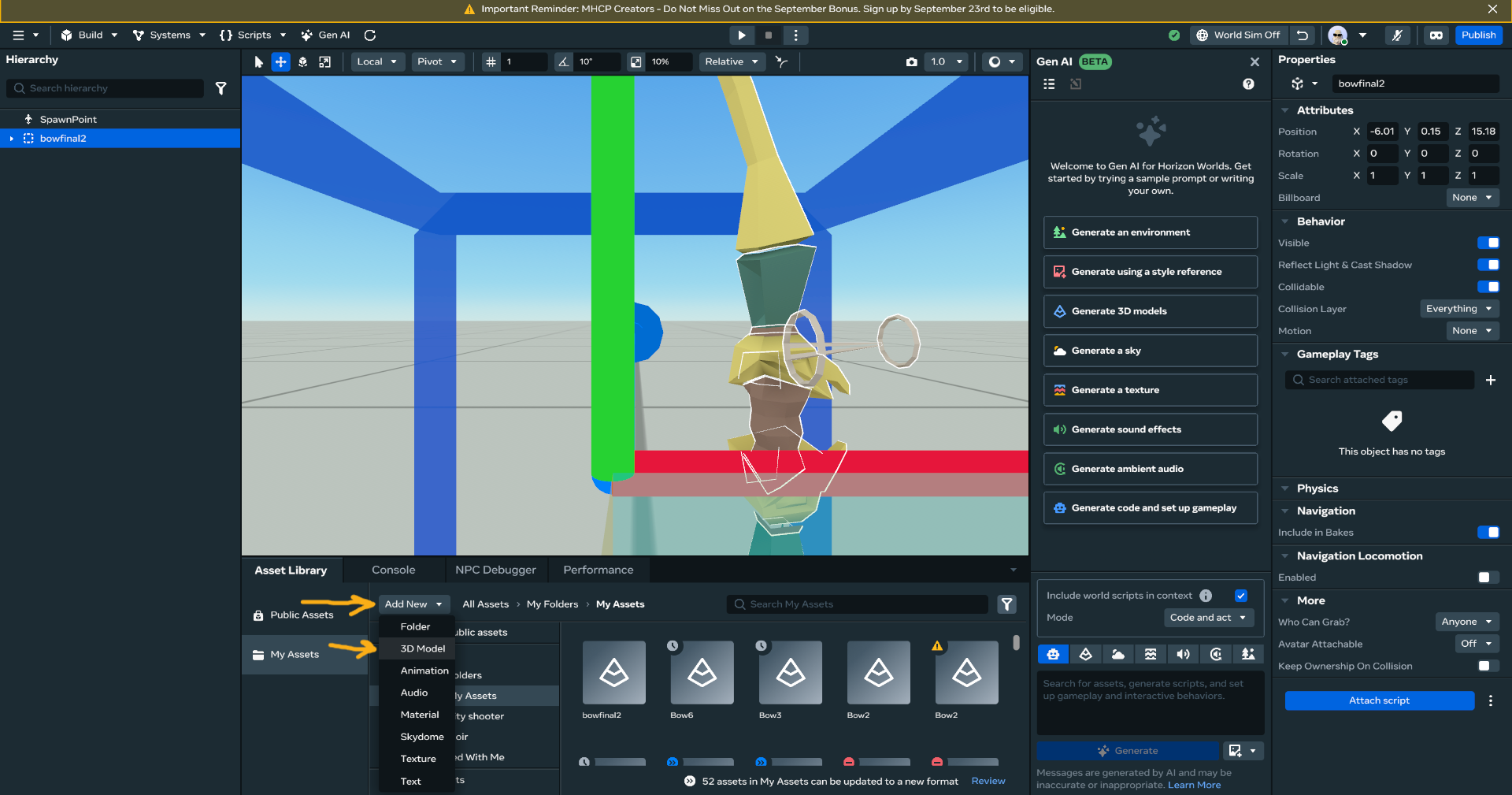
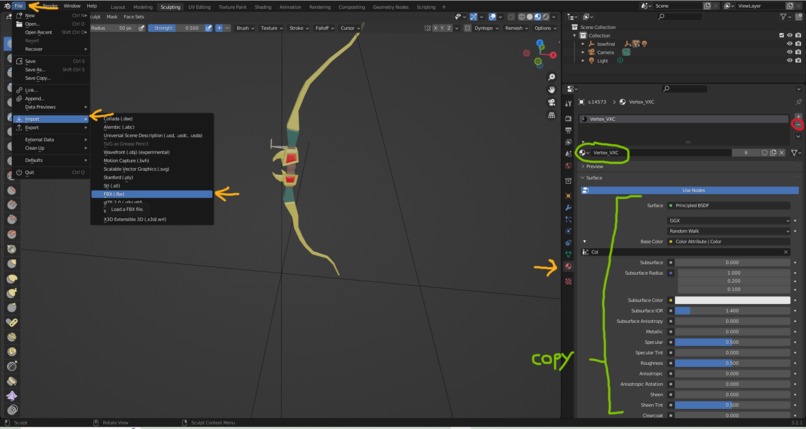
We focused on streamlining the import process to horizon using bespoke texture transformation code written by Nathisgreen

Challenges we ran into

making sure the the models within Gravity sketch are all texture less and compatible with the code written in blender.

Accomplishments that we're proud of

Allowing users to create their own models without the difficulty of learning advanced software like blender, we believe that by lowing the entry requirements for importing 3D models into Horizon that users will be able to make higher quality worlds in general.

What we learned

that it is possible for users that have no experience in 3D models to create worlds without premade assets.

What's next for Make trimesh worlds in VR

Using existing 3D scan technology on mobile to feed the data into 3D modelling AI to create bespoke environments of users homes that can be explored an interacted with by other users.

Users with zero experience will be able to make their own games in their completion as solos by using our import process and premade coding templates for games.

Built With

Share this project:

Updates

posted an update

Code for blender script:

import bpy import bmesh

LAYER_NAME = "Col" # vertex color layer name to write

def get_base_color(mat): """Return (None, solid_color) from Principled BSDF Base Color (unlinked), else bright pink.""" fallback_color = (1.0, 0.0, 1.0, 1.0) if not mat or not getattr(mat, "use_nodes", False) or not getattr(mat, "node_tree", None): return None, fallback_color

for node in mat.node_tree.nodes:
    if getattr(node, "type", None) == 'BSDF_PRINCIPLED':
        base_input = node.inputs.get("Base Color")
        if base_input and not base_input.is_linked:
            color = base_input.default_value
            if color and len(color) >= 3:
                return None, (color[0], color[1], color[2], color[3] if len(color) > 3 else 1.0)
return None, fallback_color

def bake_obj_to_vertex_colors(obj): if obj is None or obj.type != 'MESH': return False, f"Skipped: {obj.name if obj else 'None'} (not a mesh)"

mesh = obj.data
bm = bmesh.new()
bm.from_mesh(mesh)

# Get/create BMesh loop color layer explicitly
vcol_layer = bm.loops.layers.color.get(LAYER_NAME)
if vcol_layer is None:
    vcol_layer = bm.loops.layers.color.new(LAYER_NAME)

mat_slots = obj.material_slots
material_cache = {}

for face in bm.faces:
    mi = face.material_index
    mat = mat_slots[mi].material if mi < len(mat_slots) else None
    if mat not in material_cache:
        material_cache[mat] = get_base_color(mat)
    _, solid_color = material_cache[mat]
    color = solid_color or (1.0, 0.0, 1.0, 1.0)

    for loop in face.loops:
        loop[vcol_layer] = (color[0], color[1], color[2], color[3])

bm.to_mesh(mesh)
bm.free()

# Try to mark the new/updated color attribute active in 4.x+
try:
    if hasattr(mesh, "color_attributes") and LAYER_NAME in mesh.color_attributes:
        mesh.color_attributes.active_color = LAYER_NAME
except Exception:
    pass

mesh.update()
return True, f"Baked: {obj.name}"

def bake_selected(): sel = bpy.context.selected_objects or [] if not sel: print("Nothing selected.") return

print(f"Vertex color bake on {len(sel)} selected objects...")
results = []
for obj in sel:
    ok, msg = bake_obj_to_vertex_colors(obj) if obj.type == 'MESH' else (False, f"Skipped: {obj.name} (not a mesh)")
    results.append(msg)
    print(msg)

print("Done.")
# Optional: report summary in the status bar
#bpy.ops.wm.report(type={'INFO'}, message="; ".join(results)[:1024])

Run on the current selection

bake_selected()

Log in or sign up for Devpost to join the conversation.