About
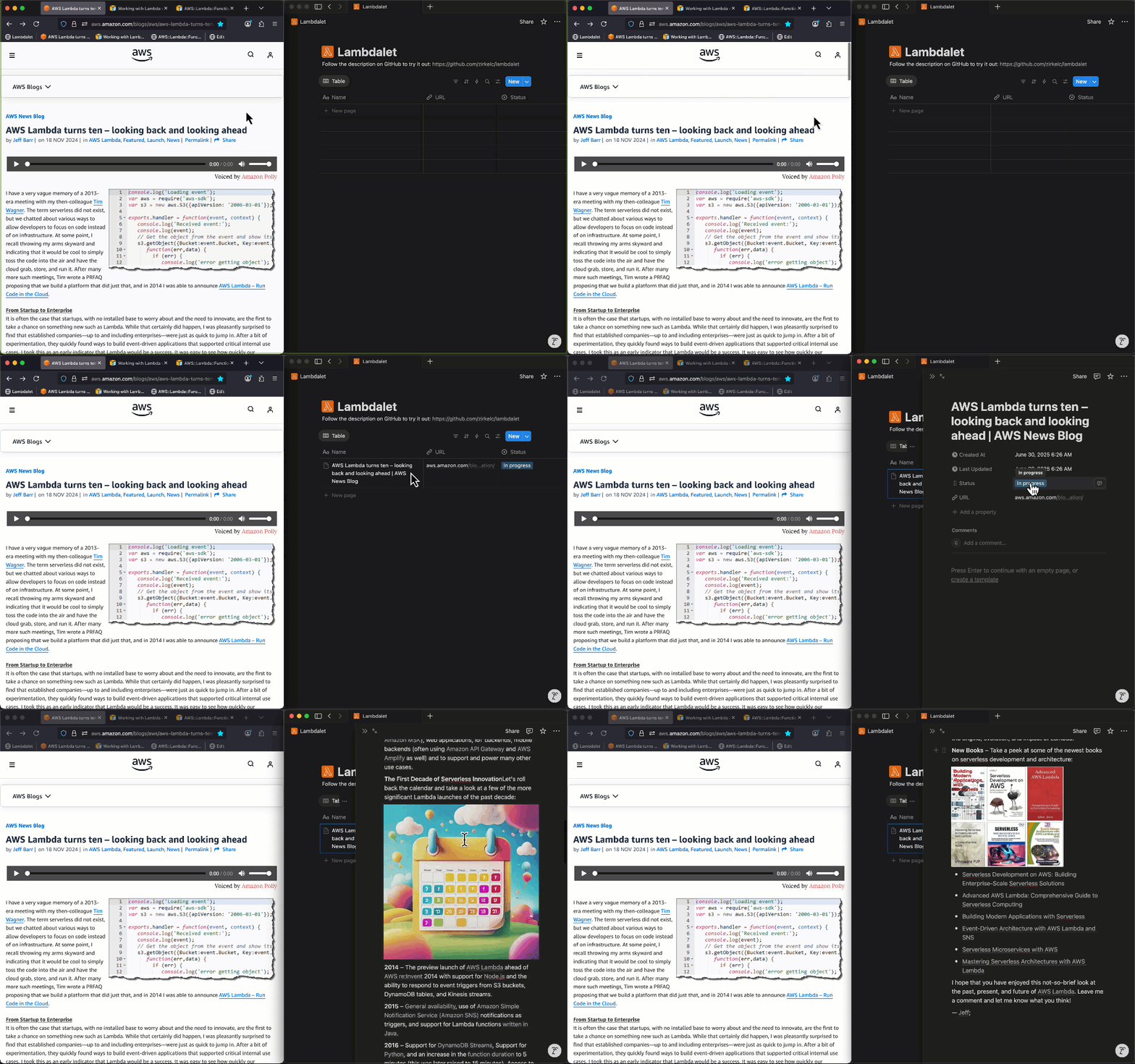
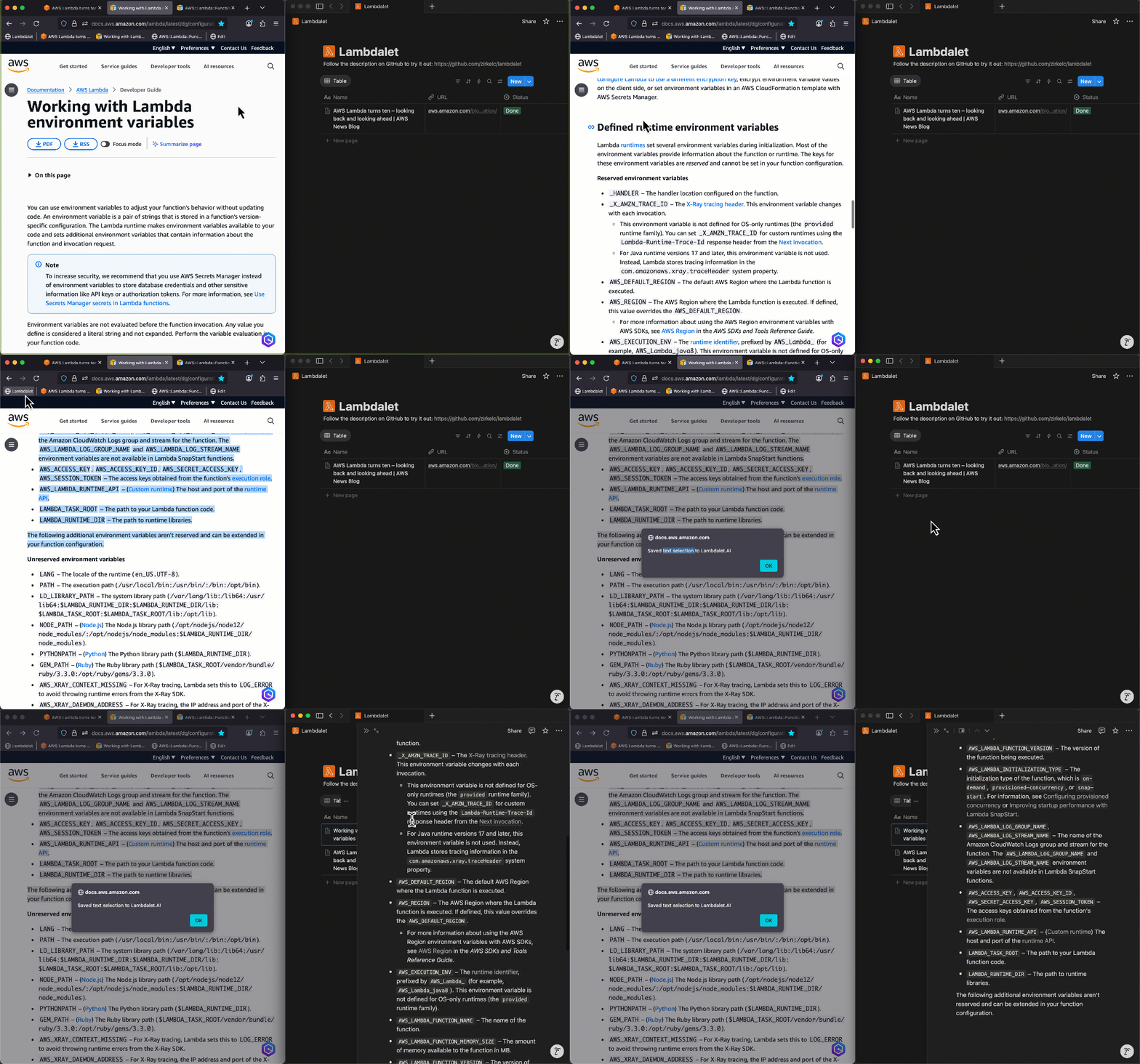
Lambdalet.AI (Lambda + bookmarklet) is an AI-powered bookmarking and read-it-later service. It uses a dynamic javascript bookmark - a so called bookmarklet - to send the current page's HTML to an AWS Lambda function. The Lambda function invokes a Large Language Model on Bedrock to extract the page's main content - ignoring headers, footers and other non-content elements - and saves it to a Notion database. The Notion database stores all our bookmarks and allows us to find bookmarks by title, URL and even their content.
Architecture
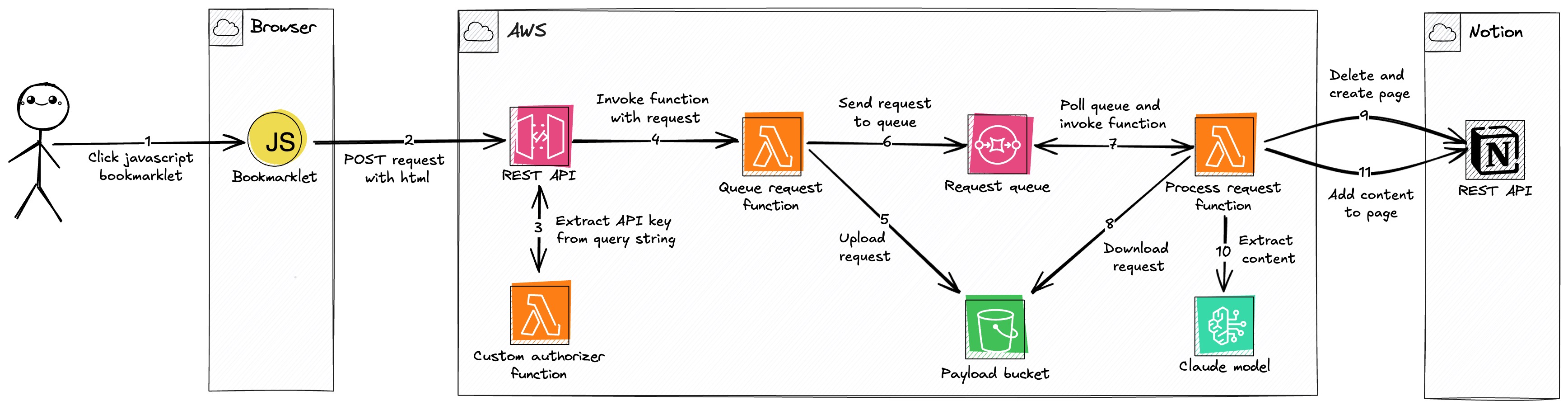
Description
User Action: The process begins when the user clicks a JavaScript Bookmarklet in their browser on a page they wish to save.
Data Submission: The bookmarklet sends the page's HTML, URL, and title in a
POSTrequest to a REST API (API Gateway). To handle pages with a restrictive Content Security Policy (CSP) that might blockfetch, the bookmarklet has a fallback that submits a form in a temporary new window.Authorization: The REST API uses a Custom Authorizer Function (Lambda) to validate the request by extracting an API key from the query string. Using the query string is necessary to support the form submission fallback, which doesn't allow custom HTTP headers.
Request Invocation: After validating the API key against a usage plan, the REST API invokes a Queue Request Function (Lambda), forwarding the request payload.
Payload Offloading: The Queue Request Function uploads the large payload (HTML, URL, and title) to a Payload Bucket (S3). This is done because the payload can exceed the 256KB limit for SQS messages. It uses a hash of the URL as the S3 object key for deterministic naming, preventing duplicate objects for the same page.
Queueing for Process: The function sends a message containing the S3 bucket and object key to a Request Queue (SQS). The queue used the URL for deduplication, so multiple clicks for the same URL do not create multiple processing jobs.
Asynchronous Invocation: The Request Queue is configured with an event source mapping to trigger a Process Request Function (Lambda) for each new message. A batch size of 1 ensures that each function invocation handles a single request, which helps avoid timeouts when processing large pages.
Payload Retrieval: The Process Request Function downloads the payload from the Payload Bucket (S3) using the key provided in the SQS message.
Notion Page Creation: The function checks a Notion database for a page with the same URL. If a page exists, it is archived to avoid issues with Notion's API rate limits when deleting content block by block. A new Notion page is then created with the title and URL, and its status is set to "in progress".
Main Content Extraction: The Process Request Function converts the HTML to Markdown. If the payload is from a full page, it invokes Claude 3.7 Sonnet (Bedrock) to extract the main content from the Markdown. Using Markdown is more token-efficient than raw HTML. If the payload is from a user's text selection, the converted Markdown is used as the content directly.
Finalization: After receiving a response from the model, the Process Request Function appends the extracted content to the Notion page and sets the status to "done". If content extraction fails, the unconverted HTML-to-Markdown text is added to the page, and the status is set to "failed".
Issues and Limitations
Content Security Policy (CSP): The bookmarklet executes in the context of the current page. If the page has a restrictive CSP, the
fetchcall might be blocked. Check your browser's developer console for errors if the bookmarklet appears to do nothing.LLM Token Limits: The application uses Claude Sonnet 3.7 for the main content extraction. This LLM has context window of 200K tokens (~150K words) and max output limit of 64K tokens (~48K words). If the pages' content is too long, the content might not fit into the context window or the output gets truncated.
Notion API Rate Limits: The Notion API has a rate limit of about three requests per second. It also limits requests to 100 block children and two levels of nesting at a time. The application handles these limits by splitting content into multiple requests, but very large pages may still encounter rate limiting.
Future Ideas
- OpenGraph Metadata: Extract OpenGraph metadata from the page and save it as properties on the Notion page.
- AI Summaries: Create an AI-generated summary of the page's content.
- Pre-Bookmark Editing: Allow editing content before saving it to the database.
- Additional Integrations: Add support for other applications like Obsidian or Roam Research.
Built With
- amazon-web-services
- api-gateway
- bedrock
- cdk
- claude
- lambda
- notion
- s3
- sqs
- typescript

Log in or sign up for Devpost to join the conversation.