-
-
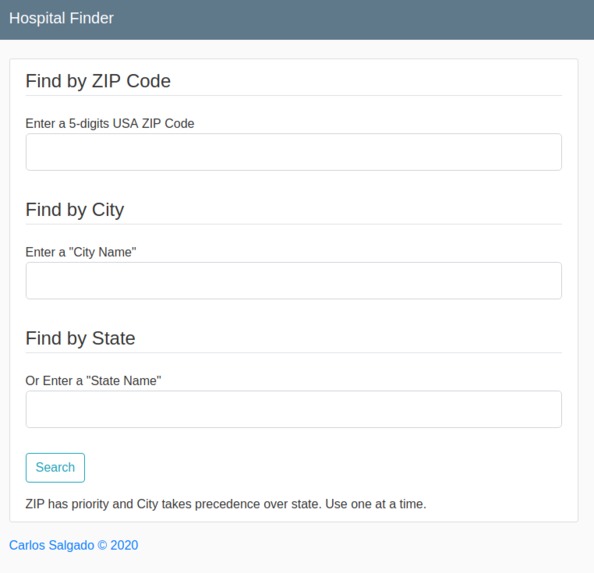
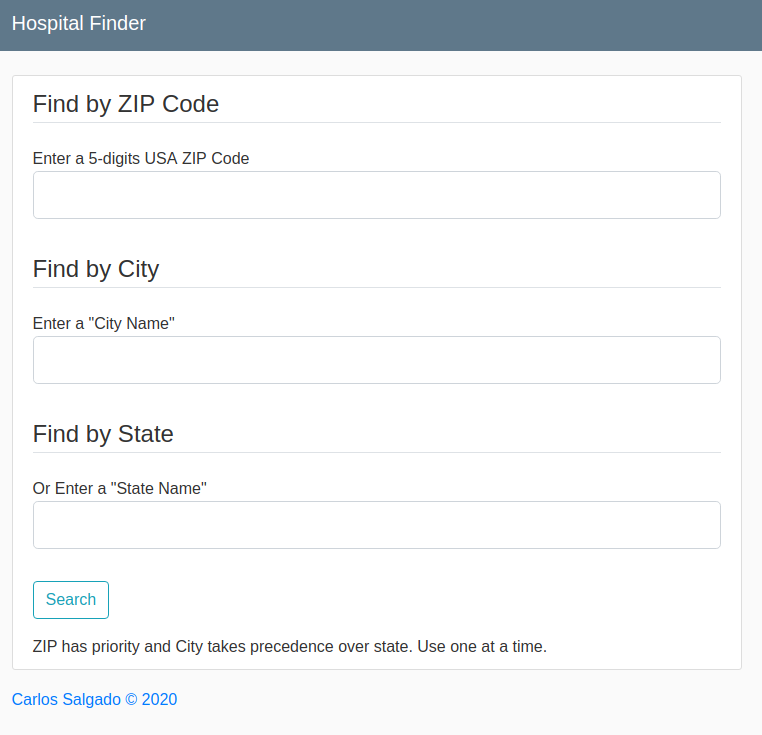
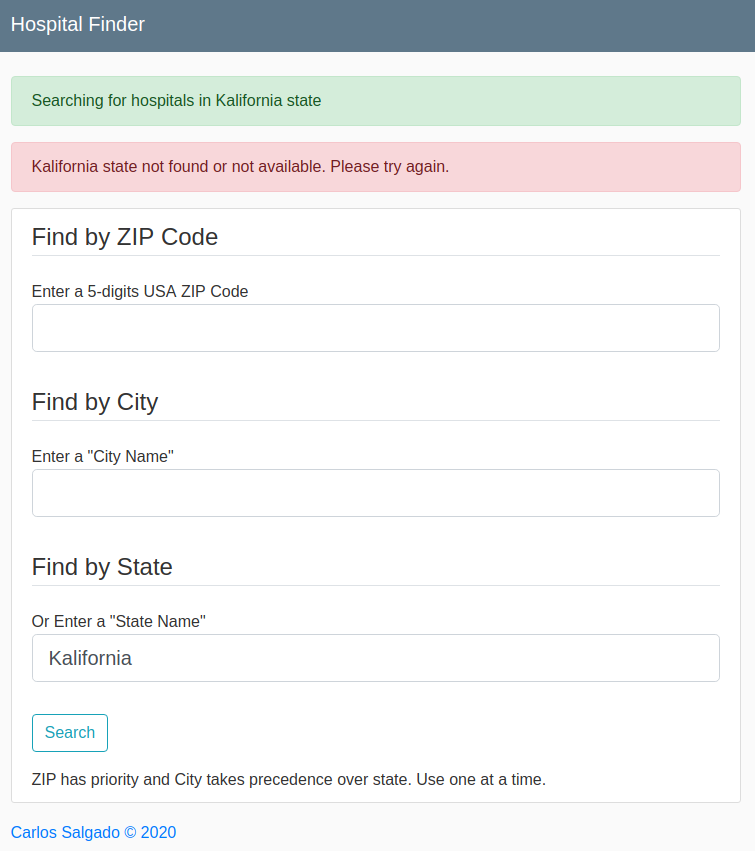
Search Form
-
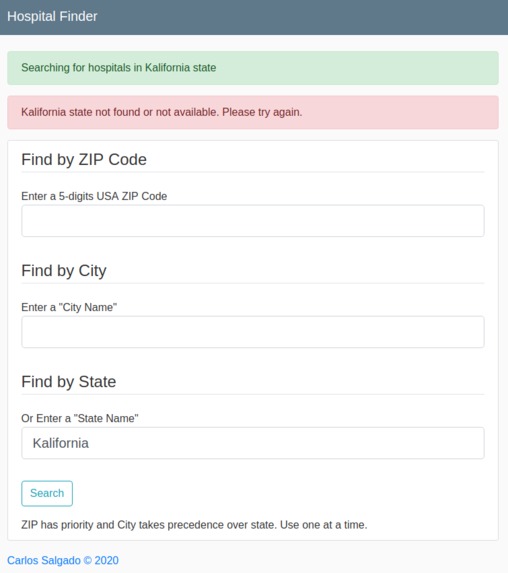
Form error handling
-
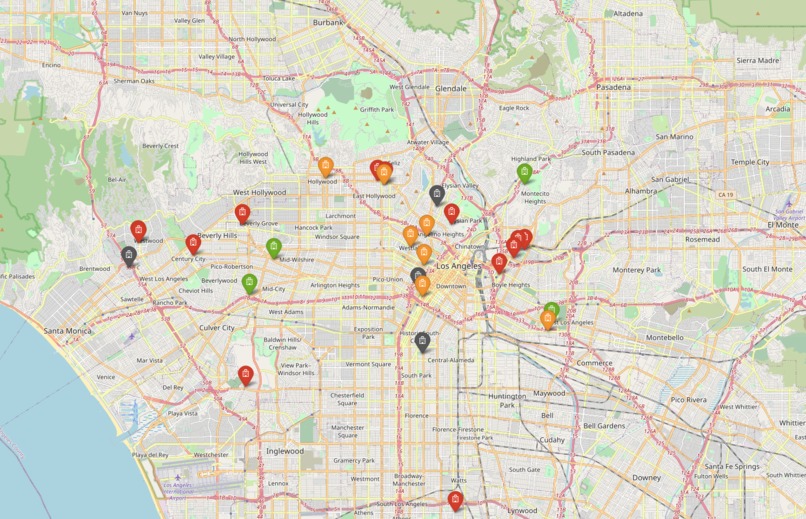
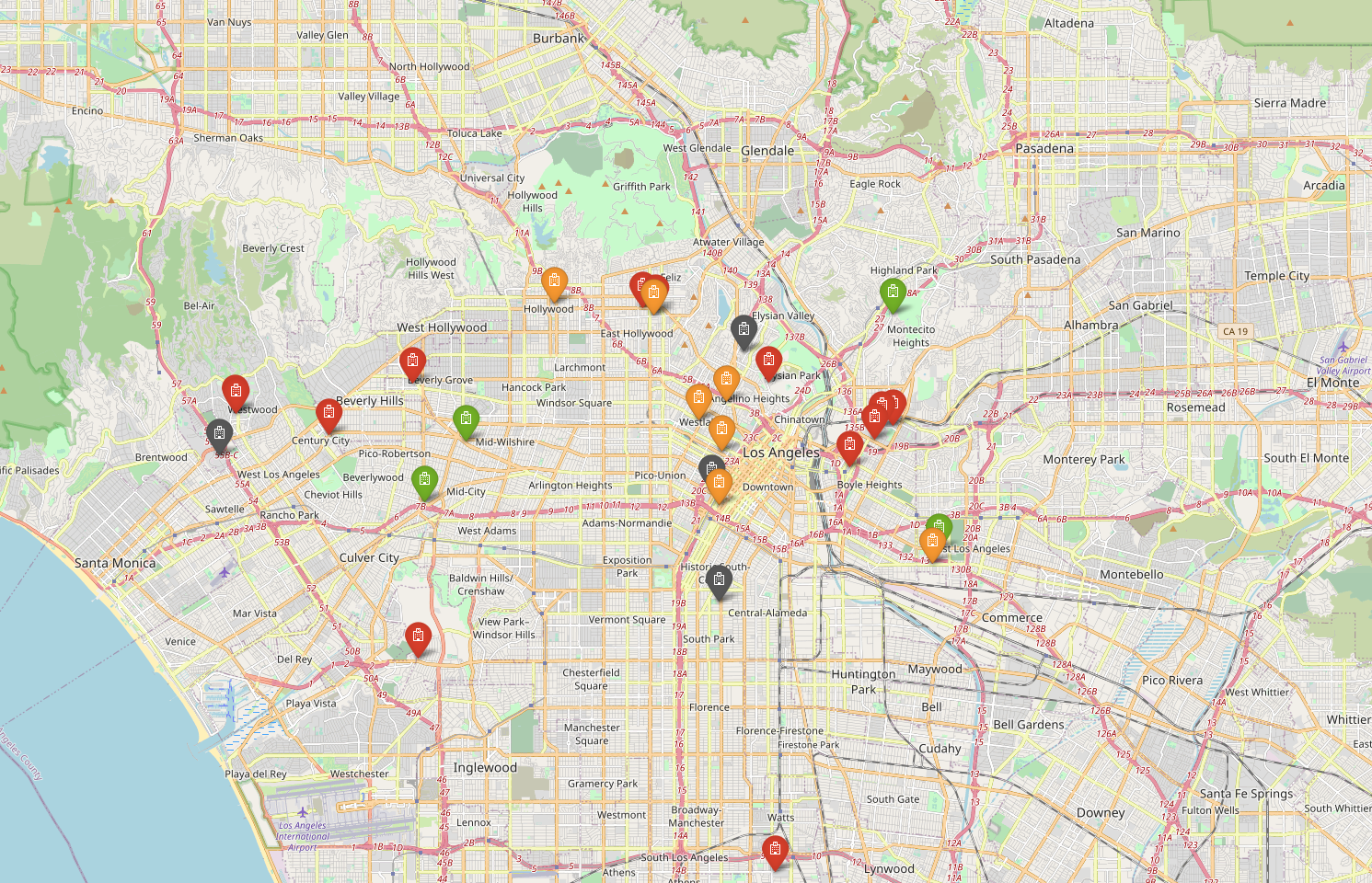
LA Demo
-
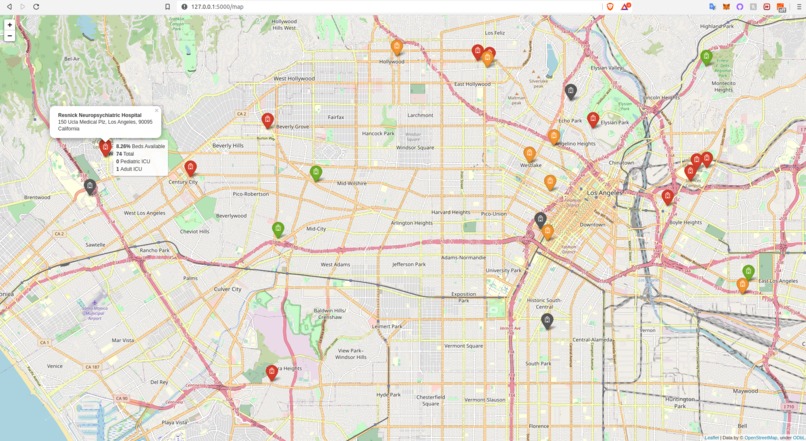
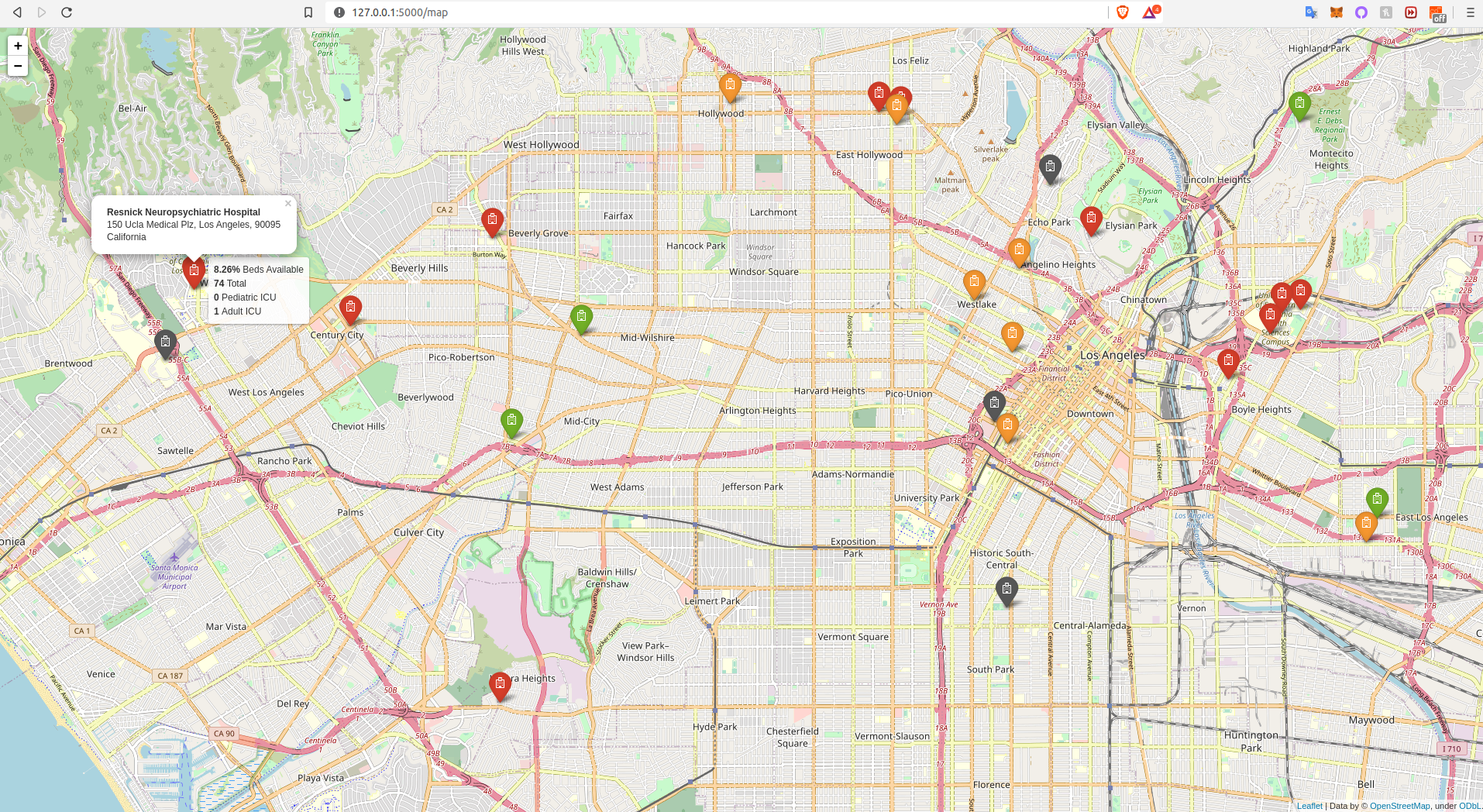
LA Demo showing hospital address and beds available
-
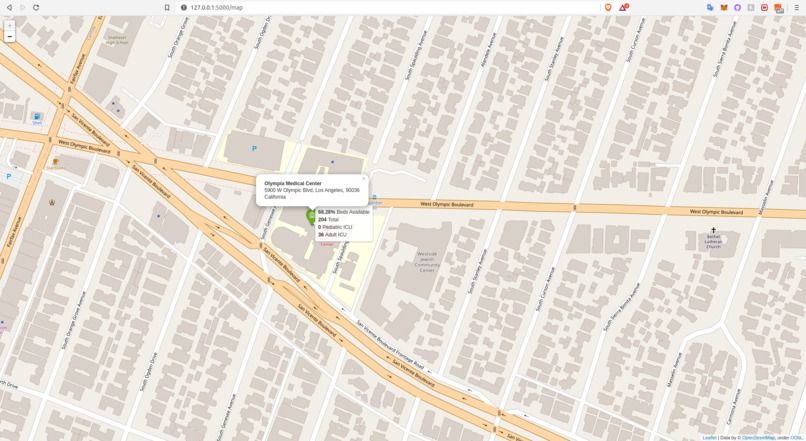
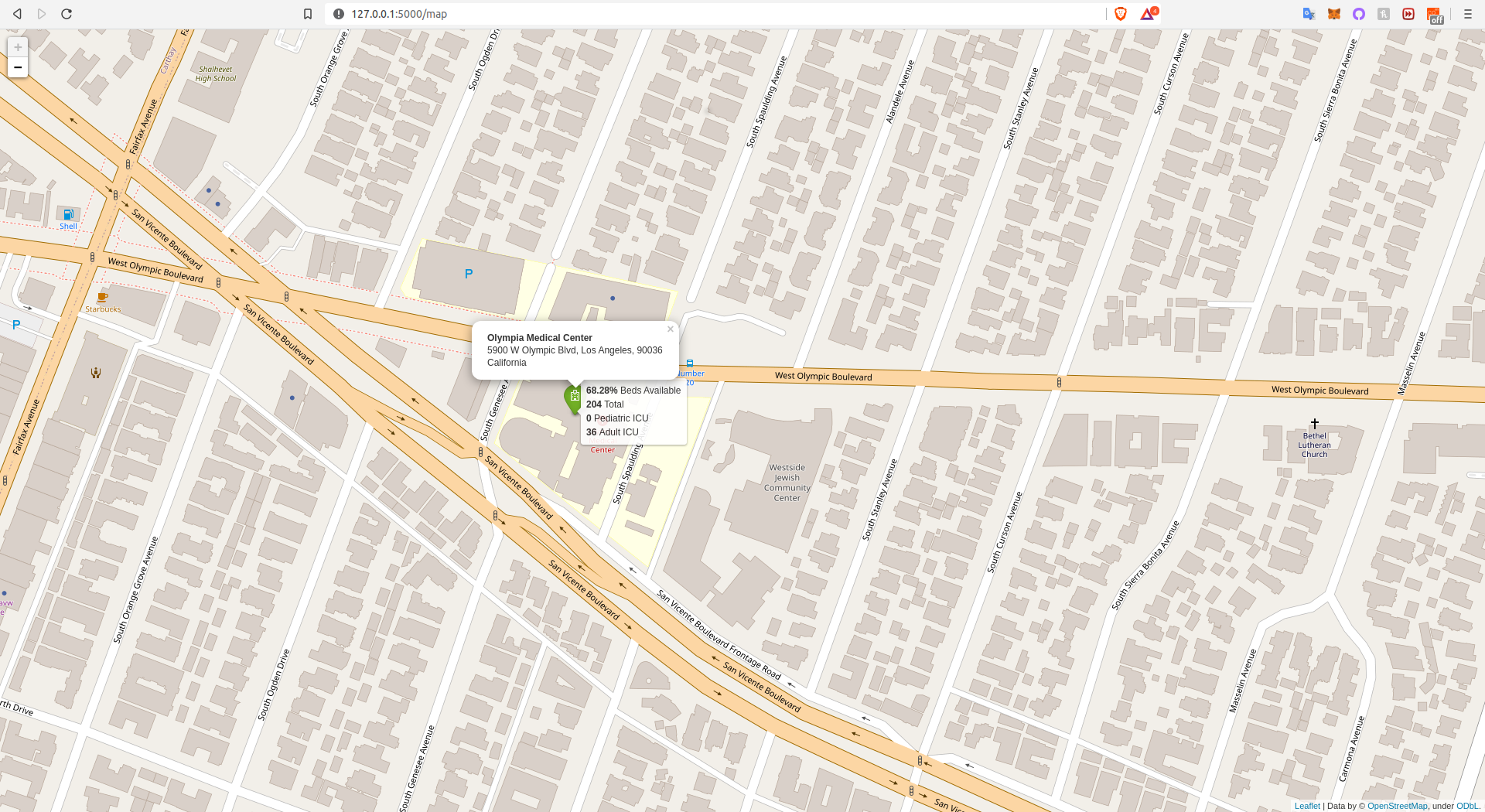
LA demo zoomed in on a different colored hospital
-
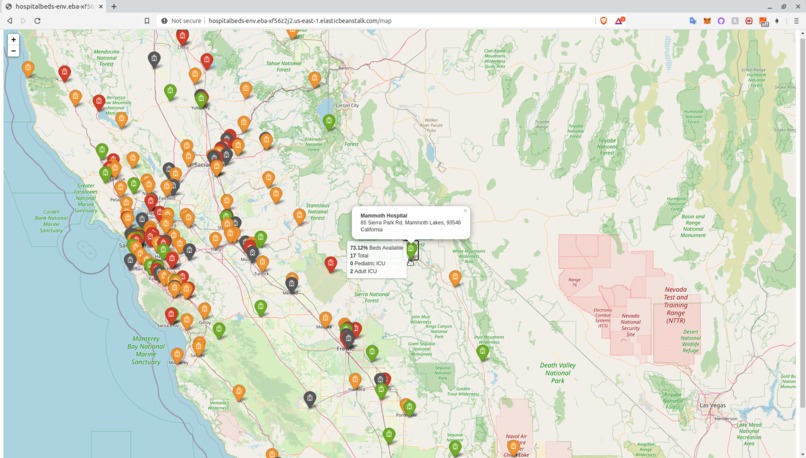
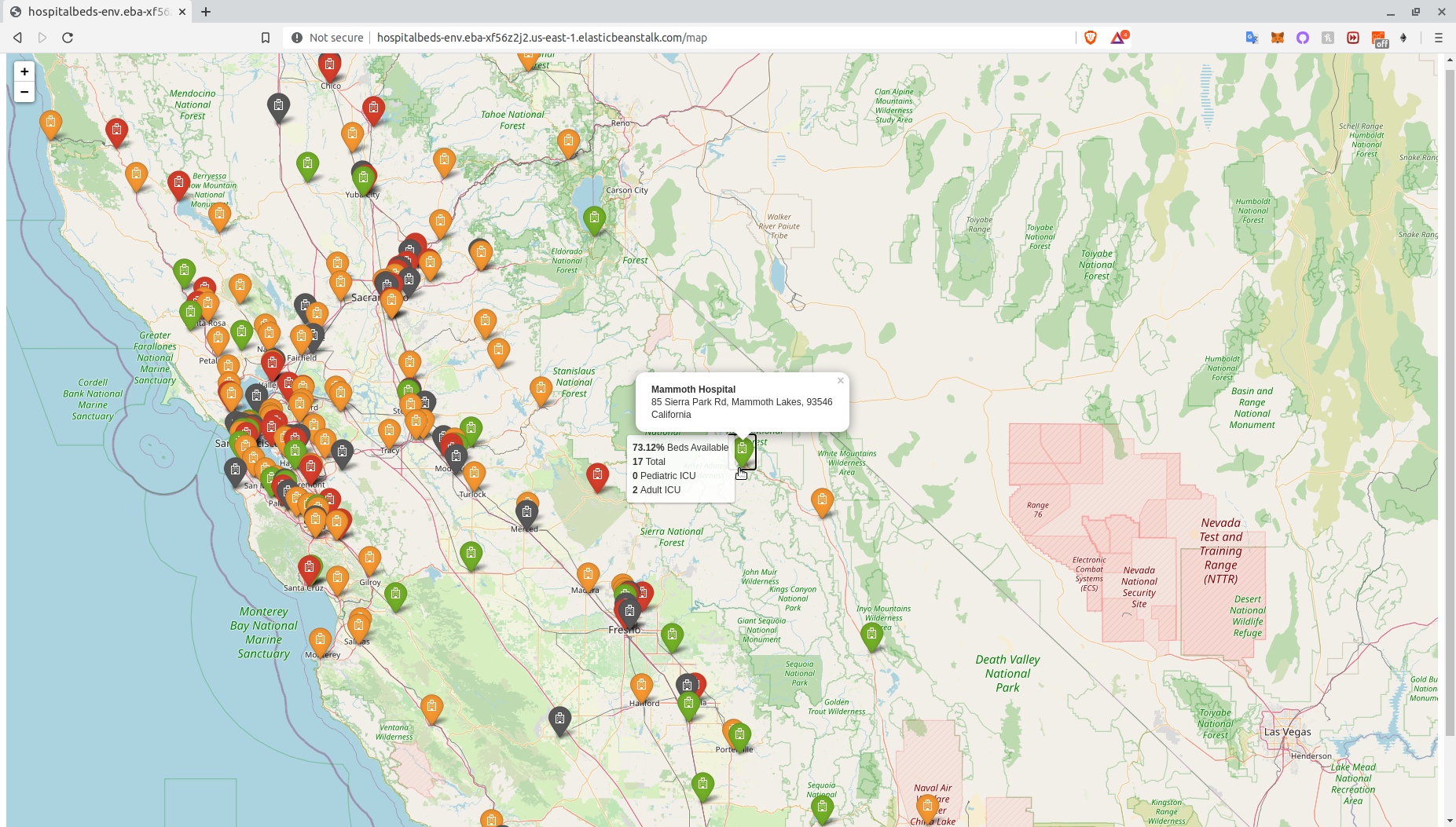
mouseover hospital icon demo
-
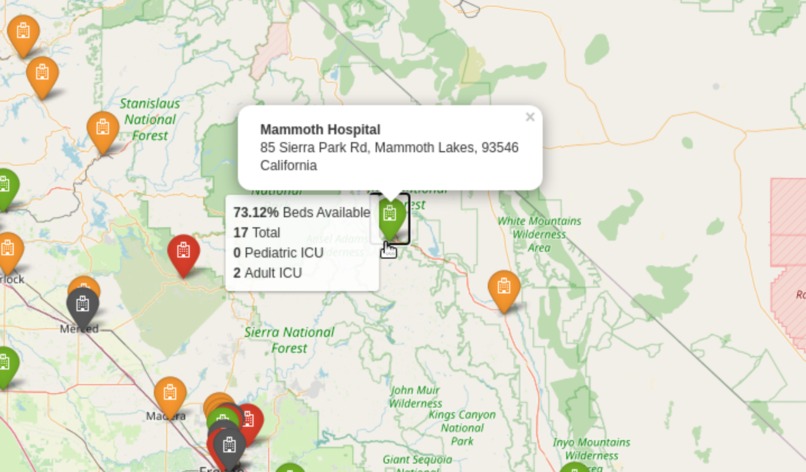
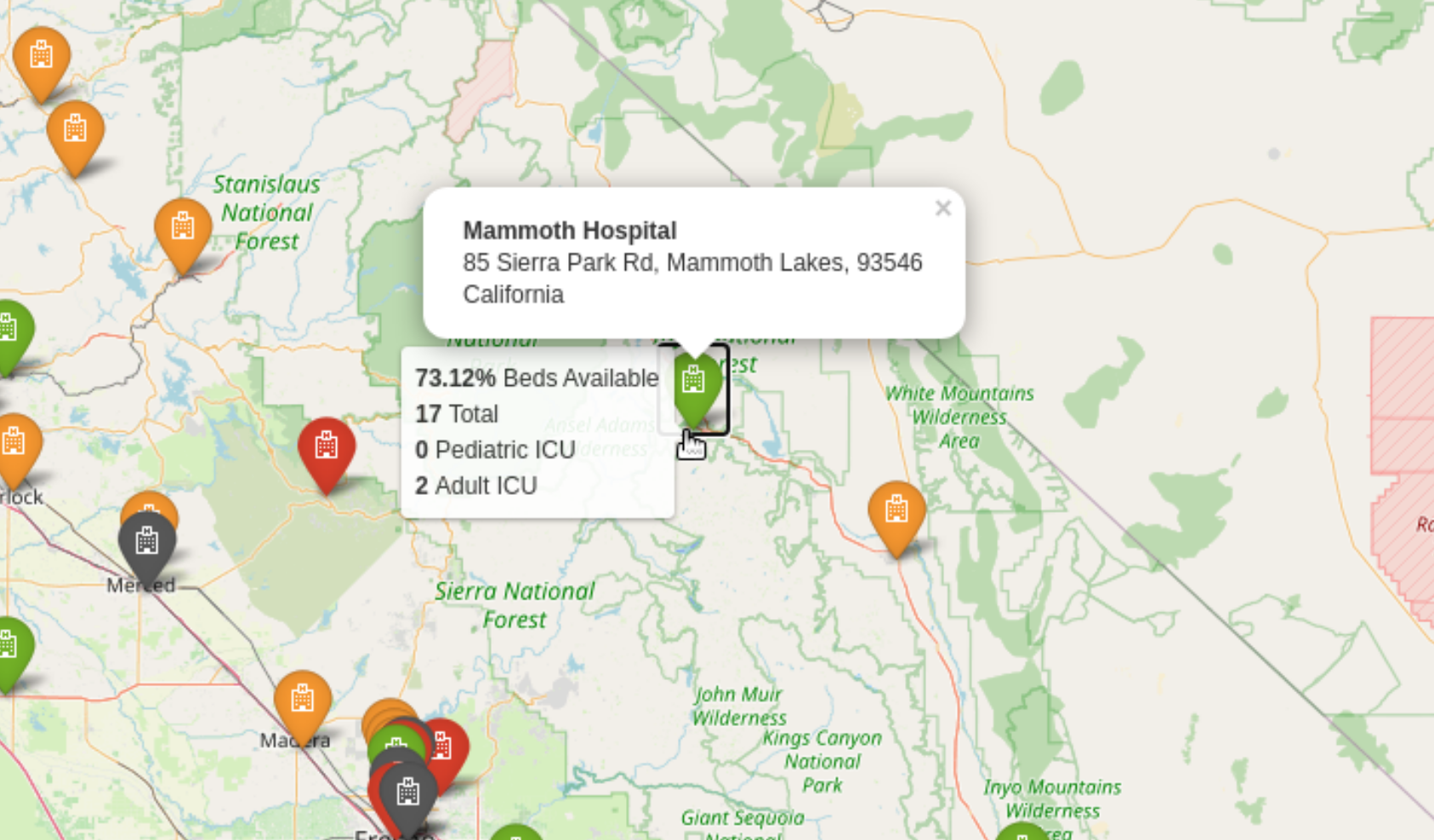
mouseover zoomed demo
hospital-beds
USA hospital beds capacity web app. Try it at http://hospitalbeds.link/
Inspiration
The COVID-19 lock down has us thinking twice before going out and thinking more than a couple times before going to a hospital if not in an emergency. Being at a hospital in these times can expose you to COVID-19 and other dangers just by being there. This tool can be used to get a glimpse of information about surrounding hospitals to help make a decision on which one to go if neccesary depending on how busy the hospital beds are.
What it does
This web app lets you search in a US zip code, city or state and renders a map of hospitals in the selected area.
Hospital icons are displayed in the following way:
- Green: 2/3 or more beds available
- Orange: Above 1/3 beds available
- Red: Below 1/3 beds available
- Gray: If no bed data is available in the dataset

On mouseover, the app displays the percentage of available beds on mouseover, the total number of staffed beds and pediatric and adult ICU beds. On click, the app displays the hospital name and its address.

How I built it
Data description
The dataset is from the AWS Data Exchange and it's called USA Hospital Beds | Definitive Healthcare. Up next is the description given by the data developer:
- Definitive Healthcare provides intelligence on the numbers of licensed beds, staffed beds, ICU beds, and the bed utilization rate for the hospitals in the United States.
Web App
Using Flask for Python I wrote a web app form that would take in a search inquiry from the user and render another page from there. Then, I used folium to generate maps using the search inquiry. The search inquiry is processed with Pandas since the app looks for the inquiry within a Comma Separated Values (*.csv) dataset.
AWS Resources used
Identity Access Management (IAM) role with permissions to write to S3 and to instantiate an EC2 machine
Amazon S3 AKA Amazon Simple Storage Service holding the dataset obtained through AWS Data Exchange
A public Amazon S3 AKA Amazon Simple Storage Service containing the application
Amazon Elastic Compute Cloud (Amazon EC2) for a virtual Linux 2 t2.micro machine instance running the application on the cloud
Elastic Beanstalk For deployment of web application and load balancing
Amazon Route 53 to register a unique Domain Name System (DNS)
Amazon Elastic Load Balancer To distribute Elastic Beanstalk application traffic
AWS Certificate Manager To get a Secure Sockets Layer (SSL) certificate for a domain/web application
AWS Data Exchange USA Hospital Beds | Definitive Healthcare dataset
Challenges I ran into
The folium documentation is challenging since it's hard to search in and there are not many examples of fully-fleshed out applications using the framework. Another challenge was using Flask since I had only used it for a brief project before. Most people face the challenge of hosting with AWS, which can be very complicated for someone who has never used AWS before. I have completed some AWS training but never hosted a web app before so I went through the documentation, looked for examples and even contacted AWS help because of a feature I am waiting to hear back so I can implement.
Accomplishments that I'm proud of
Learning how to use two frameworks (Flask and Folium) in a few weeks and being able to integrate them using Object Oriented Programming (OOP) was challenging and rewarding. Being able to deploy to AWS with a custom domain name was very rewarding as well.
What I learned
Web development, AWS Data Exchange, AWS Cloud Services, Flask, OOP, folium, geospatial analysis, Full Stack development, bootstrap, javascript, app forms
What's next for Hospital beds finder
- Implement the use of geopandas to be able to exploit the geojson dataset version of the data
- Dailyt bed capacity predictions using machine learning
- Integrate multiple data sources to make the app not limited to the US
- Implement "find near me" functionality
- Add AWS Cloudfront event that triggers AWS Lambda to refresh the dataset S3 with every new revisions by the provider (waiting to hear back from AWS help)
Installation
using a conda virtual environment (optional but recommended)
Naming the environment "geojson"
conda create -n flask python==3.7.6
conda activate flask
conda install jupyter notebook==5.7.8 tornado==4.5.3 (Optional)
Installing dependencies
pip install -r requirements.txt
AWS EB requirements
The following need to be in your requirements file in order for AWS Elastic Beanstalk to serve your app:
- click==6.7
- Flask==1.0.2
- itsdangerous==0.24
- Jinja2==2.10
- MarkupSafe==1.1.1 (1.0 can cause errors)
- Werkzeug==0.14.1
Built With
- amazon-ec2
- amazon-web-services
- elastic-beanstalk
- flask
- folium
- geopandas
- jinja
- numpy
- pandas
- python
- s3

Log in or sign up for Devpost to join the conversation.