-
-
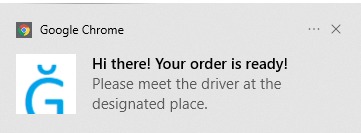
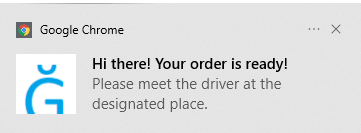
As you can see that if your order is ready, Google Chrome will let you know.
Chrome Extension for Uber Eats
Inspiration
It's 20 minutes from class end. Zack is hungry while taking class online. He decided to use his phone order food through Uber Eats instead of cooking on his own. However, while he's taking class online, he still needs to check his phone constantly to make sure he didn't miss the driver. There isn't any existent notification available on desktop. So why not build a Google Chrome extension for Zack?
How we built it
We used react.js for the front end design and we used Uber Eats API for our extension.
Challenges we ran into
It was hard to use react.js but we are managed to do. Sometimes, we forgot to export a function within react.js which costs us tremendous time to debug it.
Accomplishments that we're proud of
We are managed to finish the project in less than one day.
What we learned
We have learned a lot of details on how to code in react.js and how to use CodeSandbox.
What's next for Chrome Extension for Uber Eats
We will explore other delivery API. And we will create a chrome extension for people who want to save their money while ordering their food. Users can make comparison on the expenses they will pay if they are using the App. And they will use the summary provided by the app to decide which food delivery service serves their best interests.





Log in or sign up for Devpost to join the conversation.