-
-
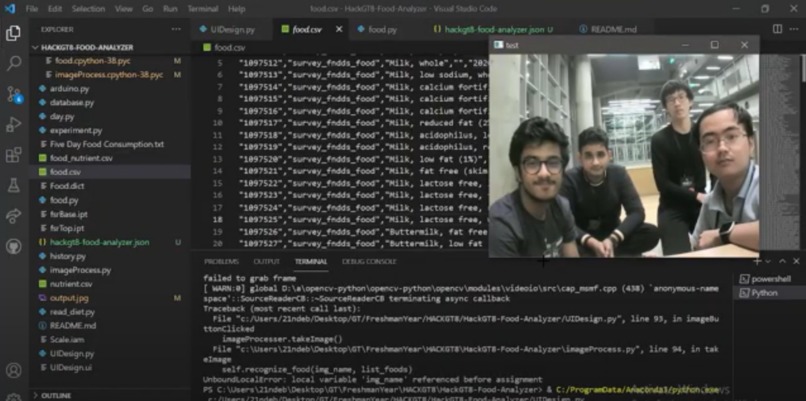
Teamwork
Inspiration
One day, we were eating at Willage, and, being on a diet, we realized that there was no way to identify the number of calories we were consuming! This inspired us to make the food analyzer software to find out the number of calories in our meals.
What it does
The software, which requires a computer and a webcam, enables the user to take a photo of the food item. Then, the software would use the Google Vision API to process the image and identify the name of the food and match it with nutrition facts from the U.S. Department of Agriculture FoodData Central.
How we built it
We used VSCode to write the Python code, and we used GitHub extensions for source control. We imported several modules, such as google-cloud-vision and opencv-python to access functions needed for image processing, database scanning, and UI design. To use Google Vision, we had to get an API Key from Google Cloud. We also downloaded and scanned the database of food and nutrition data from the U.S. Department of Agriculture. We built a user interface through PyQt5 that displayed the nutrition data of the food that was captured by the camera.
Challenges we ran into
We originally intended to automatically measure the weight of the food using Arduino and a force-sensing resistor. However, we were unable to obtain the hardware, and thus the weight has to be inputted by the user. We also struggled with setting up the Google API key, and we resolved this issue by following multiple YouTube tutorials. Another challenge we encountered was setting up the connection between the software and the webcam, and this was also resolved by following online tutorials. Ensuring the GitHub source control and Python module installations worked on every computer was a challenge since each computer often returned unique errors.
Accomplishments that we're proud of
We are proud of making the database search effective, allowing us to accurately identify the food and the corresponding nutrition data from the database. We are also proud of making a easy-to-use, accessible GUI to enable the user to operate the software. We persisted in making sure that everyone's computers were connected to GitHub and had the correct Python modules, which often was a difficult task.
What we learned
We learned how to use Google Vision API, connect the camera to software, scan and parse through large databases, and work on technical projects with new teammates.
What's next for Food Analyzer
We want it to be able to digitally accept weight input from a scale connected via Bluetooth to our software. We look forward to improving the UI and adding customization for the users. We also hope to help the users track their daily intake and diet over time while offering them recommendations.
Built With
- fooddata-central
- github
- google-cloud
- google-vision-api
- python


Log in or sign up for Devpost to join the conversation.