-
-
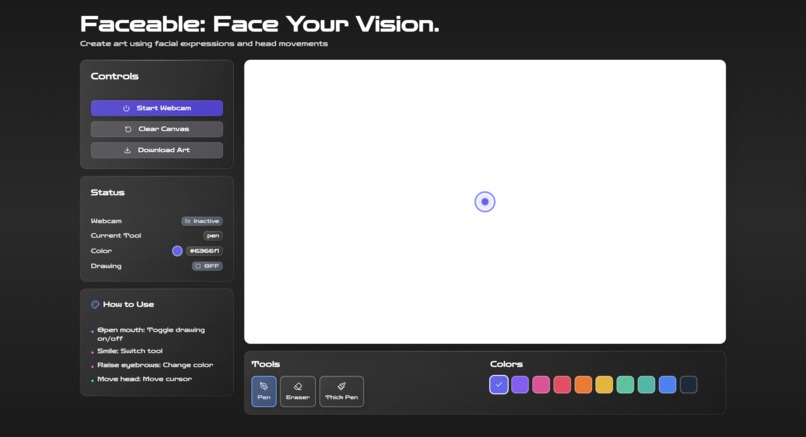
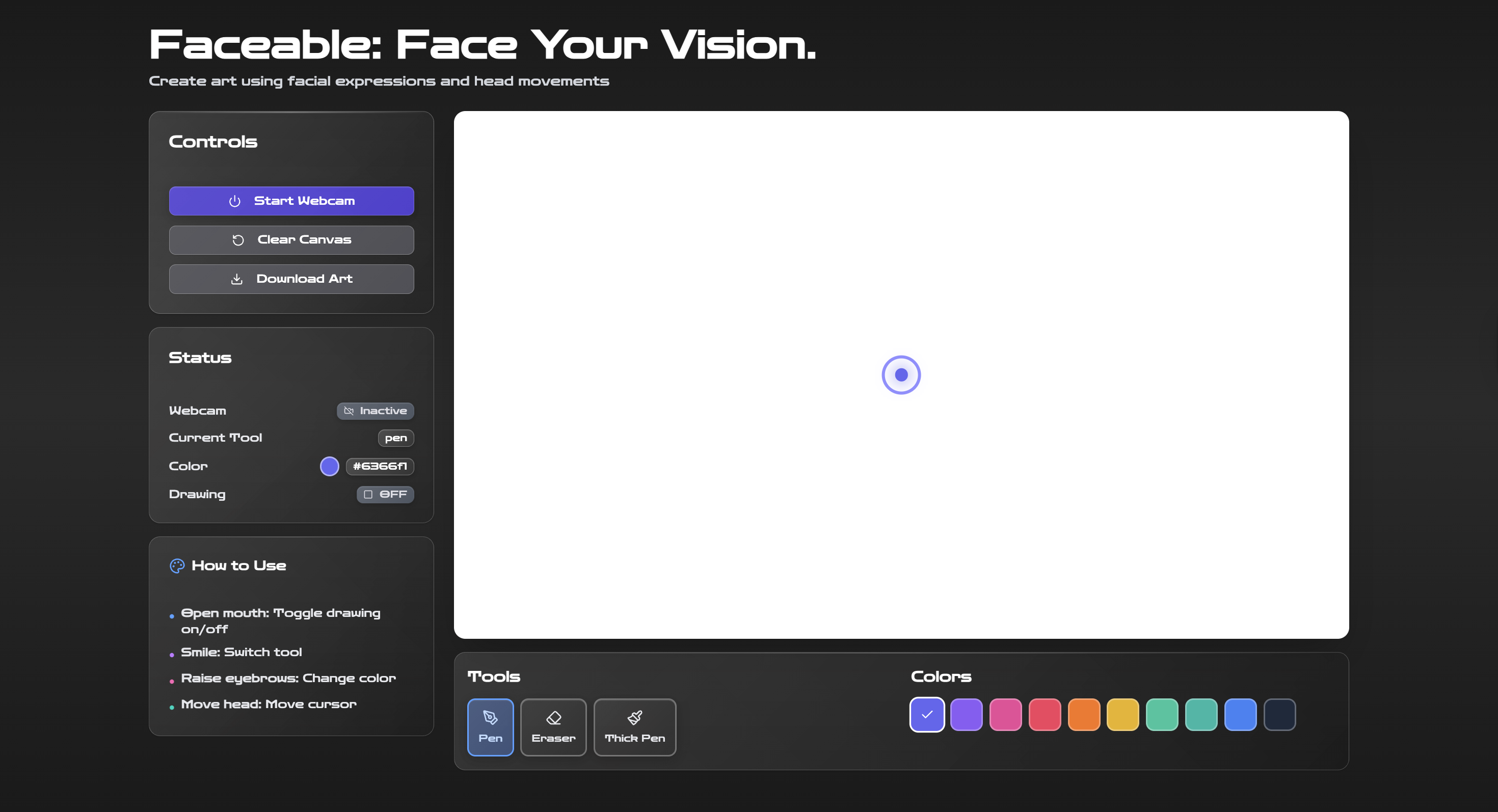
Faceable's UI
-
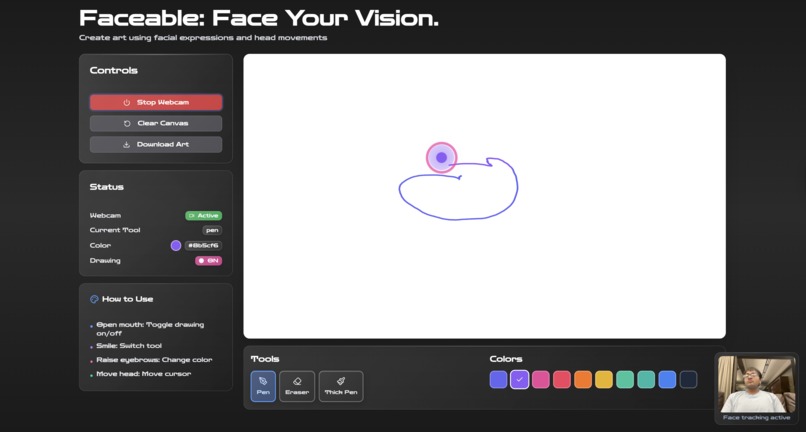
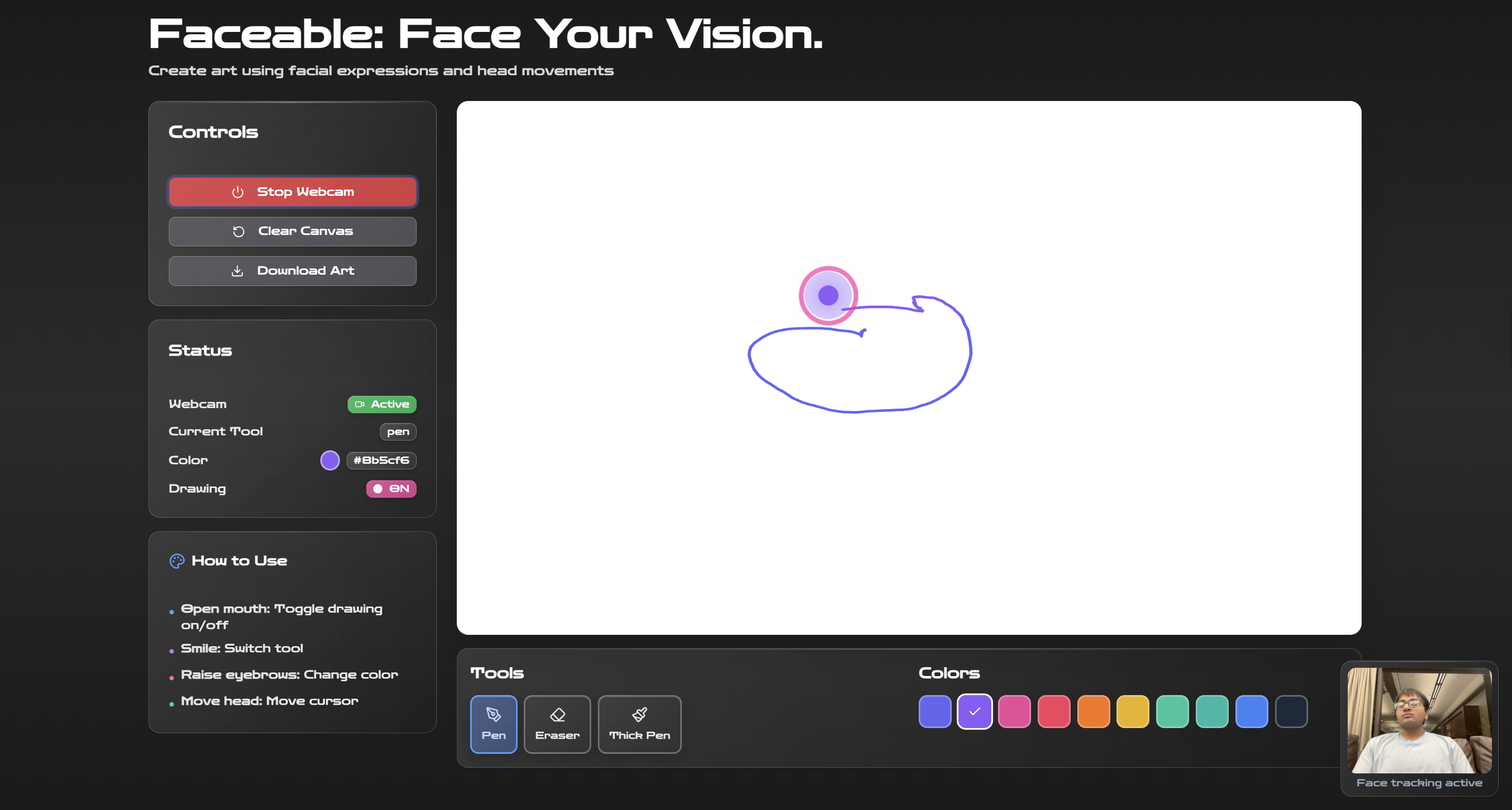
Faceable in action
Inspiration
Our project story begins with a deep philosophical question: If creativity is a function of pure intellect and vision, why must it be gated by manual dexterity? We recognized that for millions, including those with conditions like ALS, severe arthritis, or spinal cord injuries, the vibrant artistic world in their minds is often suppressed by physical barriers. We were profoundly inspired by the desire to eliminate this barrier entirely. Faceable was built on the core belief that the human face—our most primal and expressive surface—could be reframed as a zero-contact, high-resolution artistic controller, making creative expression truly universal.
What it does
Faceable is a groundbreaking, browser-based creative suite that transforms the user's subtle head movements and gaze path into direct, fluid lines on a digital canvas. It operates as a personal ocular stylus, enabling anyone to draw, sketch, and paint without ever touching a mouse, stylus, or keyboard. The system provides a new form of silent, non-manual expression, delivering instantaneous feedback and allowing artists to bypass physical constraints and immediately realize their vision in a dynamic digital space.
How we built it
We constructed Faceable as a single, highly performant application using React and Tailwind CSS for a responsive, modern interface that minimizes eye strain. The core of our innovation lies in the technical stack designed to run entirely within the browser:
- Computer Vision (CV) Pipeline: We utilized the highly optimized MediaPipe Face Landmarker solution, loaded via a CDN, to analyze the live video stream from the user's webcam. This library provided us with real-time coordinate data for a dense map of facial landmarks.
- Input Normalization: We continuously calculated the normalized $$\mathbf{(x, y)}$$ coordinate of the central facial point (derived from the Landmarker data), treating this as the origin of the brush. This filtered position was streamed to the rendering layer.
- Adaptive Filtering: To distinguish intentional gaze from noise, we implemented an adaptive filter that stabilized the input signal, leveraging MediaPipe's efficient data structure for smooth processing.
- Canvas Drawing: The filtered coordinates were fed directly into the HTML Canvas API, rendering smooth, continuous lines that faithfully represented the user's intended artistic path.
Challenges we ran into
The most significant hurdle was signal noise and jitter—a universal challenge in browser-based computer vision. Initial attempts at direct coordinate mapping resulted in extremely erratic lines, where unintended micro-movements (like unconscious head jitters, breathing, or slight changes in lighting) would translate into noise.
- Quantifying Jitter: Even with the efficient MediaPipe pipeline, we observed inherent horizontal and vertical jitter up to $$\pm 15$$ pixels in the raw $$\mathbf{(x, y)}$$ coordinate feed, making precise drawing impossible.
- Intentionality vs. Noise: We struggled to programmatically define the difference between a user's conscious gaze movement (an intentional stroke) and natural drift (unintentional noise).
We solved this by implementing a Dwell Time Filter and Coordinate Smoothing. The canvas drawing only initiates when the central coordinate remains within a defined $$\Delta x \text{ and } \Delta y$$ window for a minimum of $$250$$ milliseconds. This ensured that only deliberate, focused movements were registered as artistic input, effectively separating noise from intent.
Accomplishments that we're proud of
We are immensely proud of achieving high-fidelity, low-latency drawing using only commodity hardware. Our accomplishments include:
- Zero-Contact, Browser-Native Input: Successfully creating a complete drawing solution that relies solely on the user's webcam and requires no specialized hardware or external software.
- The Ocular Signature: Proving that a predictable, functional language of artistic command can be executed through head movement alone, providing a true artistic voice to those with motor disabilities.
- Performance: Maintaining a high frame rate and low processing overhead despite running the MediaPipe Face Landmarker, ensuring the drawing experience remains fluid and aesthetically pleasing.
What we learned
We learned a critical lesson about designing for accessibility: reliability and forgiveness trump complexity. Initially, we attempted highly granular eye-tracking, but the resulting noise created frustration. Our pivot to using the MediaPipe data's central facial point confirmed that a simpler, stable reading of the head position, coupled with sophisticated filtering, provides a far superior and more empowering User Experience (UX). Our work affirmed that technical excellence must always be in service of human usability.
What's next for Faceable
Our immediate future is centered on realizing the full artistic vision. We plan to integrate our original AI Augmentation Layer. This will involve:
- Analyzing the user's rough, line-drawn sketch to identify its core elements.
- Combining this analysis with a separate User Vision Prompt (e.g., "Make this look like a luminous glass sculpture").
- Utilizing the Imagen API to transform the simple line drawing into a stunning, texture-rich, photorealistic masterpiece, fully realizing the artist's original vision without the barrier of physical manual labor.
Built With
- facelandmarker
- react
- tailwindcss
- typescript


Log in or sign up for Devpost to join the conversation.