Inspiration
We decided to challange DocuSign Click API integration. It is not straight way to integrate in web site, because our application is using React framework. We think it could be very helpful to integrate "Clickwrap" API on your React Applications.
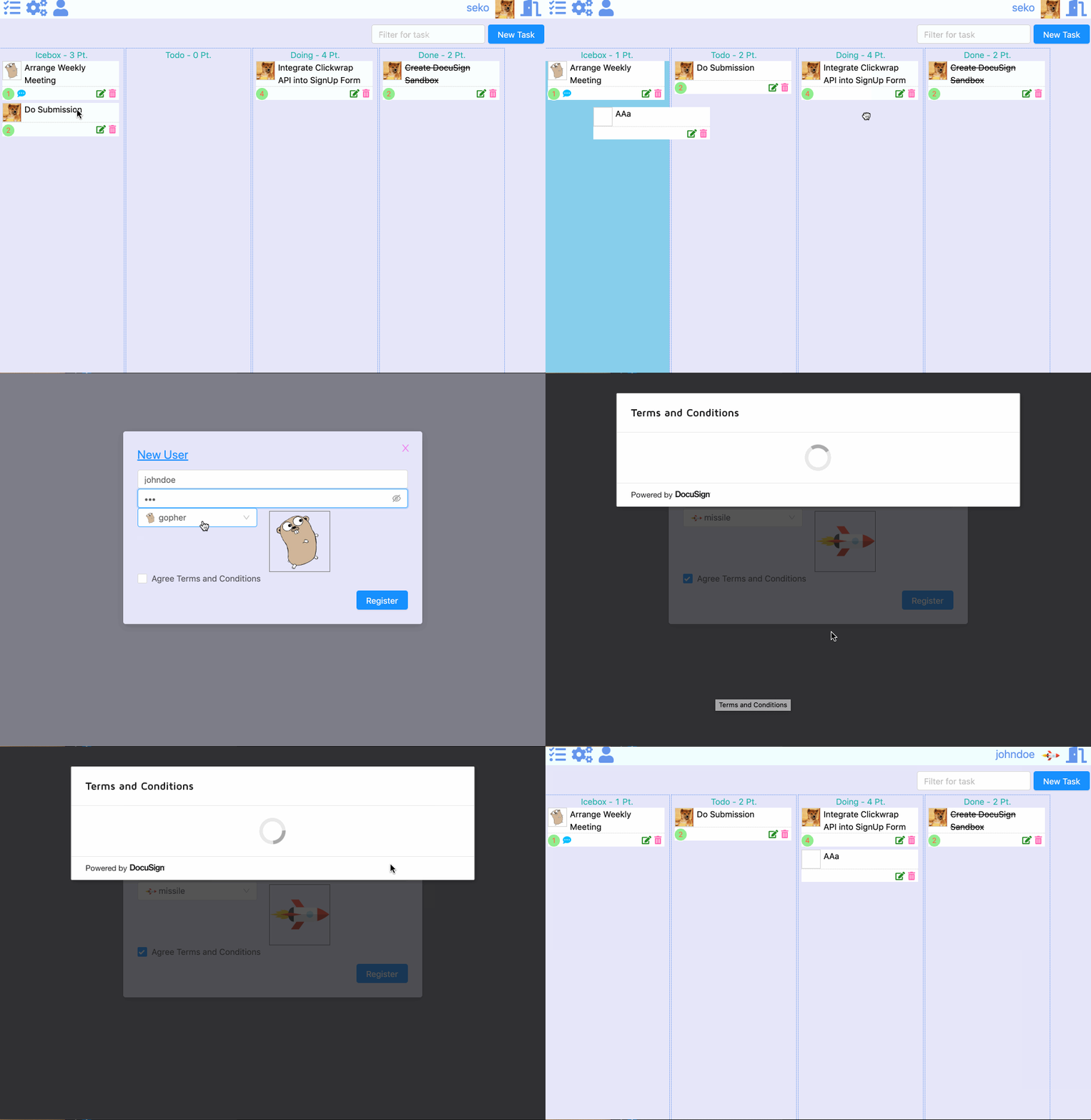
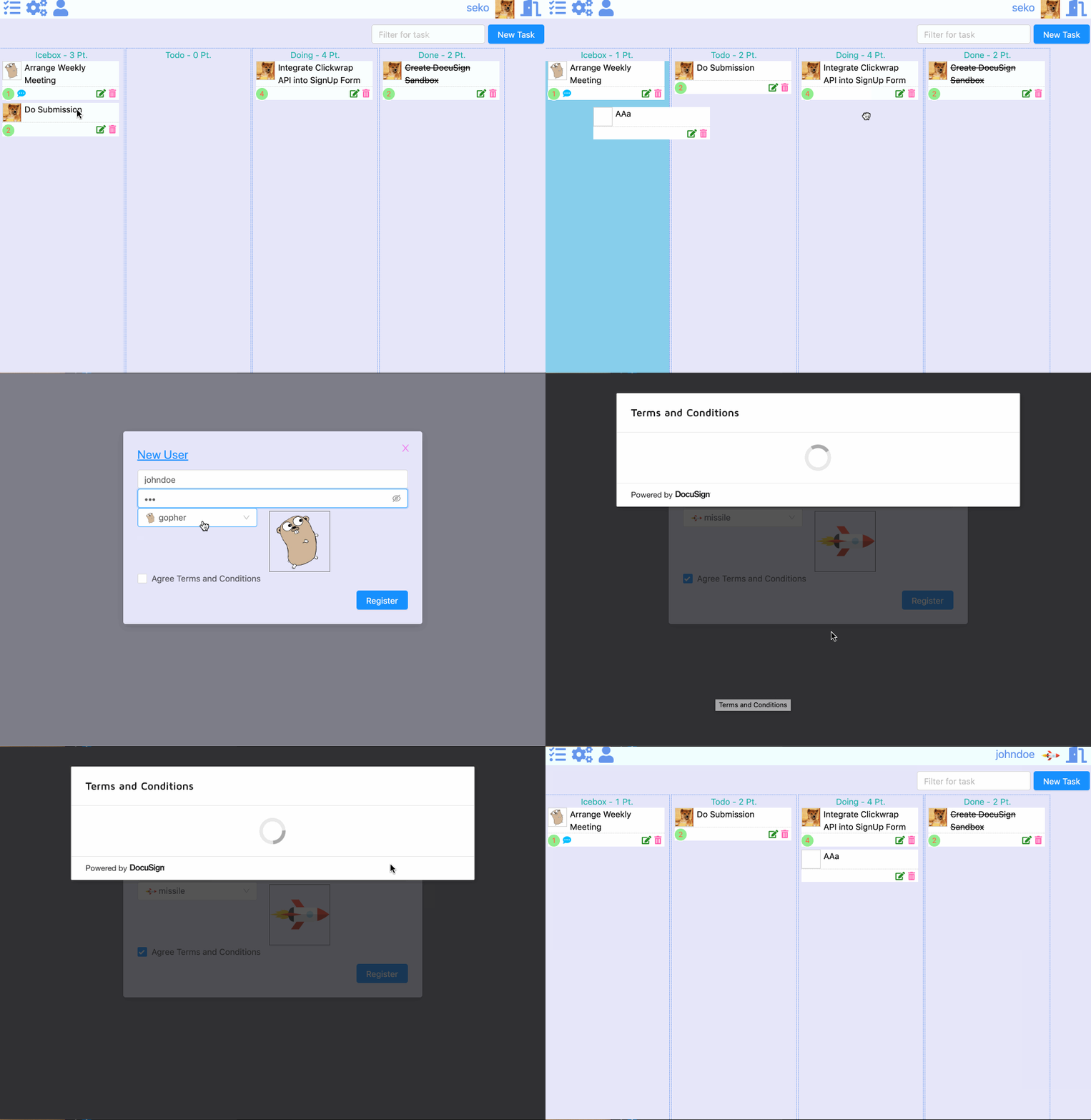
You can see working application gif image below.
What it does
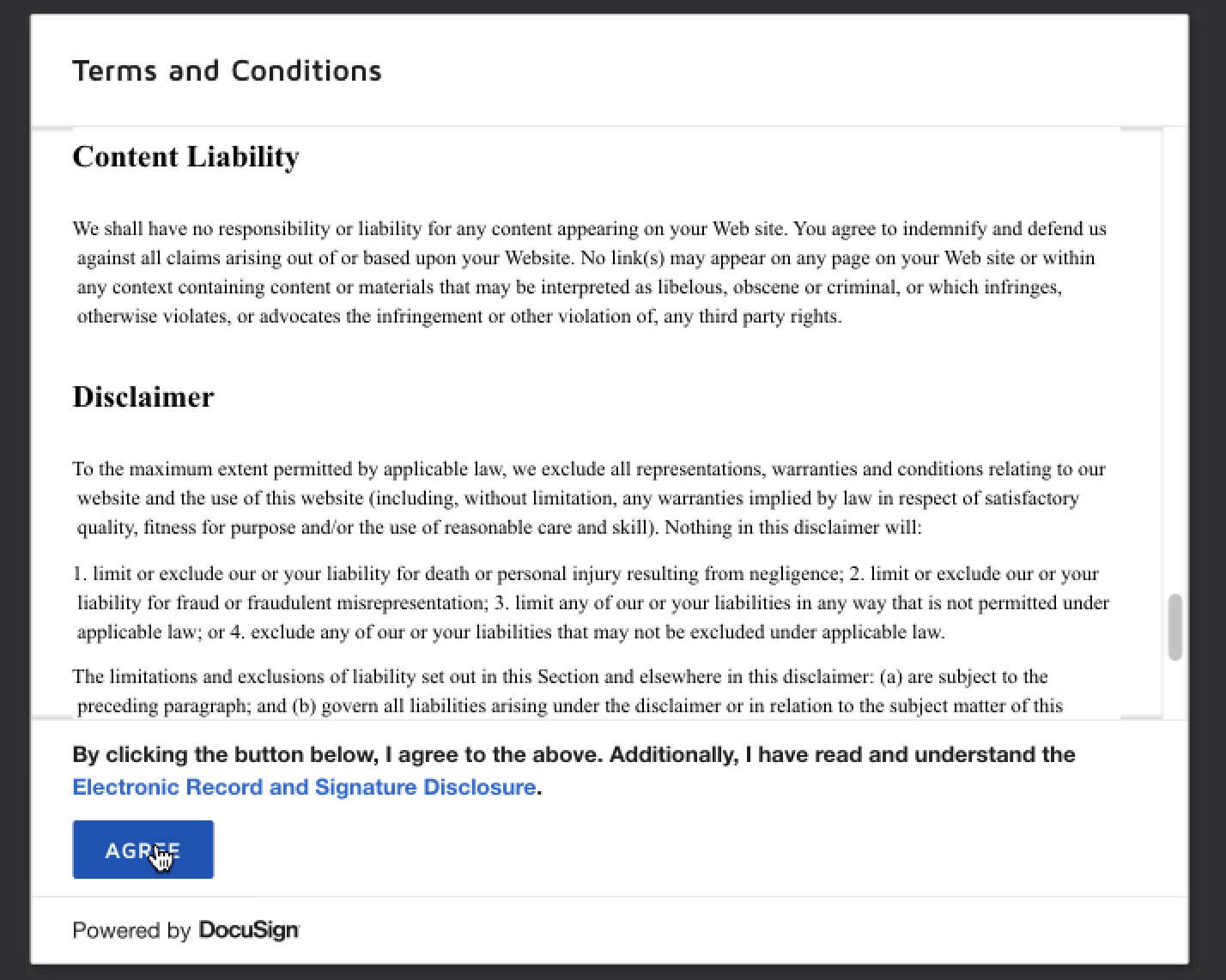
Originally, we had a React application for task management. It has a "sign-up" capability and we added "Agree Terms and Condtions" checkbox in the UI form. And then using template code which can be copied in DocuSign Clickwrap Management page.
How we built it
Generated template code is written by just html and javascript.
- Add "Agree Terms and Conditions" checkbox into our sign-up form.
- So it is needed to convert a React component style as below.
https://github.com/tashxii/taskboard-react-docusign-clickwrap/blob/master/src/components/parts/TermsOfConditionsView.jsx
The details steps are followings;
To add src of docusign-click.js into index.html of React application.
<script src="https://demo.docusign.net/clickapi/sdk/latest/docusign-click.js"></script>To create a React component which access and show terms and conditions with using DocuSign Clickwrap API. It likes as below, you can use the generated code snippet on your management page of Clickwrap.
import React, { Component } from "react"
import uuid from "uuid"
import InnerHTML from "dangerously-set-inner-html"
const clickwrapCode = (clientUserId) => `
<div id="ds-clickwrap"></div>
<script>docuSignClick.Clickwrap.render({
environment: 'https://demo.docusign.net',
accountId: 'bra-bra',
clickwrapId: 'bra-bra-bra',
clientUserId: '${clientUserId}'
}, '#ds-clickwrap');</script>
`
class TermsOfConditionsView extends Component {
render() {
return <InnerHTML html={clickwrapCode(uuid.v4())}/>
}
}
export default TermsOfConditionsView
Challenges we ran into
It is a first example to integrate DocuSign "Clickwrap" API into React Application. We needed to convert the code snippet to a react component class. And there was an issue that script tag does not work when just using "dangerouslySetInnerHTML" attribute.
- For details, see this url. https://code-examples.net/en/q/21f7059
- We solved it by using "InnerHTML" react-component.
Accomplishments that we're proud of
This could be the first example to use DocuSign "Clickwrap" API with React Web application. And this is not described how to implement it in the DocuSign developer guide.
What we learned
- To create DocuSign Clickwrap object with Management page
- To integrate clickwrap code snippet into a React Application
- When using React "dangerouslySetInnerHTML" attribute and script tag, it is necessary to execute script itself by somehow(componentDidMount or using above InnerHTML component
What's next for Eagles - Challenge #2: DocuSign
Add management capabilities to show clickwrap agreed users in manager GUIs with using DocuSign Clickwrap REST APIs which are listed-up in the following URL.


Log in or sign up for Devpost to join the conversation.