Inspiration
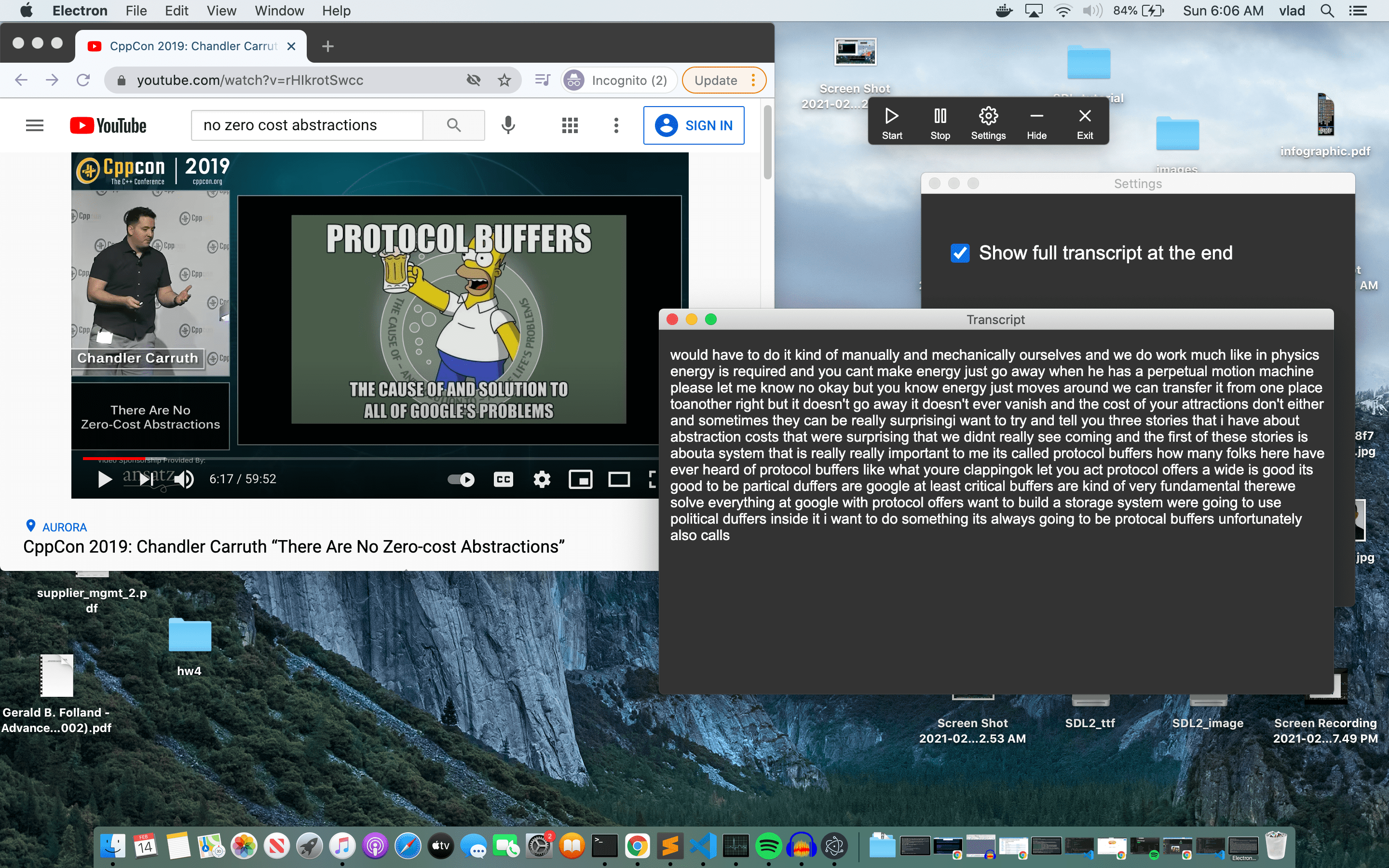
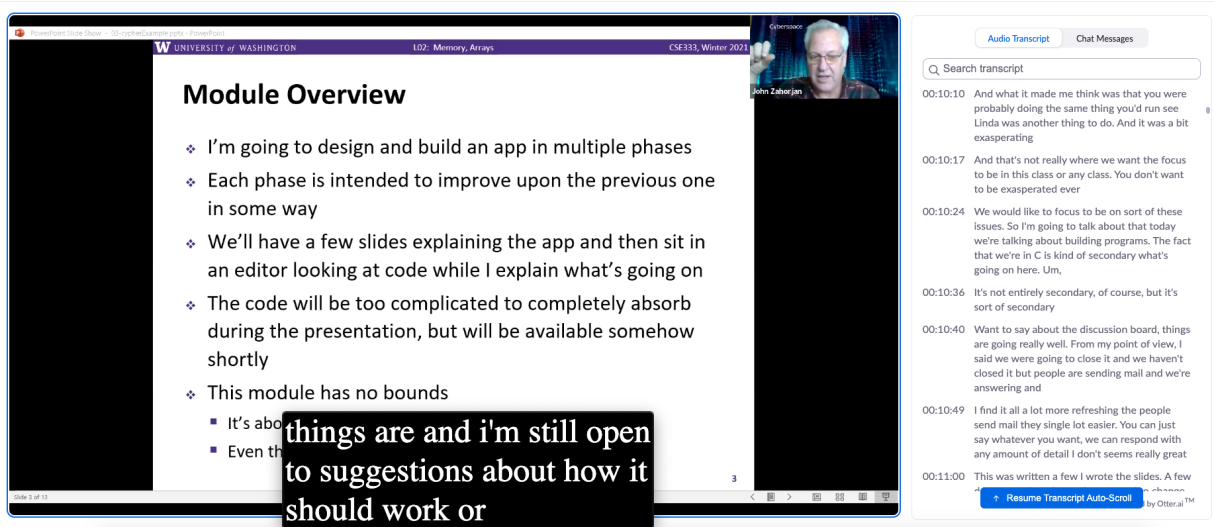
With ongoing COVID-19 pandemic, things like classes, club events, and work meetings are turning to online based sessions. This is great - we're still able to connect and continue with our day-to-day lives. However, one issue that arises with this is the lack of accessibility regarding live captions and subtitles for those who are hard of hearing. While it is true that apps like Zoom, Google Meet, and Microsoft Teams provide live captioning, live captioning only works when you are in the app which means live captions only works during meetings. This is a problem for people that may watch recorded versions of meetings (i.e. students that are in different time zones) and may not have captions or even a meeting transcript. Additionally, the UI/UX for some of these apps is not the best. In Zoom, live captioning is powered by the same service that gives a transcript for recorded meetings. This means the user is required to keep a separate side window open that contains the entire transcript of the meeting which is less intuitive than traditional subtitles that appear at the bottom of a user's screen. These issues of being bound to a single app and only getting captions during meetings and not all apps having the same/best possible UI got us thinking about what we could do to tackle these issues. As a result, we spent the past 36 hours building AudioBolt.
What it does
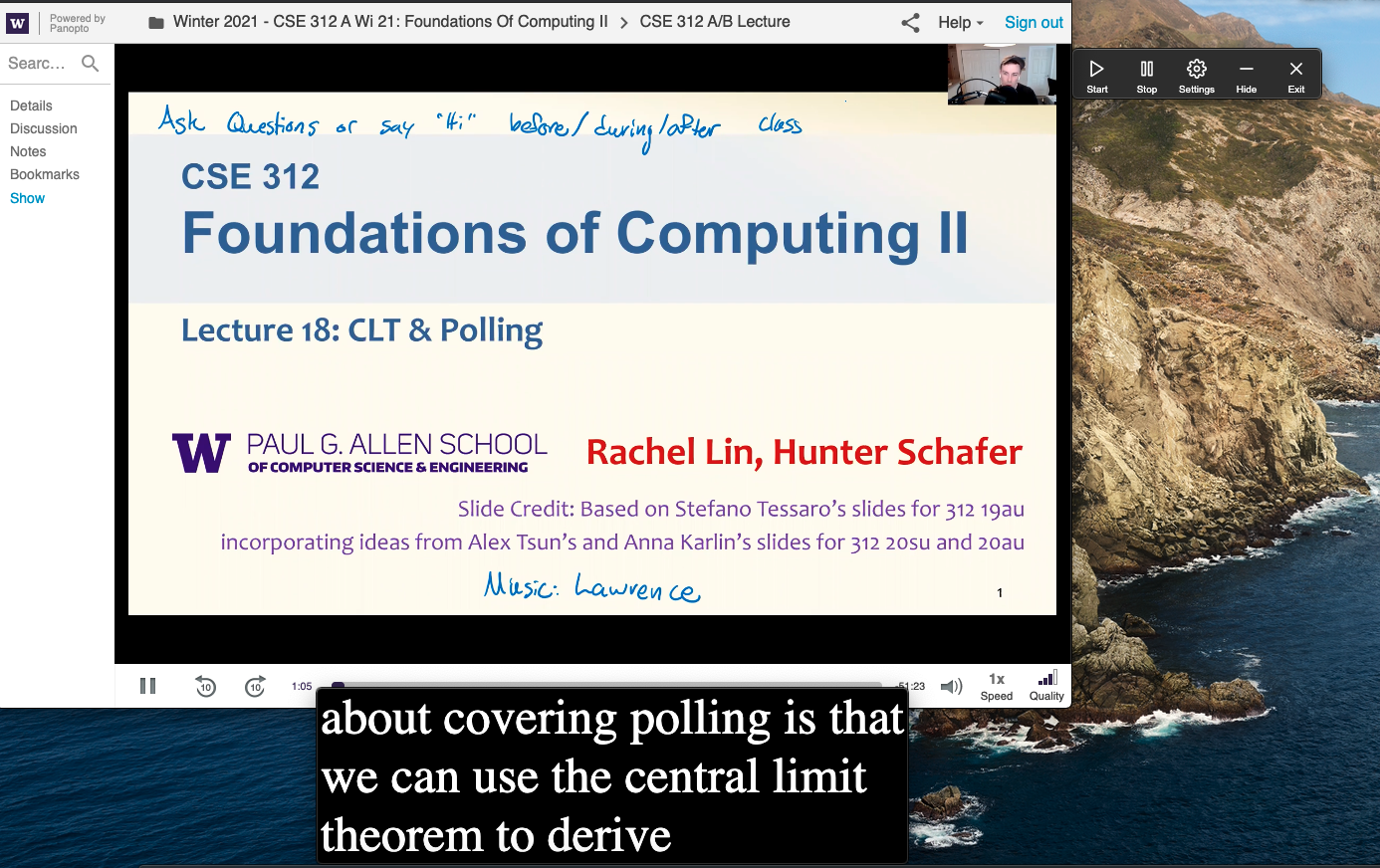
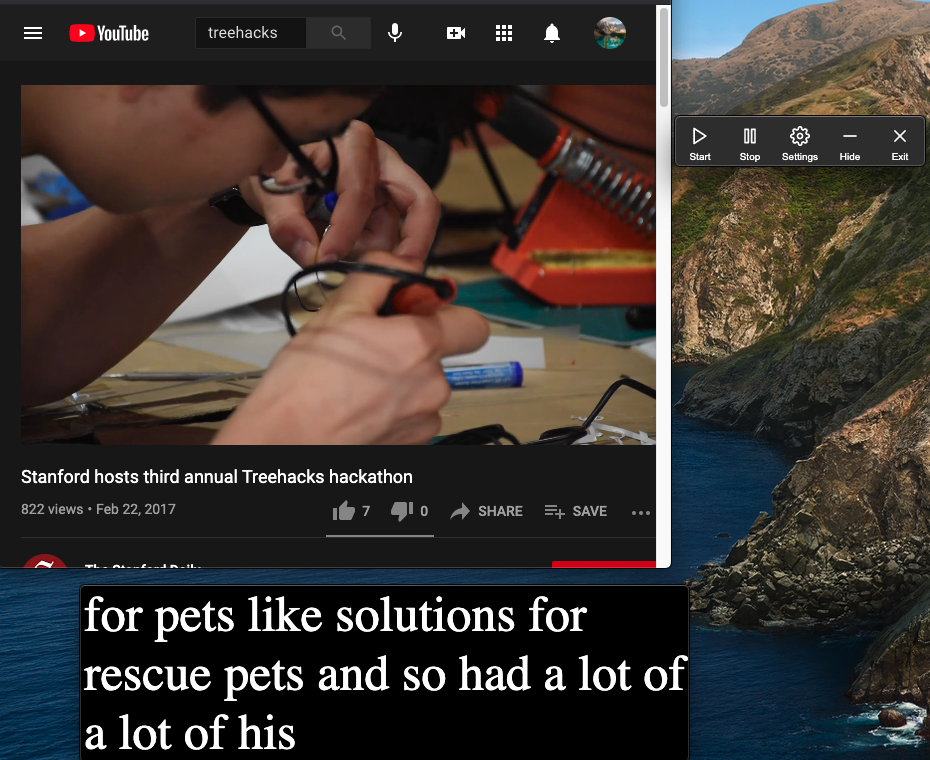
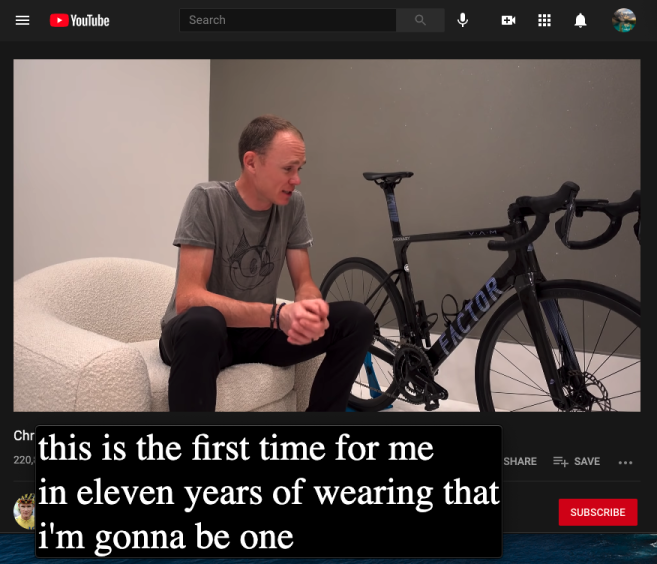
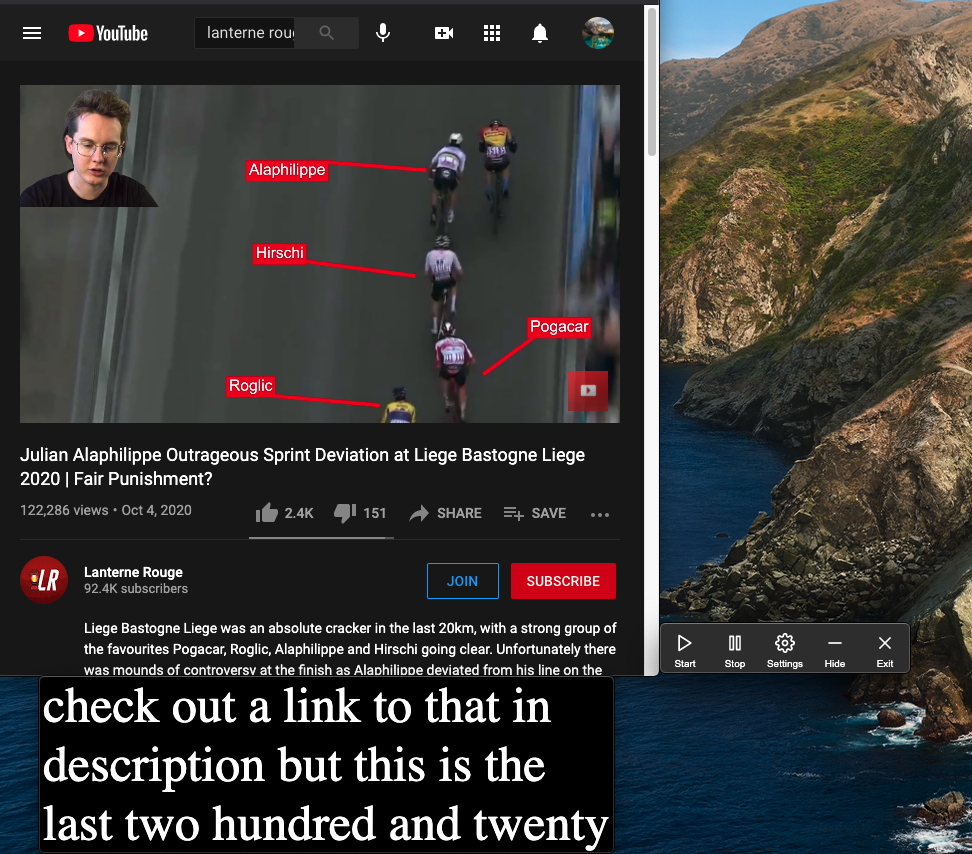
AudioBolt is a lightweight desktop app that uses next generation deep learning models to provide live subtitling/captioning for any running app that is playing audio to the user. After installing the desktop app and hitting the start button, users will be presented with a movable window that presents auto-updating subtitles. To accomplish this, we first send the client audio to a server, run the deep learning model on the audio, and then send the inference back to the client where the client takes the inference and generates subtitles. This process is repeated instantaneously until the user hits the stop button.
How we built it
Our backend compromises of a single Google Cloud VM Instance with a Nvidia Tesla P4 GPU. When the server receives a socket connection, it reads the bytes from the socket stream, converts it to the appropriate inputs, and sends back the outputs from DeepSpeech2 - a machine learning speech-to-text model with a low latency and greater ability to handle a diverse variety of speech including noisy environments and accents. The front end that connects to this server is a desktop application written in Electron - a framework that uses web technologies (specifically a Node.js runtime and a chromium rendering engine). The app uses a Node.js binding of the C/C++ library portAudio to record system audio, which it then sends to the server.
Challenges we ran into
One of the big challenges we ran into was figuring out how to get audio from other running apps. On MacOS this is an especially big problem because getting audio that is currently being played to the user is a kernel level operation. This meant we had to use SoundFlower which is a kernel extension that creates a multi-output device which sends playing audio to both the user and our desktop app. While this solution works, it adds an extra dependency to our app that can be somewhat confusing to install.
Accomplishments that we're proud of
For the both of us, this is our third hackathon but only the first hackathon where we have a fully complete product. That alone is one of the big accomplishments we are proud of. Additionally, we are also proud of being able to take a deep learning model and make it accessible to everyone. Research is definitely where new technologies are developed and with AudioBolt, we were able to take a state of the art deep learning model and build an entirely open product around it.
What we learned
Robert - One my favorite things that I learned about was setting up a backend around a machine learning model. I was responsible for building out the backend and doing this required learning about how TCP sockets work, setting up Google Cloud firewalls, and efficiently storing audio data for the deep learning model to process. I also got to learn more about taking deep learning models and scaling them for production which was very enriching. Overall, this was a very fun project that taught me a lot about networks, deep learning, and deploying products to the world through Google Cloud.
Vlad - This project solidified my understanding of how to work with Electron and JavaScript in general. Specifically, how to deal with context isolation i.e. not being able to call the electron or any other Node.js library directly in my render scripts. I had to carefully think of what functions I wanted to expose from my main to render processes and use a message-based system to communicate between them. I also improved my code quality by using more closures instead of global variables. Furthermore, I familiarized myself with Node.js sockets and how to write and read bytes to them. Overall, I got a better understanding of JavaScript development and now understand the tradeoffs of using a framework like Electron for native application development.
What's next for AudioBolt
Apart from releasing a desktop app, we would like to build out an API around our deep learning model. Doing this would allow other people to build similar projects through an open API unlike other ones that exist at the moment. We also plan on continuing to improve our desktop app by getting user feedback and also writing our own kernel extension to get rid of the SoundFlower dependency. Writing a kernel extension seems like a very good learning experience (relates to OS and C programming) and will make our app easier to setup. Overall, AudioBolt has both room for improvement and the opportunity to build up from our app which really makes it a great hackathon project.



Log in or sign up for Devpost to join the conversation.