Inspiration
Frustrated by the lack of free and properly working Lightbox apps, or other apps that would make tracing or doing lineart easier, we decided to create this project.
What it does
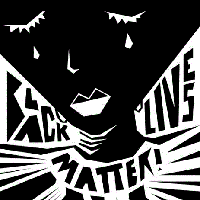
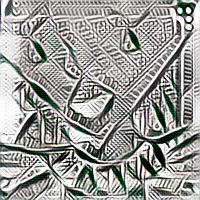
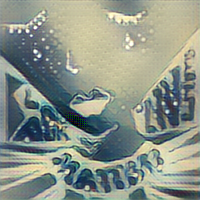
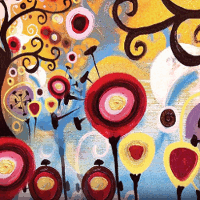
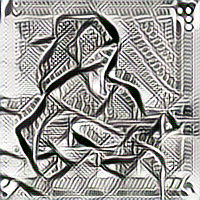
Upon entering the website acethetrace.glitch.me, a stylized image will generate based on the default images. The website itself allows users to select:
- an input image; and
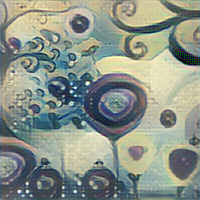
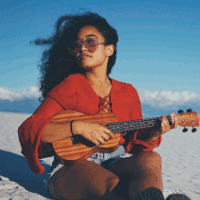
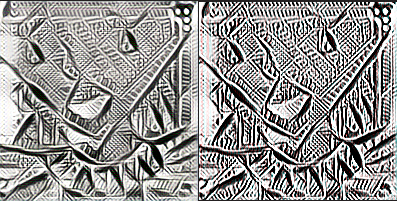
- an image to stylize the input image with in order to create a new stylized image after clicking the button to "Work Some Magic!". We also have a way to perform edge detection on an image to create an image for easier tracing.
Using SparkAR, we're able to overlay these generated images on yourself or on a piece of paper so that you can trace and draw to your heart's content.
When might you use an app like this?
- If you want to replicate the art that you like.
- If you want to draw on any surface that is not paper.
- If you want to replicate your favorite artists’ art styles!
- To create fresh fusion art of any two images.
- If you wish to be more environmentally friendly by cutting out the need for tracing paper
- If you want to do henna art on your hands (or face!)
- To test communication skills as a team building activity where one person can see an image and explain what to draw and the other person can only draw what they're told.
How I built it
We used ml5.js to perform the style transfer and edge detection. The website was made via HTML, CSS, and JavaScript.
We also used Spark AR to create a filter for 2D objects in world view and implemented a picker UI for the user to choose what to trace from a carousel and gallery texture to upload their own images. Finally, we allowed for image flexibility by corresponding touch gestures -- panning, rotating, and pinching to scale the image.
Challenges I ran into
For the website, updating the website dynamically via the DOM was tricky when we were also generating the images as opposed to grabbing a current image. Currently, we do not have a way to clear the placeholder where new stylized images are generated such that the more stylized images you request, the more images stack on one another - you would need to refresh the page to clear the placeholder.
In the end, we were unable to figure out how to let the user rotate their image around its center rather than around a 3D plane due to lack of resources for guidance.
Another challenge was that a lot of us were new to machine learning and convolutional neural networks and AR. We’ve never done any projects involving them before, so we had to quickly learn and get adjusted in order to make this project possible. We’re thankful for all the youtube tutorials, documentation, and mentors who helped us along the way!
Accomplishments that I'm proud of
We learned how to make our own CNN and apply style transfer on images via JavaScript alone! We also successfully implemented a UI picker that lets the user choose an image to trace from their photo gallery, as well as hand gestures for panning, rotating, and scaling the image.
Coming into the hackathon, we had no experience with machine learning and AR, and we’re proud to have learned so much in the past 24 hours!
What I learned
- How to use Spark AR
- How to generate lineart using machine learning
- How to use AI to create unique art using AI to combine two art pieces
- How to create scripts for lots of interactivity using JavaScript
- How great ml5.js can be - so many built-in features!
What's next for Ace the Trace
- Enabling users to upload their own images and save the generated stylized image to feed into the edge detector for easier tracing
- Ensuring that only one stylized image is generated so that the images don't stack
- A feedback system that alerts the user if their tracing of the lineart is not entirely accurate
- Lifting the square image restriction for user-uploaded images.
Built With
- css
- html
- javascript
- sparkar

Log in or sign up for Devpost to join the conversation.