-

Promptify Logo
-

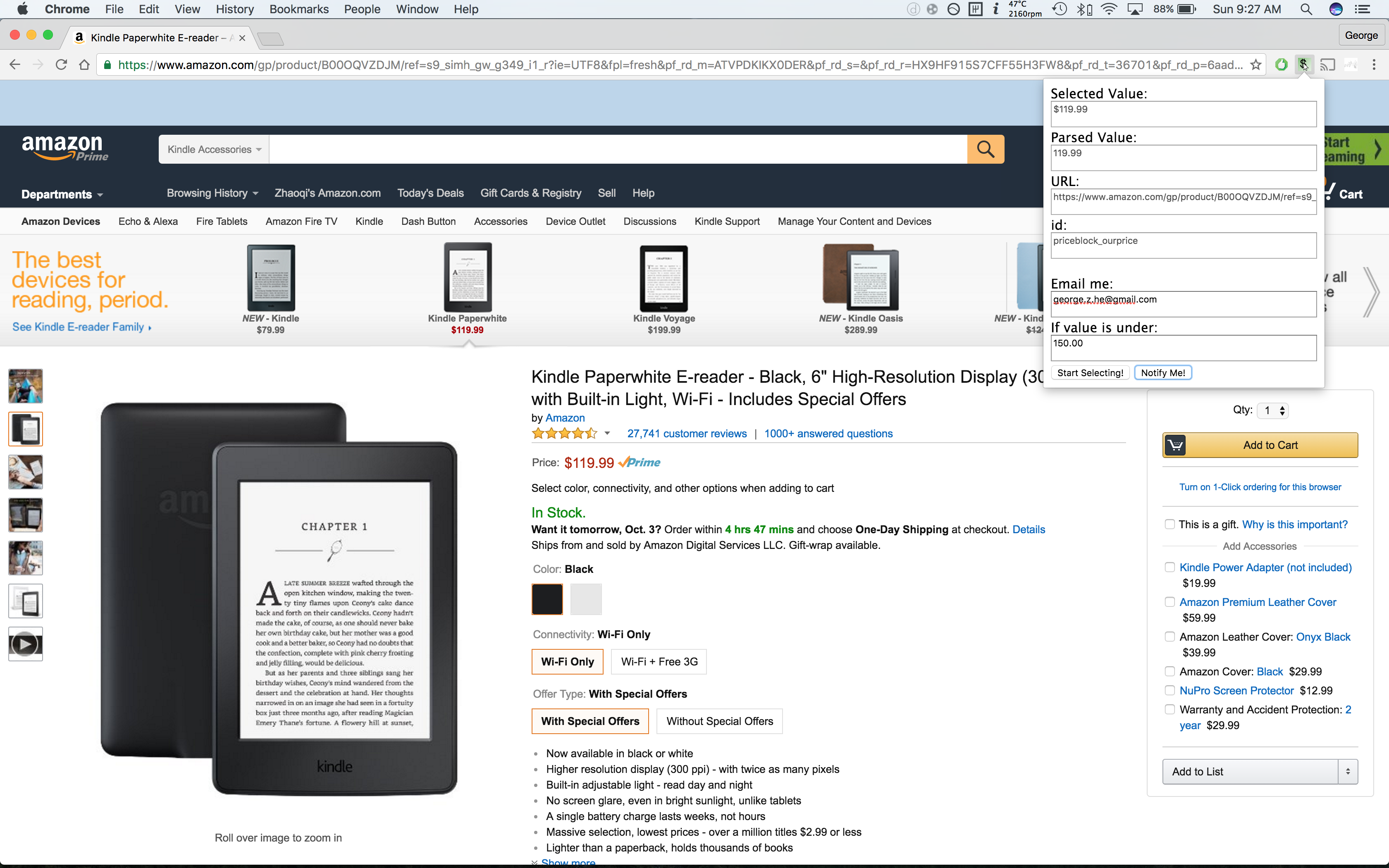
Promptify UI
-

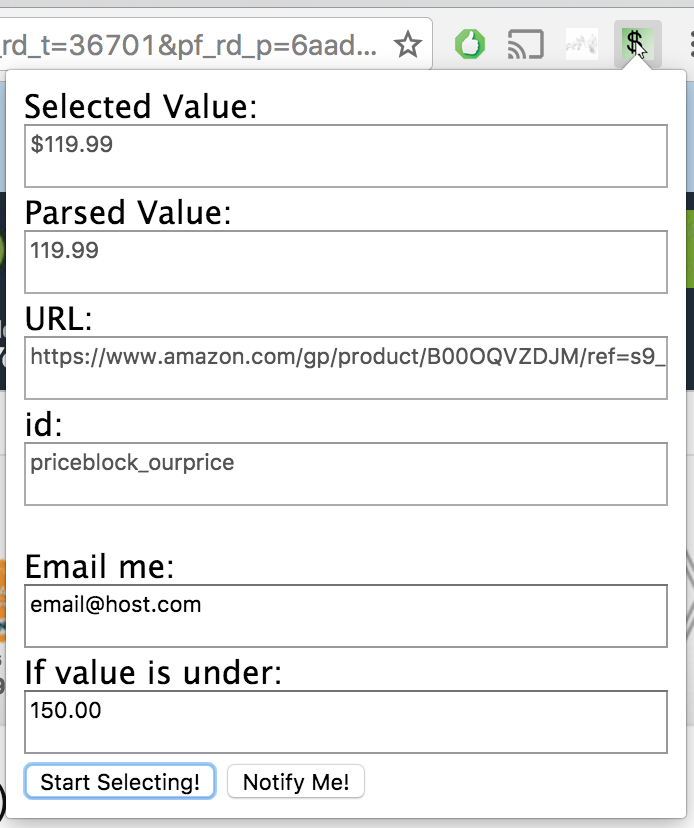
Promptify UI (popup only)
-

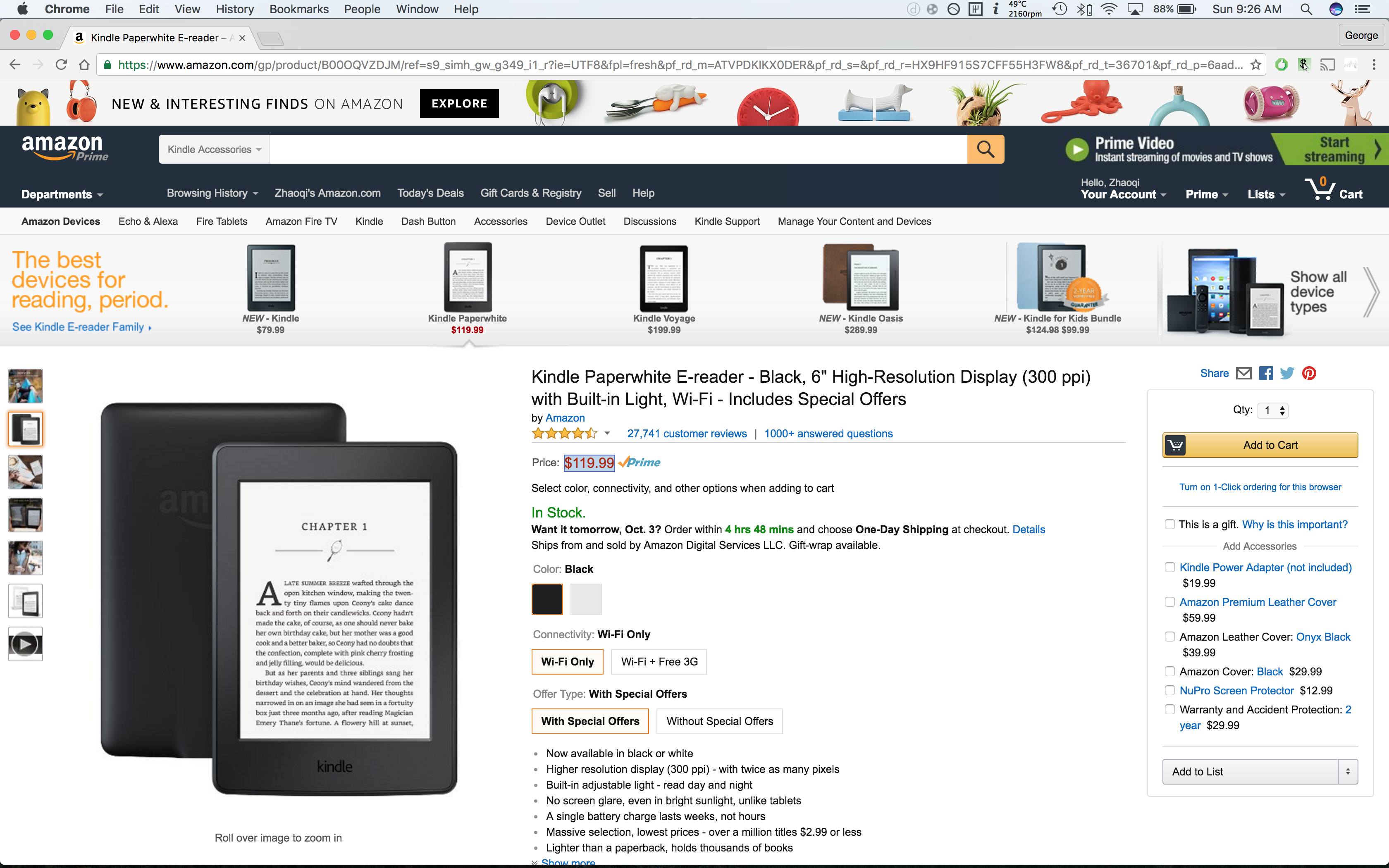
Amazon Price Parse
-

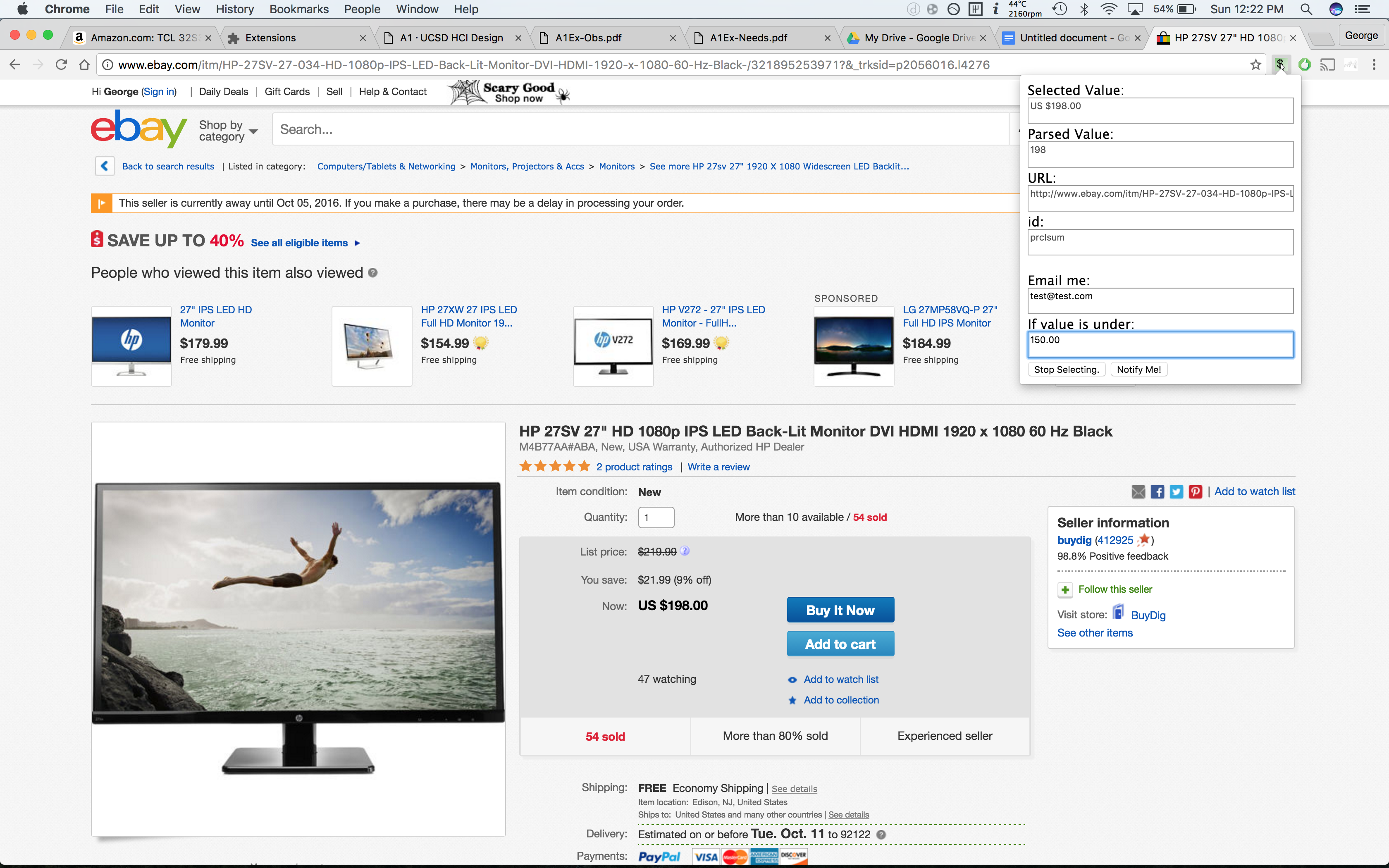
Ebay Price Parse
-

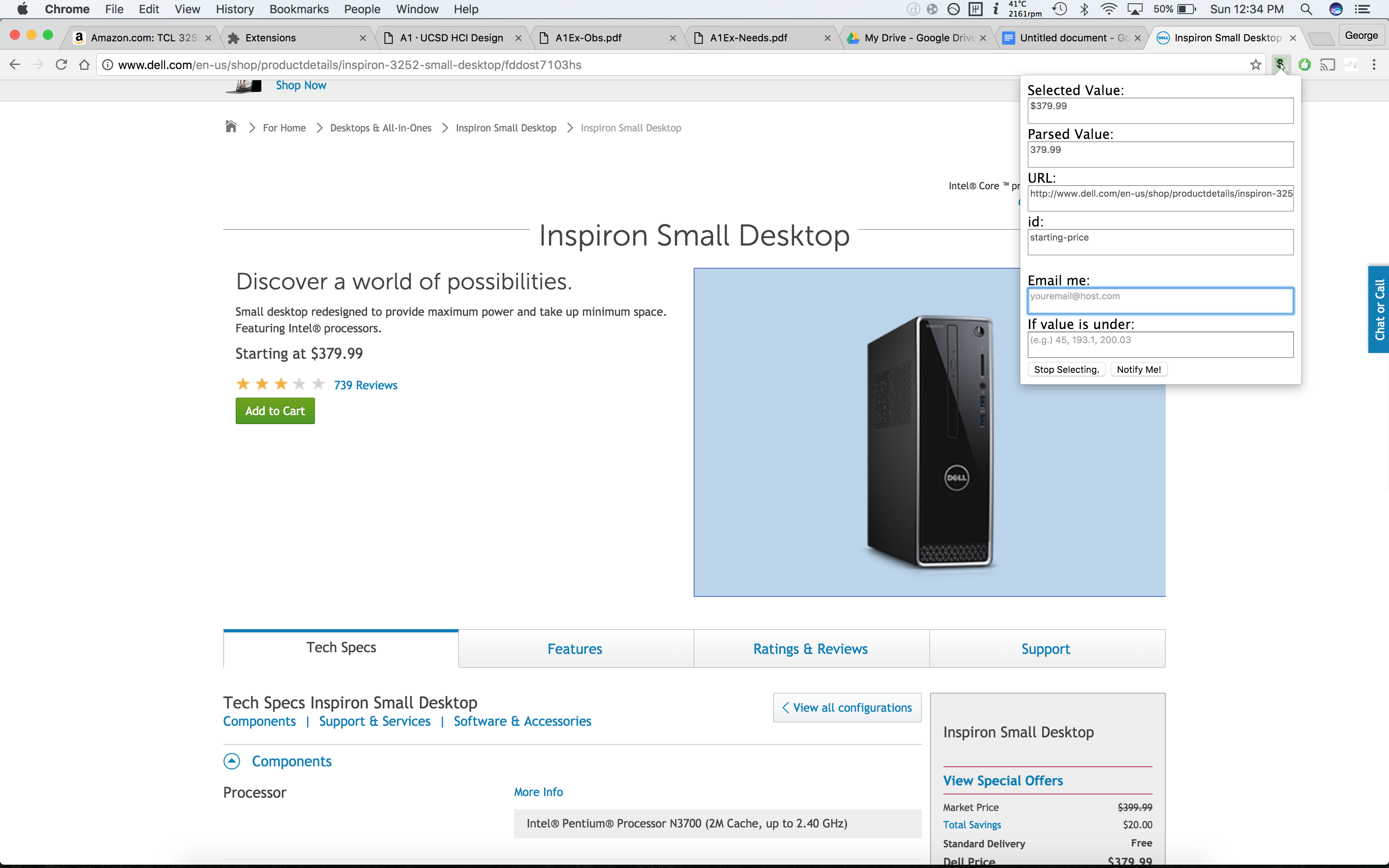
Dell Price Parse
Inspiration
Most applications and extensions that help users track change in prices are limited to predefined sites. We wanted to develop an tool that can dynamically determine the desired element on a webpage and allow the user to set certain criteria for email notification.
The key is: We are not limited to just prices. If you can see it on the site, we can track it!
See "What's next for Promptify" at end of page.
What it does
Upon clicking the "Select Element!" Button in the Chrome extension, any element the user hover's over on the webpage will be highlighted for easier selection (an inspector-like selector tool). When an element is clicked, for example the price of an item on Amazon, the chrome extension popup will fill up the following information:
- The value of the selected element.
- The parsed "numerical" value of the element.
- The URL of the webpage.
- The 'id' of the element.
The user can then enter their email (required for email notification) and an upper bound value to compare the selected value with and determine if an email notification is required.
The last step is to click the "Notify Me!" button which will send all of the relevant info our server which will continue scraping the provided site and element and will email the user of the change in value when detected.
How we built it
The chrome extension itself uses Javascript, HTML and CSS
Our backend server runs node.js, MongoDB, and sends emails to users using SparkPost
Challenges we ran into
Each time the Chrome extension popup closed, the popup page is reset, and therefore would not retain any of the selected values. So we used a Background page to store the HTML data on the popup and restore it when the user reopens the popup.
Often times a user may select an element on the page that does not have an 'id' attribute. This made our job of relocating the element during scraping very difficult. We were getting started on generating an XPATH to the element and decoding the XPATH to lead us to the desired element rather than 'id'. However we did not have enough time to completely implement it.
In the backend, we had trouble connecting the front end Google Chrome extension with our node server. This made us explore several options. In the end, we decided to use Ajax to post the data to the web server. We had trouble getting the data we need in our web scraper because not every website has 'id'. We attempted to resolve this issue by retrieving the XPATH of the element, and retracing it on the server end, but could not get it to work for complicated sites like Amazon and Ebay.
Accomplishments that we're proud of
As many of us do not have much experience with the technologies (javascript, chrome extensions, node.js, SparkPost API integration) We were proud to have created an application that could possibly redefine the way automated webscrapers work.
A user can now interactively select any web element and decide the criteria for Promptify to prompt them with an email.
What we learned
We learned a lot about collaboration during the course of this project. It is so important to keep your teammates up to date on both present and completed tasks. One person can't do everything.
Perseverance is critical. When we set our minds to learn all of the technology involved, we made our idea a reality.
What's next for Promptify
As of right now, Promptify is more of a proof of concept. However, we plan on making selection of elements fully dynamic by locating elements by way of XPATH instead of 'id'.
We also want to inject the emails with CSS to make them look nicer.
Lastly, we want to support more criteria for email notification. For example:
- Promptify me "when the Operating Systems course offered at my school changes from MWF to TTH classes so that I can enroll!"
- Promptify me "When the GOOGL stock is between _______ and _______ "
- Promptify me "When ______ site goes live"
- Promptify me "When the Warriors v. Cavaliers game is 'FINAL', and also send me the final score!"
- Promptify me "When my youtube video reaches over 1,000,000 views!"
- The possibilities are endless!


Log in or sign up for Devpost to join the conversation.